
Open the caller's CRM record when you answer
When your workspace has a CRM connected, calls and customer conversations show who the person is in it, with a button that opens their record. You can have the record open by itself instead.
Turn it on
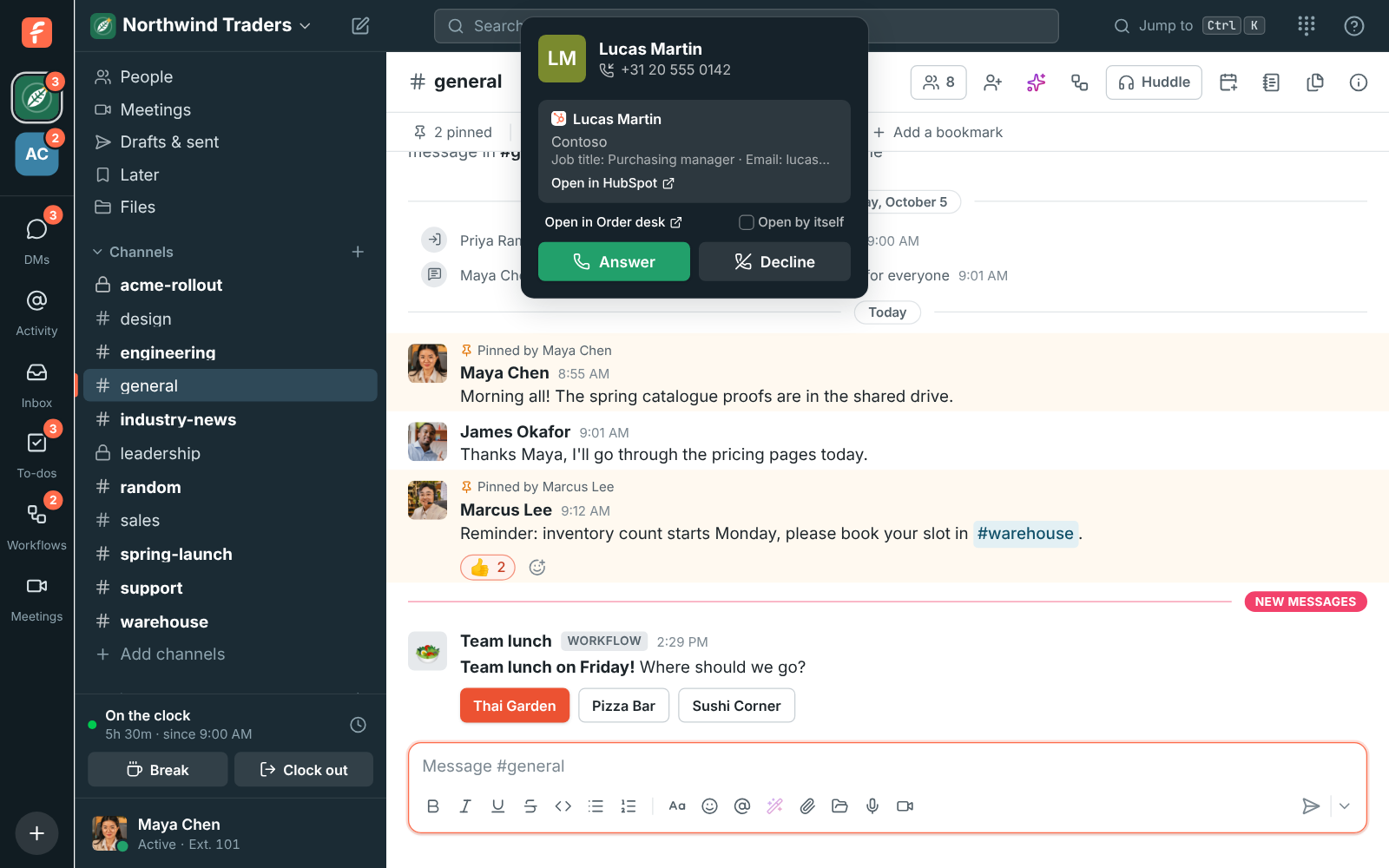
Section titled “Turn it on”- When a call rings or you open a customer conversation, find the CRM card with the person’s name.
- Tick Open by itself under it.
You can also turn it on in Preferences → Phone → Customer’s page. From then on, answering a call or opening a customer conversation opens the person’s record in a new tab, once each time.
If nothing opens
Section titled “If nothing opens”- No card shows. The CRM doesn’t know the person’s number or email address yet, or the CRM isn’t connected. Ask an admin to check Workspace settings → Integrations → CRM.
- The card shows but nothing opens. In a browser tab, the browser’s pop-up blocker may have stopped it. Allow pop-ups for Freesbe in the browser’s site settings, or use the desktop app.
- On a phone or tablet. Nothing opens by itself there. Tap Open in on the card instead.
- On another computer. The setting is kept on each computer: turn it on there too.
See who’s calling, from your CRM for how people are found.
Answers come from the Freesbe guides and are written by AI, so check the linked guide before relying on one. Please don't include personal details such as emails or passwords.