
Let an AI agent answer your customers
The AI agent answers customers in your customer inbox while your team is busy or away, and passes them to a person when it should. You need to be a Freesbe owner or admin, and the workspace needs the AI agent add-on (Admin Center → Billing → Plan → Add-ons).
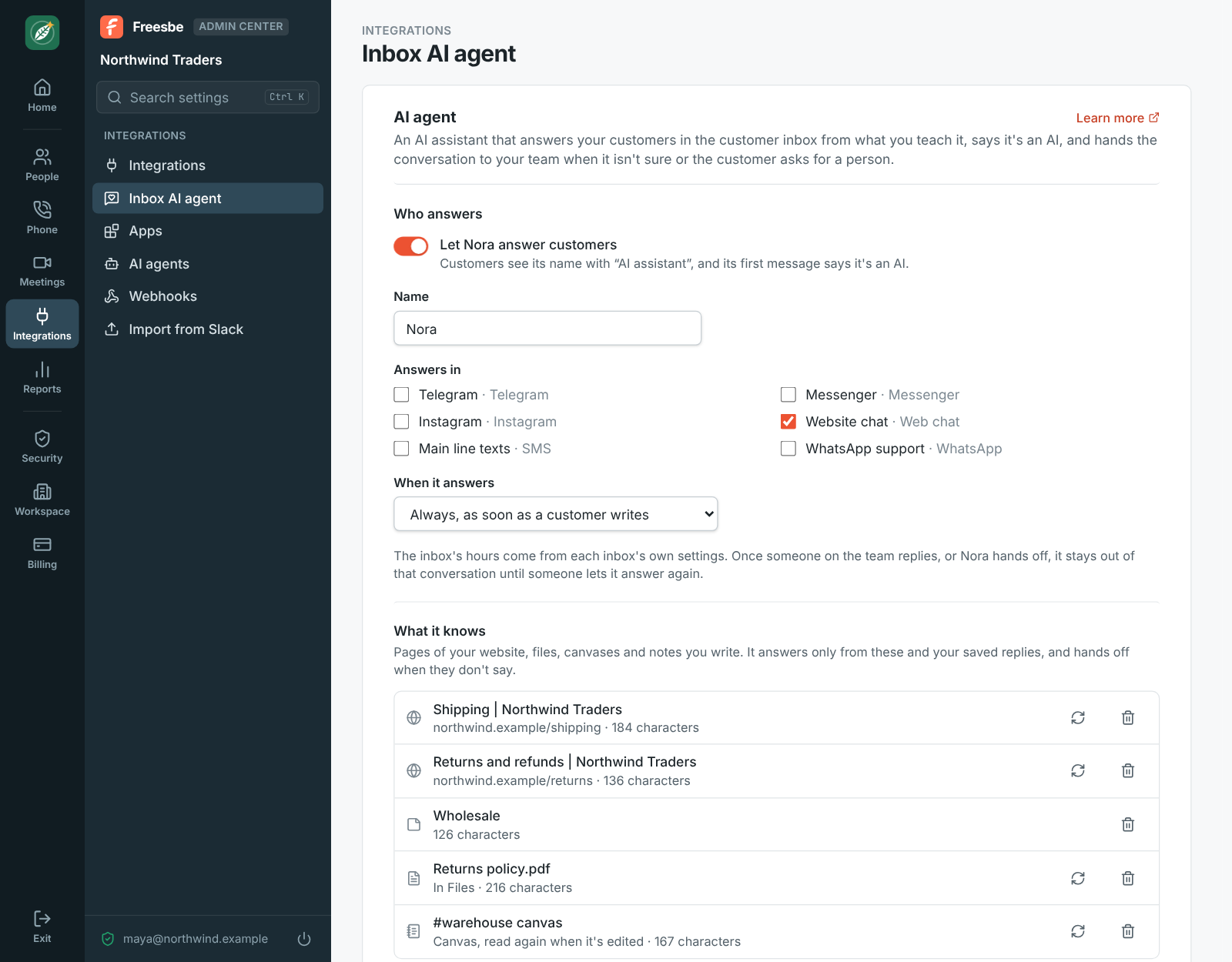
1. Teach it
Section titled “1. Teach it”- Open Admin Center → Integrations → Inbox AI agent.
- Under What it knows, paste the address of a page of your website, like your shipping or returns page, and click Add page. Add a page for each topic customers ask about.
- For what isn’t on your website, click Write a note, give it a title and write what it should know.
It answers only from these and your saved replies. When they don’t say, it hands off.
2. Say how it answers
Section titled “2. Say how it answers”- Under How it answers, write your Instructions: the tone, and what to ask for first, like the order number.
- In Always a person for, add the topics it should never answer, like refunds or complaints, pressing Enter after each one.
- Leave Model on Automatic to start: easy questions go to a fast model, hard ones to a stronger one.
3. Try it
Section titled “3. Try it”Under Try it, ask what a customer would, like “Do you ship to Canada?”, and click Ask. You see its answer and what it answered from, or why it would hand off. Nothing is sent to anyone. Change its knowledge or instructions until the answers are right.
4. Turn it on
Section titled “4. Turn it on”- Under Who answers, pick the inboxes it Answers in, and When it answers: always, only outside your hours, or when nobody replies in time.
- Turn on Let Nora answer customers (with the name you gave it) and click Save changes.
Customers see its name with “AI assistant”. Your team sees each answer in the conversation’s thread, where Pause stops it and replying yourself makes it step back.
Good to know
Section titled “Good to know”- Each conversation it reads counts once toward the month’s 500, or more for a bigger model, even when it hands it to your team. Try it needs the add-on too. When they’re used up, new conversations go to people until the month starts again.
- Card numbers and similar are hidden before any model reads the conversation.
- See the customer inbox guide for every setting.
Answers come from the Freesbe guides and are written by AI, so check the linked guide before relying on one. Please don't include personal details such as emails or passwords.