
Connect monday CRM to Freesbe
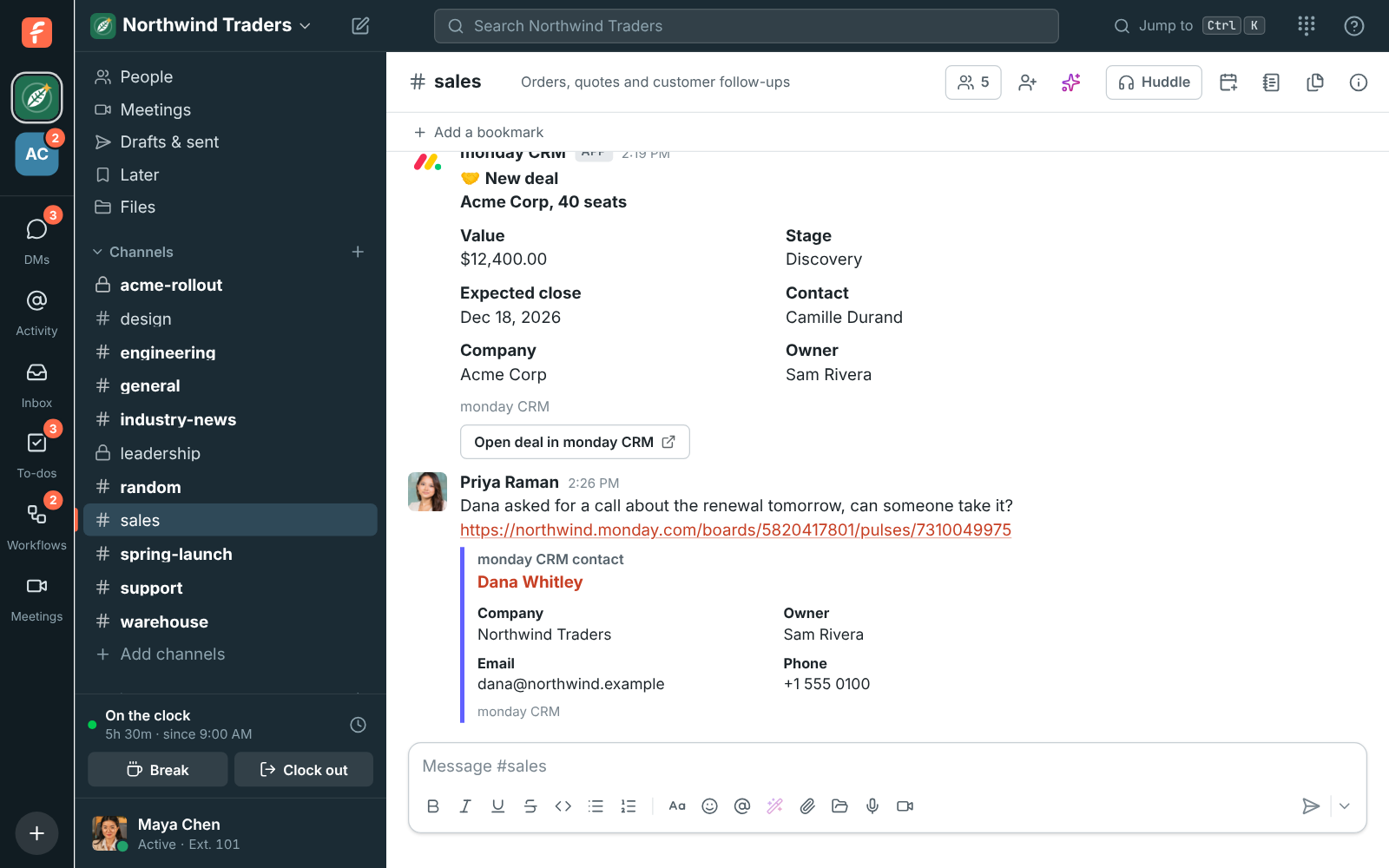
Connect monday CRM and your sales team sees new deals, stage changes, wins, losses and new
contacts in a channel, gets a preview under every link to a deal or contact, finds them with
/mondaycrm and adds conversations to a contact’s updates. You need to be a Freesbe owner or
admin, and able to change the Deals and Contacts boards in monday.com.
1. Check your boards
Section titled “1. Check your boards”Freesbe works with the Deals and Contacts boards that monday sales CRM sets up. If you’ve renamed them, keep the word “Deals” or “Contacts” in their names so Freesbe can find them.
Freesbe sees what the person who connects sees, and posts updates as them. Connect as someone who can see both boards and change them, such as a monday.com account admin, so no deal is missed and alerts can be set up.
2. Connect your account
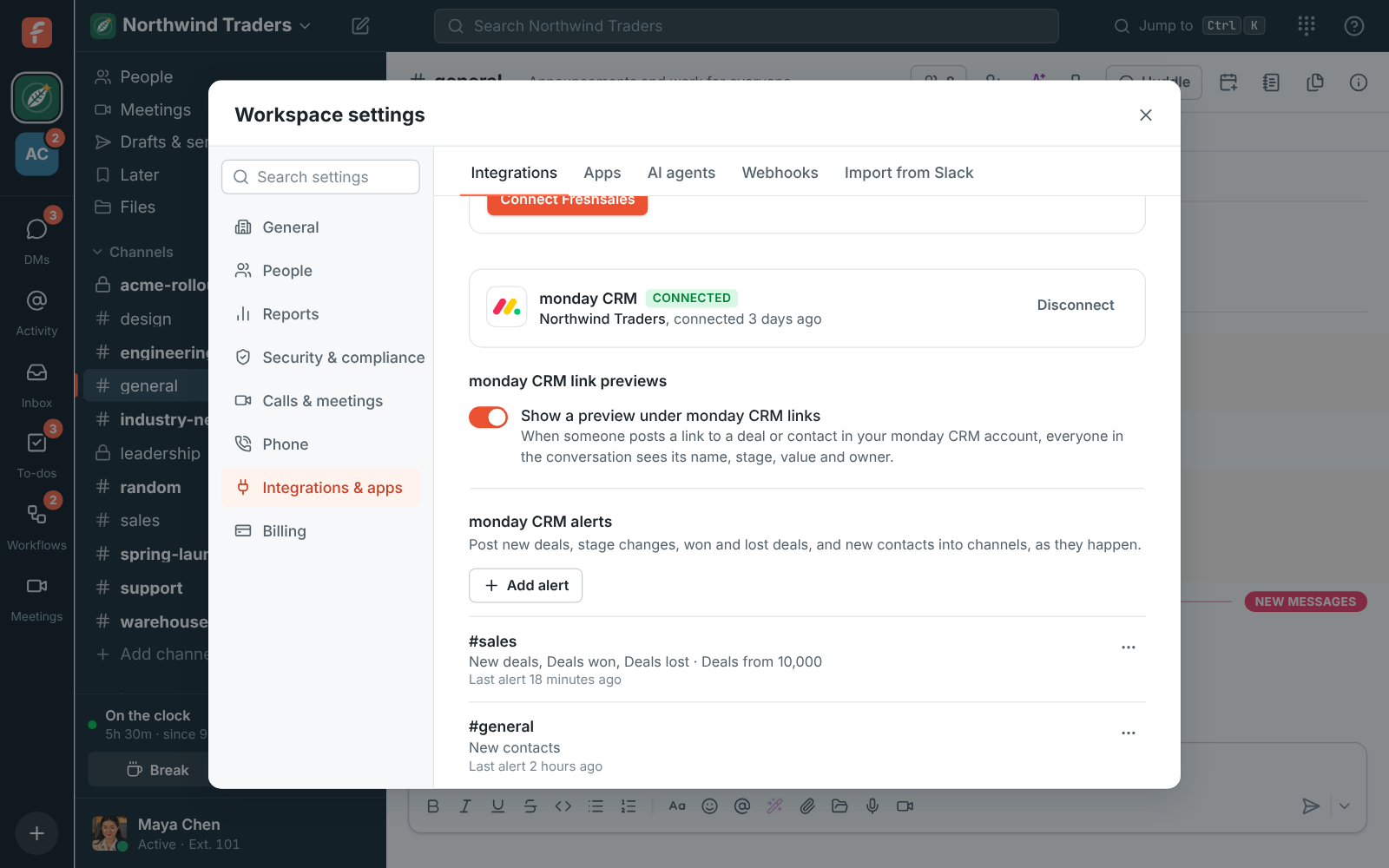
Section titled “2. Connect your account”- Open Workspace settings → Integrations & apps → Integrations → CRM and find monday CRM, under Freshsales.
- Click Connect monday CRM, sign in to monday.com if it asks, and click Authorize.
- Connected shows next to monday CRM, with the account’s name.
3. Add alerts
Section titled “3. Add alerts”- Under monday CRM alerts, click Add alert.
- Pick Post to channel, for example #sales.
- Tick the Alerts to post: New deals, Deals moving stage, Deals won, Deals lost, New contacts.
- Set a Smallest deal to post if you only want the big ones. New contacts always post.
- Click Add alert to save it, then choose ⋯ → Send a test alert to see a sample card.
Alerts post as soon as monday.com sends the change. Add more alerts for different channels: deals over $50,000 to #leadership, new contacts to #sales.
4. Decide on link previews
Section titled “4. Decide on link previews”Show a preview under monday CRM links is on to start with. Everyone in the conversation sees a preview, guests included, so turn it off in Integrations → CRM if your CRM details shouldn’t be shared that way.
5. Tell your team what they can do
Section titled “5. Tell your team what they can do”- Type
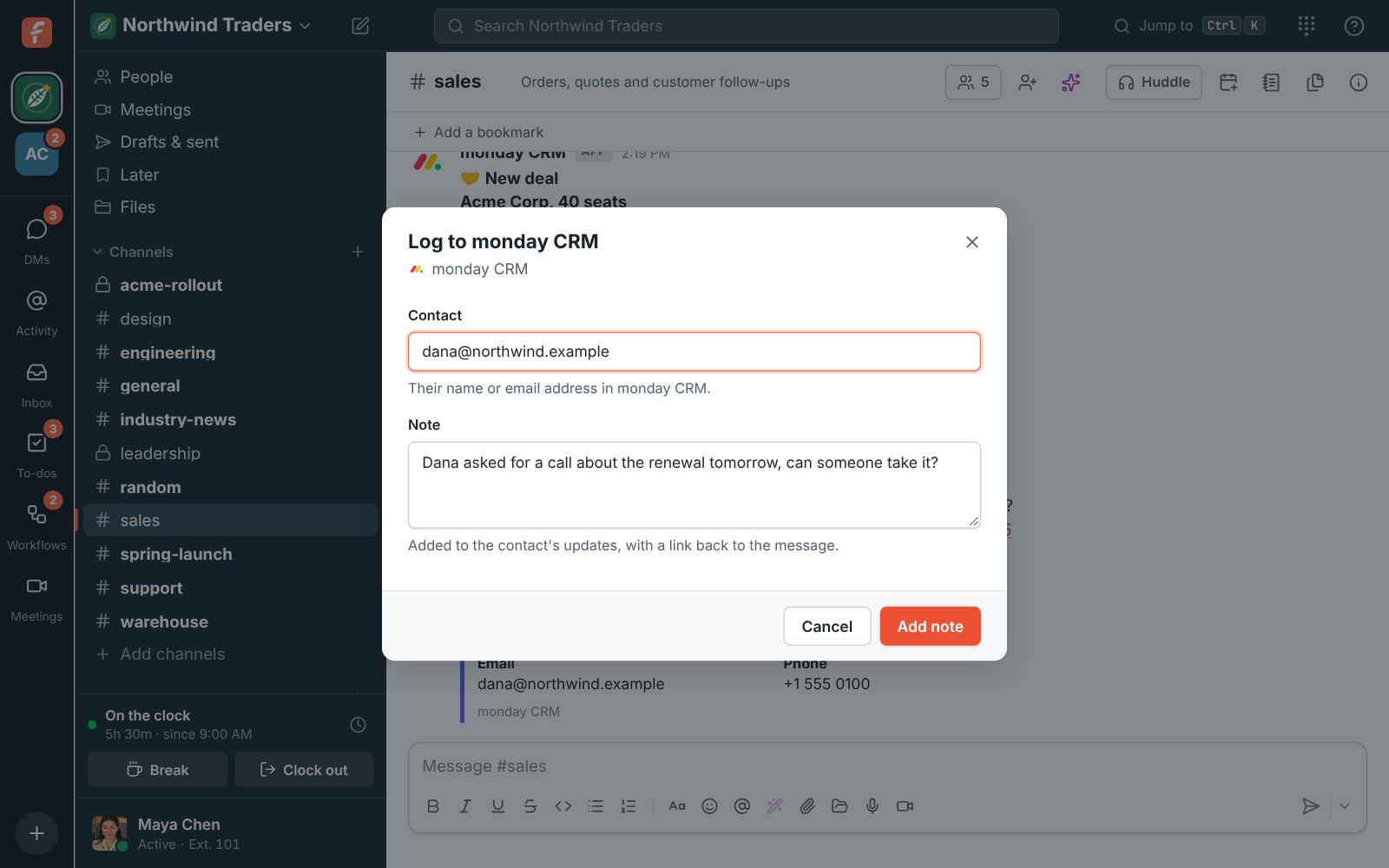
/mondaycrm Contosoto find deals and contacts. Only you see the answer. - Hover over a message, click ⋯ → Log to monday CRM, type the contact’s email address and click Add note. It goes on the contact’s updates with a link back to the message.
If something’s wrong
Section titled “If something’s wrong”See monday CRM alerts aren’t posting.
- Freesbe says the account has no Deals board. Set up monday sales CRM in that account, or name the board your deals are on “Deals”, and connect again.
- monday CRM shows Alerts are off. The person who connected can’t change the Deals and Contacts boards, so Freesbe couldn’t add the webhooks alerts use. Reconnect as a board owner or an account admin.
- monday CRM shows Needs reconnecting. monday.com stopped accepting Freesbe’s access, often because the app was uninstalled or the person who connected left. Click Reconnect.
- No preview under a link. Previews only show for items on the Deals and Contacts boards of the connected account, up to three per message, and only while previews are on.
Disconnect
Section titled “Disconnect”Click Disconnect in Integrations → CRM. Freesbe takes its webhooks off your boards. Your alerts are kept for when you connect again.
See monday CRM for more.
Answers come from the Freesbe guides and are written by AI, so check the linked guide before relying on one. Please don't include personal details such as emails or passwords.