
Post Mercury payments into a channel
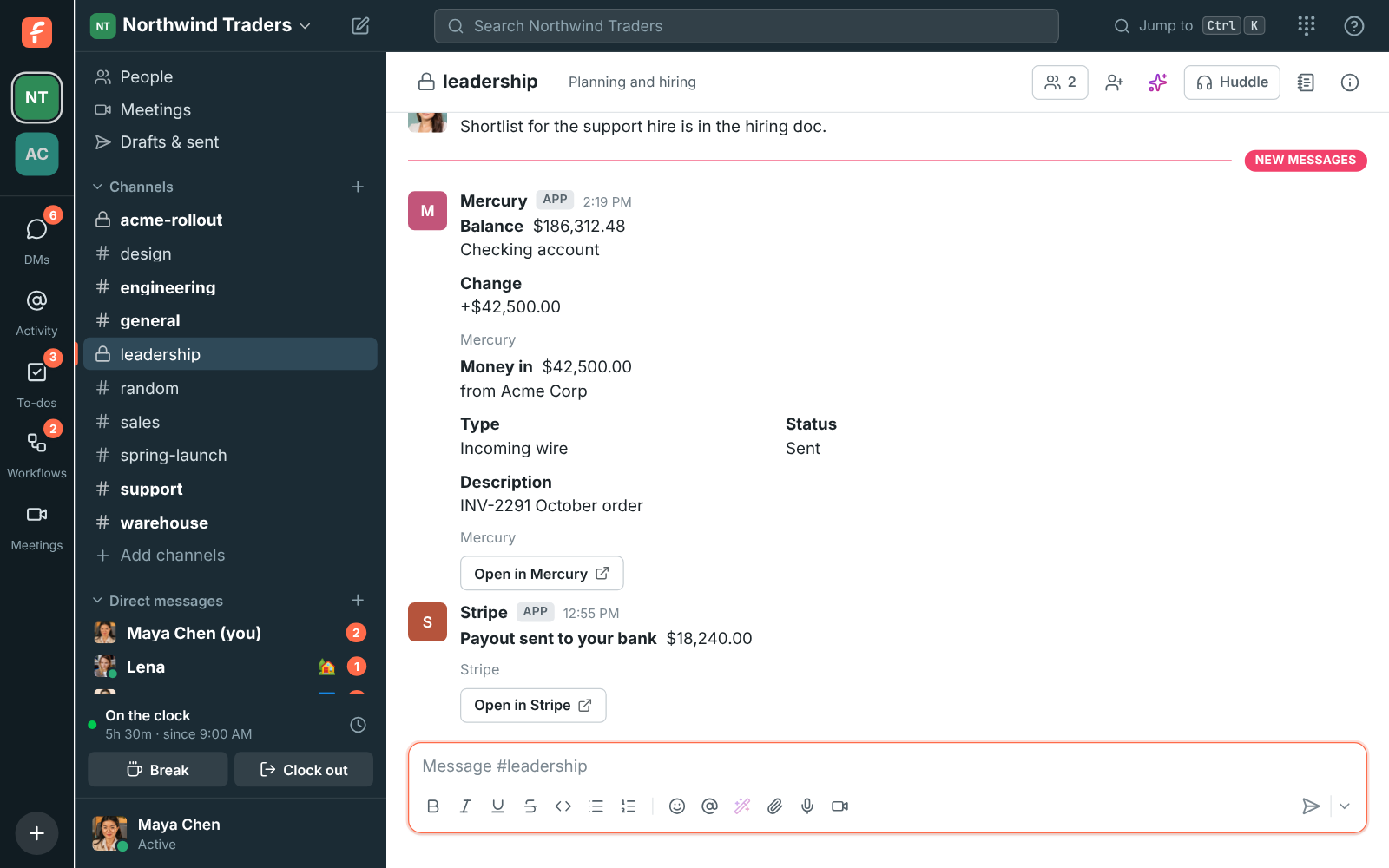
Connect Mercury and every deposit, payment and balance change in your business bank account posts into a channel as it happens, as a card with the amount, the counterparty, its status and an Open in Mercury button. It takes about five minutes, and you need to be a Freesbe owner or admin and able to make API tokens in Mercury.
Before you start
Section titled “Before you start”Pick the channel. Money is private, so a private channel for your finance team, like #finance, works best. Make it first if you need to.
Connect it
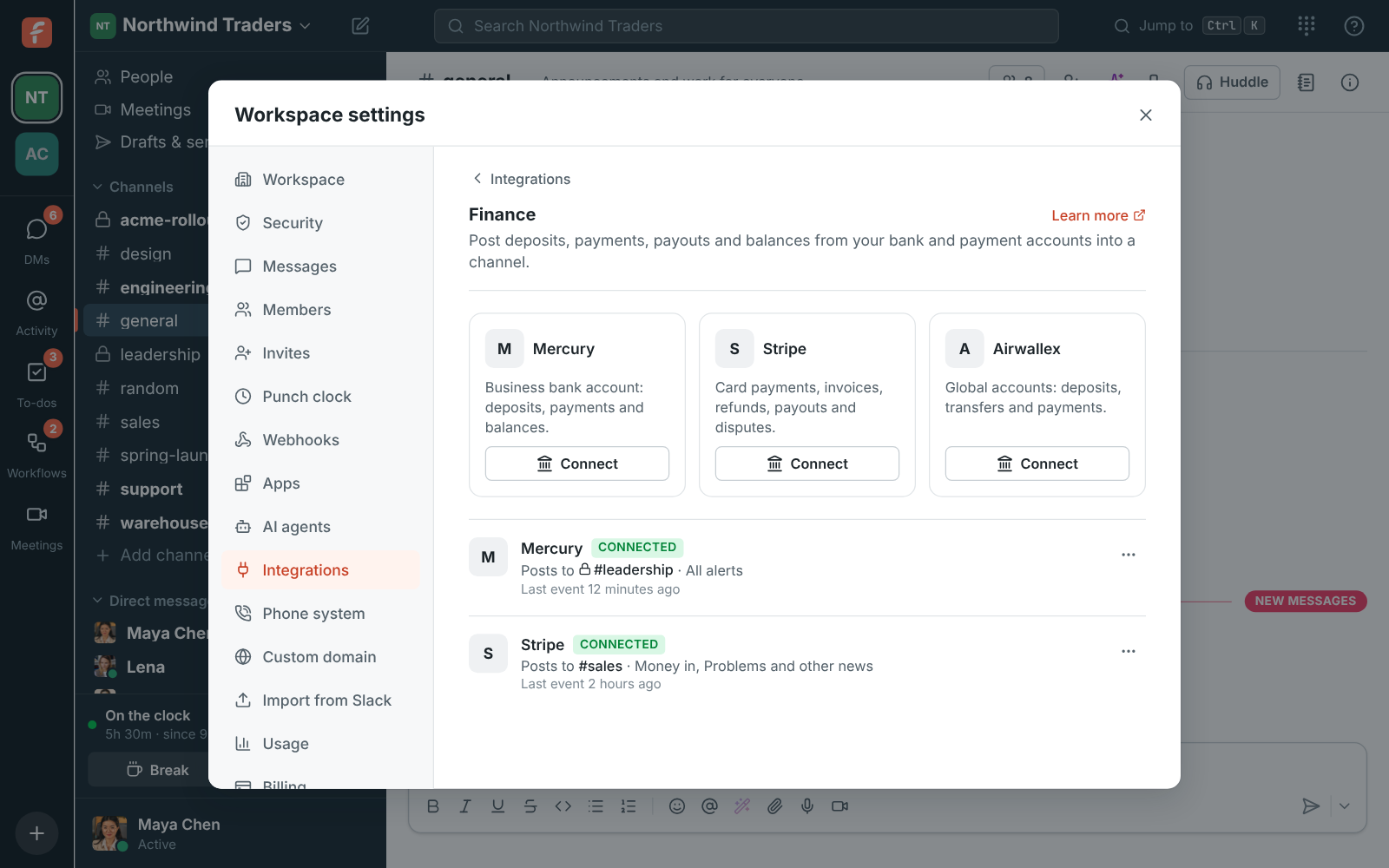
Section titled “Connect it”- In Freesbe, open Workspace settings → Integrations & apps → Integrations → Finance and click Connect under Mercury. Leave this form open.
- Copy the list in the IP whitelist box.
- In Mercury, open Settings → API Tokens and create a token with read and write access. When Mercury asks for an IP whitelist, paste the list you copied.
- Copy the new token, and paste it into Mercury API token in Freesbe.
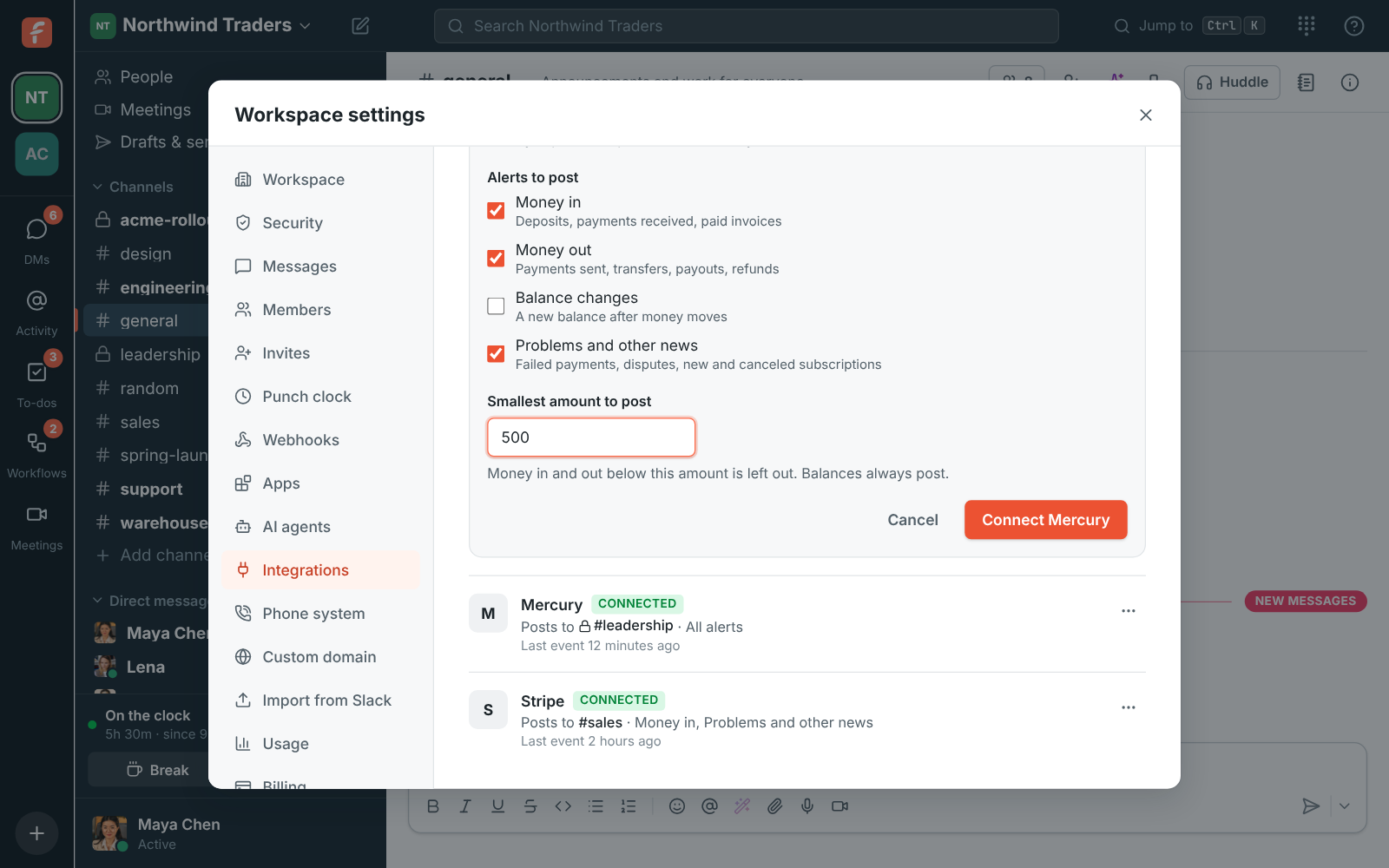
- Pick Post to channel, tick the Alerts to post (Money in, Money out, Balance changes, Problems and other news) and, if you like, a Smallest amount to post, such as 500.
- Click Connect Mercury.
- Back in Mercury, open Settings → API Tokens again and delete the token.
Deleting the token in step 7 is safe and recommended. Freesbe used it once, to set up Mercury’s webhook to Freesbe, and didn’t keep it. Alerts keep coming without it.
Check it works
Section titled “Check it works”From Mercury’s ⋯ menu in Integrations → Finance, choose Send a test alert. A card marked Sample alert appears in the channel. After your next real transaction, Last event under the account shows when Mercury last sent something.
If something’s wrong
Section titled “If something’s wrong”- “Mercury didn’t accept that API token.” The token needs read and write access and the IP whitelist from Freesbe’s form. Make a new one with both and paste it again.
- “Couldn’t reach Mercury” or “Mercury couldn’t add the webhook.” Mercury was busy. Wait a minute and click Connect Mercury again.
- Nothing posts. Check the account isn’t Off (⋯ → Turn on), and that the amount is above your Smallest amount to post. Balances always post.
- You want alerts in a second channel. Connect Mercury again and pick the other channel.
Stop the alerts
Section titled “Stop the alerts”⋯ → Turn off pauses them. ⋯ → Delete disconnects the account; also remove Freesbe’s webhook in Mercury so it stops sending.
See Payment alerts for everything Mercury posts. Using Stripe or Airwallex too? See Post Stripe payments into a channel and Post Airwallex payments into a channel.
Answers come from the Freesbe guides and are written by AI, so check the linked guide before relying on one. Please don't include personal details such as emails or passwords.