The customer inbox
Every customer message, in the channel your team already reads.
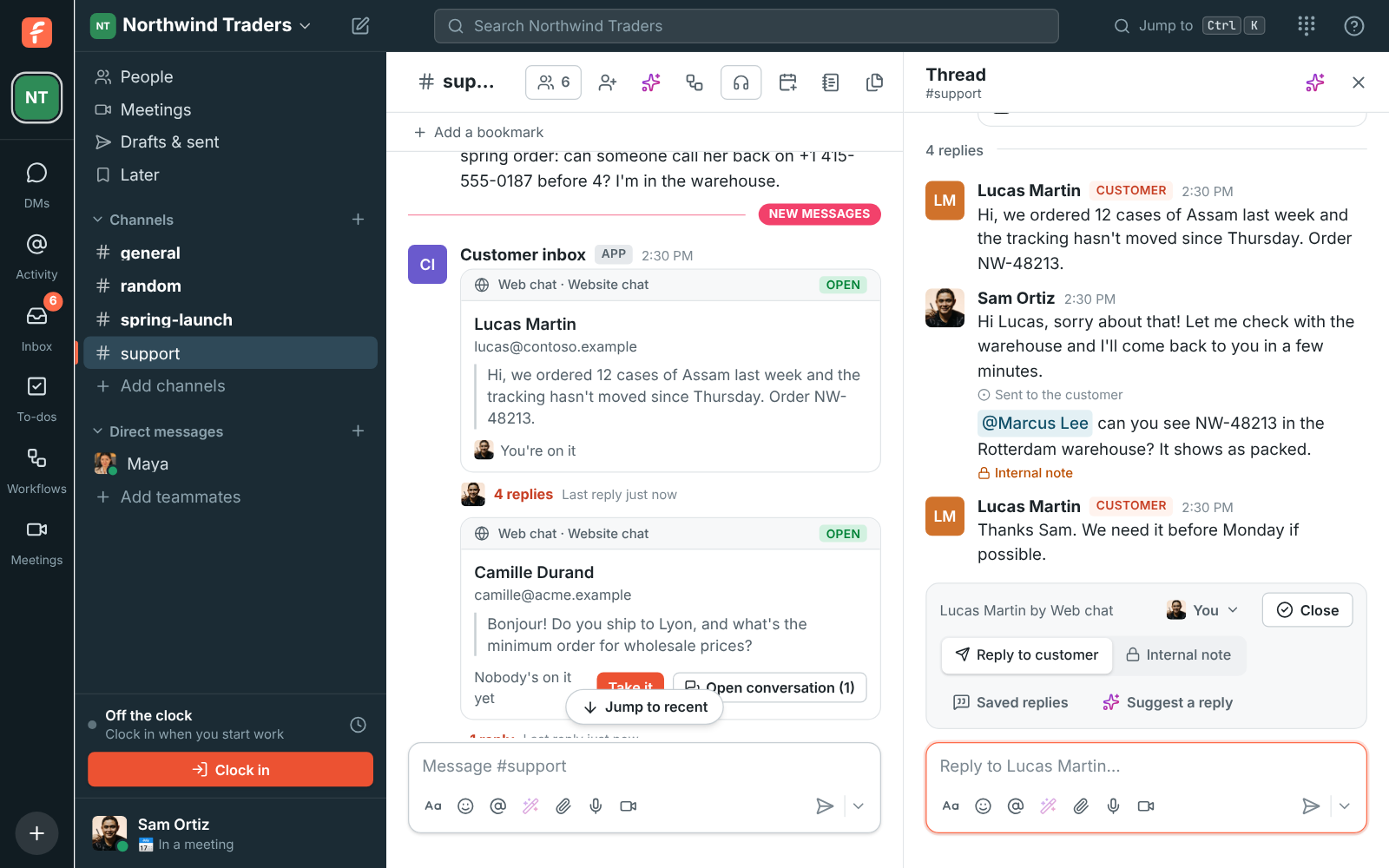
A chat bubble on your website, your support address, texts to your Freesbe numbers, WhatsApp and Telegram all land as threads in a channel. Hand a conversation to a colleague, keep internal notes beside it, answer with a saved reply or the one AI suggests, and see every message in the Admin Center's log.
AI
One feature about the customer inbox
Connect
6 features about the customer inbox
- Customer inboxOne inbox for every way customers write.All plans
- Web chat on your websiteA chat on your site, answered from your channel.All plans
- Support email in a channelKeep the address customers know. Answer it together.All plans
- WhatsAppAnswer WhatsApp as a team, not from one phone.Business and up
- TelegramAnswer Telegram from a channel, and post to it.Business and up
- Texts to your numbersTexts to your business number, answered in a channel.Phone system add-on
Integrations
Works with
- Web chatPut a chat button on your website. Each visitor's conversation becomes a thread in a channel, and your team answers with hand-off, internal notes, saved replies and AI suggested answers. Every plan.All plans
- Call us linkA Call us link is a page customers open from your website, an email, a QR code or your Telegram bot. They tap Sales, Support or Billing and call your team from the browser, free for them. With the Phone system add-on.Phone system add-on
- Support emailForward support@ to Freesbe and every email starts a thread in a channel. Replies go back from your address in the customer's own email thread, with hand-off, internal notes and saved replies. Every plan.Coming soon
- TextsTexts to your Freesbe phone numbers land in a channel, one thread per customer, and your team texts back from the thread. Try it in test mode before any text goes out. With the Phone system add-on.Coming soon
- WhatsAppMessages to your WhatsApp Business number land in a channel, one thread per customer. Reply with photos and files, send approved templates after 24 hours, and write first. Business and up.Coming soon
- TelegramCustomers message your business on Telegram and each gets a thread in a channel; replies, photos and files go back on Telegram. Share your channels' posts on Telegram channels and groups. Business and up.Business and up
- ZendeskConnect Zendesk to Freesbe: post new tickets, status changes, public replies and assignee changes into channels, show ticket links as cards, and turn any message into a ticket.All plans
- FreshdeskConnect Freshdesk to Freesbe: post new tickets, status changes, replies, priority and agent changes into channels, show ticket links as cards, look tickets up with /freshdesk, and turn any message into a ticket or a private note.All plans
- Zoho DeskConnect Zoho Desk to Freesbe: post new tickets, status changes, customer replies, and priority and assignment changes into channels as they happen, preview ticket links, and turn any message into a ticket.Coming soon
How to set it up
The guides
For your team
Other topics
Try all of it free with up to 10 people.
No card, no time limit. Invite your team and see what sticks.