Freesbe

For remote teams

Work across time zones without waking anyone up.

Freesbe helps remote teams work asynchronously: AI summaries of a channel or a thread since you last read it, meeting times that fit everyone's working hours and time zone, messages scheduled for the morning where the reader is, any message translated in place, notes and transcripts from every call, and the app in 25 languages.

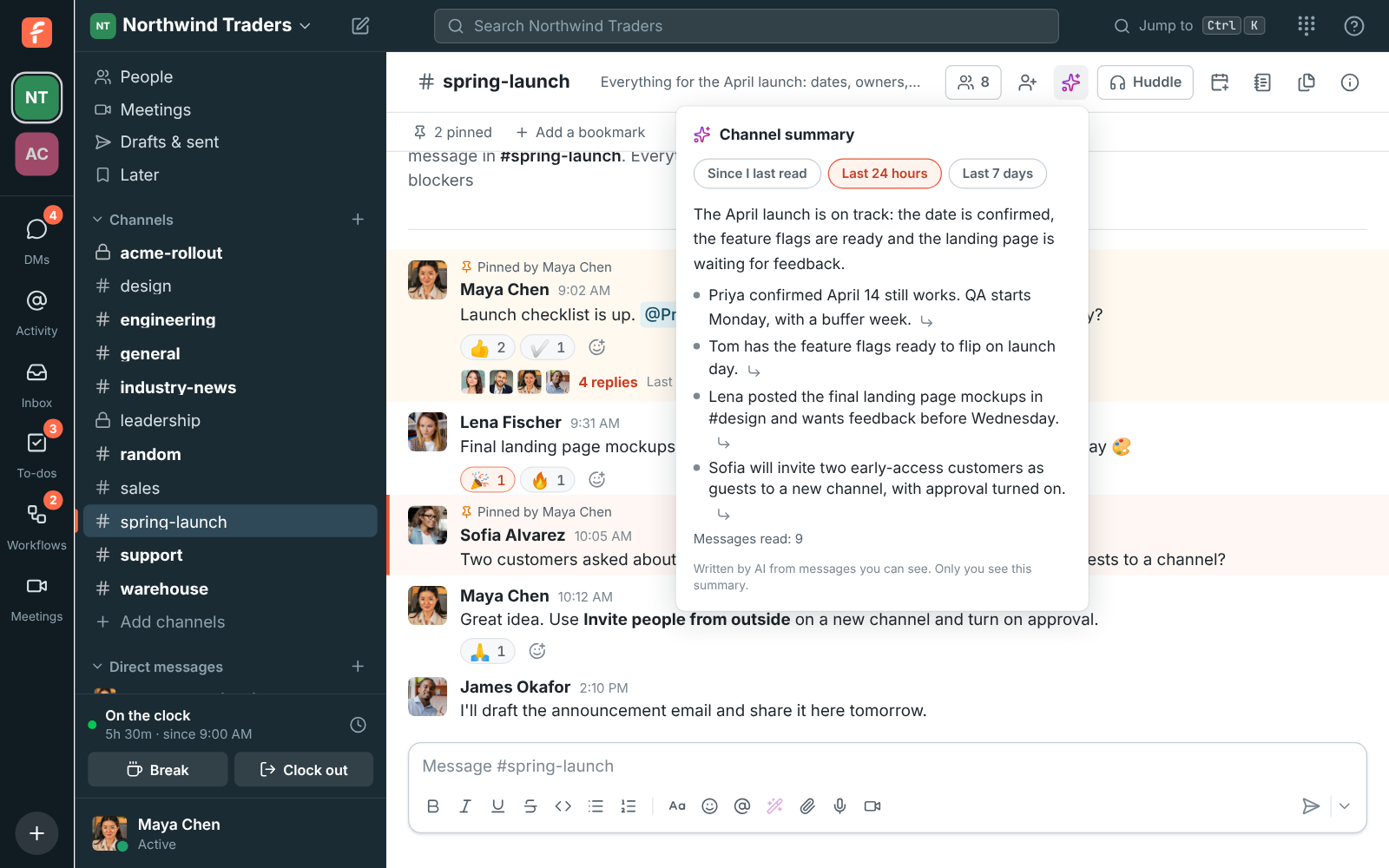
#spring-launch with its channel summary open: the launch is on track, with points linked to messages

Catch up in a few lines

Back from a day off, or starting while the other office sleeps? Summarize a channel since you last read it, for the last day or the last week, and each point links to the message it came from. A thread with 40 replies gets the same treatment. Ask Freesbe a question in the search box and get an answer with a link on every sentence.

  • Summaries read only what you can already read, and only you see them
  • Repeated alerts are read once, so busy channels summarize quickly
  • Nothing from your workspace trains AI models
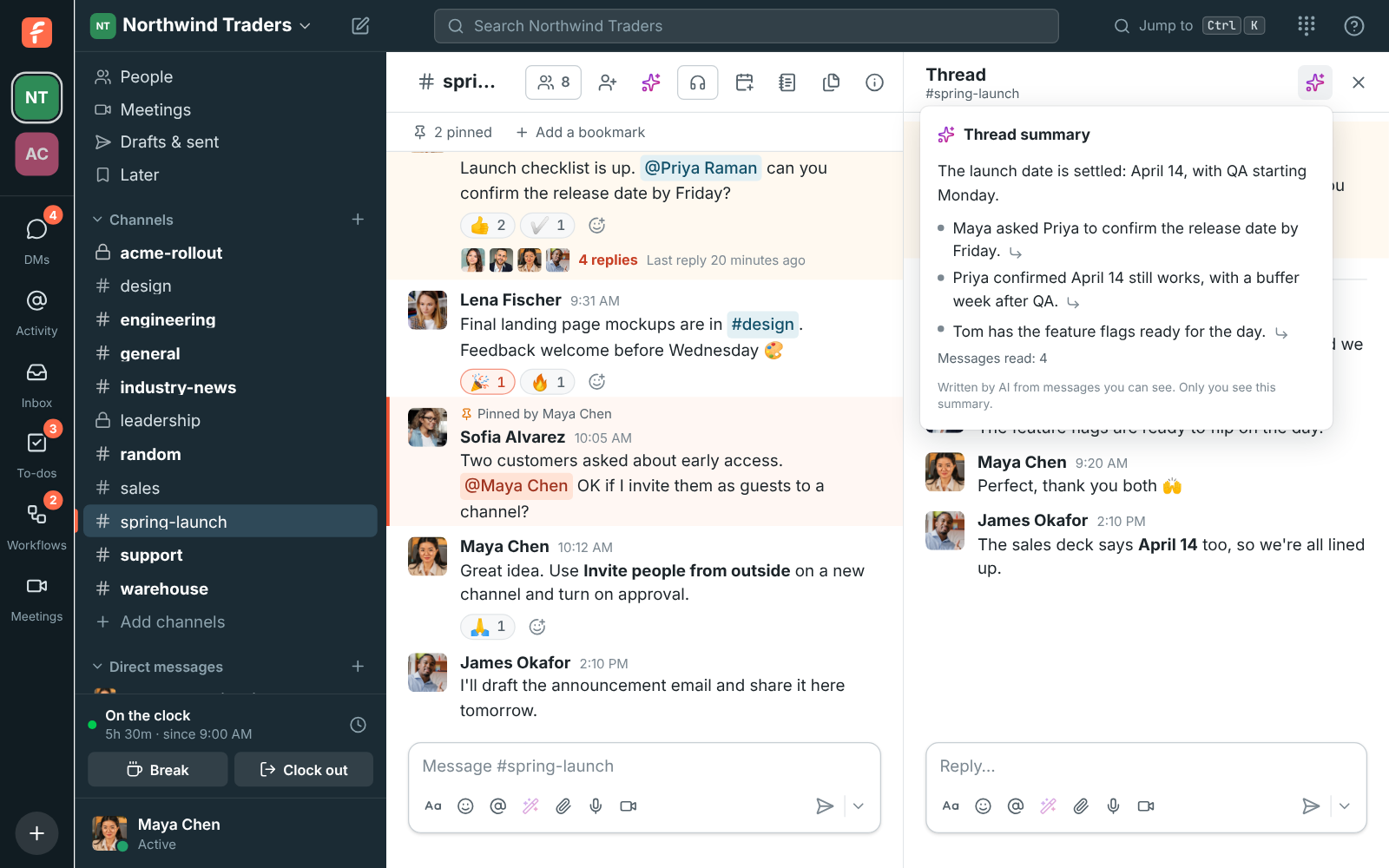
A thread in #spring-launch with its summary: the launch date is settled, with points from Maya, Priya and Tom

Find a time that fits every time zone

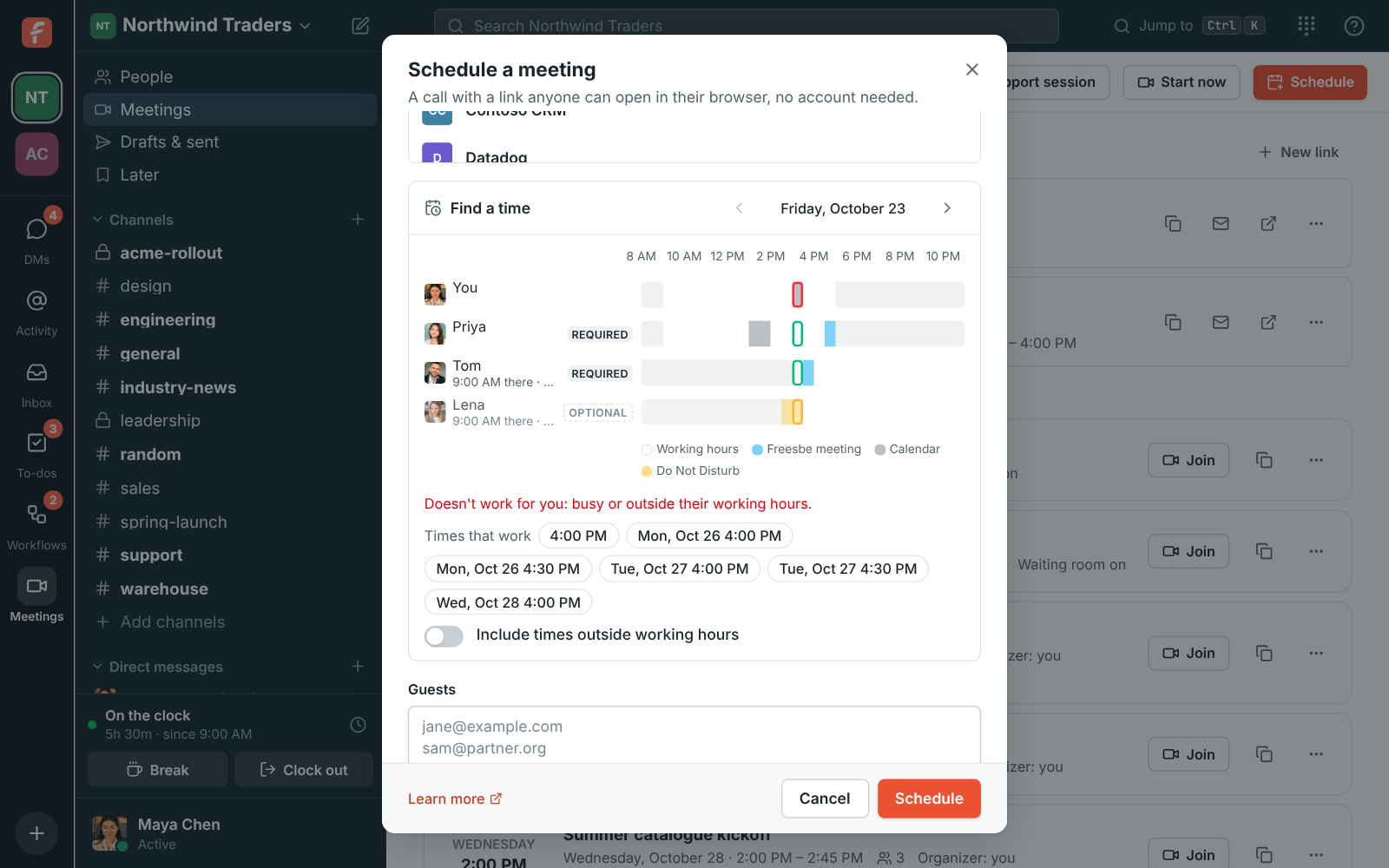
When you schedule a meeting, Find a time lines up everyone's day side by side: their working hours in their own time zone, their Freesbe meetings, busy times from their connected calendar and Do Not Disturb. Freesbe suggests up to six times in the next week that work for every required person, and says what the time is for each of them.

Find a time in the Schedule a meeting dialog: each person's working hours, meetings and suggested times

See it on your own team's data.

Start free with up to 10 people and try it today, or book a 20-minute demo with the people who make Freesbe.

Send it when they're awake

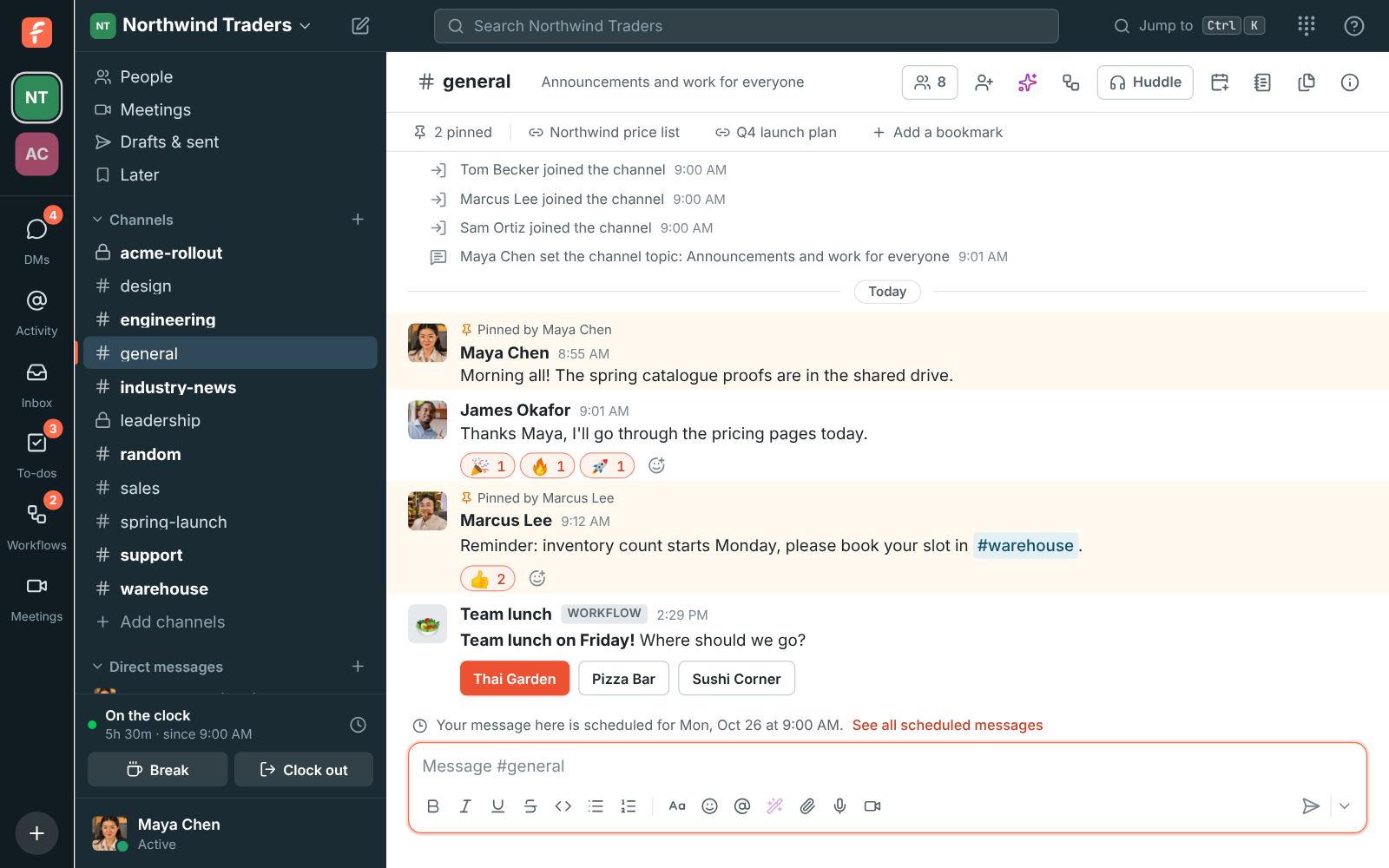
Write the message now and schedule it for tomorrow morning, Monday, or any date and time. Drafts, scheduled and sent messages share one page on every device. Each person sets their working hours and time zone, and teammates see their local time next to their name in DMs. Pause notifications until the morning and people see the pause mark.

A note above the message box showing a message is scheduled in this channel

Every call written up

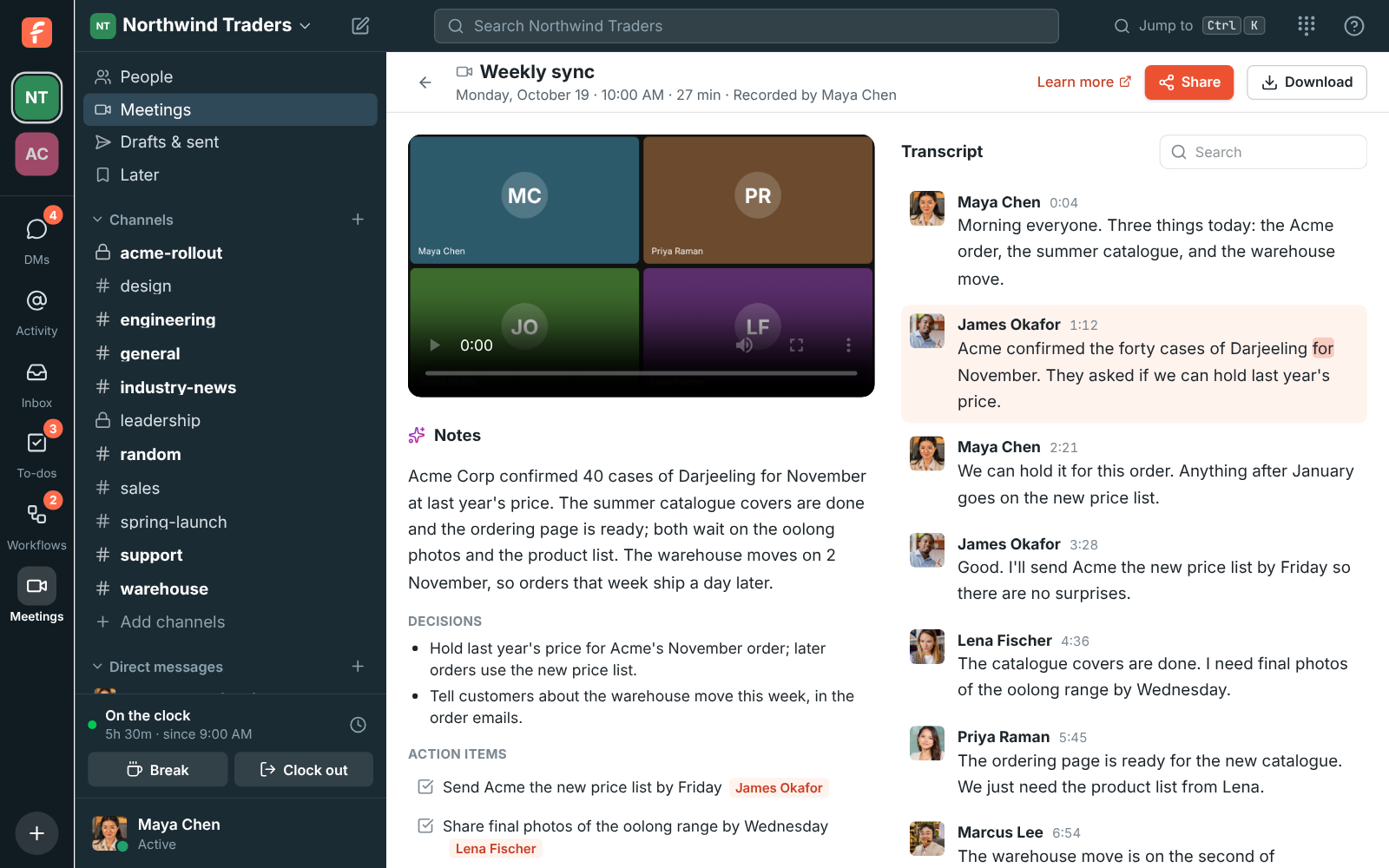
Record or transcribe a huddle or a meeting and a minute later the notes follow: a summary, the decisions and the action items with who they're for, in the language of the call. Click any line of the transcript to play from there. Admins can have every huddle transcribed, so the people who missed it read it in the thread.

A recorded weekly sync with AI notes, decisions and action items next to a transcript

25 languages, and translation when they differ

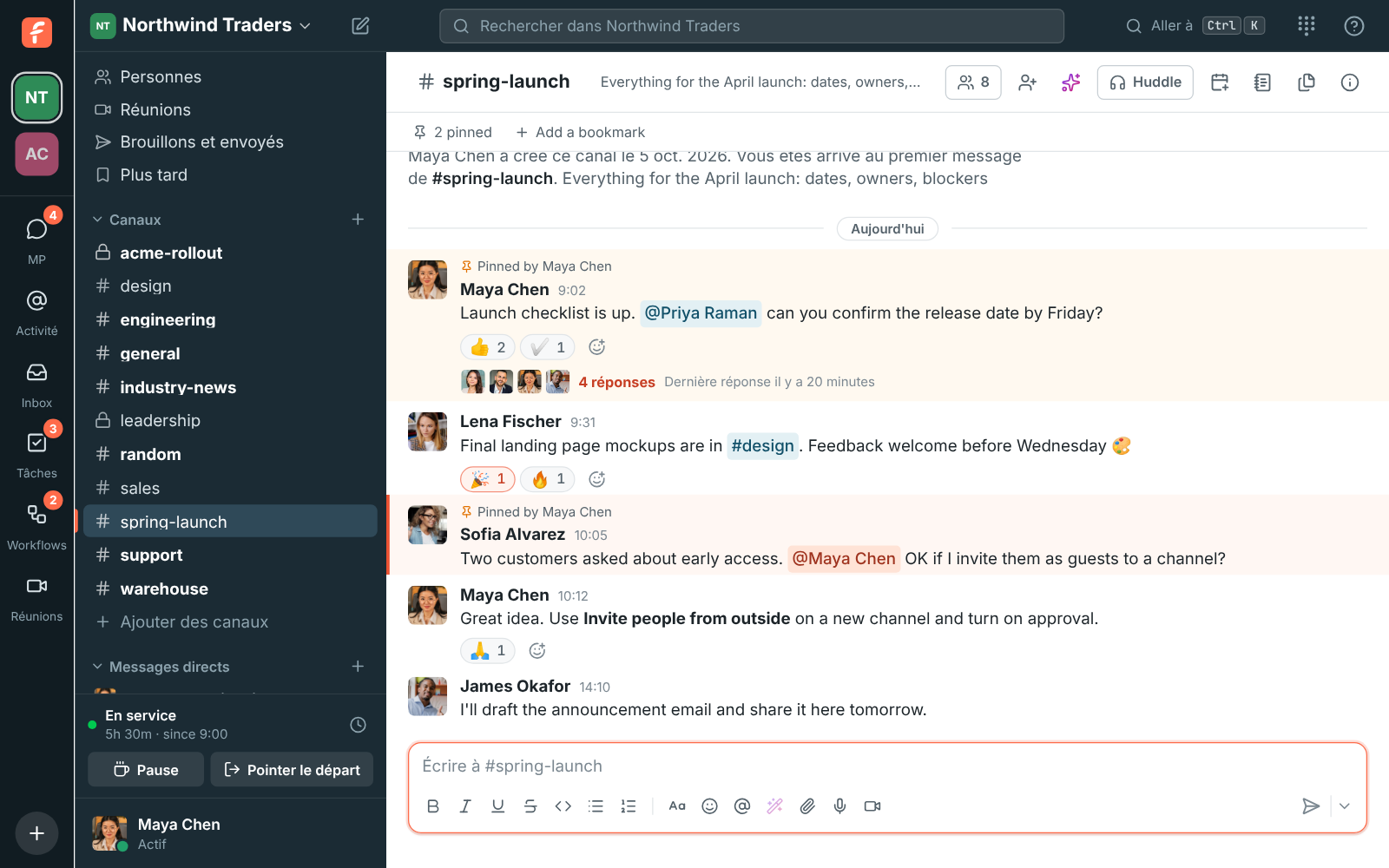
Freesbe follows each person's language, from French and Spanish to Japanese, Hindi and Arabic, laid out right to left where it should be. A message written in German is translated in place, under the original, for the person who asks. Writing help turns a rushed reply into a clearer or more formal one before it goes out.

Freesbe in French

Questions

Who sees that I asked for a summary?
Nobody. Summaries, translations and suggested rewrites appear only on your screen, and nothing is posted to the conversation.
Does Freesbe see my calendar's details?
Only when you're busy, never titles, places or who's in a meeting, unless you turn on the Calendar app for a daily agenda, reminders and invitations you can answer in Freesbe.
Where is our data stored?
You choose when you create the workspace: guaranteed in the European Union or the United States, or placed close to the team in Asia-Pacific or Oceania. It's free on every plan.
How much AI is included?
Every plan comes with monthly AI requests, including Free, and transcripts with notes from your calls. Admins see how many are left in workspace settings. The pricing page lists each plan's allowance.

See it with your own team's questions.

Start a workspace free for up to 10 people, or book a 20-minute call and bring the questions your team would ask.