Freesbe

Connect

All plans

A chat on your site, answered from your channel.

Freesbe's web chat puts a round button in the corner of your website. Visitors write, and each one gets a thread in the channel you pick, where your team answers, hands off and keeps notes. The visitor sees the answers with the first name of whoever wrote them. It takes one line of code and comes with every plan.

  • Add live chat to your site with one line, no extra tool to pay for.
  • Answer from the channel your team already reads, from the computer or the phone.
  • Know who you're talking to: ask for a name and email first, or let people write straight away.
  • Let visitors come back to the same conversation after closing the page.

For Any business whose customers land on its website with a question.

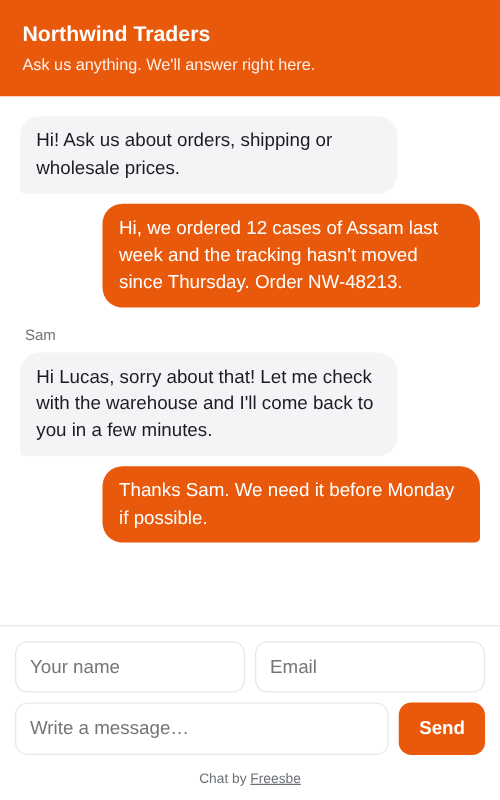
The web chat on a phone: Northwind Traders' greeting, a customer's question about an order and the answer

Set up in a few minutes

An owner or admin adds a web chat in workspace settings: give it a name like Main website, pick the channel conversations go to, and set the title, greeting and colour visitors see. Copy the one-line snippet and paste it before the end of every page that should show the chat. Try the chat opens it on its own page so you can send yourself a test message before anyone else sees it.
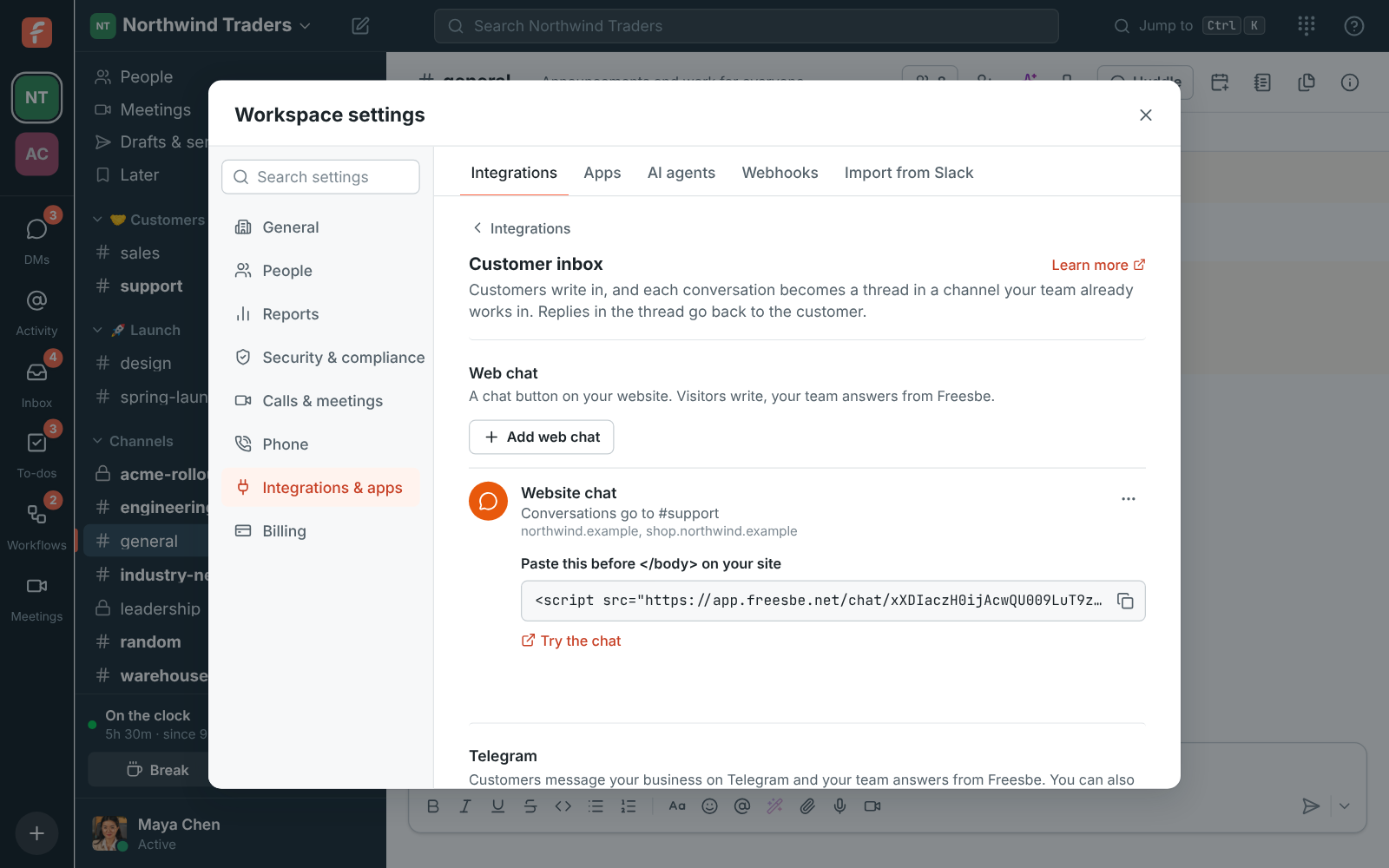
Workspace settings, Customer inbox: the Website chat going to #support, with its snippet to copy and Try the chat

What visitors see

A round button sits in the bottom corner of your site. Clicking it opens the chat with your title and greeting. The visitor's first message starts a conversation, and your team's answers show up with the first name of whoever wrote them. The chat remembers the visitor in their browser, so they can close the page and come back to the same conversation. They never see your channel, your internal notes or anyone's email address.

The web chat on a phone with the greeting, a customer's question and the team's answer

See it on your own team's data.

Start free with up to 10 people and try it today, or book a 20-minute demo with the people who make Freesbe.

Answer with the whole team behind you

Each visitor's conversation is a thread in your channel, so everyone there sees it and anyone can take it. Hand it to a colleague who knows the answer, write an internal note the visitor never sees, drop in a saved reply or ask Freesbe to suggest one from the conversation. Close it when it's done, and the Inbox page keeps every open chat in one list.

  • Hand-off is noted in the thread, so the team can follow along
  • Saved replies for the questions every visitor asks
  • Suggest a reply drafts an answer you read before sending
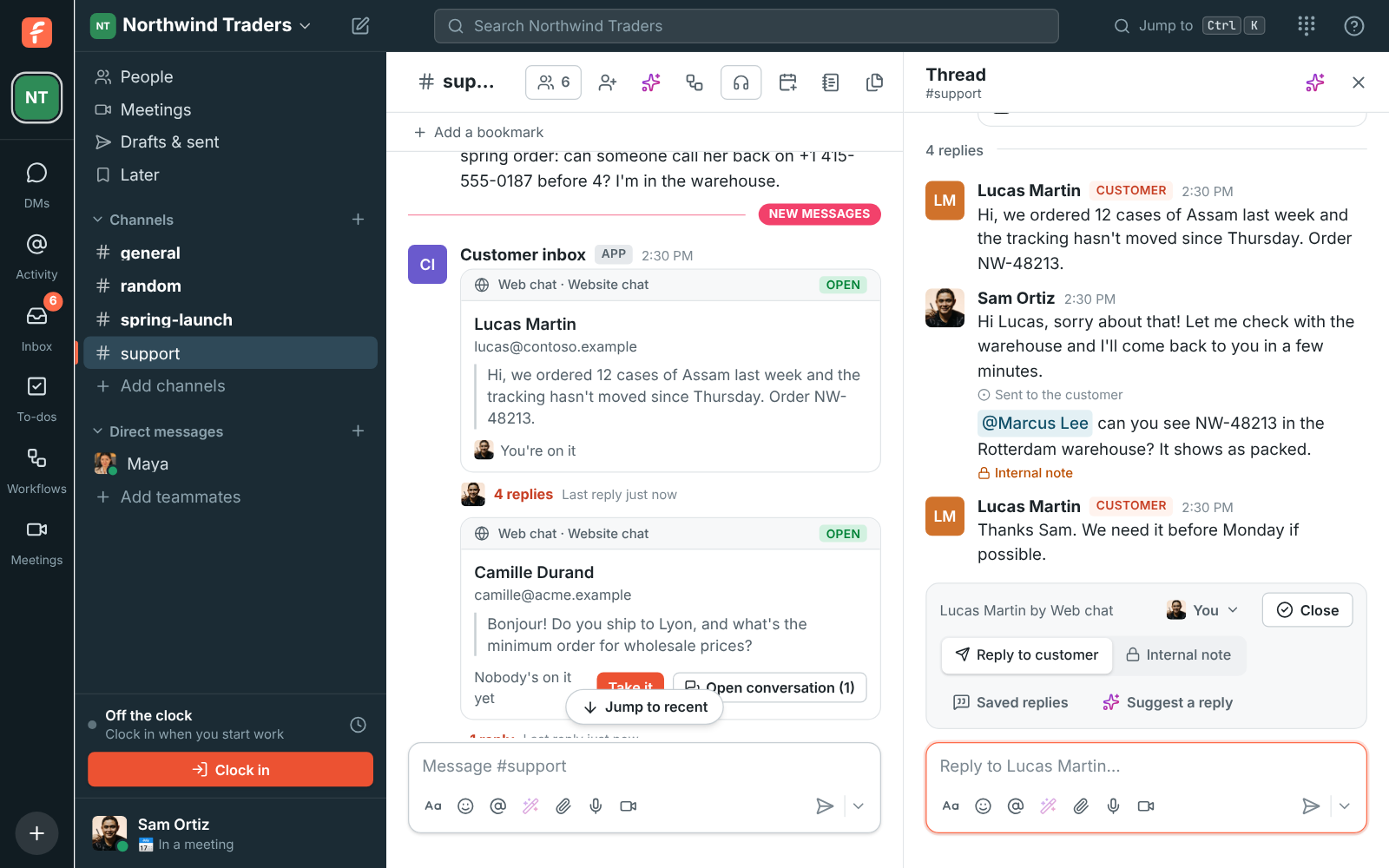
A visitor's web chat as a thread in #support, with a reply and an internal note

Only on your sites, only when you want it

List the addresses the chat may appear on, like https://northwind.example, and it works nowhere else; leave the list empty to allow any site. Keep Ask for a name and email first on to follow up with people who leave, or turn it off to let visitors write straight away. Turn a chat off and the button disappears from your site until you turn it back on; deleting it keeps the conversations already in the channel.

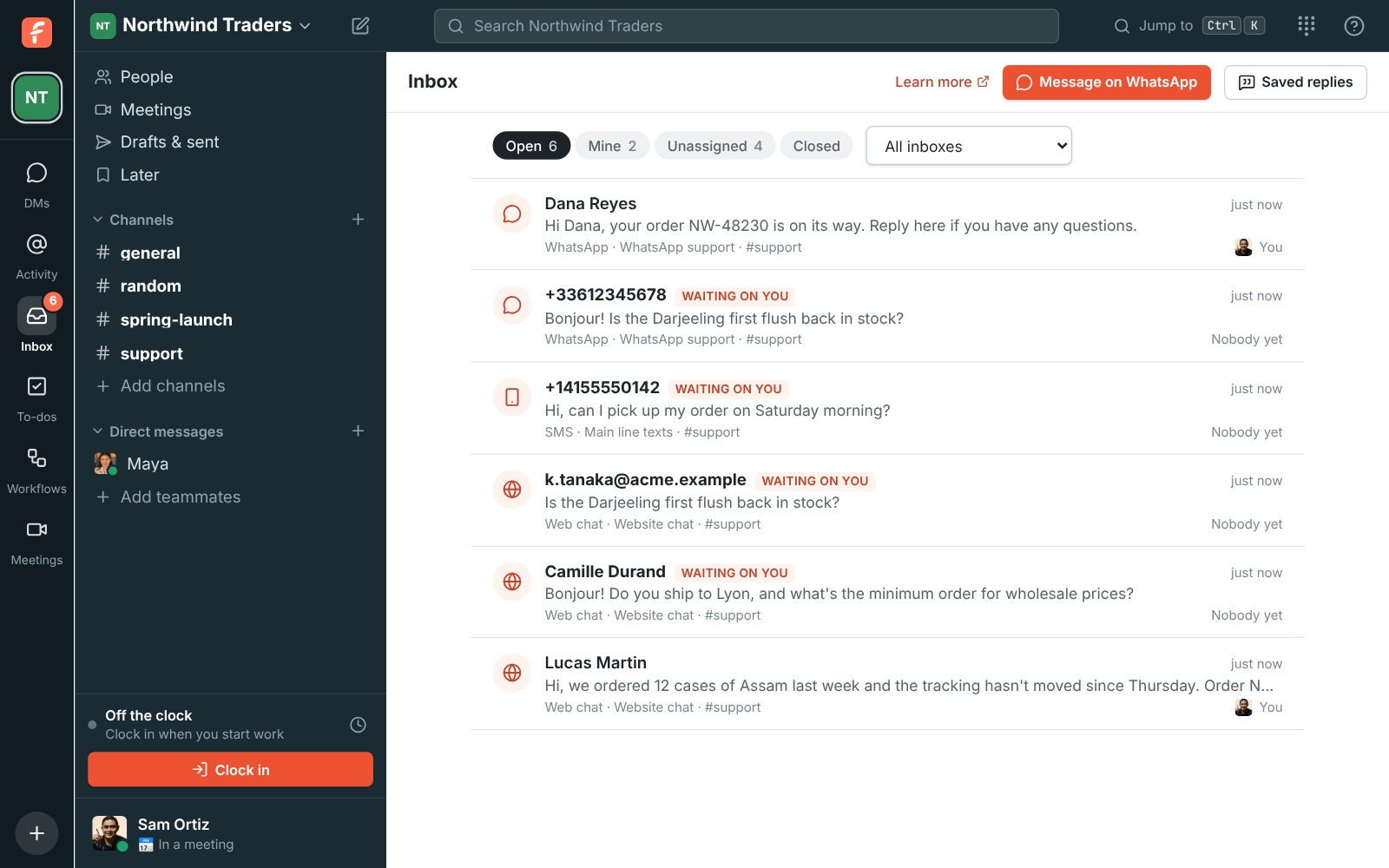
The Inbox page listing open conversations, including a website visitor's

Plans and pricing

Web chat on your website is included in every plan, including Free.

  • FreeUp to 10 people
  • BusinessUp to 500 people
  • CorporateUp to 2,500 people
  • EnterpriseOver 2,500 people

Questions

Which plan includes this?
Every plan, including Free. A workspace can have up to 20 inboxes of every kind together, so one web chat per website or brand is fine.
Do I need a developer to add it?
No. It's one script line to paste before the end of your pages, the same way analytics snippets go in. Anyone who can edit your site's template can add it.
Can visitors see my team or our notes?
No. Visitors see your title, your greeting and your answers with the first name of whoever wrote them. Your channel, internal notes and email addresses stay inside Freesbe.
What if a visitor writes while nobody is around?
The conversation waits in the channel and on the Inbox page, marked as waiting on you. With Ask for a name and email first on, you have their address to follow up.

Try all of it free with up to 10 people.

No card, no time limit. Invite your team and see what sticks.