Freesbe

Team chat

Every conversation in its place.

Freesbe is a team chat app with public and private channels, direct messages, threads, reactions, mentions and search by any part of a word. A canvas sits beside every channel for notes and playbooks. Clients and contractors join as guests and see only their channel. It speaks 25 languages and is free for up to 10 people.

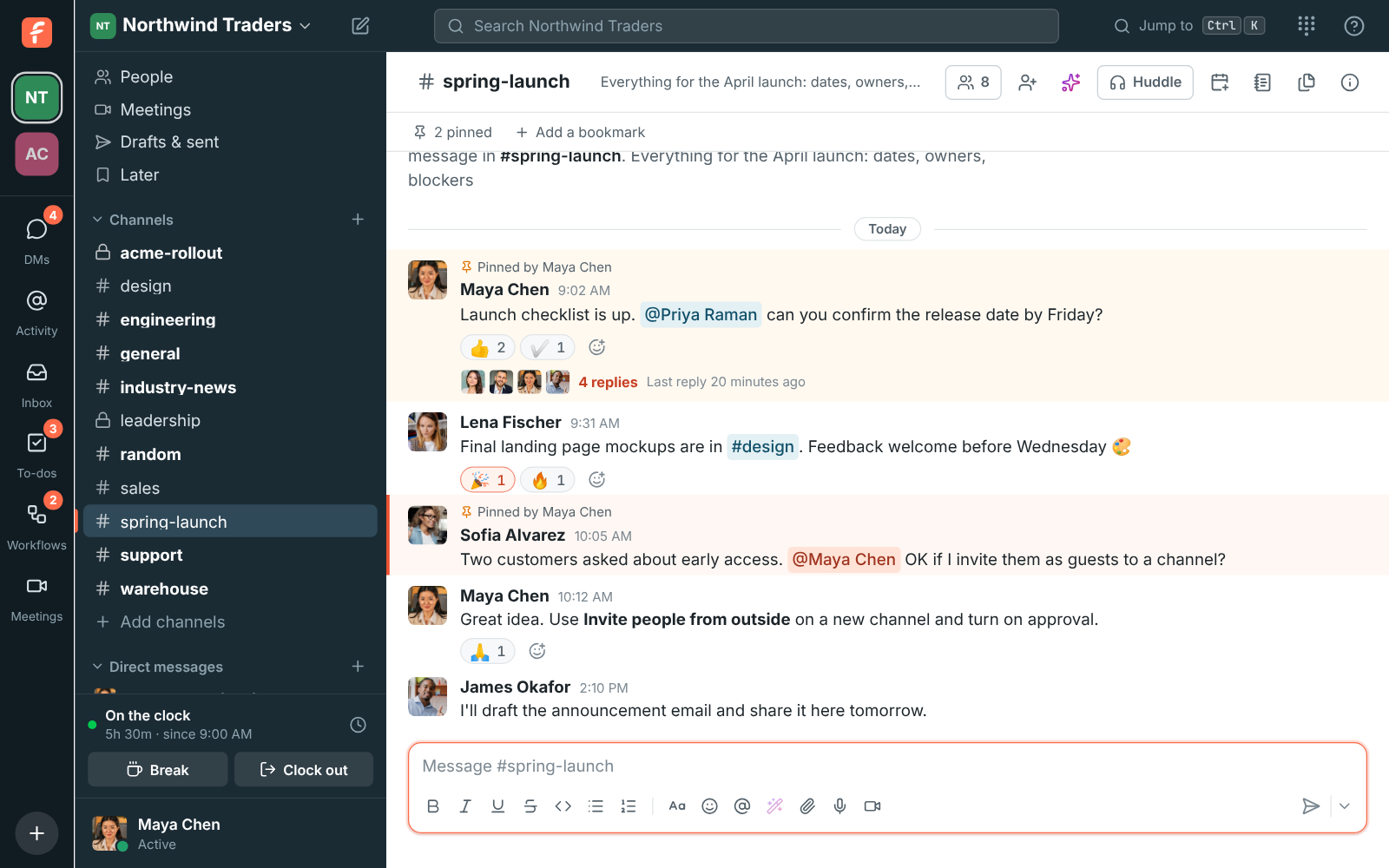
A Freesbe channel at Northwind Traders with messages, reactions and a thread open

Channels for every topic, DMs for everything else

Public channels can be found and joined by anyone in the workspace. Private channels show only to the people in them. Direct messages hold up to 9 people, and a DM with just yourself is a private notes space. Reply in a thread so the channel stays readable, and unread markers show where you left off.

  • Browse and join channels by name or topic, archive old ones and bring them back
  • Pin a message, bookmark a link at the top of a channel, forward a message, save one for later
  • Formatting, files with previews, image galleries, custom emoji and reactions
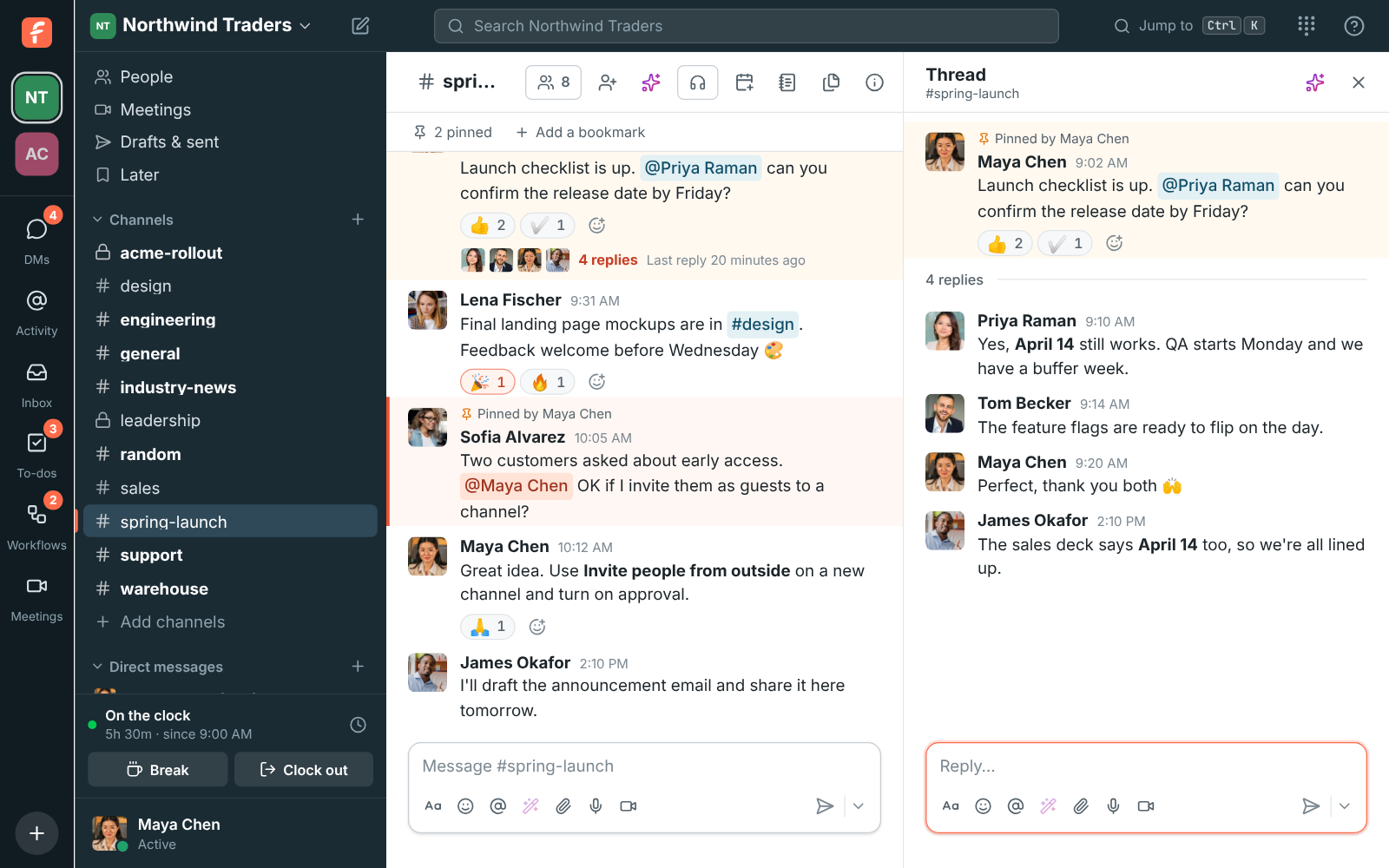
A thread open beside the channel, with replies to one message
A thread
A Freesbe channel at Northwind Traders with messages, reactions and a thread open
A channel
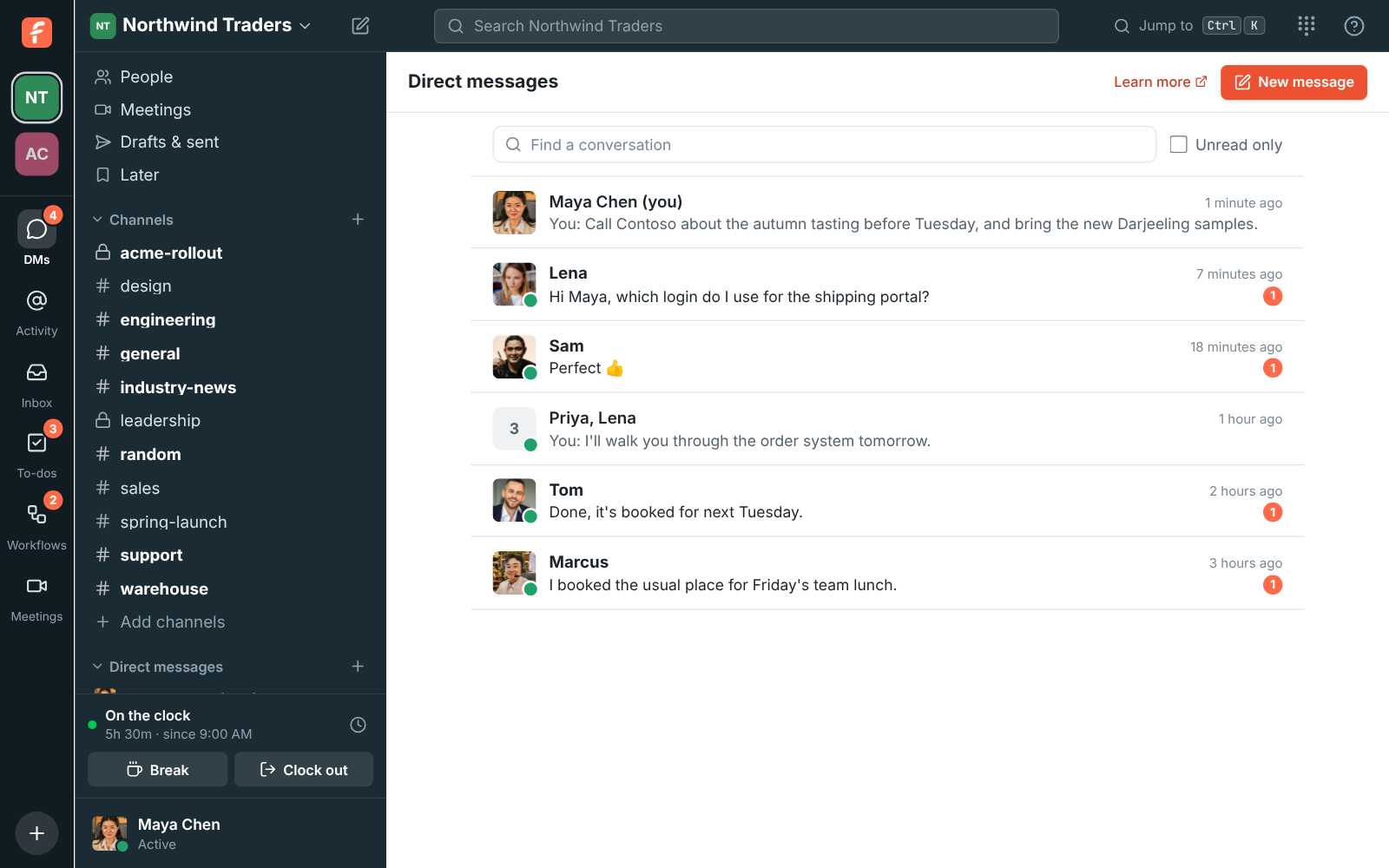
The DMs page: direct messages with Lena, Sofia, and Lena, Tom, Marcus and Priya, each with the last message, its time and an unread count
Direct messages
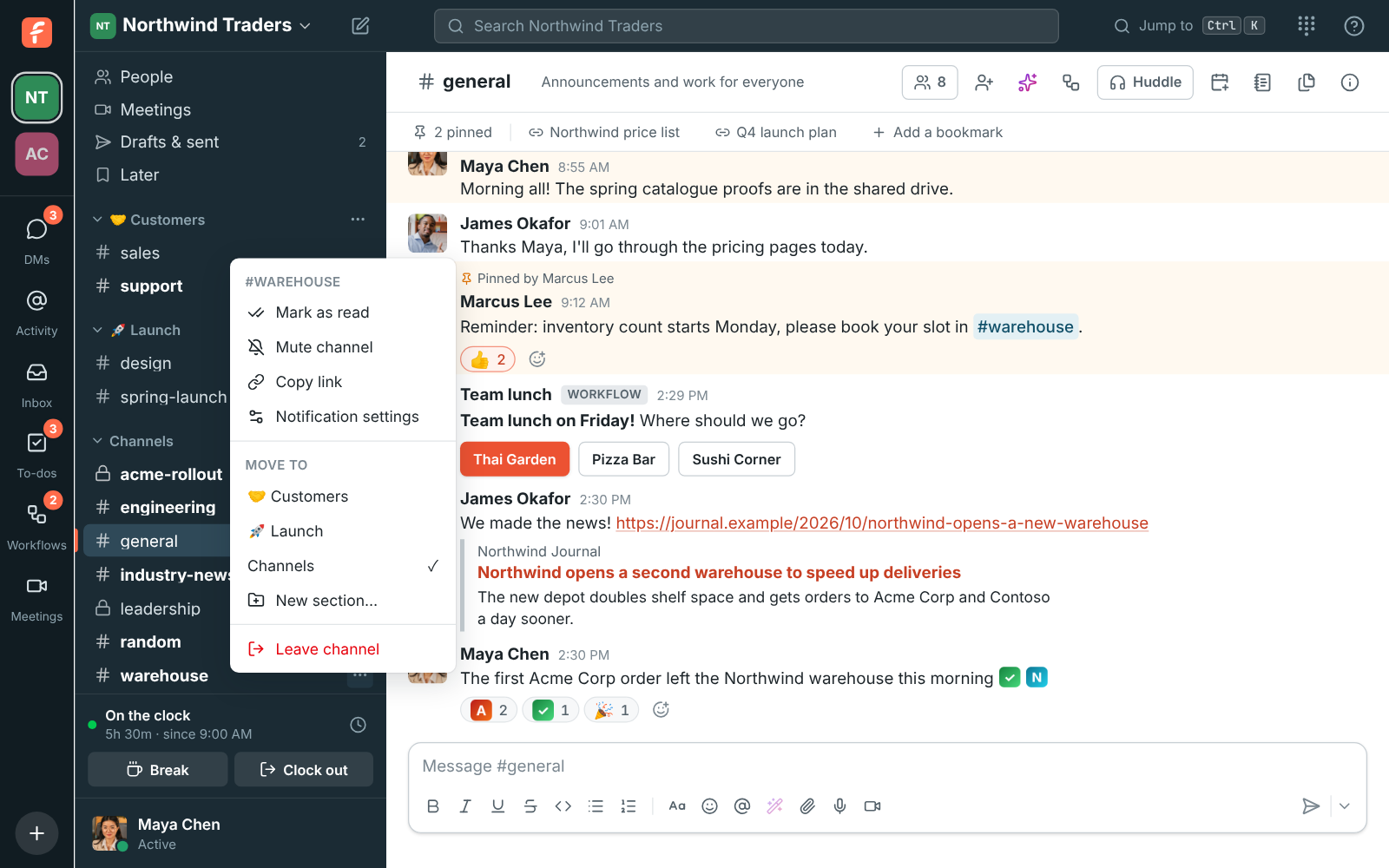
The sidebar with Customers and Launch sections above Channels, and the Move to menu open on #warehouse
Sections in the sidebar
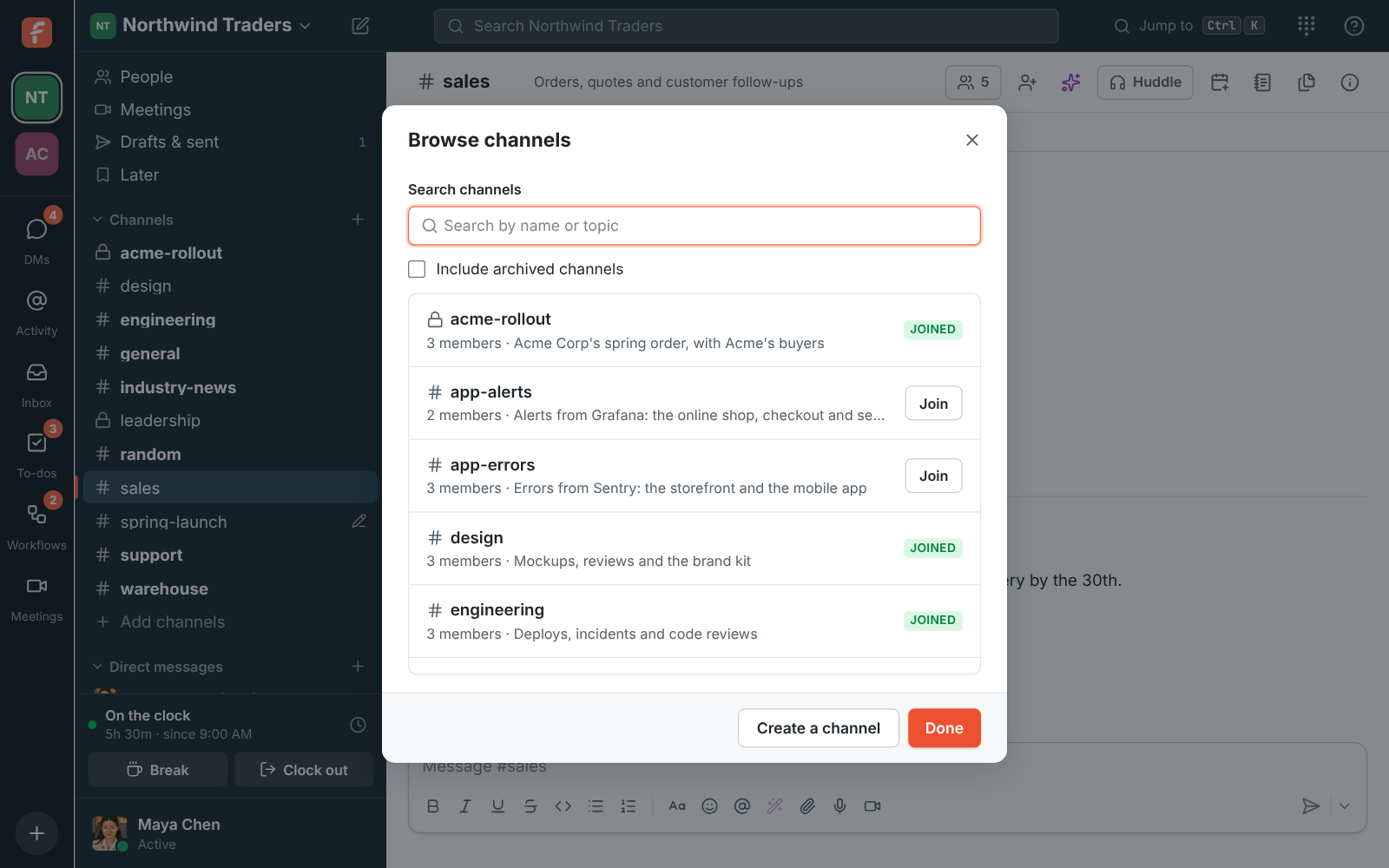
Browse channels: search by name or topic, with Joined badges and a Join button
Browse channels

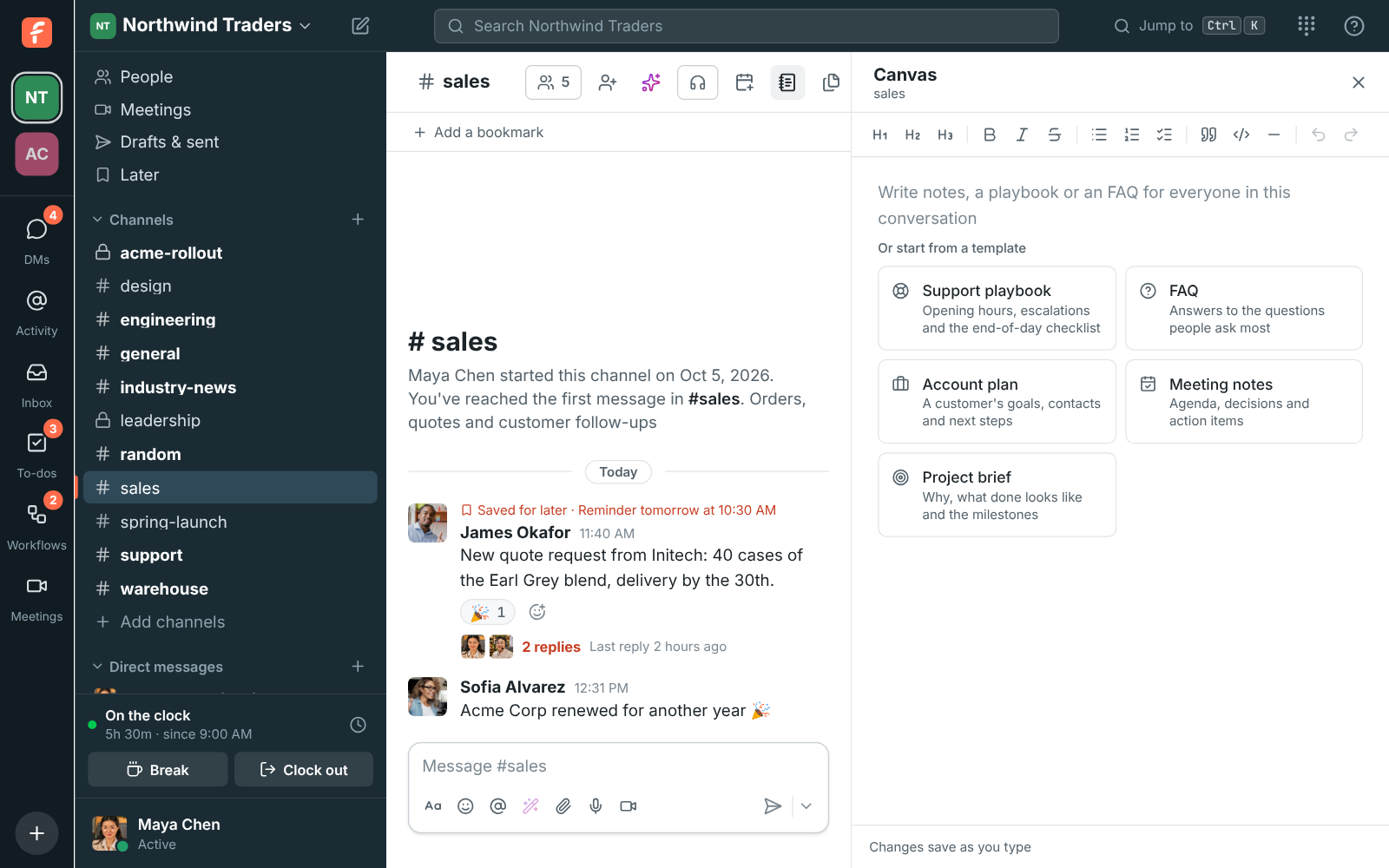
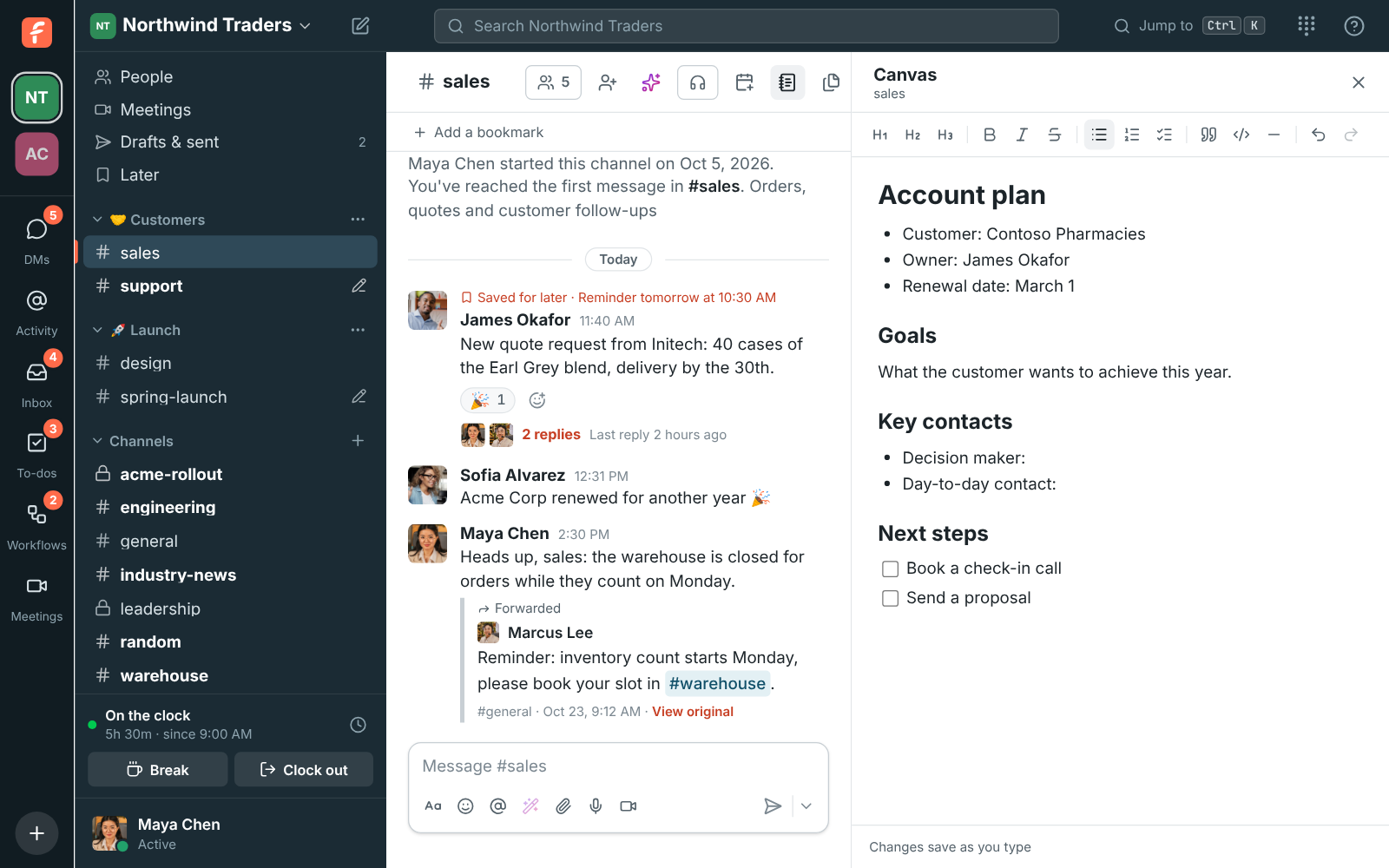
A canvas beside every conversation

Every channel and DM has one document that sits beside the messages: a support playbook, a price list, this week's agenda or a customer's account plan. Everyone in the conversation edits it at the same time and sees the others' cursors. Start from a template, and changes save as you type.

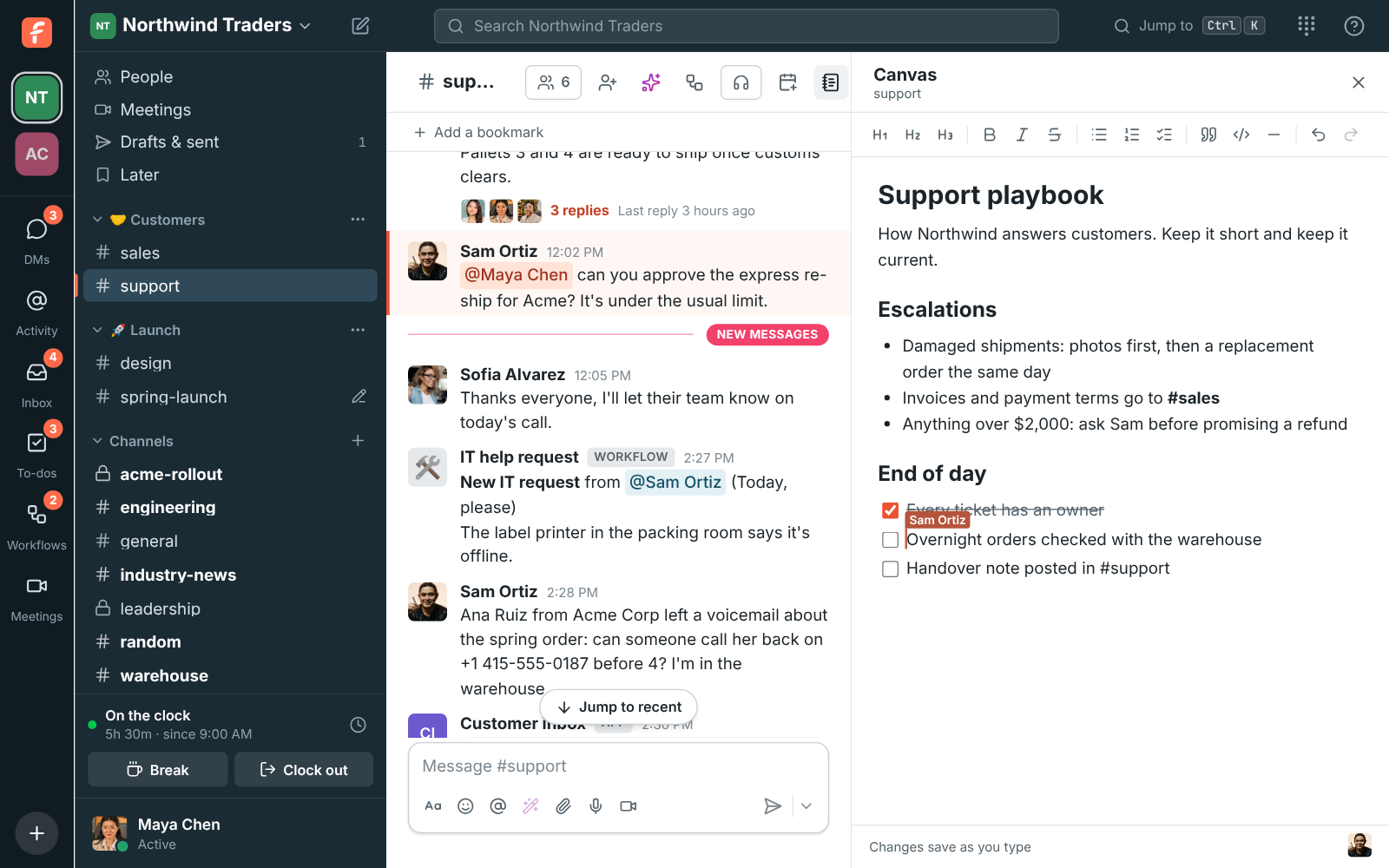
The #support channel with its canvas open on the right: a support playbook with an escalation list and a checklist
A canvas
The empty canvas in #sales with five templates under it: Support playbook, FAQ, Account plan, Meeting notes and Project brief
Five templates
The #sales canvas filled from the Account plan template
An account plan

See it on your own team's data.

Start free with up to 10 people and try it today, or book a 20-minute demo with the people who make Freesbe.

Find anything you've said

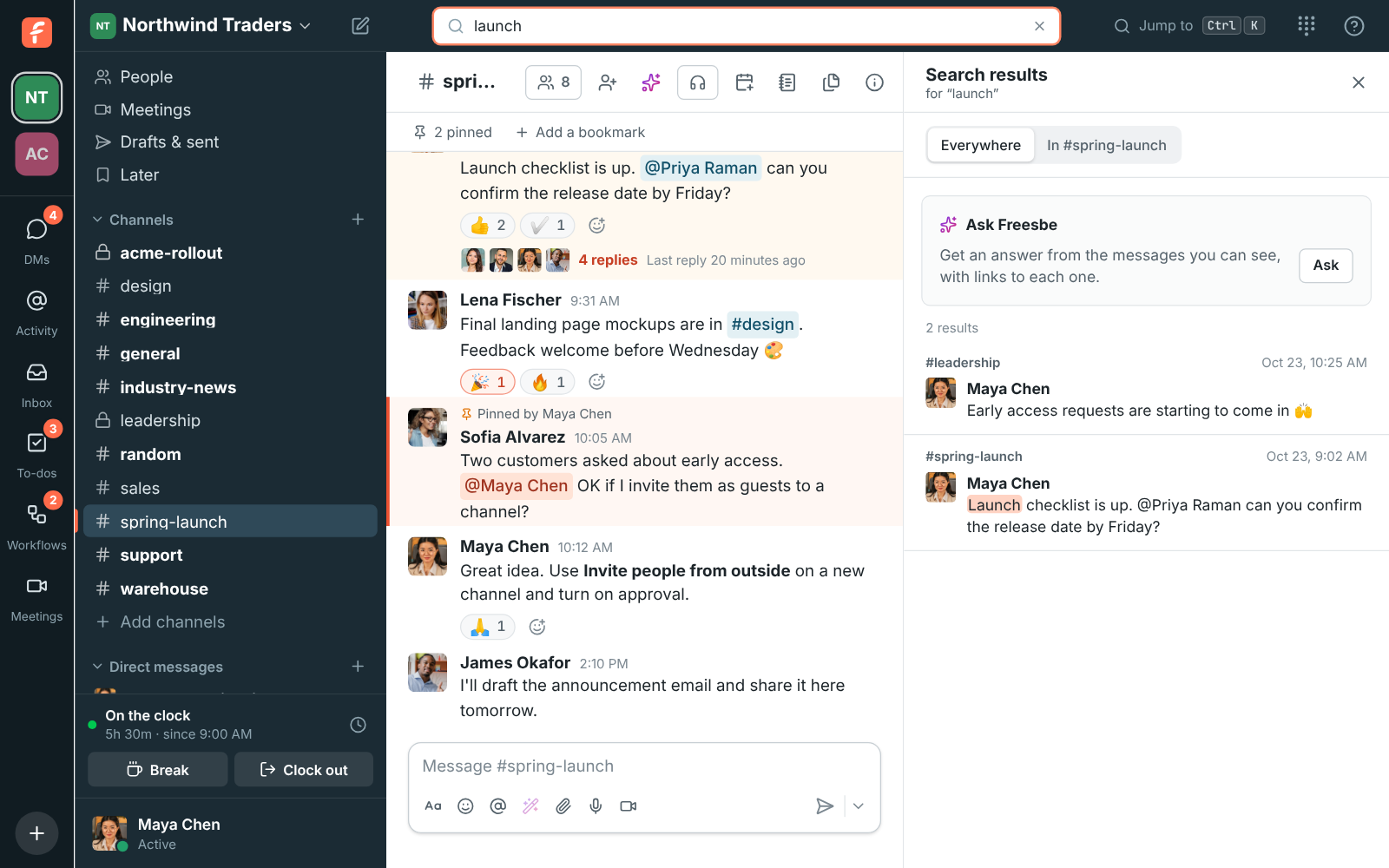
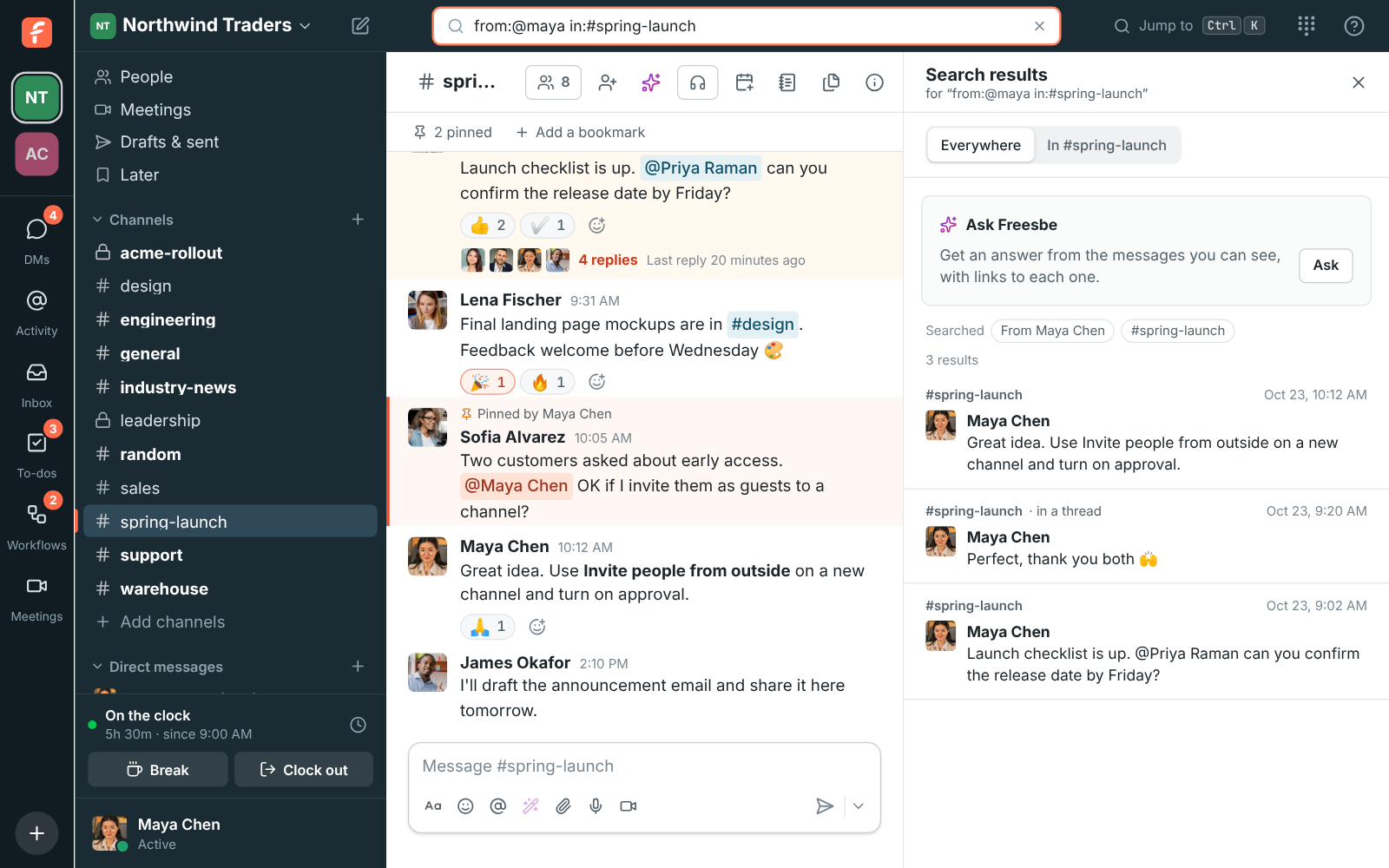
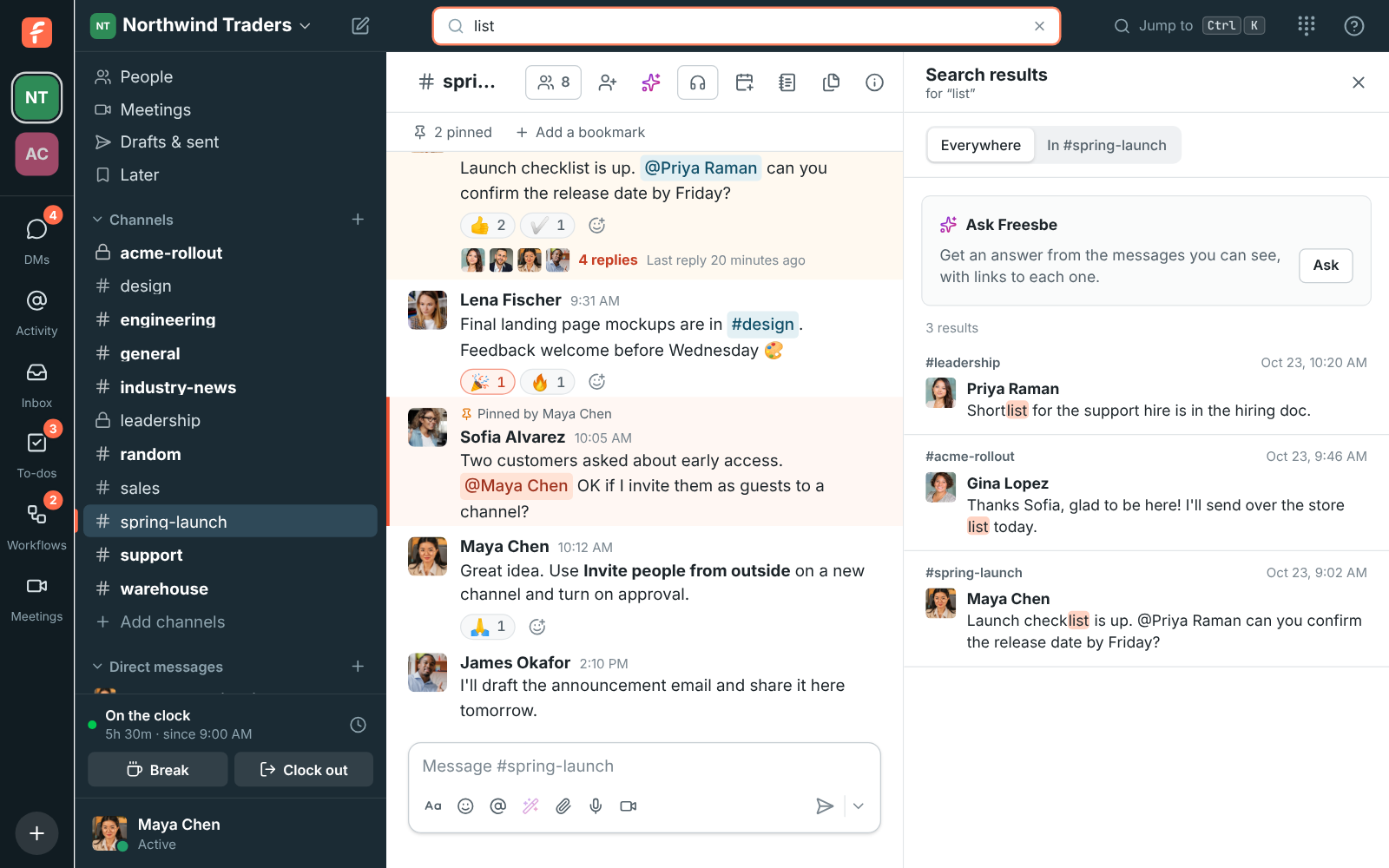
Search finds what you type anywhere in a message, in any case, so list finds Shortlist and Launch checklist. Filter by person, channel, date and files, or ask a question in plain words and Ask Freesbe answers it with a numbered link to each message it used.

Search results for a phrase across channels and DMs
Search
Search for from:@maya in:#spring-launch, with the From Maya Chen and #spring-launch chips above Maya's messages
Filters
Search results for list finding Shortlist, list and checklist, with the matching letters highlighted
Parts of words
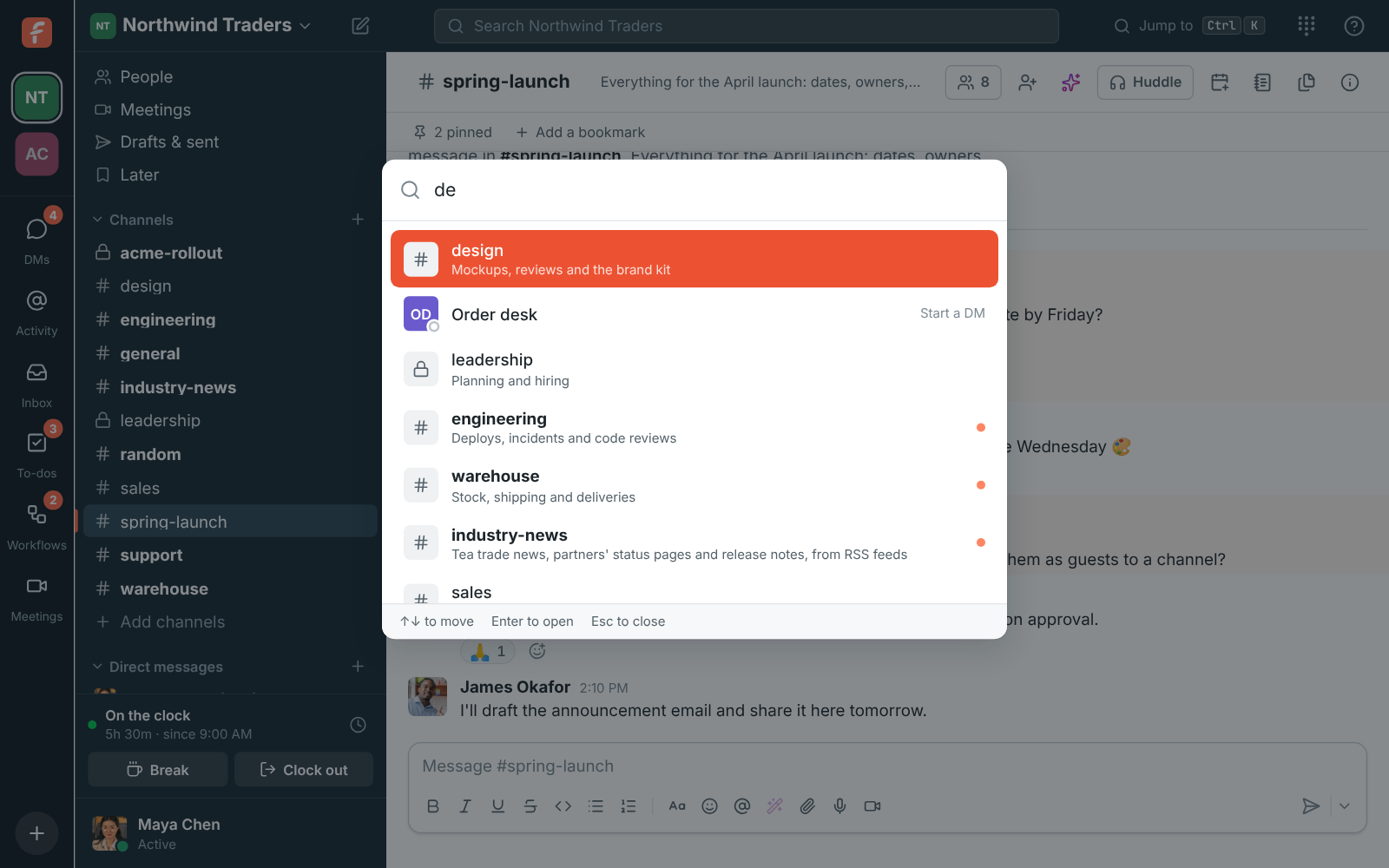
The quick switcher filtering channels and people as you type
The quick switcher

Show instead of type, send it later

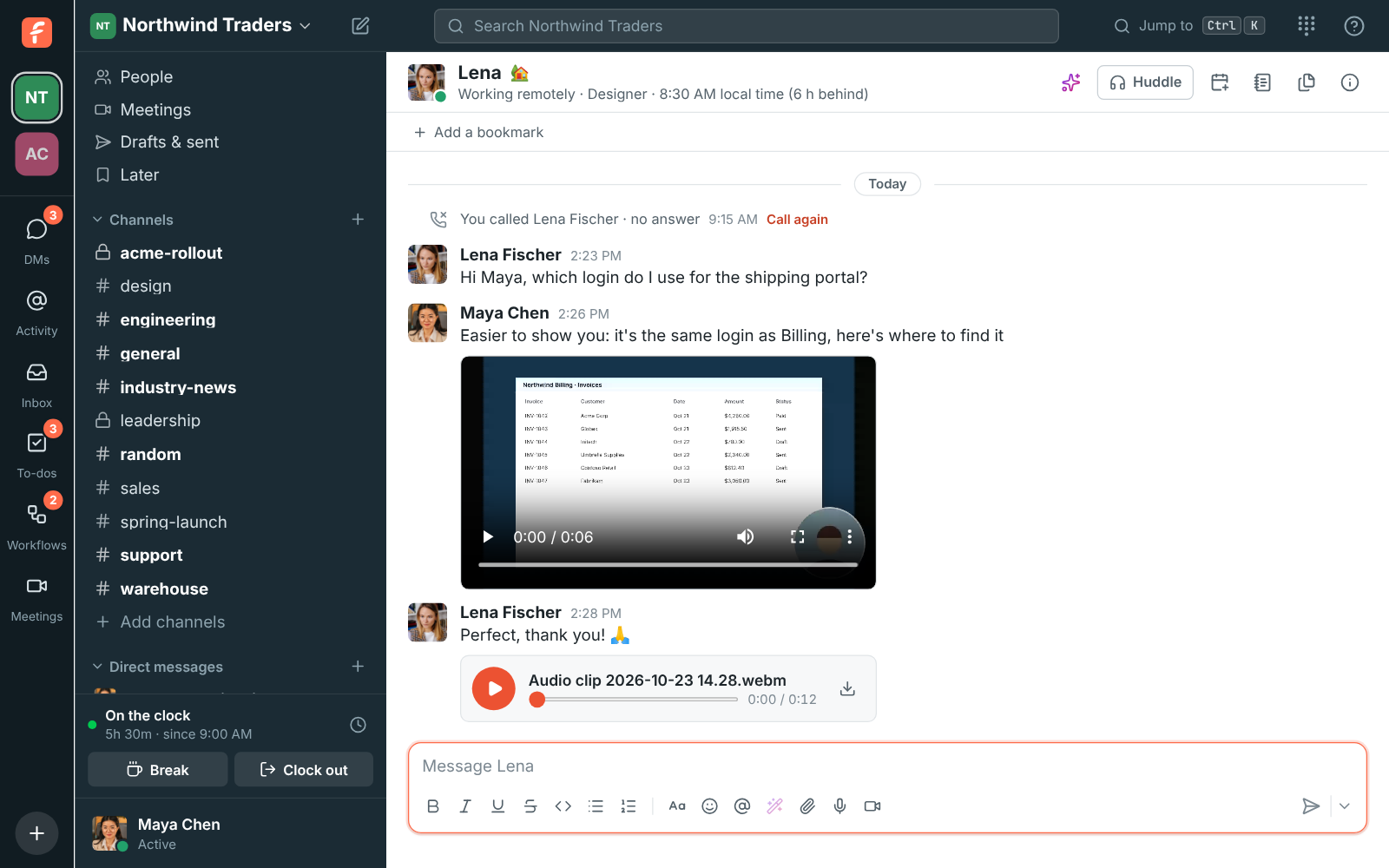
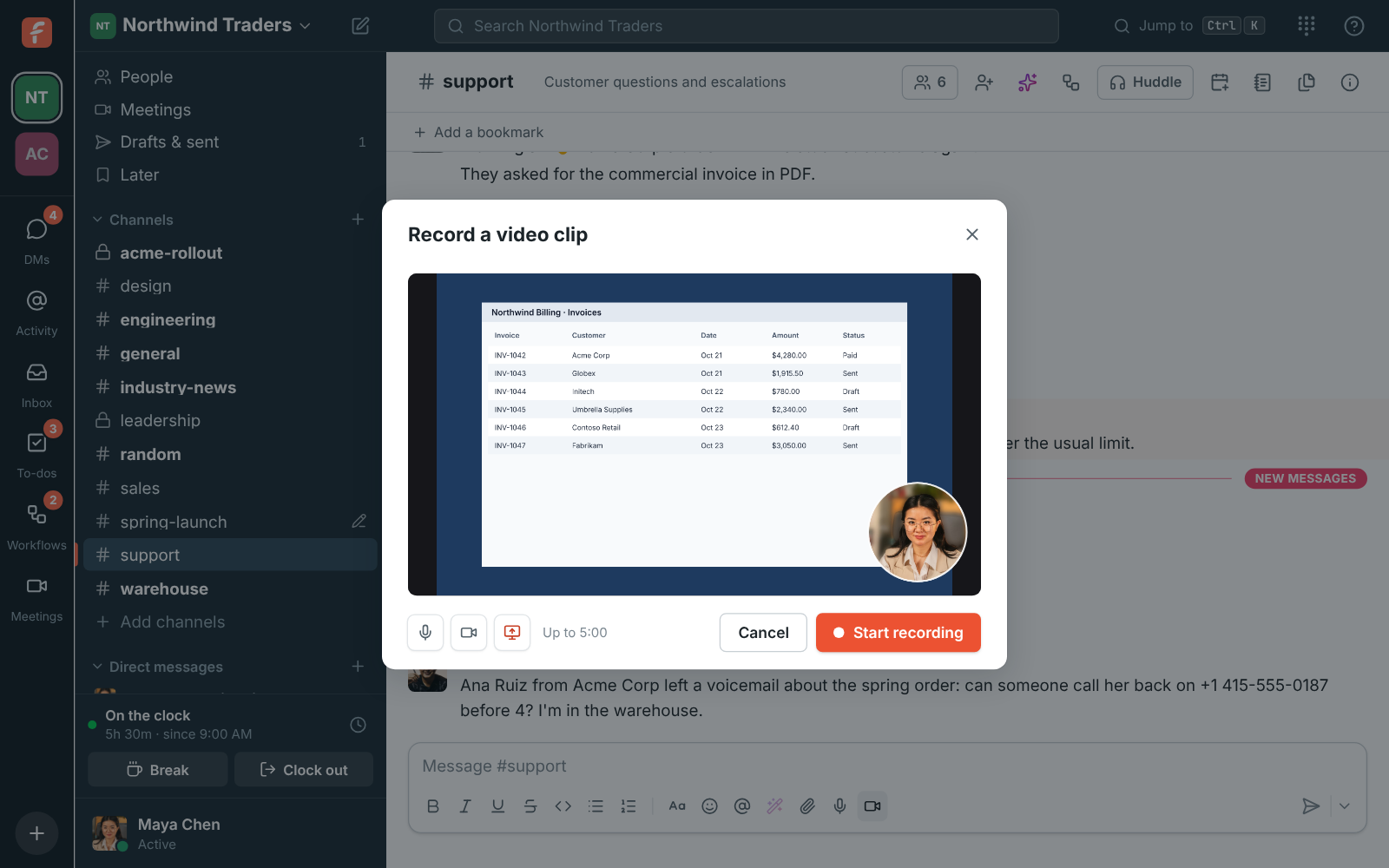
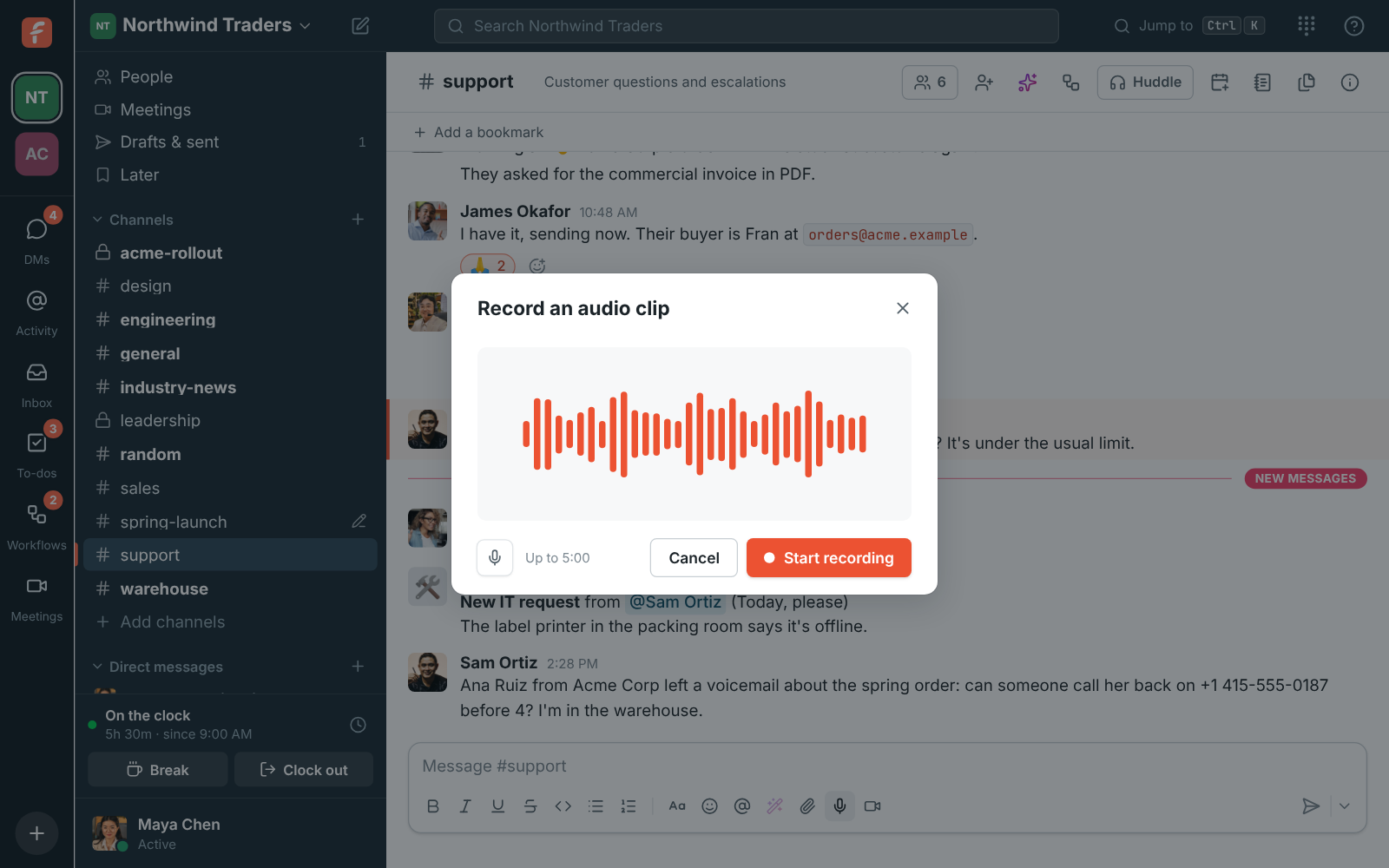
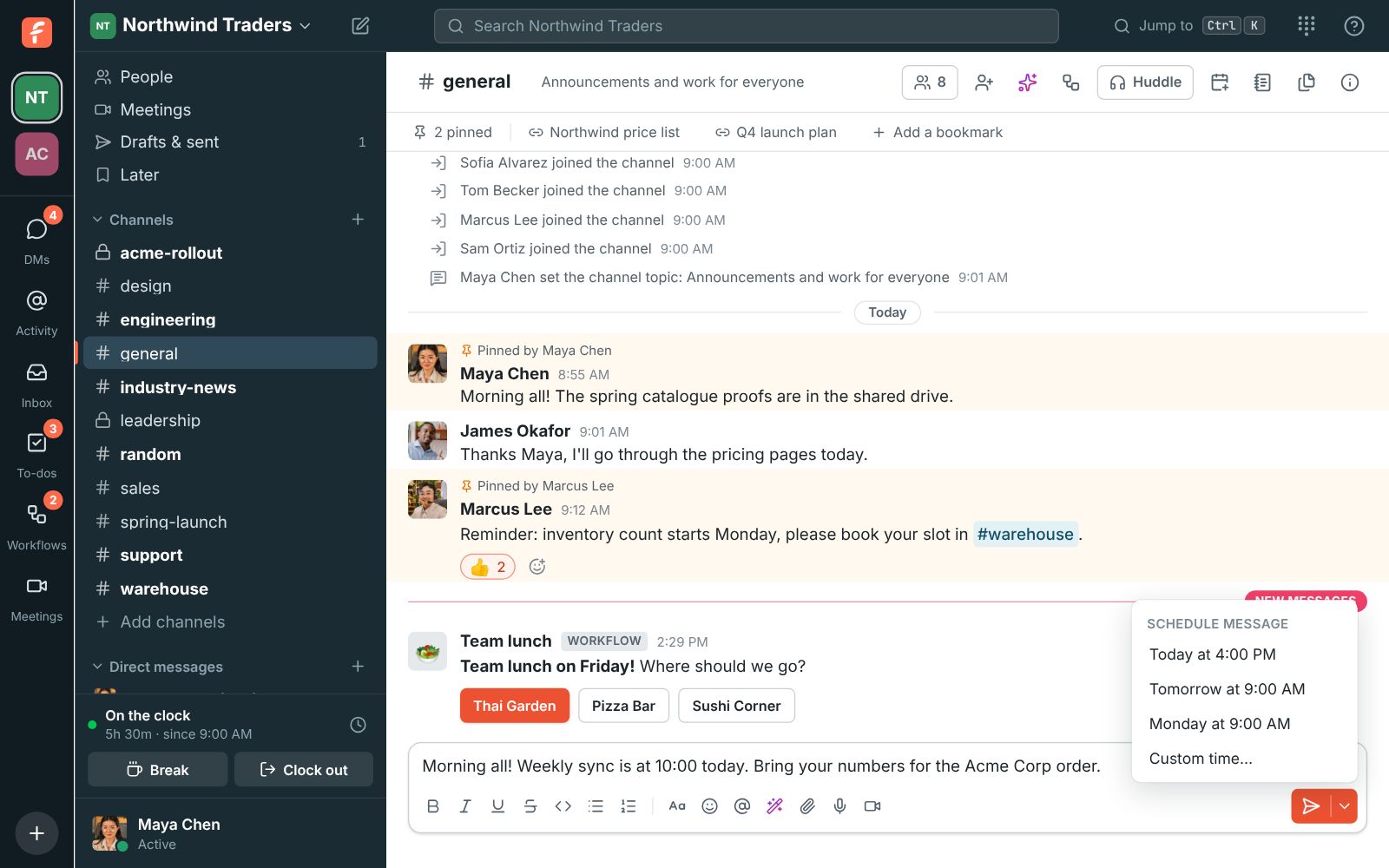
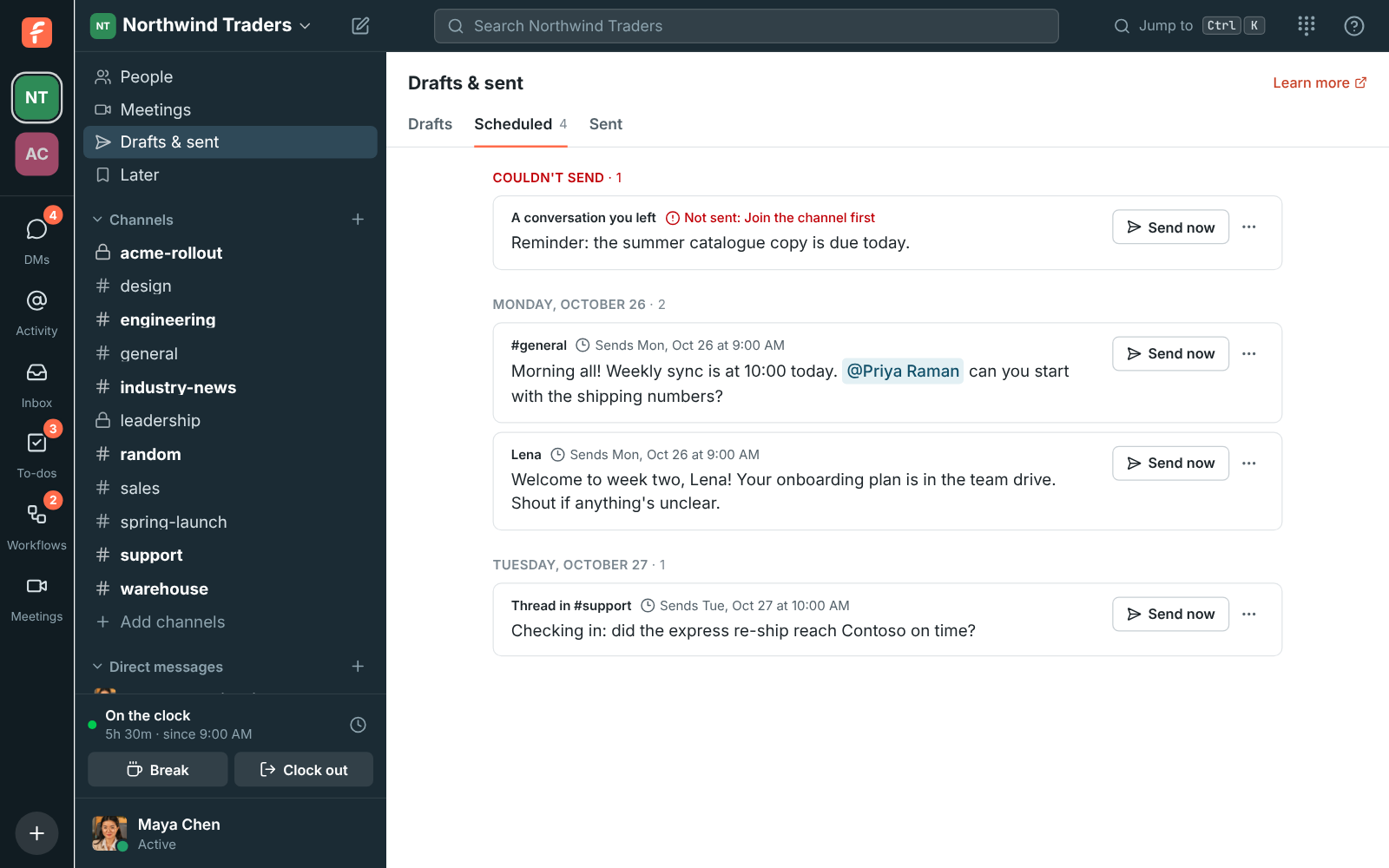
Record your voice, your camera or your screen and send it as a clip. Write a message now and schedule it for tomorrow morning, Monday or any time you pick. Drafts, scheduled and sent messages share one page on every device. When admins turn read receipts on, see who has read a message.

A screen recording and an audio clip in a direct message
Clips in chat
Recording a video clip of a shared screen, with the camera in a circle in the corner
Record your screen
Recording an audio clip, with bars that move with your voice
An audio clip
The arrow next to Send open, offering Today at 4:00 PM, Tomorrow at 9:00 AM, Monday at 9:00 AM and Custom time
Send it later
The Scheduled messages page: one that couldn't be sent at the top, then messages for Monday and Tuesday
Scheduled messages

Bring in people from outside

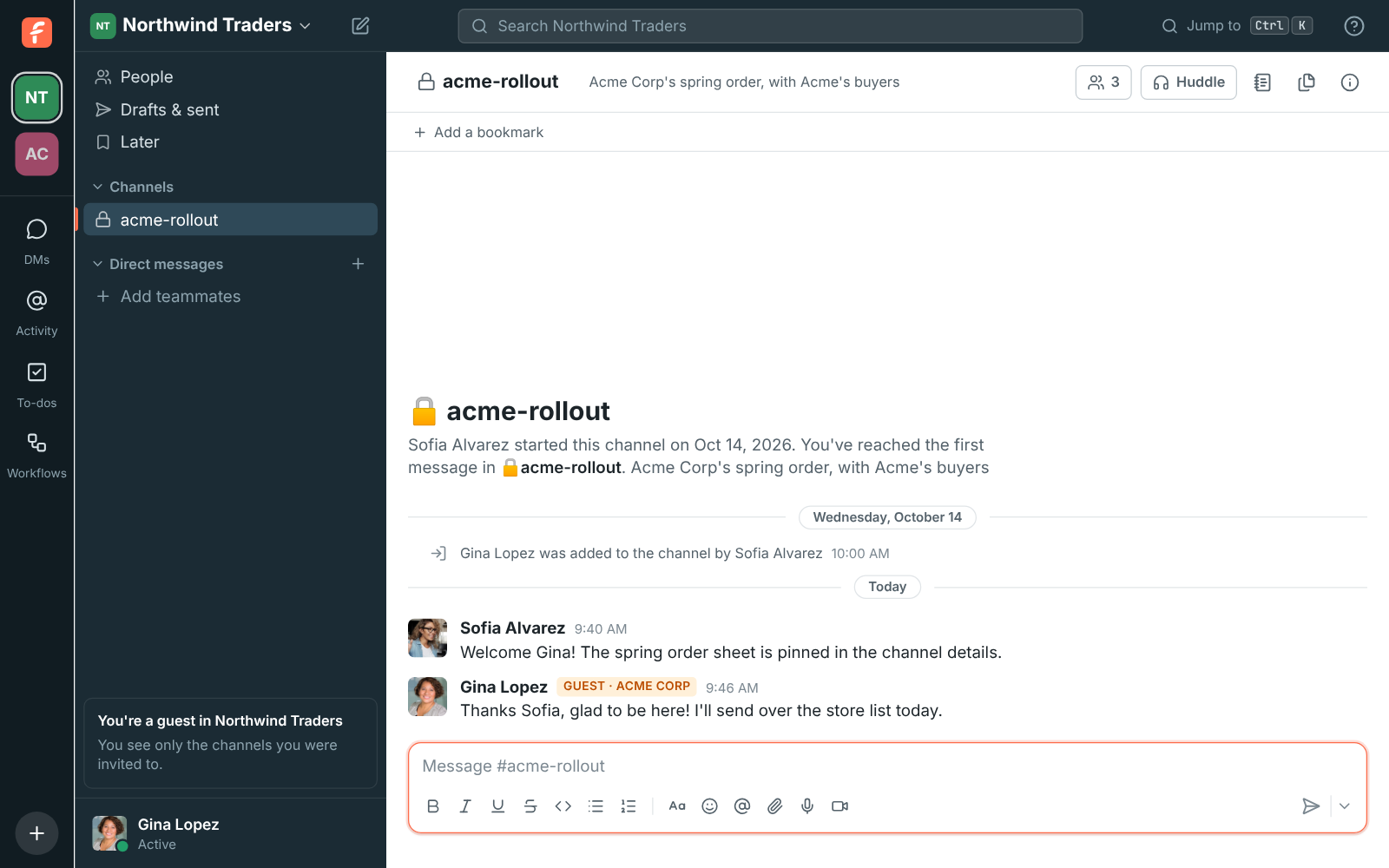
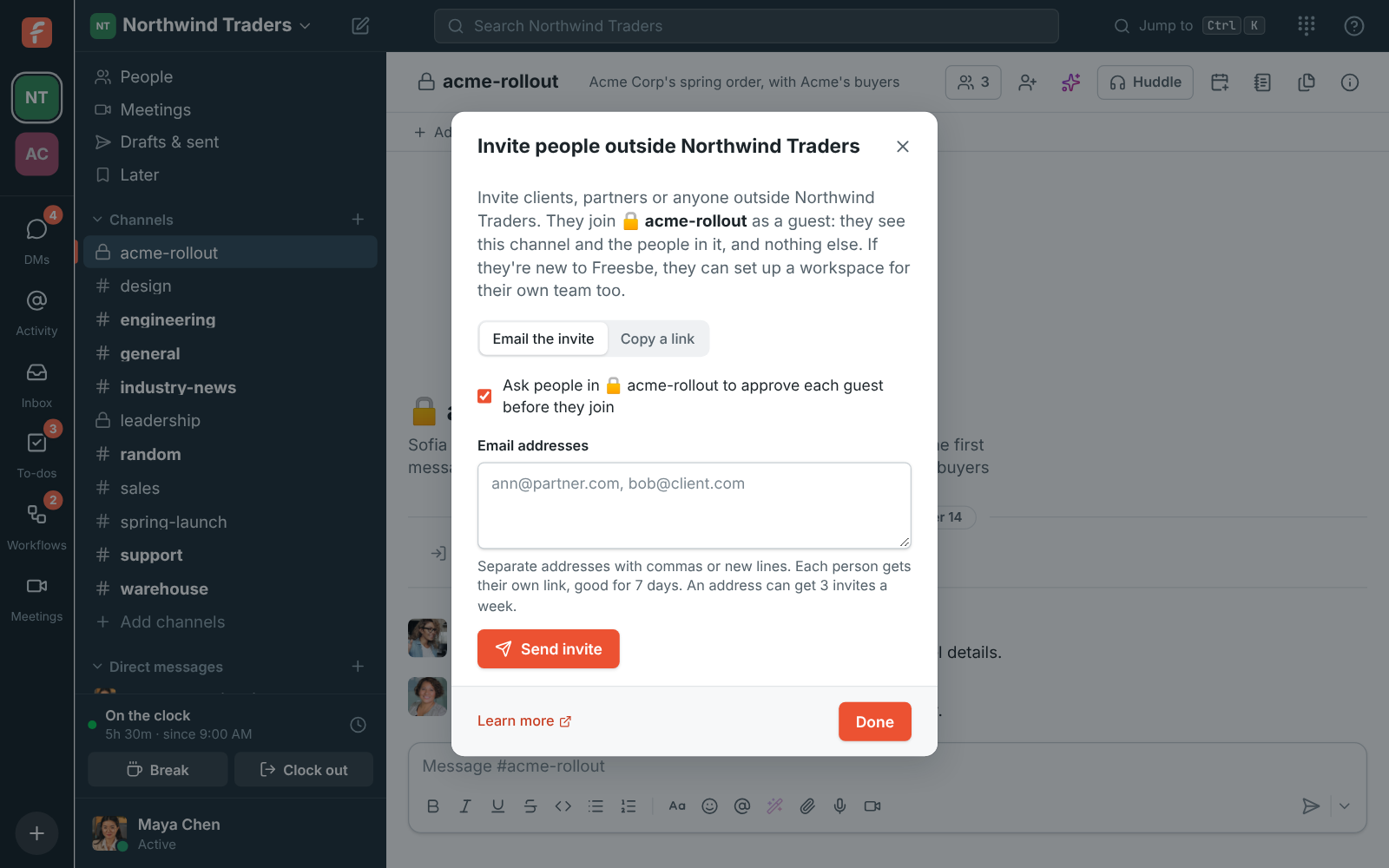
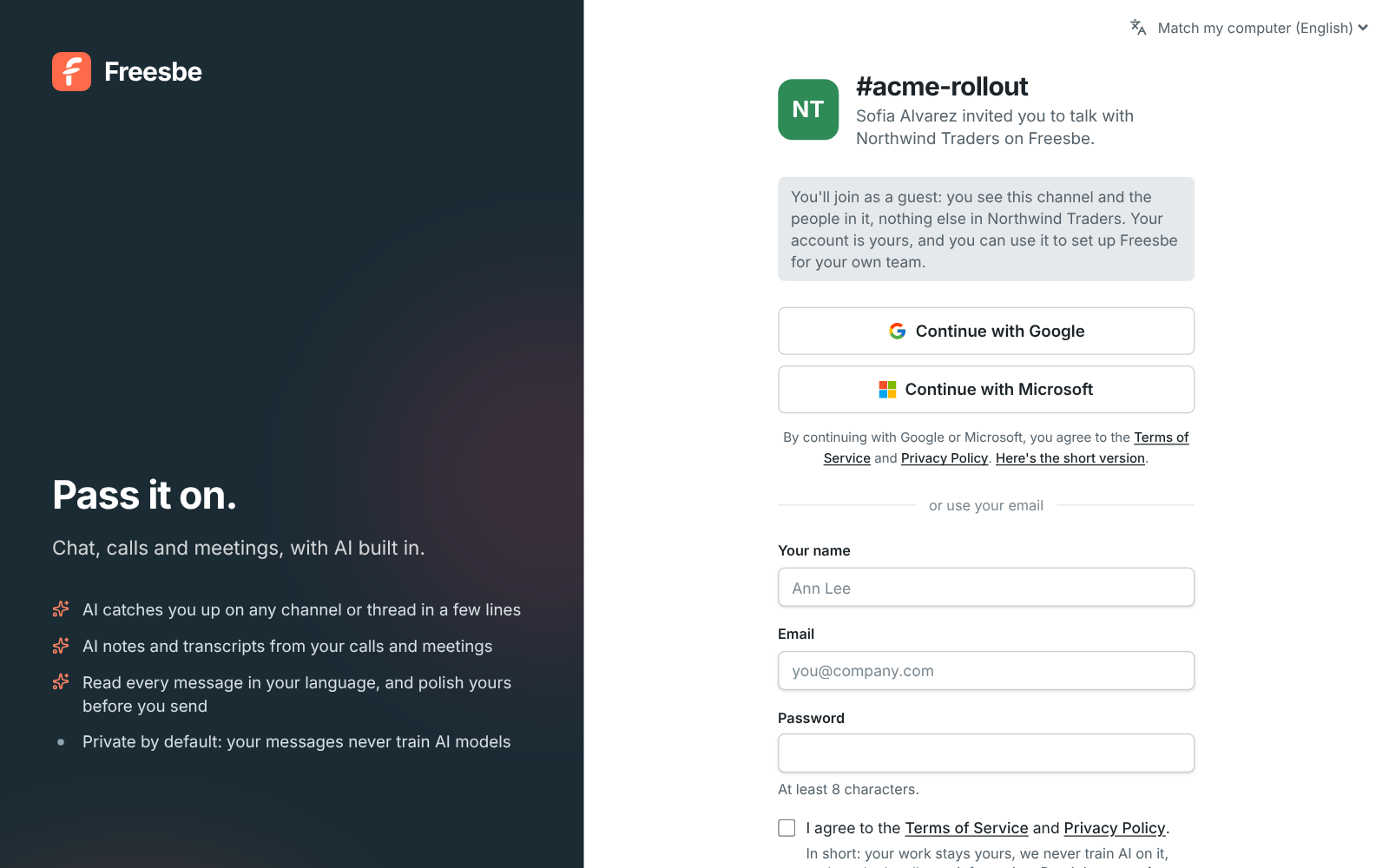
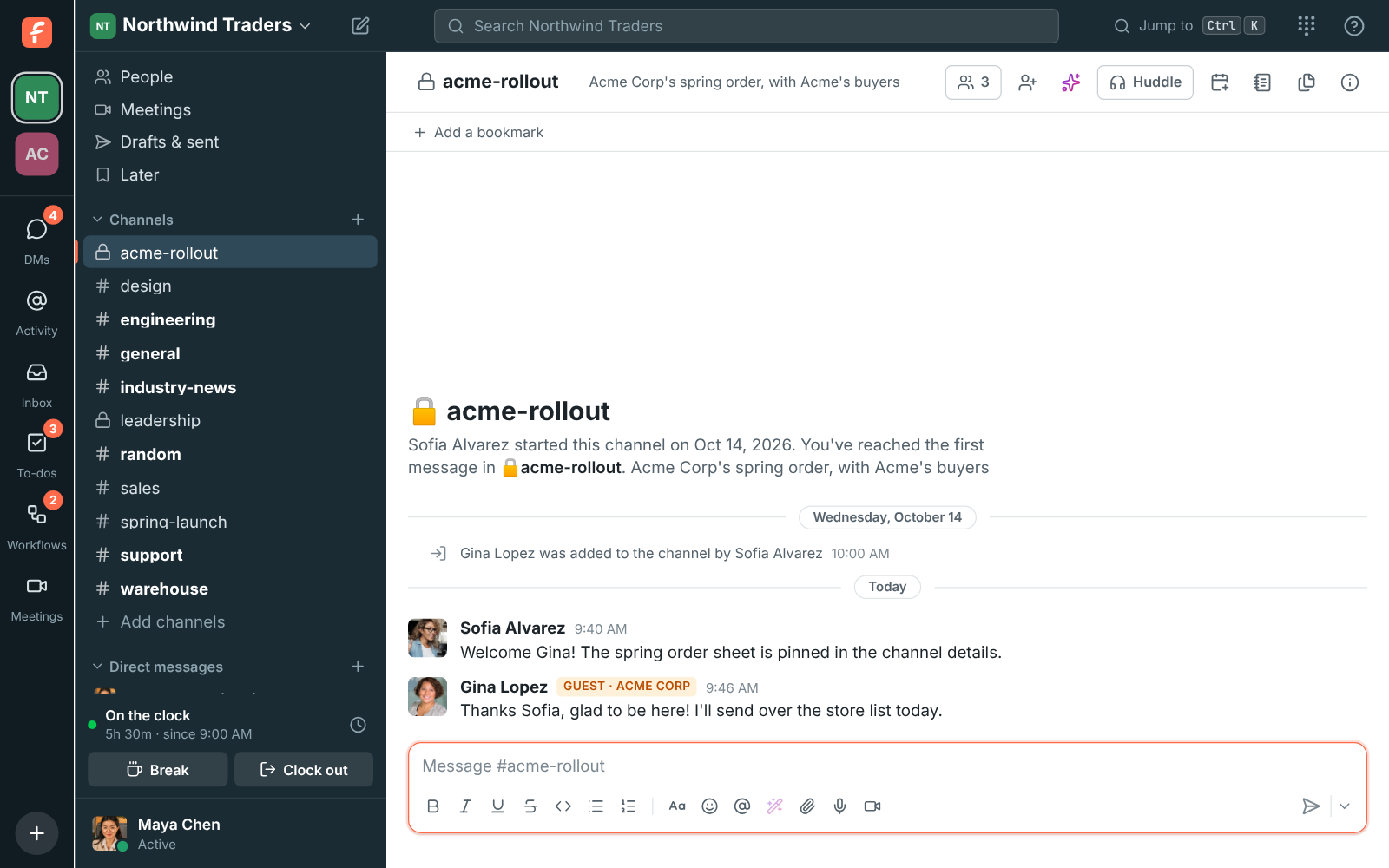
Invite clients, contractors and partners as guests. They see only the channels they're invited to and the people in them, and you can ask for each guest to be approved before they join. Everyone else sees a Guest badge next to their name.

A guest's view of Northwind Traders: only one channel in the sidebar
A guest's view
The Invite people outside Northwind dialog, with the approval option turned on
Invite a guest
A guest invite page: Sofia Alvarez invited you to talk with Northwind Traders
Their invite page
A message from Gina Lopez with the Guest badge
The Guest badge

Questions

Is Freesbe free?
Yes, for teams of up to 10 people, with 90 days of message history. Paid plans keep all of it. The pricing page lists every plan.
Can people outside my company join?
Yes. Guests join specific channels and see only those channels and their people. Guests come with the paid plans and are free.
Which devices does it run on?
Any modern browser, plus desktop apps for Windows, macOS and Linux. The iPhone and Android apps are in testing.
Can I move my team over from Slack?
Yes. Slack import brings people, channels, DMs, threads, reactions and files. Incoming webhooks already accept Slack's format, so your integrations move with a new URL.

Try all of it free with up to 10 people.

No card, no time limit. Invite your team and see what sticks.