Freesbe

Meetings

Meeting links your guests can open in any browser.

Freesbe meetings are scheduled video calls with their own link. Guests join from a browser without an account and wait in a lobby with your logo until you let them in. Invites arrive by email with a calendar file. Find a time shows everyone's working hours and busy times, and the notes, decisions and action items arrive after the call.

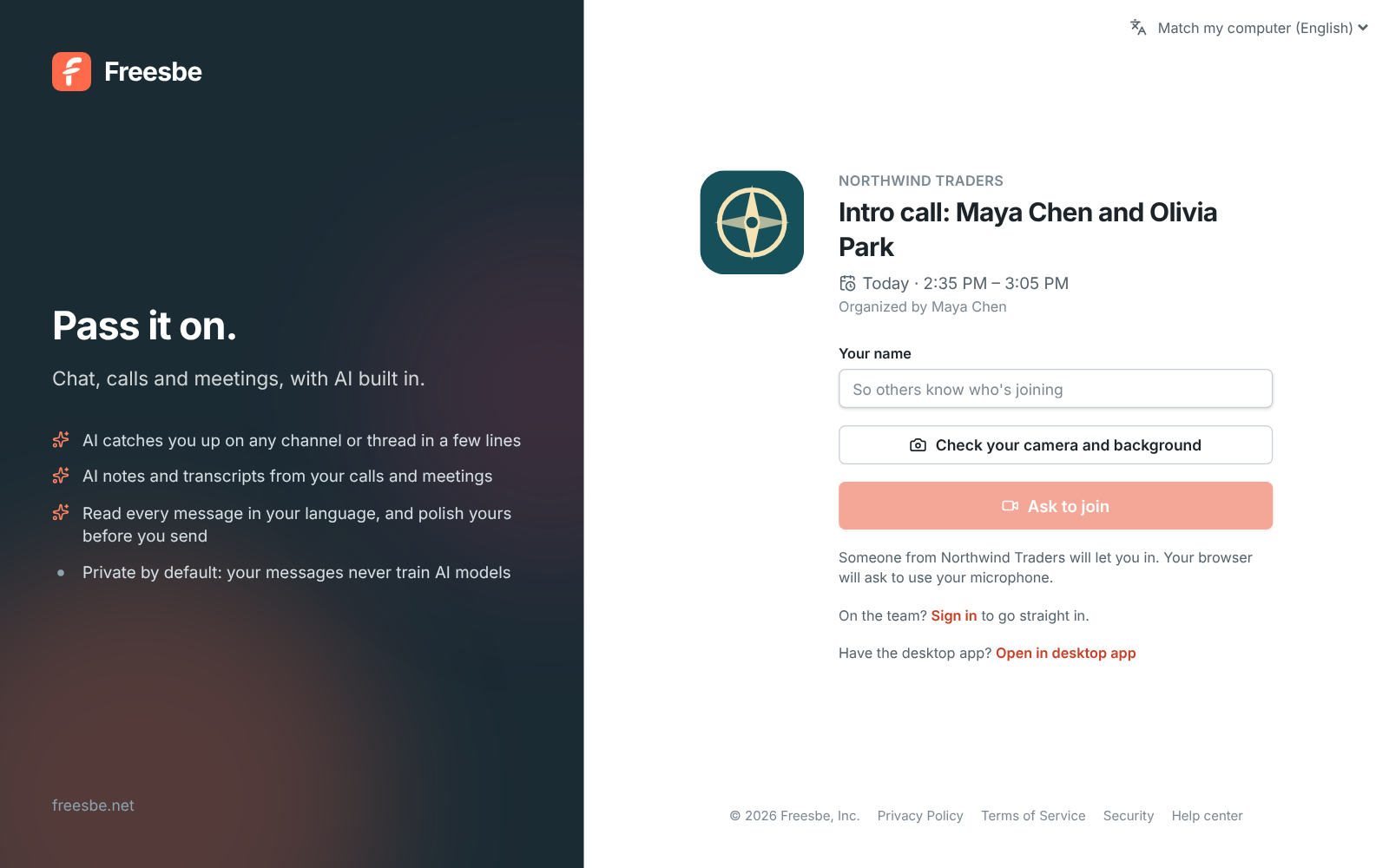
A Northwind Traders meeting link with the logo, title, time and an Ask to join button

Schedule in one dialog

Give the meeting a title, a start time and a length from 15 minutes to 4 hours. Pick teammates and type guests' email addresses, or start from a channel with everyone in it already invited. Everyone gets an email with their own link, a calendar invite for Google Calendar, Outlook or Apple Calendar, and a reminder about 10 minutes before the start.
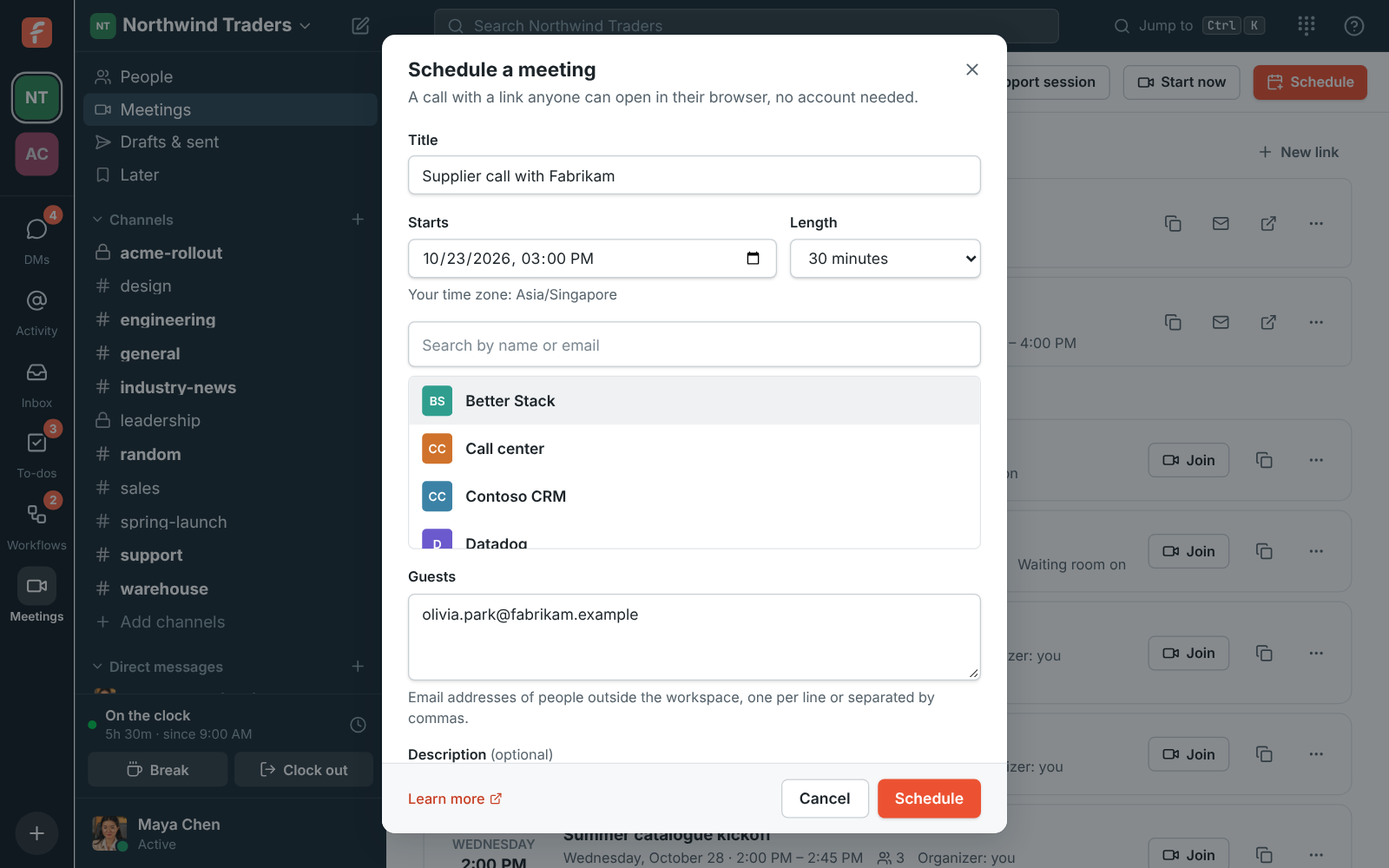
The Schedule a meeting dialog with title, start time, length and guest emails
Schedule
Schedule a meeting started from the #engineering channel, with Priya and Tom invited and a suggested time picked
From a channel
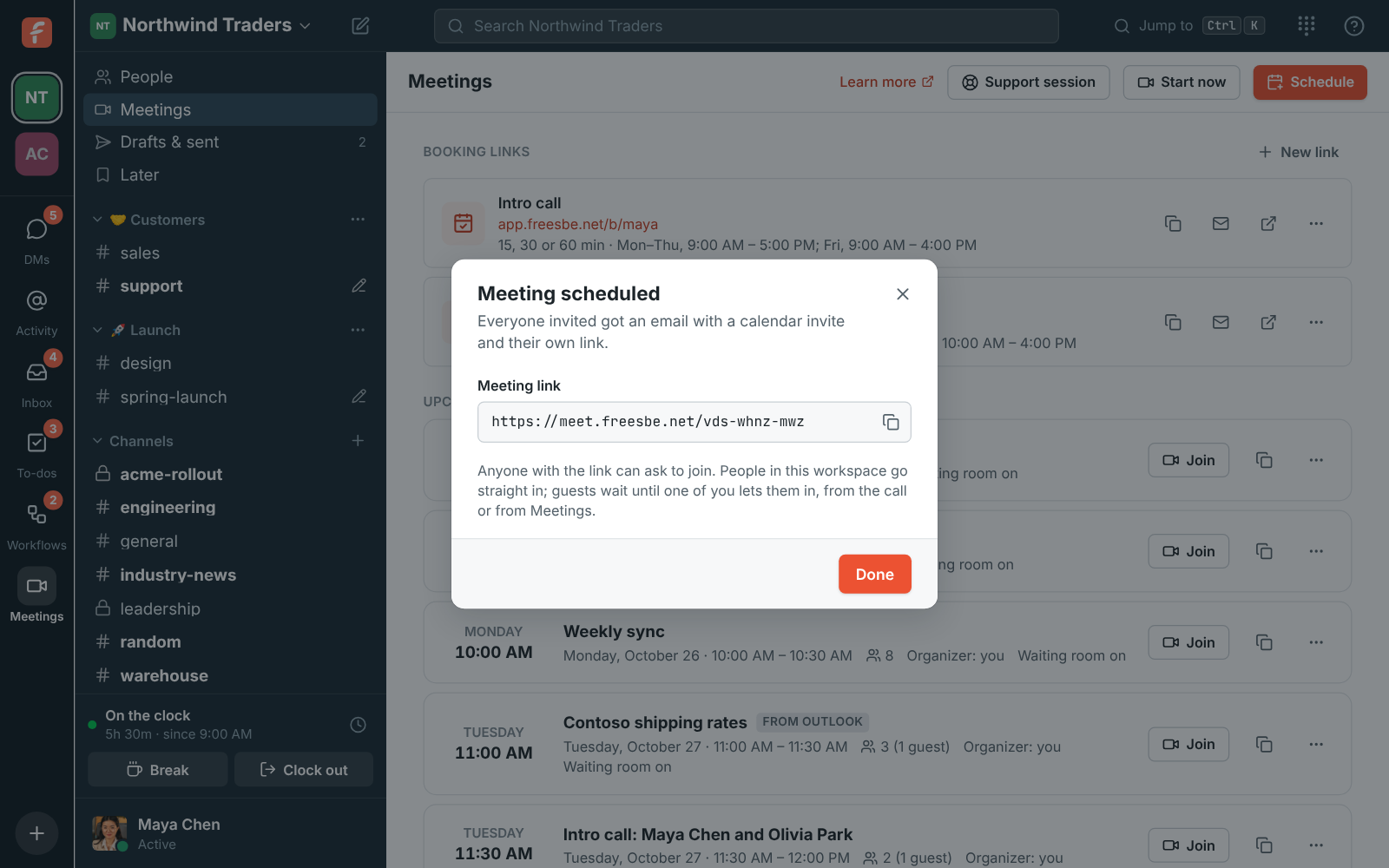
Meeting scheduled: Supplier call with Fabrikam, with its meet.freesbe.net link ready to copy
Scheduled, link ready
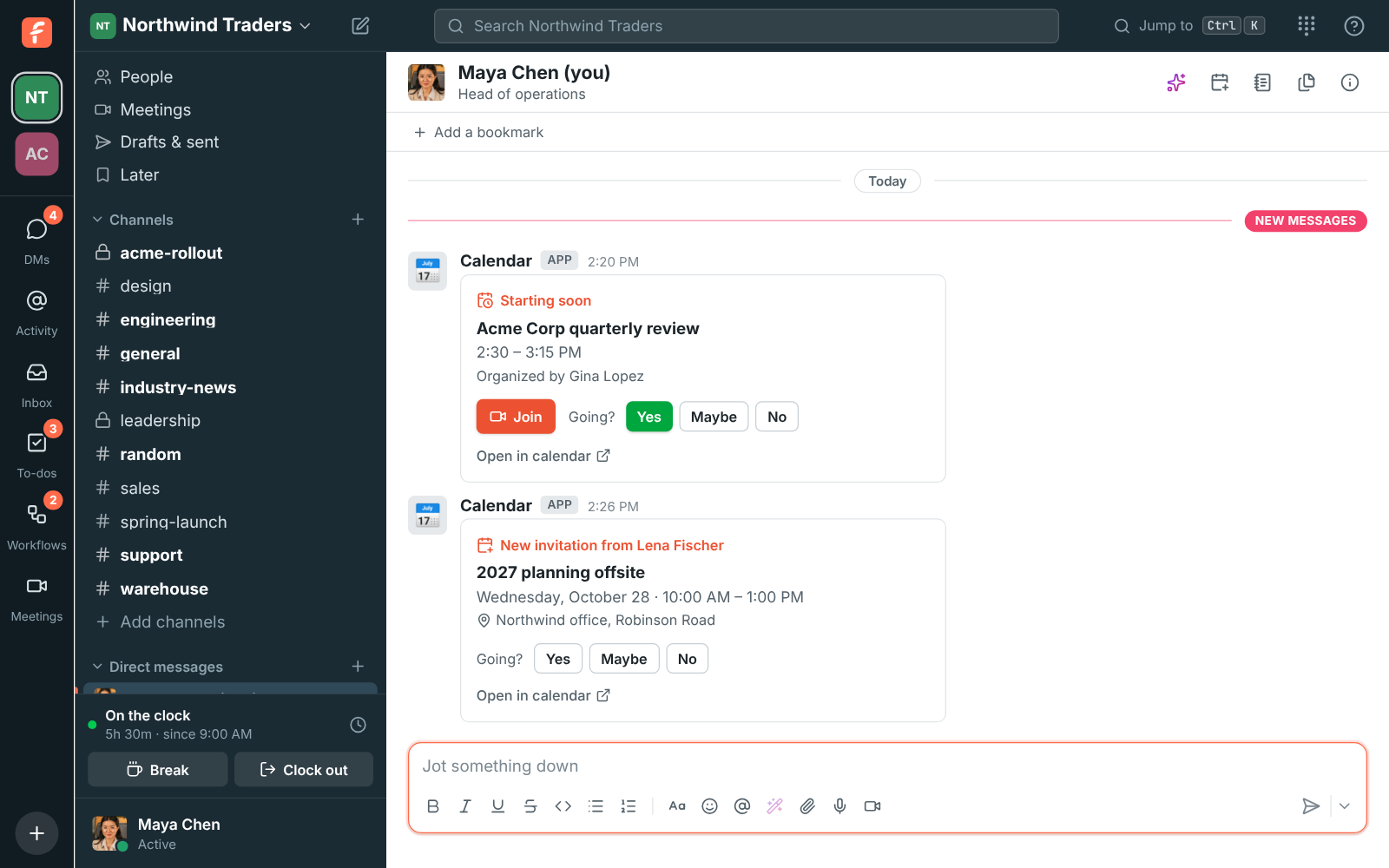
A Starting soon reminder for the Acme Corp quarterly review with a Join button, and a new invitation with Yes, Maybe and No
Reminders in Freesbe

Find a time without the back and forth

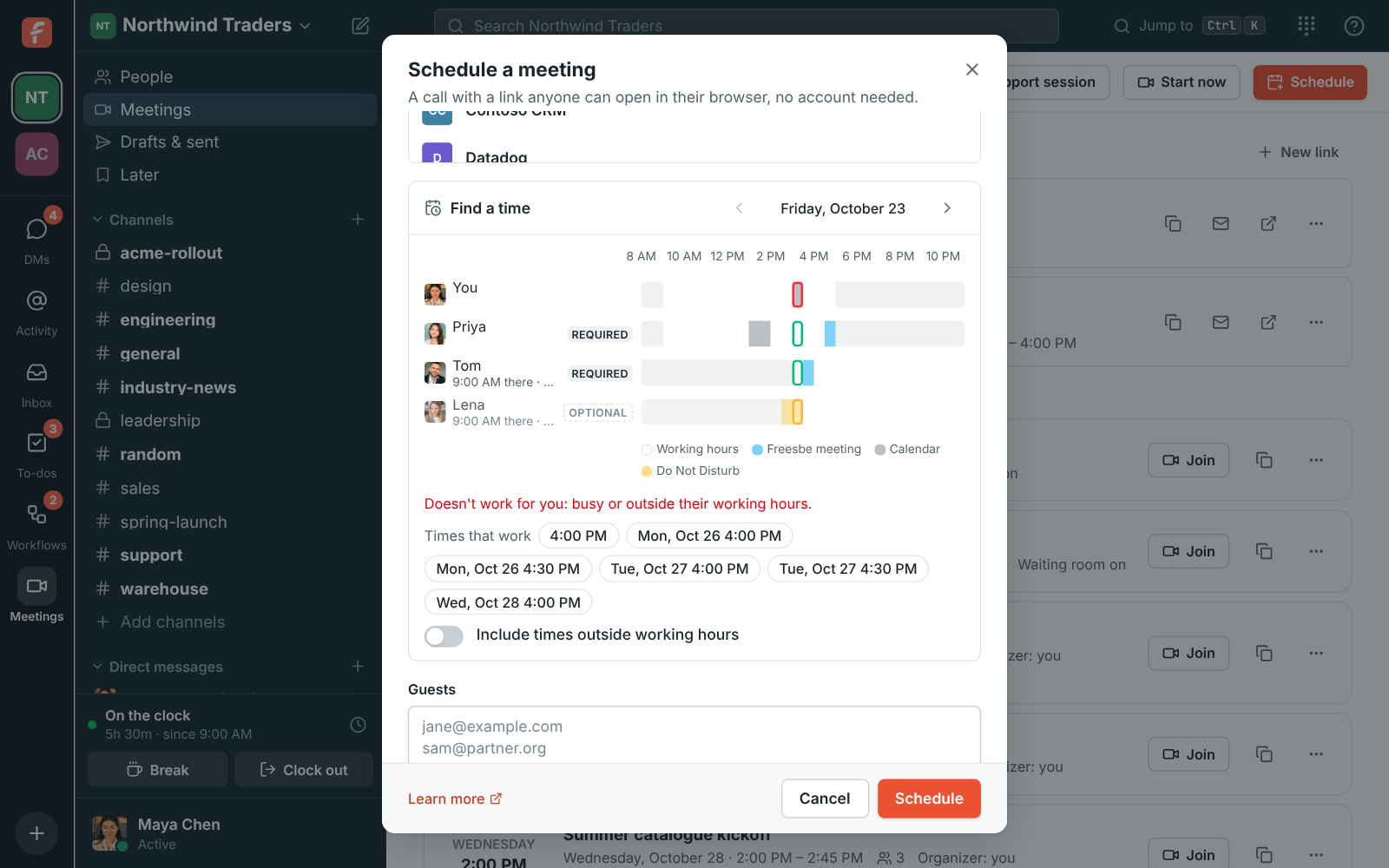
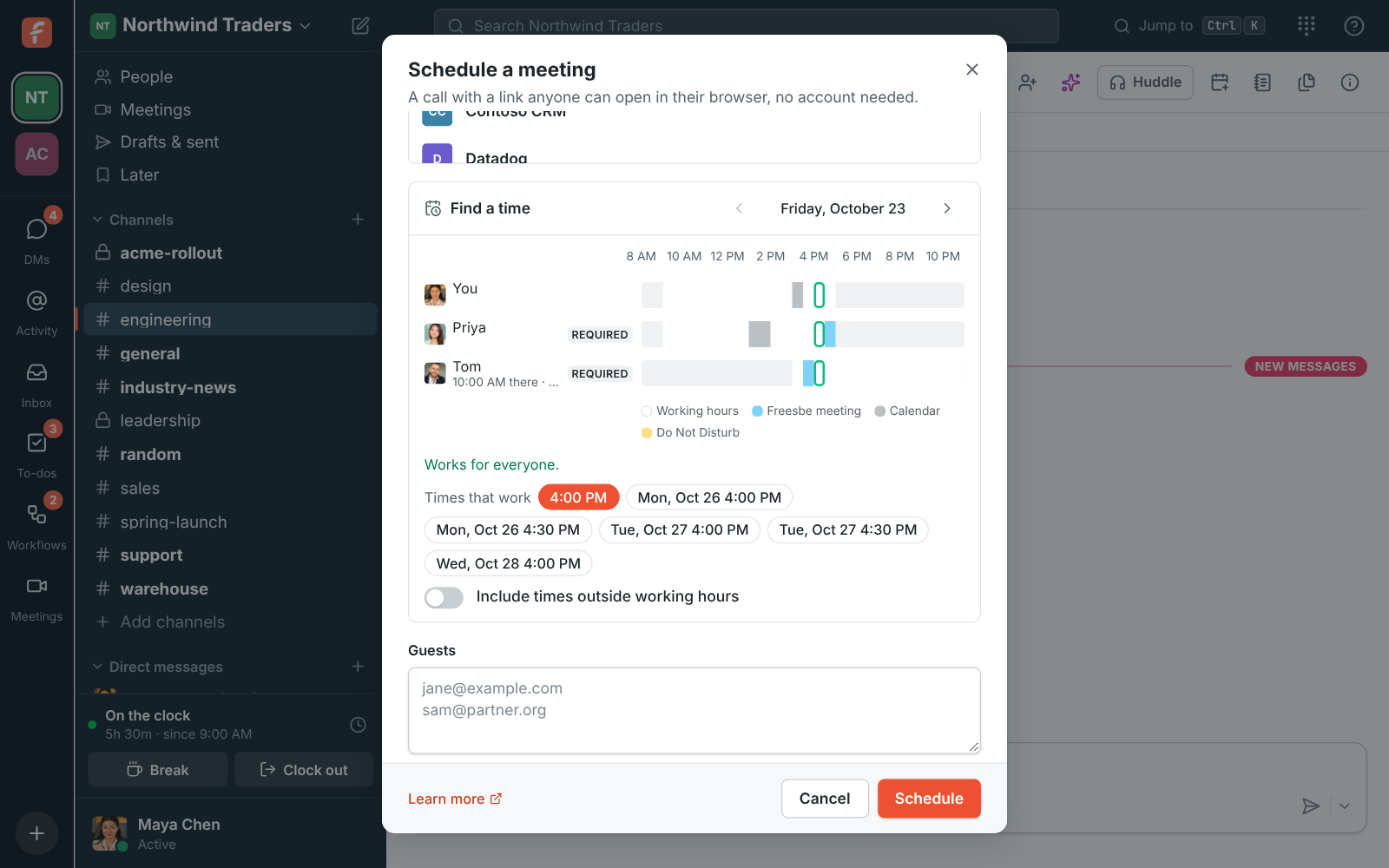
Find a time lines up everyone's day side by side: working hours in their own time zone, their Freesbe meetings, busy times from a connected Google, Microsoft or Zoho calendar, and Do Not Disturb. Freesbe suggests up to six times over the next week that fit every required person. It never shows what anyone's meetings are about.

Availability in the scheduler: busy times per person and suggested times
Everyone's availability
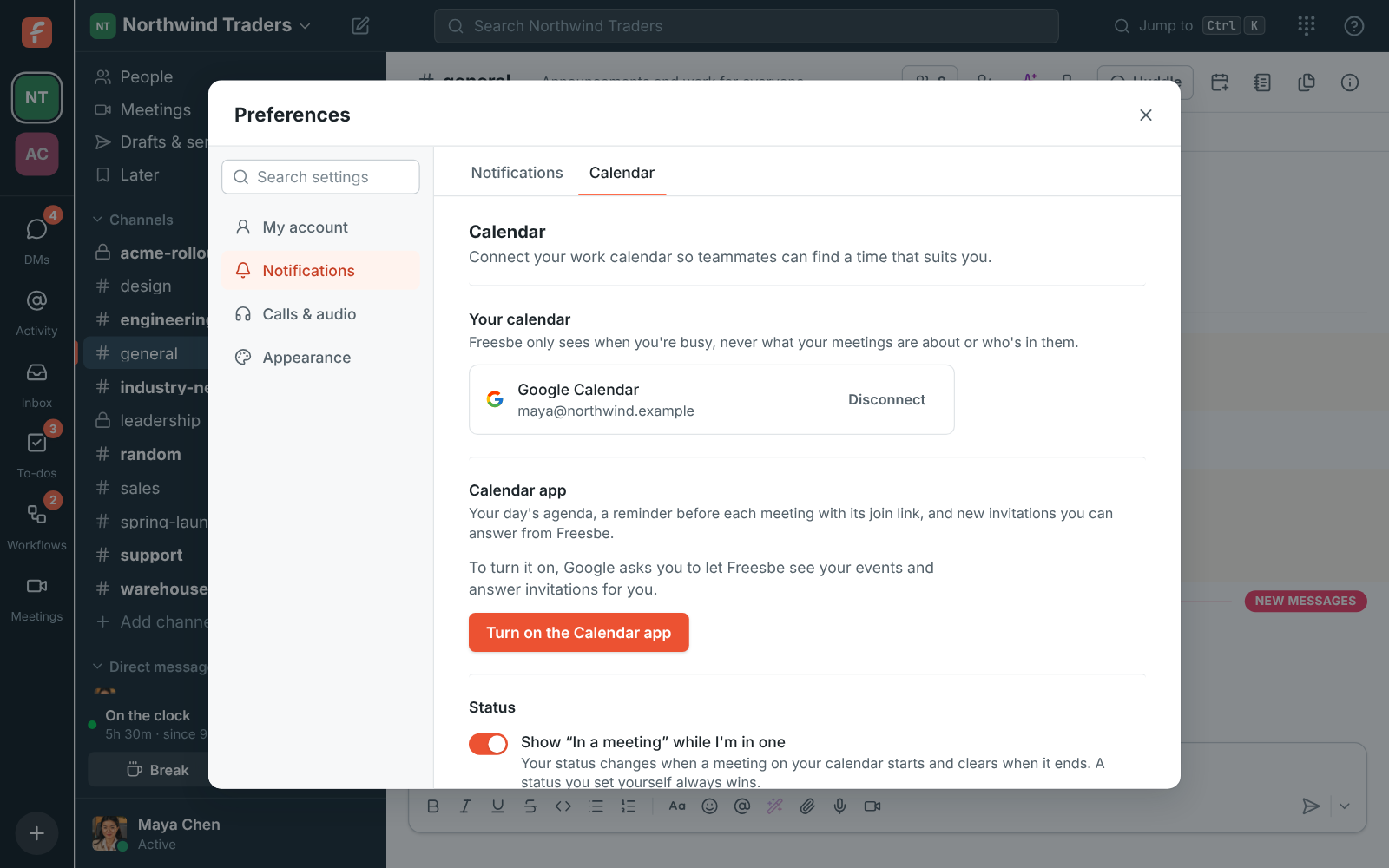
Preferences, Calendar: a connected Google calendar and the In a meeting setting
A connected calendar
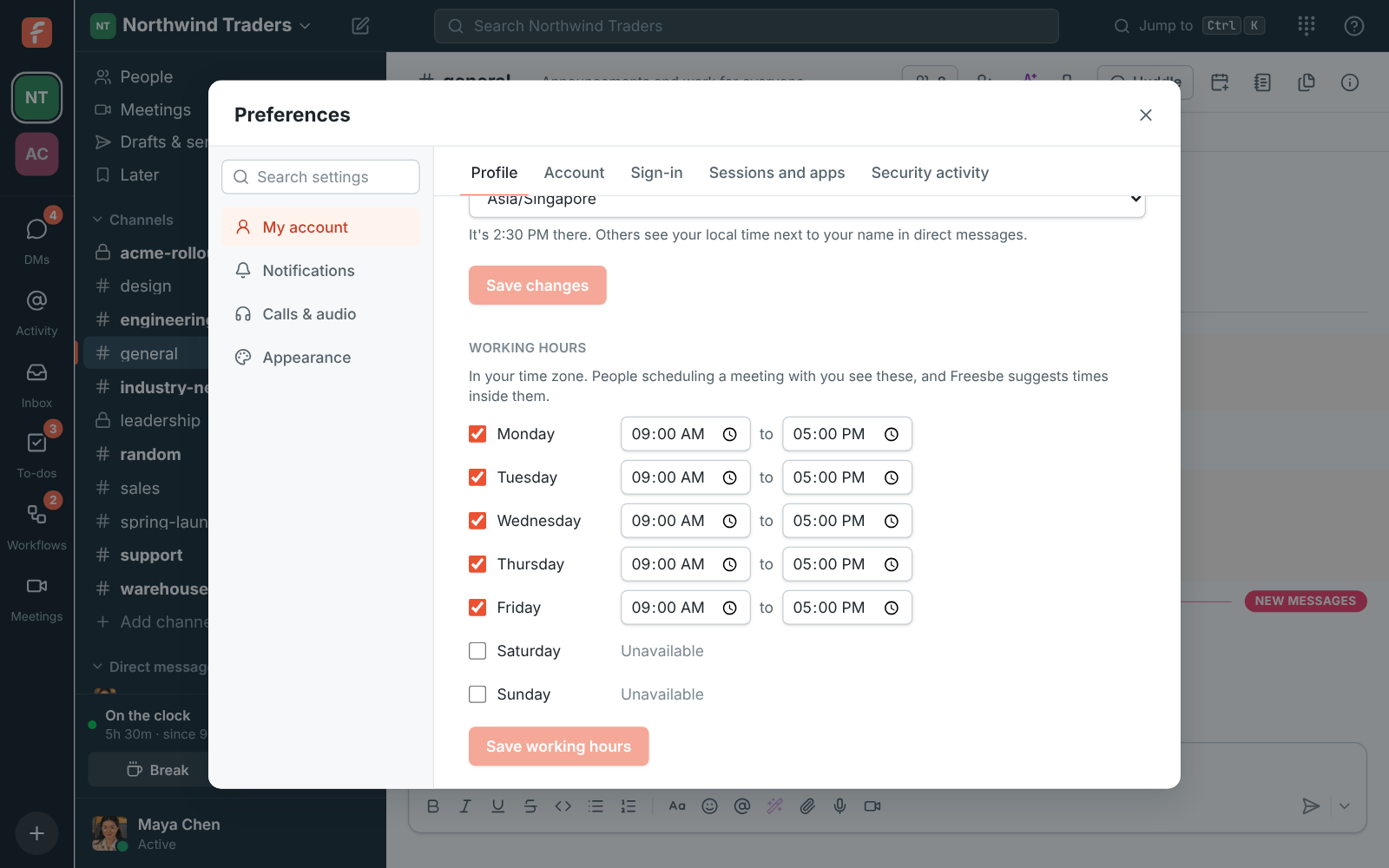
Preferences, Profile: working hours for each day of the week
Working hours

See it on your own team's data.

Start free with up to 10 people and try it today, or book a 20-minute demo with the people who make Freesbe.

A waiting room with your logo on it

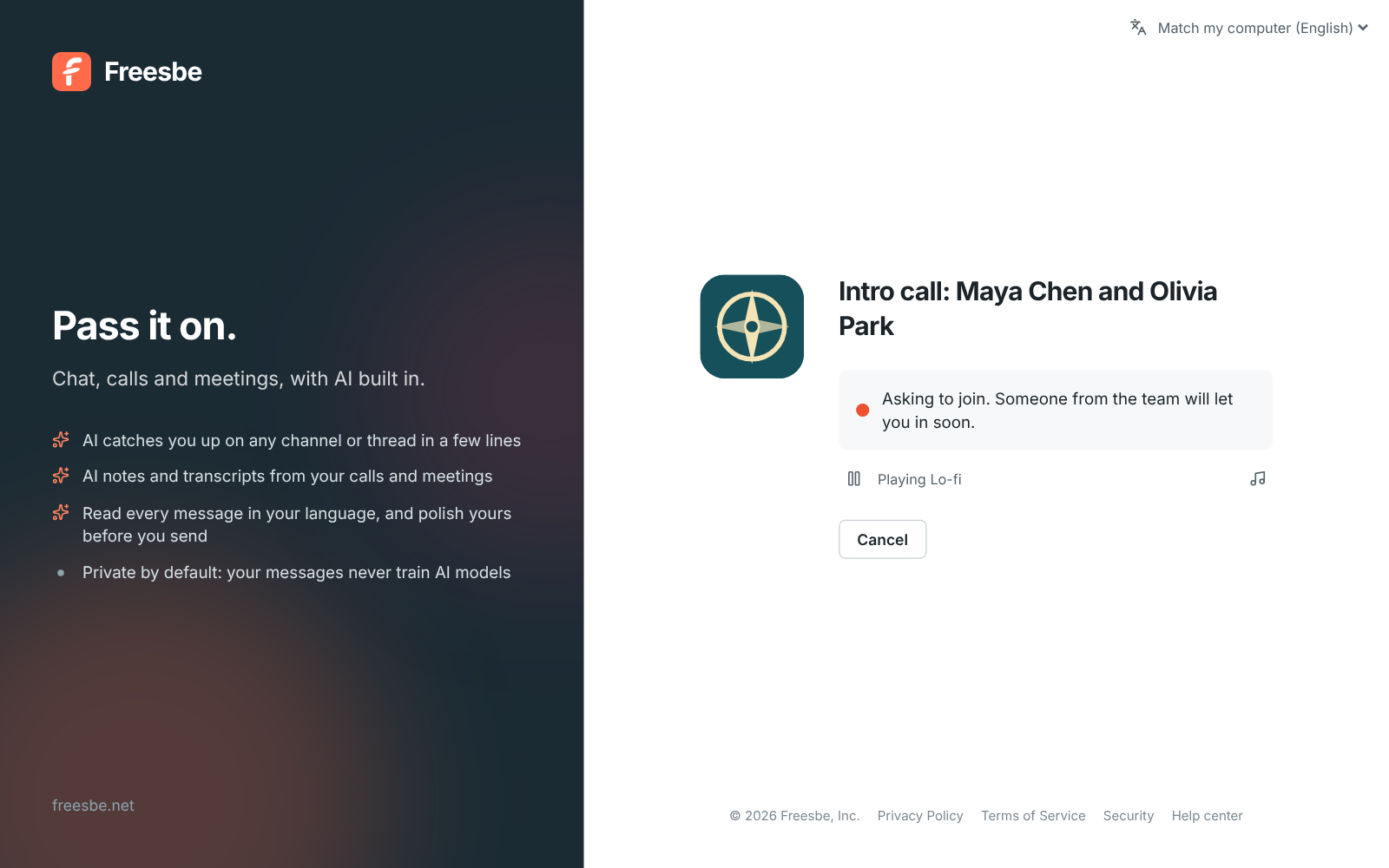
Guests see your workspace logo, the meeting title and who they're meeting, then ask to join. Someone from your team lets them in, from the call or from the Meetings page, and gets a knock, a notification and after a while an email if nobody is in the call yet. People in the workspace go straight in.

A guest waiting to be let in, with the Northwind Traders logo and the meeting title
The waiting room
A Northwind Traders meeting link with the logo, title, time and an Ask to join button
The meeting page
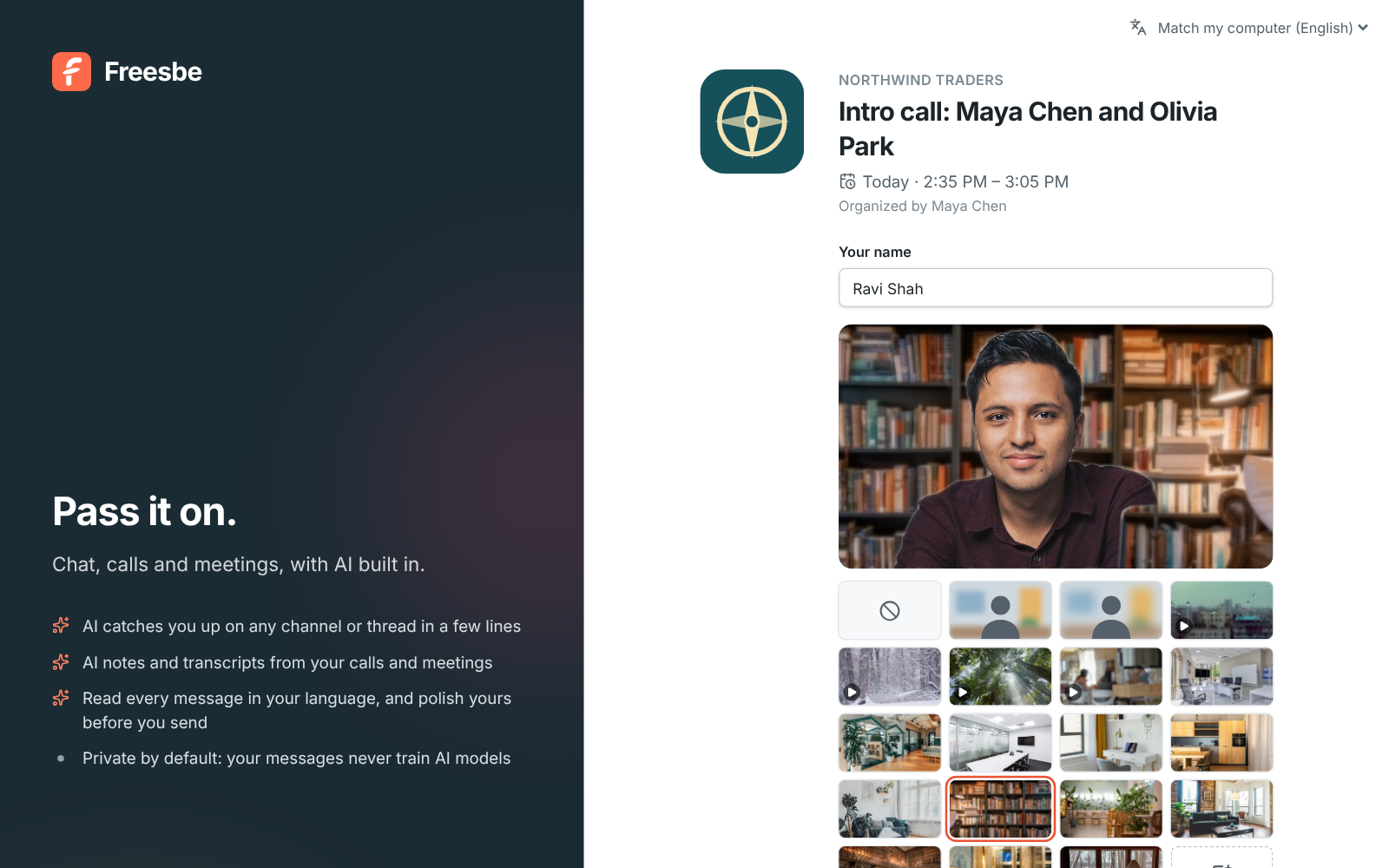
Checking the camera before joining: a guest's preview with the Bookshelf background, the backgrounds under it, and Join with my camera off
Camera check first
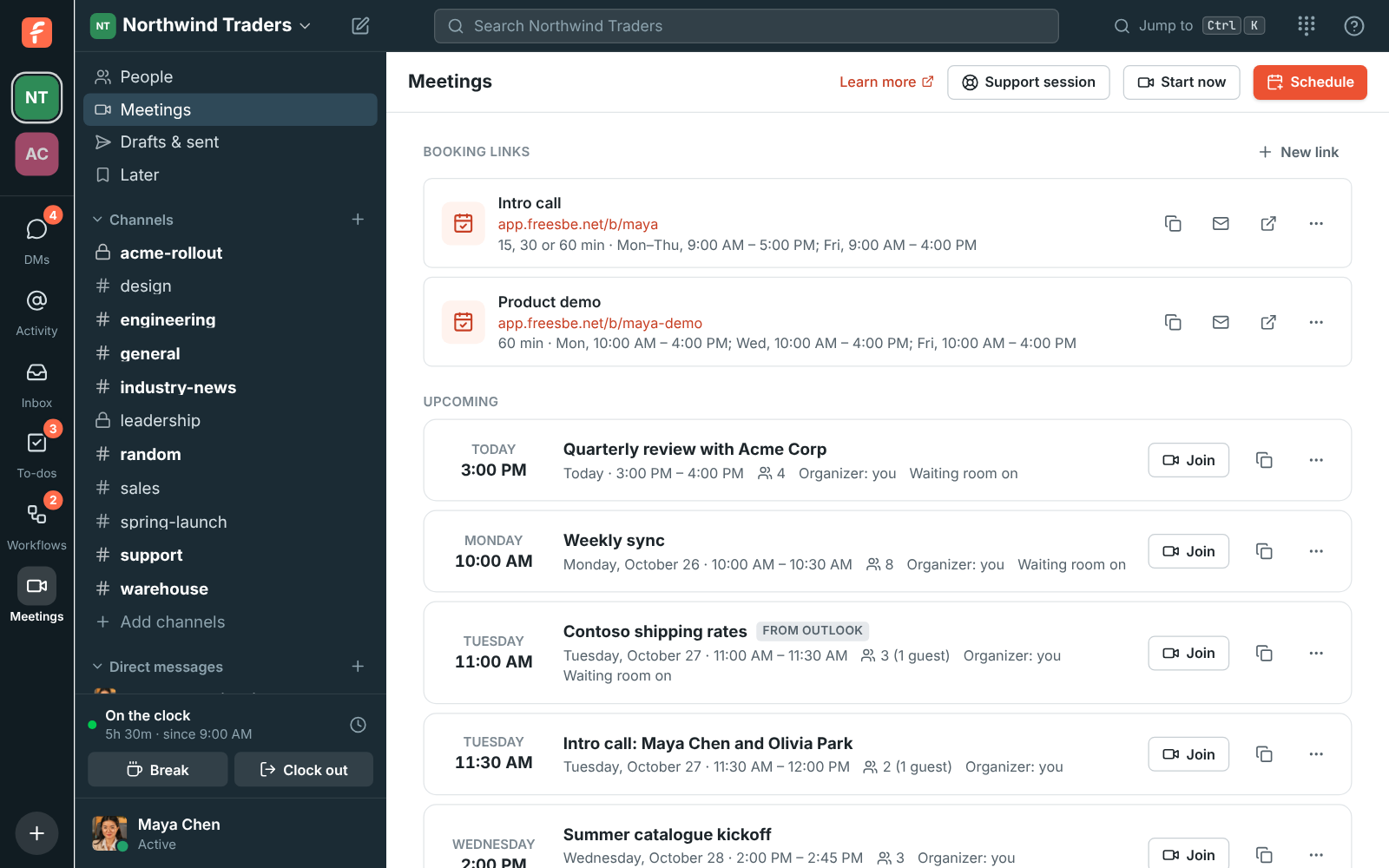
The Meetings page: an open meeting shows who is in the call, and a guest waiting to join with Deny and Admit buttons
Admit from Meetings

In the call

Everyone's tile fits in the window. Share a screen, or two at once, send a reaction, raise a hand, and write to everyone in the meeting chat with files, guests included. Minimize the meeting and keep working in your channels while it runs in a corner. Record it and the transcript and notes are kept with the meeting.

  • Music plays for guests in the lobby and for you while you wait alone
  • Guests can get the notes by email afterwards, when an admin turns it on
  • Switch to your phone mid-meeting with Join here
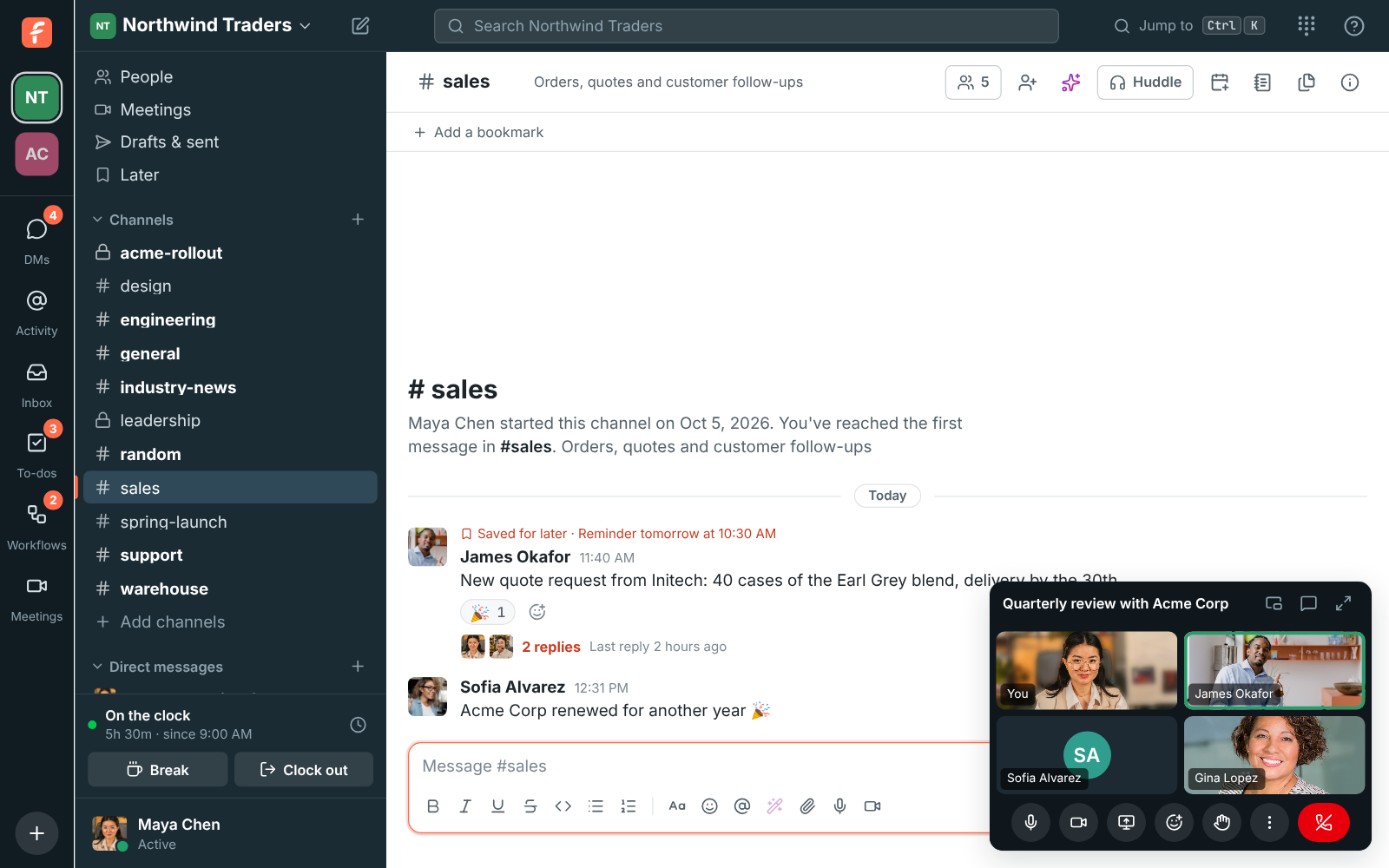
Working in #sales during a meeting: the call keeps running in a card in the corner
The call in a corner while you work
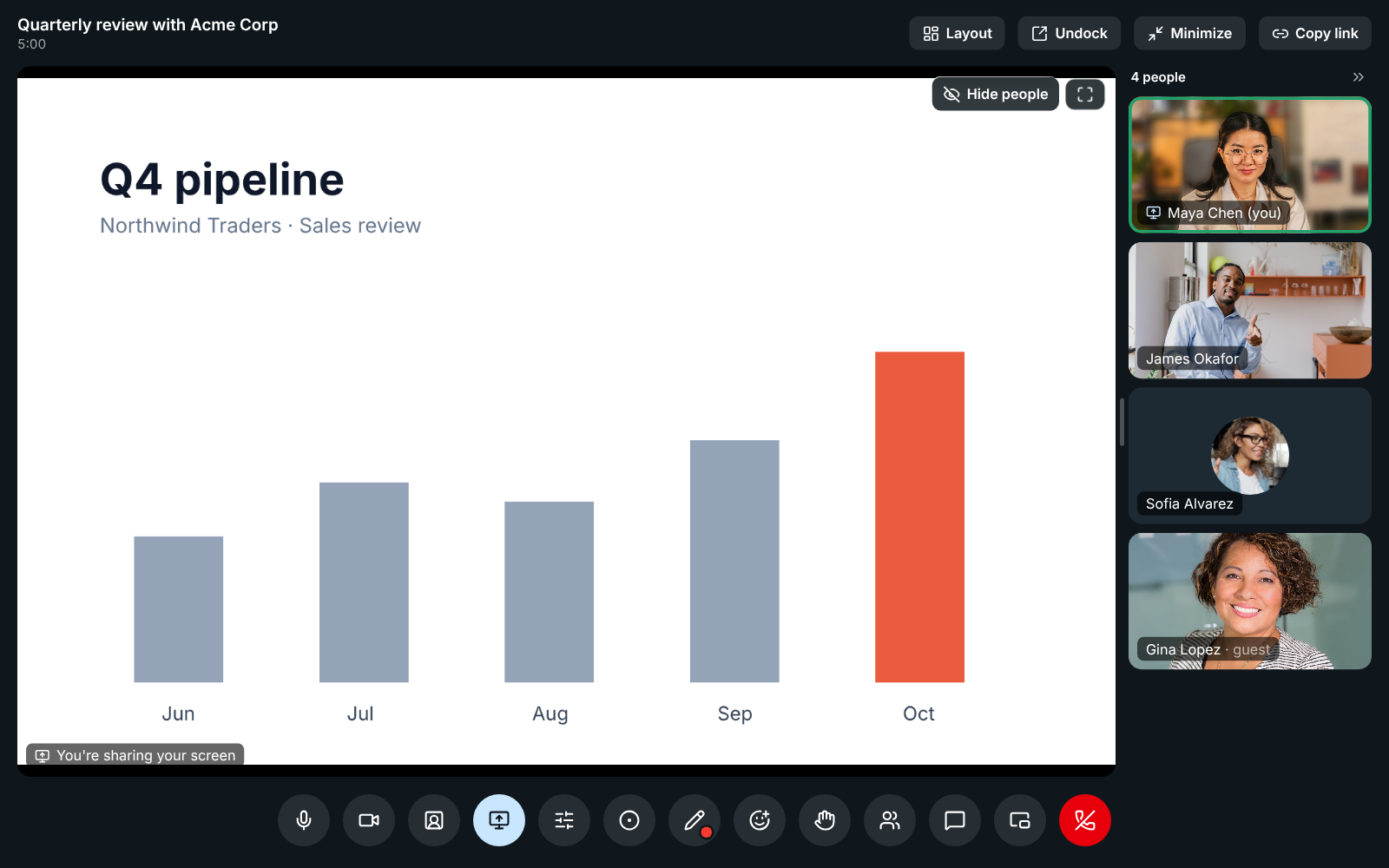
Maya Chen sharing a chart: her screen fills the top, the Share screen button is lit, and a screen icon sits next to her name on her tile
Screen sharing
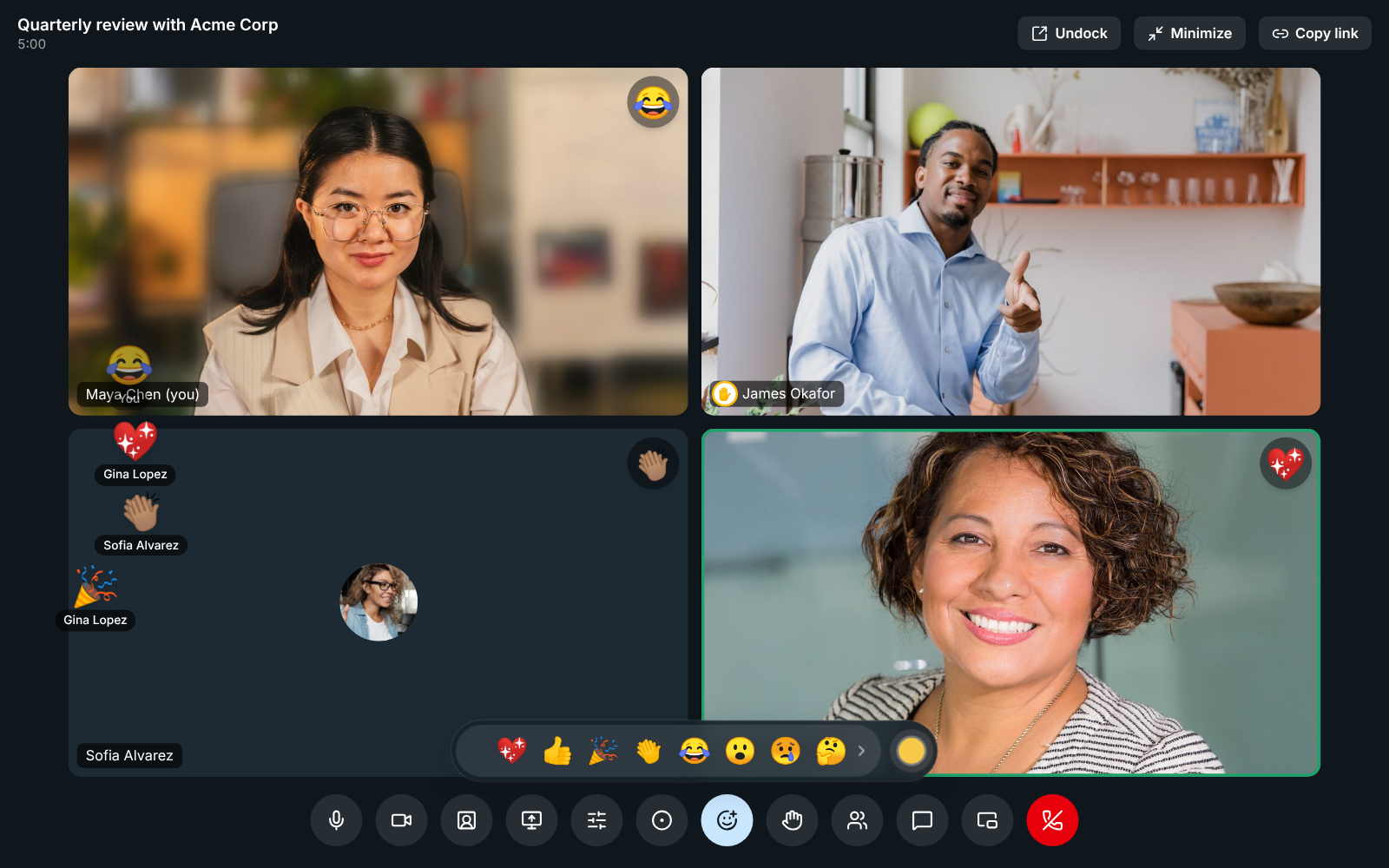
A meeting with the reaction bar open: a party popper, a heart, claps and a laughing face rise from the corner with names under them, and James Okafor has his hand raised
Reactions and raised hands
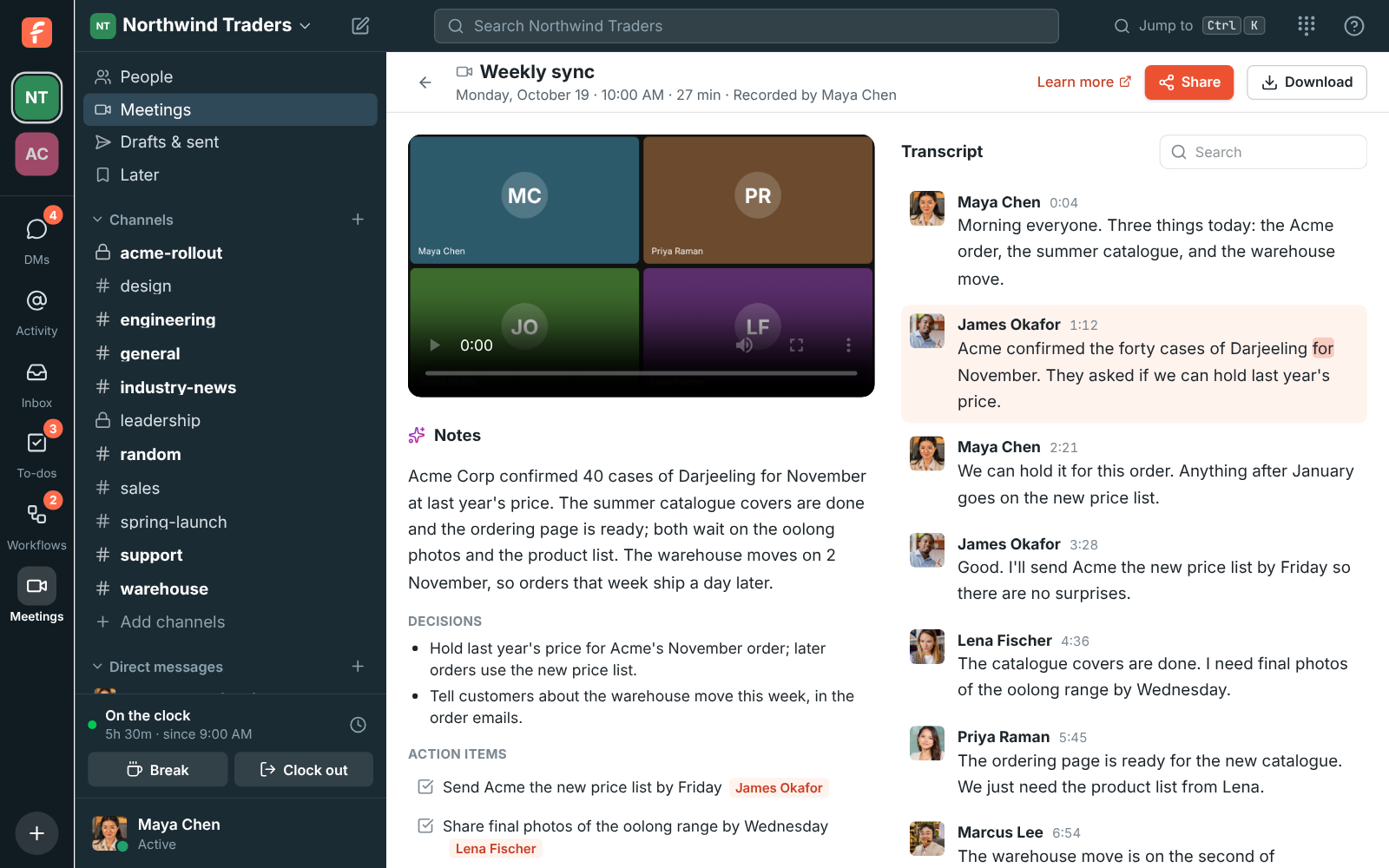
A recorded weekly sync with AI notes, decisions and action items next to a transcript
Notes and transcript

Let people book time with you

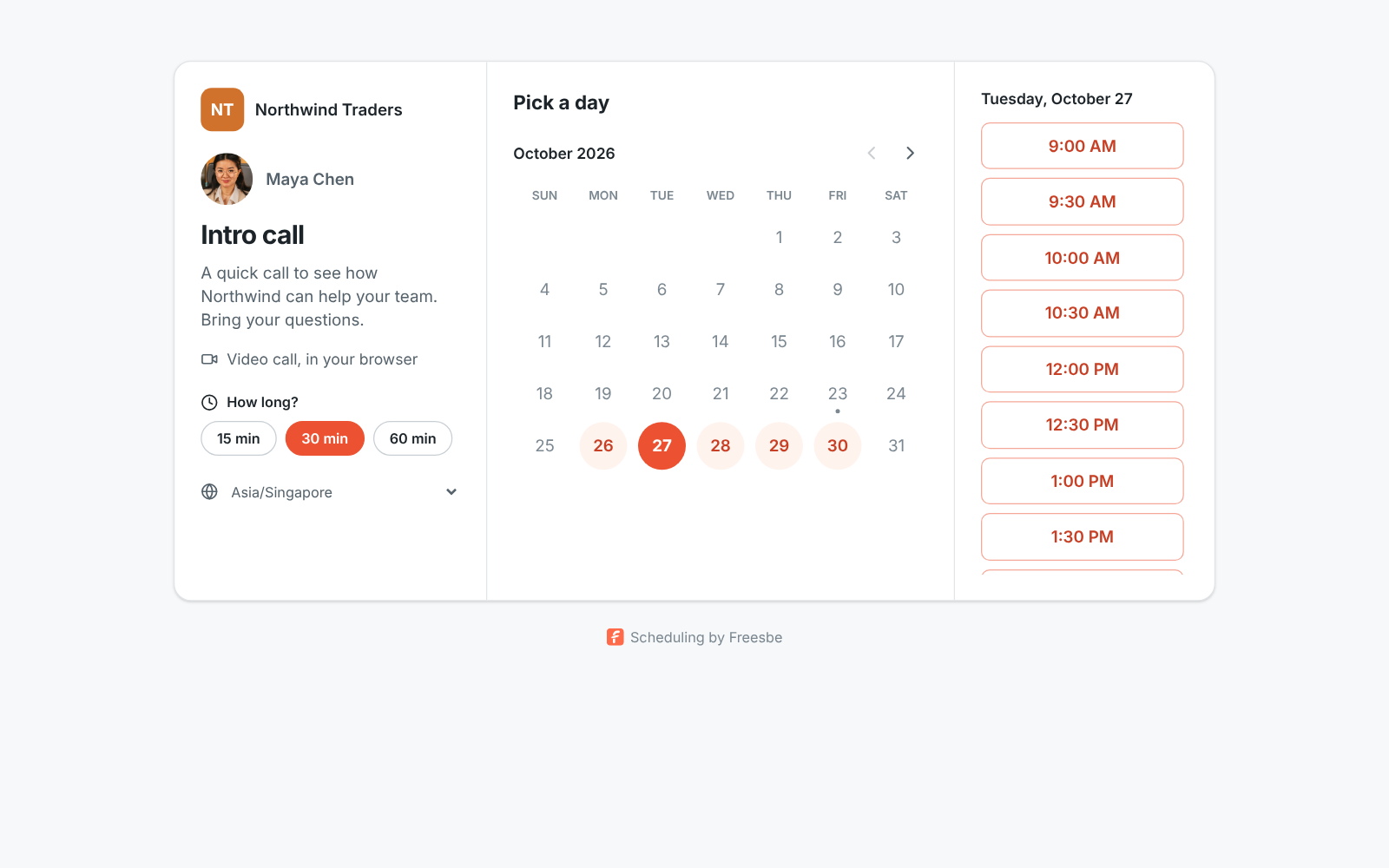
Share a booking link and people outside the workspace pick a free 15, 30 or 60 minute slot inside the hours you set. The booking lands in your meetings list with a link for both of you, and the person can reschedule or cancel on their own.

A booking page with open time slots for an intro call
A booking page
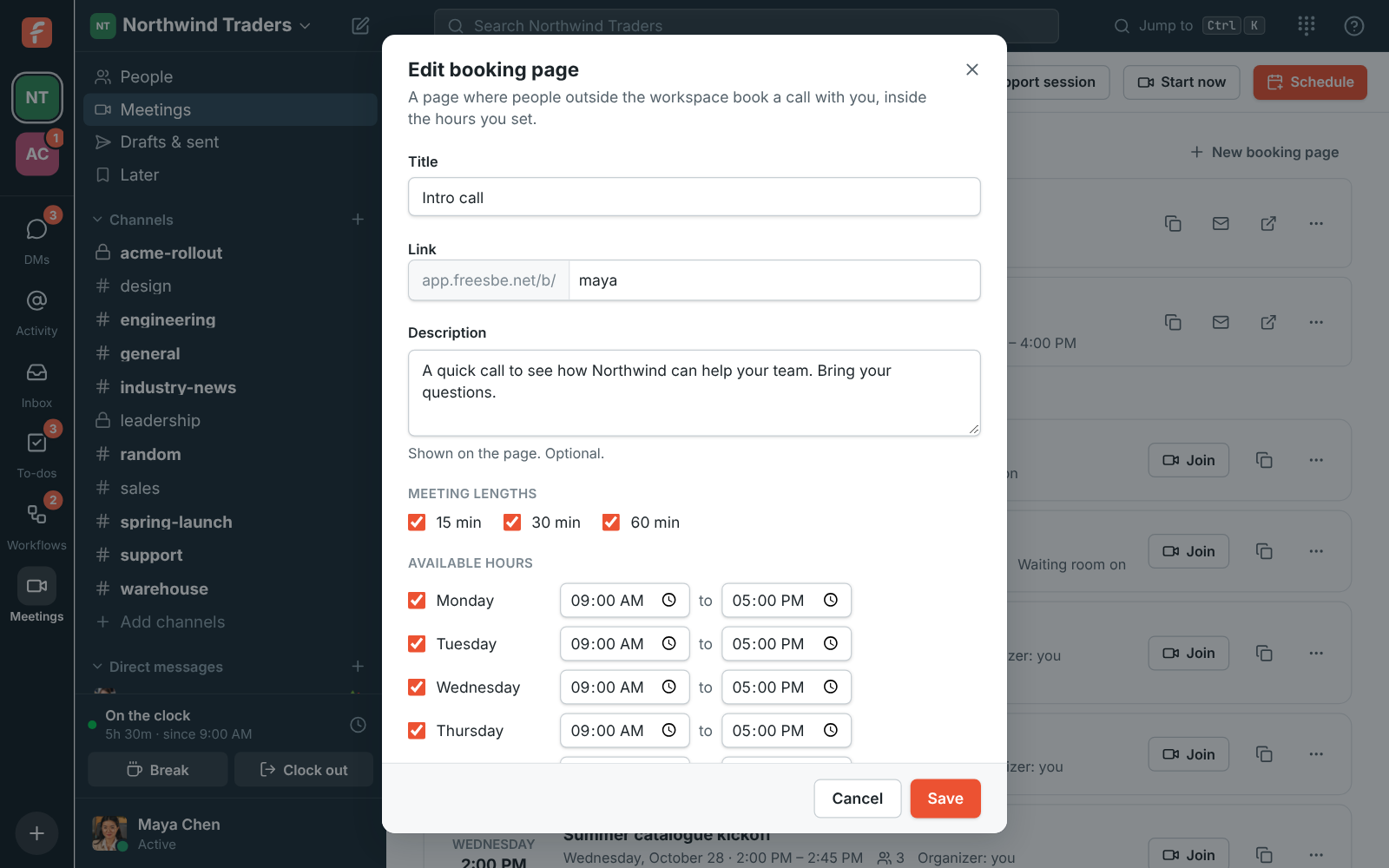
The New booking link dialog: title, link name, description, meeting lengths and available hours
Set up a link
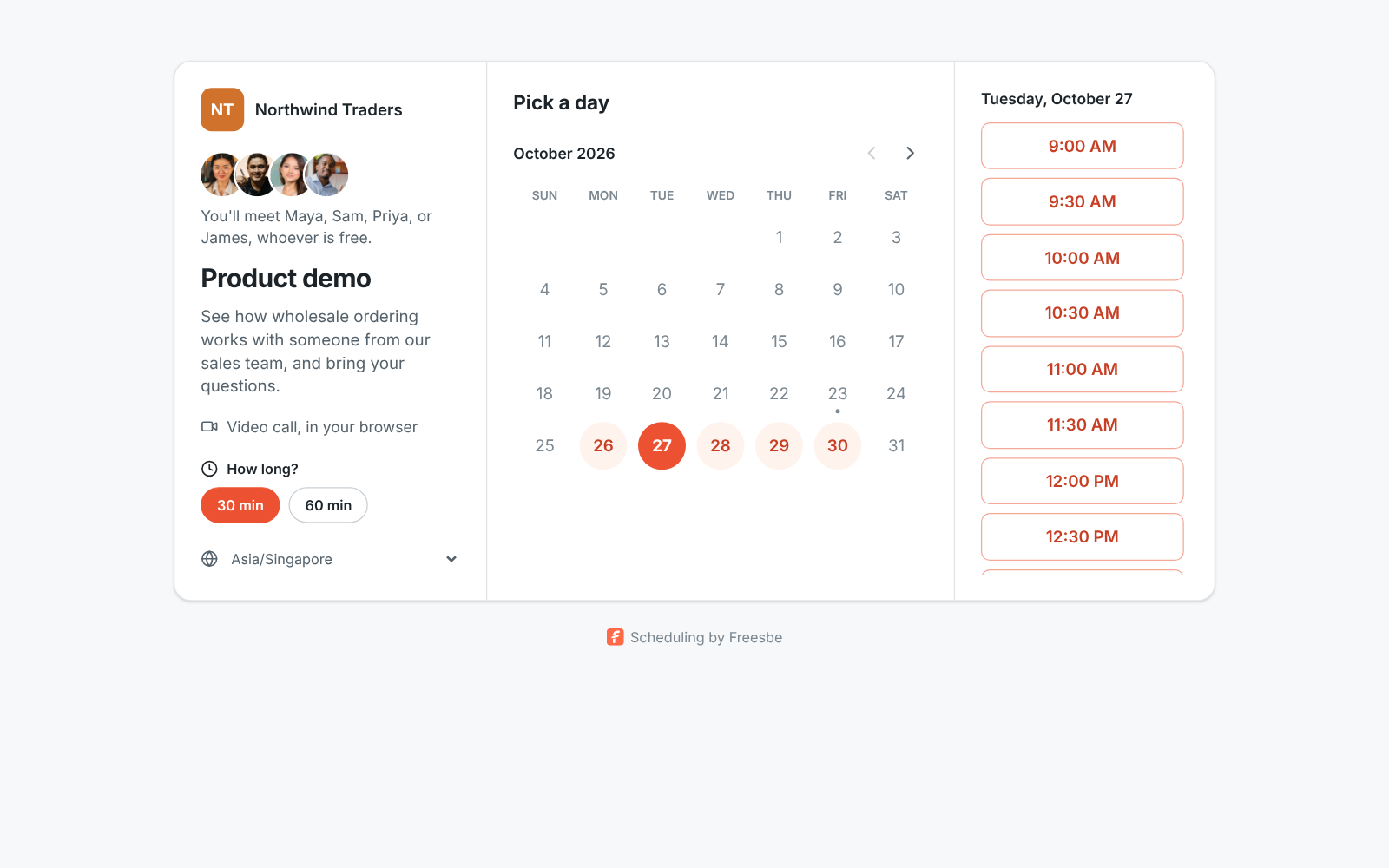
A team booking page: the Northwind name, four photos, You'll meet Maya, Sam, Priya, or James, whoever is free, and a calendar of free days
A team booking page
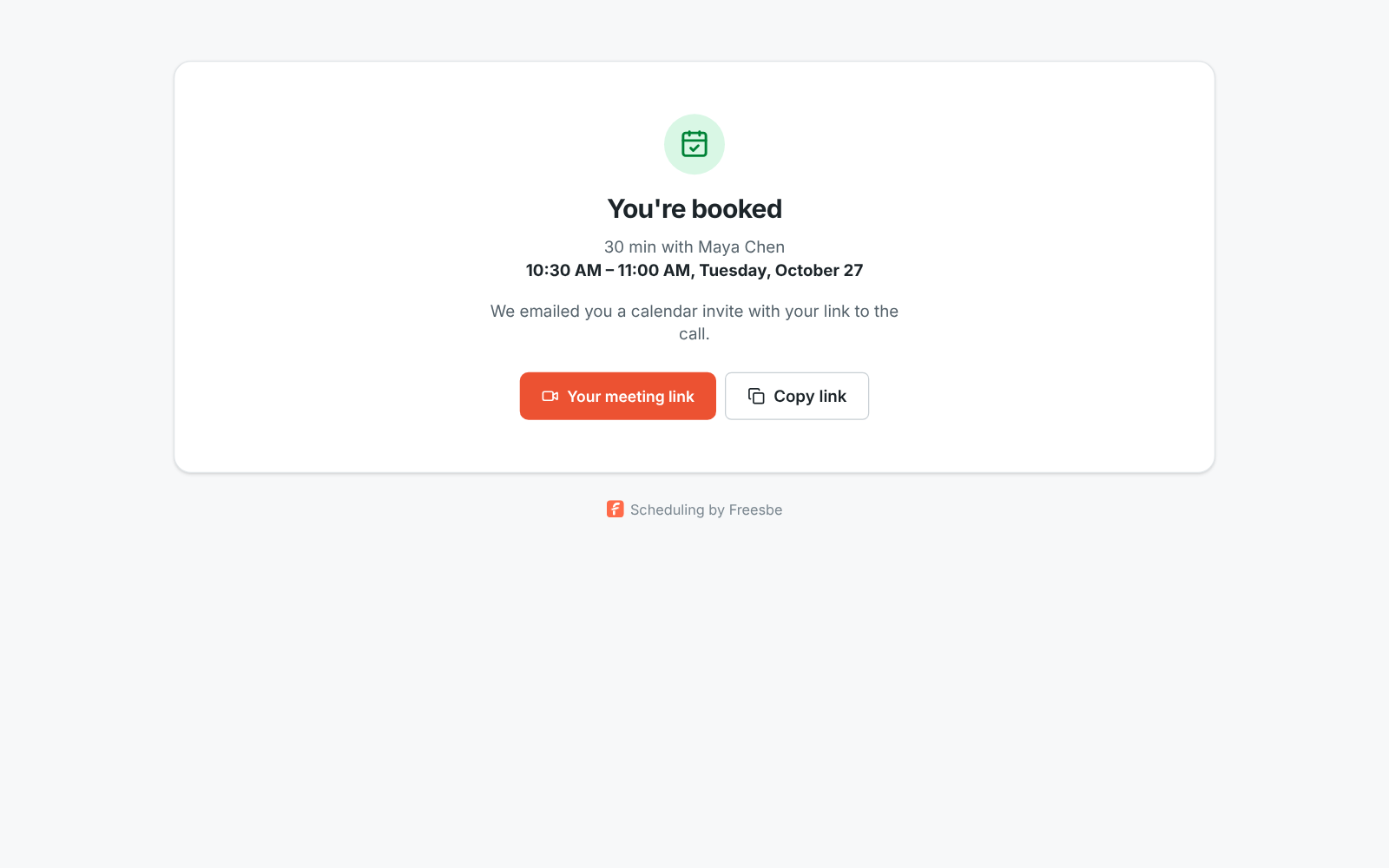
You're booked: the length, who it's with, the time in the visitor's time zone and their meeting link
Booked

Questions

Do guests need a Freesbe account?
No. Guests open the link in a browser, type their name and ask to join. They can join from 15 minutes before the start.
How many people can join a meeting?
Up to 20 people, including guests.
Does it work with my calendar?
Invites work with Google Calendar, Outlook and Apple Calendar. Connect a Google, Microsoft or Zoho calendar to see busy times while you schedule, and turn on the Calendar app for a daily agenda and invitations you answer in Freesbe.
Which plans include meetings?
Scheduled meetings with guest links, booking links and recordings come with the paid plans. Meetings on your own domain come with Corporate and Enterprise.

Try all of it free with up to 10 people.

No card, no time limit. Invite your team and see what sticks.