Freesbe

Security and admin

Admin controls a 2,500 person company expects.

Freesbe lets admins require Google or Microsoft single sign-on and a second step with passkeys, authenticator apps or a tap on the phone; keep the workspace's data in the European Union or the United States; choose which file types members and guests can share, checked by content; read an audit log; and export everything in Slack's format.

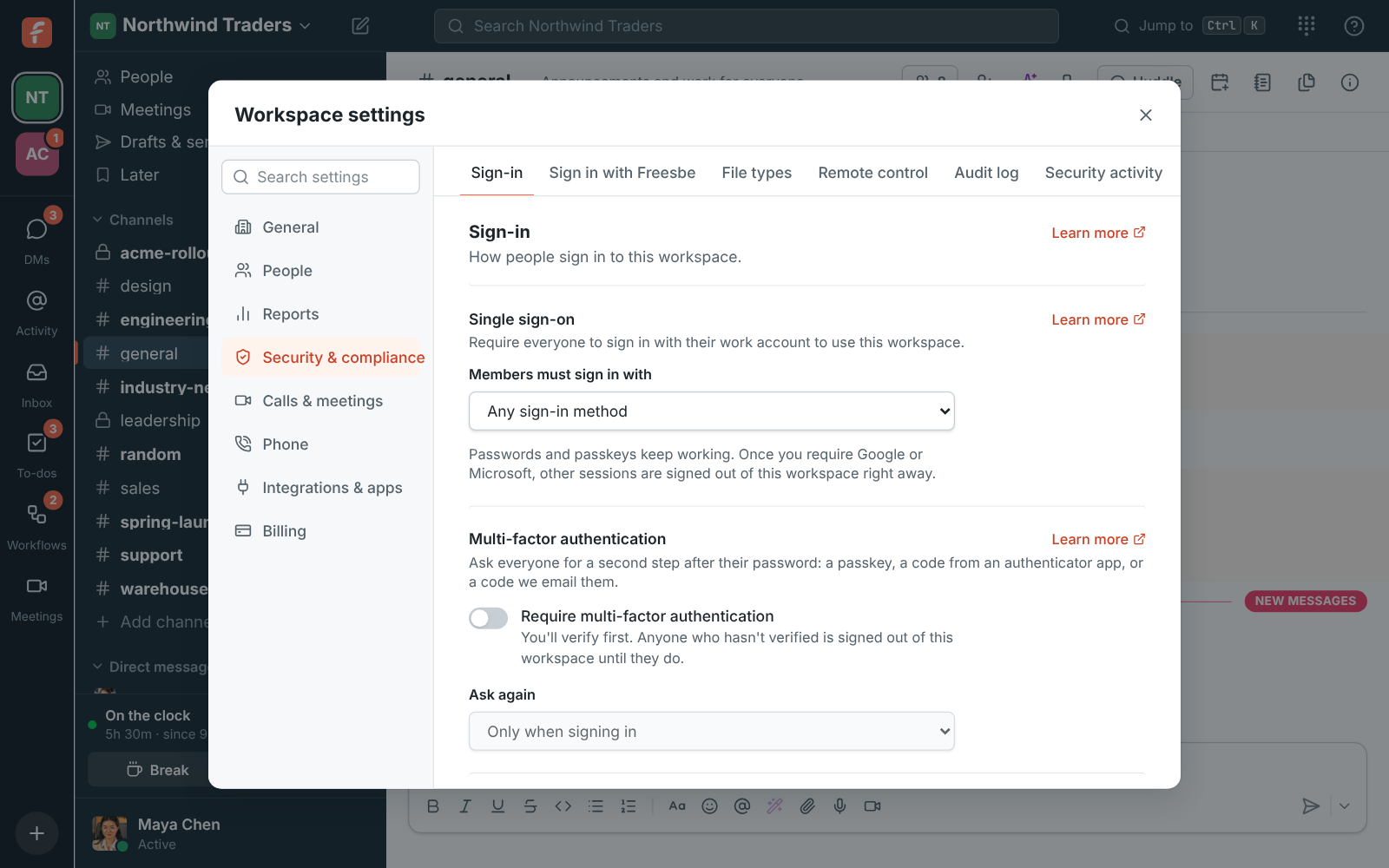
Workspace settings, Security: single sign-on, MFA and remote control

Sign-in you control

Require everyone to sign in with their Google or Microsoft work account, so your directory decides who's in. Require a second step, verified only when signing in, each time Freesbe opens, or every 12 hours, day or week. People verify with a passkey, an authenticator app, an emailed code or by tapping a number on their phone. Freesbe won't let you lock yourself out.

  • Sign in with just your phone, no password at all
  • Changes that could lock people out ask for another tap on the phone
  • See every session you're signed in on and sign one out
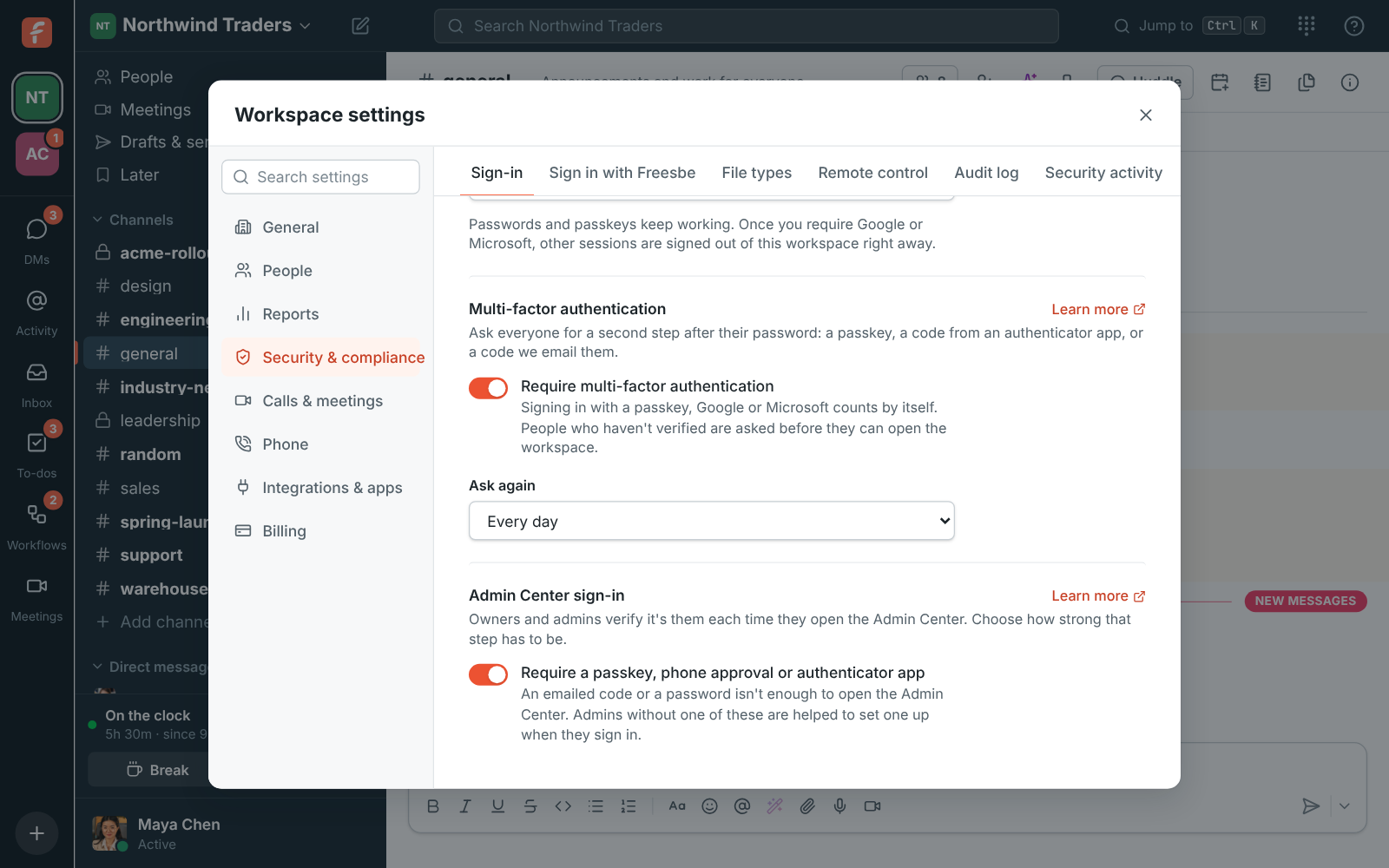
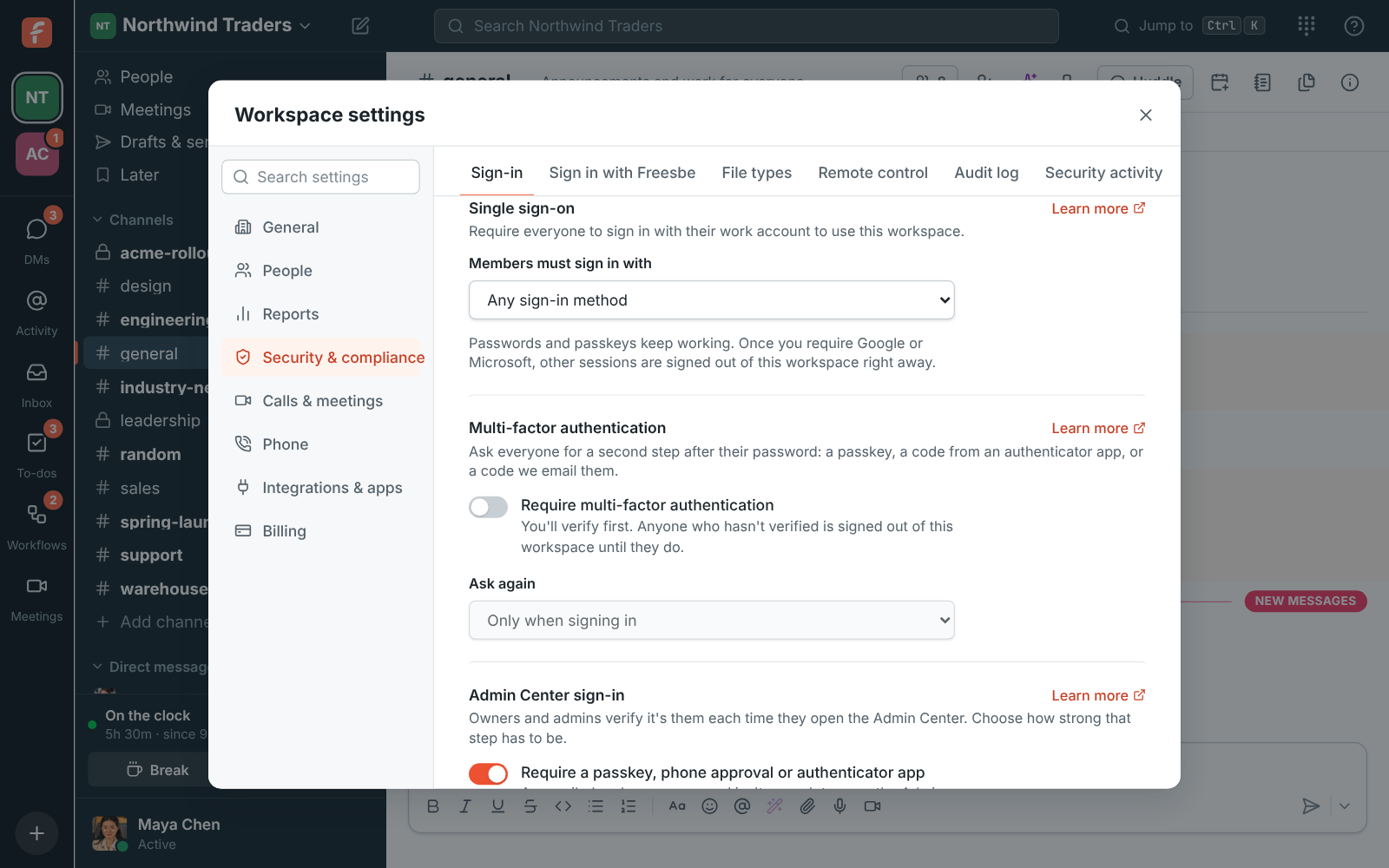
Workspace settings with Require multi-factor authentication on and Ask again set to Every day
Multi-factor authentication
Workspace settings, Single sign-on: Members must sign in with Google, Microsoft, or either
Single sign-on
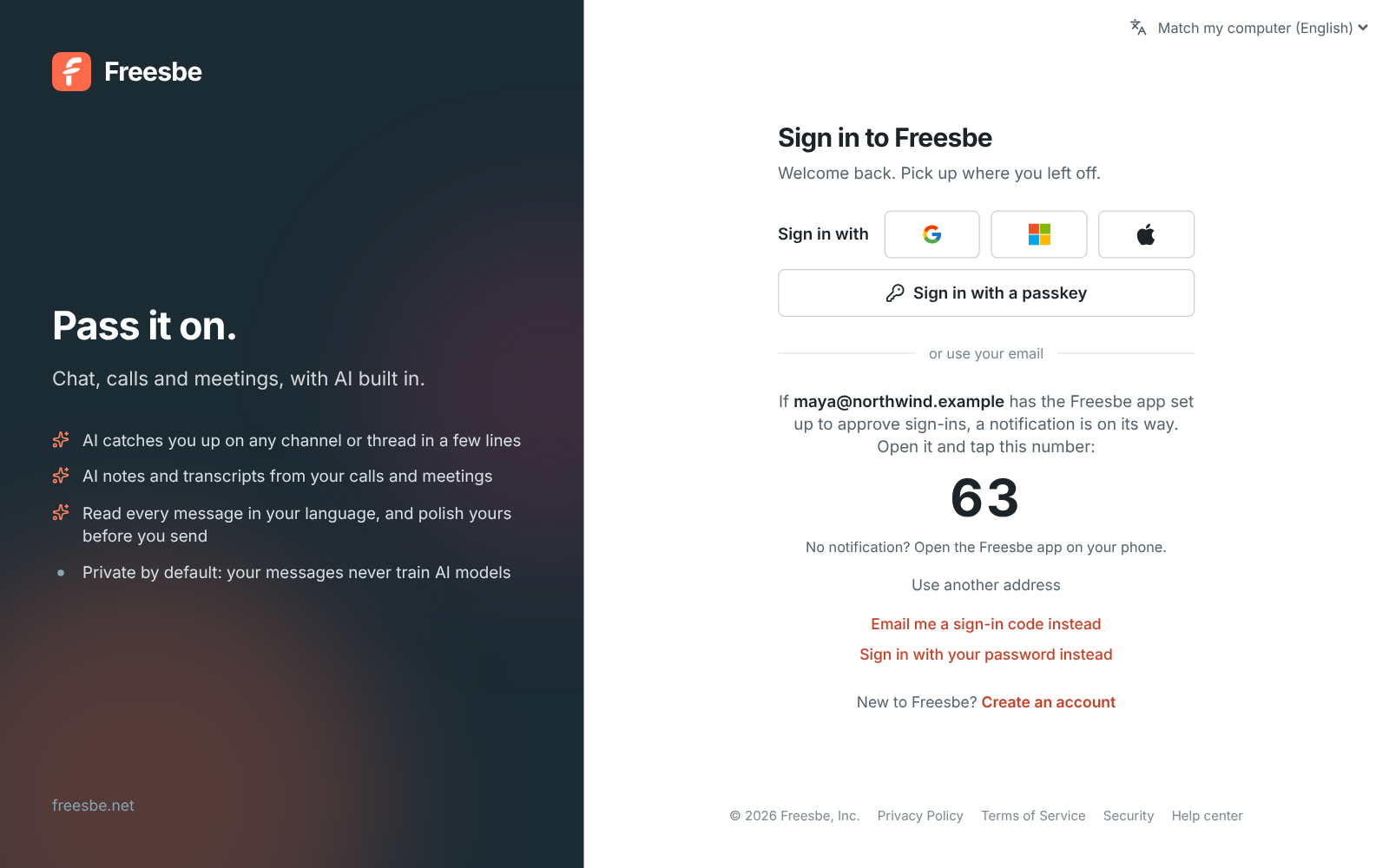
The sign-in page showing the number 63 to tap on your phone
Sign in with your phone
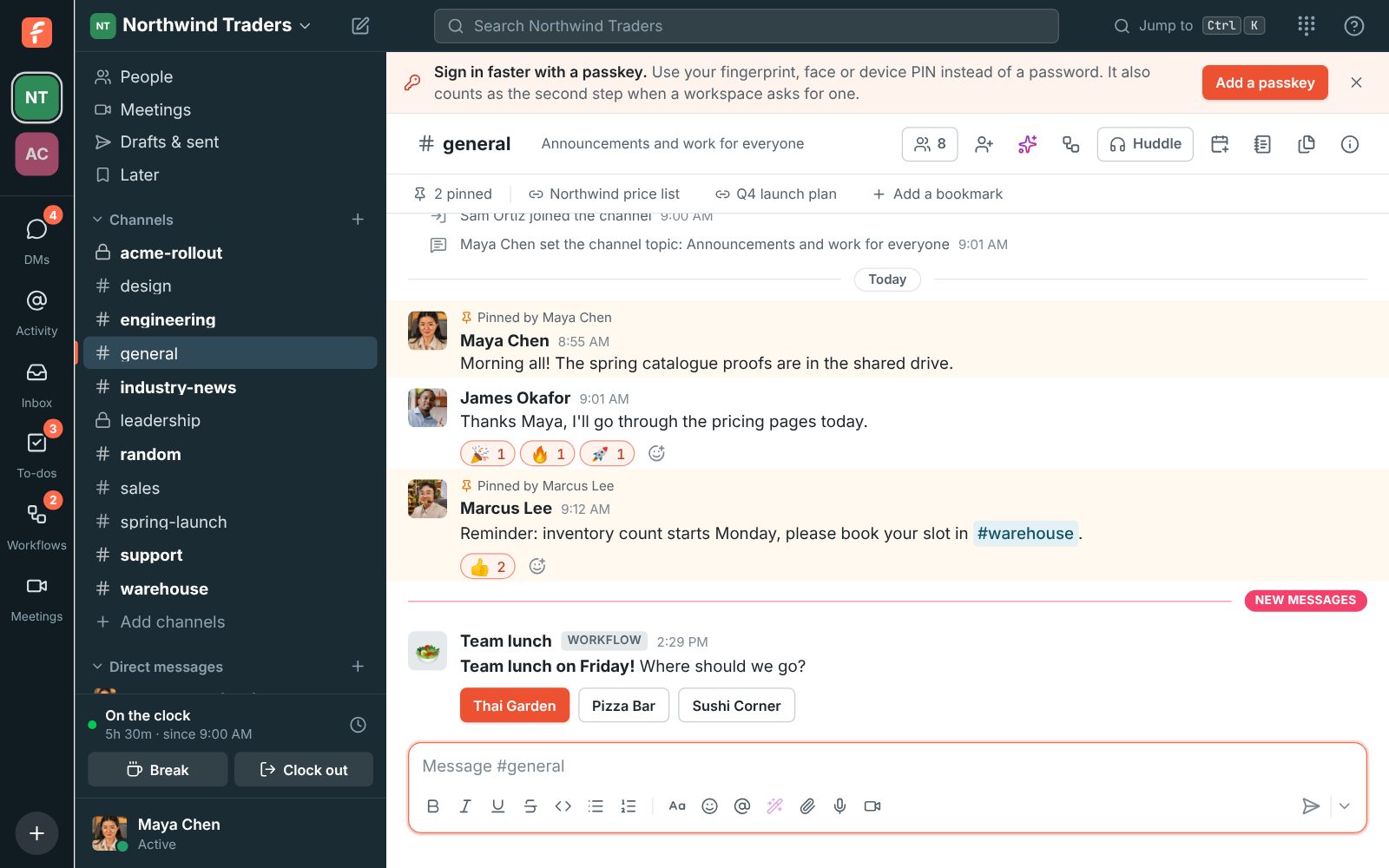
The Sign in faster with a passkey banner above a channel
Passkeys
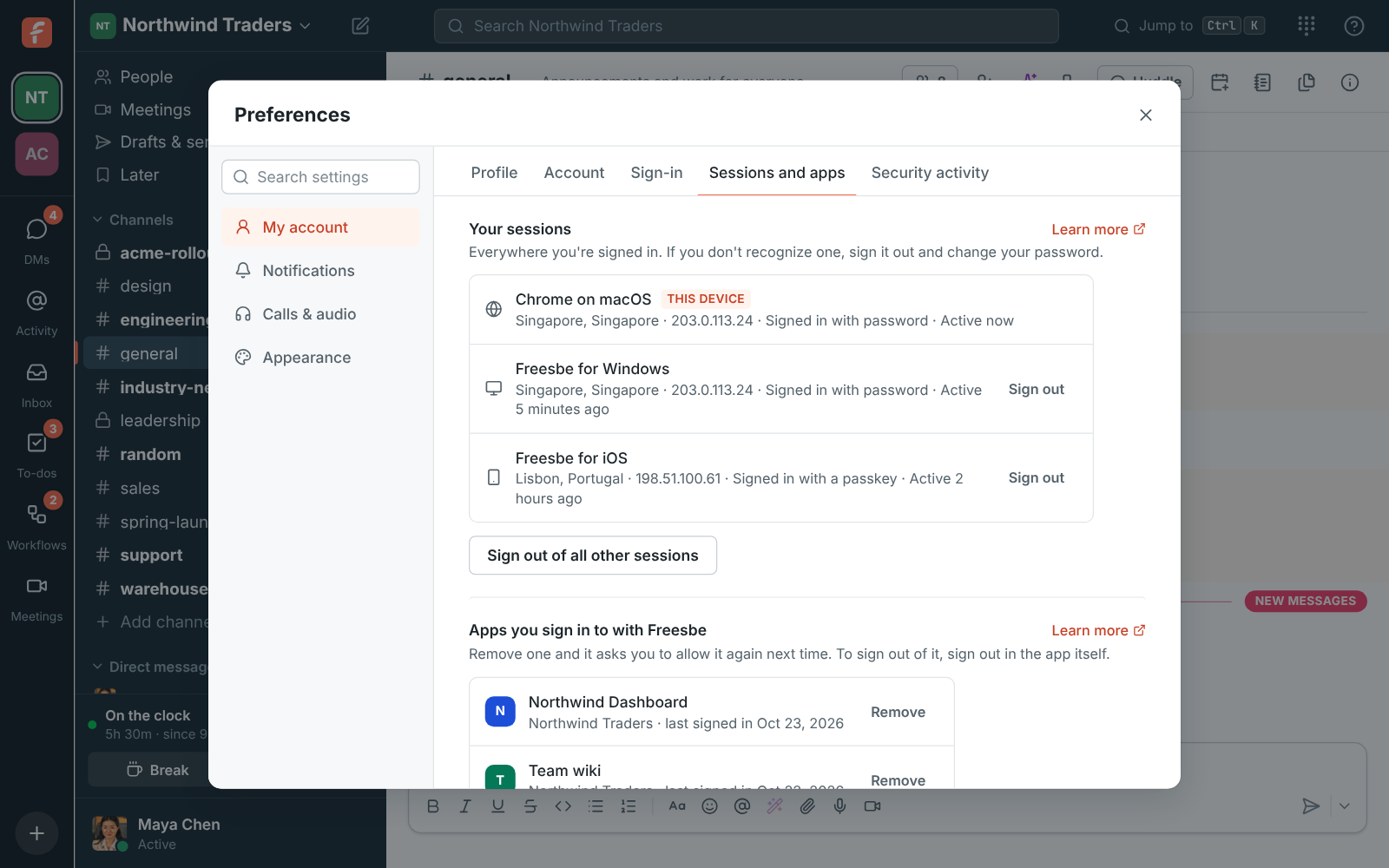
Your sessions: Chrome on macOS (this device), Freesbe for Windows and Safari on iOS, each with a Sign out button
Every session, signed out in one click

Your data, where you say

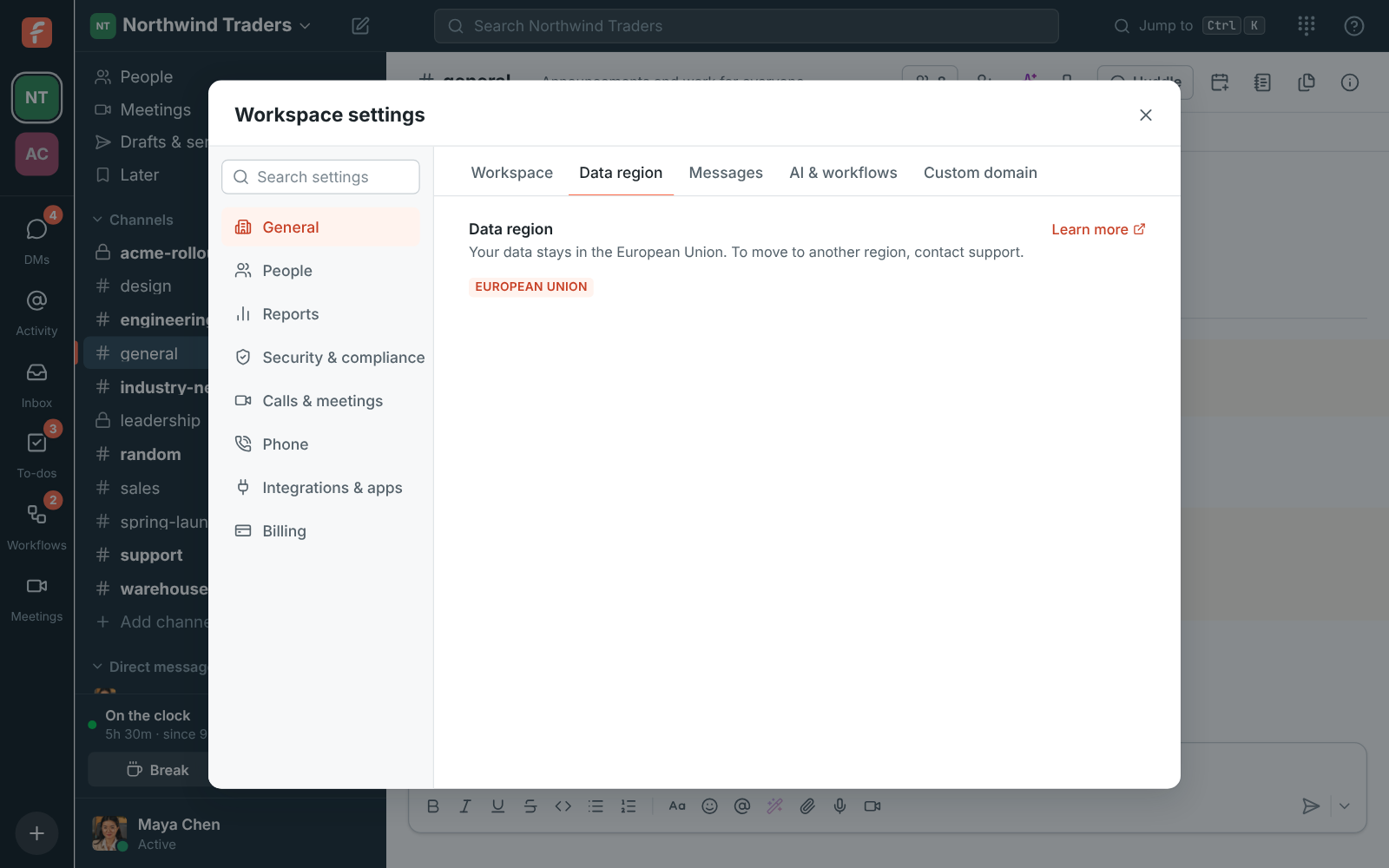
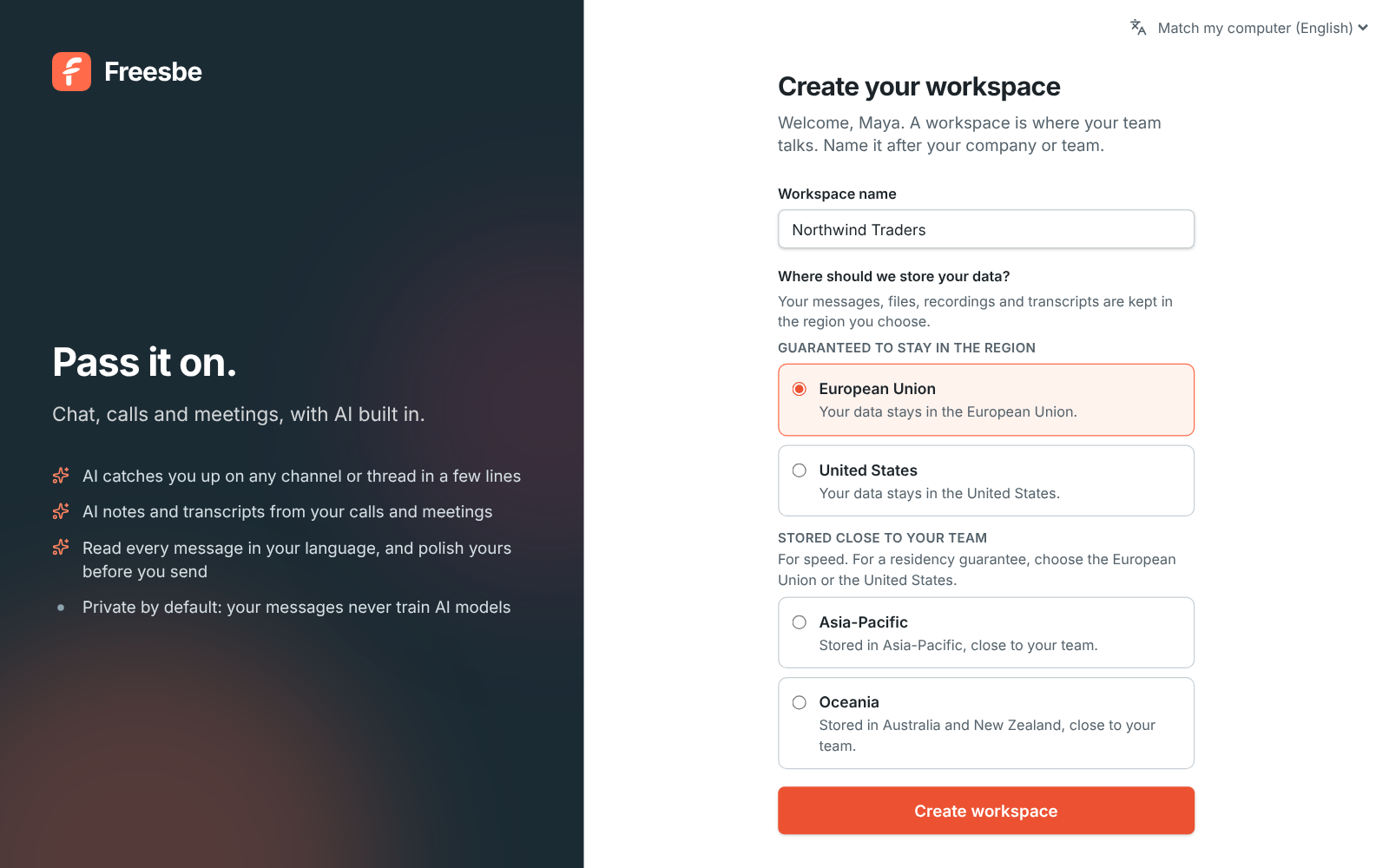
When you create a workspace, choose where its data lives: guaranteed in data centers in the European Union or the United States only, or placed close to your team in Asia-Pacific or Oceania. Messages, files, search, recordings, transcripts, canvases and backups stay in the region. It's free on every plan.

Workspace settings, General: Data region, showing European Union and that the data stays in the EU
Data region
Create your workspace, with the name filled in and European Union chosen under Where should we store your data?
Chosen at sign-up
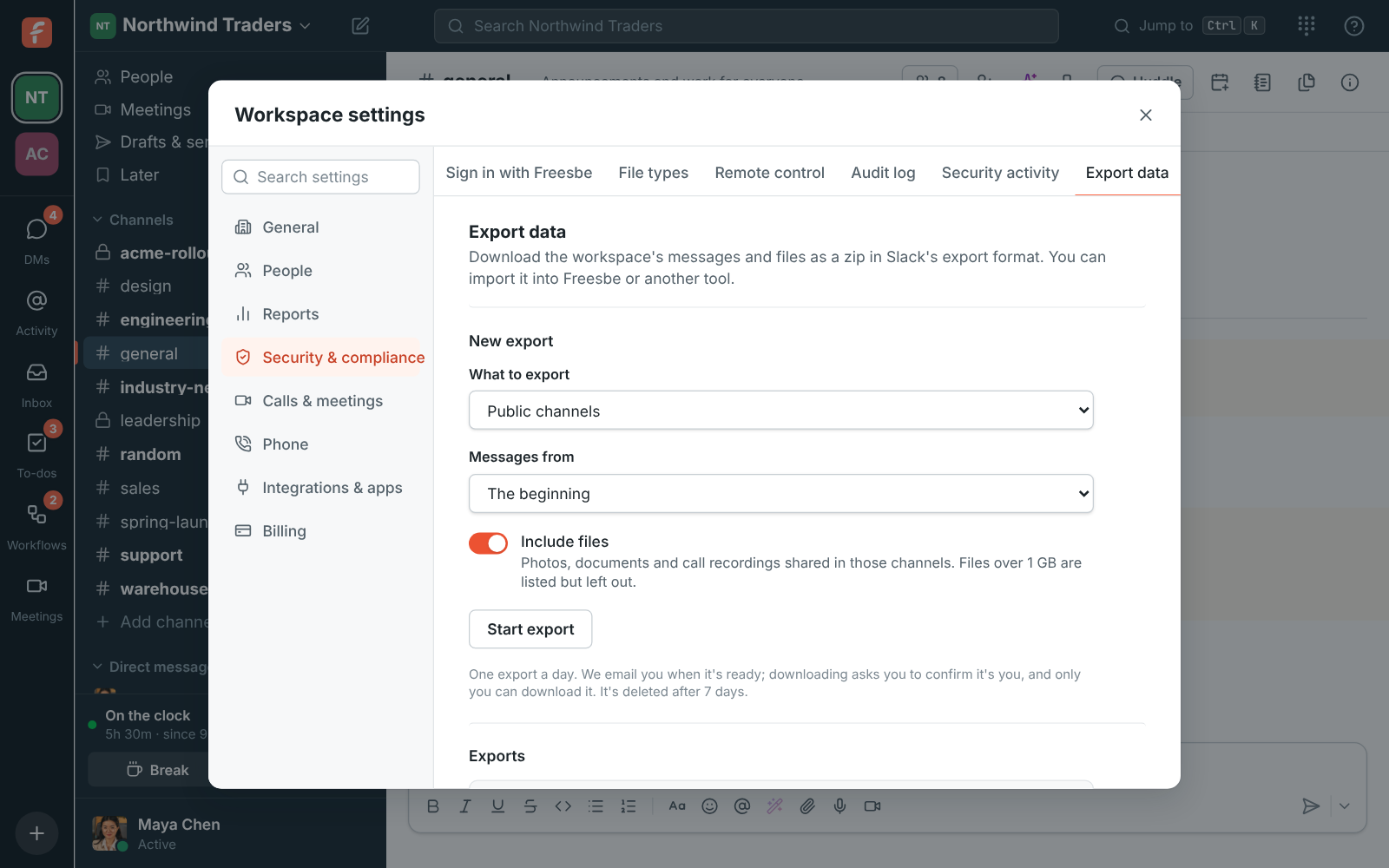
Workspace settings, Export data: a new export of public channels with files, and a ready export with its Download button
Export it

See it on your own team's data.

Start free with up to 10 people and try it today, or book a 20-minute demo with the people who make Freesbe.

Files checked by what's inside

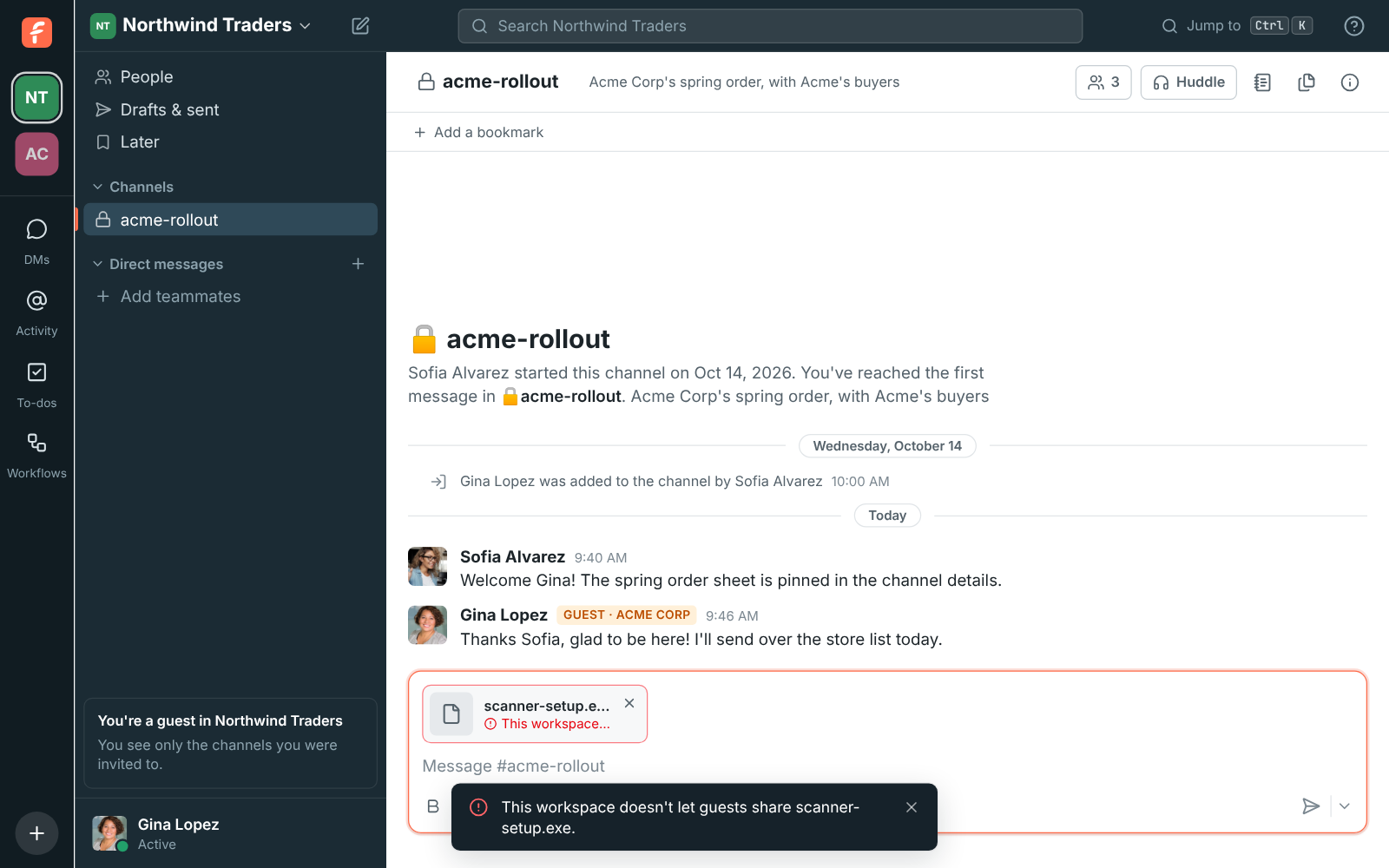
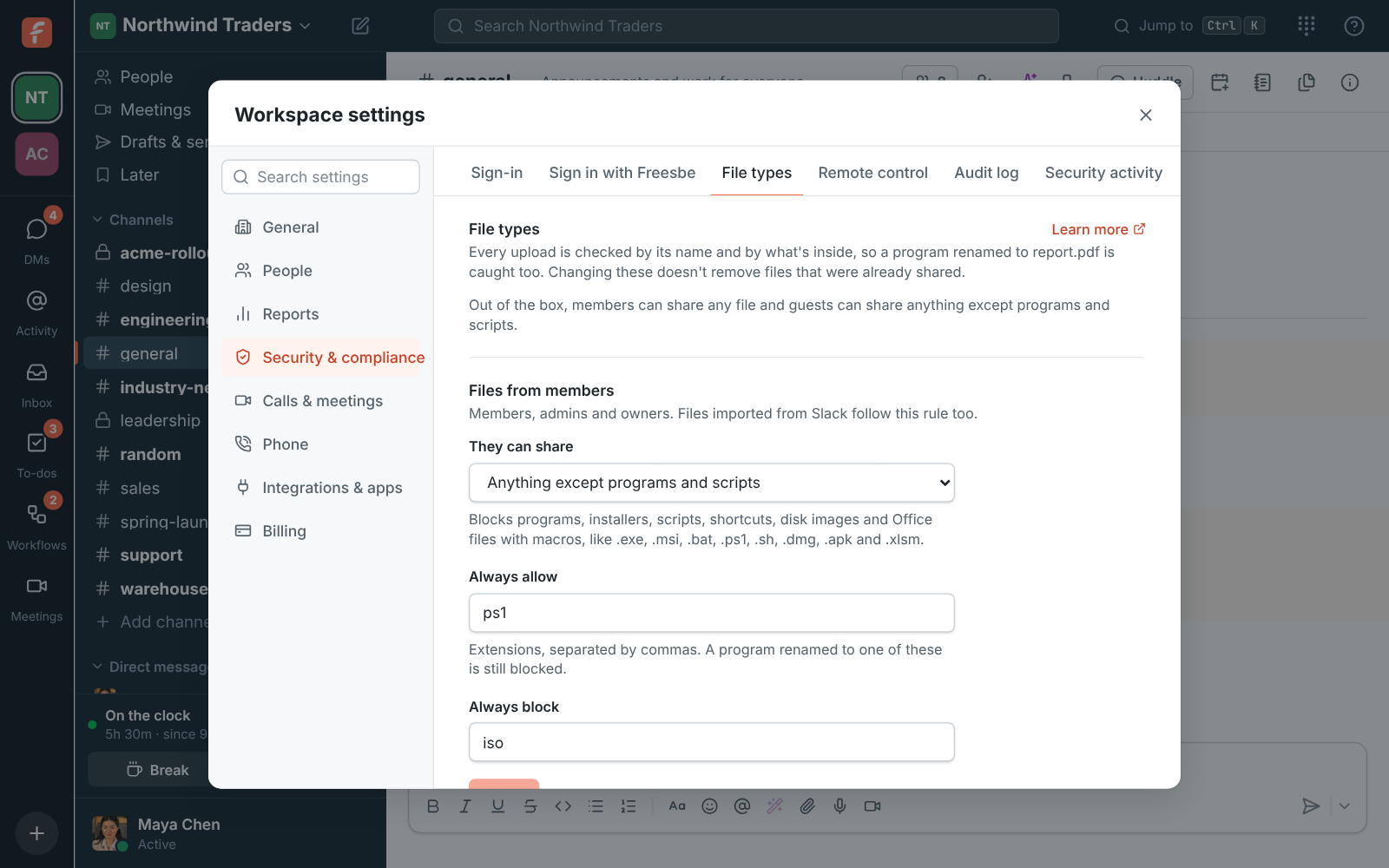
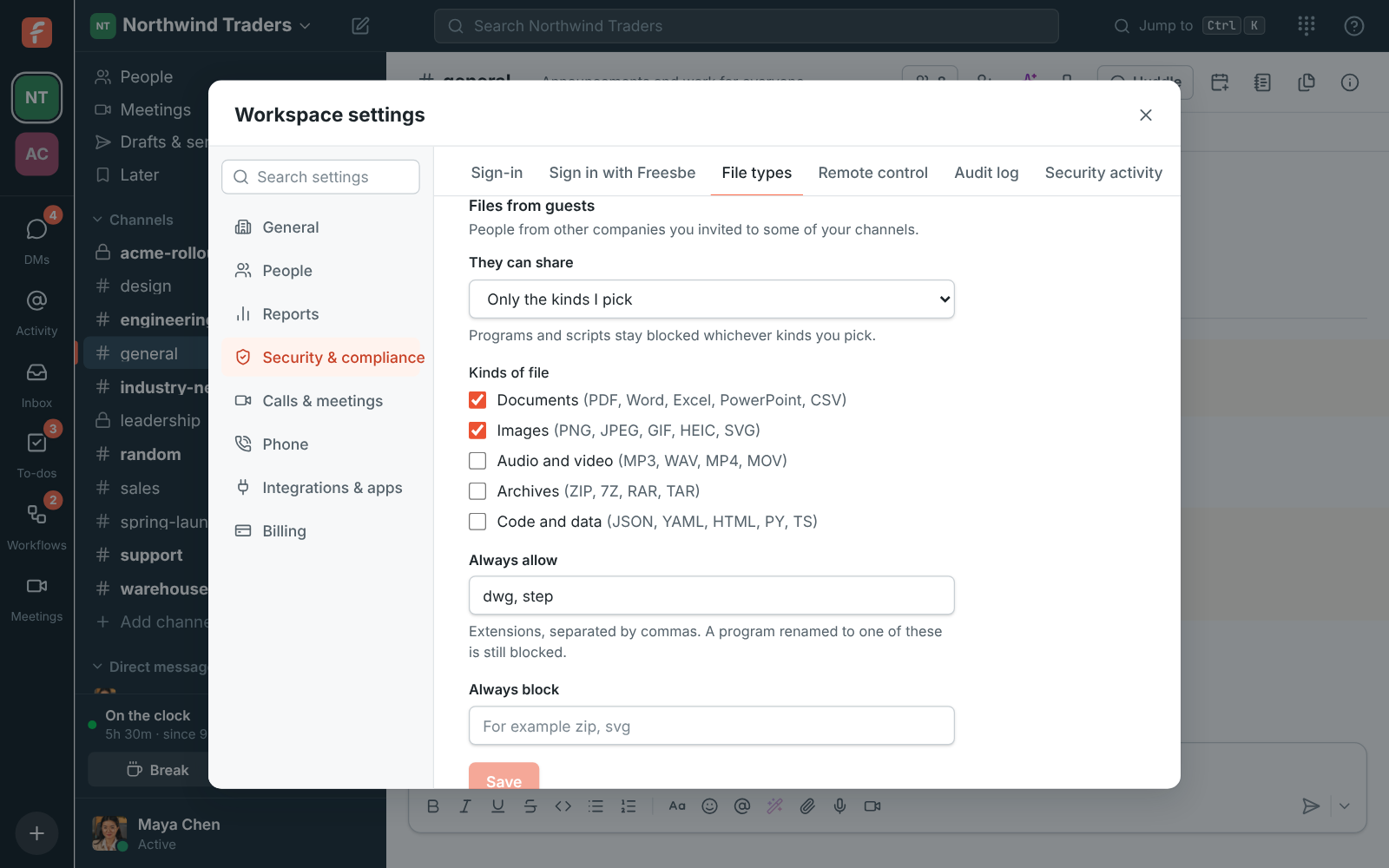
One rule for members and another for guests: any type of file, anything except programs and scripts, or only the kinds you pick. Every upload is checked on the server by its name and by its contents, so a program renamed to report.pdf is caught. Corporate and Enterprise add always-allow and always-block lists.

A guest's upload of a program turned away by the workspace's file rules
Turned away
Workspace settings, File types: members blocked from sharing programs and scripts, PowerShell scripts always allowed and ISO images always blocked
File rules
Files from guests set to Only the kinds I pick, with Documents and Images ticked and dwg and step always allowed
Rules for guests

Who did what

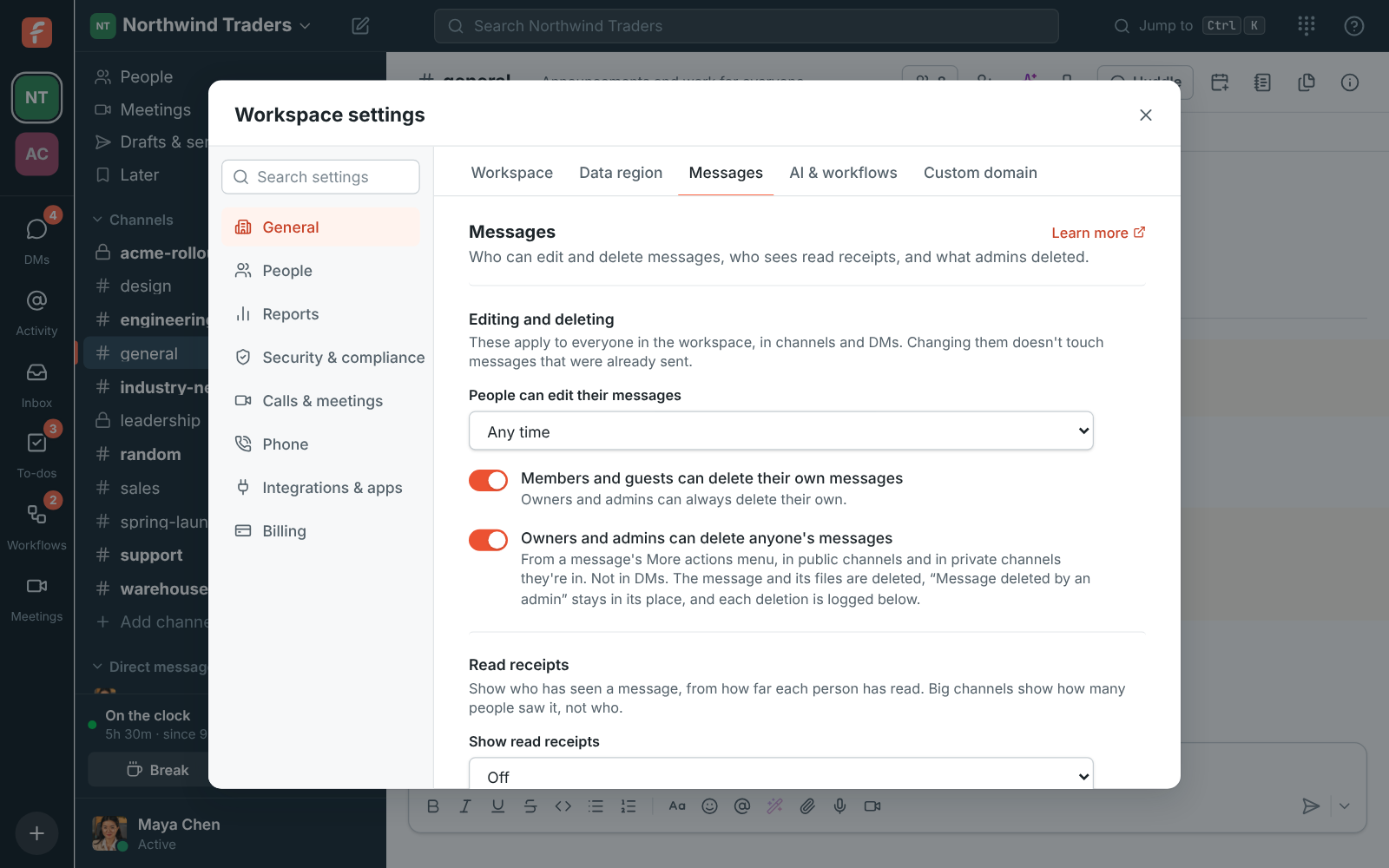
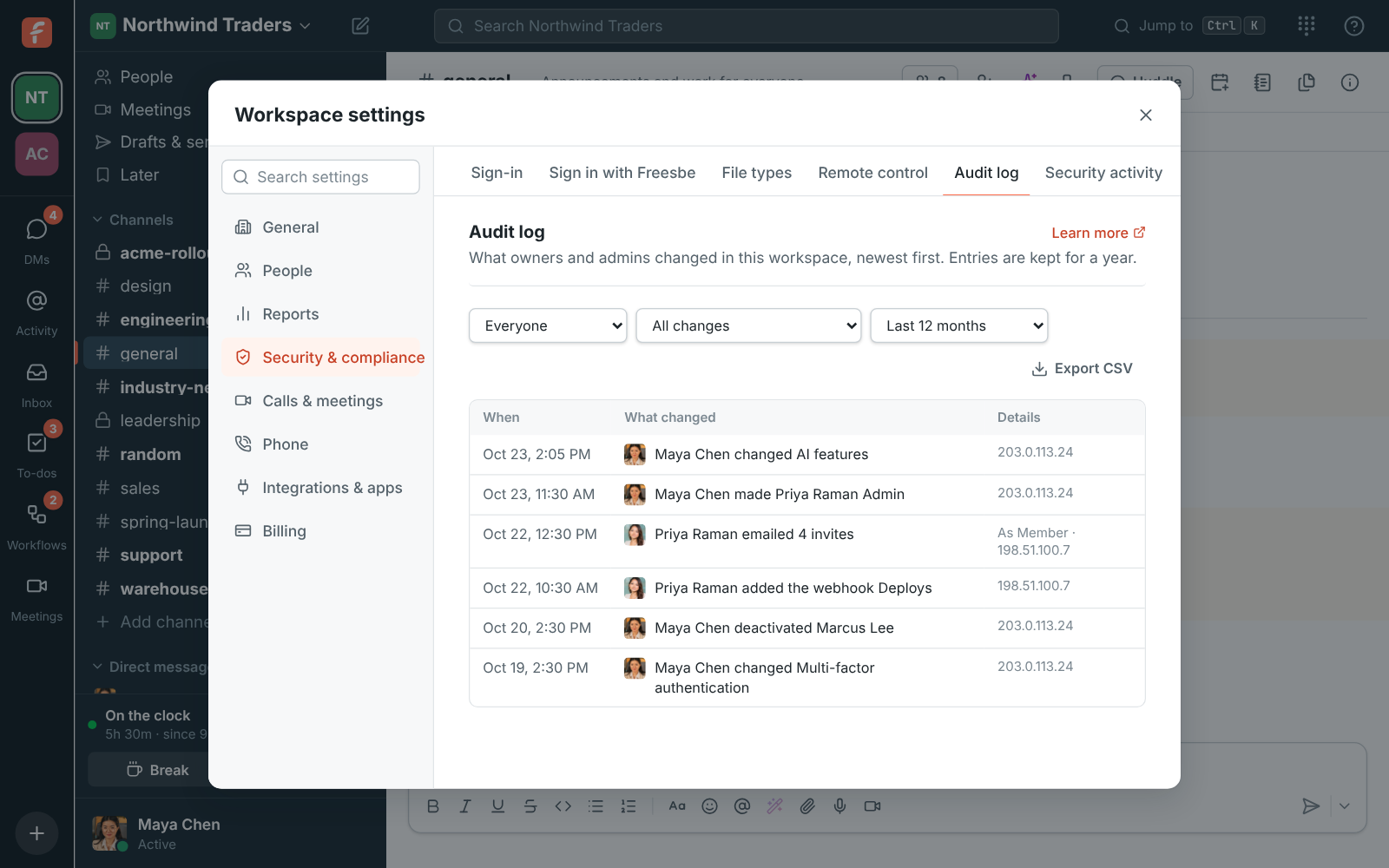
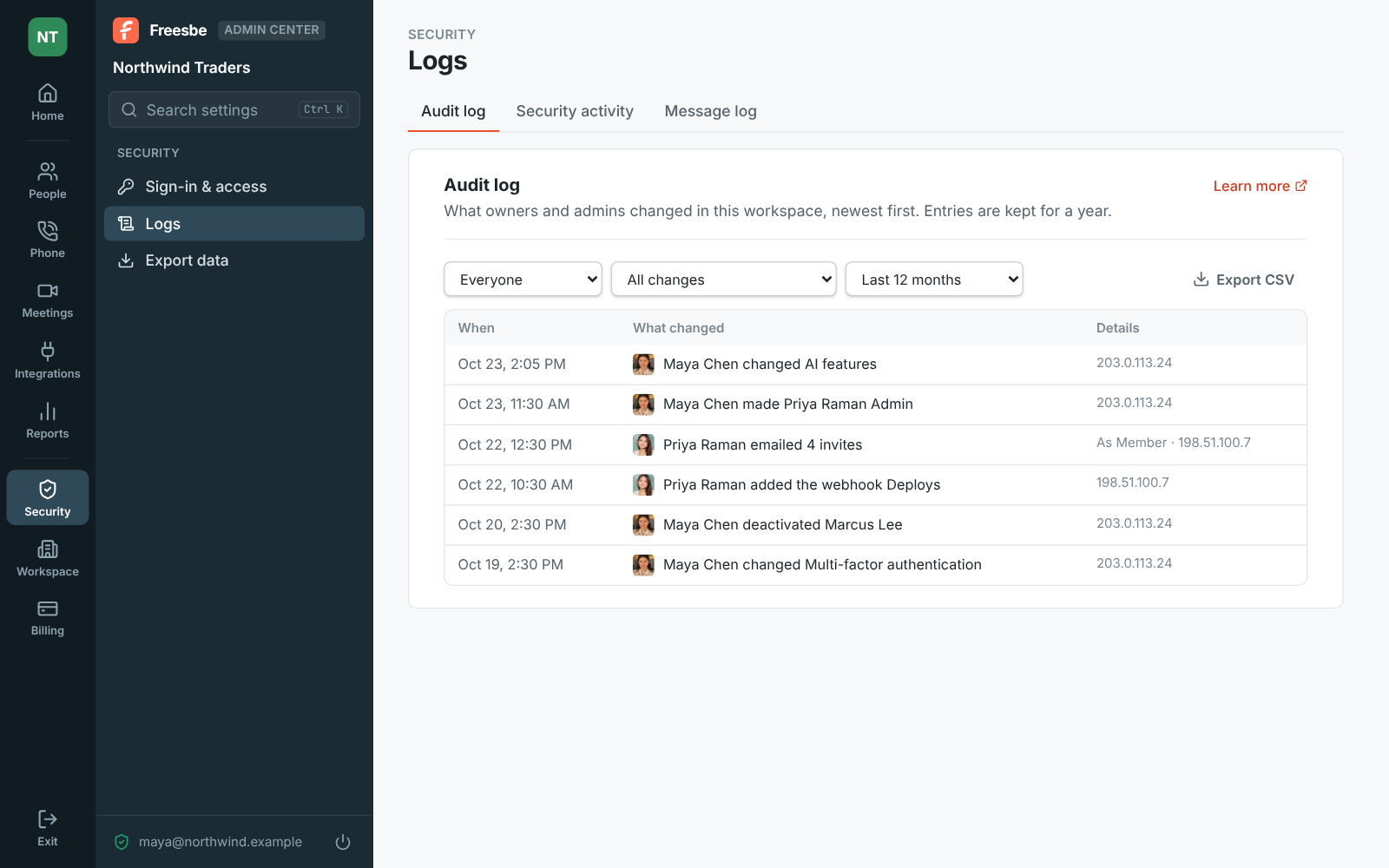
The audit log records what owners and admins changed: settings, roles, invites, email domains, webhooks and apps, exports and closing the workspace, with who, when and from where, kept for a year. Admins decide who can edit and delete messages, who can start and stop recordings, and whether remote control is on, with a log of every session.

Workspace settings, Messages: who can edit and delete messages
Who can edit and delete
Workspace settings, Audit log: an admin changed AI features, made someone Admin, emailed invites and added a webhook, each with when and from where
The audit log
The Admin Center's Audit log, filtered by who, what and month, with Export CSV
Filtered and exported
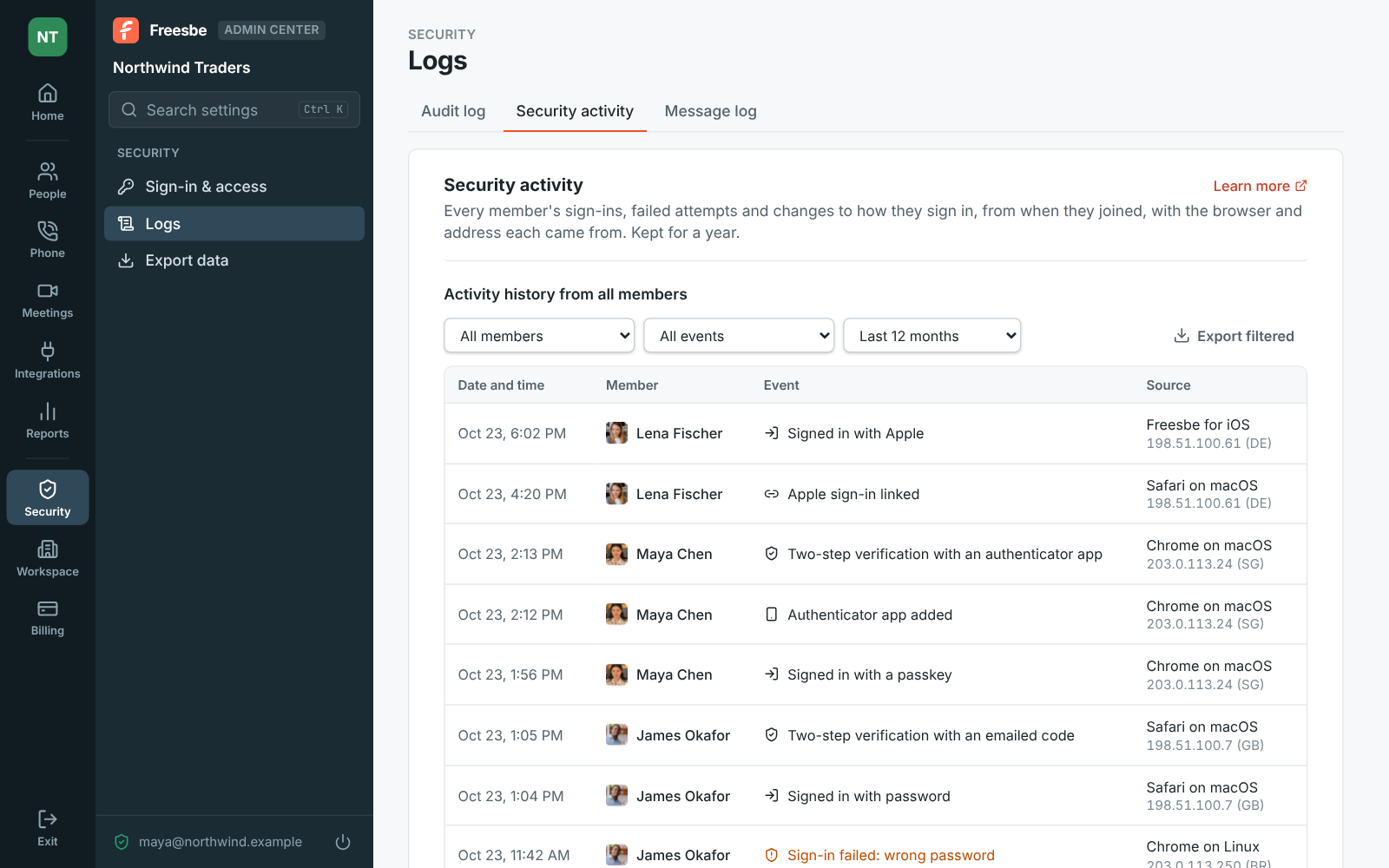
The Admin Center at Security activity, with sign-ins and failed sign-ins by member
Sign-ins by member
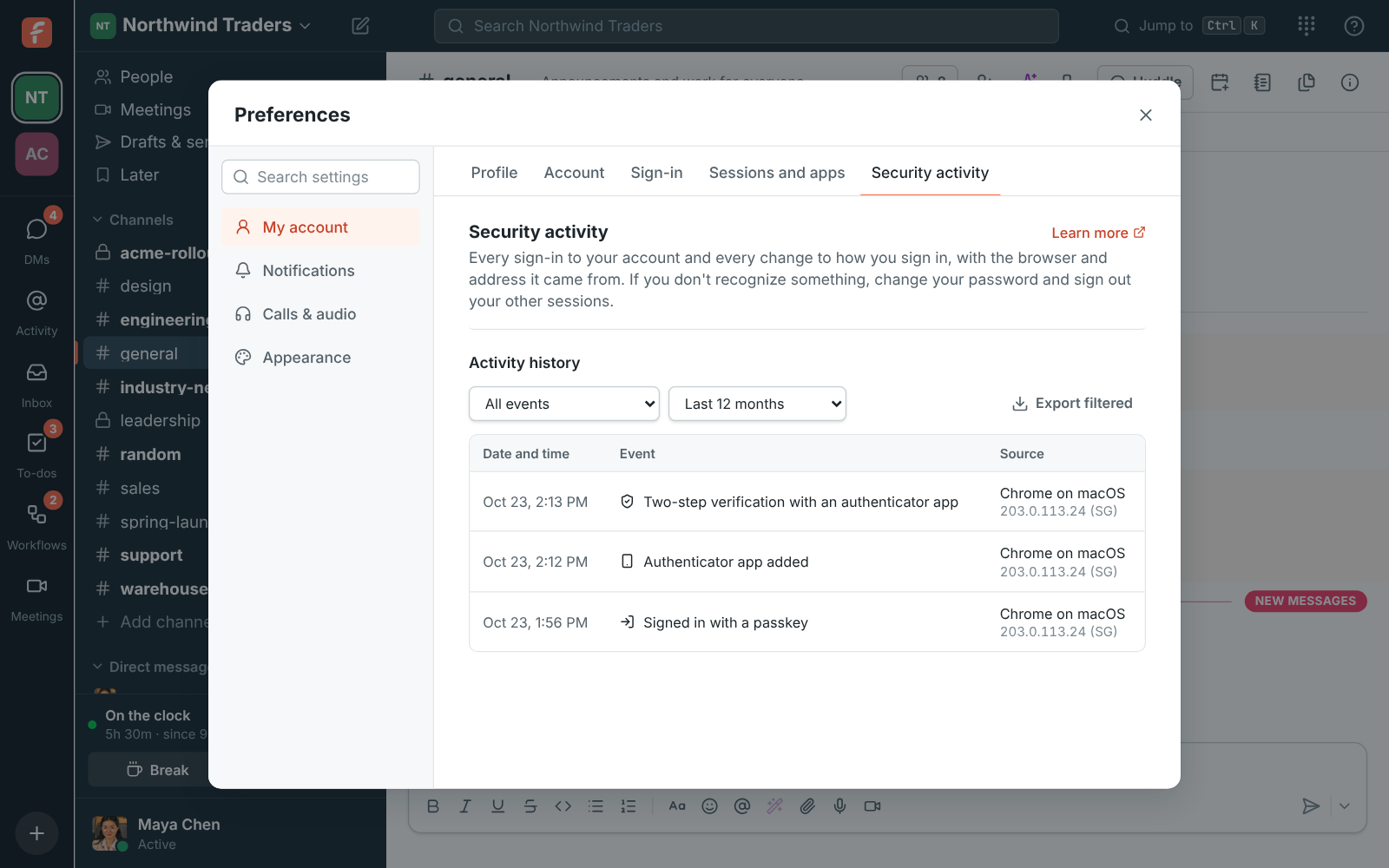
Preferences, Security activity: a sign-in with a passkey, a new authenticator app and a two-step verification, each with the browser and address
Your own security activity

Usage, exports and the Admin Center

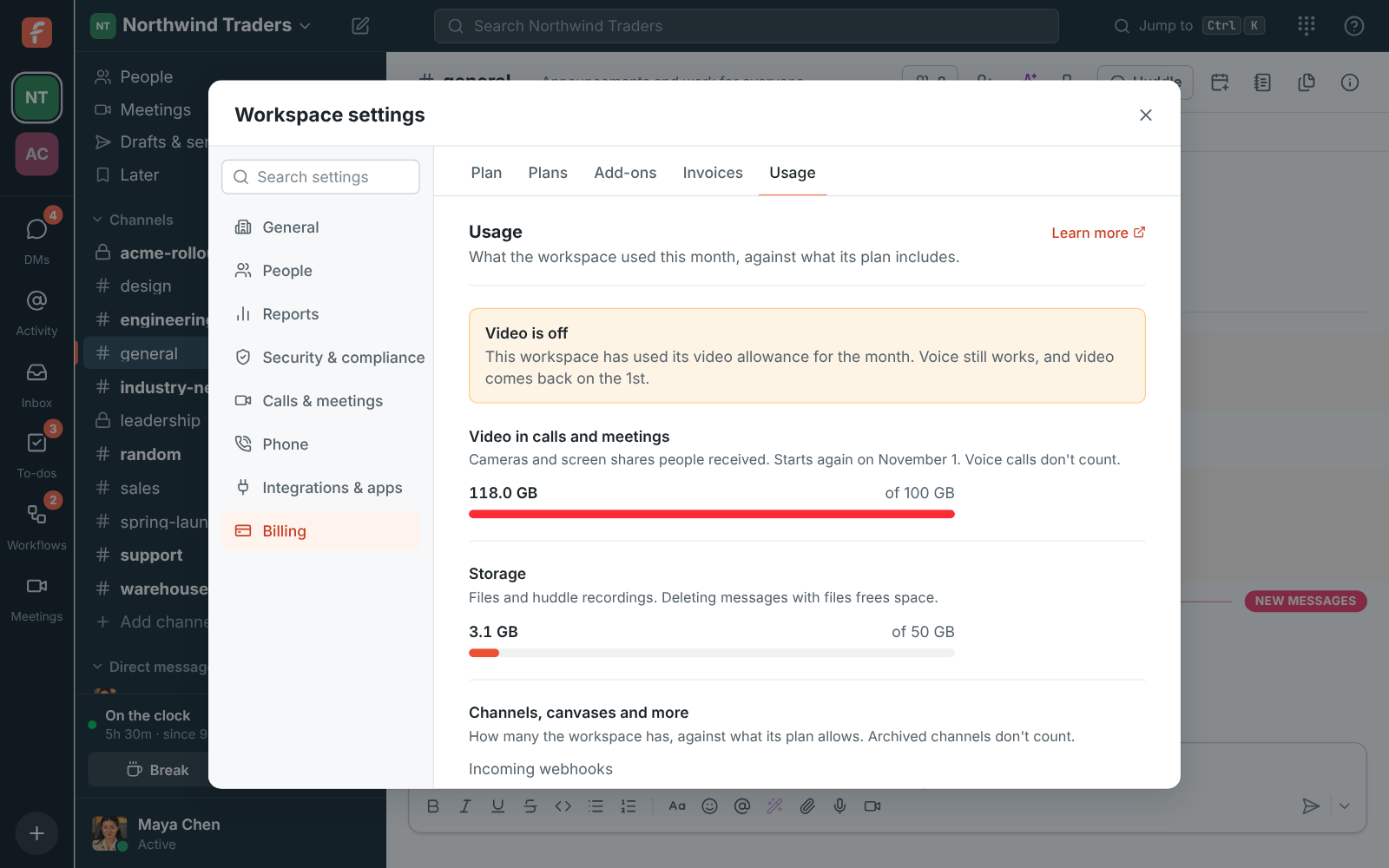
See how much video and storage the workspace used this month against its plan, and how many AI requests are left. Export public channels, or everything with a second step and an email to every owner, as a zip in Slack's format. The Admin Center at manage.freesbe.net runs every setting on a full screen with its own sign-in and always a second step.

Workspace settings, Usage: video and storage used this month
Usage
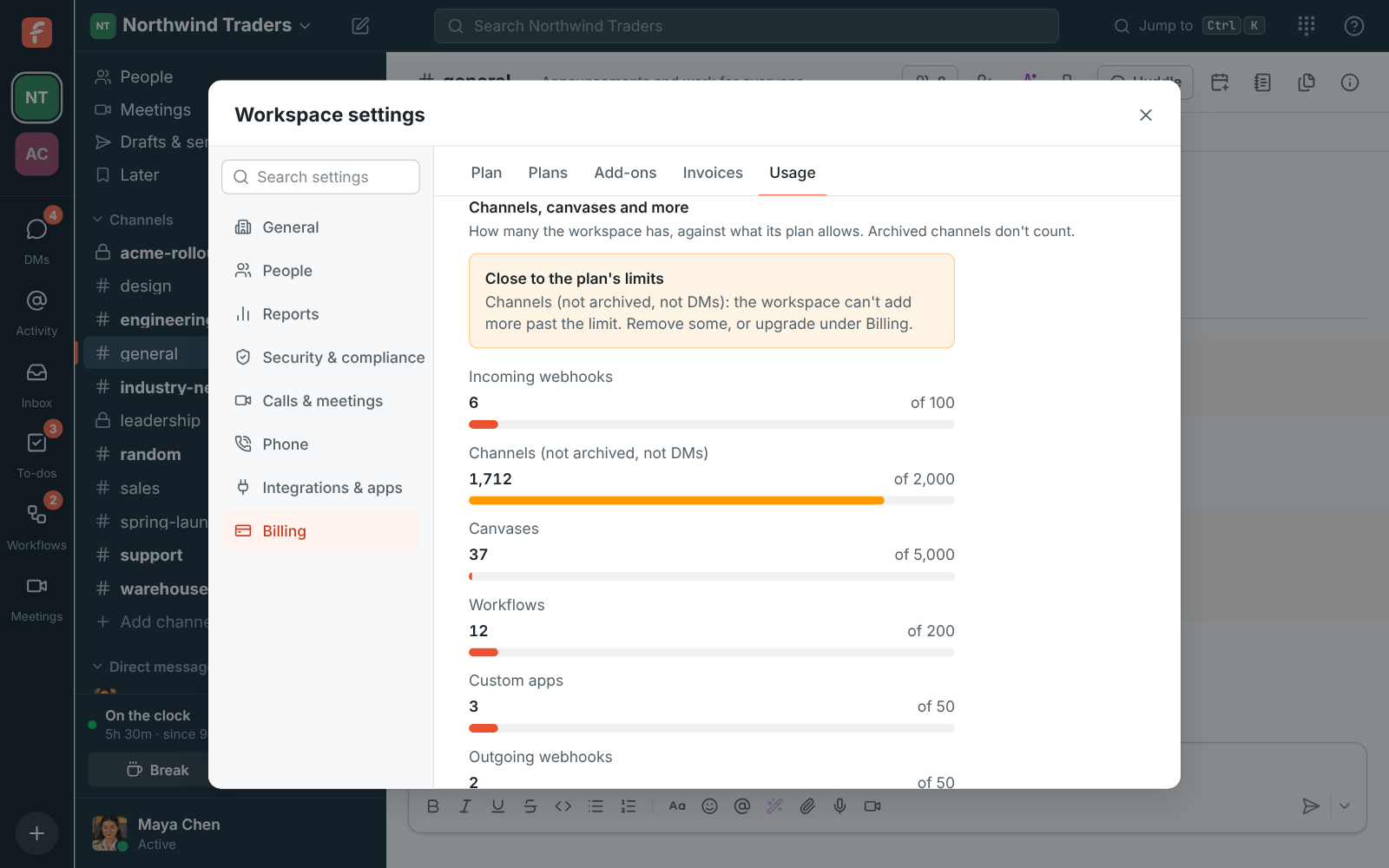
Usage: channels close to the plan's limit with a warning, and canvases, workflows, apps and webhooks well under theirs
Counts against limits
Workspace settings, Export data: a new export of public channels with files, and a ready export with its Download button
Exports
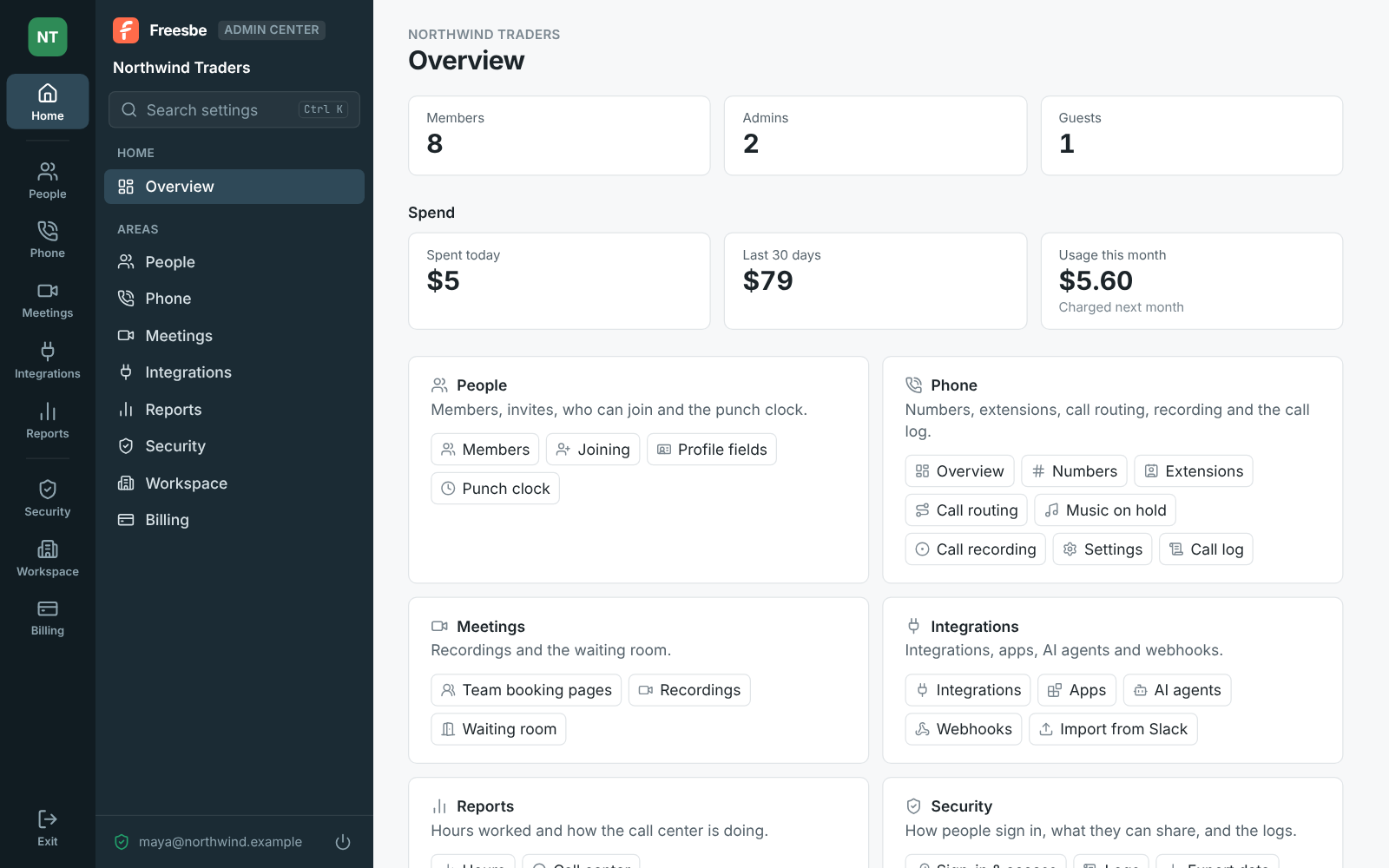
The Admin Center's Home for Northwind Traders: the rail of areas and the sidebar, member counts, spend, and every area with its pages
The Admin Center
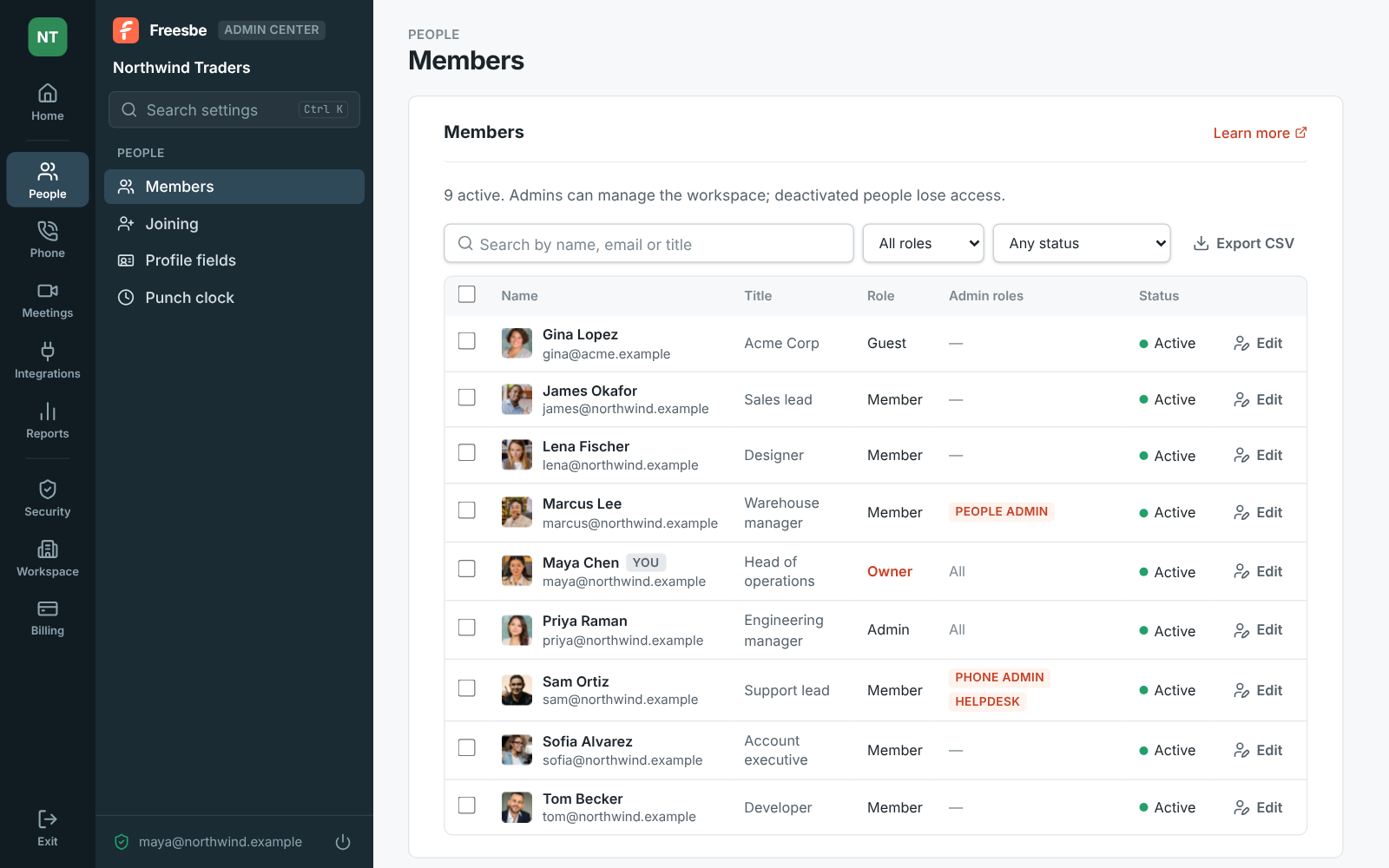
The Admin Center's Members table with filters, roles and statuses
Members

Questions

Is Freesbe encrypted?
Yes: in transit, at rest, and in the app's local cache, which is keyed to the person and can no longer be read once they leave a workspace. Secrets for integrations are kept encrypted.
Which plans include SSO and MFA?
Requiring multi-factor authentication comes with every paid plan. Requiring single sign-on, file lists, support sessions and remote control come with Corporate and Enterprise. Passkeys and phone approval work for everyone.
Can we get our data out?
Owners and admins export public channels on every plan, and owners export everything, including DMs, on Corporate and Enterprise. The zip uses Slack's export format and imports into another Freesbe workspace.
Does AI leave our region?
Text sent for a summary, translation or notes is processed by the AI provider and not kept, and audio for transcripts by the speech-to-text provider. Admins can turn AI features and transcripts off.

Try all of it free with up to 10 people.

No card, no time limit. Invite your team and see what sticks.