Freesbe

For agencies

A channel for every client, under your own name.

Freesbe gives agencies a guest channel per client, where the client's team sees only that channel; booking, meeting and invite links on your own domain; meeting notes with decisions and action items that clients get by email; a canvas per channel for the account plan; and support sessions to fix things on a client's screen.

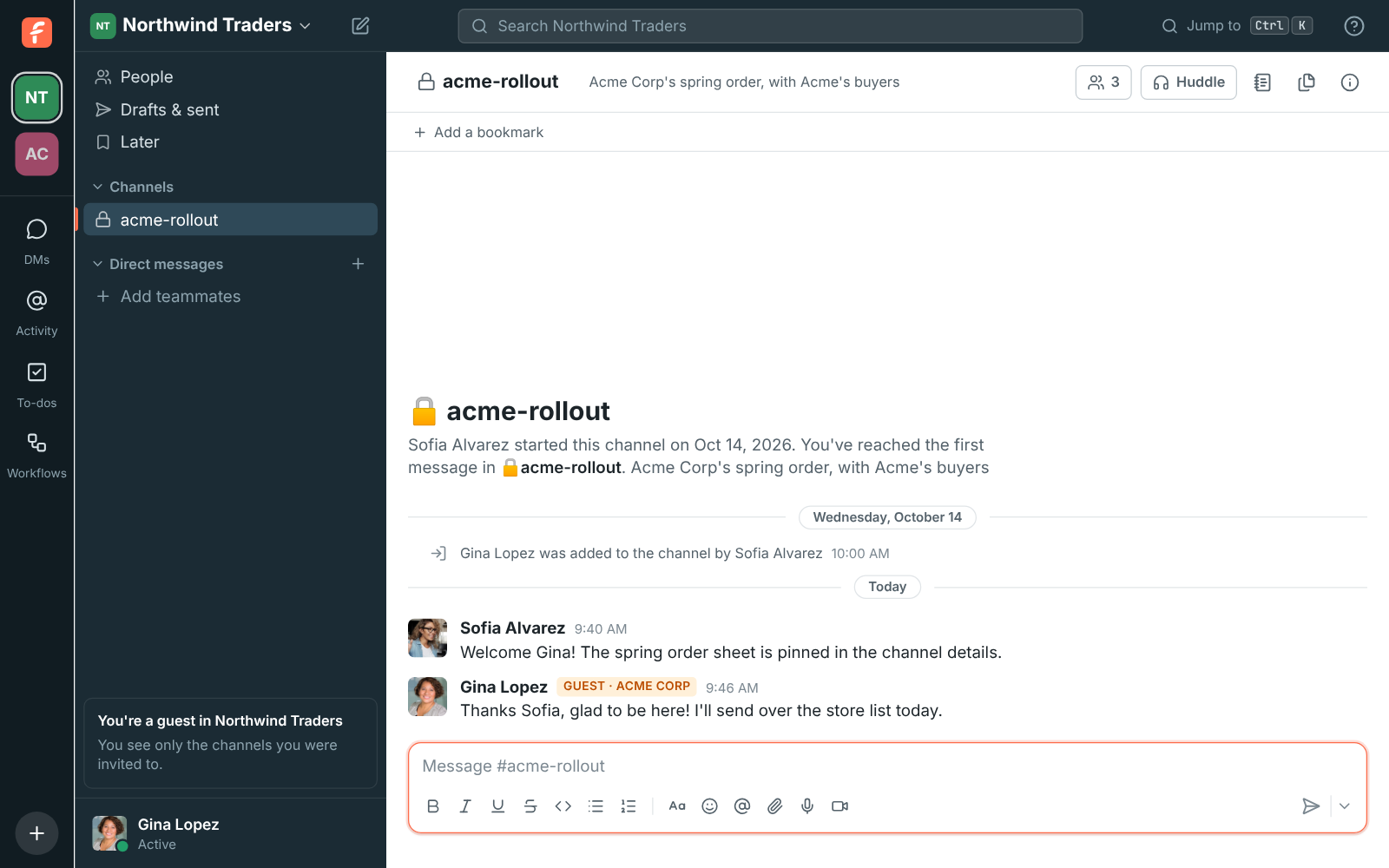
A guest's view: only the shared channel with Northwind Traders

Clients as guests, one channel each

Invite a client's team into their channel by email or with a link, with approval before each guest joins if you want it. They post, reply, share files and join huddles there, and can't browse other channels or see the rest of your people. Everyone else sees a Guest badge next to their name. Guests are free.

  • Admins choose what guests can upload; programs and scripts are blocked out of the box
  • A guest can set up Freesbe for their own company and keep working with you
  • Deactivate a guest when the engagement ends
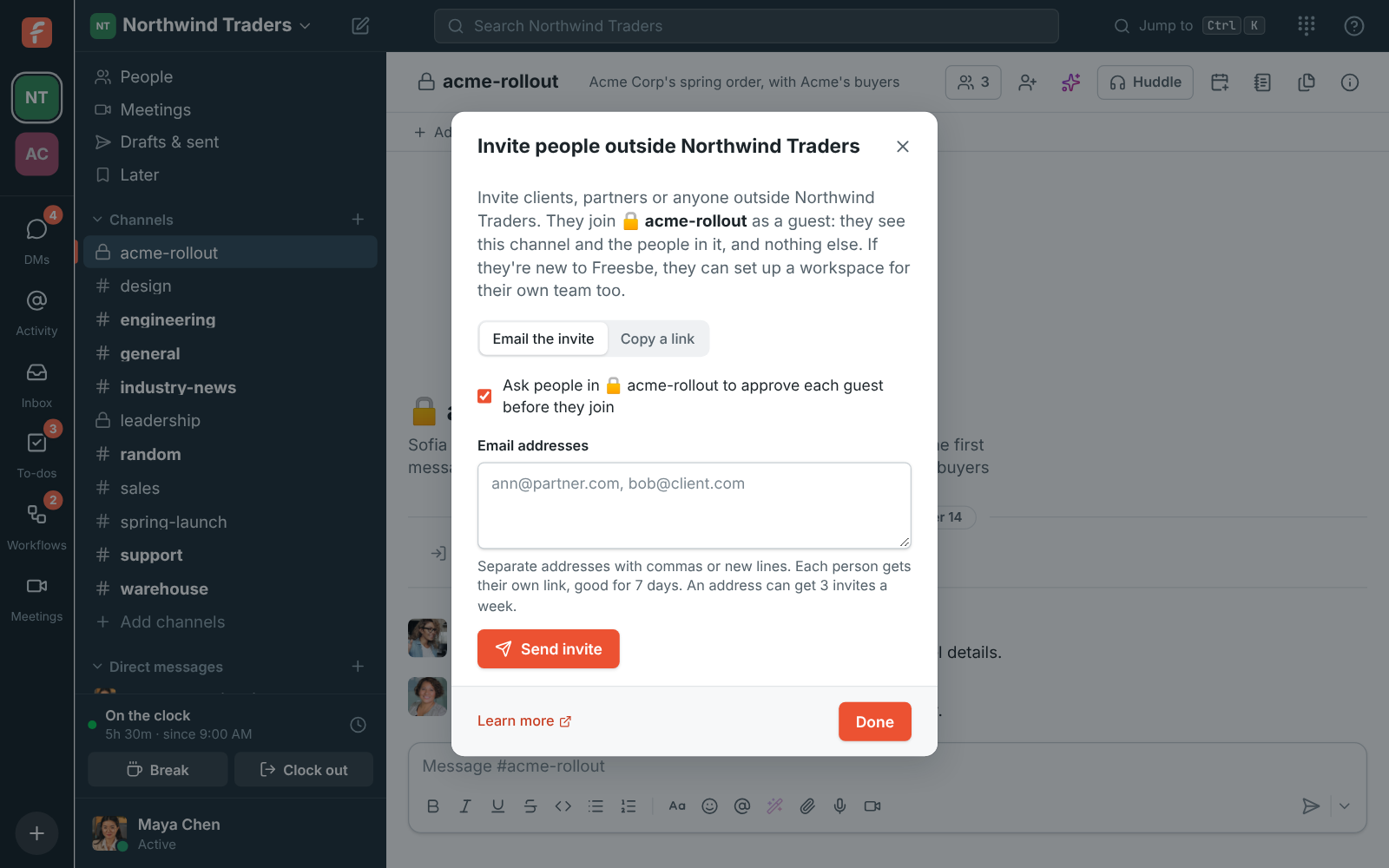
The Invite people outside Northwind dialog, with the approval option turned on

Your domain on every link

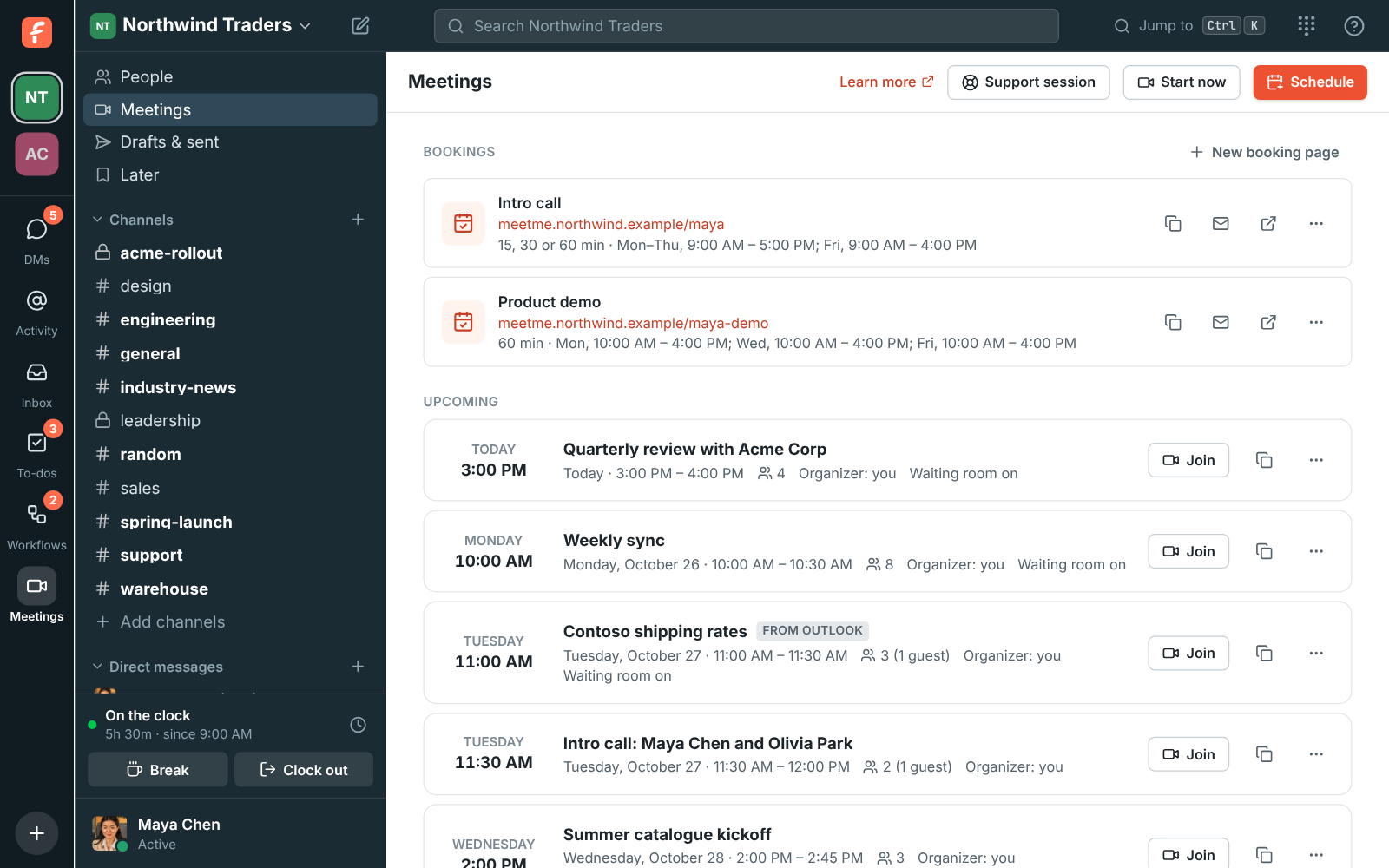
On Corporate and Enterprise, an admin adds one CNAME record and every booking link, guest meeting link and invite link moves to an address like meetme.acme.example/dana. Clients never see app.freesbe.net, the certificate renews itself, and the old links keep working.

Booking links on the workspace's own domain: meetme.northwind.example/dana and /dana-demo

See it on your own team's data.

Start free with up to 10 people and try it today, or book a 20-minute demo with the people who make Freesbe.

Notes the client gets too

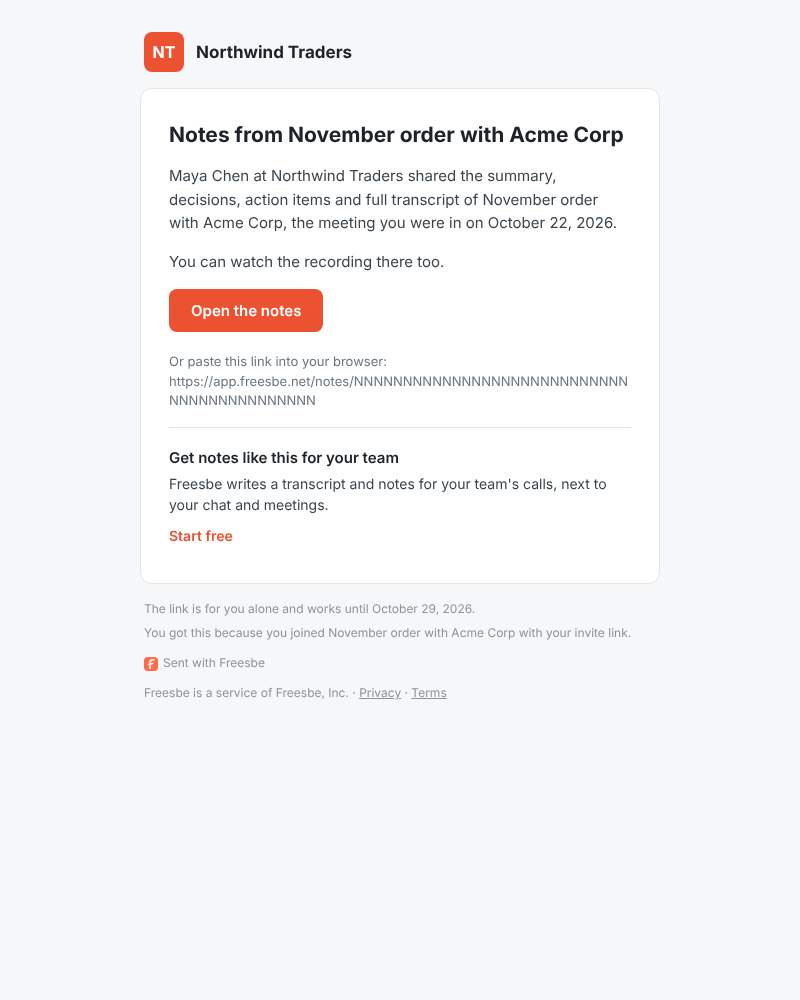
Record a client meeting and Freesbe writes the transcript, a summary, the decisions and the action items with owners. When an admin turns it on, each guest who joined with their invite link is emailed a private link to the notes, in their own language, for as many days as you choose, with the recording if you include it.

The email a guest from Acme Corp gets after the meeting, with Open the notes

The account plan beside the conversation

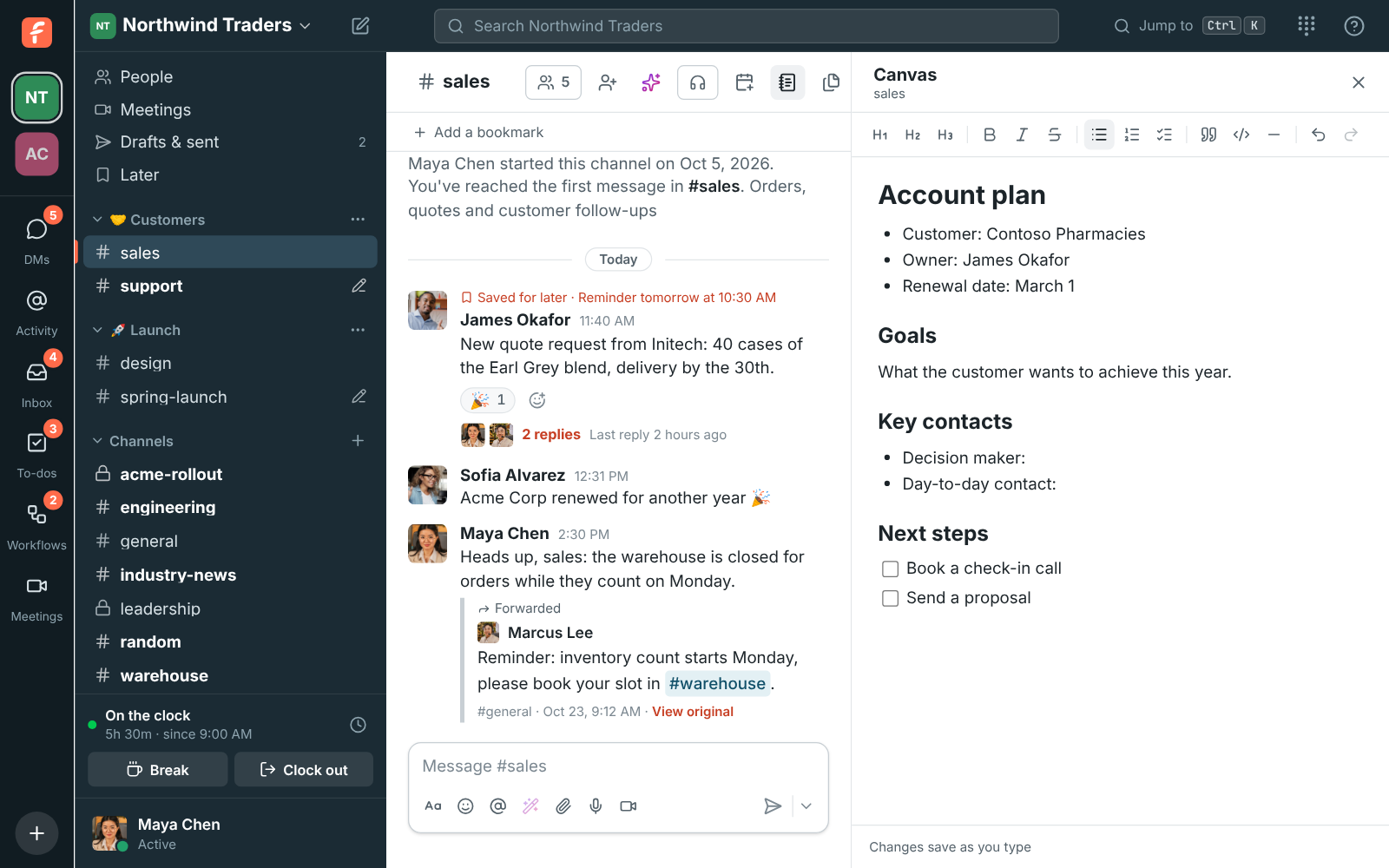
Every channel has a canvas, edited together as you chat. Start from the Account plan template: the customer, owner and renewal date, their goals, key contacts and next steps. Or the Project brief: why you're doing it, what done looks like, and the milestones.

The #sales canvas filled from the Account plan template

Fix it on their screen

Send a client a one-hour support link or a code. They share their screen from a browser, or from the desktop app if you need to control it, and their app names you and your agency before they allow it. Every session is logged with the exact words they agreed to.

Questions

Do guests cost anything?
No. Guests from other companies and people who join a meeting through a guest link are free. Guests come with the paid plans.
What can a guest see?
Only the channels they were invited to and the people in those channels. They can DM the people they share a channel with, and nothing else in the workspace.
Can we use our own domain for clients?
Yes, on the Corporate and Enterprise plans. Booking links, guest meeting links and invite links use a subdomain you control, like meetme.acme.example. Signing in still happens on app.freesbe.net.
Do clients need Freesbe to read the notes?
No. The email carries a private link to a read-only page with the notes and transcript, and the recording if an admin includes it. Nothing else from the workspace is on it.

See it with your own team's questions.

Start a workspace free for up to 10 people, or book a 20-minute call and bring the questions your team would ask.