Freesbe

For people and HR

Hours, onboarding, time off and hiring, in the app people already open.

Freesbe gives people teams a punch clock with weekly timesheets, overtime rules, an edit history and CSV for payroll; workflows for onboarding and time-off requests with an approval from the manager; Zoho Recruit candidates, hires and interviews posted as they happen; and profiles with department, location and manager on everyone.

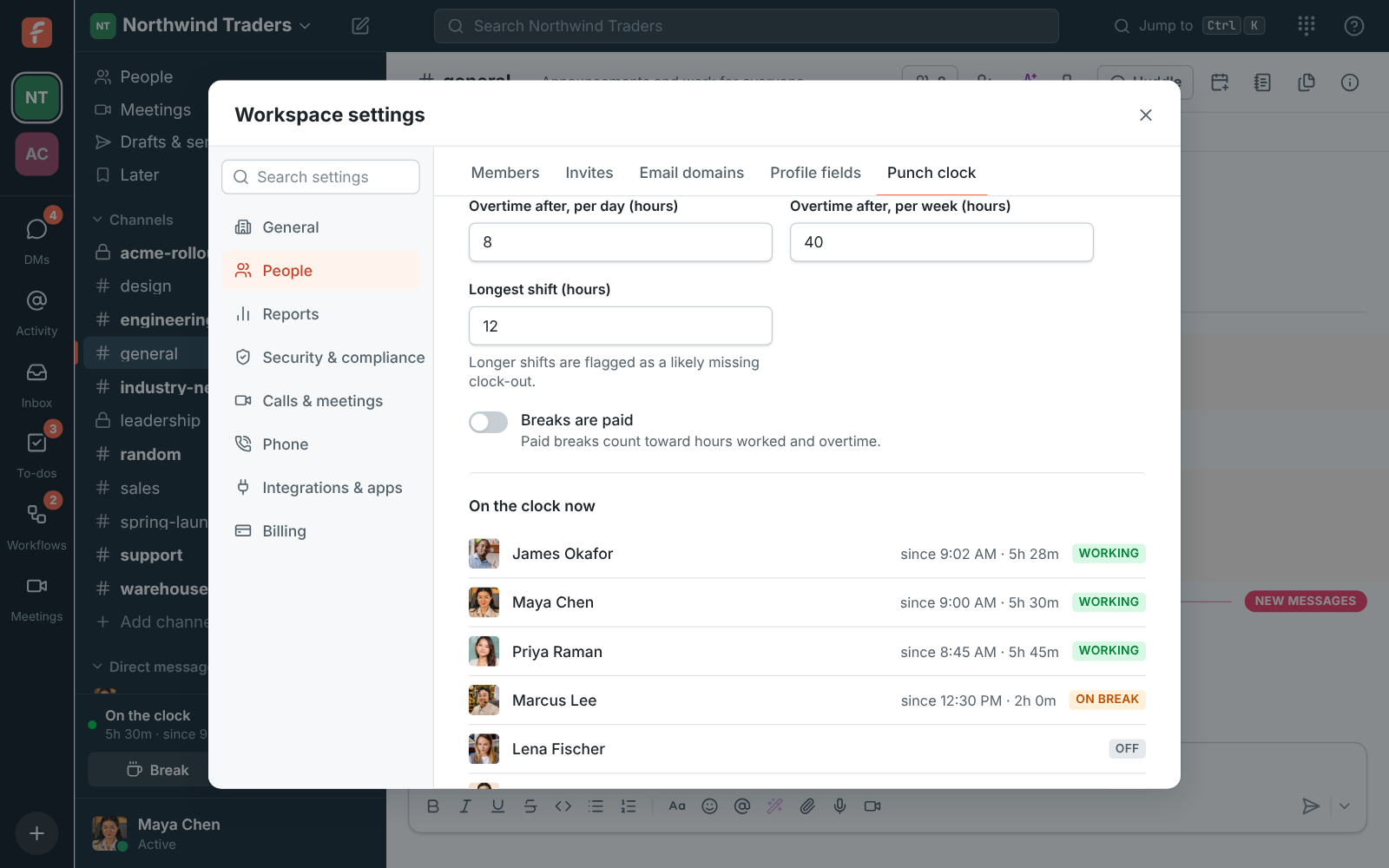
Who is on the clock now, in the admin Punch clock settings

A punch clock, not a surveillance tool

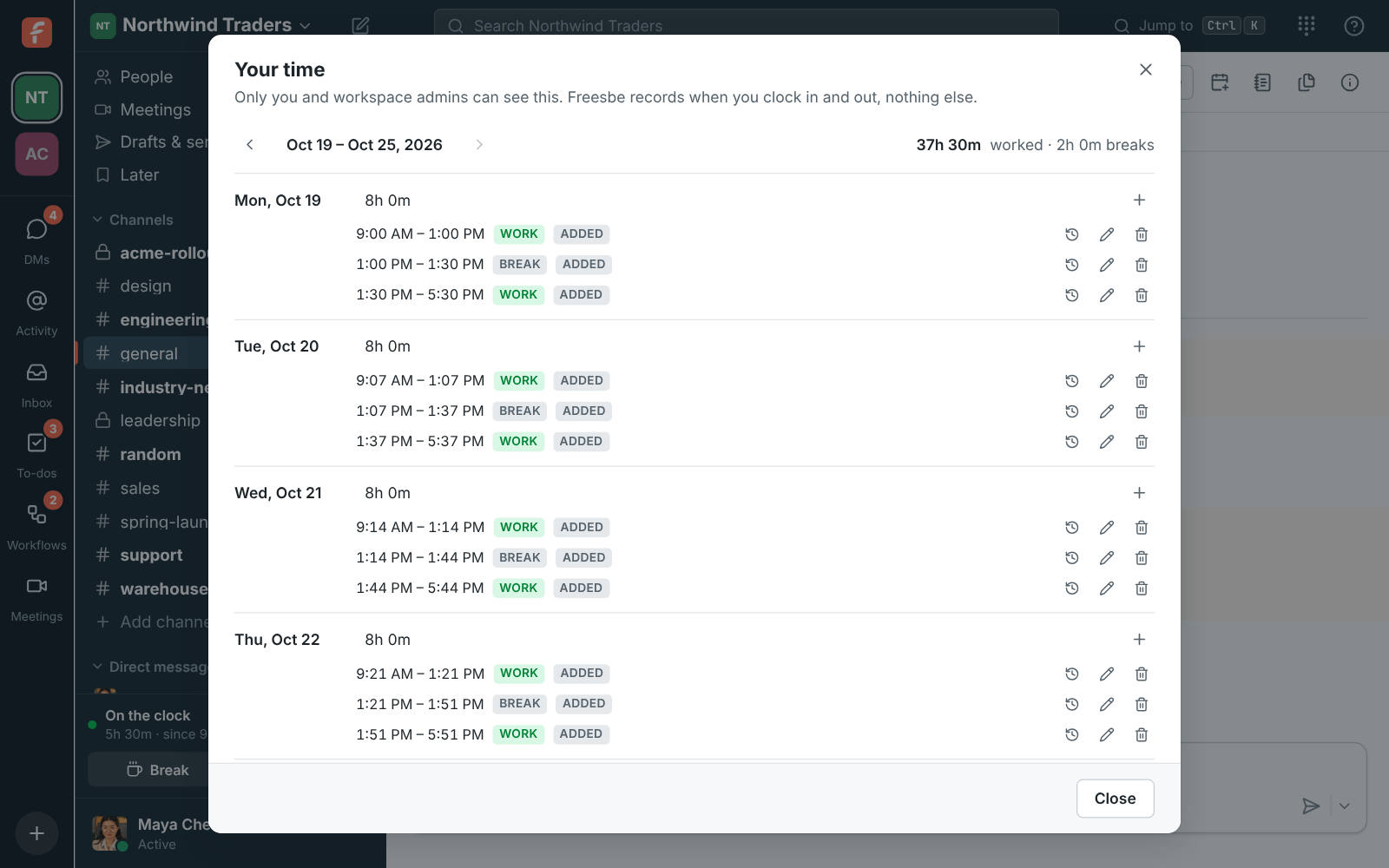
People clock in, take breaks and clock out from a card in the sidebar or the desktop app's tray menu. It records only those moments and any note they type, never activity, apps or screens. Each person sees their own week and can fix a missed clock-out, with a reason that's kept in the entry's history.

  • Weeks start on the day you pick, in each person's time zone or one for everyone
  • Overtime after the hours you set per day and per week, paid or unpaid breaks
  • Shifts longer than your limit are flagged as a likely missing clock-out
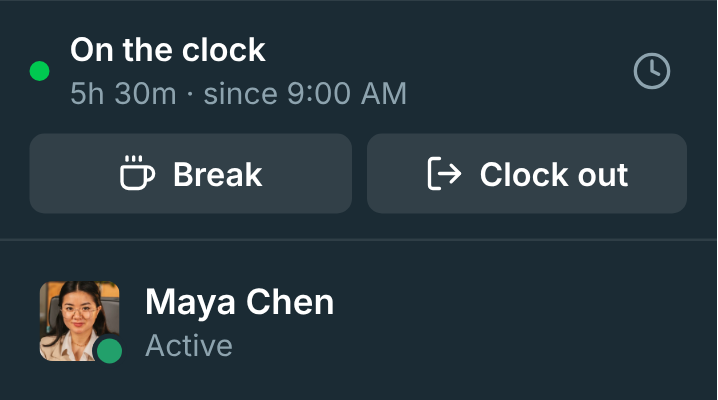
The clock card in the sidebar, showing On the clock with Break and Clock out buttons

Timesheets and a CSV for payroll

Admins see who is working or on break right now, and a weekly table of everyone's hours with overtime, too-long shifts and edits flagged. Click a person to fix their week; every change needs a reason. Download CSV for a date range, one row per shift or per day, and hand it to payroll.

Your time: a week of work and break entries with daily totals

See it on your own team's data.

Start free with up to 10 people and try it today, or book a 20-minute demo with the people who make Freesbe.

Onboarding and time off as workflows

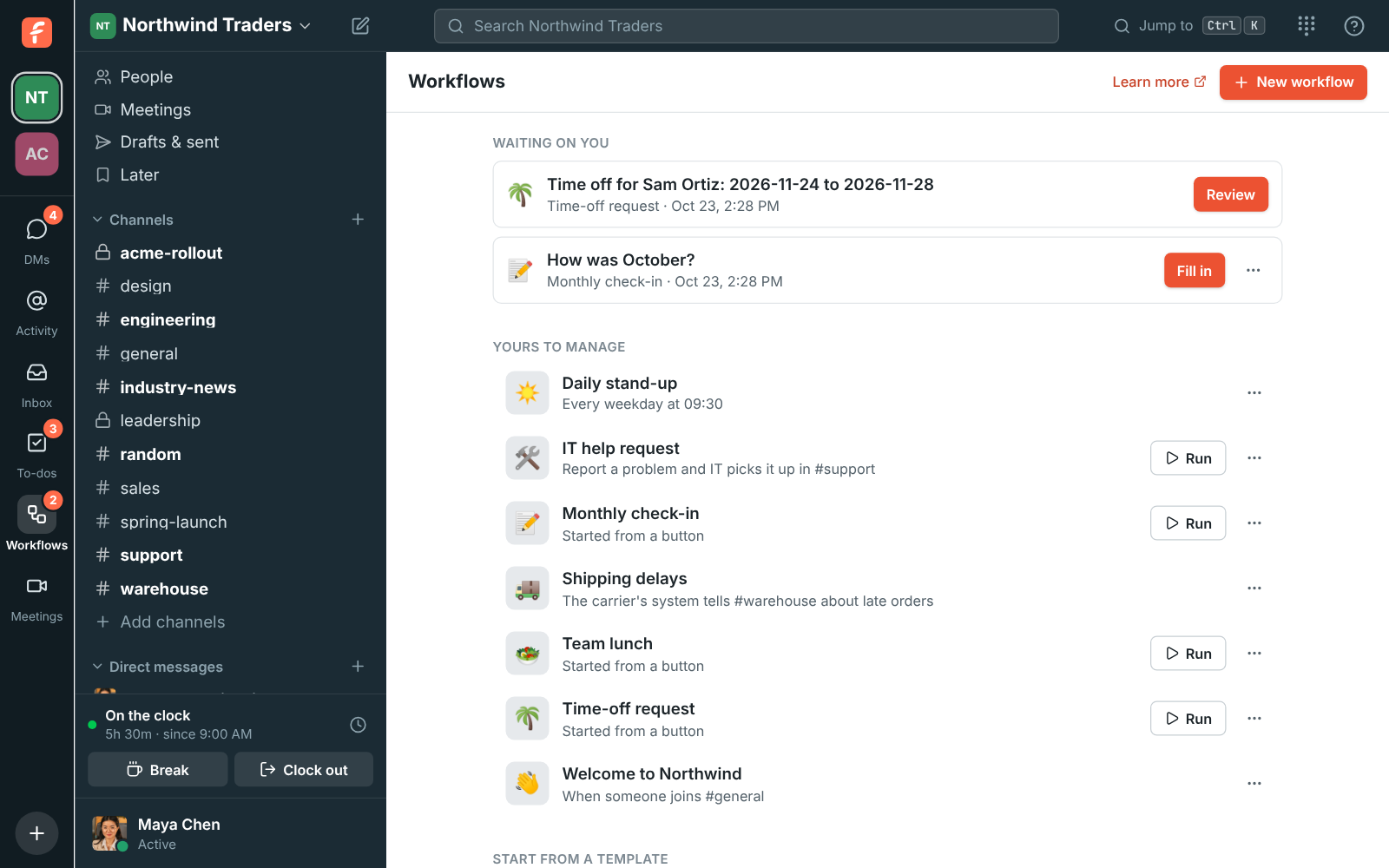
Welcome everyone who joins #general with a message and a to-do to introduce themselves, and carry on once they tick it off. The Time-off request template collects the dates in a form, asks the manager you pick to approve, and messages the person and the team. Every run is listed, step by step.

The Workflows page: a form waiting on you, the workspace's workflows and templates

Hiring in the channel

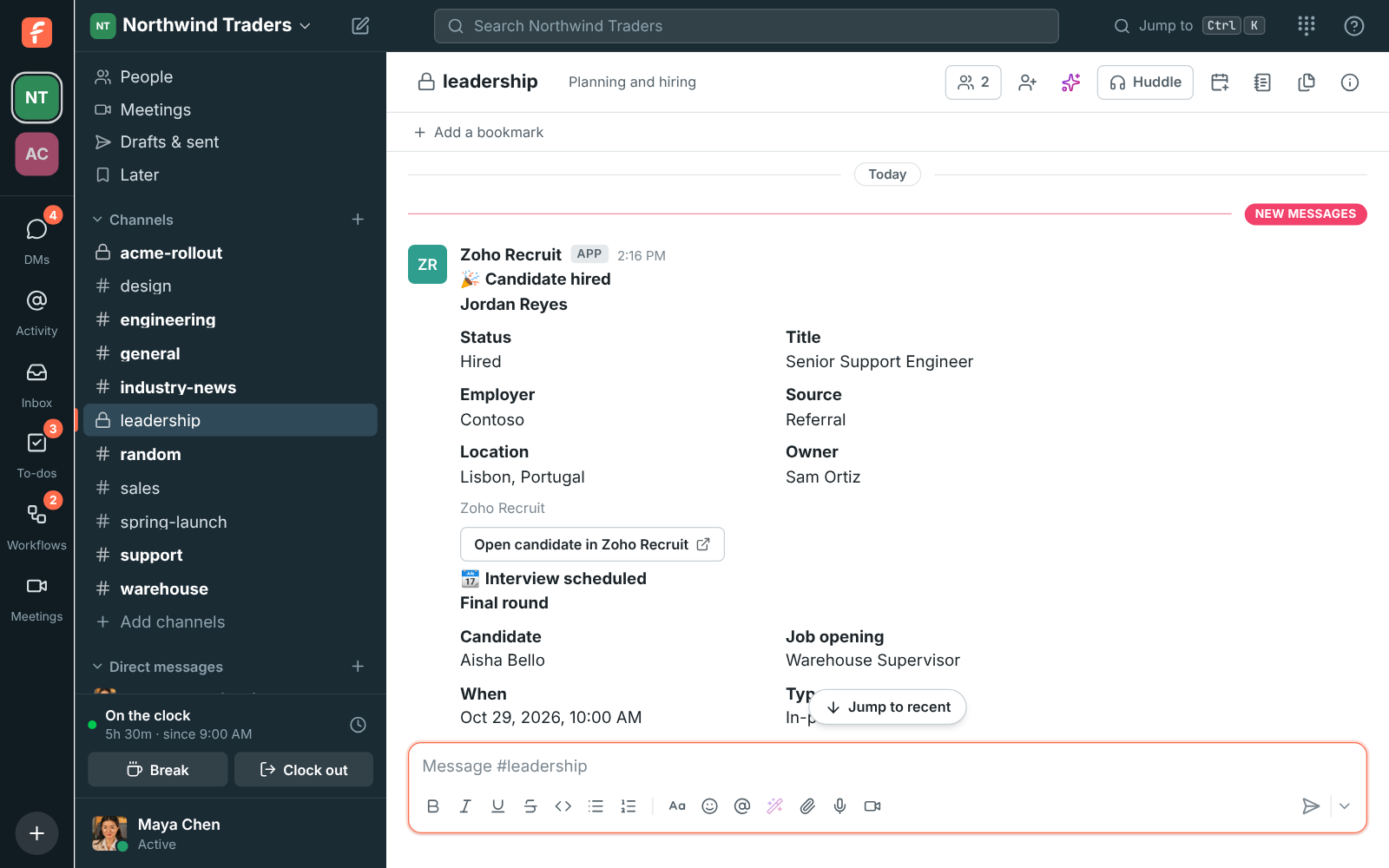
Connect Zoho Recruit and new candidates, status changes, hires, new job openings and scheduled interviews post into the channels you pick within seconds: hires to #general to welcome people, interviews to #hiring. Candidate details are personal, so a private channel for the hiring team is the usual place.

#leadership with Zoho Recruit alerts for a hire and a scheduled interview

A directory that's already filled in

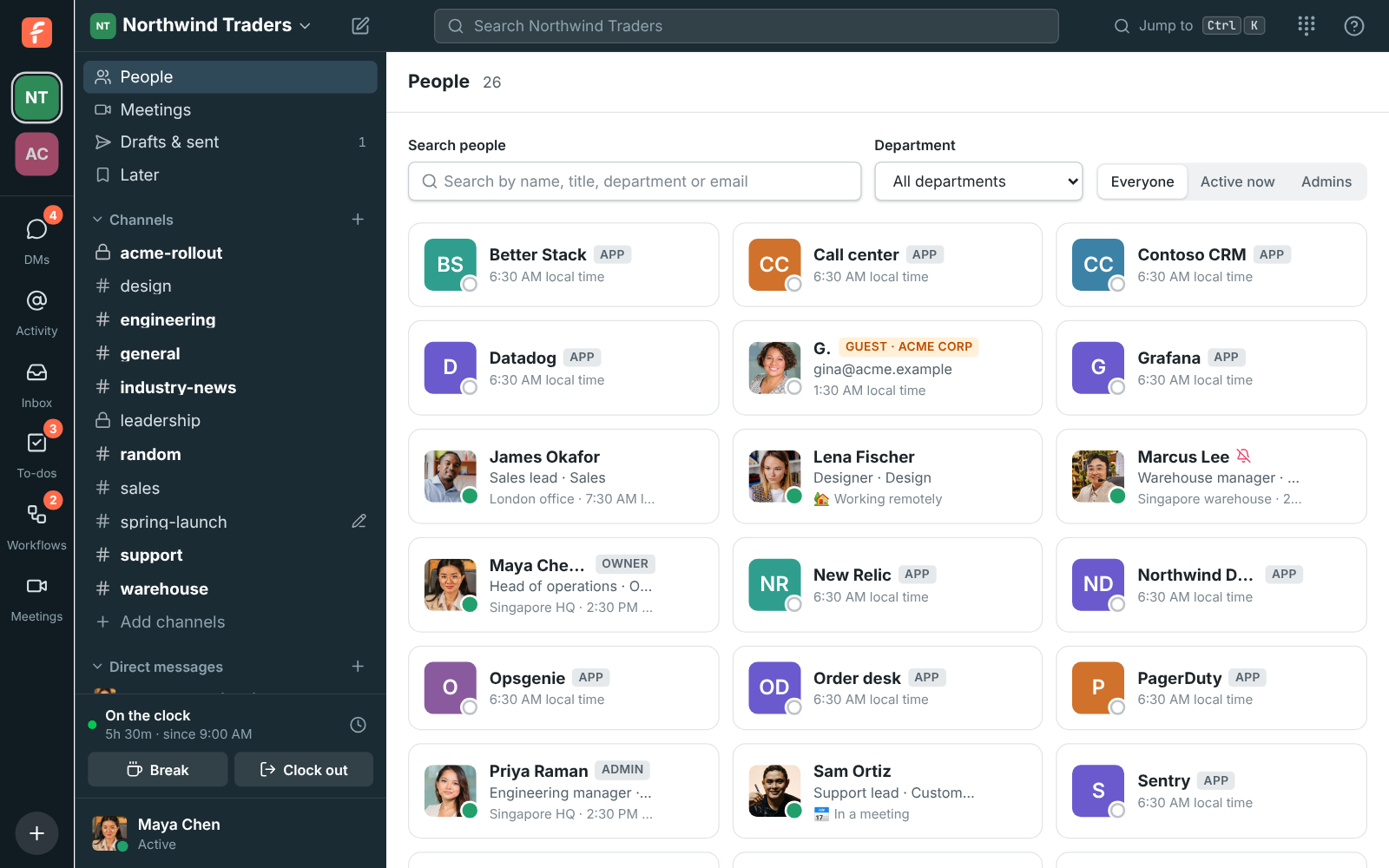
Every profile has department, location, manager, phone and pronouns, and admins add fields like Region or Start date. Fill everyone in from a spreadsheet. The People directory lists everyone with their title, status and local time, filtered by department.

The People directory with each person's title, status and local time

Questions

Does the punch clock track what people do?
No. It records clock-ins, breaks, clock-outs and the notes people type. It never tracks activity, apps or screens, and only the person and workspace admins can see a timesheet.
Can people fix their own time?
Yes. They add a missed shift, change an entry or delete one. Every change asks why, and the reason, who changed it and what changed are kept in the entry's history and marked for whoever reviews it.
Is there an approval step for timesheets?
Not yet. Approvals, reminders and automatic clock-out aren't available. Admins can review and fix anyone's week and export CSV.
Which plans include it?
The punch clock comes with the paid plans, and workflows with every plan, five on Free. The pricing page compares every plan and limit.

See it with your own team's questions.

Start a workspace free for up to 10 people, or book a 20-minute call and bring the questions your team would ask.