Freesbe

Connect

All plans

Keep the address customers know. Answer it together.

Forward your support address to the one Freesbe gives your inbox, and each email from a new sender starts a thread in a channel. Later emails land in the same thread, and your replies go out as replies in the customer's own email thread, from Sam at Northwind Traders. No shared mailbox, no one asking who took it.

  • Keep support@yourcompany: customers write where they always did.
  • See every email as a thread the whole channel can read and answer.
  • Reply from Freesbe and the customer gets a normal email reply in the same thread.
  • Read only what the customer wrote this time, with quoted history and signatures left out.

For Teams sharing one support or sales address who keep losing track of who answered.

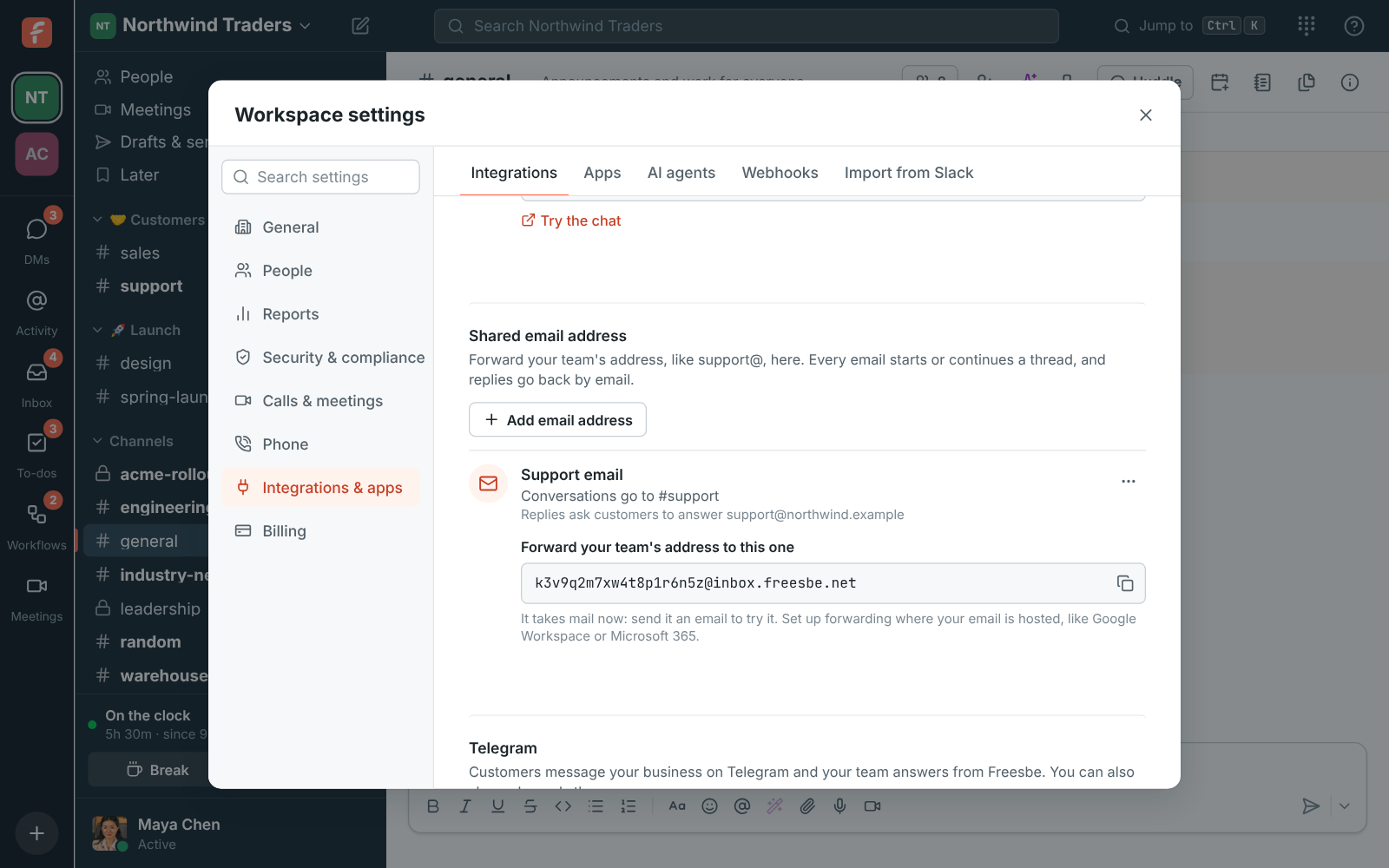
Workspace settings, Customer inbox: the Support email inbox going to #support, with the address to forward support@northwind.example to

Forward it once, and you're in

An owner or admin adds an email inbox in workspace settings: a name, the channel emails go to, your team's address and the name replies come from. Freesbe gives the inbox its own address; forward yours to it where your email is hosted. Google Workspace takes it as a group member or a Gmail forwarding address, Microsoft 365 as mail-flow forwarding in the Exchange admin center. Email the Freesbe address yourself to try it.
The Support email inbox in workspace settings, with the Freesbe address to forward your own to

One thread per customer, nothing quoted twice

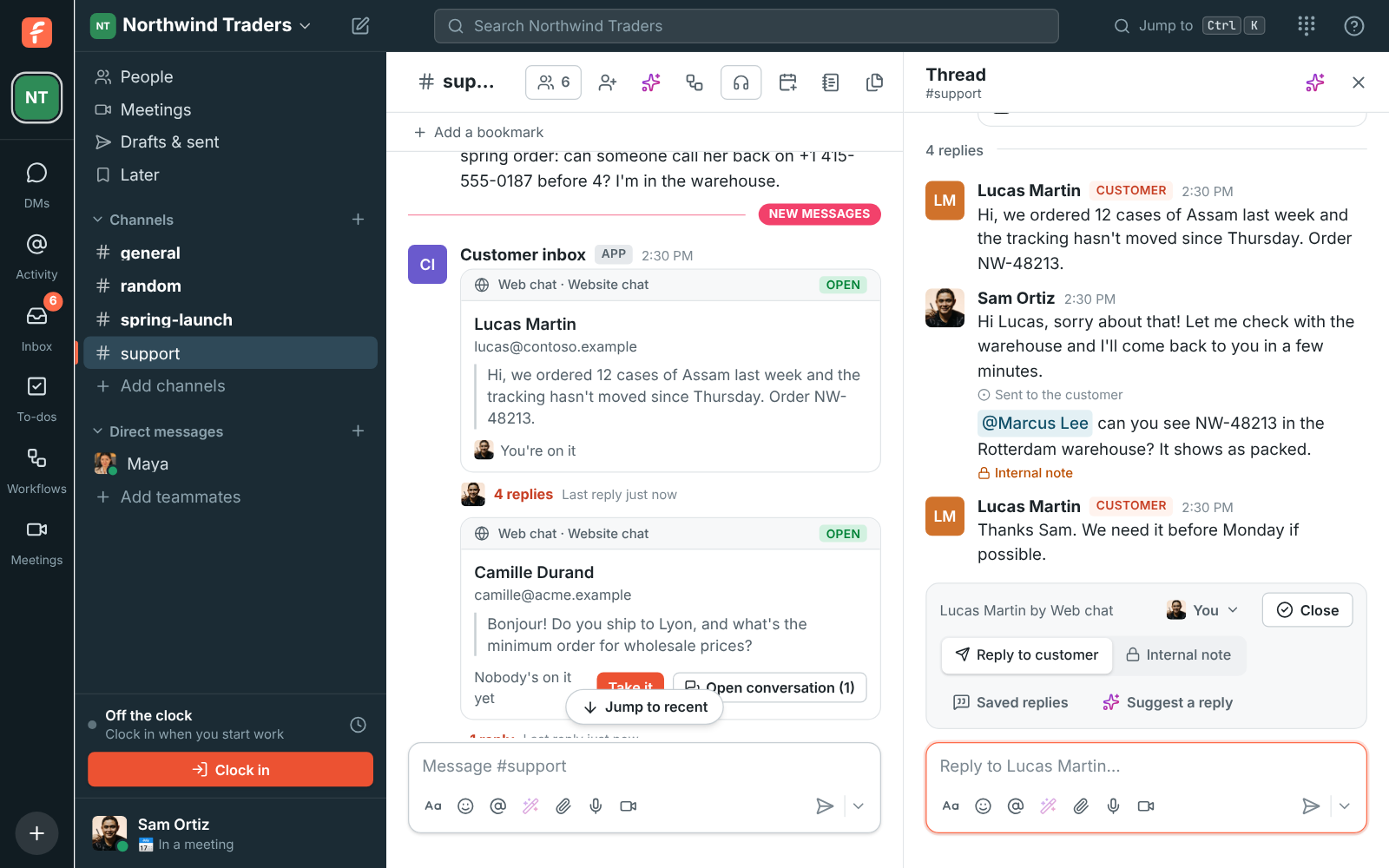
Each email from a new sender starts a conversation with its subject on the card. Later emails from the same person land in the same thread until you close it, so a back-and-forth reads like a chat. Freesbe shows what the customer wrote this time; the quoted earlier emails and their signature are left out. Your reply goes out with the same subject, as a reply to their email, so the customer sees one email thread.

A customer conversation as a thread in #support, with the team's reply and an internal note

See it on your own team's data.

Start free with up to 10 people and try it today, or book a 20-minute demo with the people who make Freesbe.

Answer it the way you answer everything else

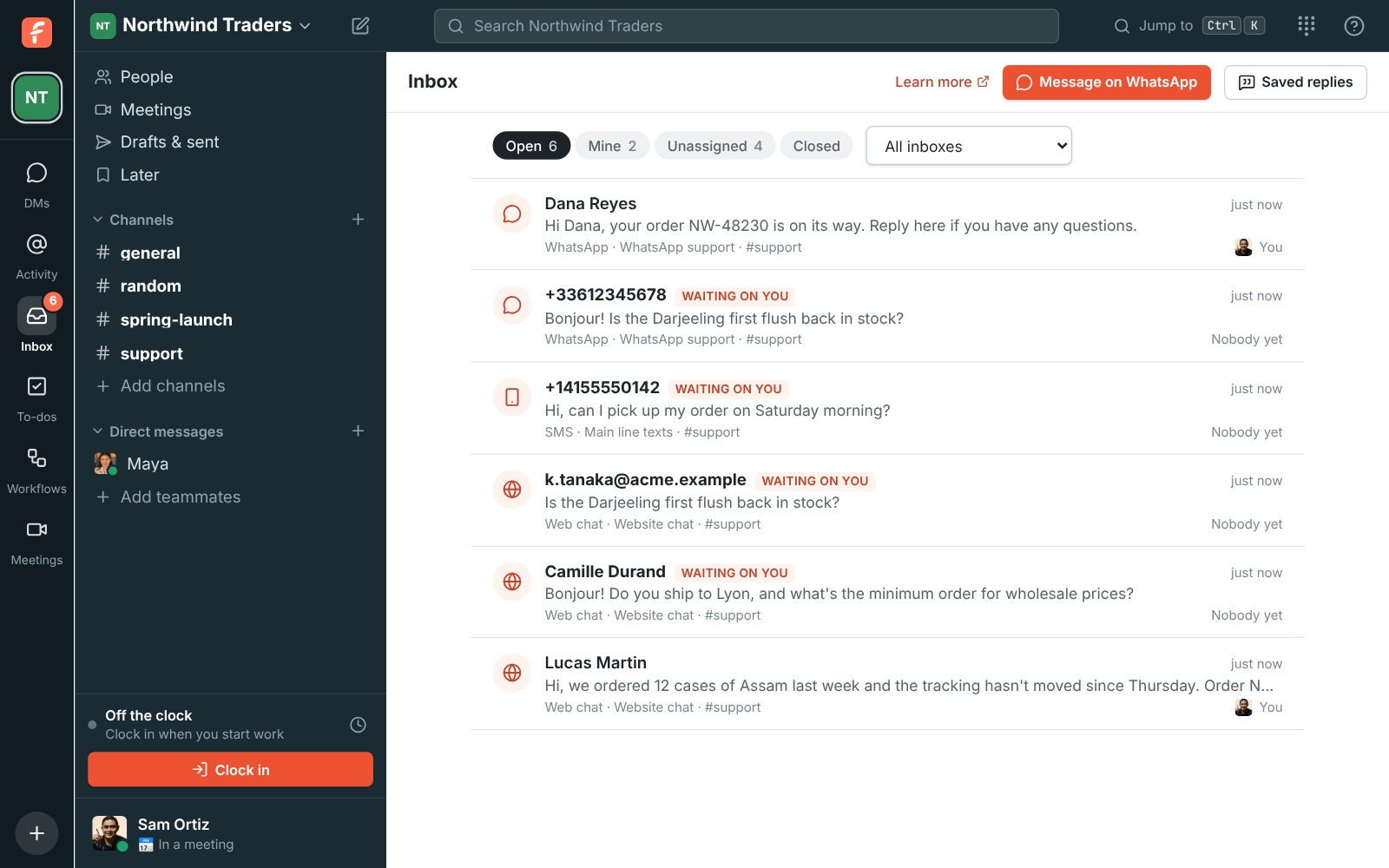
Take the conversation, or hand it to the colleague who knows the order. Write an internal note the customer never gets, use a saved reply for the questions that come every day, or let Suggest a reply draft one from the thread and your saved replies. Under each reply you see Sent to the customer, or what went wrong. The Inbox page lists every open email beside your web chats and WhatsApp conversations.

  • Replies come from a name you set, like Sam at Northwind Traders
  • Replies ask customers to answer your own address, so their answers come back the same way
  • Closing a conversation keeps it; a new email from that person starts a fresh one
The Inbox page: open conversations with who's on each and which are waiting on a reply

Plans and pricing

Support email in a channel is included in every plan, including Free.

  • FreeUp to 10 people
  • BusinessUp to 500 people
  • CorporateUp to 2,500 people
  • EnterpriseOver 2,500 people

Questions

Which plan includes this?
Every plan, including Free. Each email inbox takes up to 2,000 emails a day, 100 of them from one sender, and a workspace can send 500 emailed replies a day.
Do customers see Freesbe?
No. They get an ordinary email reply in the same thread, from the name you chose, asking them to answer your own address.
What about attachments?
Attachments aren't brought over yet. The message lists their names, so you know to ask for them another way.
What happens if we turn the inbox off?
Mail sent to its Freesbe address bounces, so turn off the forwarding on your email side first. Conversations already in the channel stay.

Try all of it free with up to 10 people.

No card, no time limit. Invite your team and see what sticks.