Freesbe

For small businesses

The whole company in one app, on the first day.

Freesbe gives a small business its team chat, a phone number with calls in the app, video meetings guests open in a browser, booking links, a customer inbox for website chat, email, texts and WhatsApp, and AI that writes up calls. It's free for up to 10 people, with nothing to install and no card.

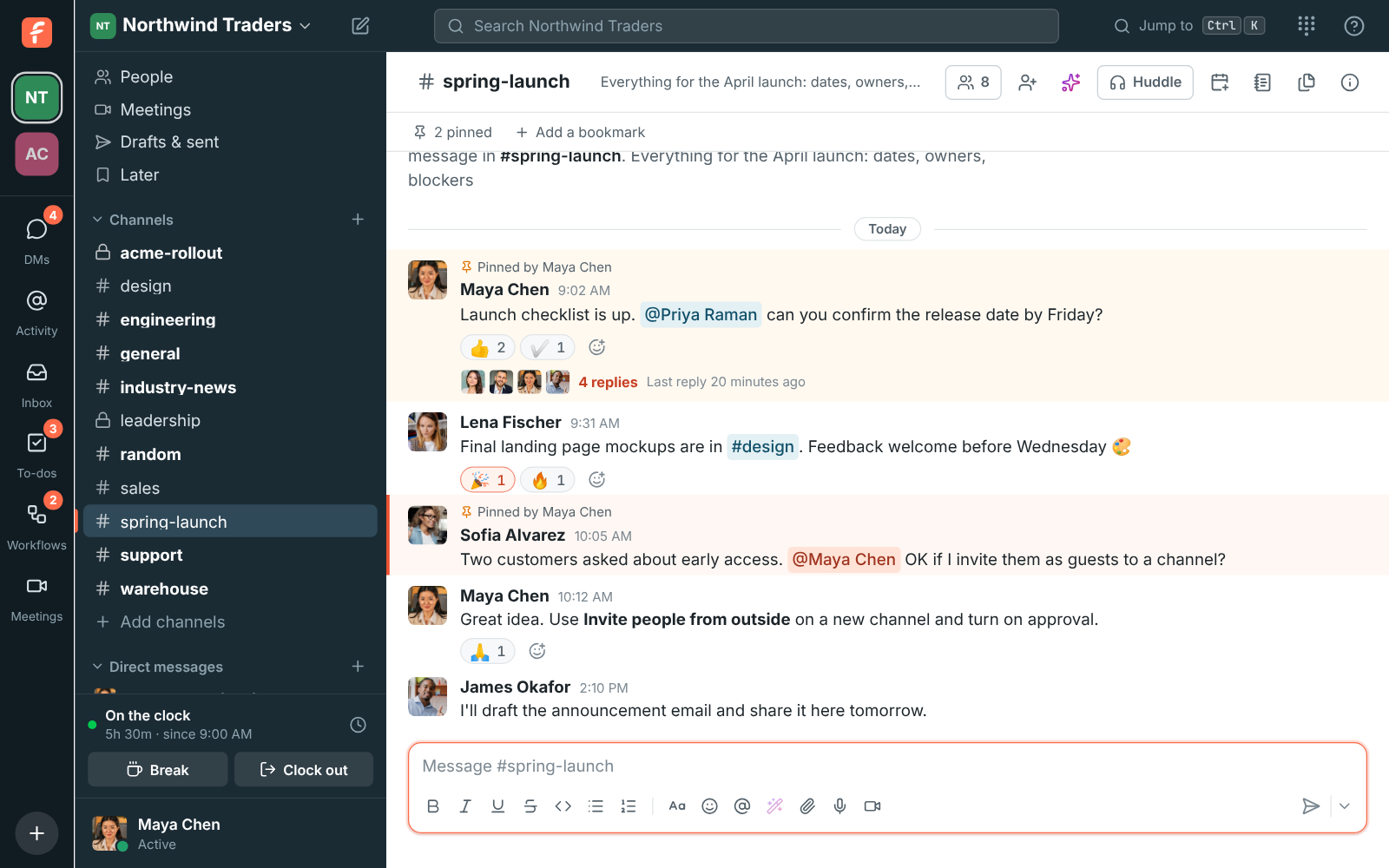
A Freesbe channel at Northwind Traders with messages, reactions and a thread open

Free for the first ten people

Sign up, name the workspace and invite the team by email or with a link. The Free plan has channels, DMs, threads, search, 1:1 voice and video calls, group voice huddles and 90 days of history. A new workspace also gets a two-week Business trial, with no card.

  • Everyone signs in with email, Google, Microsoft or a passkey
  • Desktop apps for Windows, macOS and Linux; the phone apps are in testing
  • Move from Slack: upload the export and people, channels and history come over
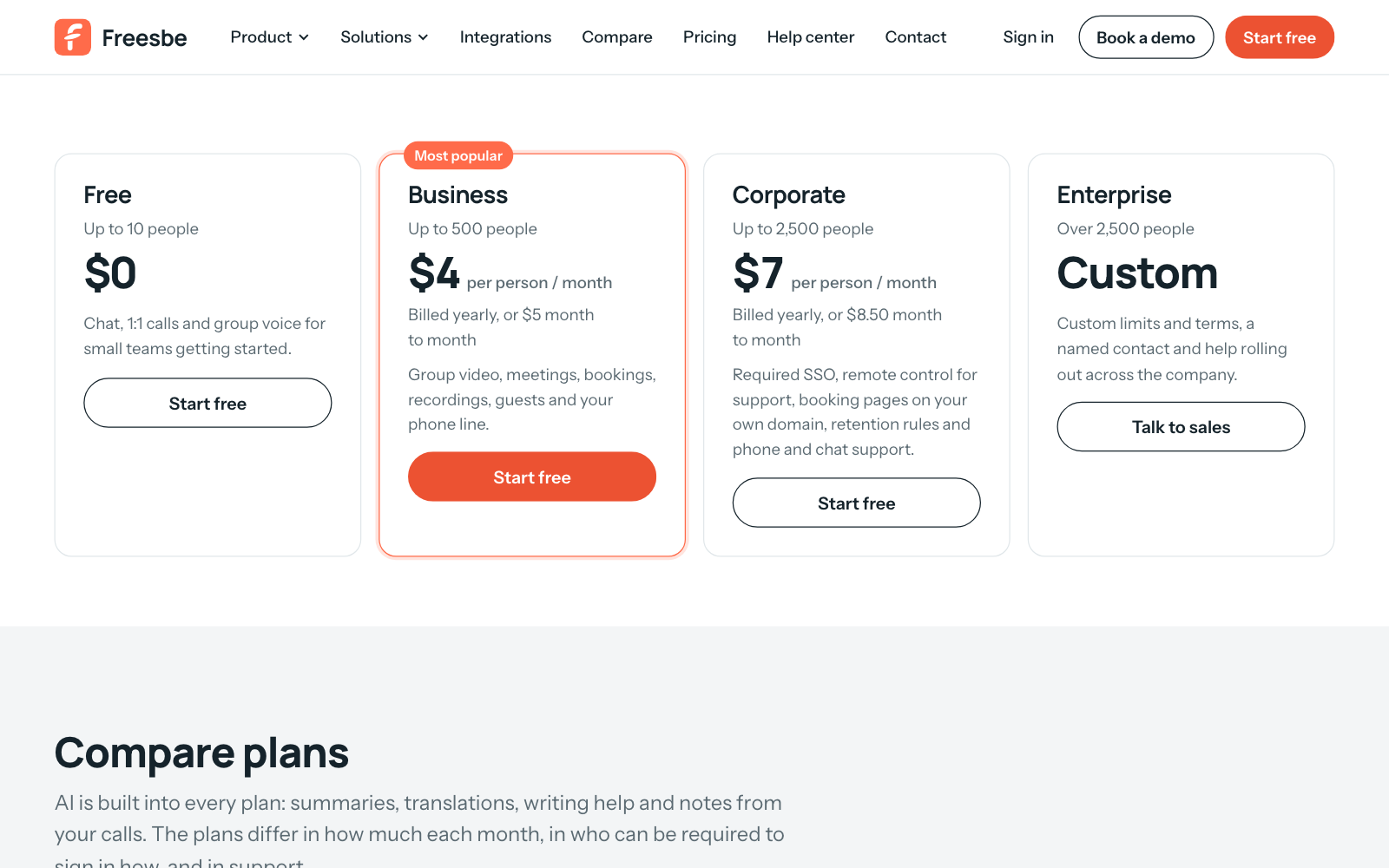
The four plans side by side: Free, Business, Corporate and Enterprise

A business number in ten minutes

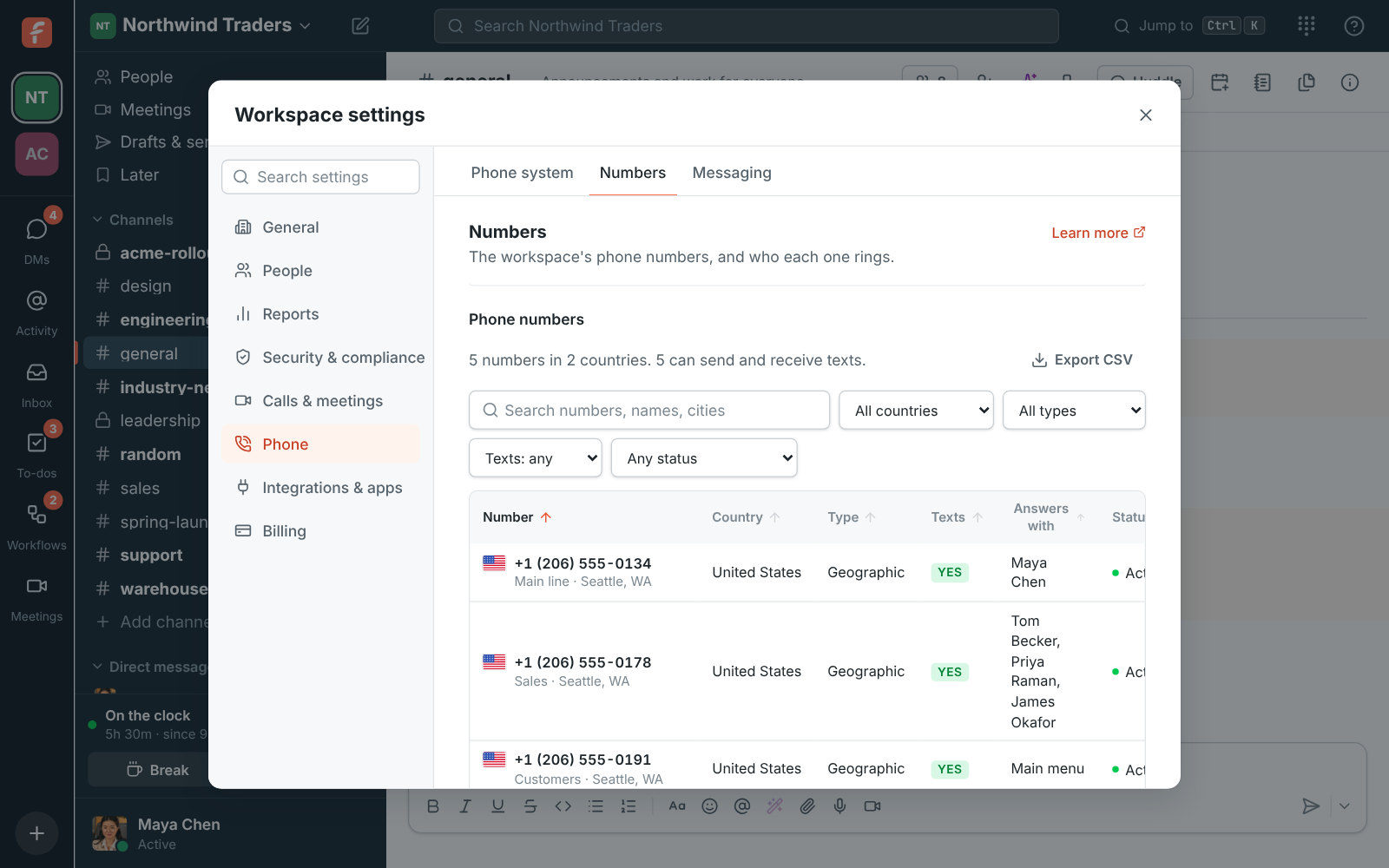
Turn on the phone system in workspace settings and buy a local or toll-free number in the United States or Canada. Calls ring in the browser or the desktop app, with hold, transfer, a keypad and voicemail that lands in your DM. A number can ring up to 20 people at once, so the first person free answers.

  • Business hours and closed days send after-hours calls to voicemail
  • Emergency calling (E911) with the right address for each office
  • Or bring the sip.io phone system you already have
Workspace settings, Phone: Freesbe's phone system is on, with three numbers and who each one rings

See it on your own team's data.

Start free with up to 10 people and try it today, or book a 20-minute demo with the people who make Freesbe.

Every customer in one inbox

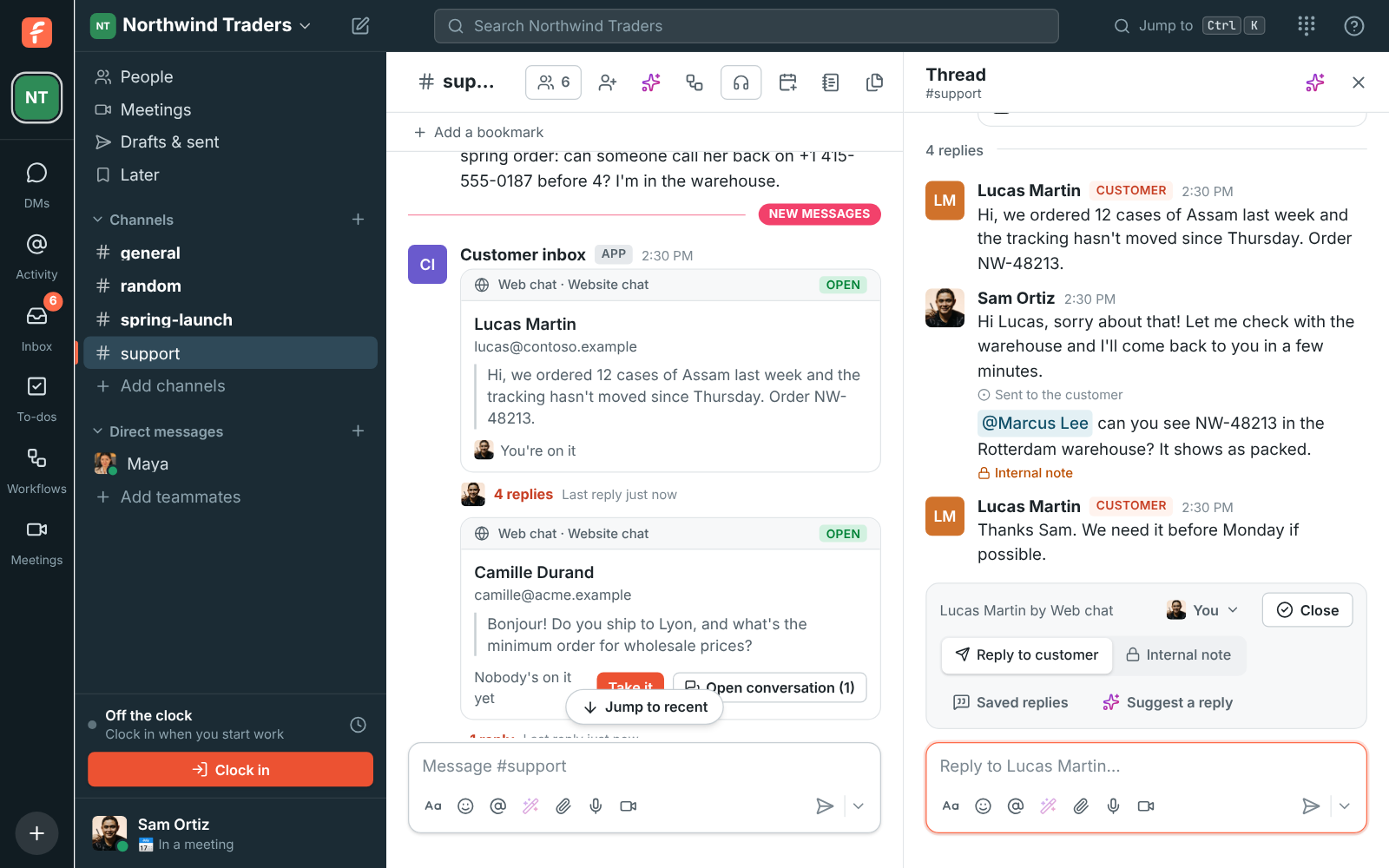
Put a chat button on your website, forward your support@ address, and bring texts to your number and your WhatsApp Business number into a channel. Every customer gets a thread, anyone on the team can answer, and internal notes stay between you. Saved replies and an AI draft keep the answers quick.

#support with a customer's web chat conversation, an internal note and the bar to hand off or suggest a reply

Meetings and bookings without another subscription

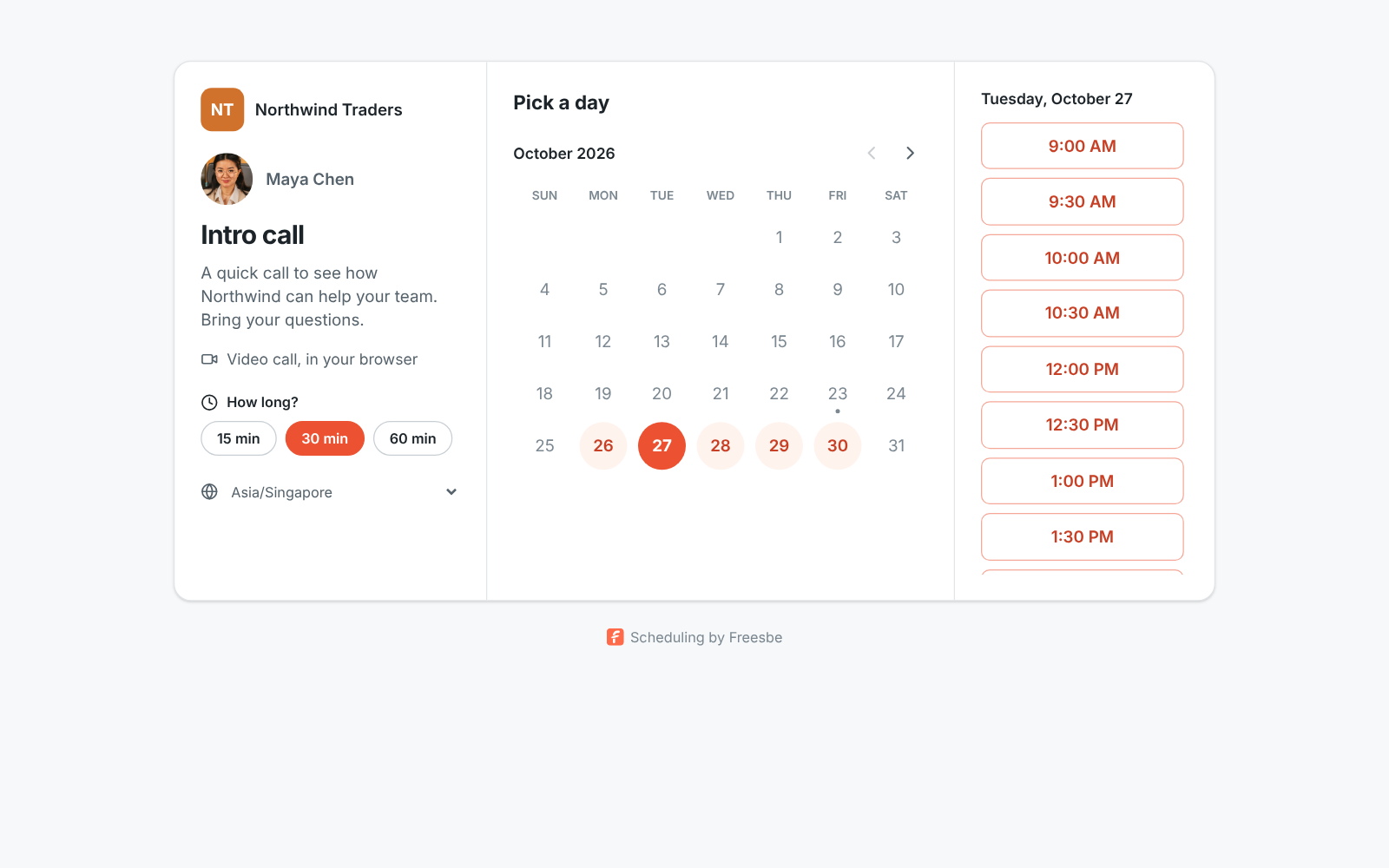
Schedule a meeting and guests open the link in any browser, no account needed, with your logo on the page and a lobby until you let them in. Share a booking link in your email signature and customers pick a free 15, 30 or 60 minute slot around your calendar. Record a call and the notes, decisions and action items arrive a minute later.

A booking page for an intro call with open time slots

Questions

Is Freesbe really free?
Yes, for up to 10 people, with 90 days of message history. Paid plans add unlimited history, group video and screen sharing, scheduled meetings, booking links, guests, recordings and more. The pricing page lists every plan.
Do we need any other apps?
No. Chat, calls, meetings, the phone system, booking links, workflows, the punch clock and the customer inbox are one app with one sign-in. It runs in the browser and as desktop apps for Windows, macOS and Linux.
How does the phone number work?
The Phone system add-on, on any paid plan, includes a local number for each person. An admin turns it on, buys a number and picks who it rings. Calls happen in the app, and texts to the number can go to a channel.
Can customers reach us without an account?
Yes. They write in the chat on your website, email your support address, text your number or message you on WhatsApp, and their messages land in a channel. Meeting guests open a link in their browser.

See it with your own team's questions.

Start a workspace free for up to 10 people, or book a 20-minute call and bring the questions your team would ask.