Freesbe

Customer inbox

Business and up

Telegram customers and followers, in your channels.

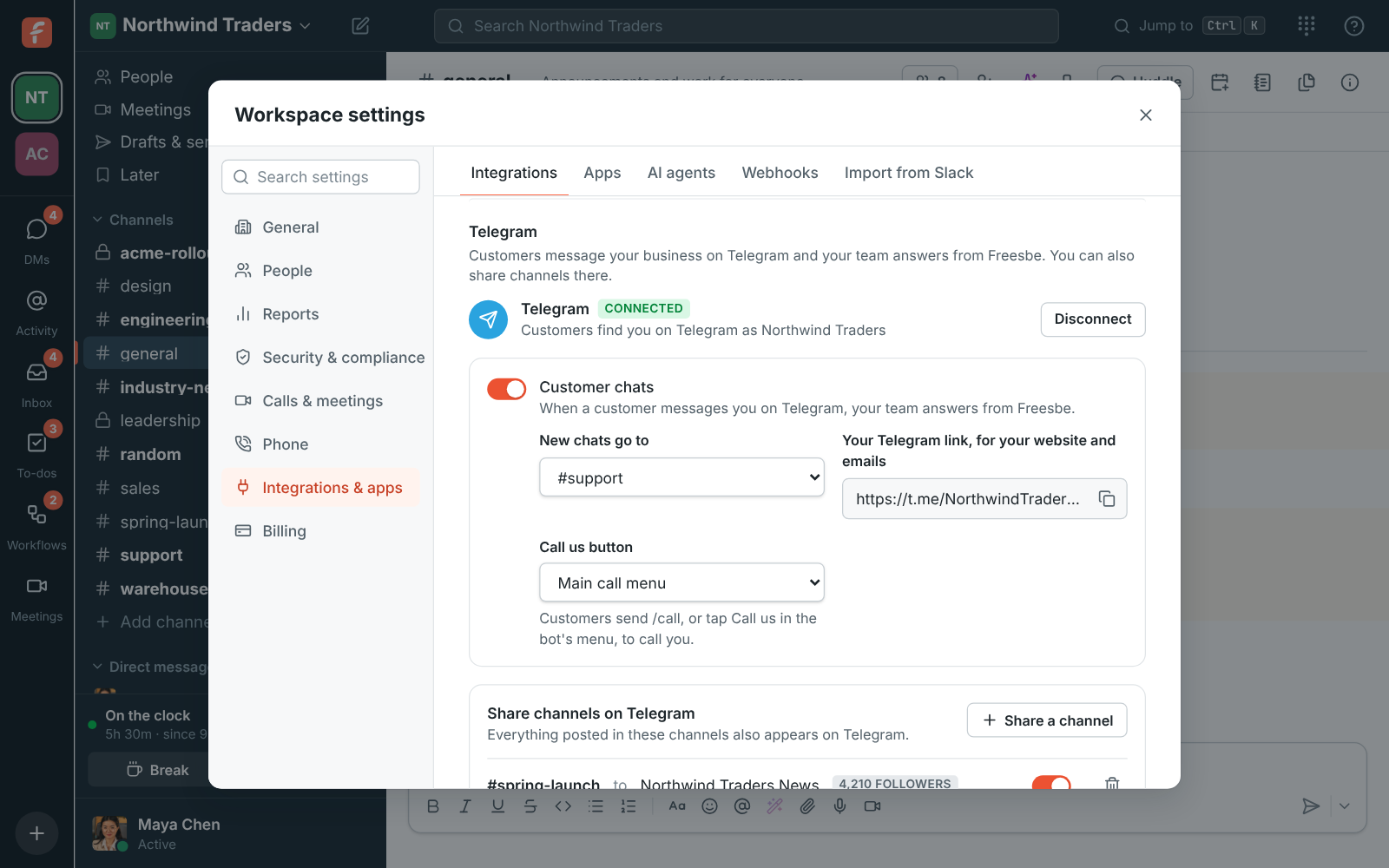
Connect your business's Telegram account and customers who message it land in a channel you pick, each in their own thread, with replies, photos and files going back on Telegram. No 24-hour limit and no message fees. The same connection shares your Freesbe channels on your Telegram channels and groups, and brings a group's replies back.

  • A t.me link for your website, emails and receipts that opens a chat your team answers.
  • No 24-hour window and no message fees.
  • A Call us button in the bot's menu that lets customers call you free from their phone's browser.
  • Posts in a Freesbe channel appear on your Telegram channel under the poster's name, edits and deletes included.
  • A partner's Telegram group stays in the loop, and its replies land in the thread.

For Businesses whose customers and communities are on Telegram.

Customer inbox, Telegram connected as Northwind Traders: customer chats going to #support with the Telegram link, and two channels shared on Telegram

Connect in three steps

An owner or admin opens Workspace settings, Integrations, Customer inbox and clicks Connect Telegram. Open Telegram and make your business's account with your business's name; Telegram sends you a key. Paste it, pick the channel new chats go to, like #support, and connect. The settings then show the name customers see and your Telegram link.
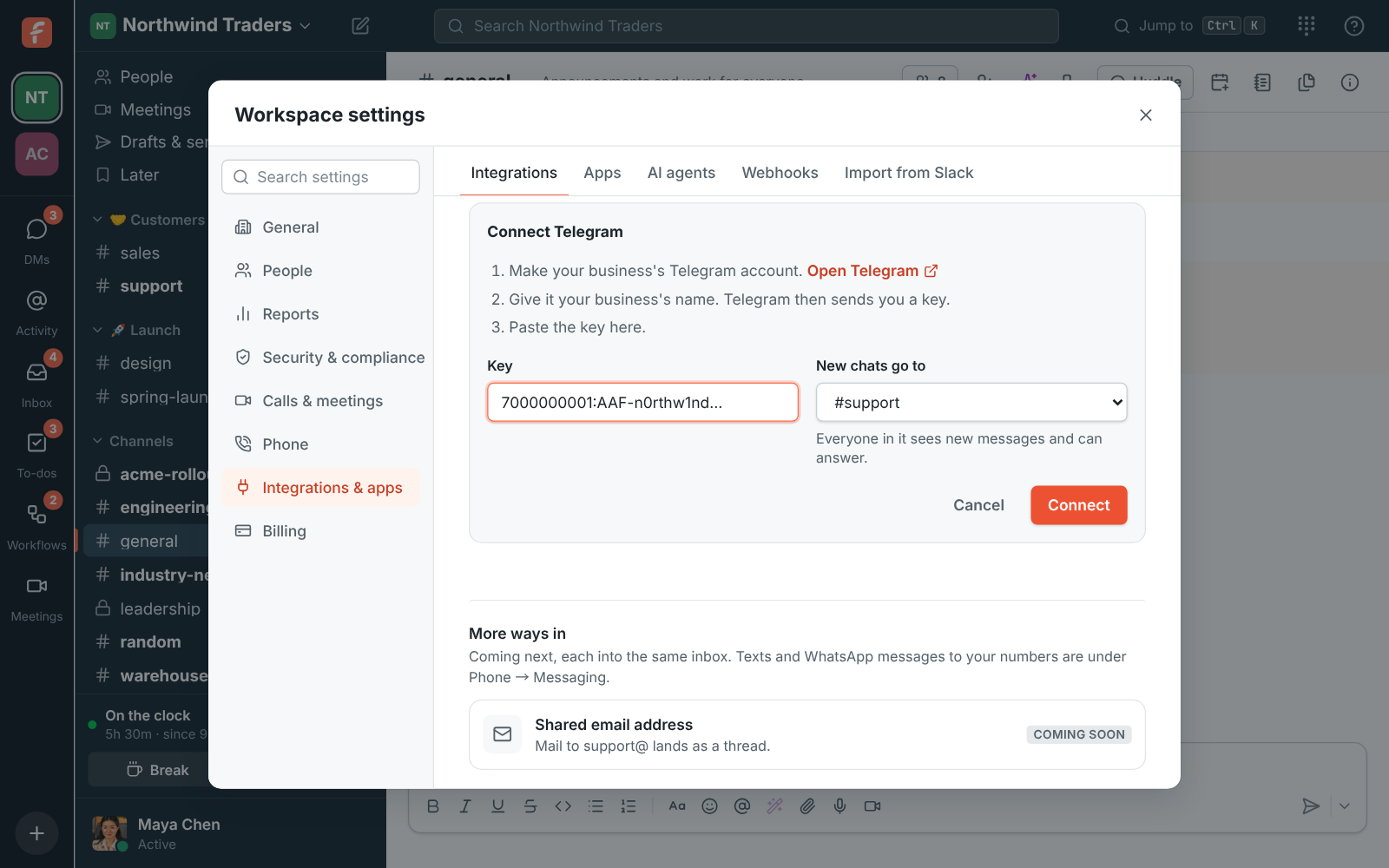
Customer inbox, Telegram: Connect Telegram with the three steps, the key pasted and #support picked for new chats

Customers write, the team answers

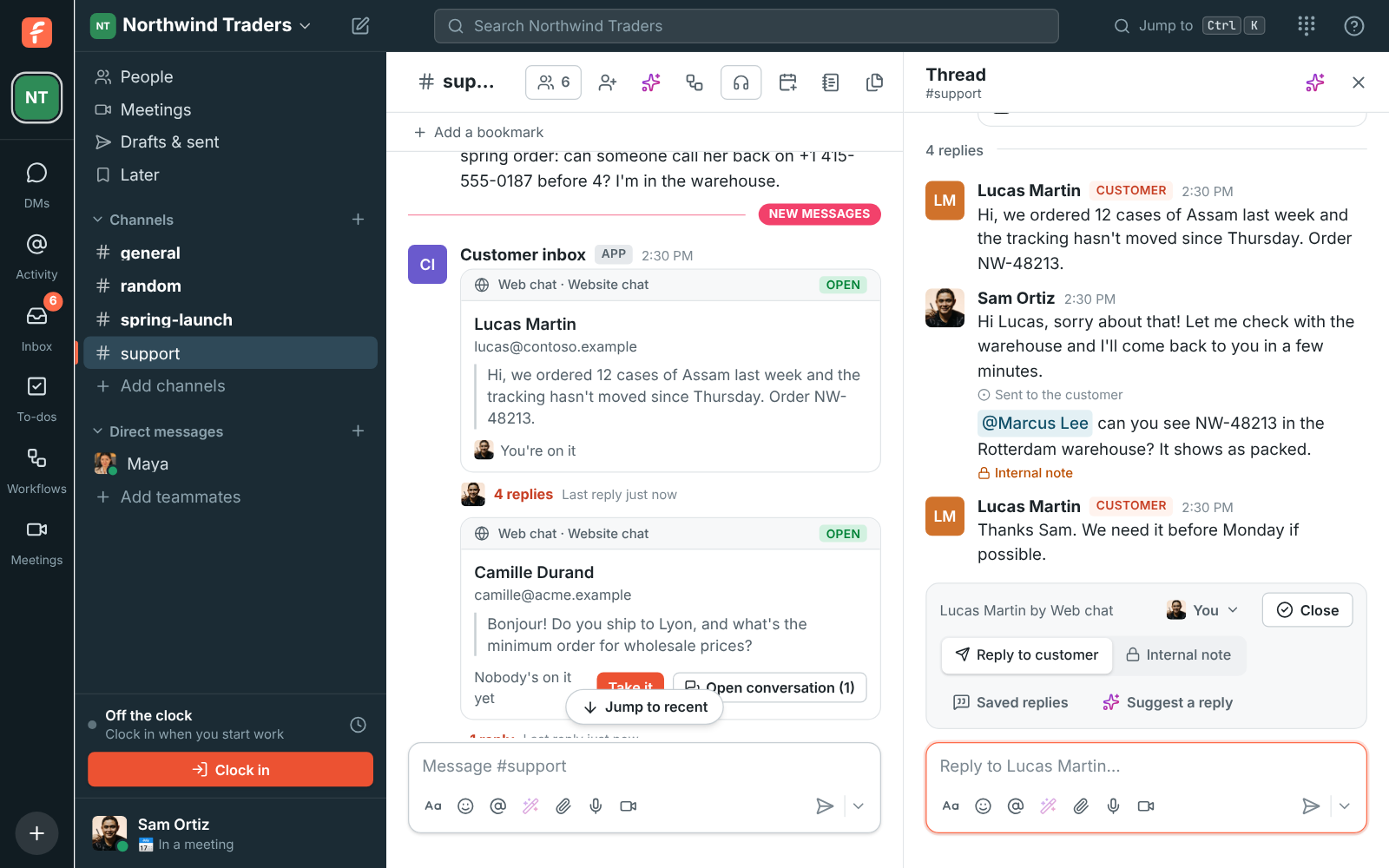
Put your t.me link on your website, in emails and on receipts. A customer who opens it and writes lands in the channel, in their own thread, and anyone there can answer; replies, photos and files go back on Telegram. Pick a Call us link as the Call us button and customers can send /call or tap it in the bot's menu to call you from their phone's browser, free. Hand-off, internal notes, saved replies and suggested answers work like every inbox.

A customer conversation as a thread in #support, with the hand-off bar

See it on your own team's data.

Start free with up to 10 people and try it today, or book a 20-minute demo with the people who make Freesbe.

Share channels on Telegram

Add your business's account to a Telegram channel as an admin who can post, or to a group, then share a Freesbe channel to it. Everything posted in the shared channel appears on Telegram under the poster's name, with edits and deletes after. For a group, Replies come back brings what people write there into the channel, and replies to a post land in its thread.

  • Announcements to the customers who follow your Telegram channel
  • A Telegram group with a partner, kept in the loop both ways
  • Turn off Customer chats to use Telegram only for sharing
Telegram connected, with #spring-launch and #acme-rollout shared on Telegram

Plans and pricing

Telegram is included in Business, Corporate and Enterprise.

  • BusinessUp to 500 people
  • CorporateUp to 2,500 people
  • EnterpriseOver 2,500 people

Questions

Which plans include Telegram?
Telegram comes with the Business plan and up, for customer chats and for sharing channels.
How many channels can we share?
Up to 50. A workspace connects one Telegram account, which can send 5,000 replies and shared posts a day.
What about photos and files?
Telegram takes photos up to 10 MB and other files up to 50 MB, and customers' files up to 20 MB come into the thread.
Can customers call us from Telegram?
Yes. Pick a Call us link as the Call us button, and customers get a button that opens it: they pick who they need and call from their phone's browser, free.

Bring your tools, and your team.

Free for up to 10 people, no card and no time limit. Connect what you already use in an afternoon.