Set up a tool in a few minutes
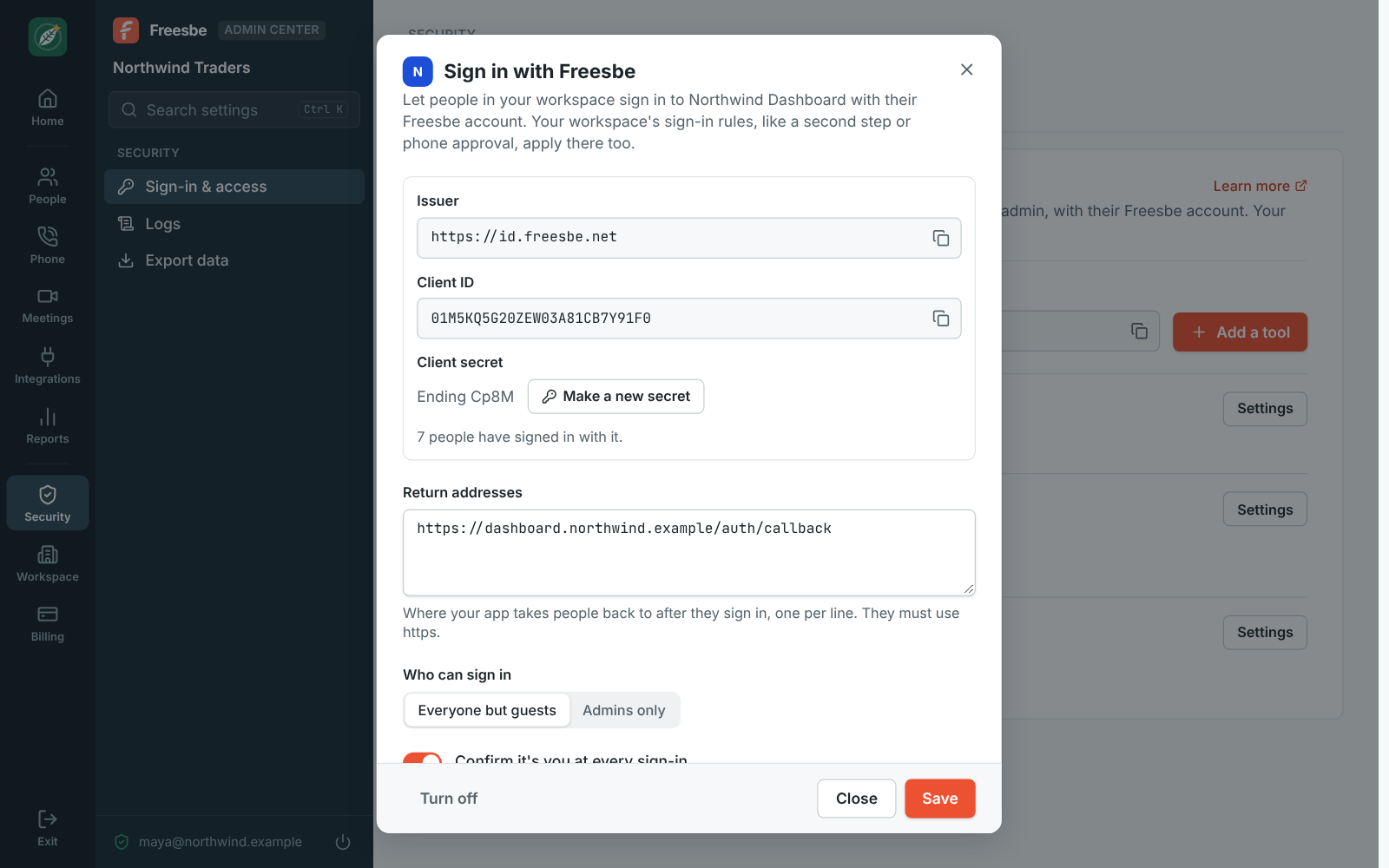
In the Admin Center, under Security, Sign in with Freesbe, click Add a tool, paste the return address it asks for, and copy the client ID and secret into it. Any library that speaks OpenID Connect works.
Okta Workforce Identity starts at $6 per user a month, billed yearly with a $1,500 yearly minimum. Sign in with Freesbe makes your workspace the identity provider for your own tools over OpenID Connect, so your second step, single sign-on and phone approval apply there too, and someone who leaves loses access at once. It's on every plan.
For Small teams with a few internal tools that need a login, but not a directory product.
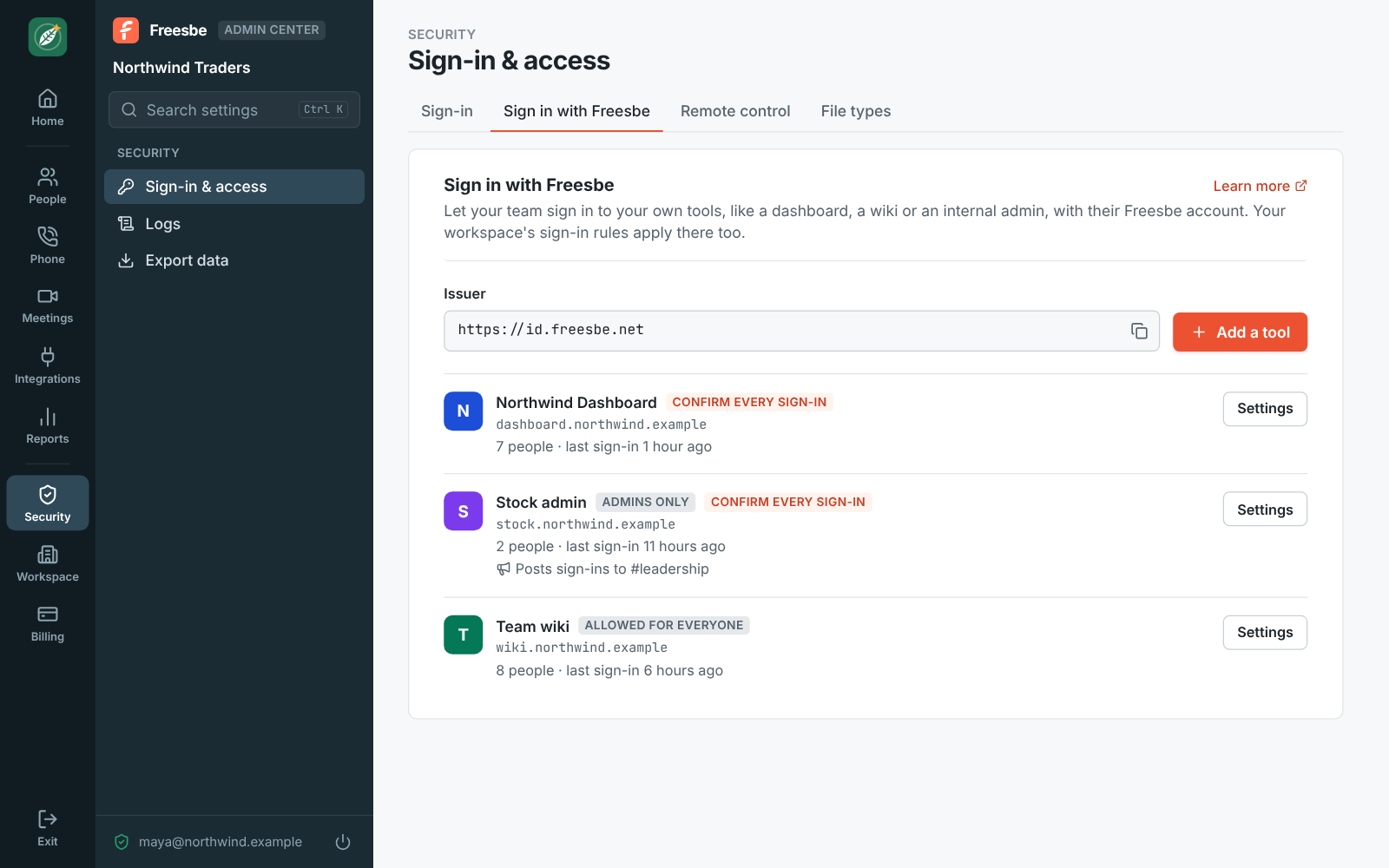
In the Admin Center, under Security, Sign in with Freesbe, click Add a tool, paste the return address it asks for, and copy the client ID and secret into it. Any library that speaks OpenID Connect works.
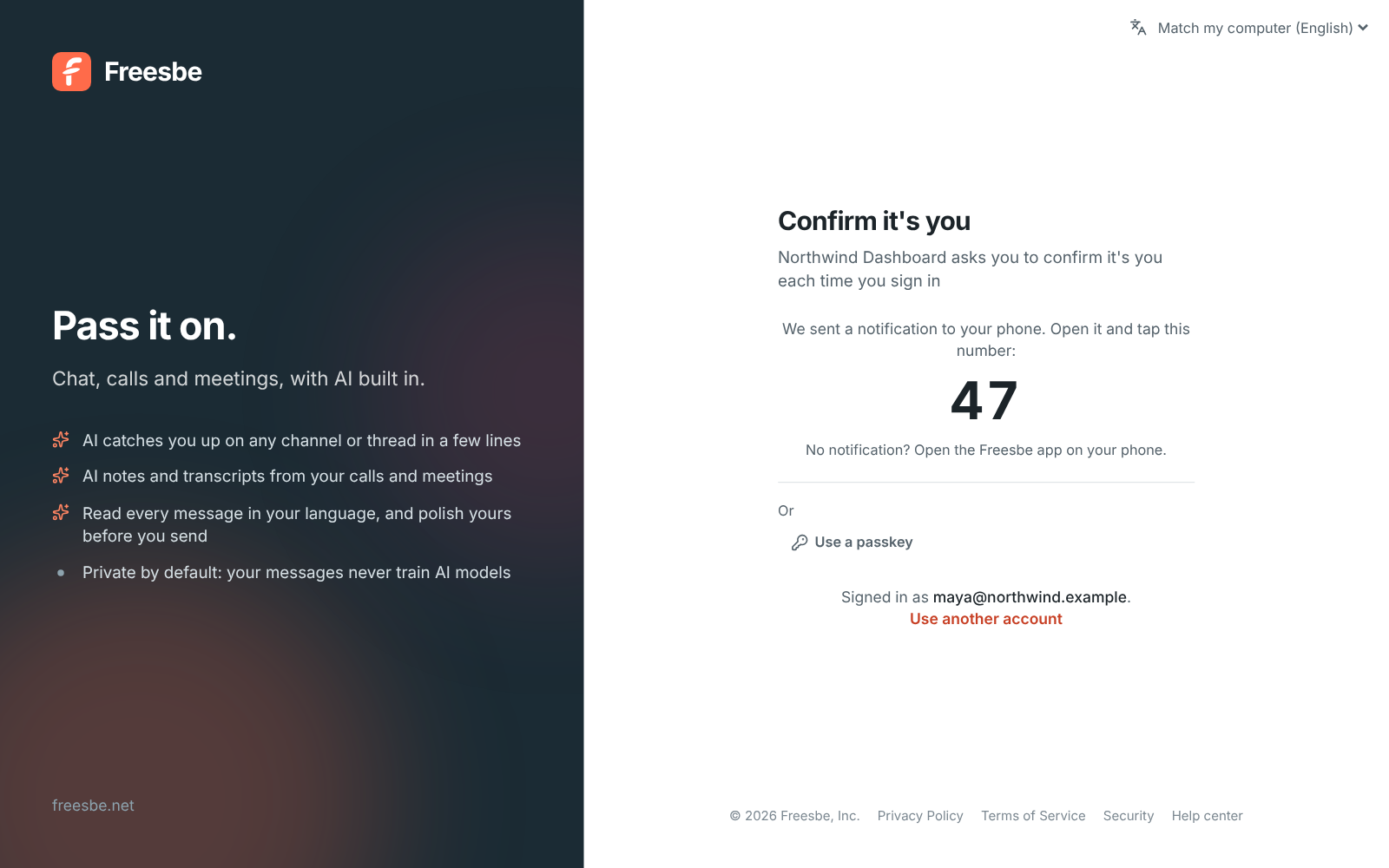
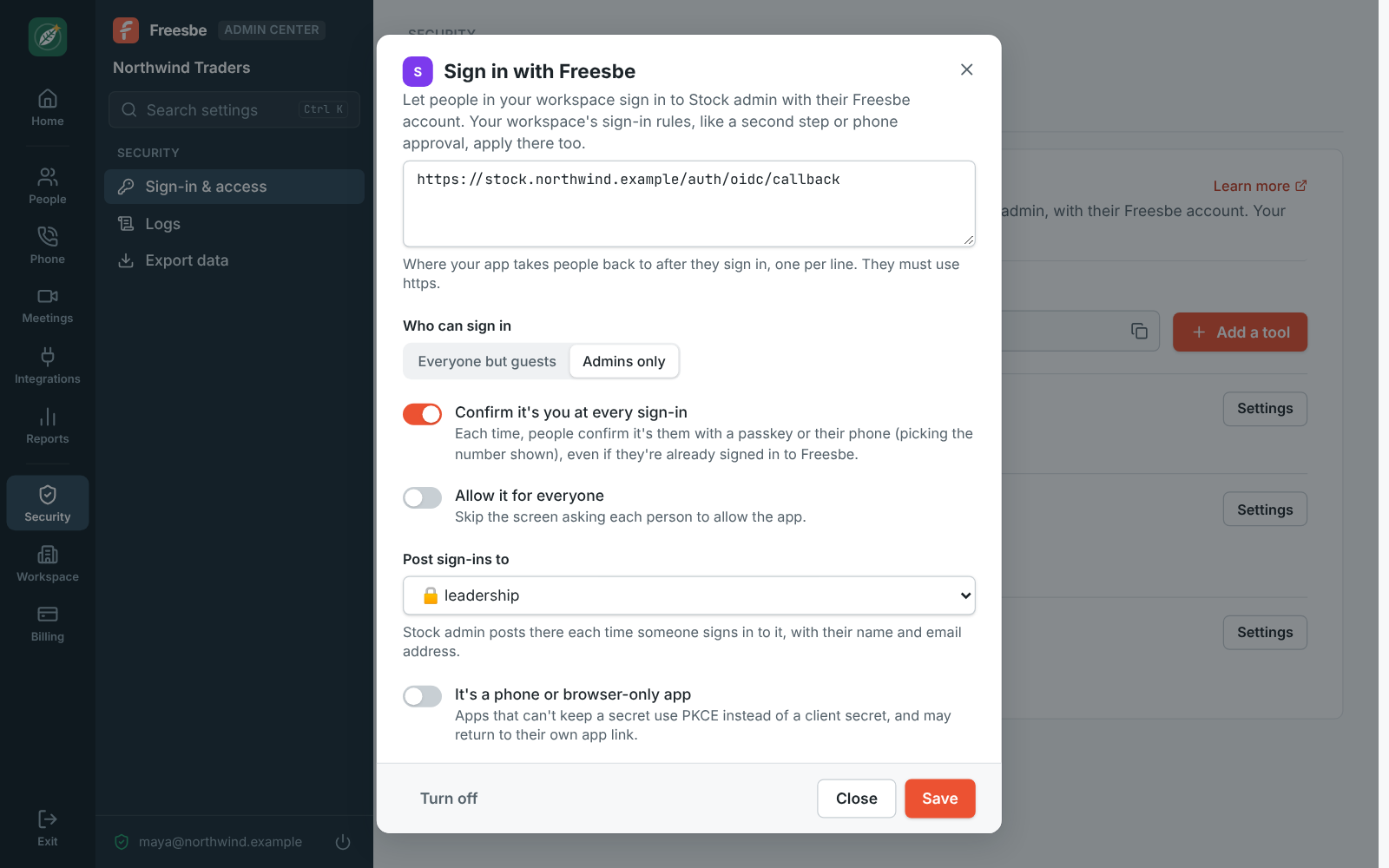
Each sign-in to the tool asks for a passkey, or a tap on the number shown followed by a fingerprint or face on the phone, even if they're already signed in to Freesbe.
Start free with up to 10 people and try it today, or book a 20-minute demo with the people who make Freesbe.
Freesbe itself signs people in with a password, an emailed code, Google, Microsoft or Apple, a passkey or a tap on the phone. Admins can require Google or Microsoft on Corporate and Enterprise and a second step on Business, Corporate and Enterprise, and the audit log records every sign-in.
Okta signs people in to thousands of SaaS apps over SAML and OpenID Connect, provisions and removes accounts in them (lifecycle management), syncs with Active Directory and HR systems, and adds adaptive MFA, access reviews and privileged access. Freesbe signs people in only to the tools you register, over OpenID Connect, with no SAML or provisioning. Past a handful of internal tools, Okta is the right product.
Freesbe's prices come from its pricing catalog; Okta's from its pricing page on the date below, where every suite is billed yearly.
| Feature | Freesbe | Okta |
|---|---|---|
| Price | Sign in with Freesbe on every plan; $4 per person a month (Business), billed yearly; $5 month to month | $6 per user a month (Starter), $17 (Essentials), $1,500 yearly minimum |
| Single sign-on to your own tools | OpenID Connect; a couple of tools on Free, more on each paid plan | SSO to cloud and on-prem apps on every suite |
| SAML | Not offered | Included |
| Sign-in methods | Email and password, emailed code, Google, Microsoft or Apple, passkeys, or a tap on your phone, on every plan | MFA on Starter; adaptive MFA on Essentials |
| Account provisioning | Not offered: tools learn name, email, workspace and role at sign-in | Lifecycle Management on Essentials, an add-on on Starter |
| Leaving the company | Removed from the workspace, signed out of every tool at once | Deprovisioning with Lifecycle Management |
| Team chat, meetings and a phone system | Included: channels, huddles, meetings with guest links; a phone system add-on | Not offered |
| Try it | Free for up to 10 people, with 90 days of message history, no time limit | Free trial of Starter |
As of November 5, 2026. Sources: Okta plans and pricing. Okta and the other names on this page belong to their owners; Freesbe isn't affiliated with or endorsed by them.
The help guide shows every screen and setting. Sign in with Freesbe
Try Freesbe free with up to 10 people, no card and no time limit, or book a 20-minute demo with the people who make it.