Freesbe

Calendars

Coming soon

Zoho Calendar, for busy times and your day's agenda.

If your company runs on Zoho, connect your Zoho Calendar and it does what a Google or Microsoft calendar does: teammates see when you're busy as they find a time or book you, your status says In a meeting while you're in one, and the Calendar app brings your agenda, reminders and invitations into Freesbe. Every Zoho data center works.

  • Teammates see your busy times when scheduling and on your booking pages.
  • Your status turns to In a meeting on its own, and a status you set yourself always wins.
  • The Calendar app brings your agenda, reminders and invitations to your DM with yourself.
  • Only free/busy is read unless you turn the Calendar app on; Freesbe never writes to your calendar.
  • Every Zoho data center, including China, with Freesbe talking to Zoho in your own data center only.

For People at companies that run on Zoho and schedule from Zoho Calendar.

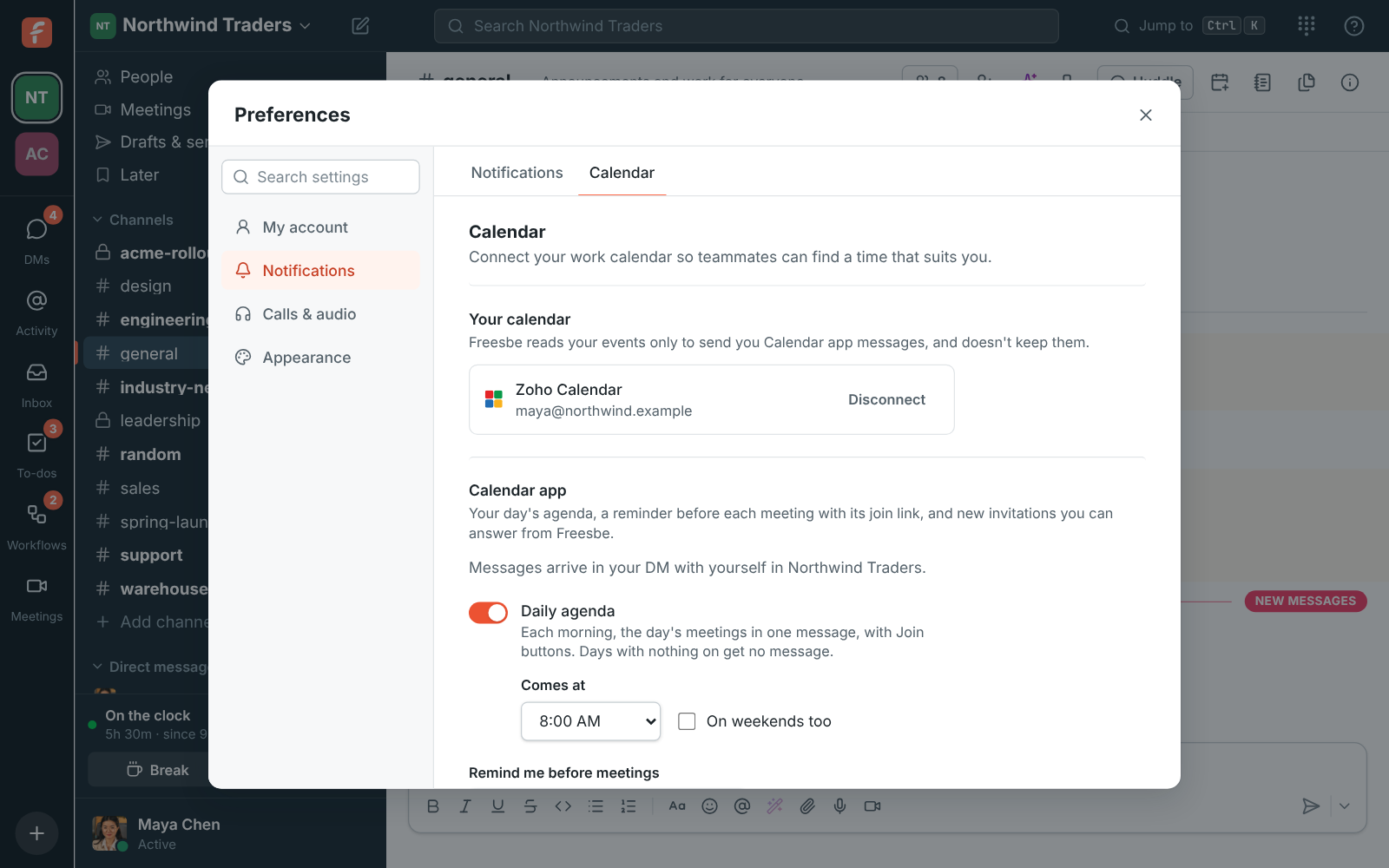
Preferences, Calendar: a connected Zoho Calendar for maya@northwind.example, with the Calendar app on

Connect from Preferences

Open Preferences, choose Calendar and click Connect Zoho Calendar. Zoho asks you to sign in, finds your account's data center on its own, and lists what Freesbe asks for: your name, email address and when you're busy. It can be a different account from the one you sign in to Freesbe with. You have one calendar connected at a time, so connecting Zoho Calendar replaces a Google or Microsoft calendar you connected before.
Preferences, Calendar with a connected Zoho Calendar

Turn on the Calendar app

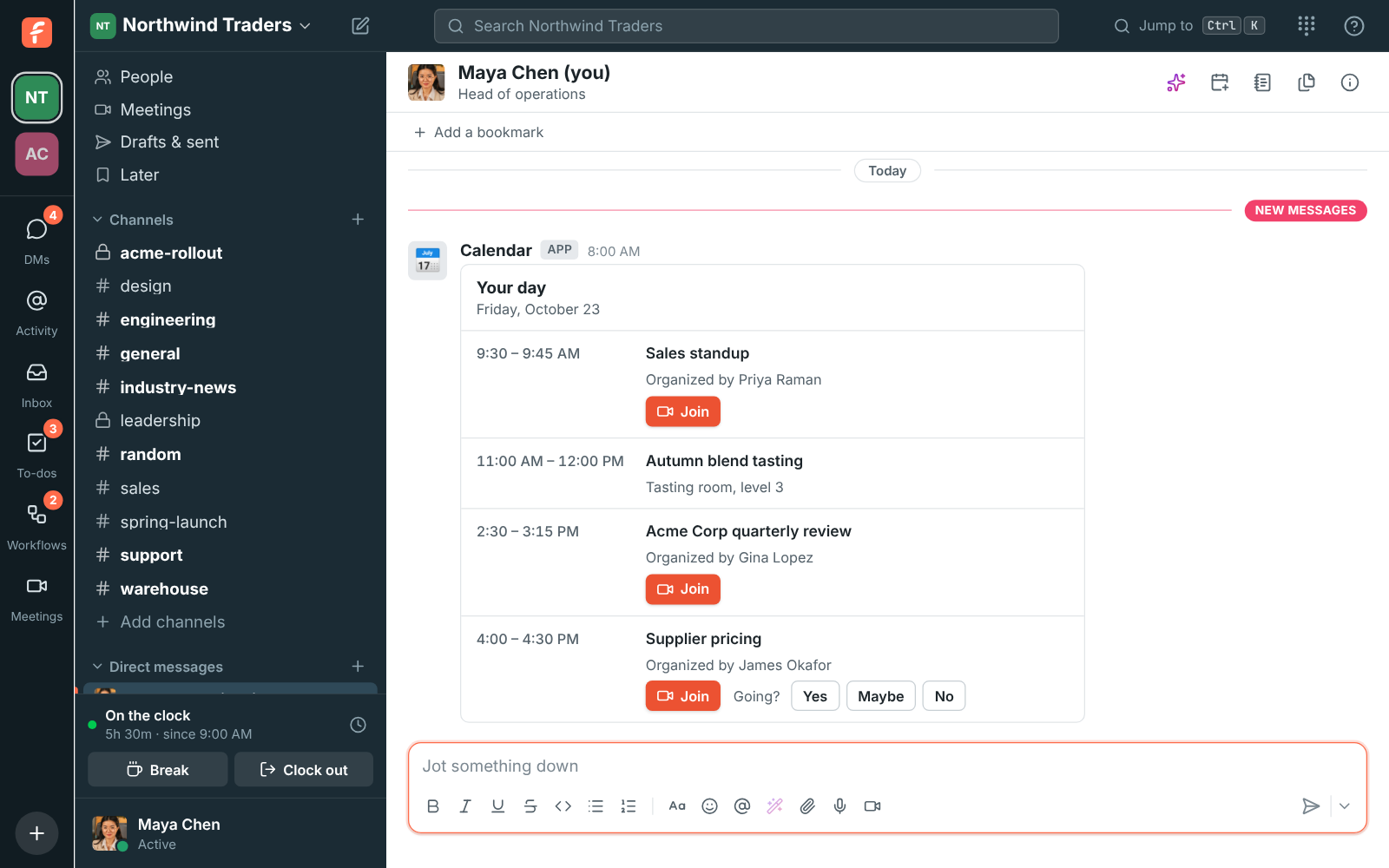
Under Calendar app in Preferences, click Turn on the Calendar app and let Freesbe read your calendars and events. Pick what you get: the daily agenda and when it comes, a reminder before meetings, and invitations and changes. Messages come from Calendar in your DM with yourself. Zoho doesn't let other apps answer invitations, so instead of Yes, Maybe and No the message has Open in calendar.

The morning agenda with the day's meetings and Join buttons

See it on your own team's data.

Start free with up to 10 people and try it today, or book a 20-minute demo with the people who make Freesbe.

Private, and read only

Without the Calendar app, Freesbe only asks for your name, email address and free/busy times, and never sees your meetings' titles, places or who's in them. With it on, Freesbe reads your events when a message is due and doesn't keep them. Zoho's access is kept encrypted, Freesbe never makes, changes or deletes anything in your calendar, and Disconnect gives the access back straight away.

Plans and pricing

Zoho Calendar is built and on its way. When it's on, it comes with Business, Corporate and Enterprise.

  • BusinessUp to 500 people
  • CorporateUp to 2,500 people
  • EnterpriseOver 2,500 people

Questions

Which plans include it?
The plans that include calendar free/busy. Zoho Calendar is built and coming soon.
Which Zoho data centers work?
All of them: the United States, Europe, the United Kingdom, India, Australia, Japan, Canada, Saudi Arabia and China. Freesbe talks to Zoho in your own data center only.
Can I answer invitations in Freesbe?
Not for Zoho Calendar. Zoho doesn't let other apps answer invitations, so the message has Open in calendar, which opens the event in Zoho Calendar to answer it there.
Can admins turn the Calendar app off?
Yes, for the whole workspace, in Workspace settings, Integrations, Calendar. Guests can't use it.

Bring your tools, and your team.

Free for up to 10 people, no card and no time limit. Connect what you already use in an afternoon.