Freesbe

Run the team

All plans

Your mentions, replies and to-dos, next to the chat.

Two buttons in the rail keep you on top of the day. Activity collects every mention of you, replies in your threads and calls you missed. To-dos is a list only you can see, grouped by what is overdue, due today or coming up, with notes, due dates and a way to turn any message into a to-do.

  • Every mention and thread reply waits in one place, with a count on the button.
  • A message becomes a to-do in two clicks, with a link back to where it came from.
  • Notes under a to-do hold the links, steps and checklist, formatted like a message.
  • AI writes the notes or plans the steps, with a due date it found in the text.
  • Nobody else sees your list, admins included.

For Anyone who gets mentioned more than they can keep in their head.

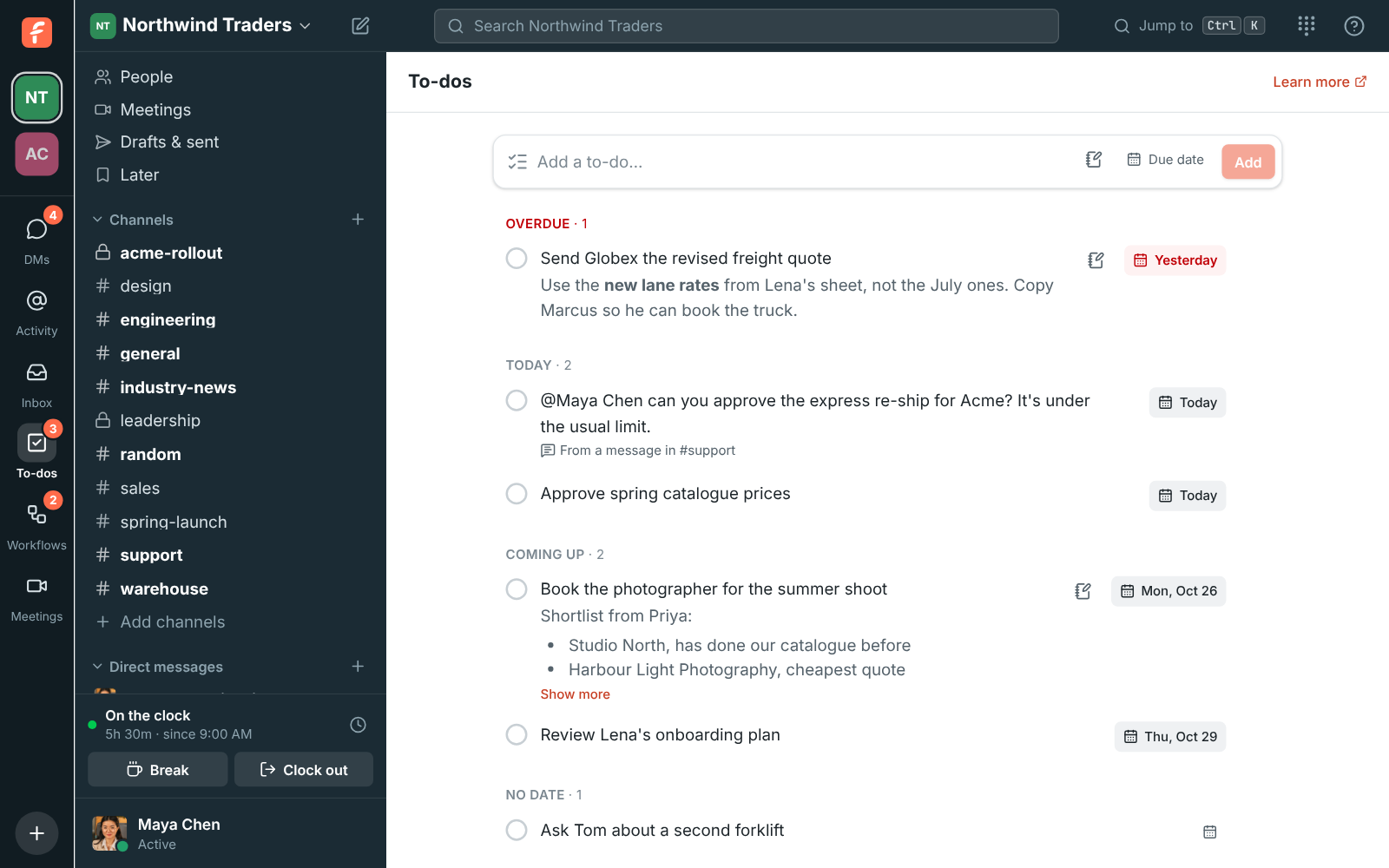
The To-dos page: one overdue, two due today, one made from a message in #spring-launch, two coming up and one with no date

Everything addressed to you, in one list

Activity gathers messages that mention you, @channel or @here, replies in threads you started or replied in, and huddles in your DMs that you missed, with a Call back button. Narrow it to Mentions or Thread replies, or open Calls for the huddles and phone calls you took, made and missed. Click an item to open the message or its thread. The count on the button is your unread mentions; unread DMs are counted on the DMs button instead.
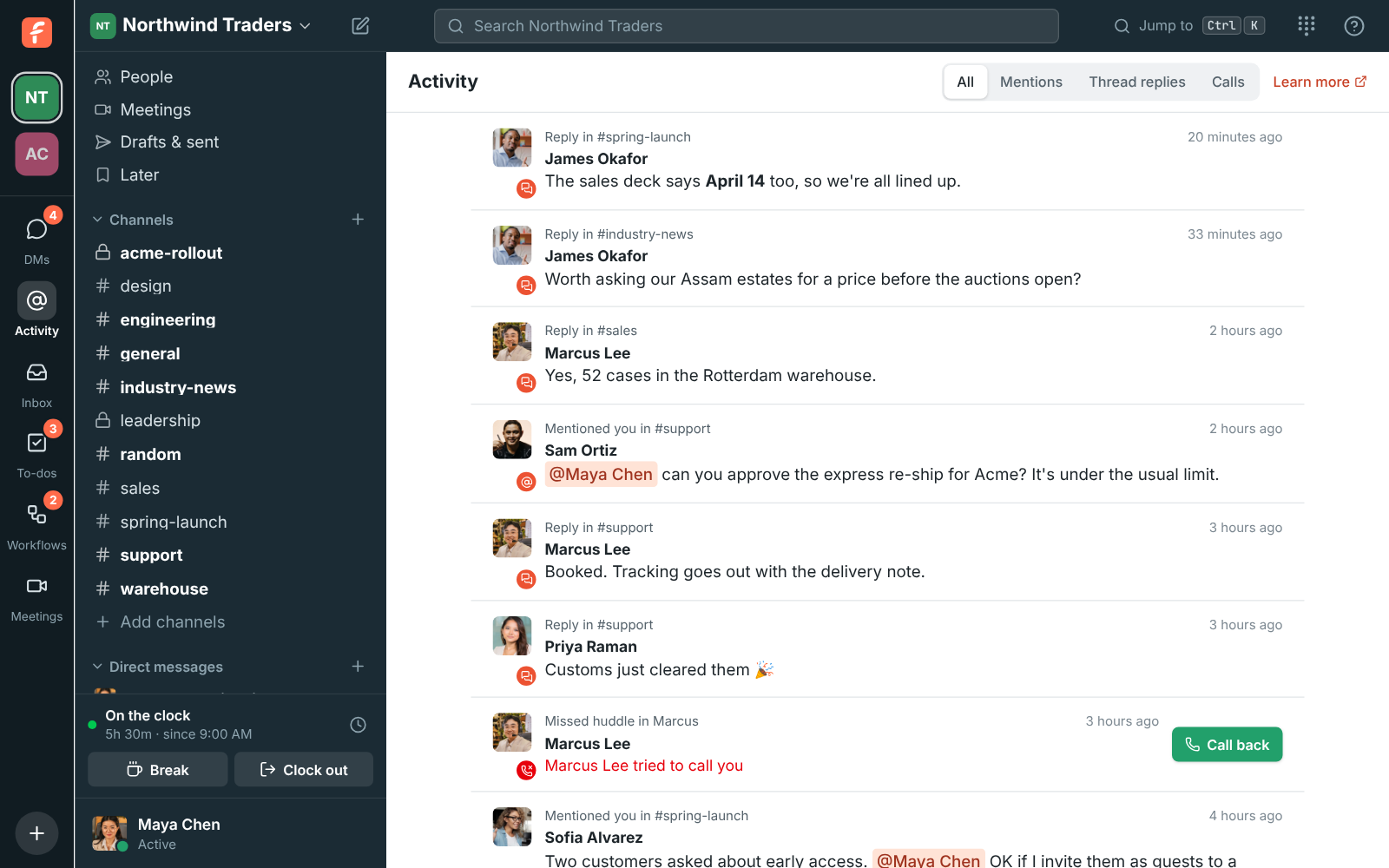
The Activity page with mentions from Sofia, Tom and Marcus and thread replies from Lena, Sofia and Marcus

A to-do list that is yours alone

Type a to-do, pick Today, Tomorrow, End of this week, Next week or a date, and press Enter. The list groups itself into Overdue, Today, Coming up and No date; tick the circle to finish one, and Show done brings it back. The button on the rail counts what is due today or overdue. There is one list per workspace and nobody else can see it, admins included. It works in every language Freesbe speaks, right-to-left ones too.

The To-dos page grouped into Overdue, Today, Coming up and No date

See it on your own team's data.

Start free with up to 10 people and try it today, or book a 20-minute demo with the people who make Freesbe.

Turn a message into a to-do

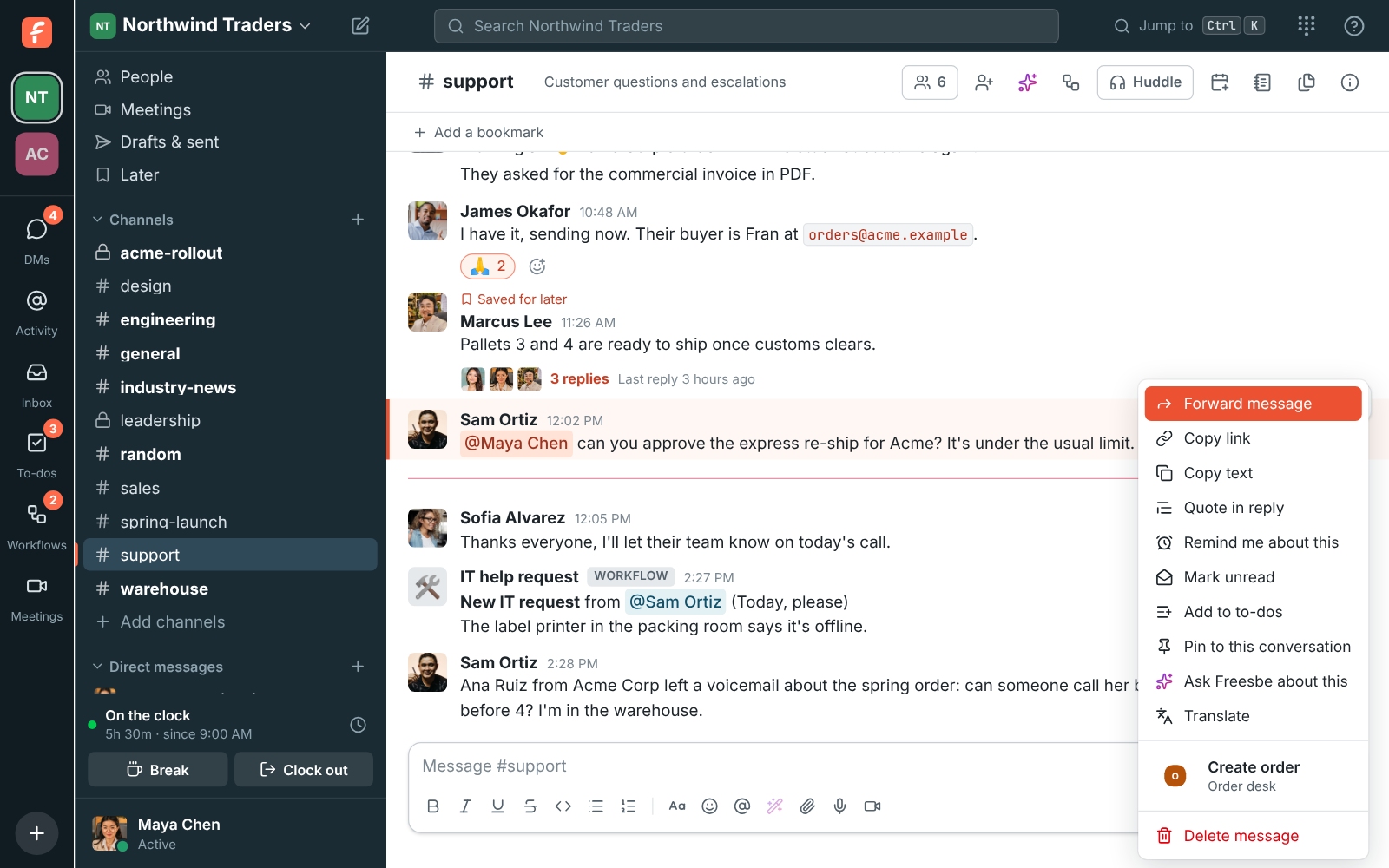
Point at any message, click the three dots and choose Add to to-dos. The to-do takes the message's text and keeps a From a message in link that jumps back to it. When the message is long, the first part becomes the title and the whole message, formatting and all, goes in the notes. On the phone, press and hold a message and tap Add to to-dos; your list is under You, To-dos.

The message menu on a message in #spring-launch, with Copy link, Add to to-dos and Delete message

Notes with the details

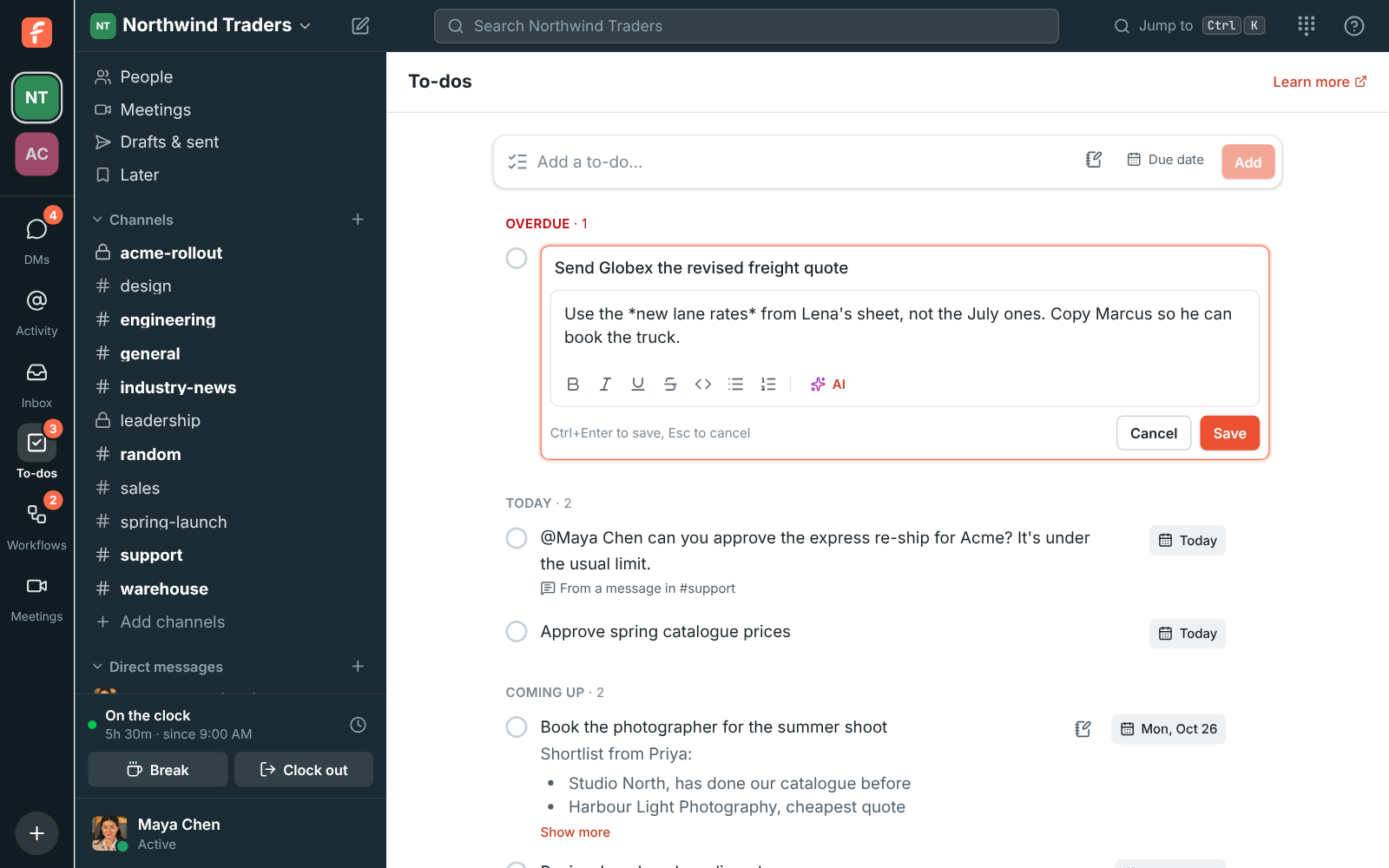
Every to-do has a short title and can have notes underneath for the links, the steps, who to ask, or a whole checklist. Notes take the same formatting as messages: bold, italic, lists, links, @mentions and emoji, up to 10,000 characters. In the list, notes show under the title; long ones are cut to a few lines with Show more.

The To-dos page with the editor open: the title on top, notes with bold text underneath, and formatting buttons

Let AI plan it

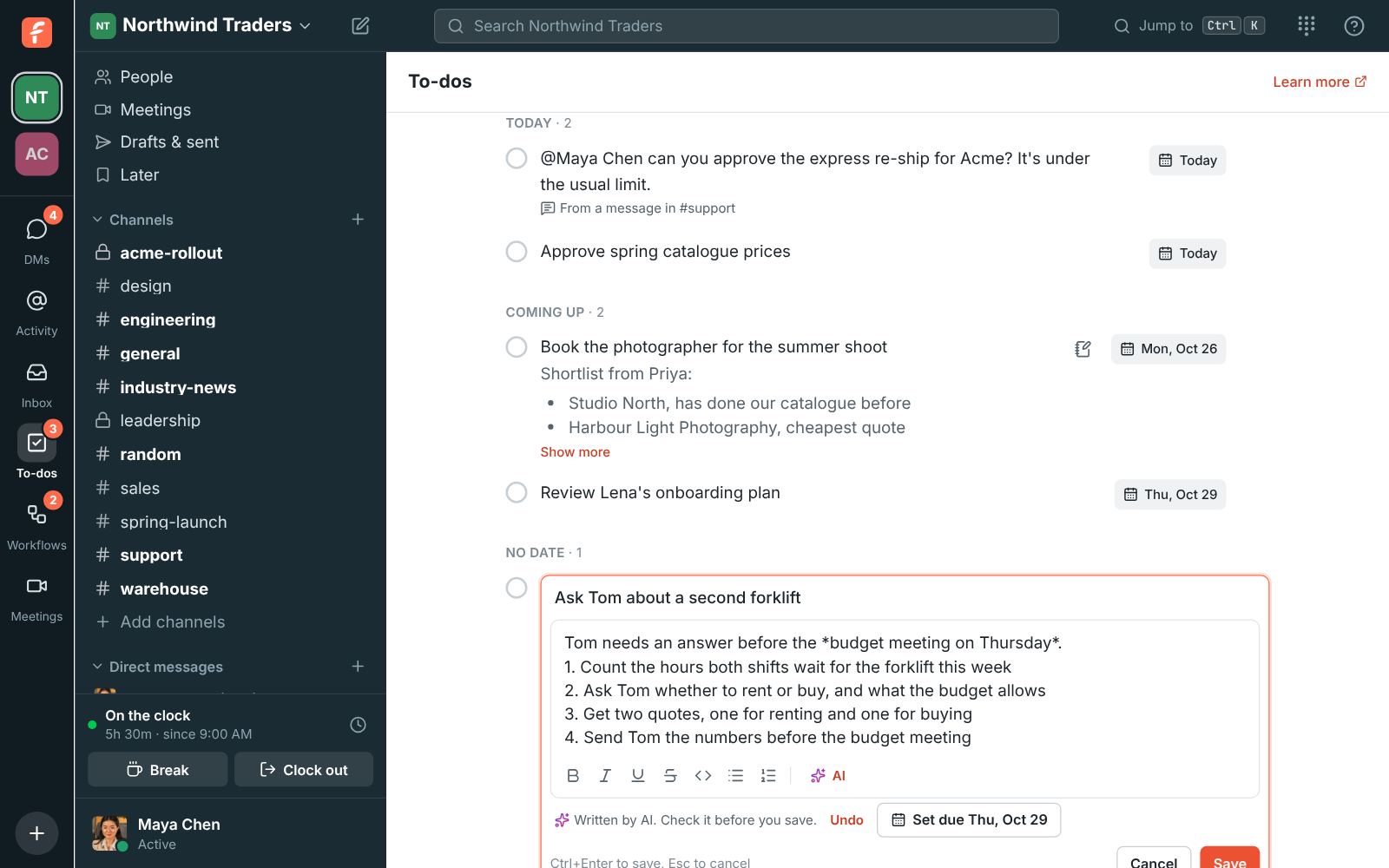
Click AI under the notes box. Help me write turns the title into notes: what done looks like, what to remember, and the questions to answer first. Plan it breaks the to-do into numbered steps and, when the text says when it's needed, offers Set due with that date. On a to-do made from a message, Sum up the conversation adds what the thread says you need to know. The answer appears as it's written, Undo puts back what was there, and nothing is saved until you click Save.

A to-do planned by AI: a line on the budget meeting, four numbered steps, Written by AI with Undo, and a Set due button

Plans and pricing

To-dos and Activity is included in every plan, including Free.

  • FreeUp to 10 people
  • BusinessUp to 500 people
  • CorporateUp to 2,500 people
  • EnterpriseOver 2,500 people

Questions

Which plan includes this?
Every plan, including Free. The AI help with notes counts toward the workspace's monthly AI allowance, which grows with the plan.
Can my manager or an admin see my to-dos?
No. To-dos are a list only you can see, one per workspace. A workflow can add a to-do to your list, and an AI agent you connected can read and complete your to-dos if you allowed it, but no person can open your list.
Does Freesbe remind me when a to-do is due?
No. The To-dos button counts the to-dos that are due today or overdue, and the list groups them, but there are no reminder notifications.
Do to-dos work on my phone?
Yes. Your list is under You, To-dos in the phone app, and pressing and holding any message offers Add to to-dos.

Try all of it free with up to 10 people.

No card, no time limit. Invite your team and see what sticks.