Freesbe

Run the team

All plans

Approvals and requests that run themselves.

A Freesbe workflow starts from something that happens, such as a button, a schedule, a reaction, a webhook from another app or someone clocking in, and runs its steps in order: post a message, send a form, ask for approval, add a to-do, wait. Templates cover time off, expenses, IT requests and onboarding, and every run is listed.

  • Approvals land as a Review button in the approver's DMs, with reminders and a deadline.
  • Requests come in through a form, so every IT ticket or time-off request has the same fields.
  • Reminders and stand-ups post themselves every weekday, in the time zone you pick.
  • Zapier, Make, n8n or your own script starts a workflow with one POST.

For Operations, HR and IT teams who approve, remind and onboard in the chat.

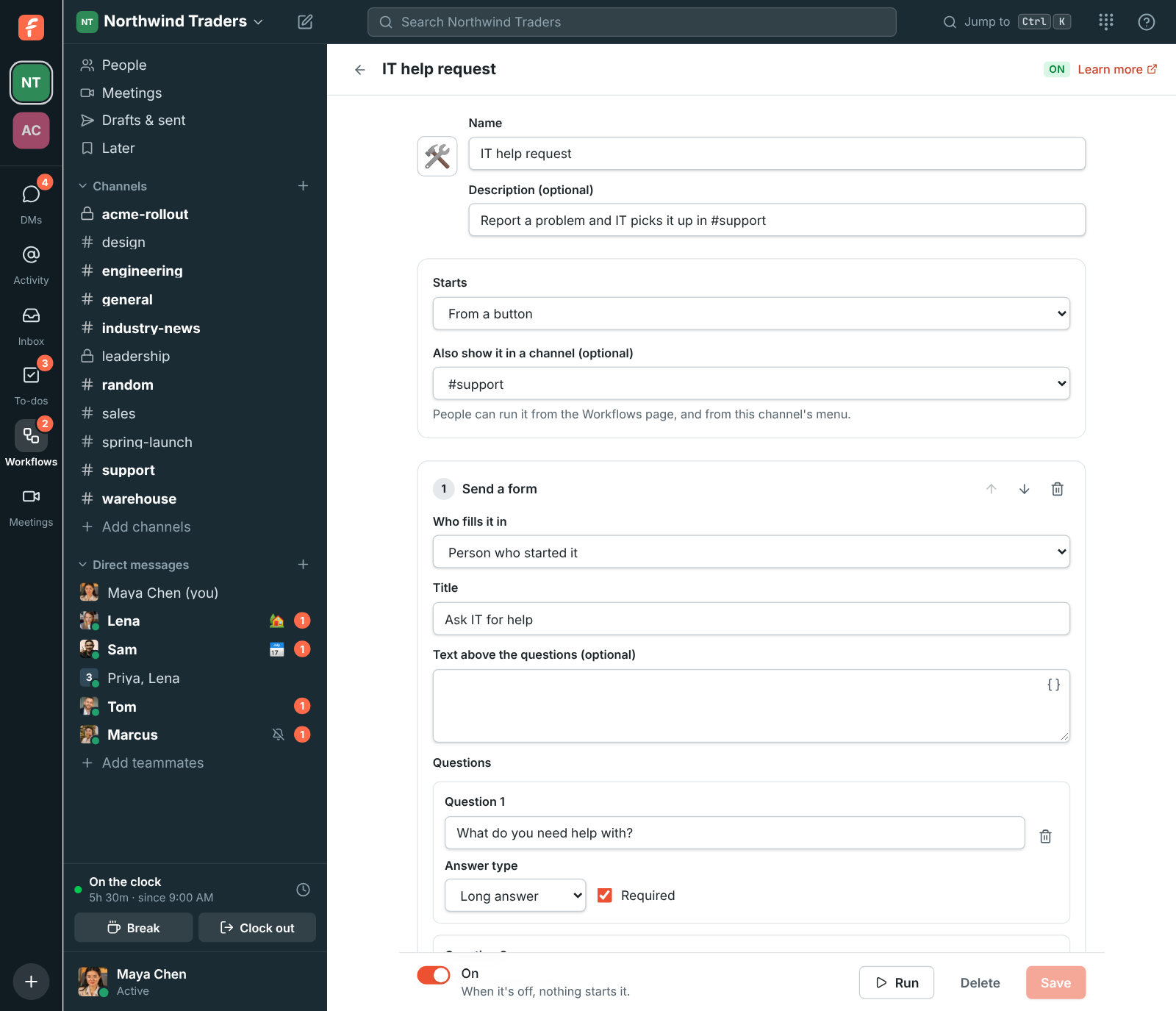
The workflow builder: a form step, then a message to #support, then a to-do for Tom

Start from what happens

A workflow starts from a button on the Workflows page or at the top of a channel, a time on a schedule, an emoji reaction, someone joining a channel, certain words in a message, or a webhook from another app. It also starts from Freesbe itself: someone clocking in or out, a booking through your page, a meeting or huddle ending, a missed call, or a to-do from another workflow being ticked off.
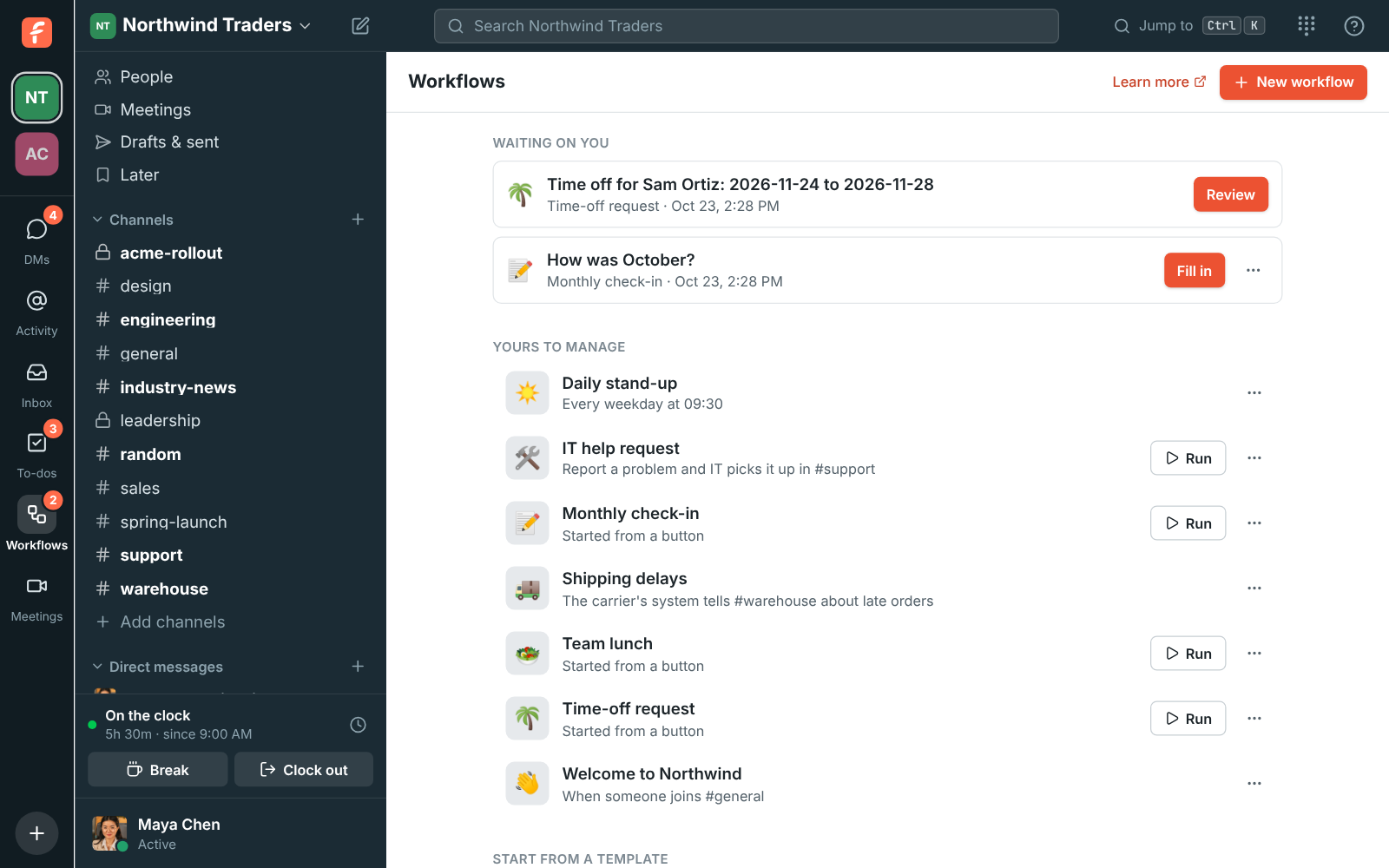
The Workflows page: a form waiting on you, the workspace's workflows and templates

Collect requests with a form

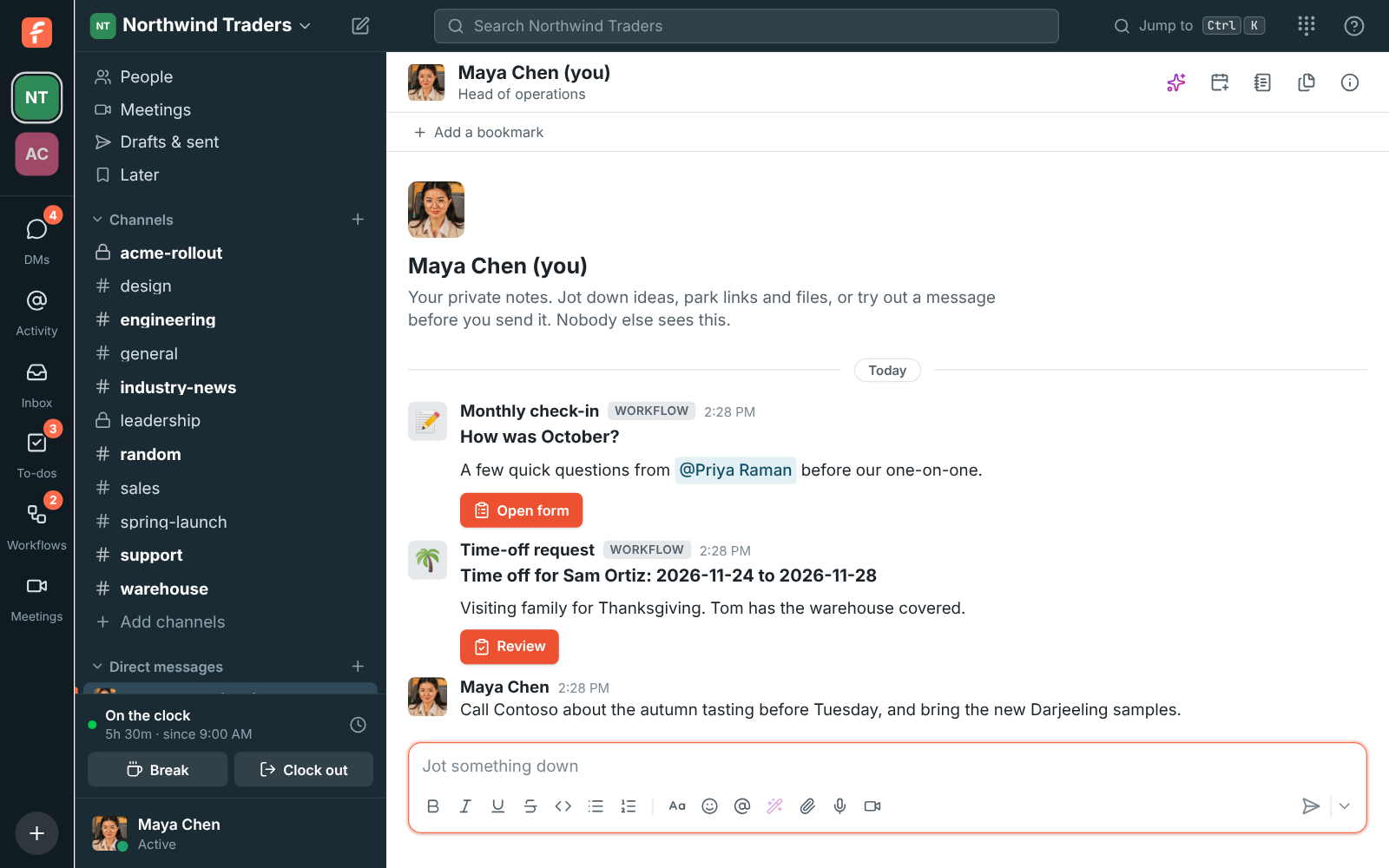
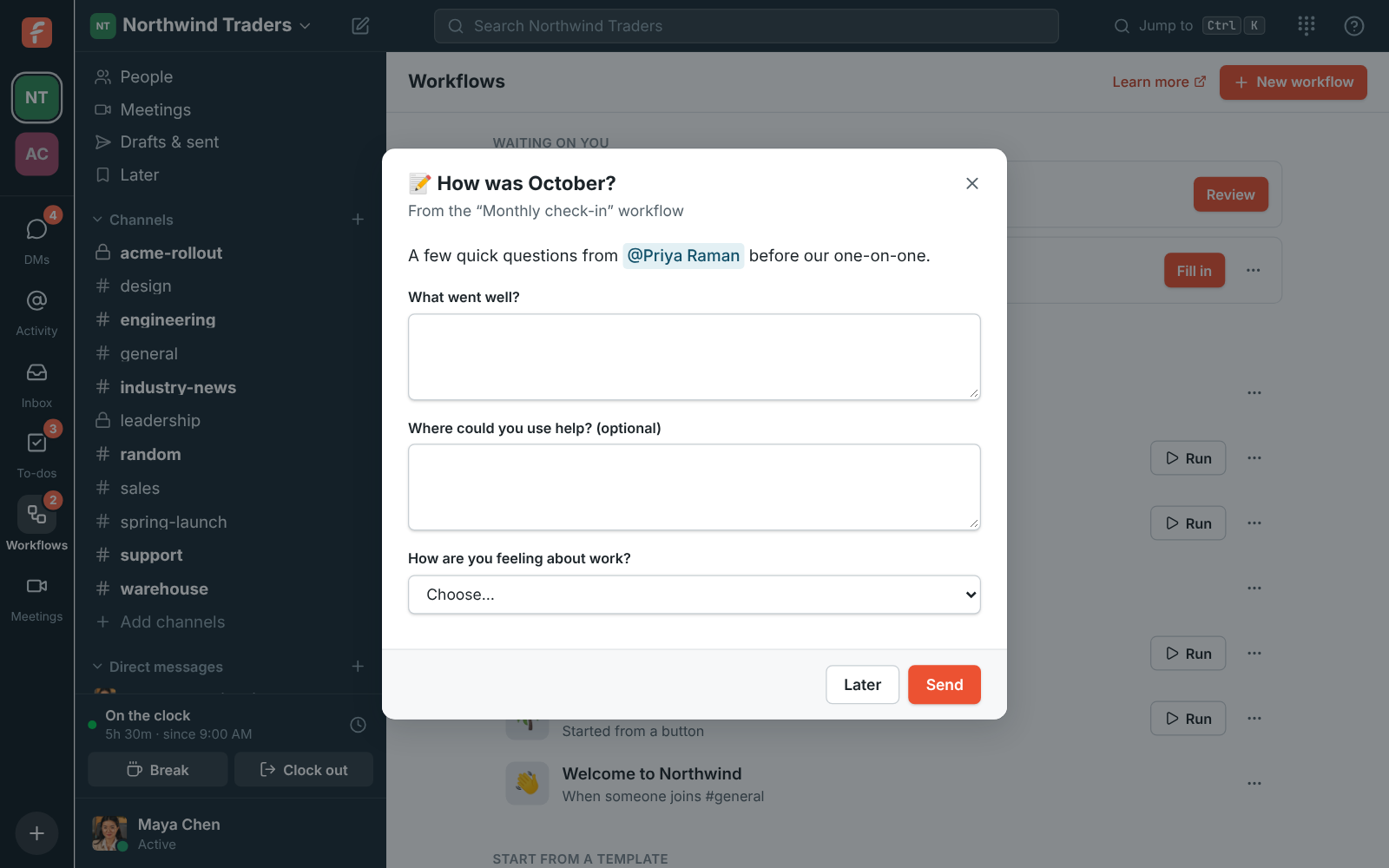
A Send a form step asks one person short or long answers, a number, a date, a choice from a list or a person, and the workflow waits until they send it. Whoever clicked Run sees the form at once; anyone else gets a DM with an Open form button and a line under Waiting on you. Every answer becomes a variable for the steps that follow, so the request can be posted to #support with the details filled in.

A form from the Monthly check-in workflow

See it on your own team's data.

Start free with up to 10 people and try it today, or book a 20-minute demo with the people who make Freesbe.

Approvals with reminders and a deadline

Ask for approval sends up to 10 people a DM with the request and a Review button. They add a comment and click Approve or Reject. Choose whether any one of them decides or all of them must agree, remind anyone who hasn't answered, and set what happens after 1 hour to 30 days with no answer: reject, approve, or send it to someone else. Once decided, the card says who decided, so nobody answers twice.

  • Time-off request and Expense approval templates come ready to change
  • The decision, the person and their comment carry into later steps
The approval card a workflow sends, with its Review button

If this, then that

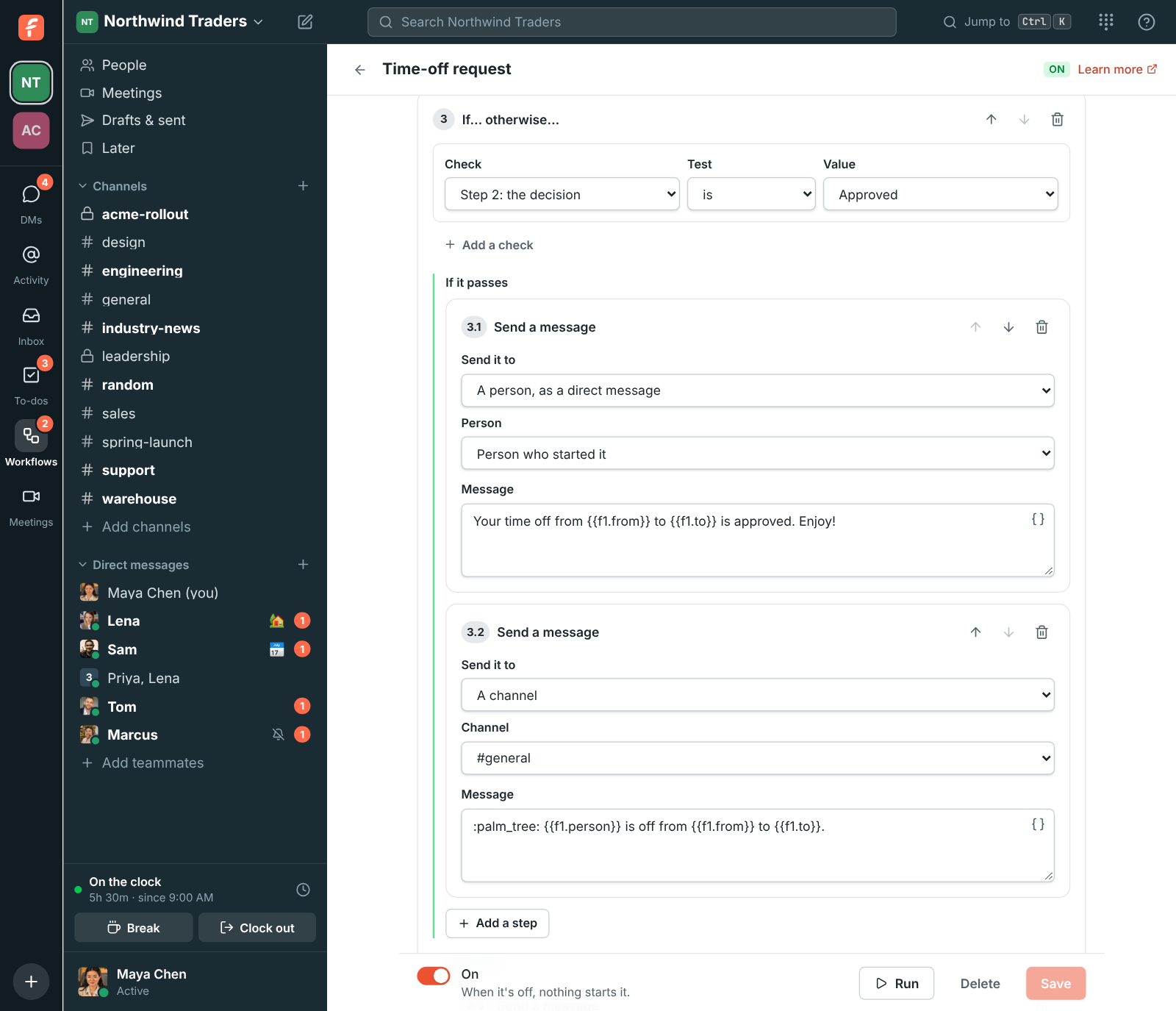
An If… otherwise… step checks a form answer, a decision, a button choice or who started the workflow, with tests such as is, contains, is more than or is empty, and runs one list of steps or the other. Numbers and dates compare as numbers and dates, so is more than 500 works on an expense amount. Add a to-do due today or tomorrow, wait minutes, hours or days, or set someone's status for up to a week.

An If step that checks the approval and sends a different message for each answer

Every run, step by step

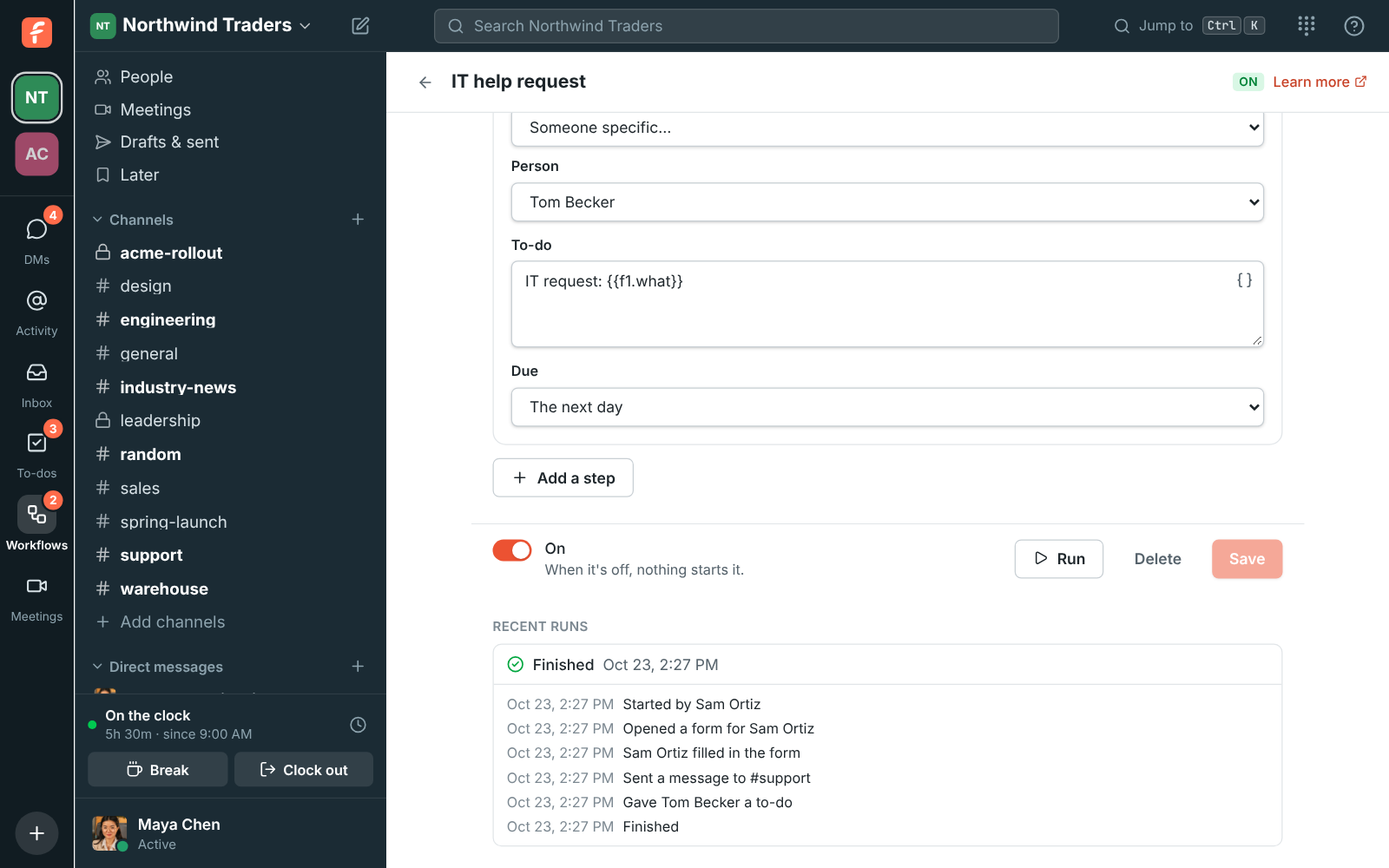
The builder lists the last 50 runs, newest first. Open one to see what each step sent, who filled in a form, and where it stopped. A run that is waiting on a form, an approval or a question can be stopped. A run that stopped with a problem says why, such as an archived channel; fix the workflow and the next run uses the new version. A workflow starts at most 200 runs an hour, so a loop can't run away.

Recent runs: a finished run of the IT help request workflow, step by step

Plans and pricing

Workflows is included in every plan, including Free. Every plan includes a number of workflows that grows with the plan; the full list is at /pricing/limits/.

  • FreeUp to 10 people
  • BusinessUp to 500 people
  • CorporateUp to 2,500 people
  • EnterpriseOver 2,500 people

Questions

Which plan includes this?
Every plan, including Free. Each plan includes a number of workflows, and the number grows with the plan; /pricing/limits/ lists them all.
Who can make workflows?
Members make workflows and change or delete their own; admins can change, turn off or delete any of them and see every run. An admin can limit making workflows to admins. Guests can't make or run them.
Can a workflow start from another app?
Yes. Pick From a webhook, list the variables the other app sends, and Freesbe gives the workflow its own URL. Zapier, Make, n8n and most tools send a POST with a JSON body from a webhook or HTTP request action, and each key becomes a variable in your steps.
What happens when the person who made a workflow leaves?
Workflows run as themselves, not as their maker, so they keep running. An admin can change or delete them.
How do people know a message came from a workflow?
Messages a workflow posts show its name and emoji with a Workflow label. Anything someone typed into a form is shown as plain text, so an answer can't mention @channel.

Try all of it free with up to 10 people.

No card, no time limit. Invite your team and see what sticks.