Freesbe

AI

All plans

Catch up on a channel in a paragraph.

Back from a day off, or dropped into a thread with 40 replies? Summarize channel reads everything since you last read, the last day or the last week, and gives you where things stand, what was decided and who is waiting on whom. Each point links to the message it came from. Only you see it, and nothing is posted.

  • A morning of messages becomes a few lines, in the time it takes to read them.
  • Every point has an arrow to the message behind it, so you can check before you act.
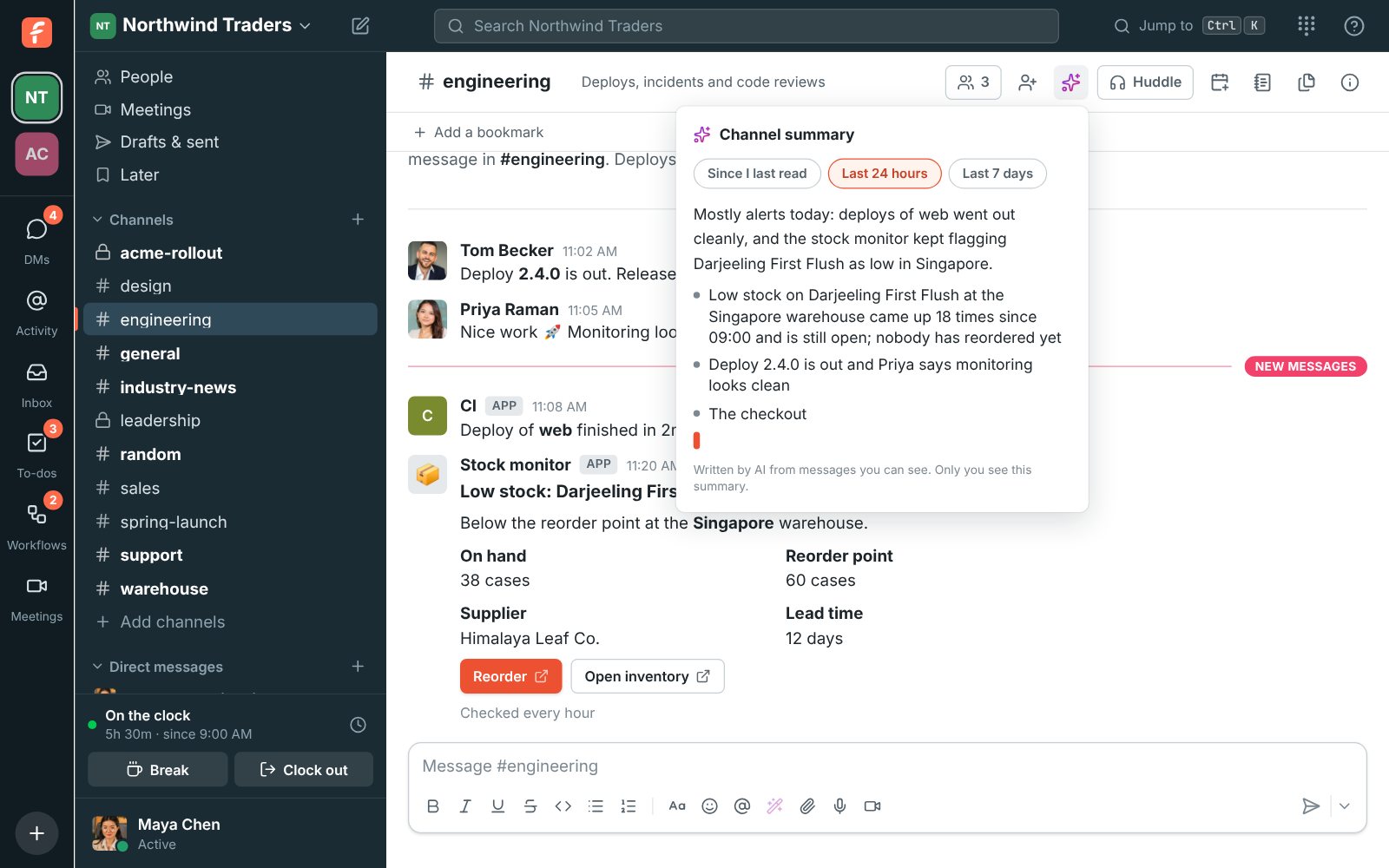
  • Alert channels summarize in seconds: a repeated alert is read once and counted.
  • Asking again reads only what's new, and a kept summary costs no request.
  • Nobody sees that you asked.

For Anyone in more channels than they can read, and managers who come back to a full inbox.

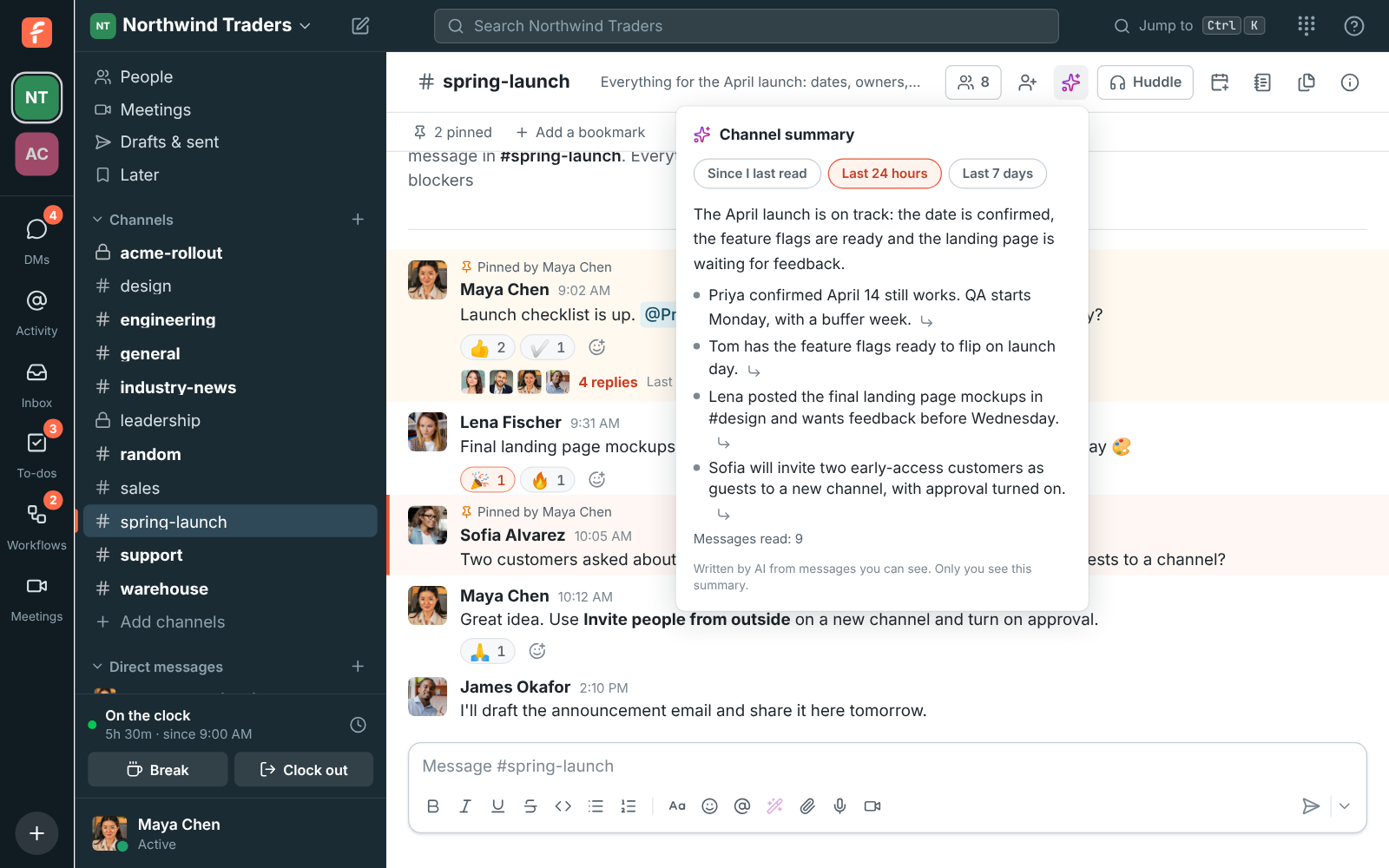
#spring-launch with its channel summary open: the launch is on track, with points on the launch date, the feature flags and the landing page mockups

Since you last read, or the last day or week

Open the channel and click the sparkles at the top. Pick Since I last read, Last 24 hours or Last 7 days. The summary starts with a sentence or two on where things stand, then the main points. Click the arrow after a point to jump to the message it came from, even when that message is a reply inside a thread. It works in direct messages and group DMs too.
A channel summary of #spring-launch with its points linked to the messages behind them

A whole thread in one go

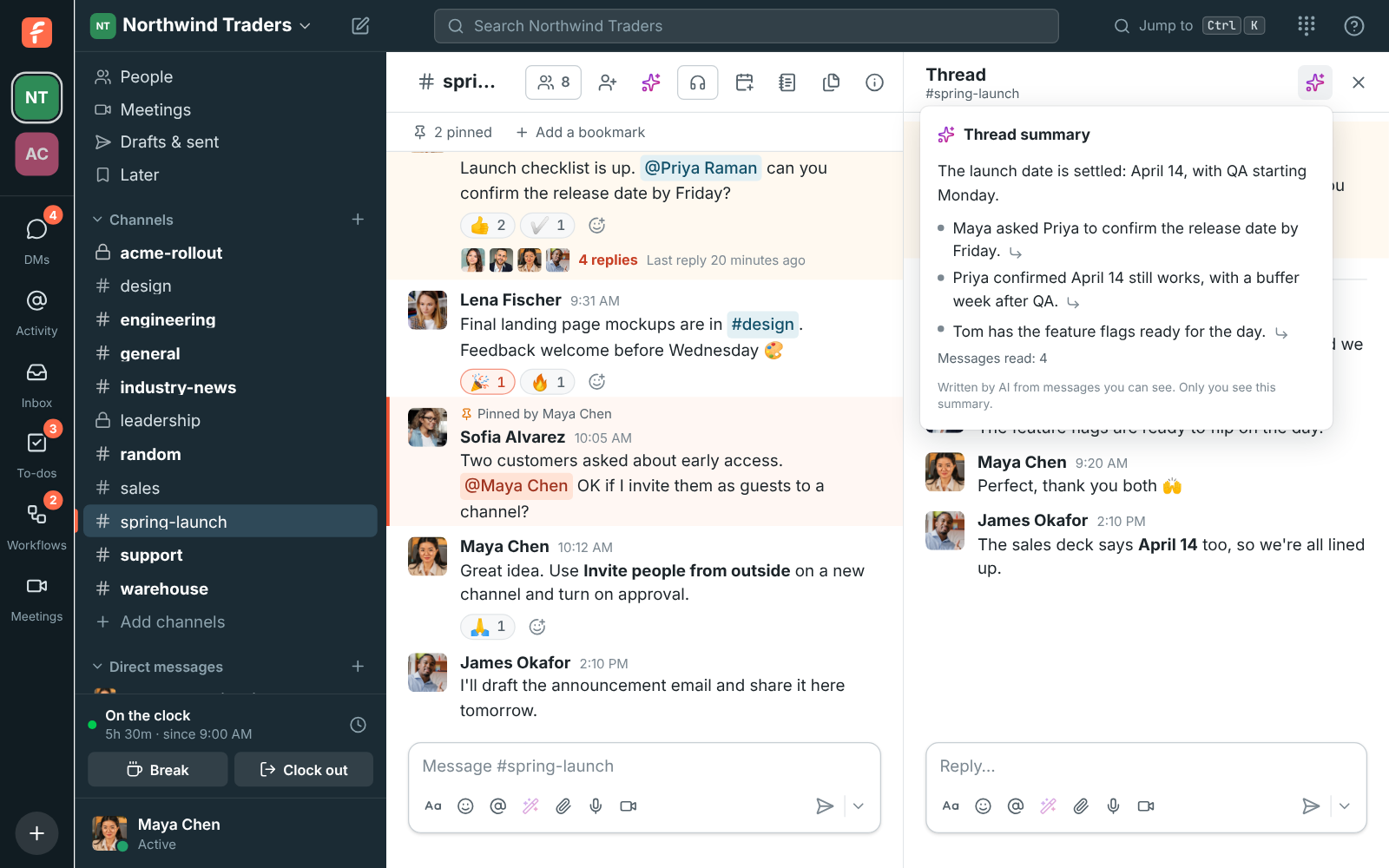
Open a thread with dozens of replies and click Summarize thread. The summary covers the message that started it and every reply, so you get the outcome and the open questions without scrolling. Each point links back to the reply it came from. Freesbe keeps the summary, so a colleague who can read the same thread and asks for it gets it at once, and it is made only from messages they can read too.

A thread in #spring-launch with its summary: the launch date is settled on April 14, with points from Maya, Priya and Tom

See it on your own team's data.

Start free with up to 10 people and try it today, or book a 20-minute demo with the people who make Freesbe.

Busy channels and alert floods

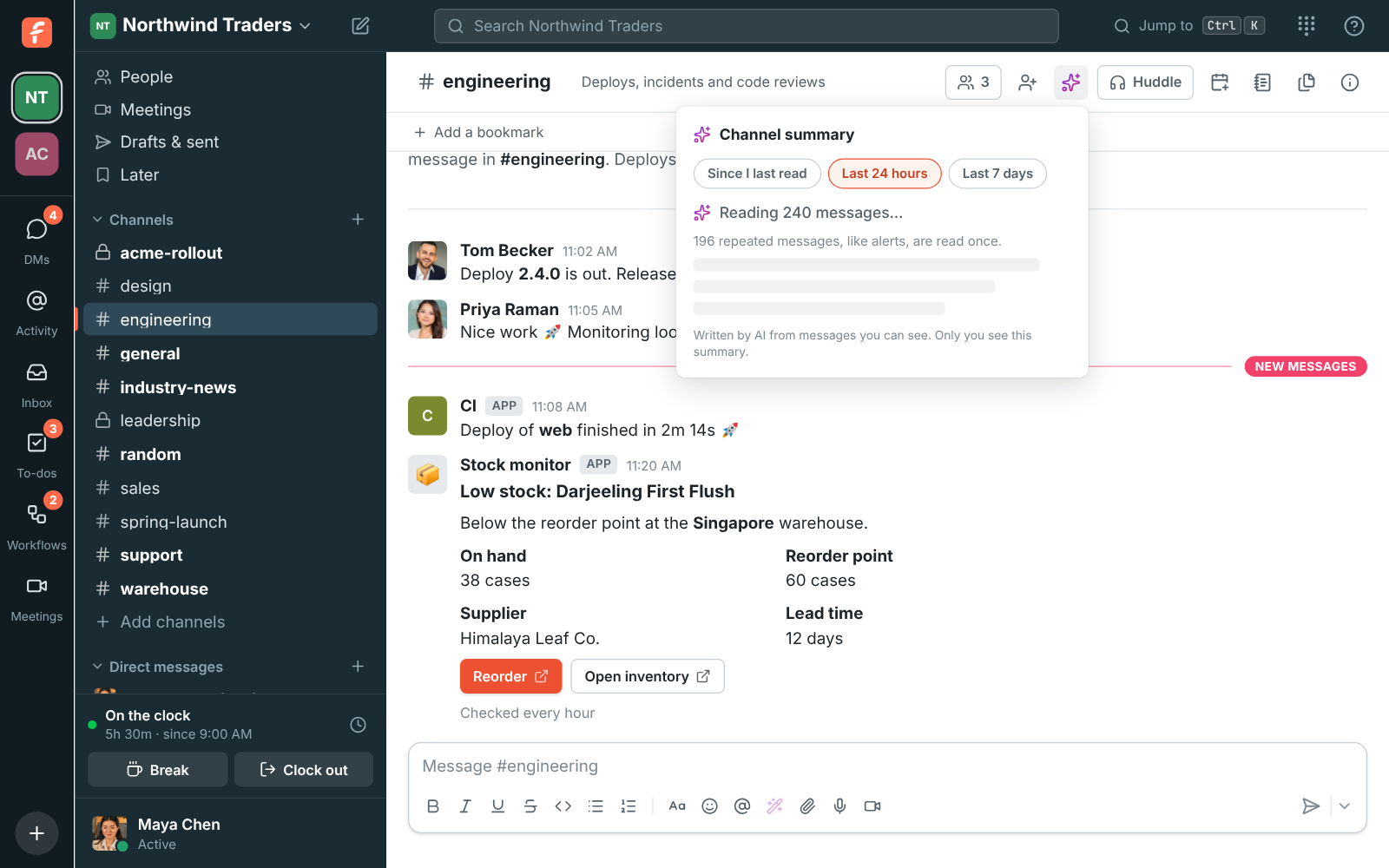
You see what Freesbe is doing as it works: first how many messages it's reading, then the summary as it's written, so you can start reading before it's done. Channels where monitoring tools post the same alert over and over are quick to summarize: a message that repeats with only numbers or times changing is read once, with a note of how many times it came and for how long. The summary says which problems are still open and which were resolved.

The channel summary of #engineering starting: Reading 240 messages, with 196 repeated messages like alerts read once

Ask again and it only reads what's new

Freesbe keeps the summary. Ask again with nothing new in the channel and you get it at once, marked Up to date. When there are new messages, it reads only those and adds them, which is much quicker than reading everything again, and a kept summary doesn't count as another AI request. If a message the summary used is edited or deleted, the conversation is read again next time. A kept summary is shown only to people who can read the same conversation.

The summary of #engineering being written: an overview of the day's alerts and the first points, with more on the way

Plans and pricing

Channel and thread summaries is included in every plan, including Free. Every plan has a monthly allowance of AI requests that grows with the plan; admins can turn any AI feature off.

  • FreeUp to 10 people
  • BusinessUp to 500 people
  • CorporateUp to 2,500 people
  • EnterpriseOver 2,500 people

Questions

Which plan includes this?
Every plan, including Free. Each summary, translation, rewrite or answer counts as one AI request from the workspace's monthly allowance, which grows with the plan; /pricing/limits/ lists them. Guests can't use AI features.
What can the AI see?
Only the channel or thread you asked about, and only if you can open it yourself. It never reads other channels, private channels you're not in, or other people's DMs. Instructions inside messages are reported as something that person wrote, not acted on, and your messages aren't used to train models.
Does anyone know I asked for a summary?
No. Summaries appear on your screen and nothing is posted to the conversation. A Since I last read summary is kept for you alone.
Does every summary count as a request?
A new summary counts as one AI request. Asking again with nothing new returns the kept summary at no cost, and when there are new messages only those are read.

Try all of it free with up to 10 people.

No card, no time limit. Invite your team and see what sticks.