Freesbe

Call and meet

All plans

Say it without unmuting.

Tap an emoji and it rises from the corner of the call with your name under it, and pops up on your tile so people know whose it was. Raise a hand and a soft chime tells the others you'd like to speak. The meeting chat takes messages and files from everyone, guests included, and is kept after the call.

  • Agree, laugh or applaud without cutting across whoever is talking.
  • Take questions in order: raised hands line up at the top of People in the order they went up.
  • Share the agenda, a spreadsheet or a link in the call, and read it again afterwards.
  • Pick your skin tone once and Freesbe remembers it on this device.

For Teams who run all-hands, trainings and customer calls with more than a few people.

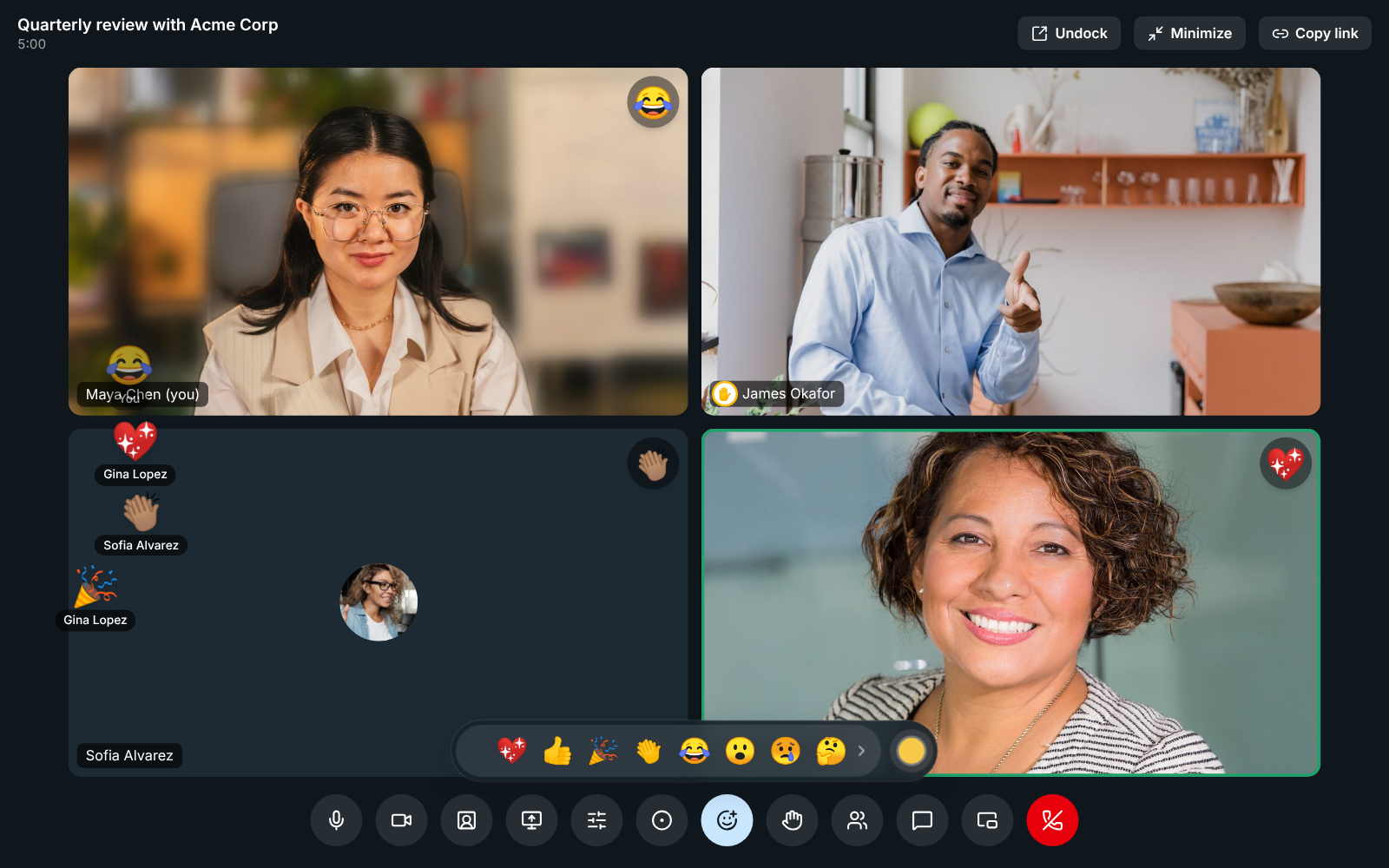
A meeting with the reaction bar open: a party popper, a heart, claps and a laughing face rise from the corner with names under them, and James Okafor has his hand raised

Reactions everyone sees

Click Send a reaction and tap one of nine emoji: a heart, thumbs up, party popper, claps, laughing, surprised, crying, thinking or thumbs down. It rises from the bottom corner of the call with your name under it and pops up on your tile for a few seconds. Each emoji moves its own way: the heart beats, the popper bursts, the hands clap. With reduced motion on, they line up in the corner and fade. Reactions aren't saved or recorded, and a burst of taps is spaced out.
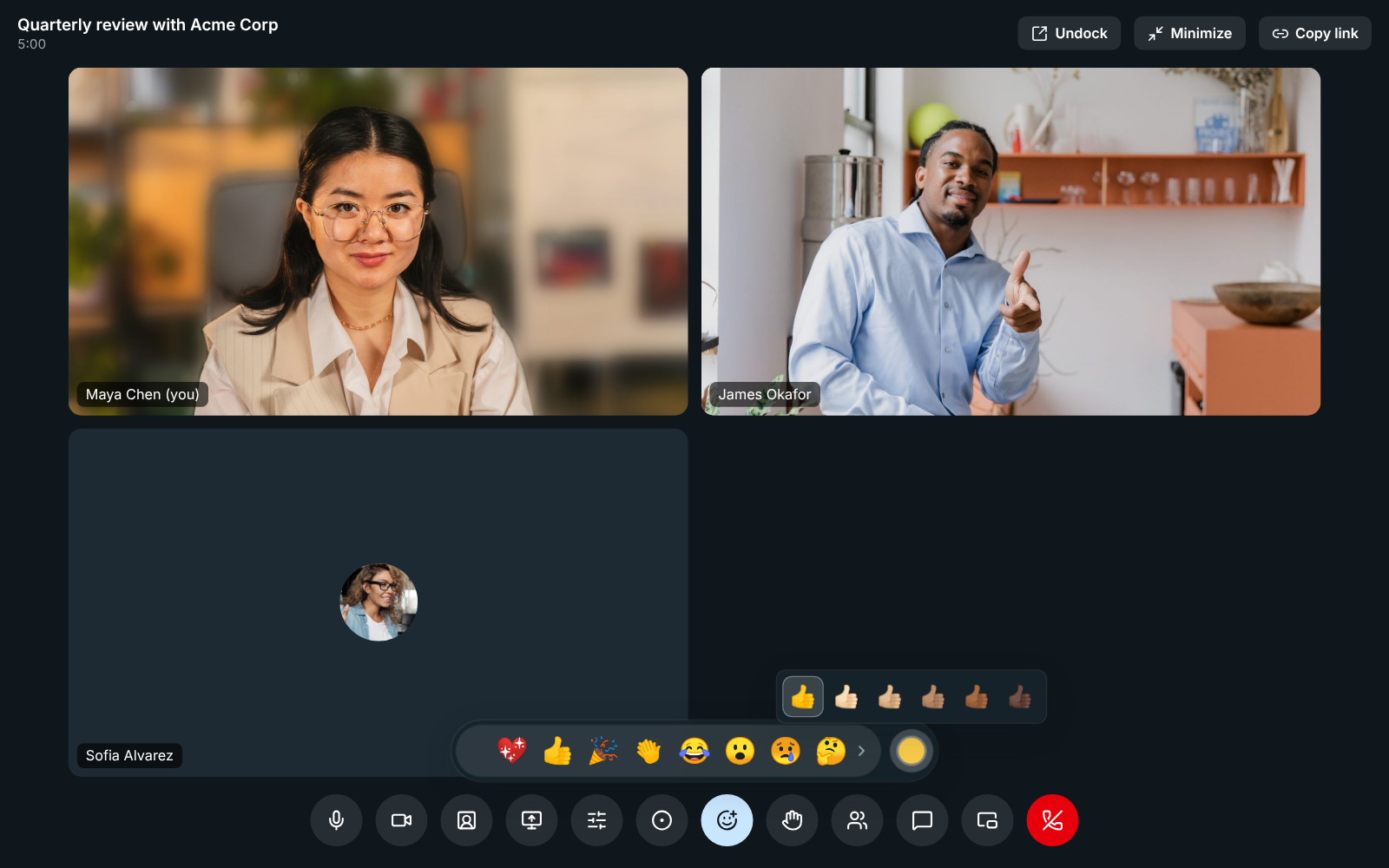
The skin tone picker open above the reaction bar: six thumbs up, from the default yellow to dark

Raise a hand, in meetings and huddles

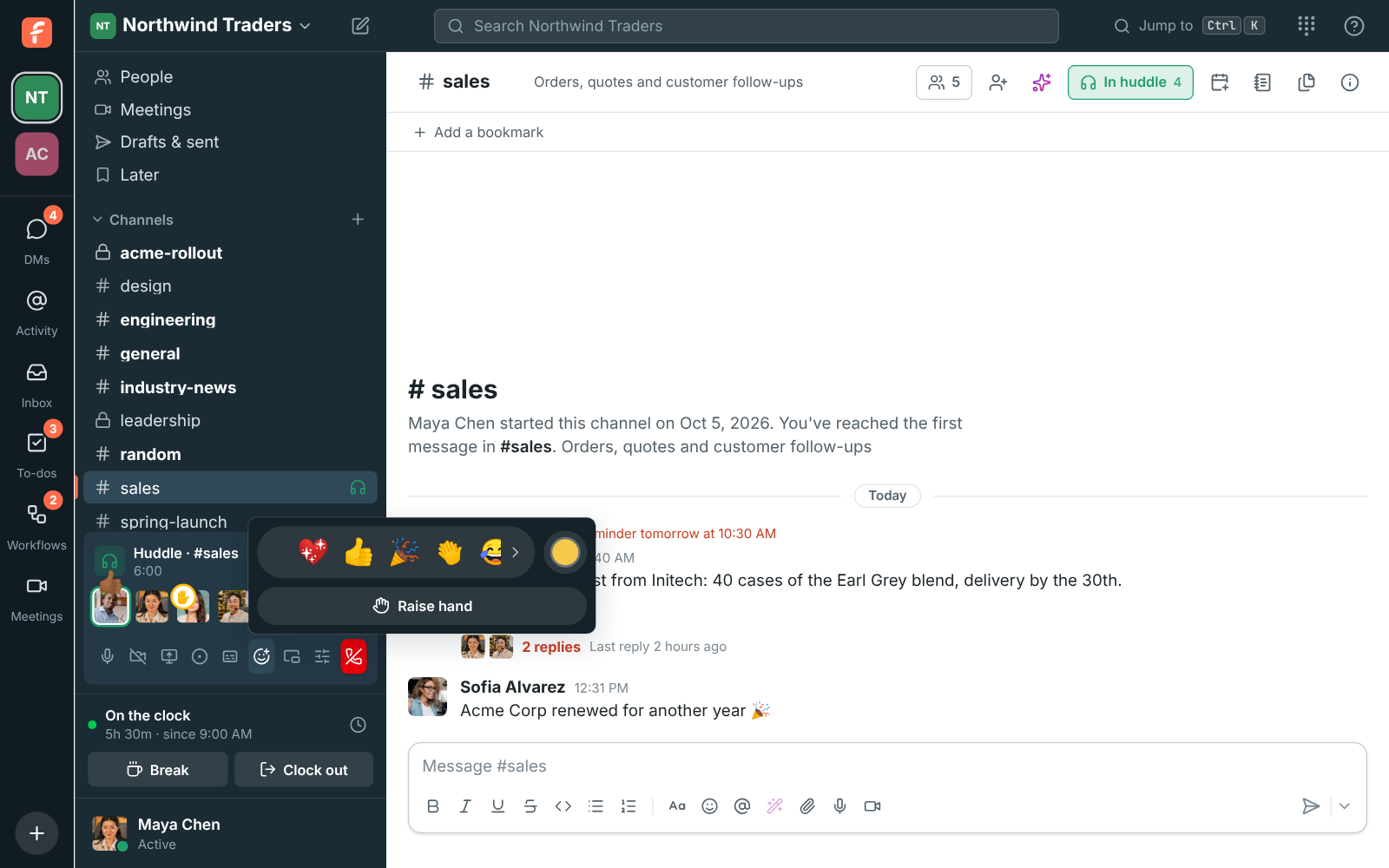
Raise hand puts a hand on your tile and tells the others you'd like to speak, without interrupting. Everyone else hears a soft chime, at most once every 10 seconds however many hands go up, and never for your own. Raised hands go to the top of People in the order they went up, and hosts and co-hosts can lower anyone's hand from there. In a huddle, the hand shows on your face in the huddle bar and the reaction floats up over it.

The reaction bar open from the huddle bar in #sales, with Raise hand under it, a thumbs up floating over James Okafor and Priya Raman's hand raised

See it on your own team's data.

Start free with up to 10 people and try it today, or book a 20-minute demo with the people who make Freesbe.

A chat for everyone in the call

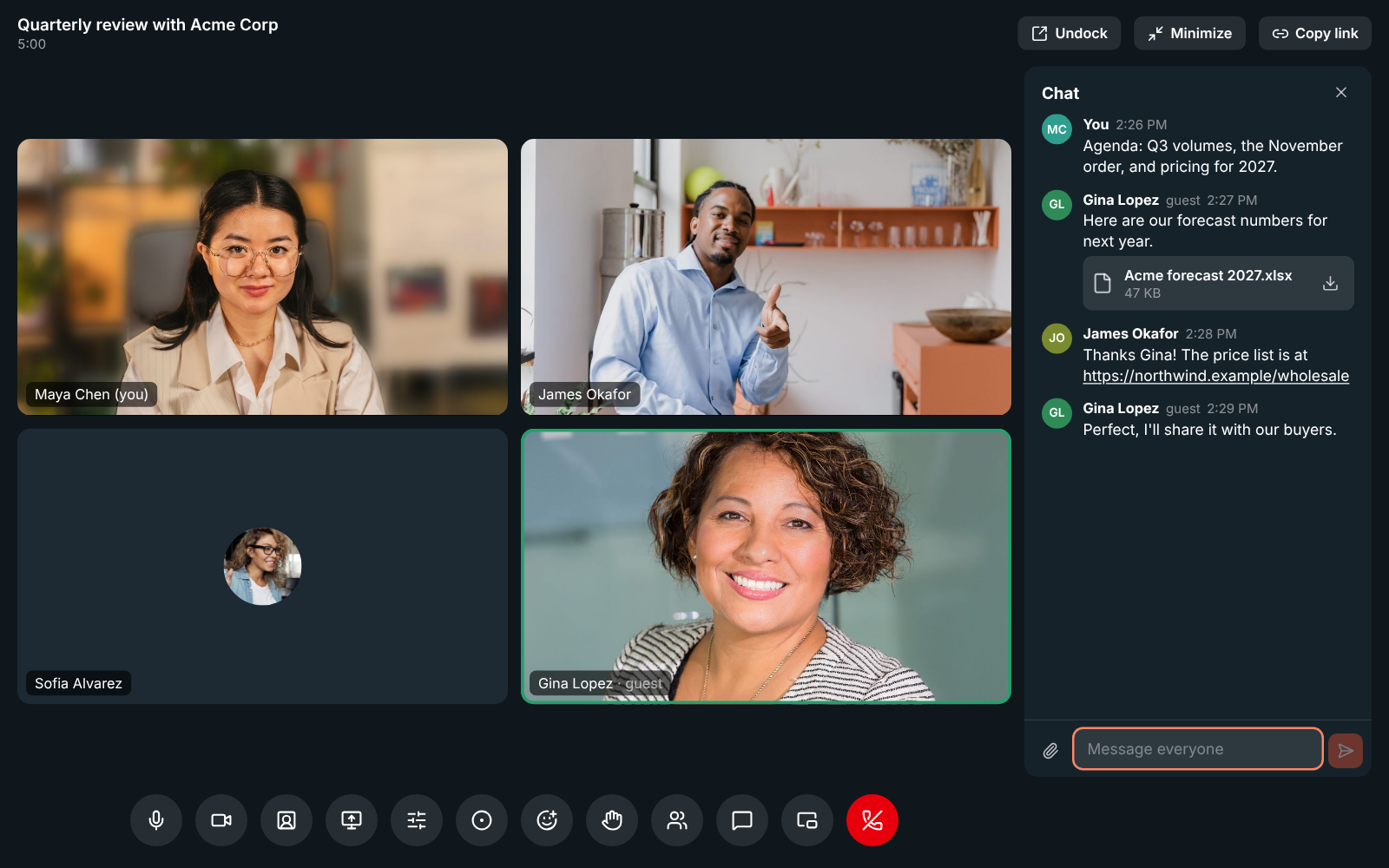
Click Chat to write to everyone in the meeting and share files: the paperclip, a drop onto the chat, or a pasted picture. Guests from outside can use it as soon as they're let in, and follow your workspace's file type rules for guests. Anyone who joins later sees everything written so far. While the chat is closed, new messages show briefly at the bottom of the screen and as a count on Chat, and on the corner card when you've minimized the meeting.

A meeting with the chat open: Maya's agenda, a spreadsheet Gina Lopez from Acme Corp sent, James's link to the price list, and the message box

Read the chat after the meeting

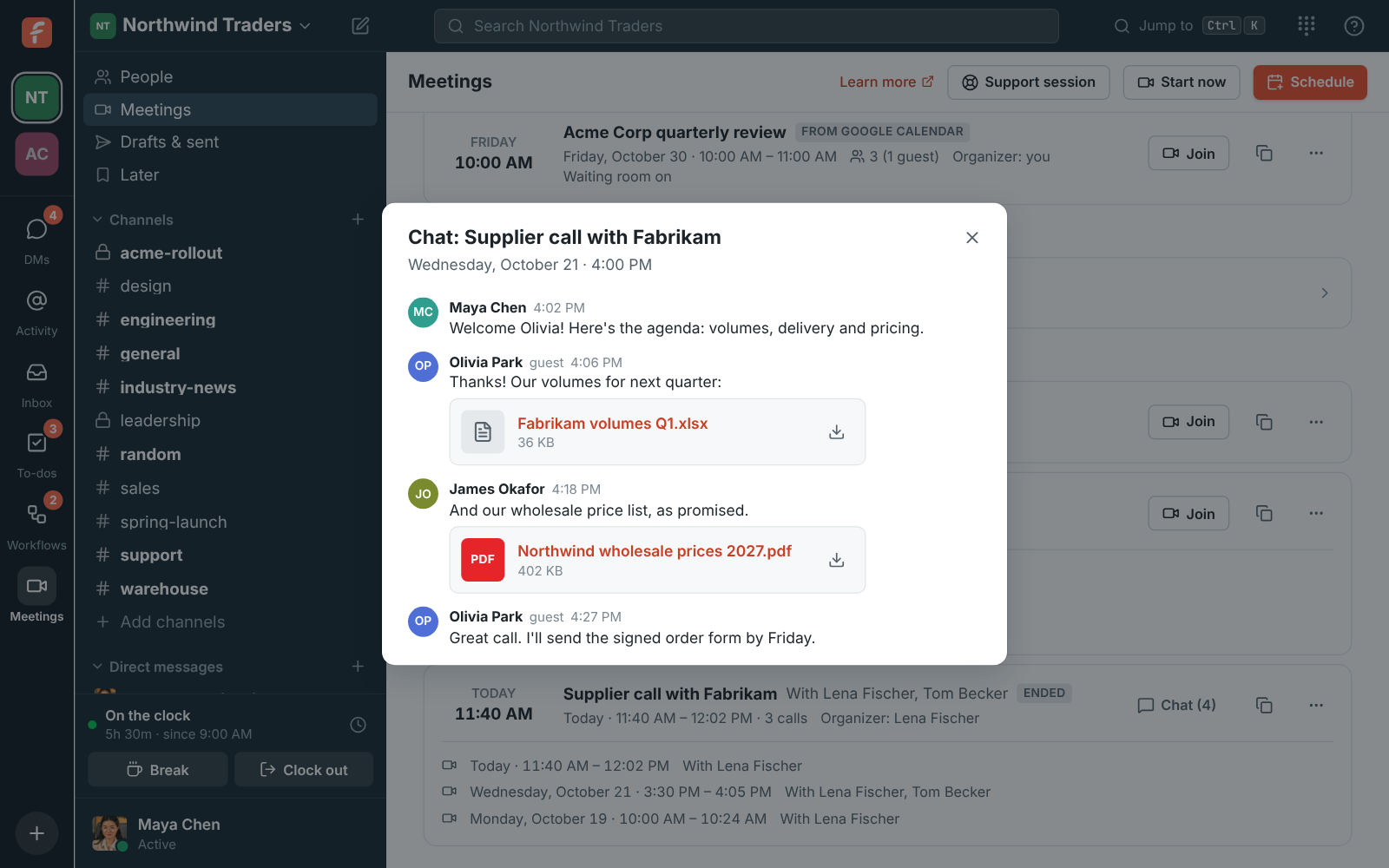
The chat is kept with the meeting. On the Meetings page, a meeting whose chat has messages shows Chat with how many there are; click it to read what was said and open the files. If the meeting was recorded, the recording's page shows the chat under the notes. People in the workspace can read it afterwards if they organized the meeting, were invited, were in the call or can see its recording; owners and admins can read every meeting's chat. Guests see it only while they're in the call.

The chat of Supplier call with Fabrikam, read from the Meetings page: messages from Maya, James and the guest Olivia Park, with a spreadsheet and a price list

Plans and pricing

Reactions, raised hands and chat in calls is included in every plan, including Free.

  • FreeUp to 10 people
  • BusinessUp to 500 people
  • CorporateUp to 2,500 people
  • EnterpriseOver 2,500 people

Questions

Which plan includes this?
Reactions and raised hands work in huddles on every plan, including Free. The meeting chat is part of scheduled meetings, which come with Business, Corporate and Enterprise.
Can guests send reactions and use the chat?
Yes. Guests see and send reactions, raise a hand, and write in the meeting chat with files once they're let in. They read the chat only while they're in the call.
Are reactions recorded?
No. Reactions aren't saved or recorded. The meeting chat is kept with the meeting, and shows under the notes on a recording's page.
Can I turn the chimes off?
Yes. Preferences, Calls & audio, Audio has switches for the sound when someone joins or leaves and the sound when someone raises a hand.

Try all of it free with up to 10 people.

No card, no time limit. Invite your team and see what sticks.