Freesbe

Call and meet

All plans

Calls that start where the conversation is.

A huddle is a call inside a channel or DM. Anyone in the conversation starts one or drops in, with up to 20 people. In a DM it rings the other person on every device; in a channel people join when they're ready. Share a screen, record or transcribe it, and keep chatting while the call floats beside your work.

  • Talk in one click, without a meeting link or a calendar invite.
  • Reach a teammate at once: a DM huddle rings every device they're signed in on.
  • Keep working during the call in a floating window that stays on top.
  • Never lose a call: missed huddles show up in the DM, in Activity and as a notification.
  • Hear everyone at about the same volume, even on a weak connection.

For Teams who'd rather talk for two minutes than type for twenty.

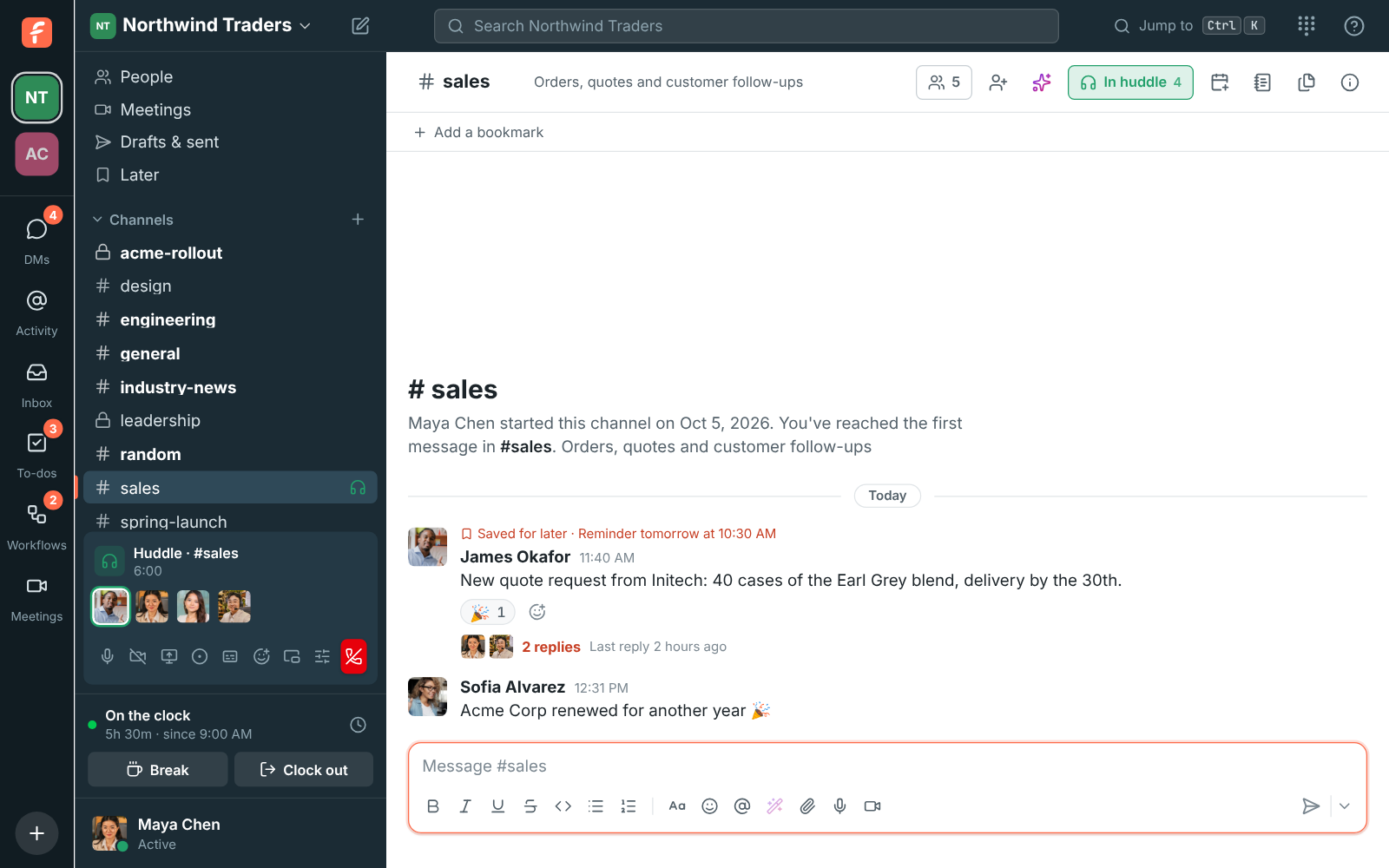
A huddle in #sales: the In huddle button in the header and the huddle bar with four people, the one talking ringed in green

One click from any channel or DM

Click Huddle at the top right of a conversation. In a DM, the other people are rung for 30 seconds and see who's calling with Join and Decline, on every device they're signed in on. In a channel nobody is rung: people see the huddle icon in the sidebar and join when they're ready. Turn on your camera, share a screen, send a reaction or raise a hand from the huddle bar, and leave when you're done. The huddle ends when the last person leaves.

  • Up to 20 people in a channel or group DM
  • A soft chime when someone joins or leaves, in huddles of up to 8
  • Waiting music plays for you alone until someone joins
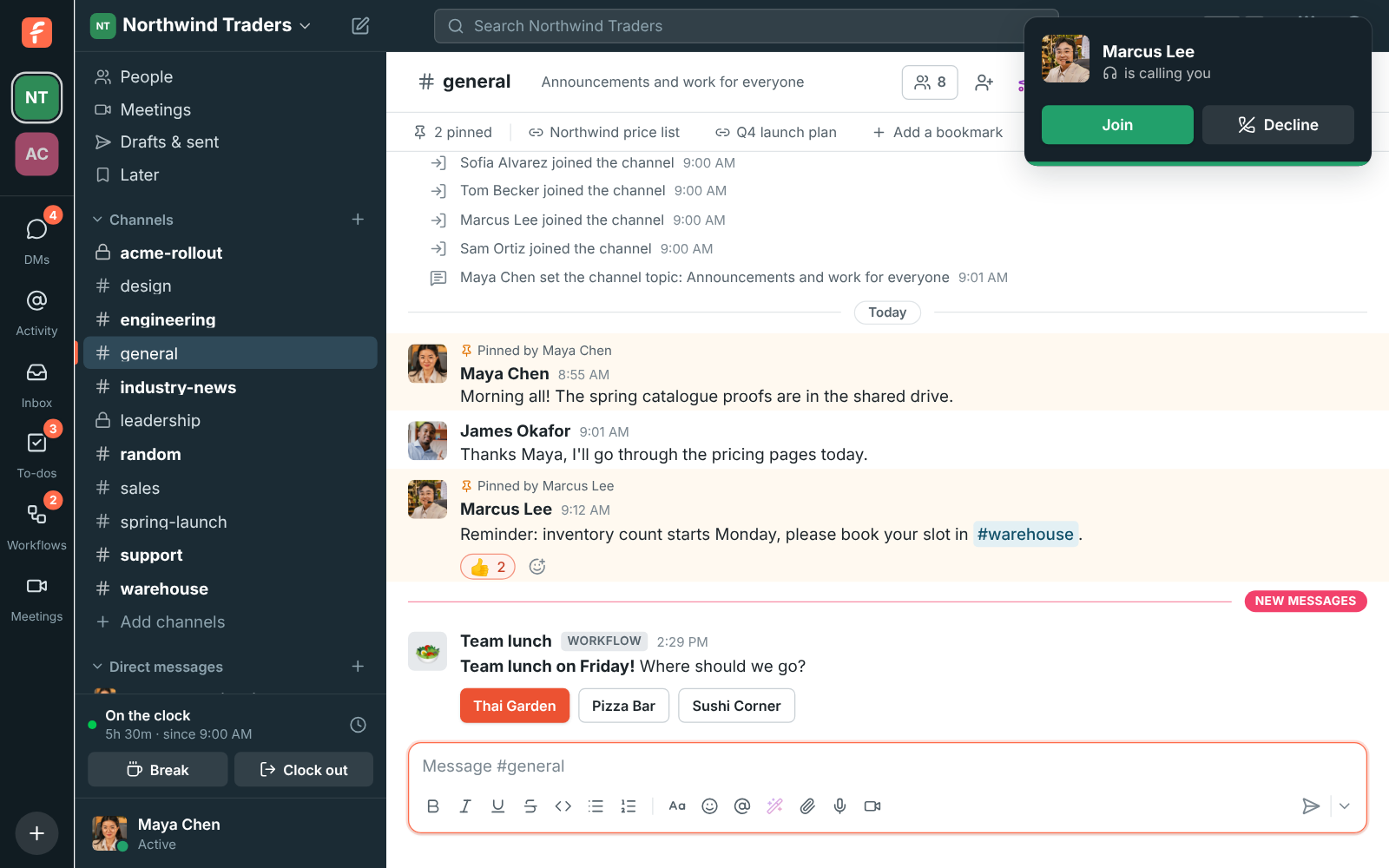
James Okafor is calling you, with Join and Decline

A missed call is never lost

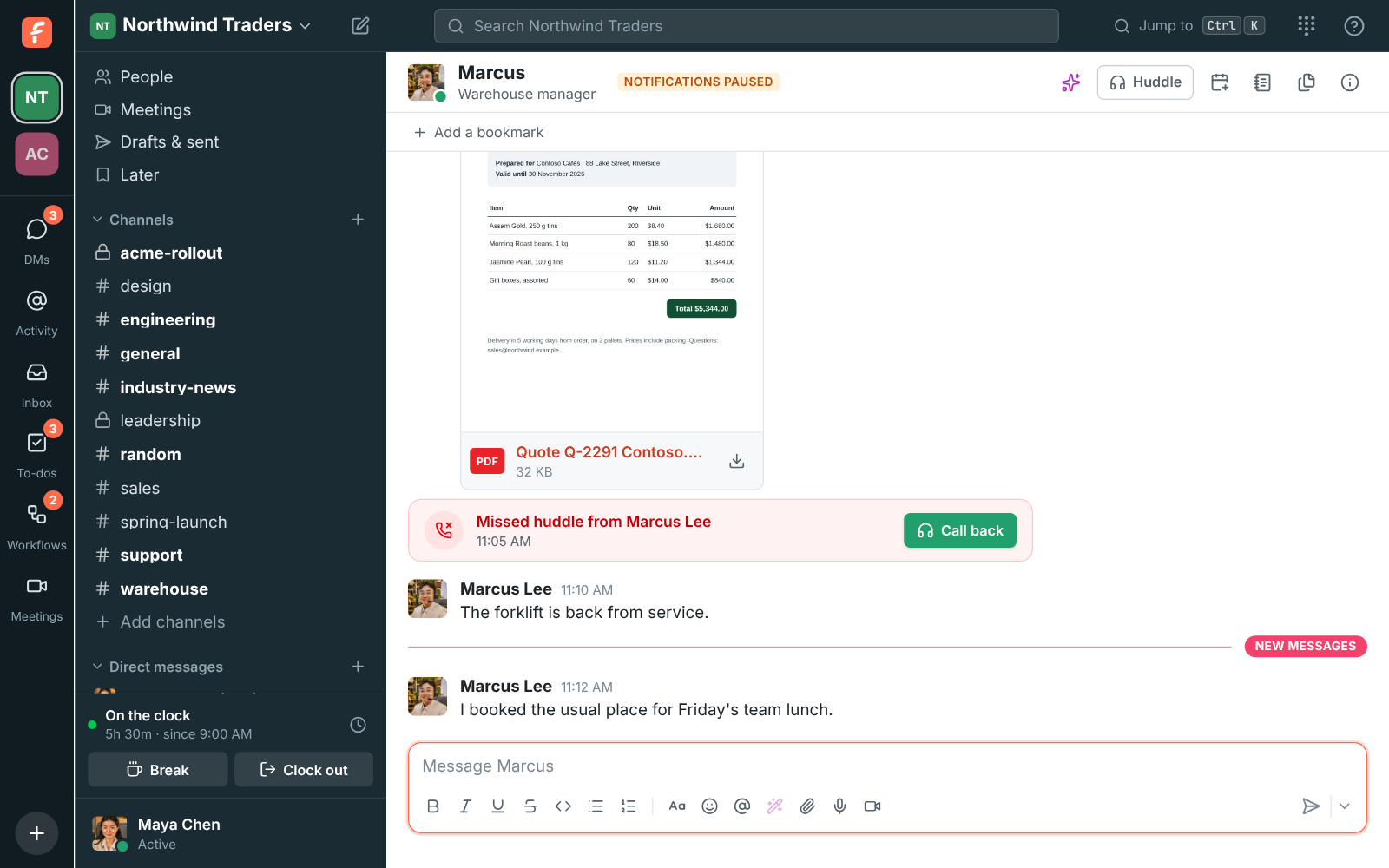
When a DM huddle rings you and you don't pick up, a red Missed huddle card with Call back takes the call's place in the DM and counts on your badge like a mention. A notification says who called and stays until you deal with it. Activity lists it with your mentions, and Activity, Calls keeps your call history: the ones you missed in red, the ones you took with how long they lasted, and the ones nobody answered.

Marcus Lee's DM with Missed huddle from Marcus Lee and a Call back button

See it on your own team's data.

Start free with up to 10 people and try it today, or book a 20-minute demo with the people who make Freesbe.

Keep the call in view while you work

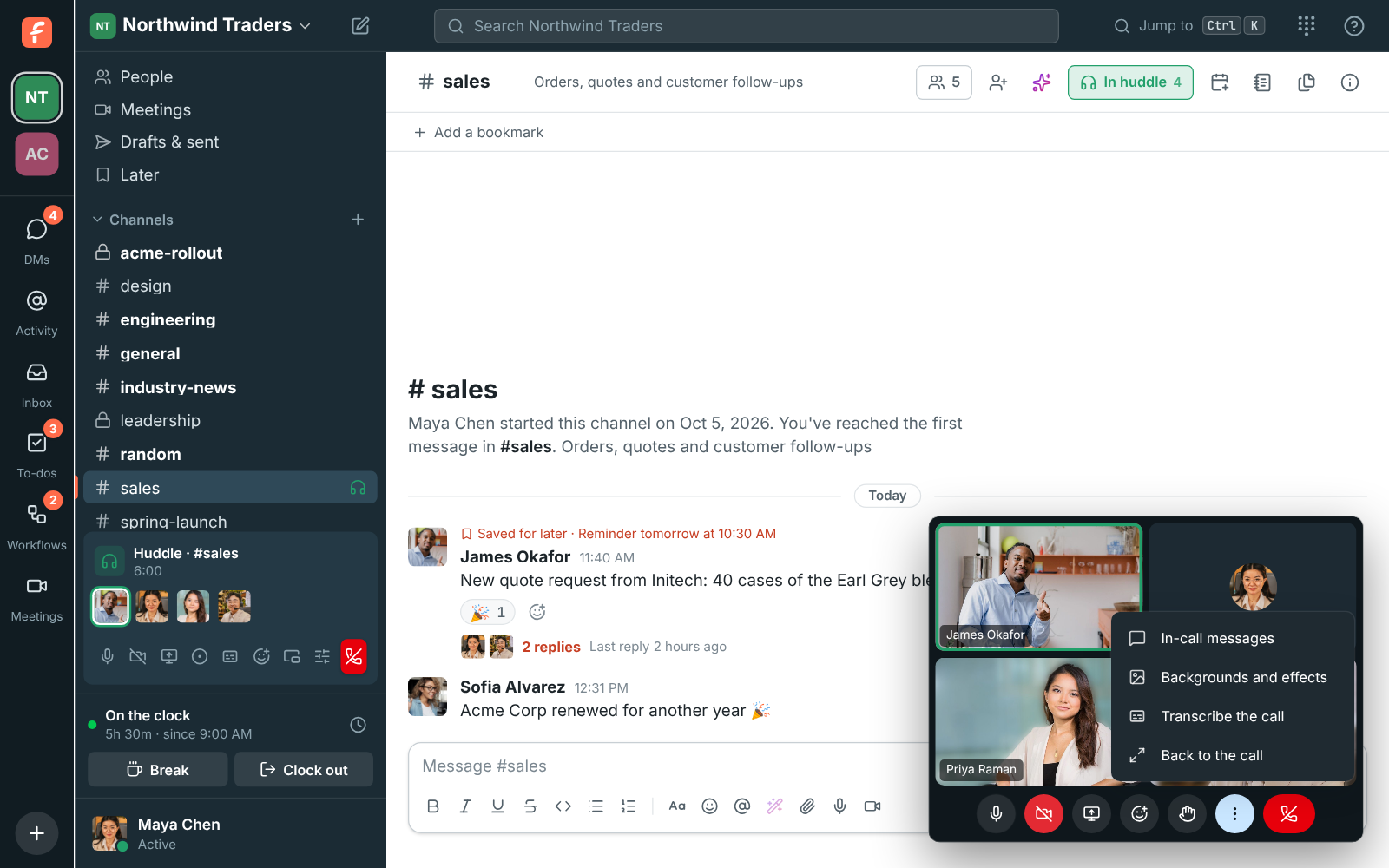
Switch to another tab and Freesbe opens a small floating window with the call and its own controls: mute, camera, screen share, reactions and the in-call messages. In the desktop app it stays on top of your other apps. Inside Freesbe, make the video bigger and it covers only the conversation, so the sidebar stays free: pick another channel and the video shrinks back to its corner while you read and reply.

The huddle floating in its own window over #sales, with three people on camera and the More options menu open

Sound that holds up

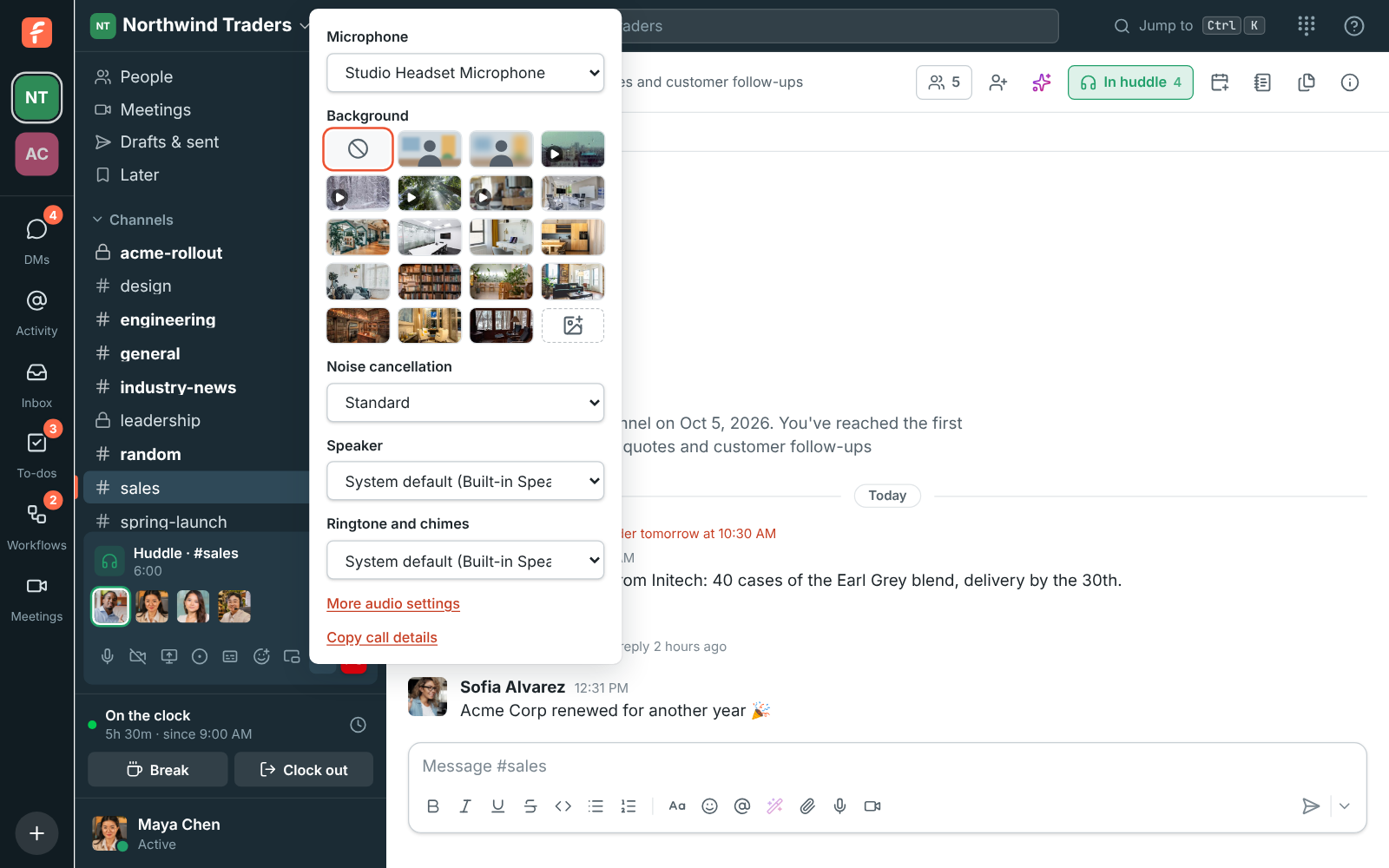
Voices are evened out, so a quiet laptop microphone is turned up and a loud headset turned down. To hear one person louder or quieter, drag their slider from 0% to 200%. A weak connection shows as a signal icon on someone's face, and when yours stays weak Freesbe pauses other people's cameras to keep the sound first, then brings everything back once the connection has been fine for half a minute. Pick your microphone, camera, background and noise cancellation from Audio and video devices.

Audio and video devices in the huddle bar: microphone, background, noise cancellation, speaker, ringtone and chimes, and Copy call details

Plans and pricing

Huddles is included in every plan, including Free. Voice huddles on every plan; group video and screen sharing with Business and up.

  • FreeUp to 10 people
  • BusinessUp to 500 people
  • CorporateUp to 2,500 people
  • EnterpriseOver 2,500 people

Questions

How many people can join a huddle?
Up to 20 people at once, in a channel or a group DM. You need to be a member of a channel to start a huddle in it.
Which plan includes this?
Voice huddles are on every plan, including Free. Group video and screen sharing come with Business, Corporate and Enterprise, each with a monthly video allowance pooled across the workspace.
Can I join a huddle from my phone?
Yes. The Freesbe app for iPhone and Android joins and starts huddles, rings for DM calls, and takes over a call you started on your computer with Join here.
What happens if someone can't hear me?
Freesbe repairs it when it can: a microphone that sends silence is noticed within about 10 seconds, a dropped connection reconnects for up to 30 seconds, and Copy call details in Audio and video devices gives support what it needs.

Try all of it free with up to 10 people.

No card, no time limit. Invite your team and see what sticks.