Clock in from the sidebar
A clock card sits above each person's name: Clock in, Break, Back to work, Clock out. The desktop app has the same buttons in its tray menu. It records only those, never activity, apps or screens.
Clockify is time tracking free for up to 5 users, then from $3.99 per seat a month billed yearly, with attendance and overtime on Standard at $5.49. Freesbe's punch clock sits in the team chat: clock in, take breaks and clock out, see overtime, and download a CSV for payroll. It's on Business, Corporate and Enterprise.
For Teams that need attendance and overtime for payroll, not project time.
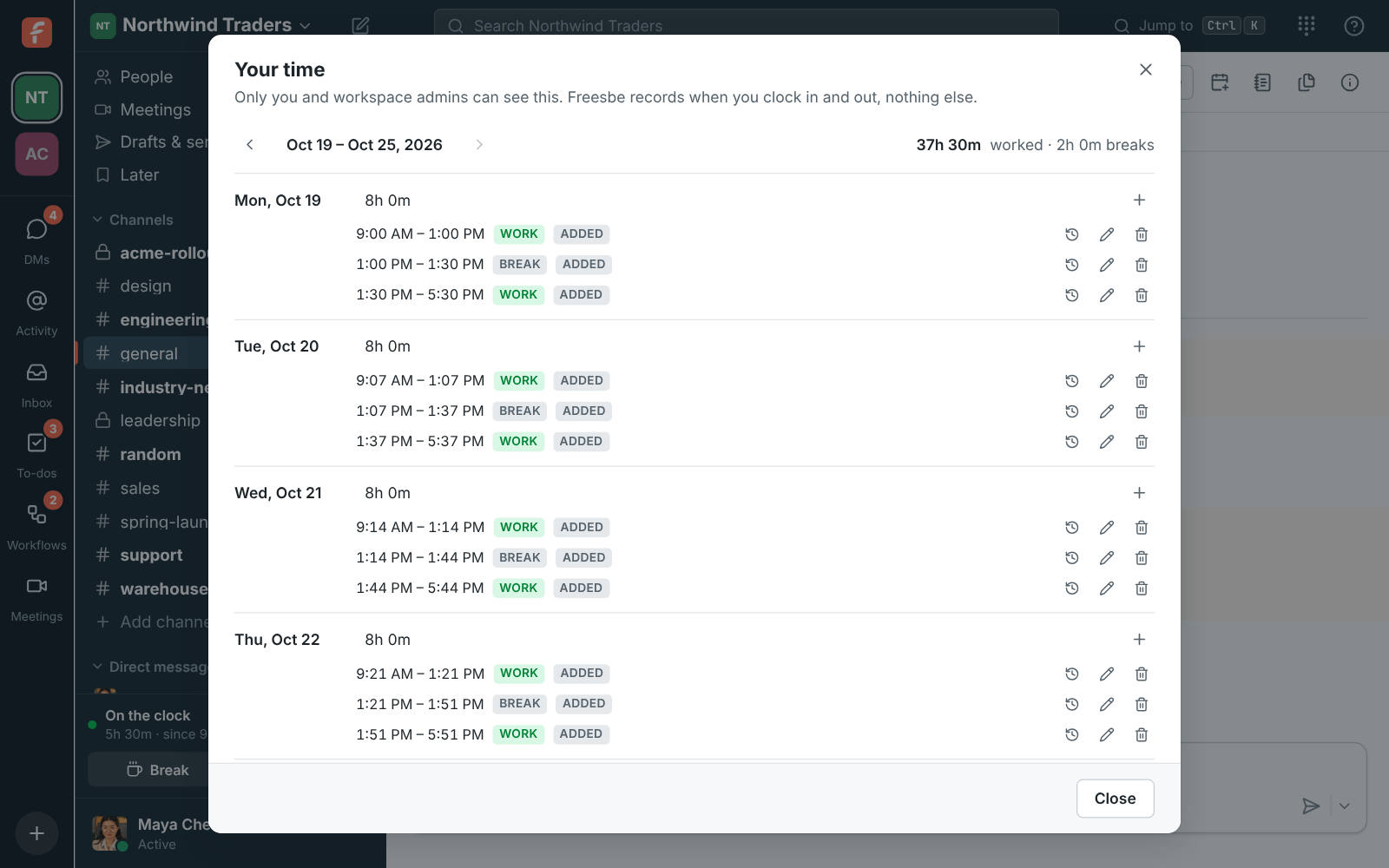
A clock card sits above each person's name: Clock in, Break, Back to work, Clock out. The desktop app has the same buttons in its tray menu. It records only those, never activity, apps or screens.
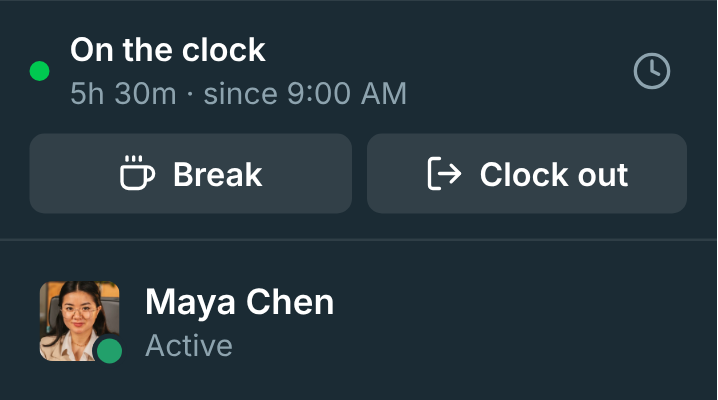
Your time shows the week day by day with totals. Forgot to clock out? Add or change an entry with a reason, which stays in the entry's history for admins to see.
Start free with up to 10 people and try it today, or book a 20-minute demo with the people who make Freesbe.
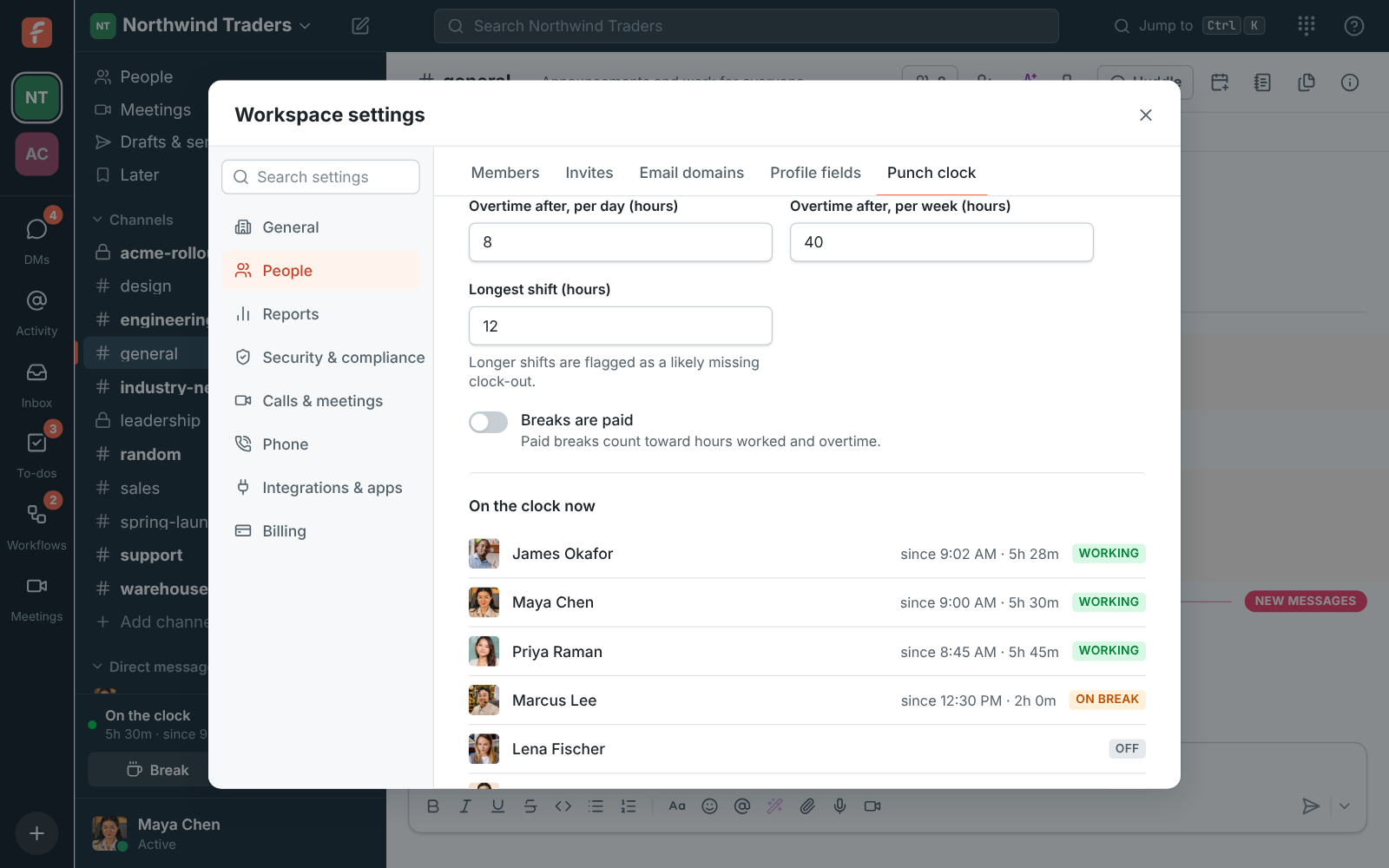
Admins see who is on the clock now and a weekly table with overtime and missing clock-outs flagged. Set when overtime starts and whether breaks are paid, then download a CSV for any dates, one row per shift or per day.
Clockify tracks time against projects and tasks, with billable rates, invoicing, budgets, time off, a kiosk and GPS. If you bill clients by the hour or need project reports, Clockify does what Freesbe's punch clock doesn't.
Freesbe's prices come from its pricing catalog; Clockify's from its pricing page on the date below, billed yearly.
| Feature | Freesbe | Clockify |
|---|---|---|
| Price | Business, Corporate and Enterprise; $4 per person a month (Business), billed yearly; $5 month to month | Free for up to 5 users; $3.99 per seat a month (Basic), $5.49 (Standard), $7.99 (Pro) |
| Attendance and overtime | Included, with daily and weekly limits | On Standard |
| Project and billable time | Not offered | Included |
| Payroll export | CSV, per shift or per day | Reports and exports |
| Team chat, meetings and a phone system | Included: channels, huddles, meetings with guest links; a phone system add-on | In a separate bundle |
As of November 5, 2026. Sources: Clockify pricing. Clockify and the other names on this page belong to their owners; Freesbe isn't affiliated with or endorsed by them.
The help guide shows every screen and setting. Punch clock
Try Freesbe free with up to 10 people, no card and no time limit, or book a 20-minute demo with the people who make it.