Freesbe

Nobody rings out when everyone's busy.

The Freesbe call center holds callers in a queue until someone is free: they hear a greeting, hold music and their place in line. Calls are shared out fairly, the Call center board shows who's waiting and who's free right now, supervisors listen, whisper or barge in, and reports add up service level, waits and breaks.

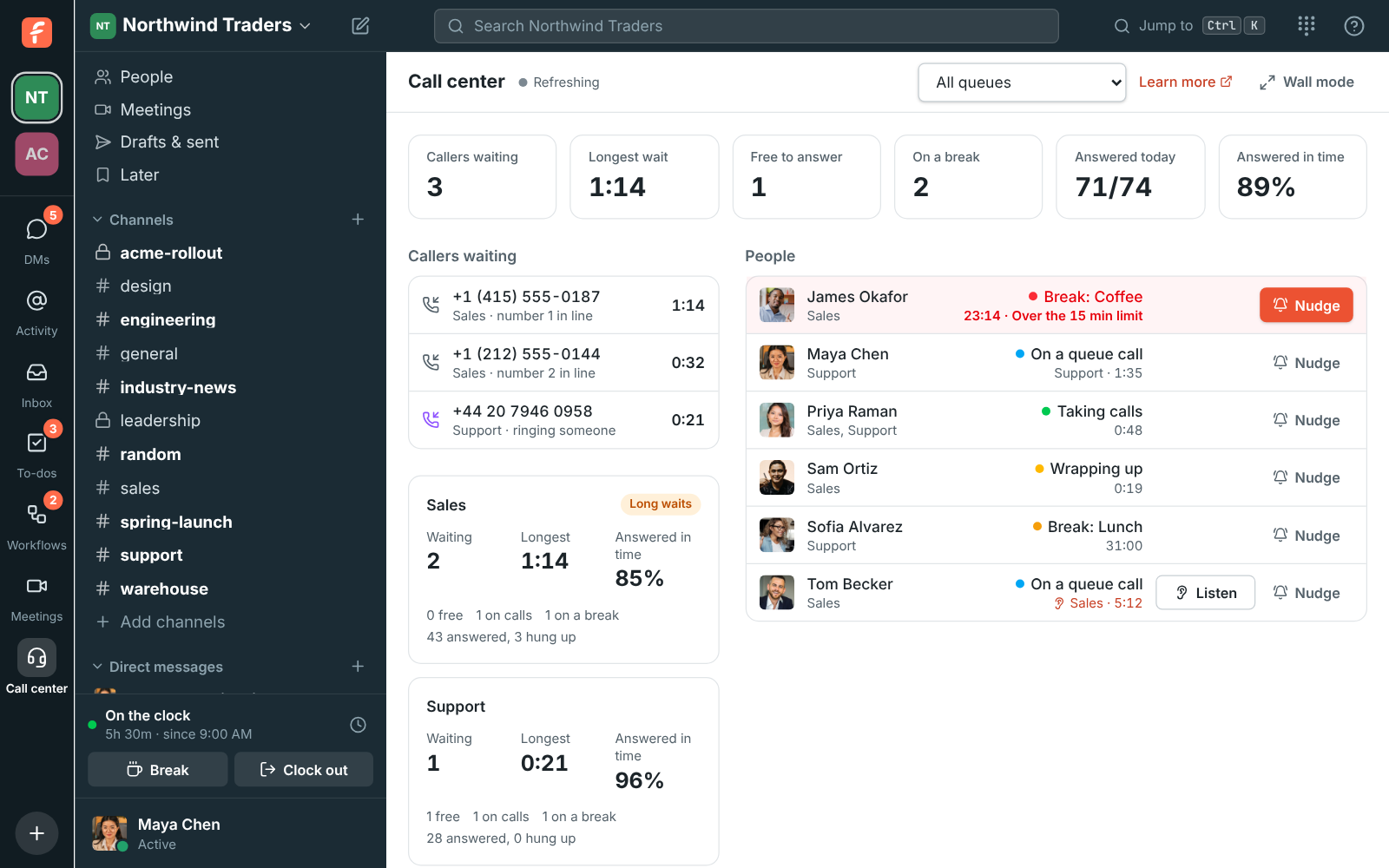
The Call center board's Overview: four callers waiting, Escalations with nobody free, and James Okafor at the top of People, over his coffee break's 15-minute limit

Queues that keep callers instead of losing them

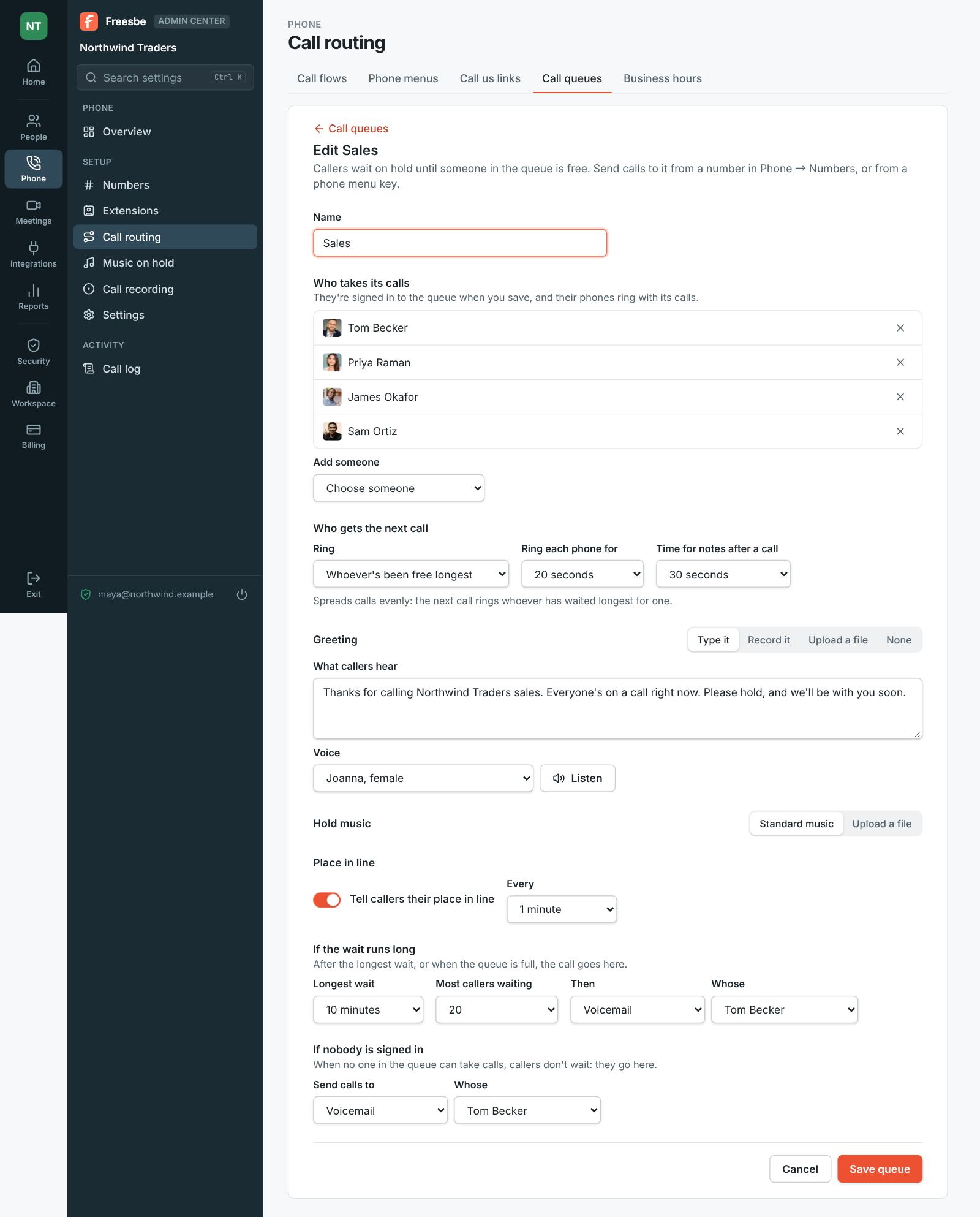
Name a queue in the Admin Center and add the people who take its calls. Choose who gets the next call: whoever's been free longest, everyone at once, take turns, in order from the top, whoever took the fewest, or anyone at random. Callers hear your greeting, hold music and their place in line. Past the longest wait or the most callers, send them to voicemail, other people, a menu or another queue.

  • Reach a queue from a number, a key in a phone menu, a ring group's unanswered calls or a transfer
  • Wrap-up time after each call before the next one rings
  • Record every queue call, whoever answers it
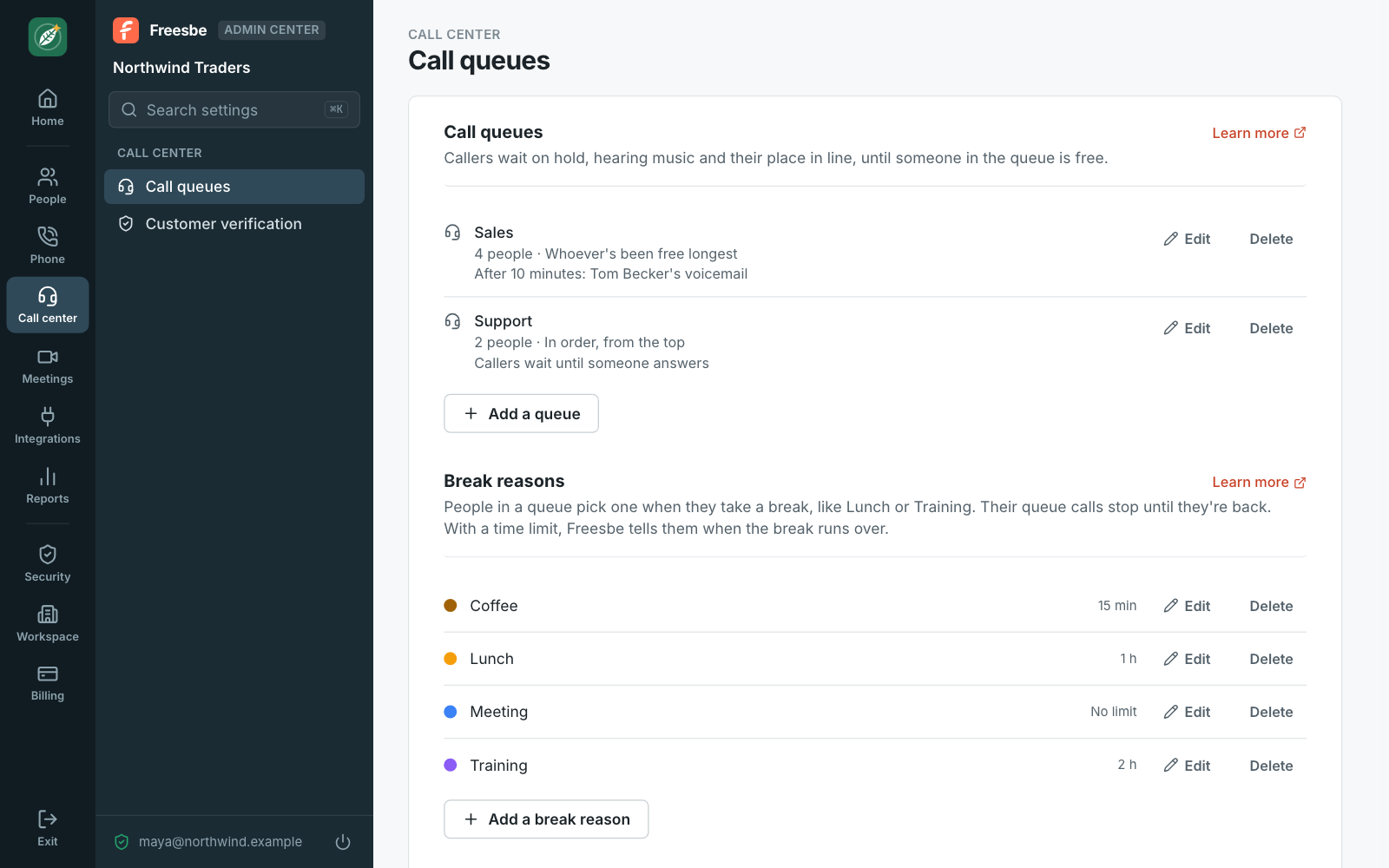
The Admin Center on Call center, Call queues: a Sales queue of four people that sends callers to voicemail after 10 minutes, and a Support queue that rings two people in order
Your queues
Editing the Sales queue, on its Queue tab: the name, the four people who take its calls, and whoever's been free longest getting the next call
Who gets the next call
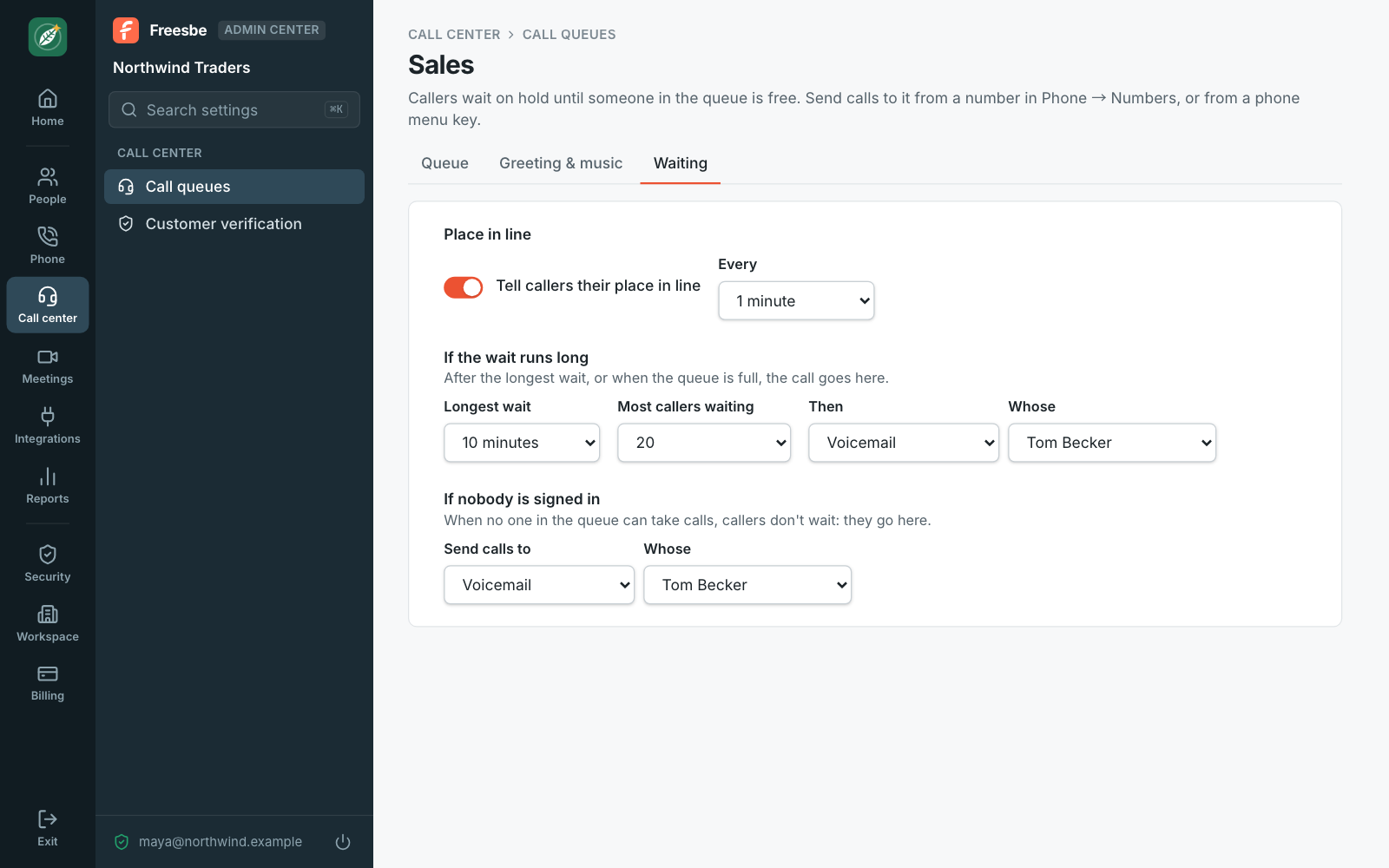
The Sales queue's Waiting tab: place in line told every minute, voicemail after 10 minutes or 20 callers, and voicemail when nobody is signed in
When the wait runs long

The board, live

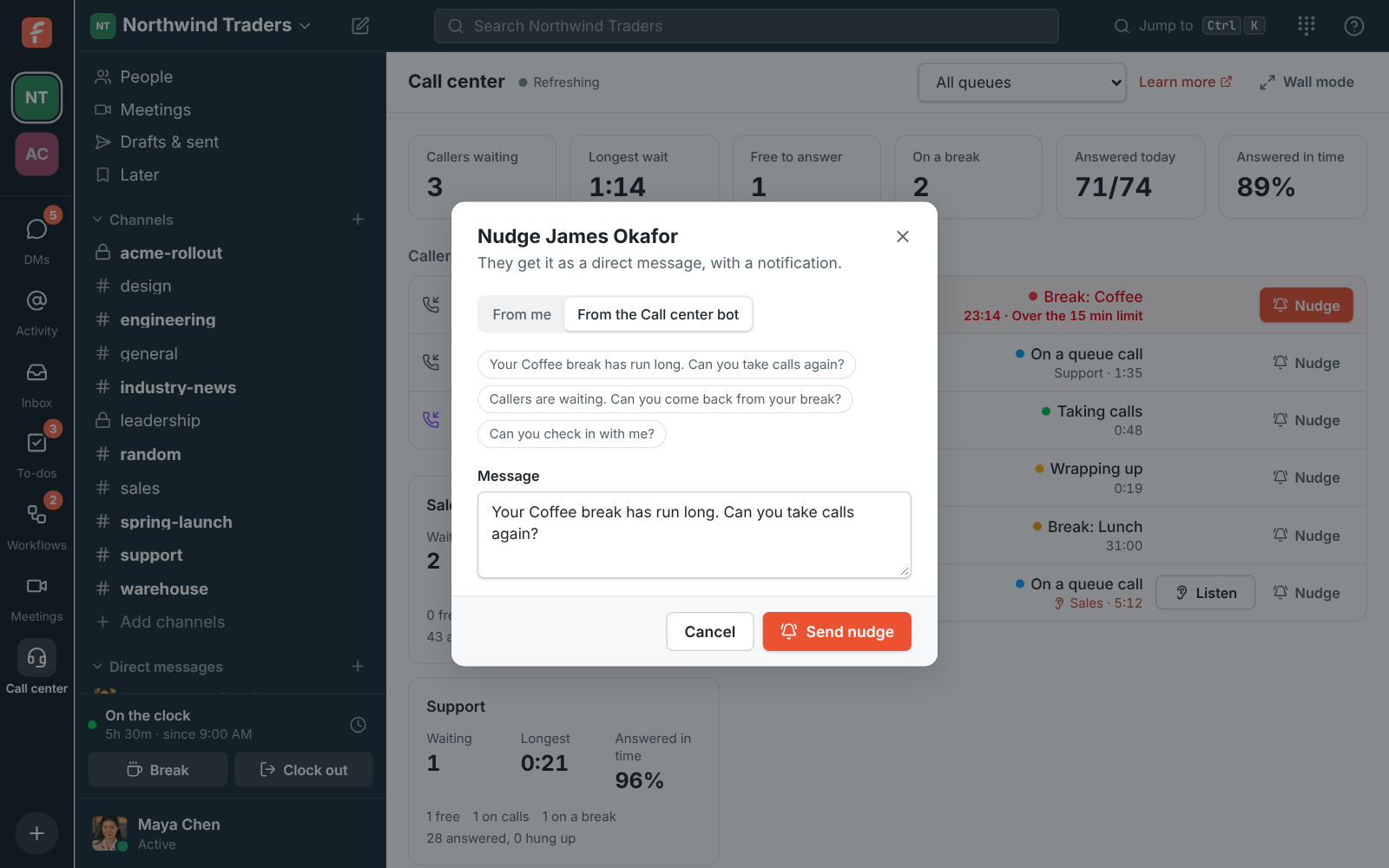
The Call center page shows your queues as they happen: callers waiting with their place in line, and a wait past two minutes in red. Each queue shows how many are waiting, the longest wait, how many calls today were answered in time, and who's free, on calls or on a break. Nudge someone with a direct message from you or from the Call center bot. Admins see it, and the supervisors they choose.

The Call center board's Overview: four callers waiting, Escalations with nobody free, and James Okafor at the top of People, over his coffee break's 15-minute limit
Overview
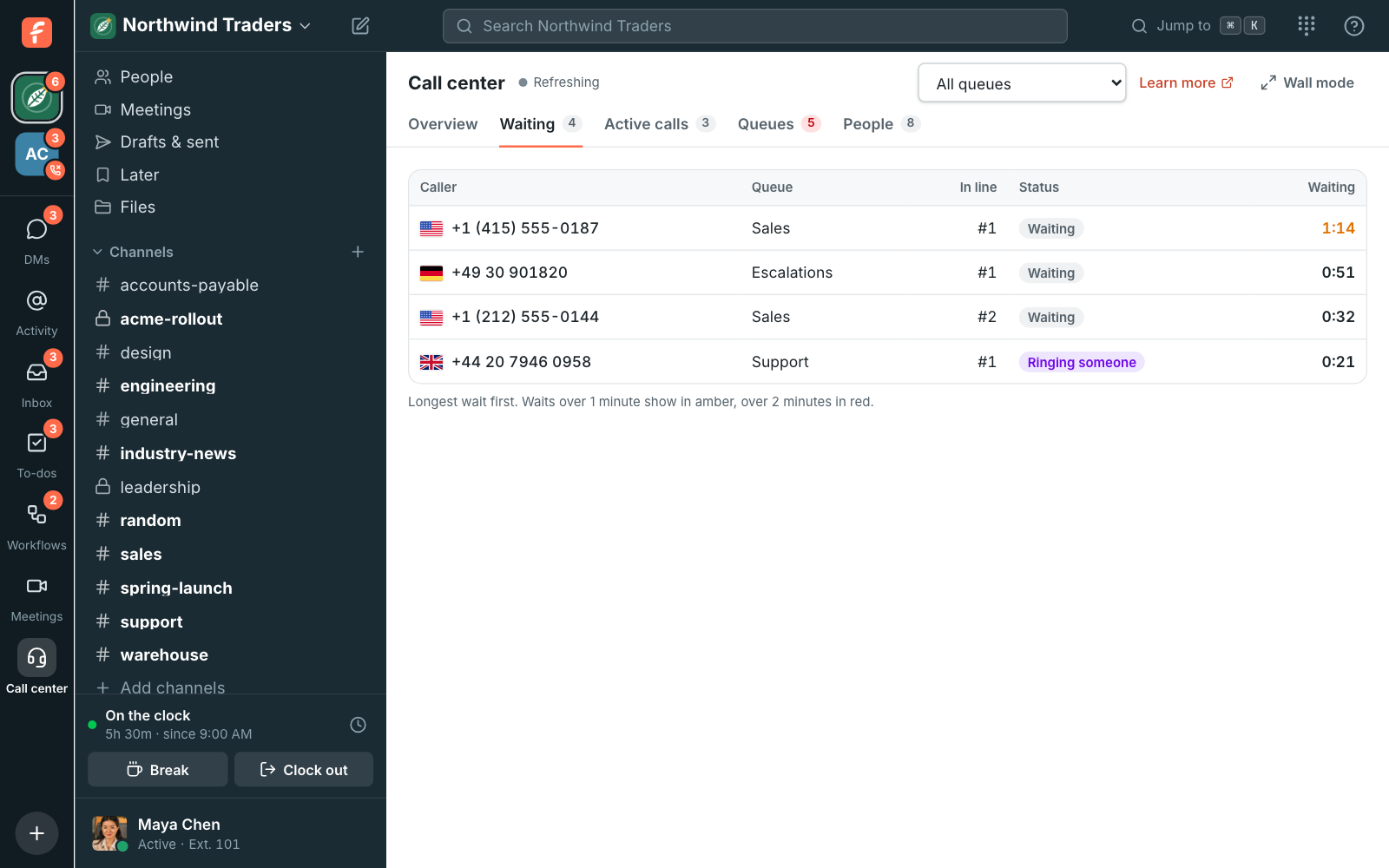
The Waiting tab: four callers with their flags, queues, places in line and waits
Callers waiting
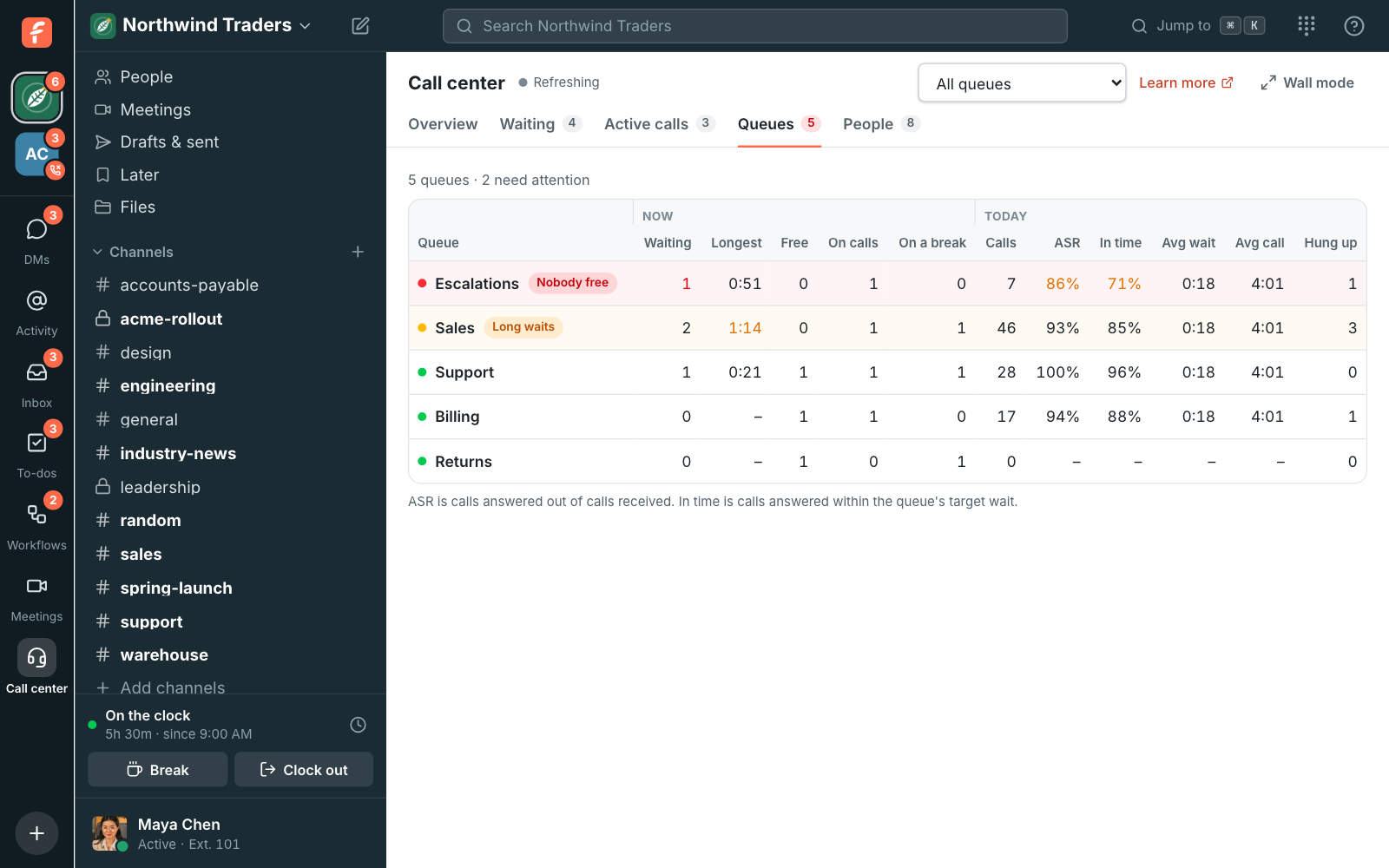
The Queues tab: Escalations with nobody free and Sales with long waits above the other queues, with their numbers for now and today
Every queue
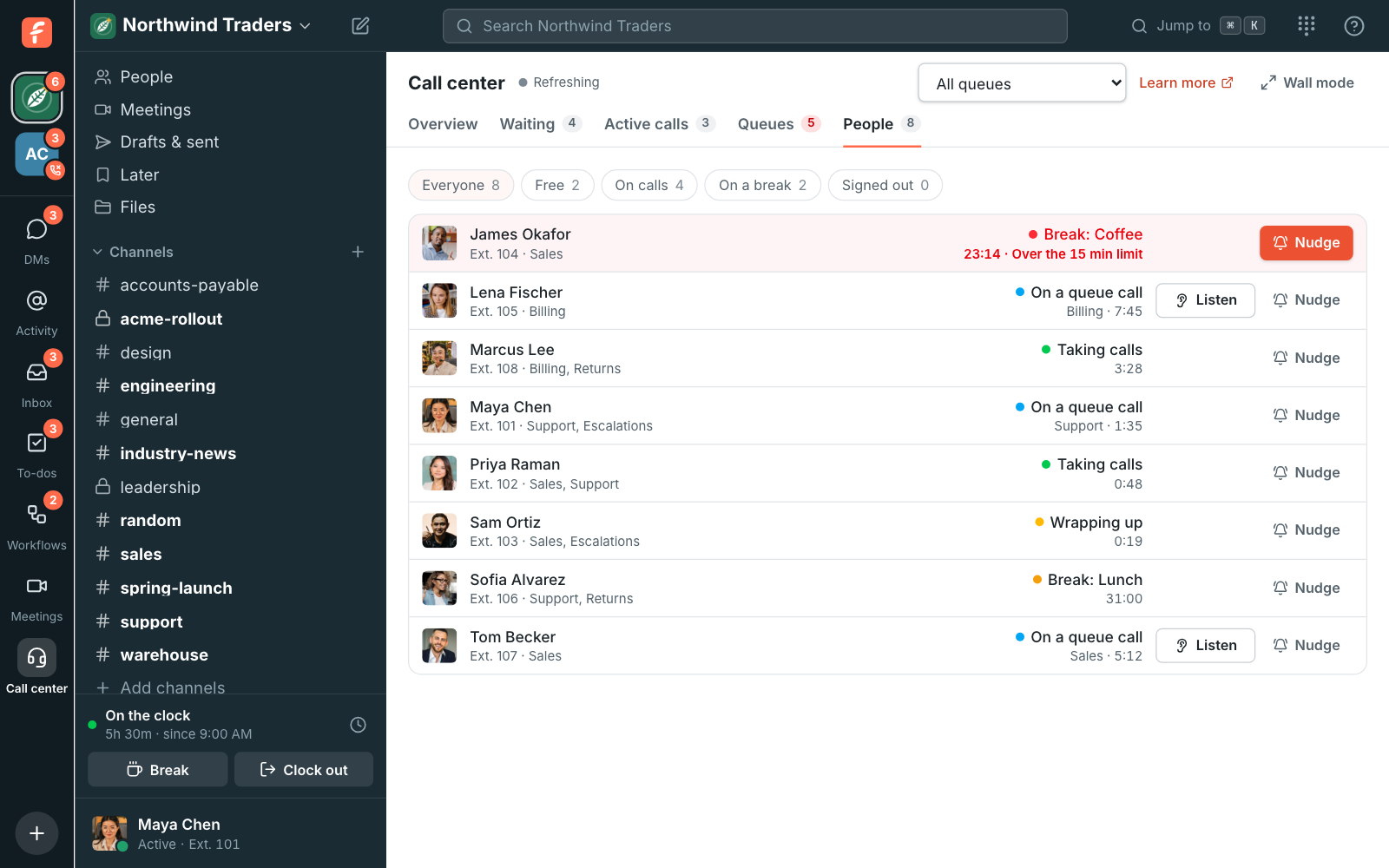
The People tab: eight people with their extensions, James Okafor's coffee break in red, and Listen next to everyone on a call
Everyone's status
Nudging James Okafor from the Call center bot: a suggested message about his coffee break
A nudge

See it on your own team's data.

Start free with up to 10 people and try it today, or book a 20-minute demo with the people who make Freesbe.

Listen, whisper or barge in

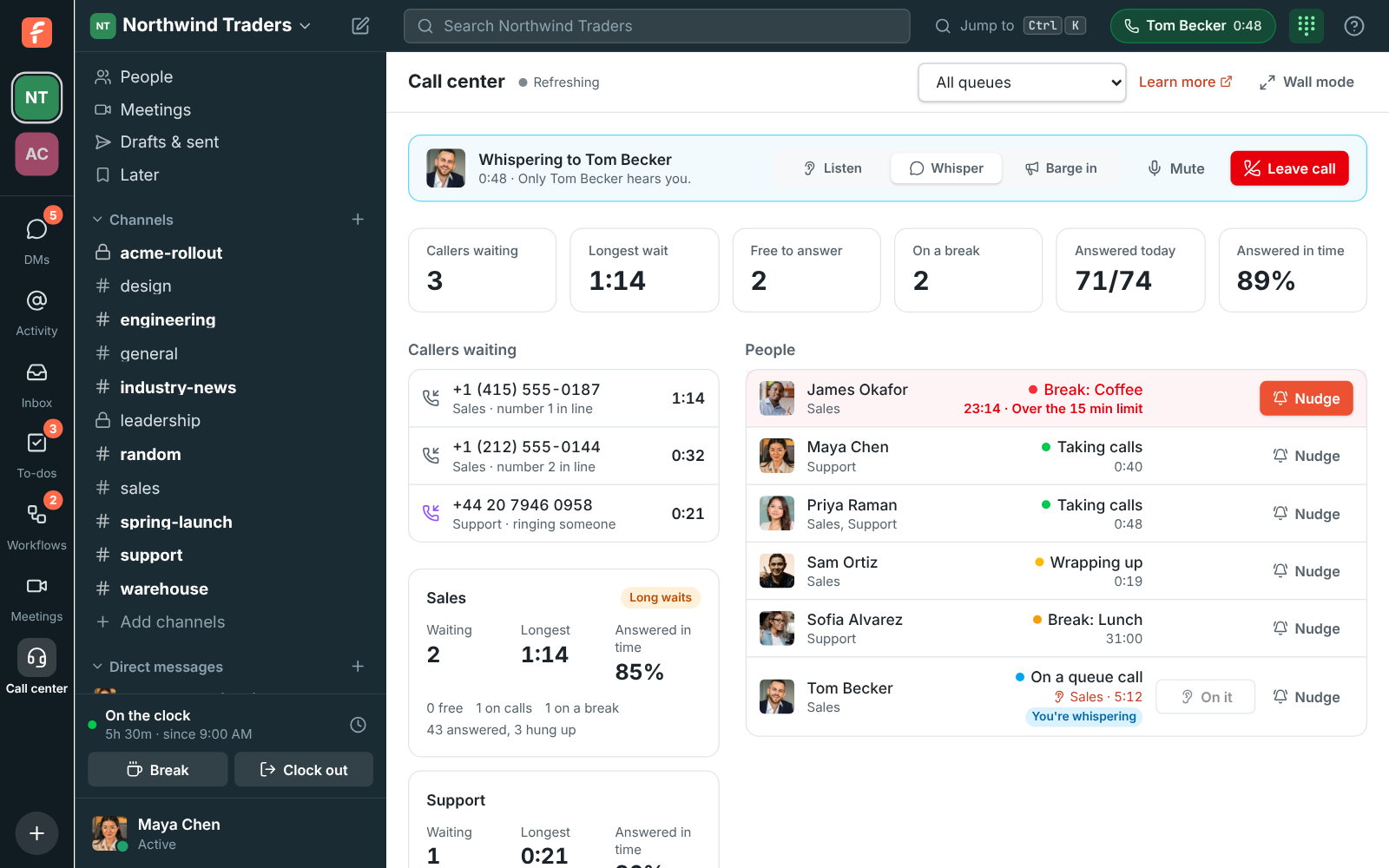
Everyone on a queue call has a Listen button on the board. Click it and your Freesbe phone picks up on its own: you hear the call and nobody hears you. Switch to Whisper to talk to your colleague only, or Barge in to join the call so both sides hear you, without leaving the call. Leave when you're done; the call goes on without you.

Maya Chen whispering to Tom Becker: the bar at the top of the board with Listen, Whisper, Barge in, Mute and Leave call, and Tom's row saying You're whispering
Whisper to a colleague
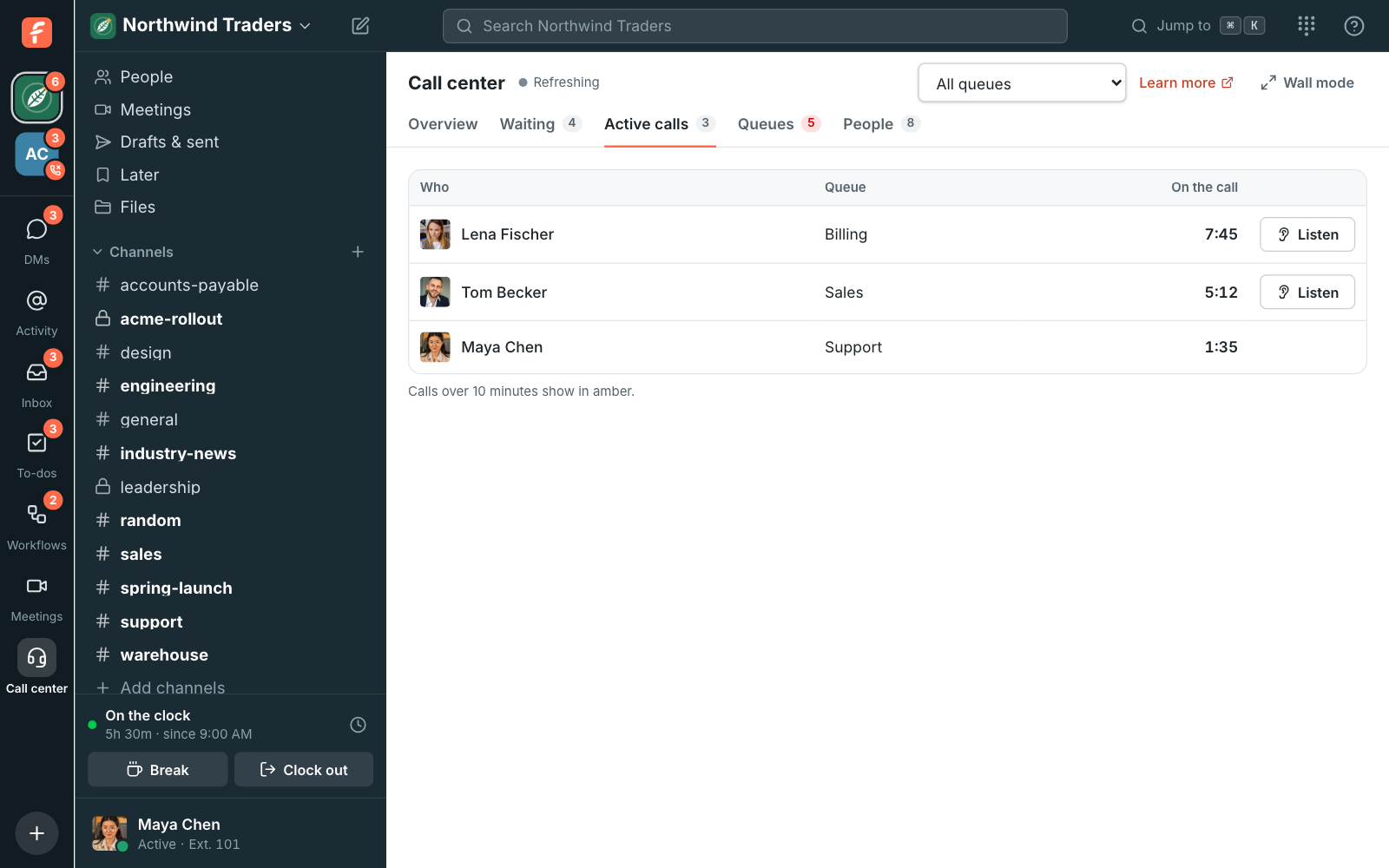
The Active calls tab: Lena Fischer, Tom Becker and Maya Chen on calls, each with Listen
Active calls

Breaks in two clicks

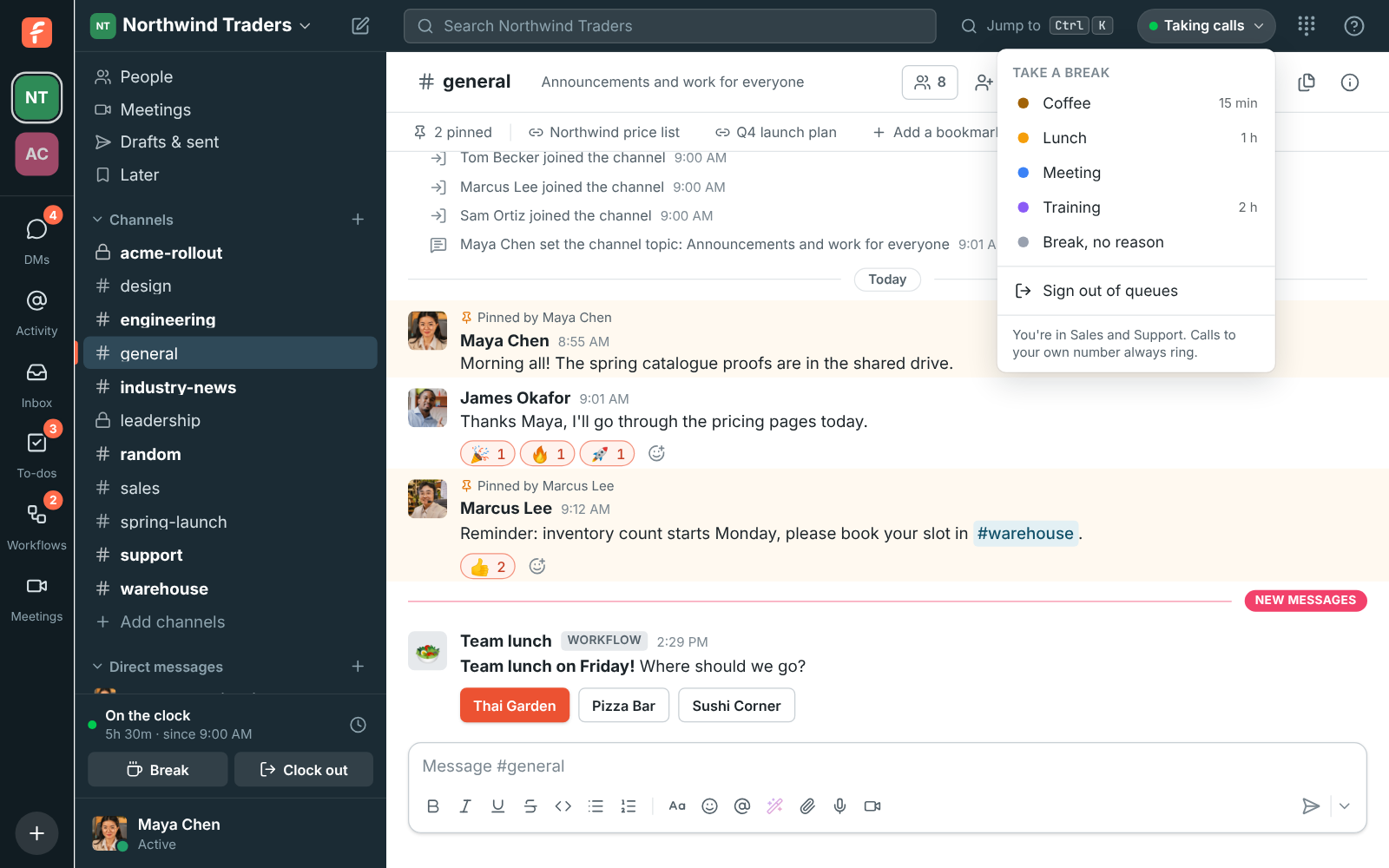
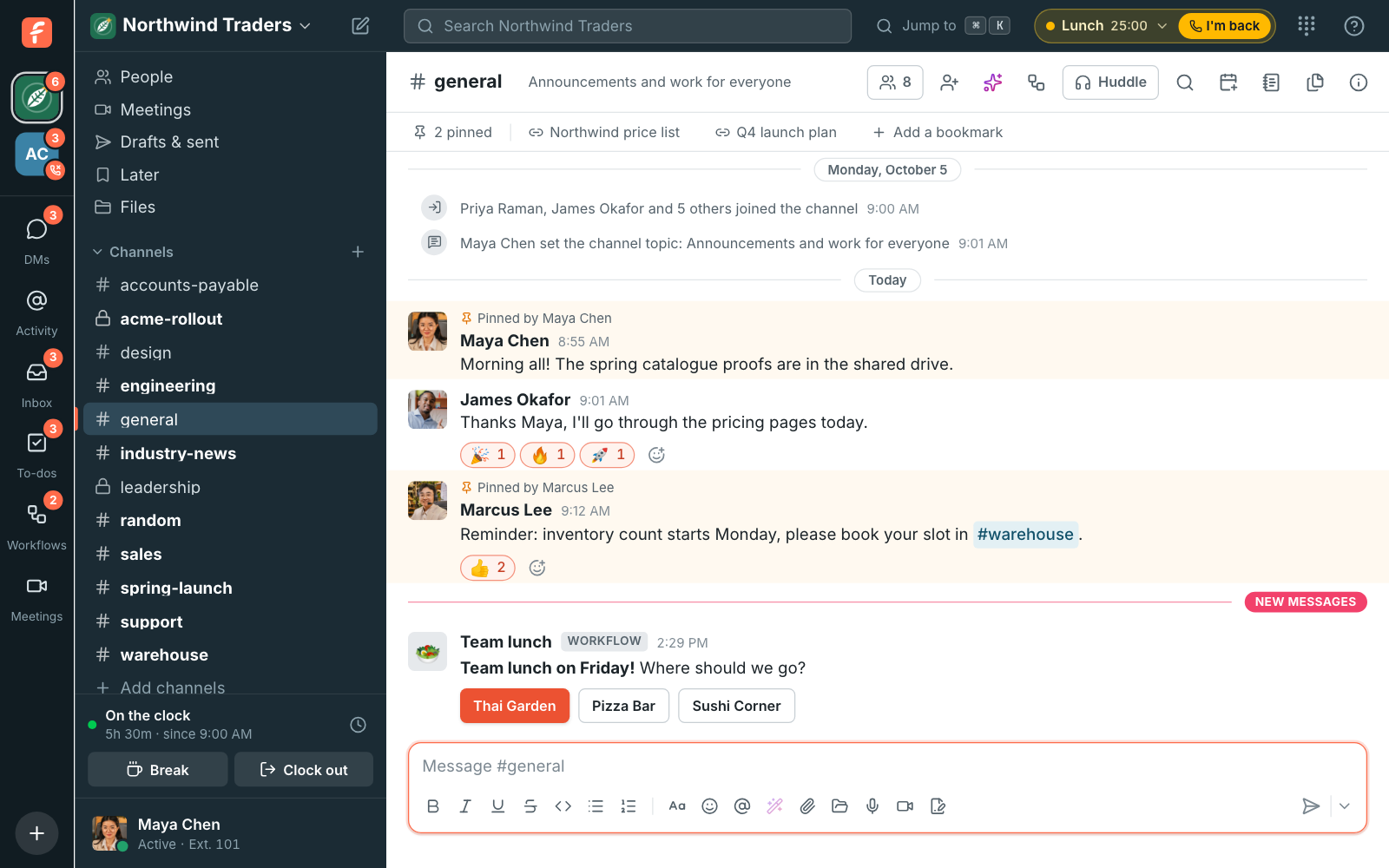
People in a queue see their status in the top bar: Taking calls, a break, or Signed out. Click it and pick a reason, like Lunch or Training, and queue calls stop until I'm back, while calls to their own number still ring. Admins add break reasons with a time limit; when a break runs over, Freesbe tells the person and their pill turns red.

The top bar with Taking calls open: Take a break with Coffee, Lunch, Meeting and Training, each with its time limit, then Break no reason and Sign out of queues
Take a break
On a break: the pill in the top bar says Lunch with the time away and an I'm back button
On a break

On the wall, and in the reports

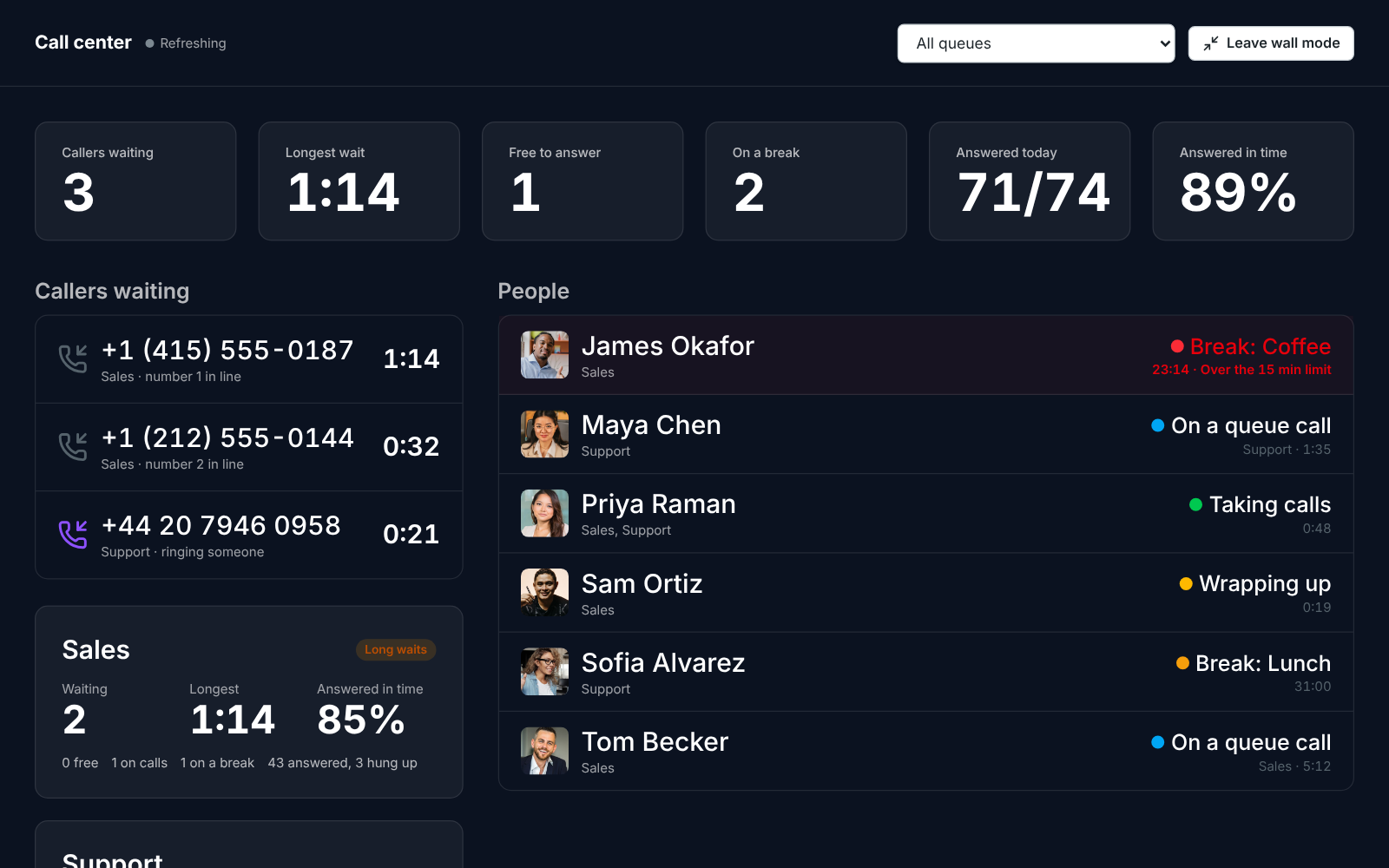
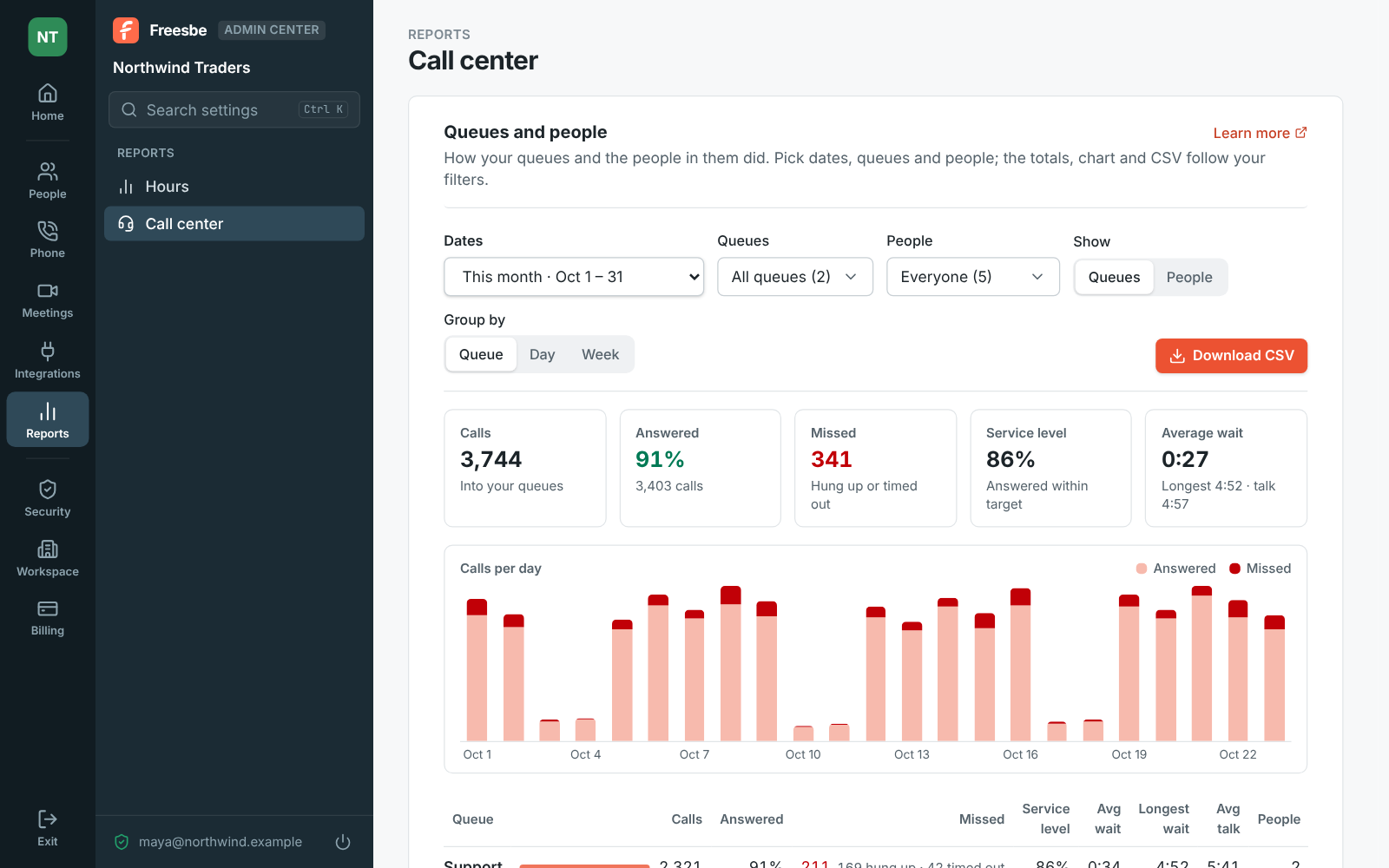
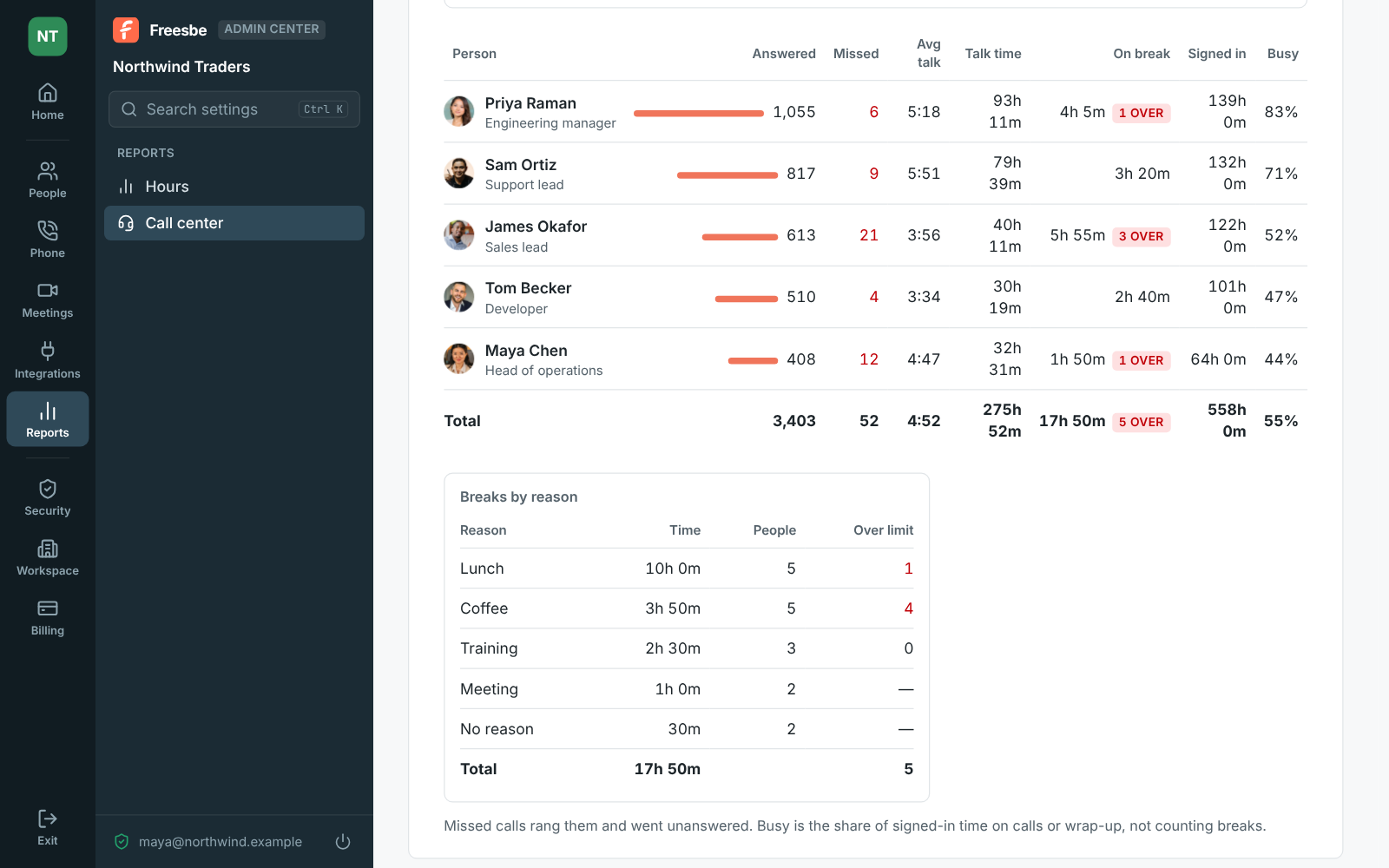
Click Wall mode and the board fills the screen in large type and keeps up on its own, for a TV on the wall of the support floor. For numbers over days or weeks, Reports in the Admin Center adds up calls answered and missed, service level, the average and longest wait, talk time and each person's breaks, by queue, day or week, with a CSV of the table.

The Call center board in wall mode: the Overview's numbers in large type, with the callers waiting, calls, queues and people under them
Wall mode
Reports, Call center: filters, totals for the month and calls per day
Call center reports
Reports, Call center by person: answered calls, talk time, breaks and time signed in, and breaks by reason
By person

Questions

Which plan includes the call center?
Call queues, the Call center board, breaks and the call center reports come with the Call center add-on, bought on top of the Phone system add-on on any paid plan. It's priced per agent; the pricing page has the current price.
What happens when nobody is signed in?
You choose: calls go straight to voicemail, other people, a menu, another queue or hang up when no one in the queue can take them.
Who can see the board?
Admins, and the supervisors they choose under Call queues or on the person's own page. People who aren't admins or supervisors don't see it.
Can we put it on a TV?
Yes. Wall mode fills the screen in large type and keeps up on its own. With more than one queue, pick one at the top to see only its callers and people.

Try all of it free with up to 10 people.

No card, no time limit. Invite your team and see what sticks.