Freesbe

Dev tools and projects

Coming soon

Your boards, in the channels where the work is discussed.

Connect monday.com and channels subscribe to boards. Each new item gets a card that changes in place as its status, owner or due date changes, with replies for status changes, assignments and updates. Change the status or comment from the card, paste an item link for a preview, and turn any message into an item with an owner and a due date.

  • A card per item with its status, group, owner, due date and priority, kept current for 90 days.
  • Change status from the card, from the board's own labels; monday.com records who did it.
  • Only these statuses keeps a busy board to the moves that matter, like Stuck and Done.
  • Previews of item links with status, owner and due date.
  • Create monday.com item turns a message into an item, with the message as its first update.

For Project and marketing teams who run their work on monday.com boards.

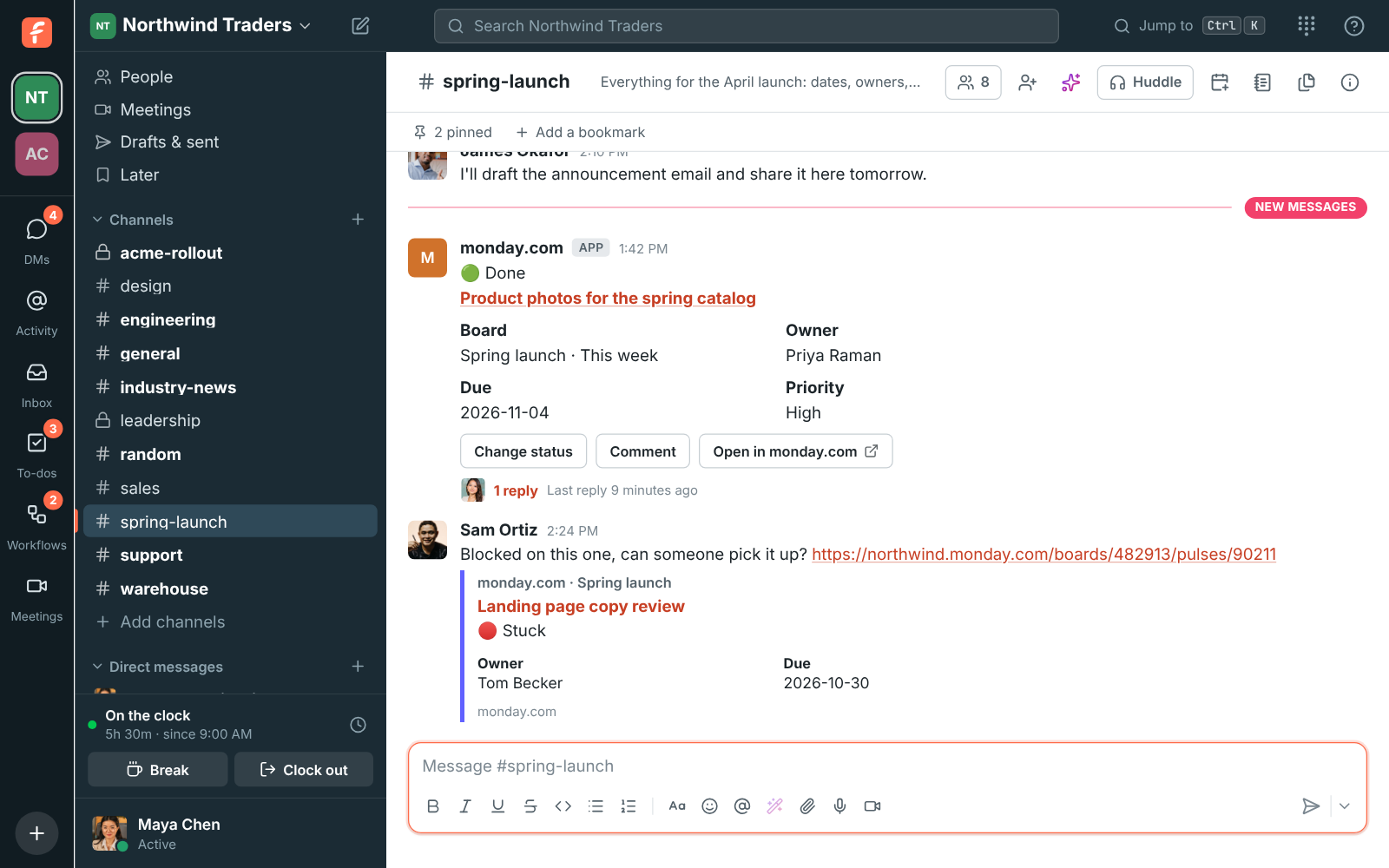
#spring-launch with a monday.com card for an item that moved to Done, with a reply under it, and a preview of another item Sam linked

Connect and subscribe

An owner or admin clicks Connect monday.com in Workspace settings, Integrations, Projects and authorizes Freesbe. Then subscribe channels to boards under Channel subscriptions, or with /monday subscribe Spring launch in the channel. A new subscription posts new items, status changes and assignments; add comments if you want them, and list statuses under Only these statuses so only moves to Stuck or Done post.
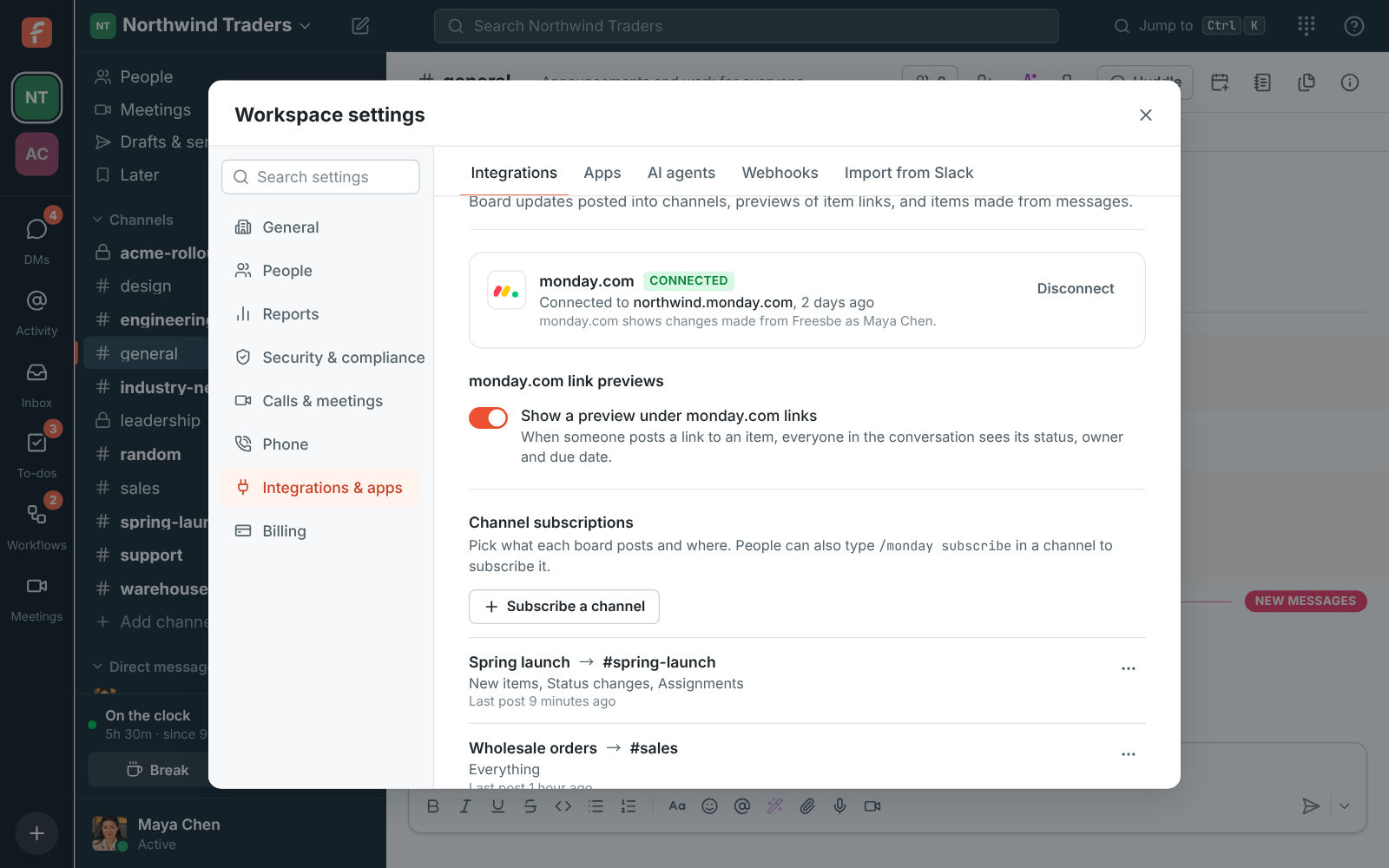
Workspace settings, Integrations, Projects: monday.com connected to northwind.monday.com with channel subscriptions for three boards

Cards that follow the board

An item's card shows its name, its status with a dot in the label's own colour, the board and group it's in, its owner, its due date, and its priority when the board has one. When monday.com sends the same change twice, it's posted once, and cards stay current for 90 days.

A monday.com item card that moved to Done, with a reply under it

See it on your own team's data.

Start free with up to 10 people and try it today, or book a 20-minute demo with the people who make Freesbe.

Act from the card, and from any message

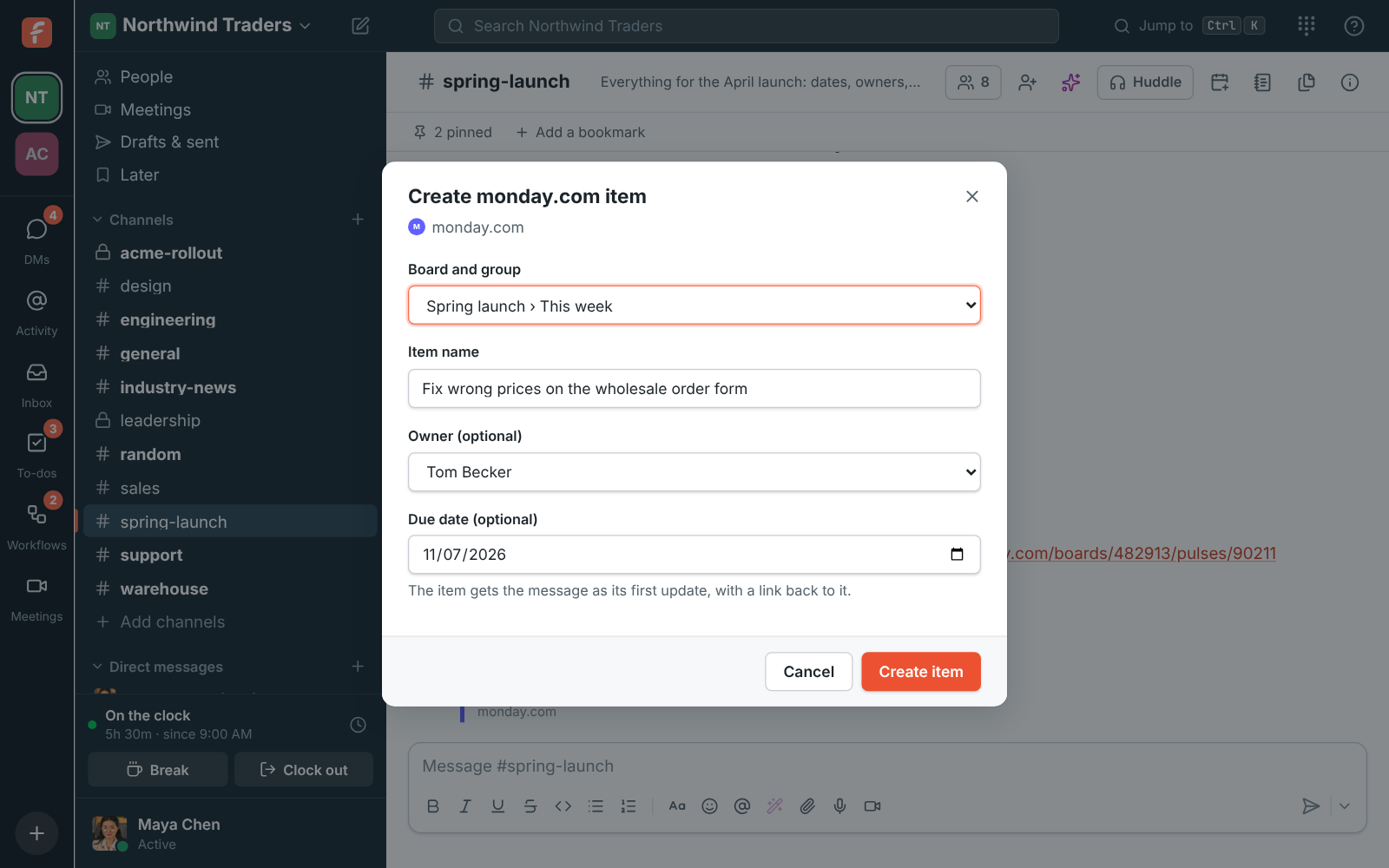
Change status asks for the new status from the labels the board's status column has, and the item changes in monday.com with an update saying who changed it. Comment adds an update signed with your name, and anyone in the channel can use them without a monday.com account. Create monday.com item in any message's menu picks the board and group, fills in the name from the message, and takes an owner and a due date; the message becomes the item's first update and its card lands in the thread.

Create monday.com item: the Spring launch board's This week group, a name filled in from the message, Tom Becker as owner and a due date

Plans and pricing

monday.com is built and on its way. When it's on, it comes with every plan, including Free.

  • FreeUp to 10 people
  • BusinessUp to 500 people
  • CorporateUp to 2,500 people
  • EnterpriseOver 2,500 people

Questions

Which plans include monday.com?
Every plan, including Free. It's built and coming soon.
Whose name do changes from Freesbe show?
The connecting person's, with an update saying who in Freesbe made the change.
Change status isn't on a card. Why?
The board has no status column.
Can we turn previews off?
Yes. Turn off Show a preview under monday.com links in settings.

Bring your tools, and your team.

Free for up to 10 people, no card and no time limit. Connect what you already use in an afternoon.