Freesbe

Connect

Business and up

Build on it the way you'd build on Slack.

An app is an integration your workspace makes for itself. Each one gets a bot that posts under its own name and a token that does only what its scopes allow, even when the workspace requires single sign-on or MFA. Add slash commands, message actions, buttons and dialogs, or paste the manifest of an app you built for Slack.

  • Bring an app you built for Slack by pasting its manifest.
  • Give each tool a bot and a token with only the scopes it needs, and no seat to pay for.
  • Let anyone type /order 4512 and get an answer only they see, or one the whole channel sees.
  • Put buttons on your cards and open dialogs that ask for the details your tool needs.
  • Script anything a person can do with the REST API.

For Developers and ops teams who have bots, scripts and internal tools to connect.

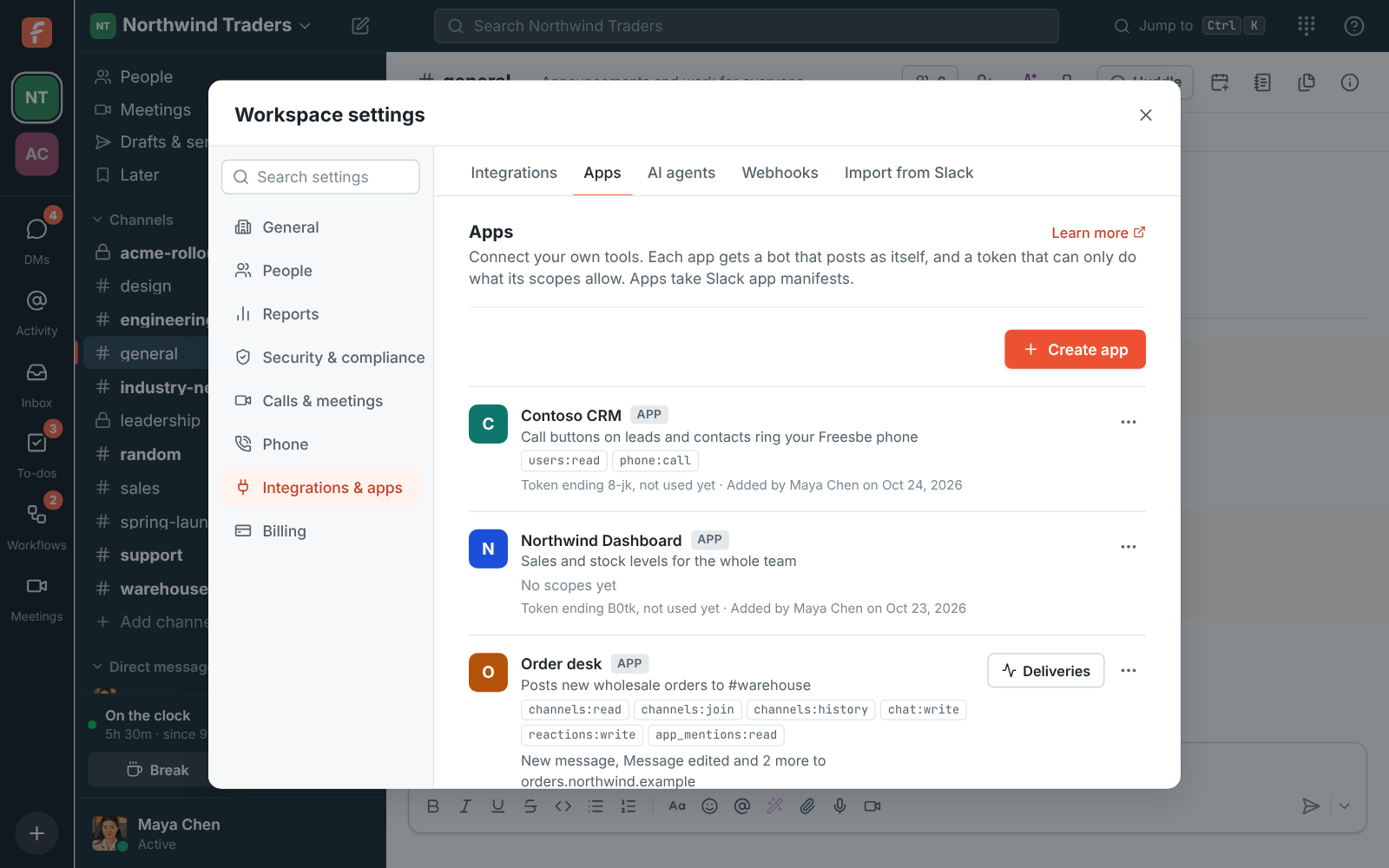
Workspace settings, Apps: Order desk and Stand-up, each with its scopes and token

A bot, a token and the scopes you tick

Create an app in workspace settings, name it, and tick the scopes it needs; start small and add more later. The bot shows in the people list with an App badge and posts under the app's name, so nobody's account is borrowed. The token is shown once, posts as the app, doesn't expire and isn't held to single sign-on or MFA, so it doubles as an API key. Make a new token any time, and the old one stops at once.
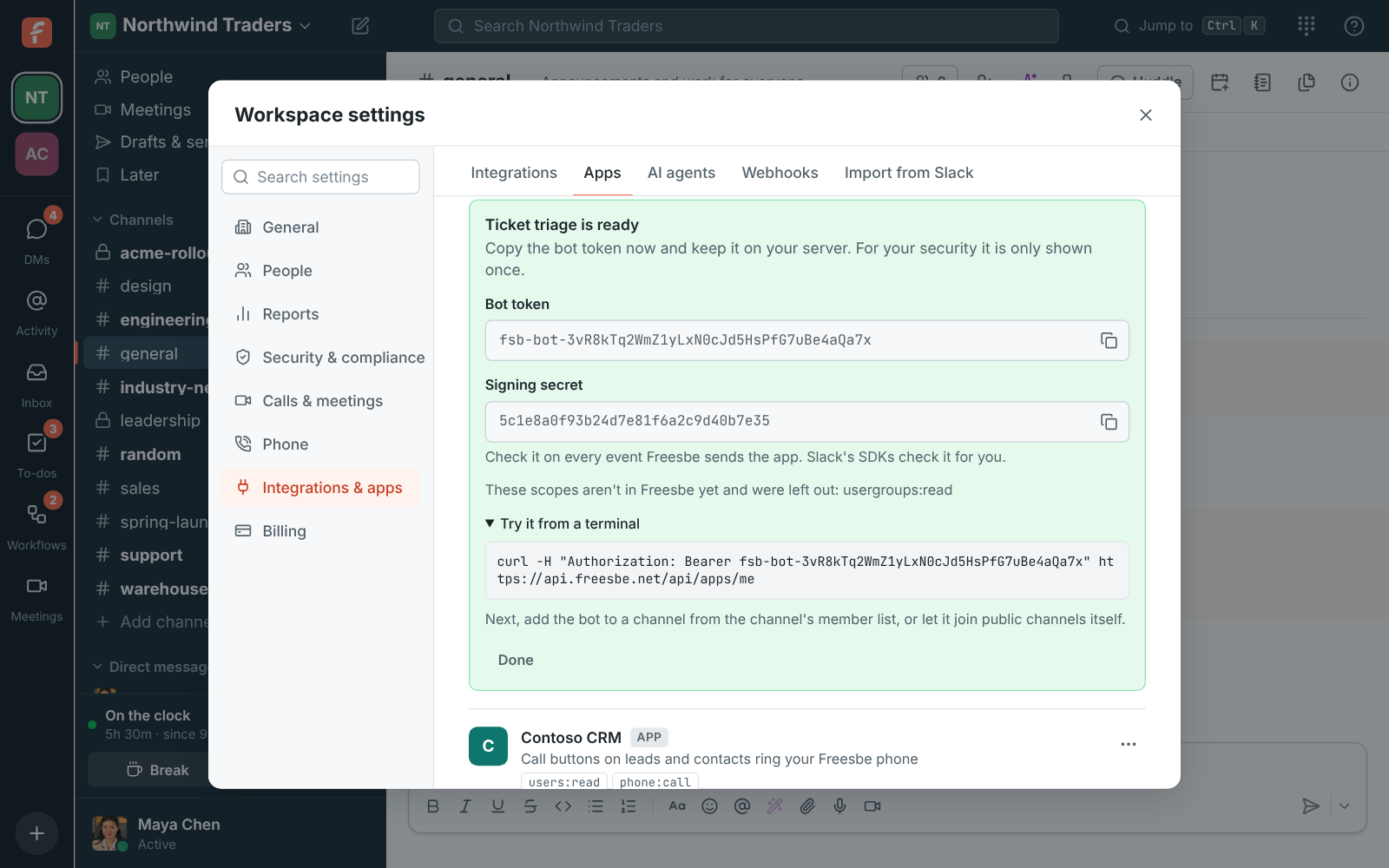
A new app's bot token, shown once, with a command to try it

Paste your Slack manifest

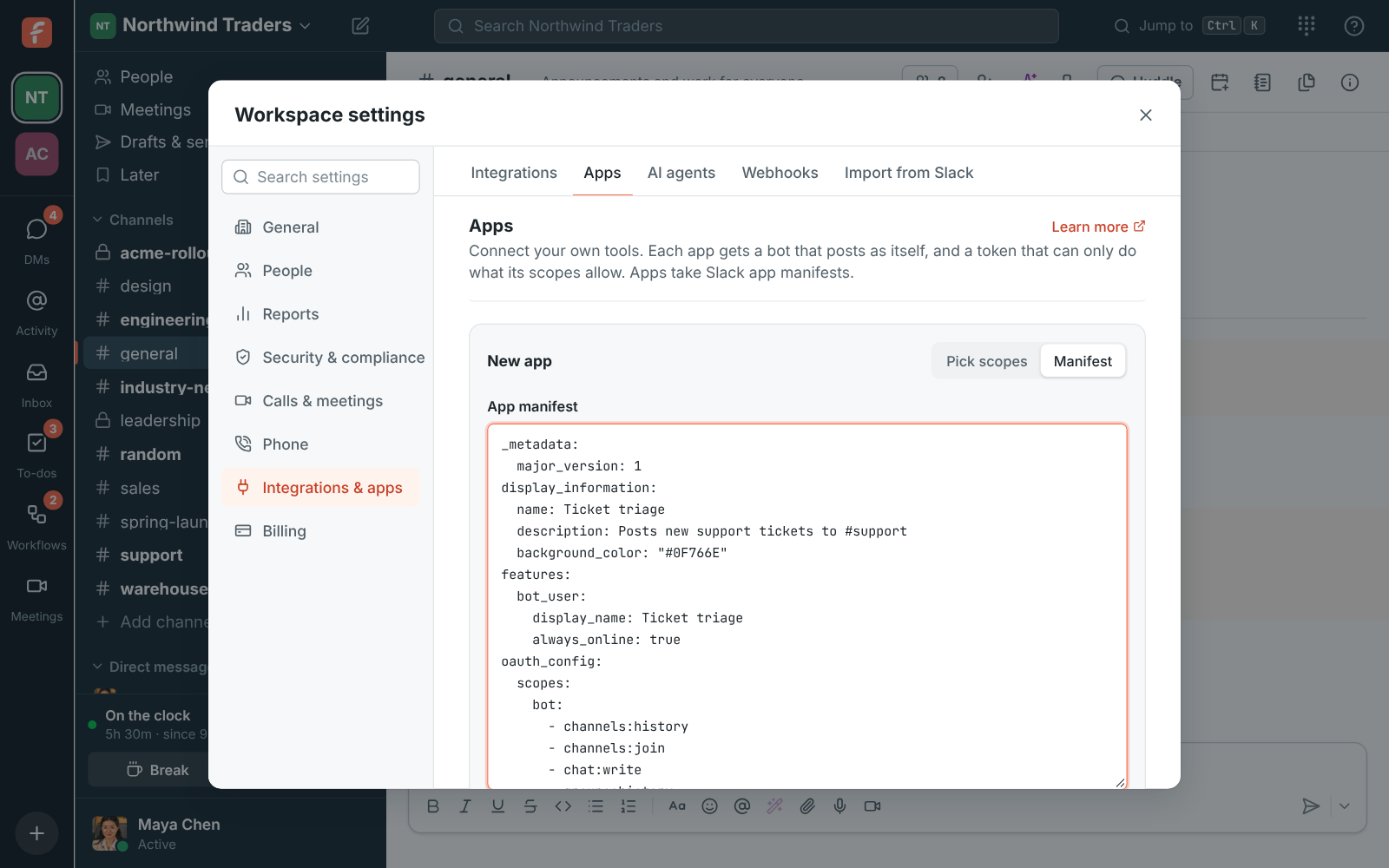
If you built an app for Slack, copy its manifest in YAML or JSON and paste it instead of picking scopes. Freesbe reads the name, description, colour, bot name, bot scopes, event subscriptions, slash commands and message shortcuts. Slack's separate scopes for public channels, private channels and DMs map onto Freesbe's one of each; anything Freesbe doesn't have yet is listed and left out, and the app acts as its bot only.

Create app with a Slack app manifest pasted in YAML

See it on your own team's data.

Start free with up to 10 people and try it today, or book a 20-minute demo with the people who make Freesbe.

Slash commands and message actions

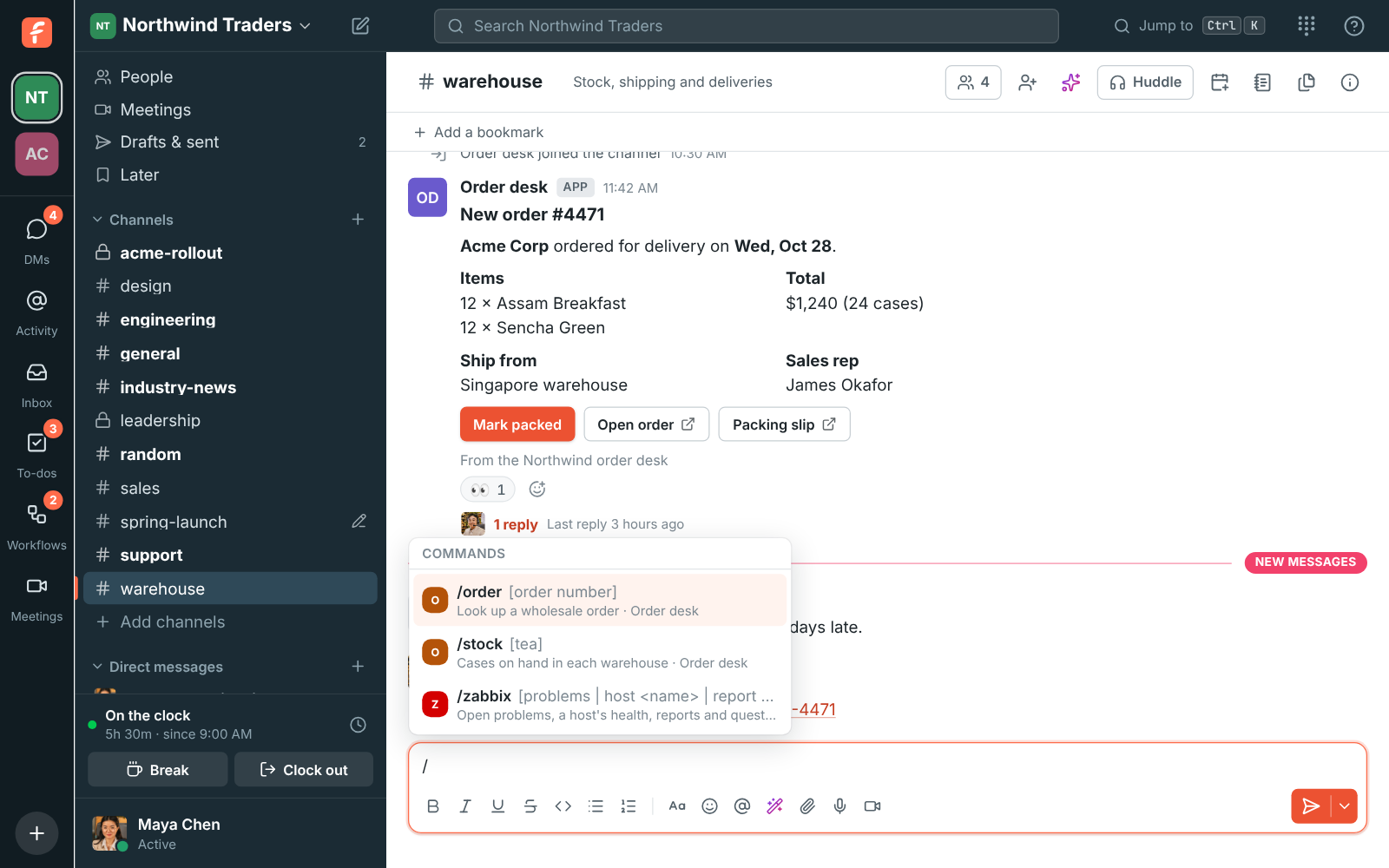
An app can add commands like /order 4512 that anyone in the workspace types at the start of a message; typing / lists the commands your apps add. Freesbe posts Slack's form to the command's URL and the app answers within three seconds, privately to the person, in the channel for everyone, or later through the response URL. Apps also add actions to every message's menu, such as Create order, which send the message to the app.

Typing / in the message box: Order desk's /order and /stock commands

Buttons that do something, and dialogs that ask

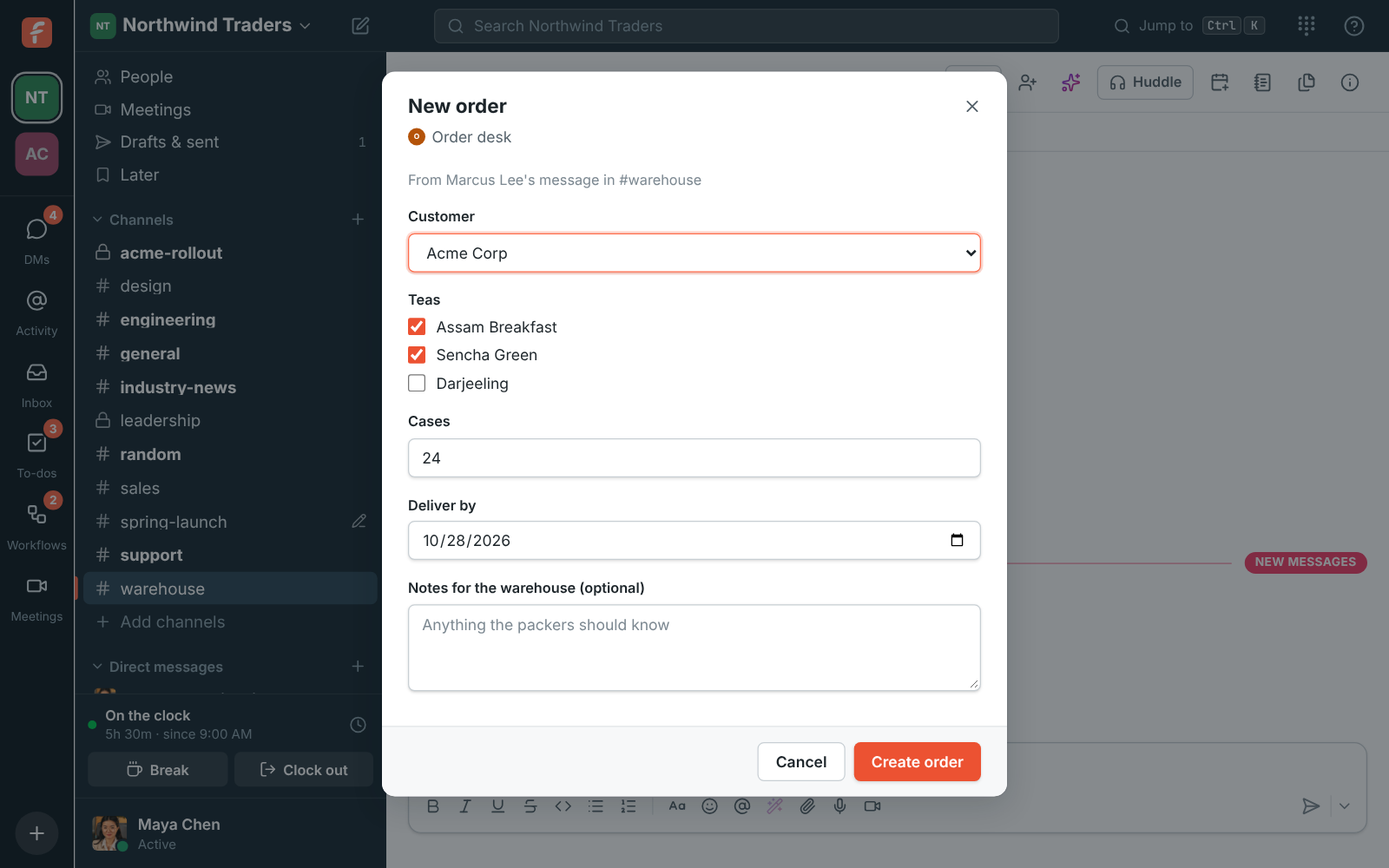
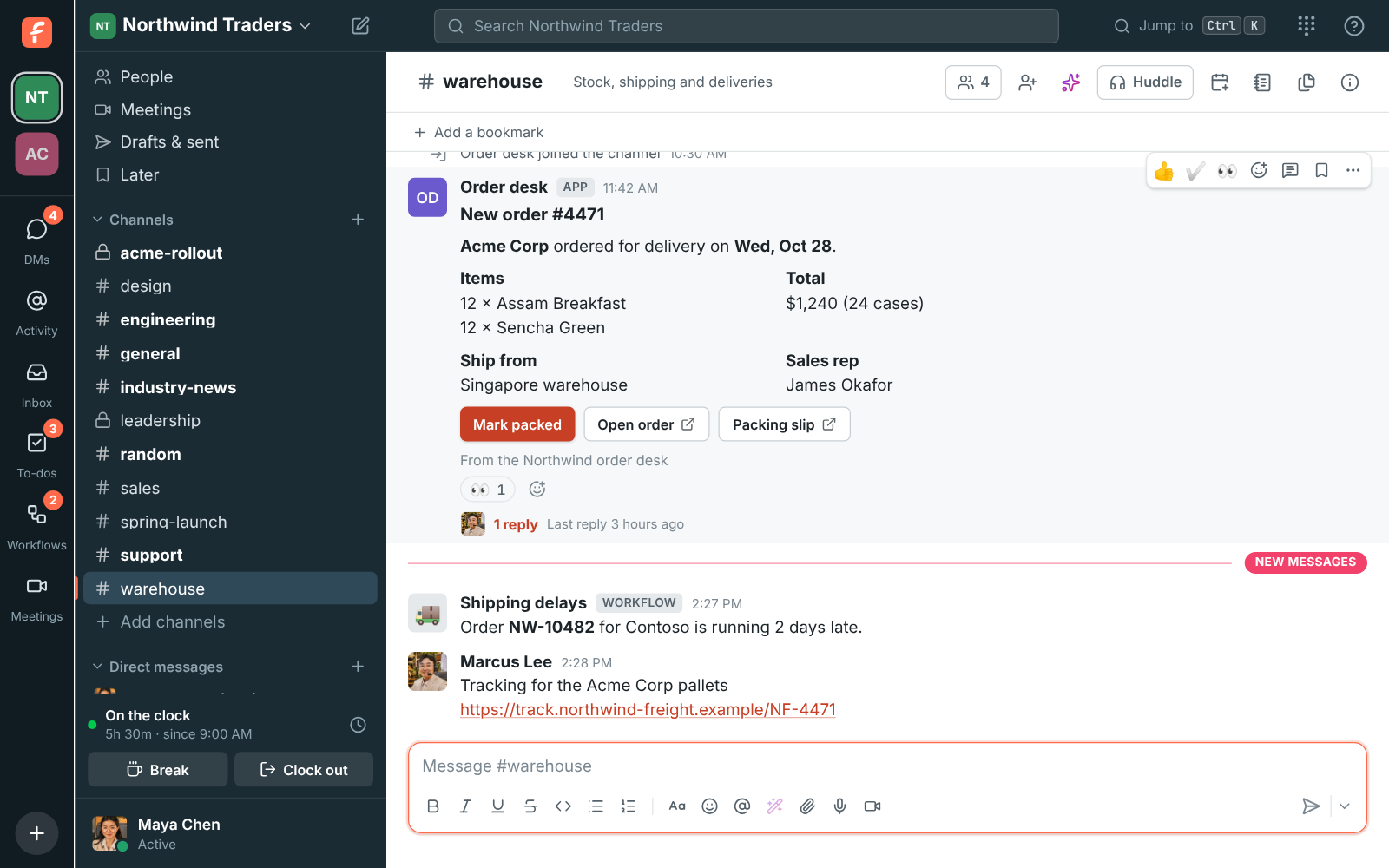
An app's card can carry buttons like Mark packed as well as links. A press reaches the app as Slack's block_actions payload, and the app can change the message, answer or open a dialog. Dialogs are Slack's modals: text, email, URL and number inputs, date pickers, selects, radio buttons, checkboxes and a people picker, with errors shown under the inputs and views that update, push or clear.

  • Buttons work the same on answers only one person sees
  • Dialogs stack three deep and open only where the person pressed or typed
A New order dialog from Order desk asking for the customer, tea and number of cases

The REST API, for everything else

The API takes and returns JSON with a bearer token. A bot token does what its scopes allow; a script can also sign in as a person and do anything that account could do in the app: post, react, upload, open DMs, create channels, schedule meetings, and as an admin invite people, change roles and manage settings. Message text uses Slack-style formatting, and a WebSocket follows everything live, DMs included.

Order desk's new order card with Mark packed and Open order buttons

Plans and pricing

Apps, slash commands and the API is included in Business, Corporate and Enterprise.

  • BusinessUp to 500 people
  • CorporateUp to 2,500 people
  • EnterpriseOver 2,500 people

Questions

Which plan includes this?
Apps and the REST API come with Business, Corporate and Enterprise. Incoming webhooks are on every plan, including Free. See pricing for the plans.
Does a bot take a seat?
No. App bots aren't listed under Members and don't count toward your plan. The bot is a member, never an admin, and only sees what a member in the same channels would.
Does my Slack Bolt app work?
Events arrive in Slack's Events API envelope and are signed with X-Slack-Signature as well as Freesbe's own signature, and the URL check sends a challenge the way Slack does, so apps built with Slack's SDKs check them for you.
What can an app never do?
Sign-in, your account, calls, AI, the punch clock and the customer inbox stay with people. Calls outside an app's scopes answer missing_scope; calls apps can't make at all answer not_allowed_token_type.

Try all of it free with up to 10 people.

No card, no time limit. Invite your team and see what sticks.