Freesbe

Dev tools and projects

Coming soon

Jira issues, moved from the conversation.

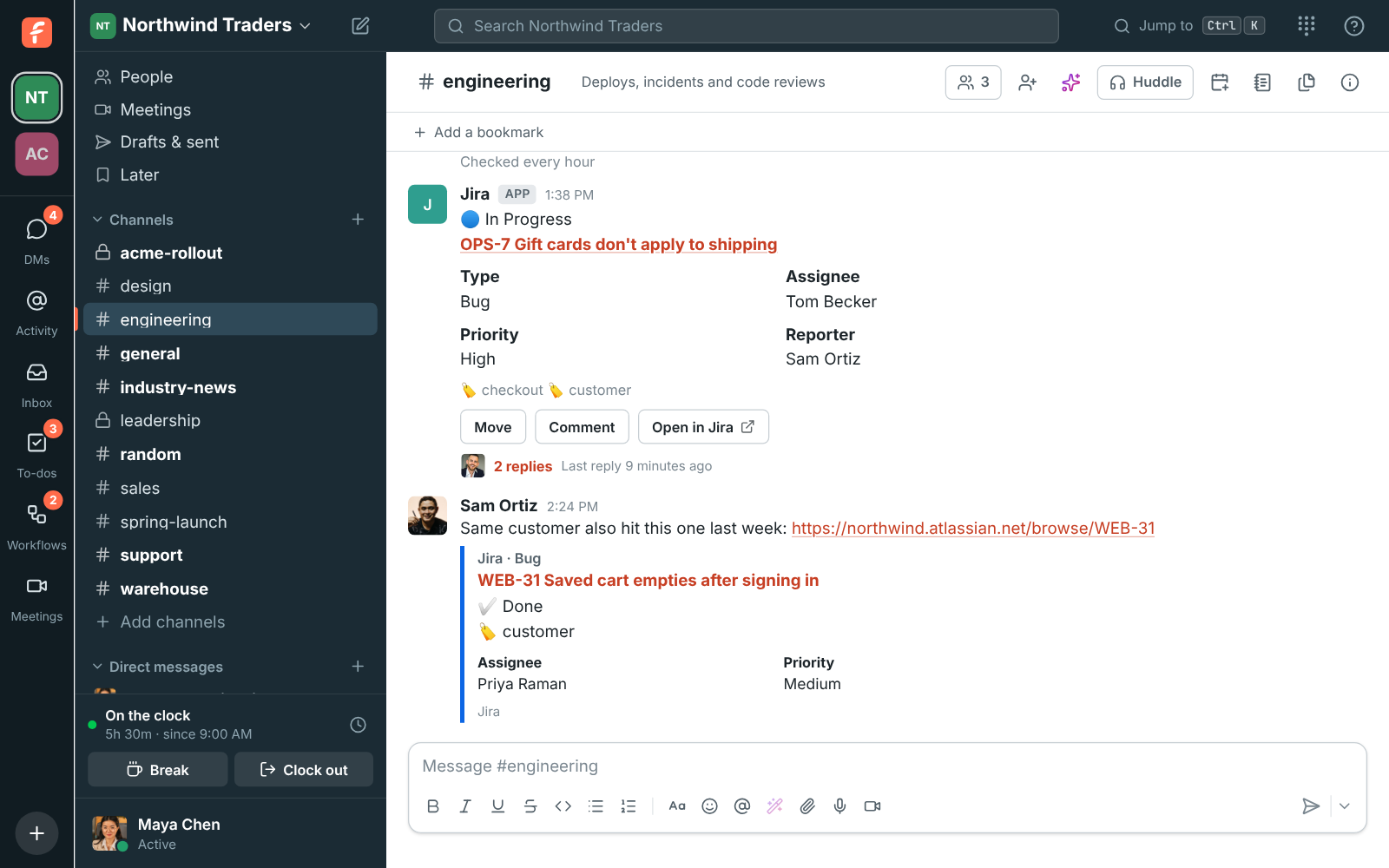
Connect your Jira Cloud site and channels subscribe to projects. Each new issue gets a card with a reply under it when it moves or is assigned, and the card changes in place as the status, assignee or summary changes. Move and comment from the card, paste a link for a preview, and turn any message into a Jira issue.

  • A card per new issue, with its moves and assignments as replies under it.
  • Move an issue through its workflow from the card; Jira records who did it.
  • Comment from the card, signed with your name, without a Jira account.
  • Previews of issue links with status, type, assignee and labels.
  • Create Jira issue fills the summary and description from the message.

For Teams that track work in Jira Cloud and talk about it in Freesbe.

#engineering with Jira issue cards, one In Progress and assigned to Tom with replies under it, and a preview of another issue Sam linked

Connect your site

An owner or admin clicks Connect Jira in Workspace settings, Integrations, Dev tools. Atlassian asks you to allow Freesbe; if your account is on more than one site, pick the one to connect. Freesbe acts in Jira as the person who connects it, so connect with an account that can browse the projects your channels will follow and create issues and comments in them. A workspace connects one Jira site, and Jira posts as its own member.
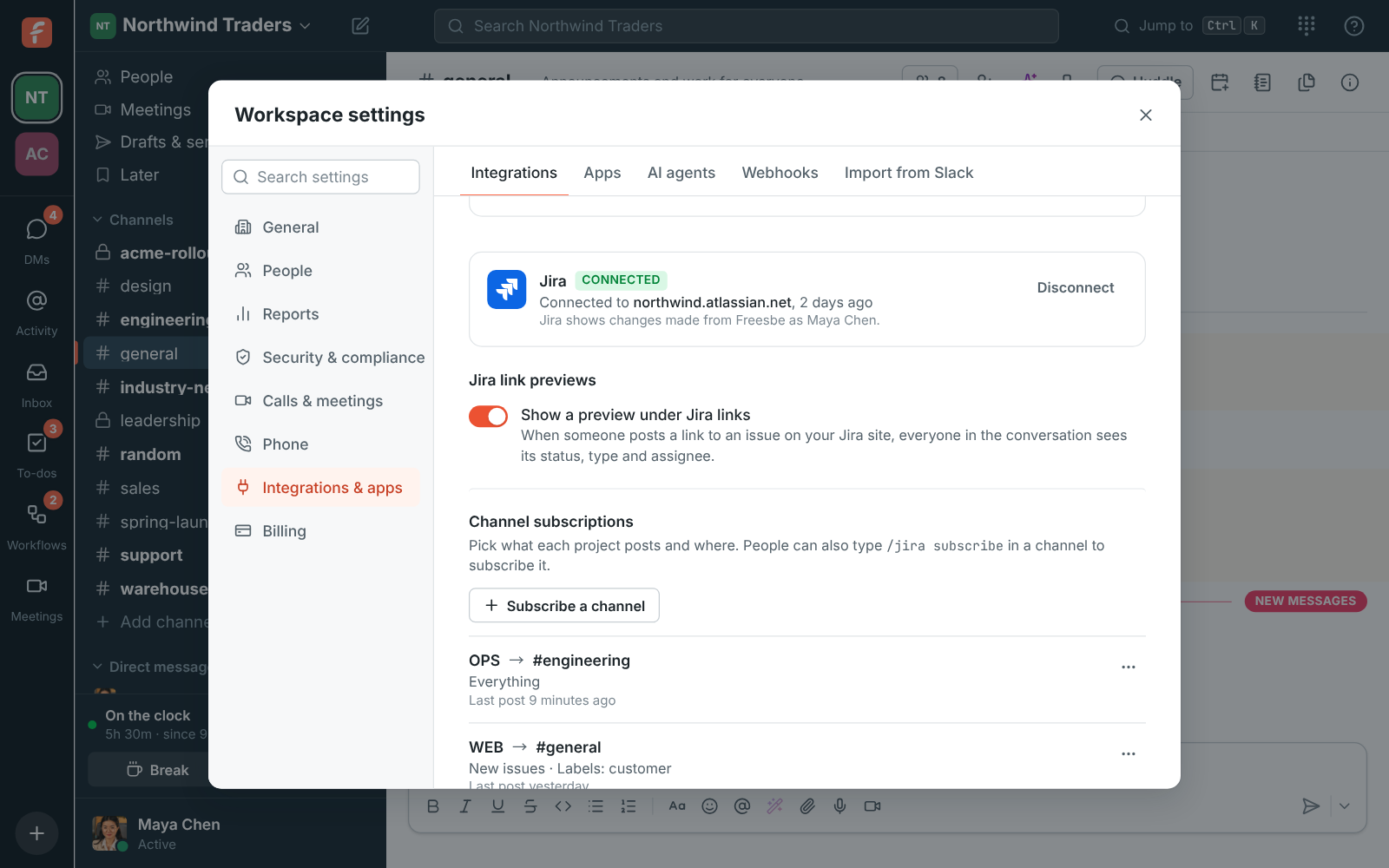
Workspace settings, Integrations, Dev tools: Jira connected to northwind.atlassian.net with two channel subscriptions

Subscribe channels to projects

Under Channel subscriptions, pick the project, the channel and what to post, or type /jira subscribe OPS in the channel with the project's key. A new subscription posts new issues, status changes and assignments; add comments if you want them. Each issue's card shows its summary, status, type, assignee and labels, changes in place, and stays current for 90 days.

See it on your own team's data.

Start free with up to 10 people and try it today, or book a 20-minute demo with the people who make Freesbe.

Act from the card, and from any message

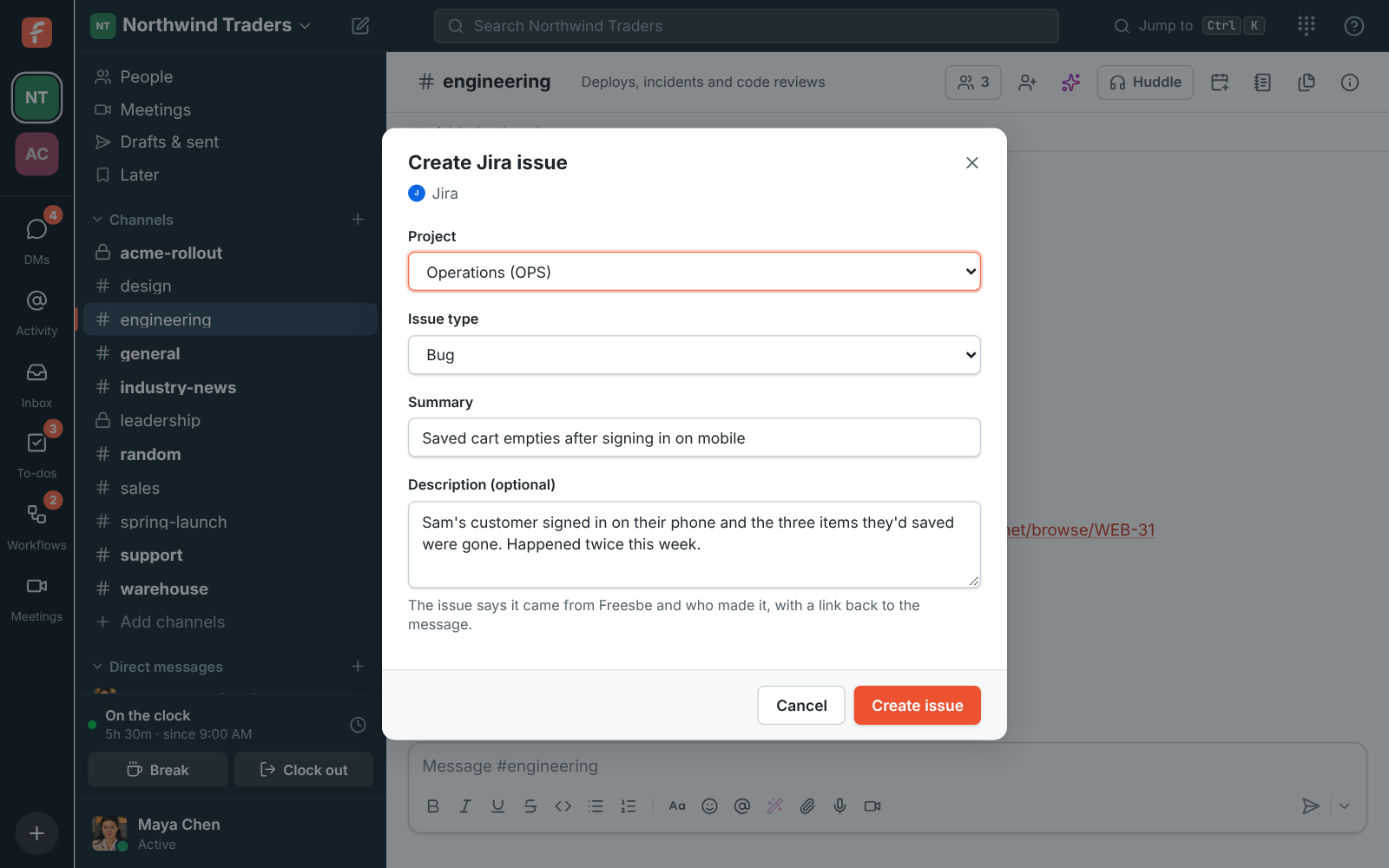
Move asks where to move the issue, from the moves its workflow allows, and the issue moves in Jira with a comment saying who did it, like Moved from Freesbe by Maya Chen. Comment adds a comment signed with your name. Create Jira issue in any message's menu picks the project and issue type and fills in the summary and description from the message; the issue links back to the message and its card lands in the thread. Projects with required fields beyond these say so in the dialog.

Create Jira issue: the Operations project, a Bug, and a summary and description filled in from the message

Plans and pricing

Jira is built and on its way. When it's on, it comes with every plan, including Free.

  • FreeUp to 10 people
  • BusinessUp to 500 people
  • CorporateUp to 2,500 people
  • EnterpriseOver 2,500 people

Questions

Does it work with Jira Server or Data Center?
No. It works with Jira Cloud sites, like your-company.atlassian.net.
Which plans include Jira?
Every plan, including Free. It's built and coming soon.
Move doesn't offer the status I want. Why?
The issue's workflow doesn't allow that move from where it is. Move it in steps, or in Jira.
What does Freesbe keep?
Your site's address, which projects each channel follows, and the access Atlassian gives it, encrypted. It reads issues only to show cards and previews, and Jira sends changes through one webhook on your site.

Bring your tools, and your team.

Free for up to 10 people, no card and no time limit. Connect what you already use in an afternoon.