Freesbe

Dev tools and projects

Coming soon

GitLab.com or your own server, in the conversation.

Connect GitLab.com, a self-managed server on the internet, or a private server behind your firewall. Channels subscribe to projects and get one card per merge request, issue, release and deployment that changes in place as the pipeline passes, approvals land and it's merged. Close, reopen and comment from the card, and turn any message into an issue.

  • Works with GitLab.com, your own server, and a private server Freesbe never calls.
  • One card per merge request with its pipeline, approvals and who merged it.
  • Confidential issues and internal comments never post.
  • Previews of merge requests, issues and commits in private projects, for people with no GitLab account.
  • Pushes, tags, pipelines and deployments too, filtered by label and branch.

For Engineering teams on GitLab, including ones whose server lives behind a VPN.

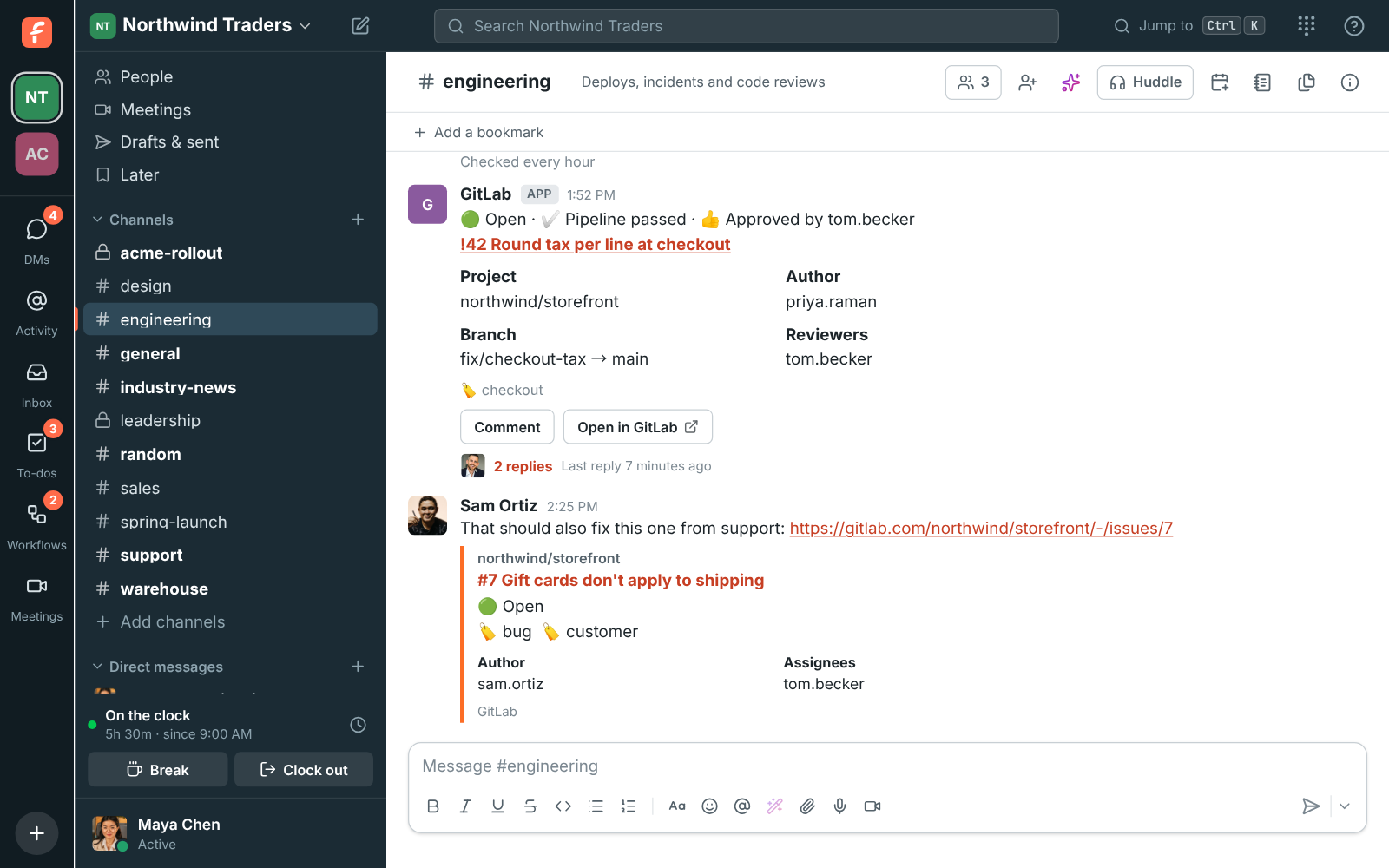
#engineering with a GitLab merge request card, open with its pipeline passed and Tom's approval and replies under it, and a preview of an issue Sam linked

Three ways to connect

GitLab.com connects with one Authorize click. A self-managed server on the internet connects through an application you make on it, with the redirect URI Freesbe shows, its Application ID and its Secret, so Freesbe never needs an admin password or token. A private server that only your network reaches connects without sign-in: Freesbe shows a webhook URL and secret token to add to each project, and your server sends the events while everything else opens GitLab in the person's browser.

  • On a private server the cards post and stay current just the same
  • Its cards' only button is Open in GitLab, and Create GitLab issue gives you a prefilled link
  • Freesbe acts in GitLab as the person who connects it
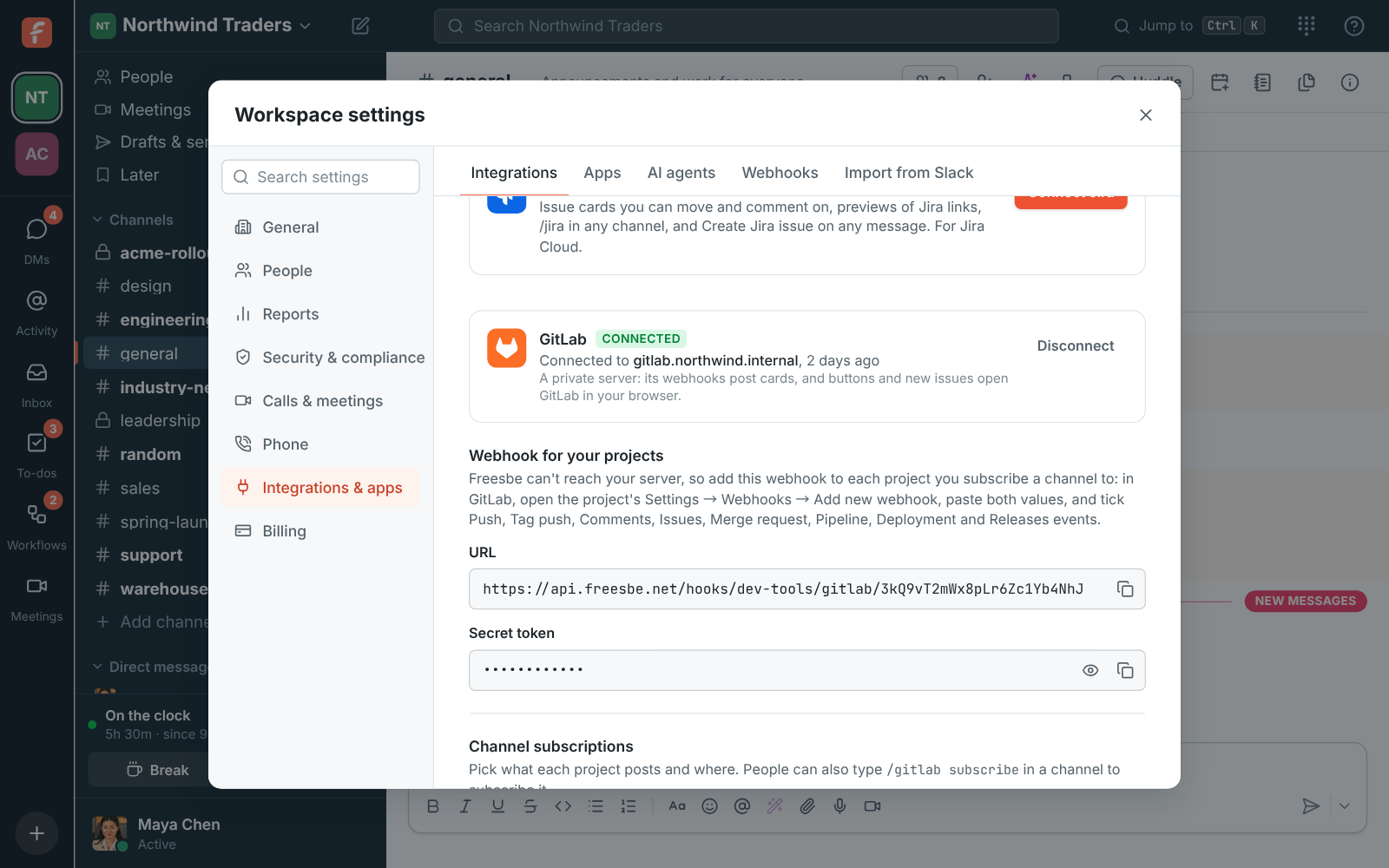
Workspace settings, Integrations, Dev tools: a private GitLab server, with the webhook URL and secret token to add to each project

Subscribe channels to projects

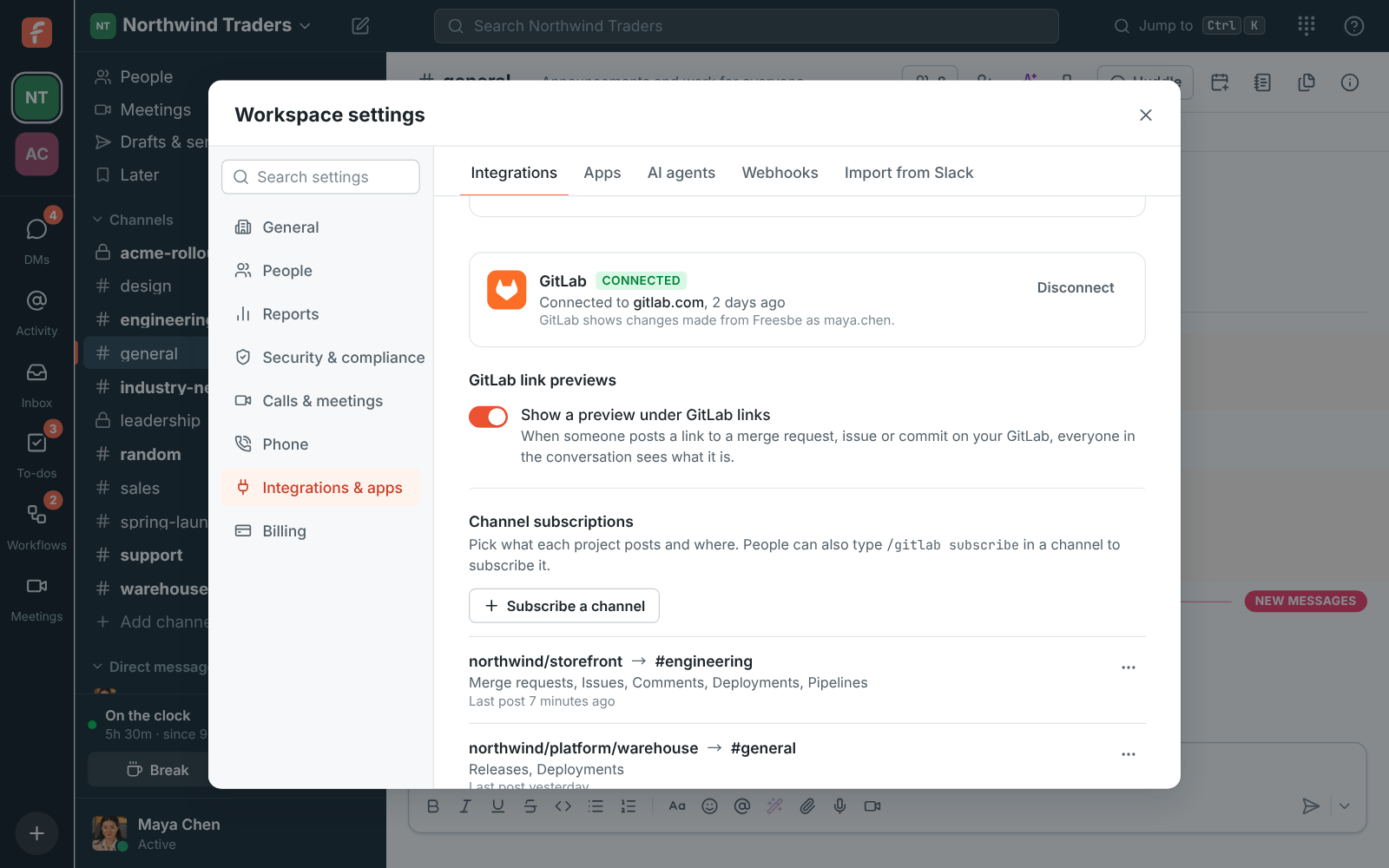
Under Channel subscriptions, pick the project, the channel and what to post, or type /gitlab subscribe northwind/storefront in the channel. When a channel first subscribes, Freesbe adds a webhook to the project, which needs the Maintainer role. A new subscription posts merge requests, issues, releases and deployments; add comments, pushes, tags and pipelines if you want them, and keep a busy project quiet with Only these labels and a branch.

Workspace settings, Integrations, Dev tools: GitLab connected to gitlab.com with two channel subscriptions

See it on your own team's data.

Start free with up to 10 people and try it today, or book a 20-minute demo with the people who make Freesbe.

Cards that stay current

A merge request's card shows its title, number and author, the branches, its labels and reviewers. As GitLab tells Freesbe more, it adds the pipeline running, passed, failed or canceled, who approved, and who merged it or closed it. Issue cards show the labels and assignee, deployment cards go from running to success or failure, and draft merge requests wait until they're ready. Cards stay current for 90 days.

A GitLab merge request card with its pipeline passed and an approval

Act from the card, and from any message

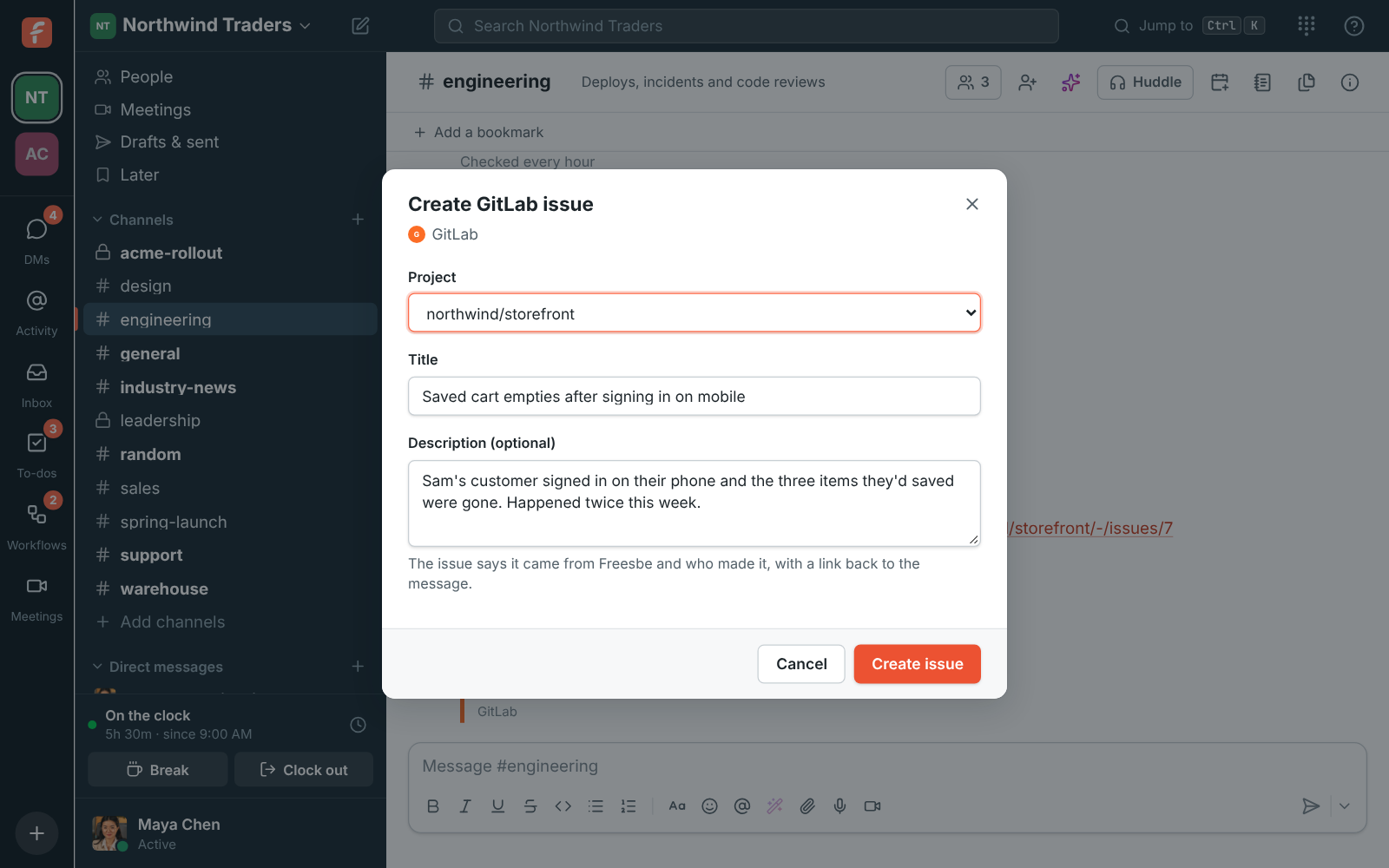
Close issue and Reopen change the issue in GitLab with a comment saying who pressed it. Comment adds a comment signed with your name, and anyone in the channel can use them without a GitLab account. Create GitLab issue in any message's menu picks a project and fills in the title and description from the message, and the new issue's card lands in the thread.

Create GitLab issue: the storefront project, a title and a description filled in from the message

Plans and pricing

GitLab is built and on its way. When it's on, it comes with every plan, including Free.

  • FreeUp to 10 people
  • BusinessUp to 500 people
  • CorporateUp to 2,500 people
  • EnterpriseOver 2,500 people

Questions

Which plans include GitLab?
Every plan, including Free. It's built and coming soon.
Our GitLab is only reachable on our VPN. Does it work?
Yes. Connect it as a private server: your projects' webhooks send Freesbe the events, Freesbe never calls your server, and links open GitLab in the person's browser, which is on your network.
Does Freesbe copy our code?
No. It reads merge requests, issues and commits only to show cards and previews, and doesn't copy your code anywhere. Each project's webhook carries a secret token Freesbe checks on every delivery.
Can we post pipelines without connecting?
Yes. GitLab's Slack notifications setting can post pipelines, merge requests, issues, tags and deployments into a channel through an incoming webhook, on GitLab.com or your own server.

Bring your tools, and your team.

Free for up to 10 people, no card and no time limit. Connect what you already use in an afternoon.