Freesbe

Talk

All plans

Freesbe in its own window, always running.

The Freesbe desktop app runs on Windows, macOS and Linux with native notifications, an unread badge on the dock or taskbar, a tray icon, open at login and automatic updates. It loads the same app as the browser, so new features arrive without reinstalling, and it adds a floating call window, screen pictures before you share, and remote control.

  • Get notified with the window closed: Freesbe keeps running in the tray.
  • See your unread mentions and DMs on the dock or taskbar icon, across every workspace.
  • Start quietly at login, signed in, so calls and messages reach you.
  • Zoom from 67% to 200%, and keep every keyboard shortcut a browser steals.

For Everyone who lives in Freesbe all day and wants it out of the browser's tabs.

The desktop app, with the window buttons at the right end of the dark bar along the top

One window, no title bar

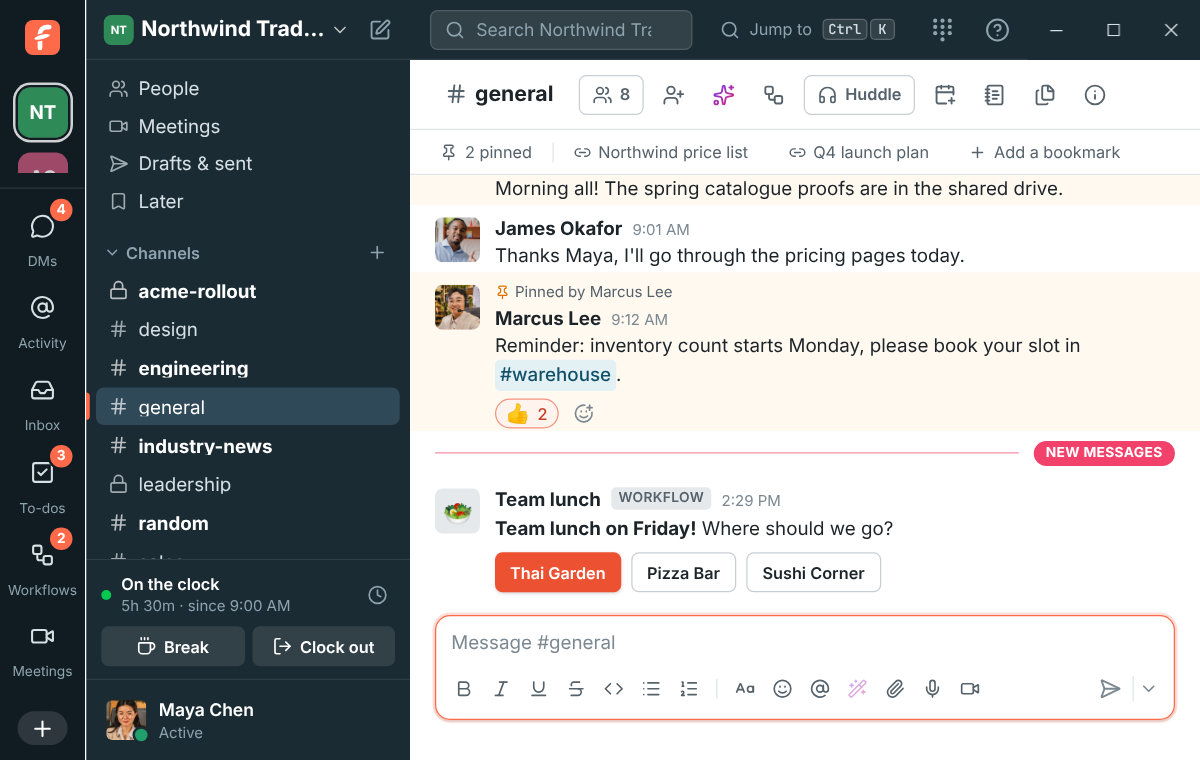
The app's dark bar along the top, with search and Jump to, is the title bar: drag it to move the window, double-click it to maximize. A profile, a thread or search results open over the conversation in a narrow window. Pictures open full size with Copy, Download and Close at the bottom, well away from the window's close button, so closing a picture never closes the app. Requirements: macOS 12 or later, Windows 10 or 11, or 64-bit Linux.
The desktop app's window with the dark bar along the top and the window buttons at its right end

In the tray, from login

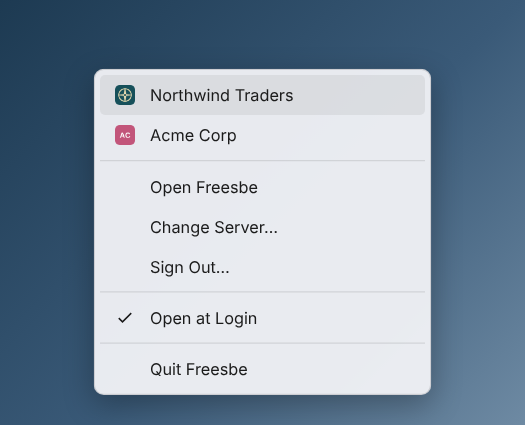
Closing the window keeps Freesbe running in the tray, the menu bar on a Mac, so notifications for DMs, mentions and thread replies keep coming. A new install on macOS or Windows opens quietly at login, signed in, without a window. The tray menu lists your workspaces with their logos, Open Freesbe, the punch clock, Sign In or Out, Open at Login, Check for Updates and Quit.

The tray menu: Northwind Traders and Acme Corp with their logos, then Open Freesbe, Change Server, Sign Out, Open at Login and Quit Freesbe

See it on your own team's data.

Start free with up to 10 people and try it today, or book a 20-minute demo with the people who make Freesbe.

Your workspaces on the taskbar

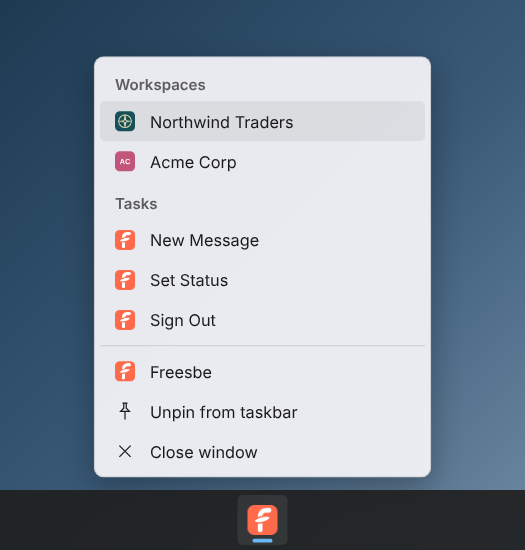
Right-click Freesbe's button on the Windows taskbar, or its icon in the Mac dock, for each of your workspaces with its logo, New Message, Set Status and Sign Out. Pick a workspace to switch to it, even with the window closed. The dock or taskbar icon counts unread mentions and DMs across every workspace you belong to, and the workspace icons in the rail show which one they are in.

The Windows taskbar menu: Northwind Traders with its logo and Acme Corp with its initials under Workspaces, then New Message, Set Status and Sign Out

Zoom, and every shortcut

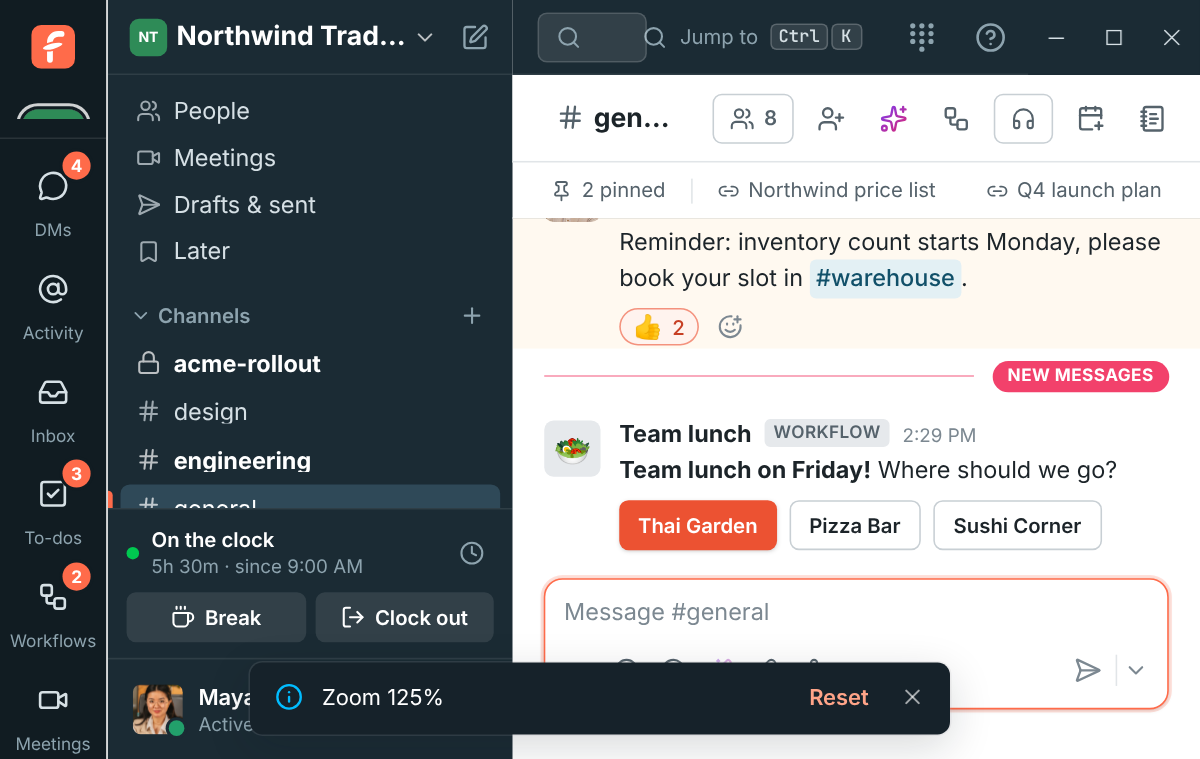
Ctrl and plus, minus or zero zoom in, out and back, from 67% to 200%, and Freesbe remembers the level. The window buttons and the top bar grow and shrink with everything else. Your browser keeps a few keys for itself; the desktop app gets all of them, and Ctrl+1 to 9 switch between your workspaces. Alt with the left arrow goes back a page, as in a browser.

The desktop app zoomed to 125%, with Zoom 125% and Reset at the bottom

Share the right screen, and see what others see

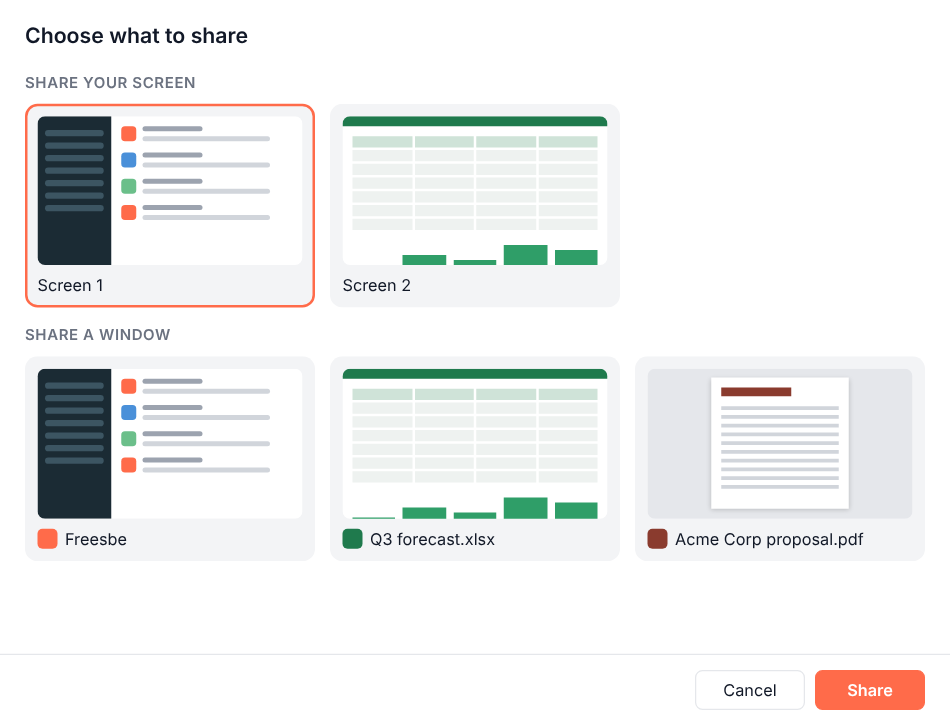
Click Share screen in a huddle or meeting and the app shows a small picture of each of your screens and open windows, so you can tell them apart before anyone sees them. While you share, a coral frame goes around what everyone sees and a You're sharing bar sits at the top of the screen. A floating call window stays on top of other apps when you minimize Freesbe during a call, and only a screen shared from the desktop app can be remote controlled.

Choose what to share: pictures of Screen 1 and Screen 2, and of the Freesbe, Q3 forecast.xlsx and Acme Corp proposal.pdf windows, with Cancel and Share buttons

Plans and pricing

The desktop app is included in every plan, including Free.

  • FreeUp to 10 people
  • BusinessUp to 500 people
  • CorporateUp to 2,500 people
  • EnterpriseOver 2,500 people

Questions

Which systems does it run on?
macOS 12 or later on Apple silicon or Intel, Windows 10 or 11 64-bit, and 64-bit Linux as an AppImage. Download it from freesbe.net/download, which puts your computer's version first.
Why does my computer warn me the first time?
The desktop app is in beta and the builds are not signed yet, so macOS and Windows ask you to confirm once. The install steps in the guide show exactly what to click.
Does it update itself?
Most of Freesbe updates without a new download, since the app inside the window is the same one the browser loads. On Windows and Linux the app itself checks for a new version at start and every four hours and installs it in the background. The Mac app offers the download page when a new version is out.
Which plan includes this?
Every plan, including Free.

Try all of it free with up to 10 people.

No card, no time limit. Invite your team and see what sticks.