Freesbe

Call and meet

Phone system add-on

One click to call, from CRM or website.

A Call button in your CRM or help desk calls through Freesbe: your phone rings first, then Freesbe dials the customer from your number, and an event says how it went. A Call us link is a page customers open from your website, a QR code or your Telegram bot to call Sales, Support or Billing from their browser, free.

  • Dial from the lead's record and have the CRM log whether they answered and for how long.
  • Let customers call you without a phone number, from a button on your site or a QR code.
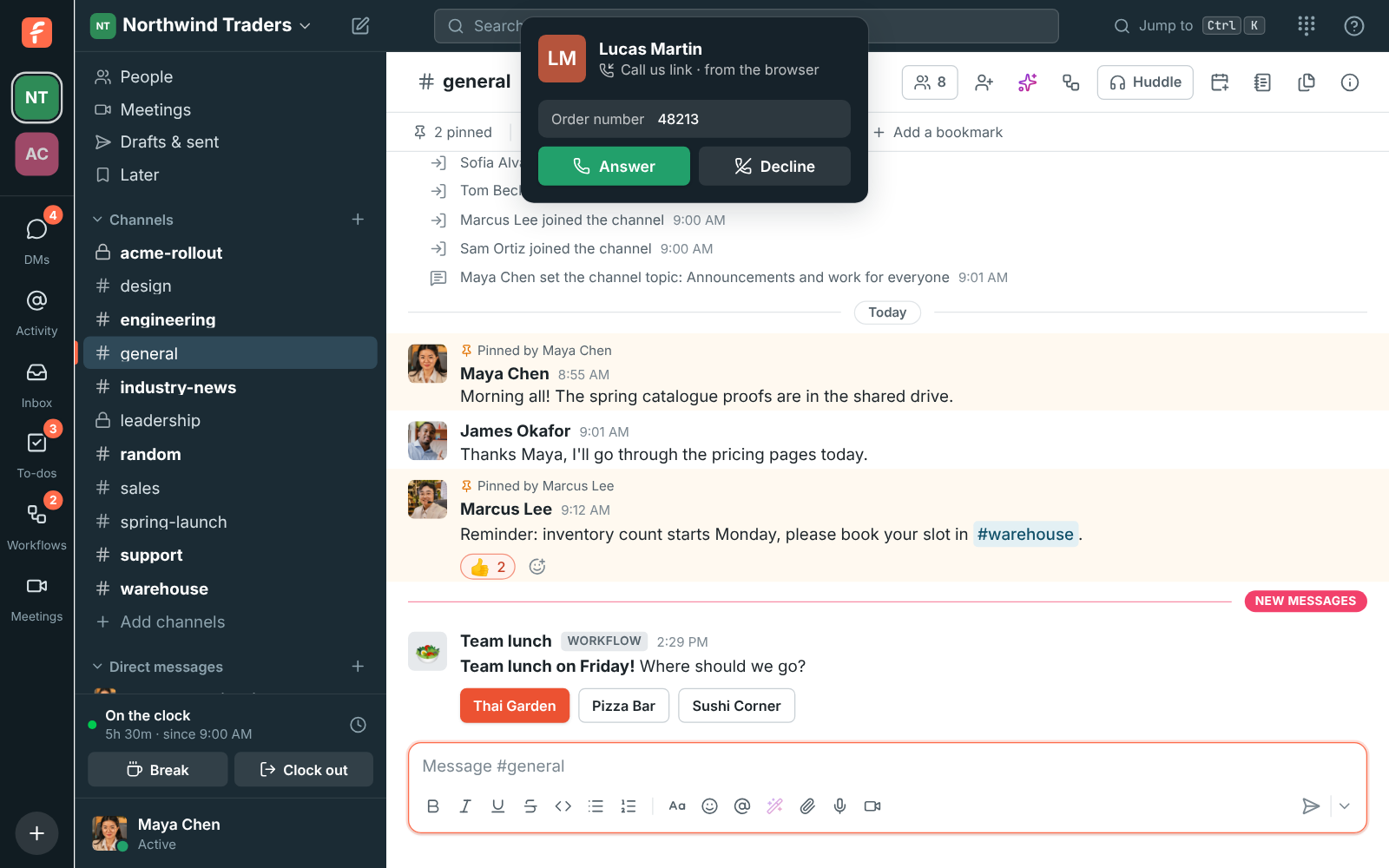
  • See the customer's name and their order number on the ringing call, before you answer.
  • Tell customers you're closed outside business hours, in your own words.

For Sales teams who work from a CRM, and support teams whose customers are already on the website.

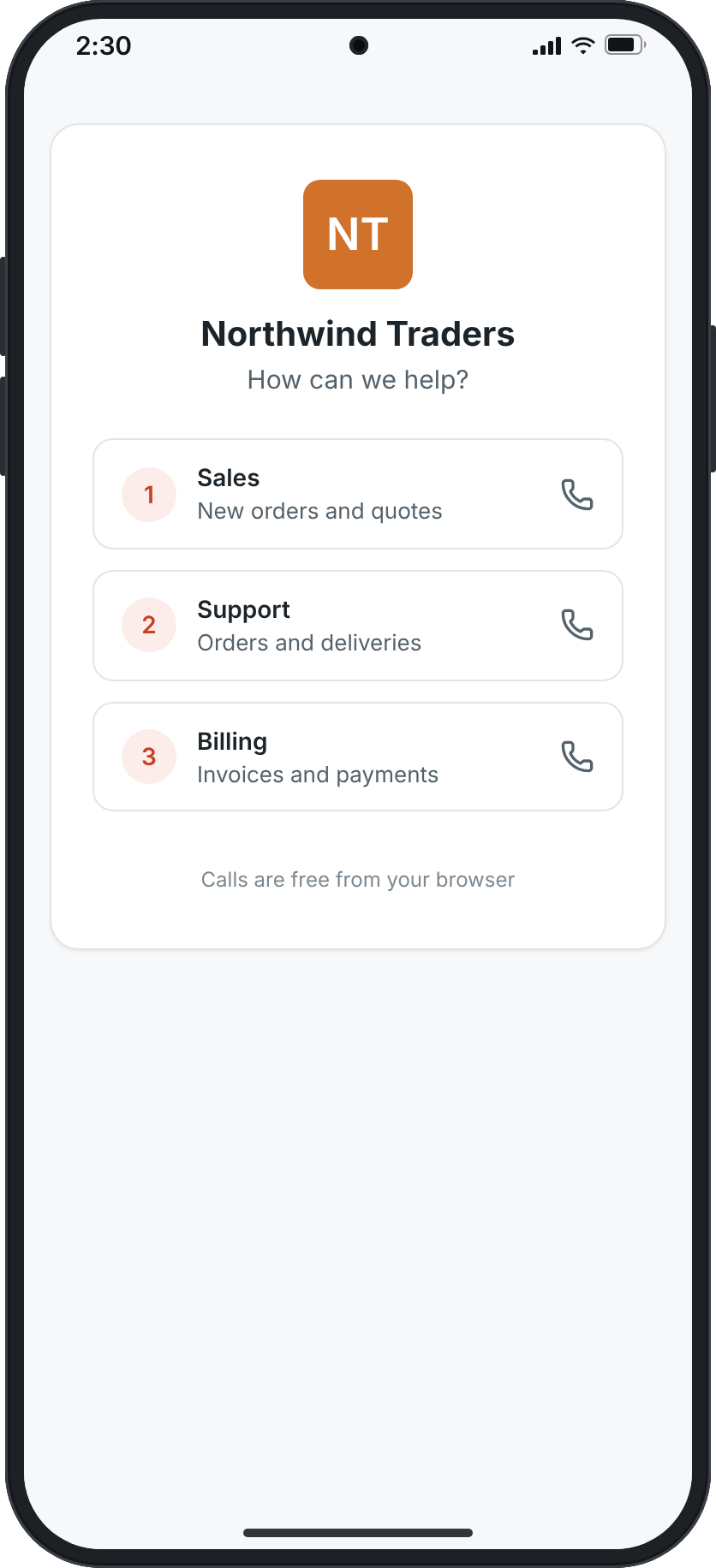
The Call us page on a phone: Northwind Traders, How can we help?, and buttons for Sales, Support and Billing

Call from your CRM, logged back to it

Make an app with the phone:call permission and have the other system start the call with the number and whose phone should ring. That person's Freesbe phone rings first, on their computer or phone; once they answer, Freesbe dials the customer from your workspace's number, so the call shows up in their calls like any other. When it ends, the phone.call_ended event says whether the customer answered and how long you talked, with the lead id it was started with, so the CRM logs it.
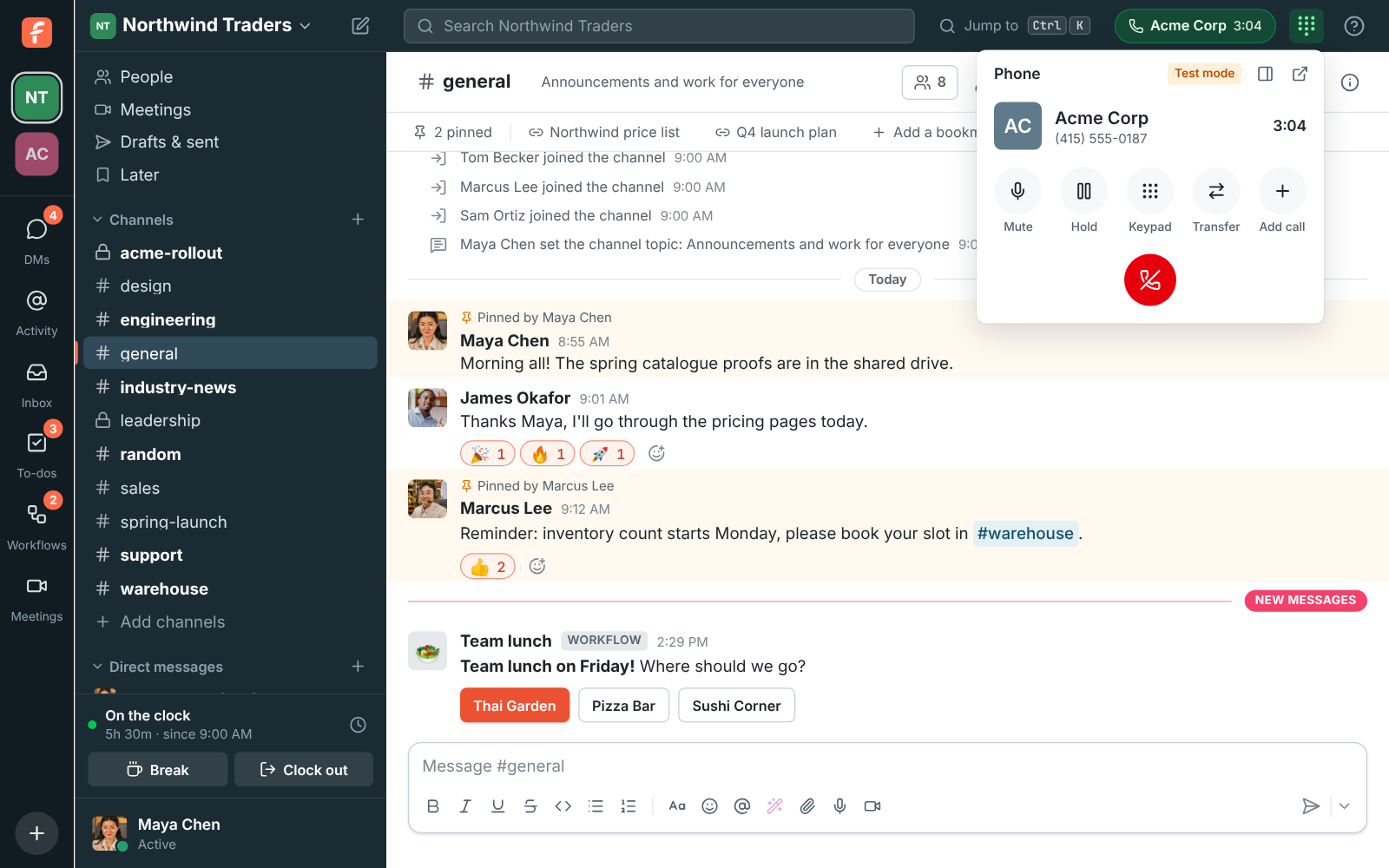
A phone call in Freesbe with the caller, the time on the call, mute, hold, keypad, transfer and hang up

A Call us page for customers

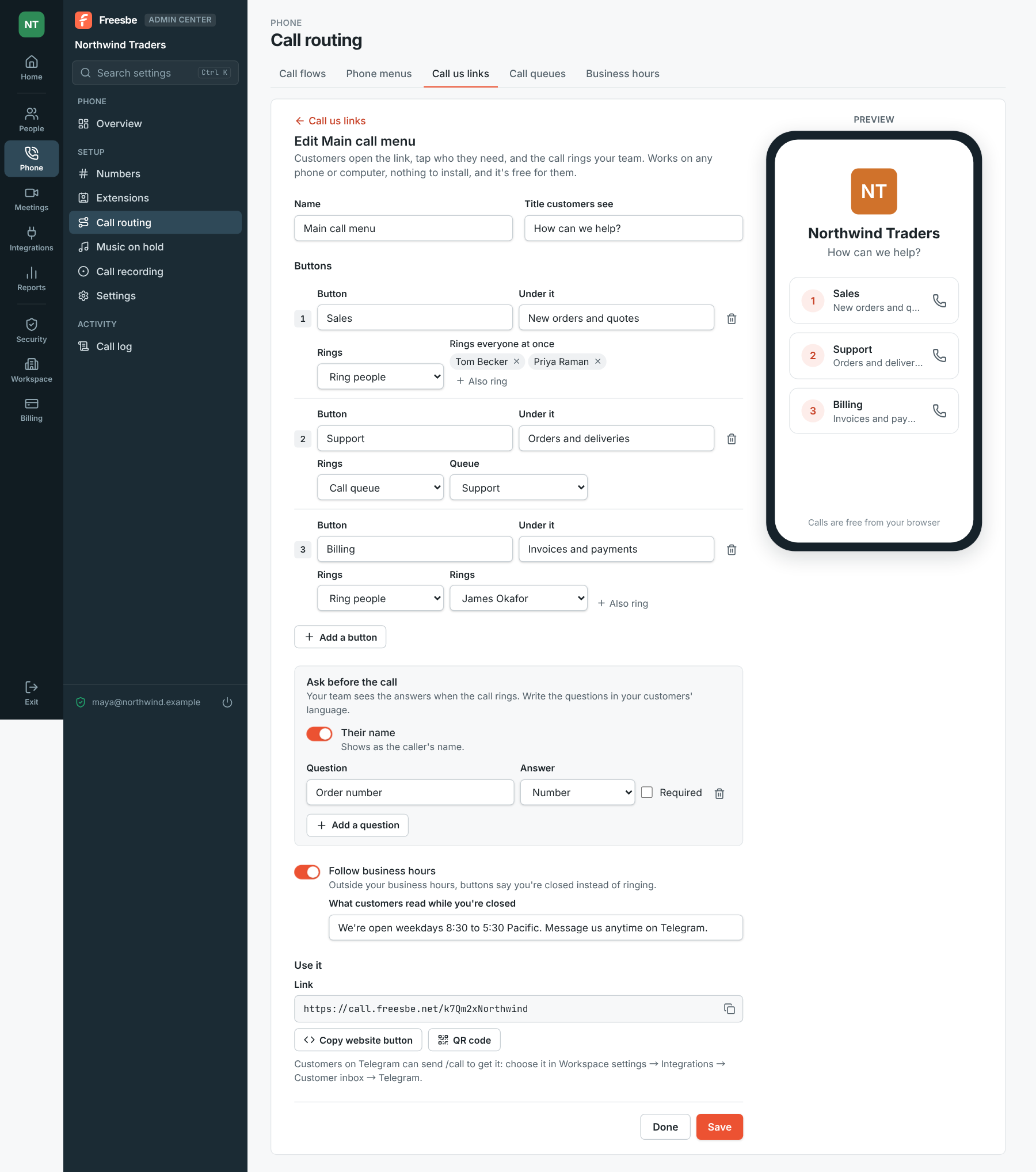
Give the link a title customers see, like 'How can we help?', and up to 5 buttons, each with a line under it and what it rings: people, someone's voicemail, a phone menu or a call queue. Keep Their name on so the customer types it, and add a question like an order number, in whatever language your customers speak. Turn on Follow business hours to have buttons say you're closed, with your own message. The preview beside the editor shows the page as customers see it.

Editing a Call us link: Sales ringing two people, Support waiting in the Support queue and Billing ringing James Okafor, asking for the customer's name and order number, with a preview beside it

See it on your own team's data.

Start free with up to 10 people and try it today, or book a 20-minute demo with the people who make Freesbe.

On your website, in a signature, on a flyer, in Telegram

Use it gives you the link, a ready-made Call us button to paste into your site's HTML, and a QR code for a flyer or a counter. Choose it as the Call us button in Telegram's settings and customers send /call or tap Call us in the bot's menu. Customers see your name and logo and the buttons, tap one, answer the questions, and Call asks for the microphone. Nothing to install, and no phone number needed on their side.

The Call us page with the workspace's logo and three buttons

Who's calling, and why, before you pick up

When it rings, the call says Call us link, from the browser under the customer's name, with their answers below, so you know the order number before you say hello. The call rings the right people the same way a phone menu's key does. Calls are free for customers and billed to your workspace by the minute with your other calls.

A call ringing in Freesbe from Lucas Martin, with Call us link, from the browser and his order number under it

Click any number in Freesbe

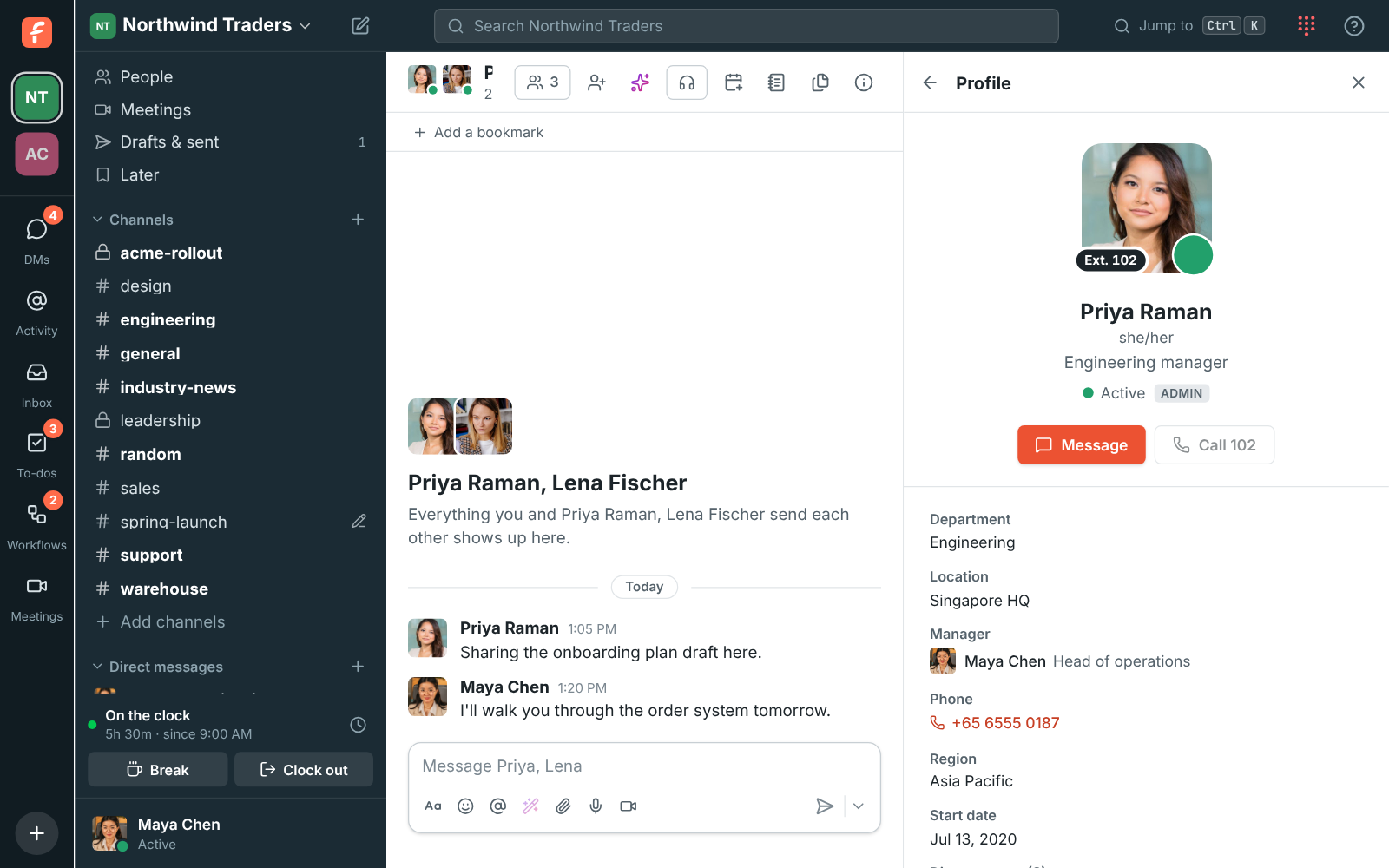
A phone number on someone's profile, or a phone link in a message, calls from Freesbe instead of opening another app; hold Ctrl or Cmd while clicking to hand it to your computer's phone app instead. On the phone app, numbers on a profile call from Freesbe with your work number.

Priya Raman's profile: Ext. 102 on her picture, Message and Call 102 buttons

Plans and pricing

Click-to-call and call-us links comes with the Phone system add-on, on any paid plan. It costs $8 per person a month, billed yearly ($10 month to month). The add-on isn't on sale yet; talk to us to be first.

  • BusinessUp to 500 people
  • CorporateUp to 2,500 people
  • EnterpriseOver 2,500 people
  • Phone system add-on$8 per person a month, billed yearly ($10 month to month)

Questions

Which plan includes this?
Click-to-call and Call us links are part of the Phone system add-on, on top of any paid plan. The API that starts calls needs an app, which comes with the paid plans.
Does the customer need an app or a number?
No. A Call us link opens in their browser; they tap a button, say their name and call. It's free for them.
What does the CRM get back?
The phone.call_ended event, with whether the customer answered, how long you talked, and the lead id and variables the call was started with. Apps with the phone:call permission and outgoing webhooks can subscribe to it.
What if the person isn't signed in to the phone?
The call isn't started and the answer says why, the same when they're already on a call. The person has to be signed in to Freesbe's phone somewhere.

Try all of it free with up to 10 people.

No card, no time limit. Invite your team and see what sticks.