Freesbe

Call and meet

Phone system add-on

A phone system that lives in your team chat.

Turn the phone system on, buy local or toll-free numbers in the United States or Canada, and calls ring in the browser, the desktop app and the phone app with hold, transfer, a keypad and voicemail. One local number comes with each person. A number rings up to 20 people, a menu or a queue, and everyone gets an extension.

  • Get a number in minutes, with nothing to sign up for elsewhere and no desk phone to buy.
  • Answer from the app your team already has open, on the computer or the phone.
  • Let a sales or support line ring up to 20 people, so the first one free picks up.
  • Reach a colleague by extension, from the keypad or their profile.
  • Keep the numbers your customers know: port them in free.

For Small businesses and teams of 2 to 2,500 who want one app for chat and the phone.

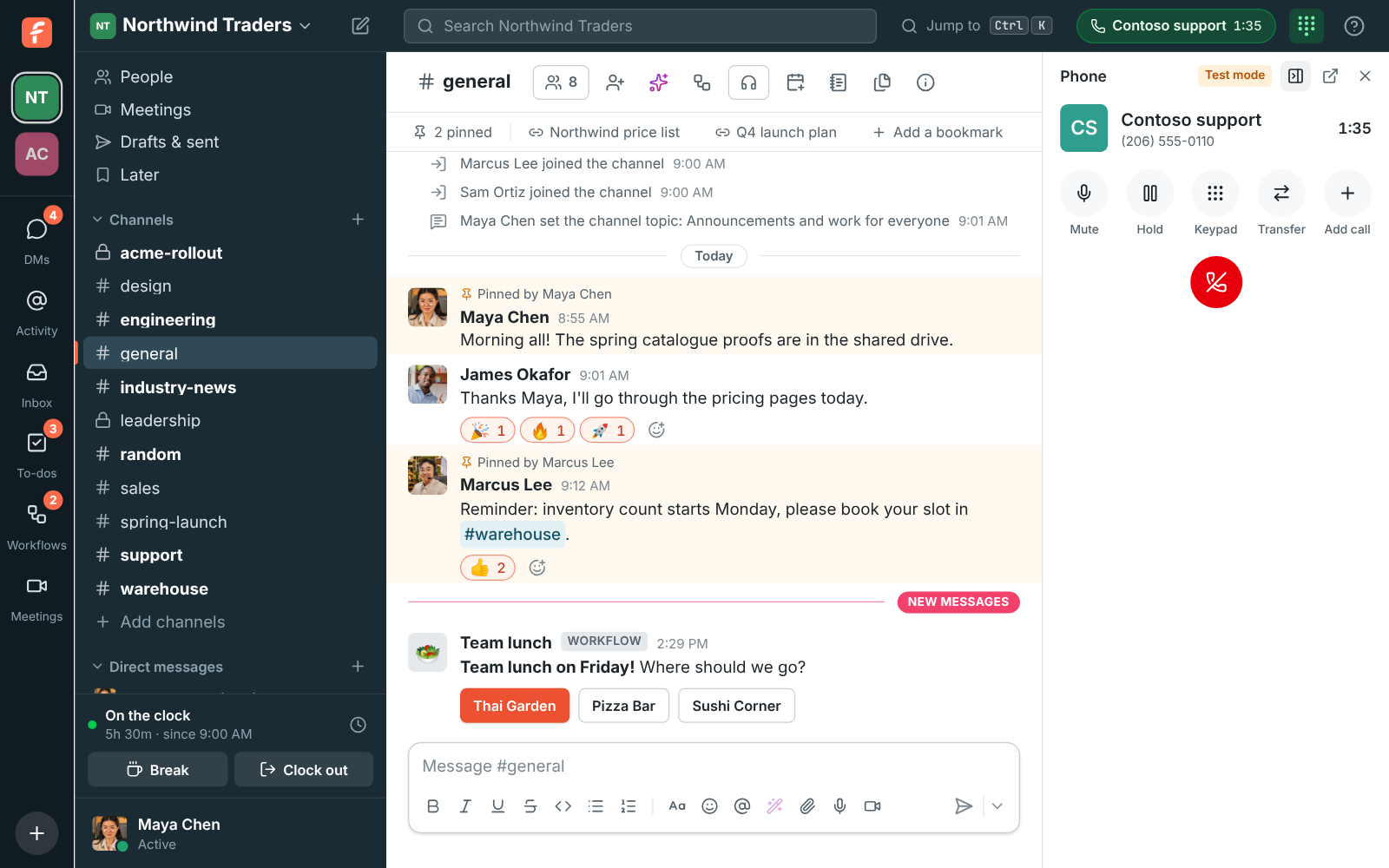
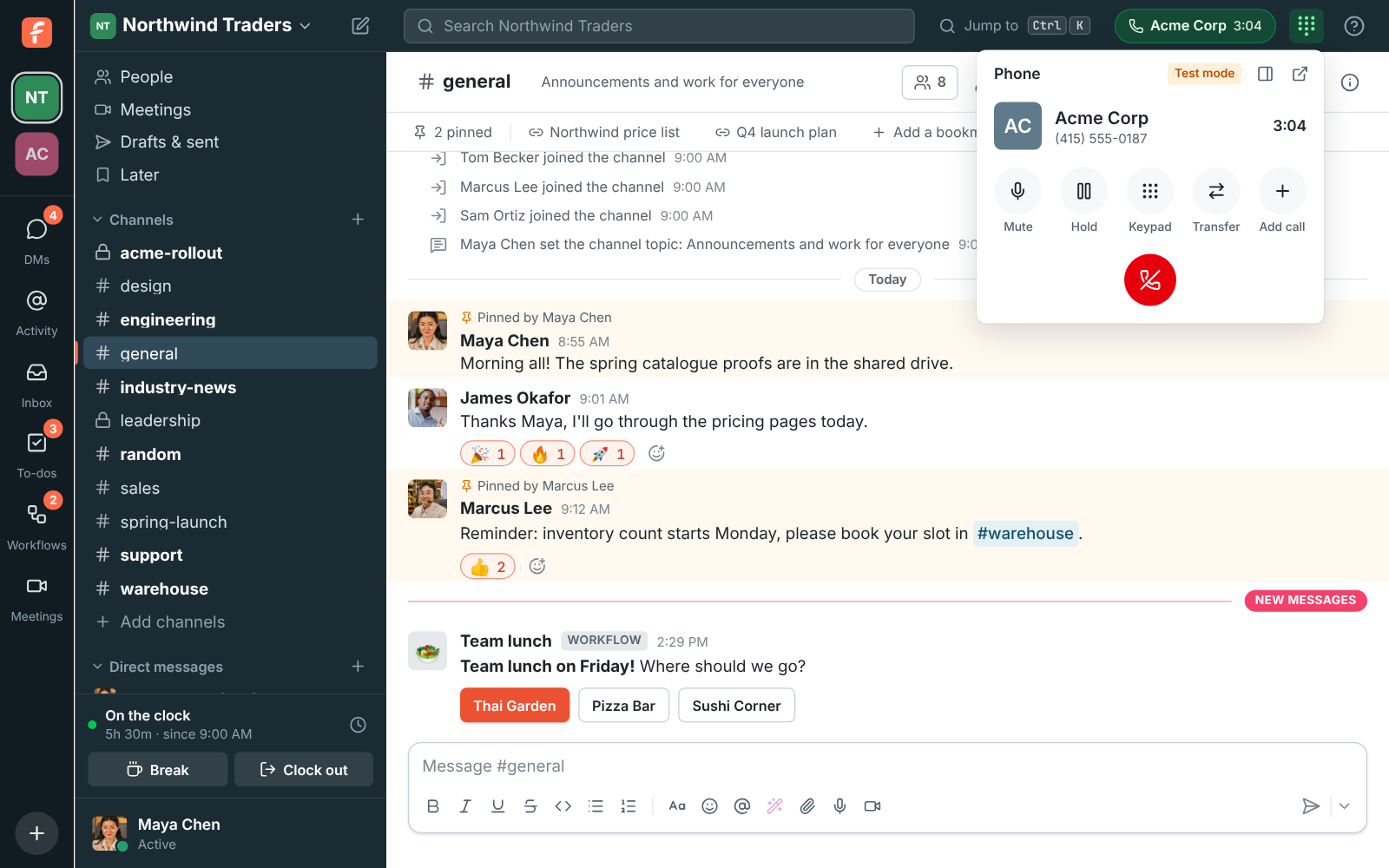
A phone call in Freesbe: the top bar says who with and for how long, and the phone shows the caller with mute, hold, keypad, transfer and hang up

Numbers in minutes

In the Admin Center, pick the country, turn the phone system on and click Buy a number. Numbers for sale show right away: choose Local or Toll-free, type an area code to narrow them down, pick one and choose who it rings. One local number comes with each person on the add-on, so local numbers show Included while you have some left; past that, and for toll-free numbers, each shows its monthly price before you buy. The first time a number rings someone, their phone account is made for them.

  • Numbers in the United States and Canada for now
  • Calls to the United States and Canada right away, other countries after a review
  • Release a number when you're done with it; numbers are kept 30 days if you turn the system off
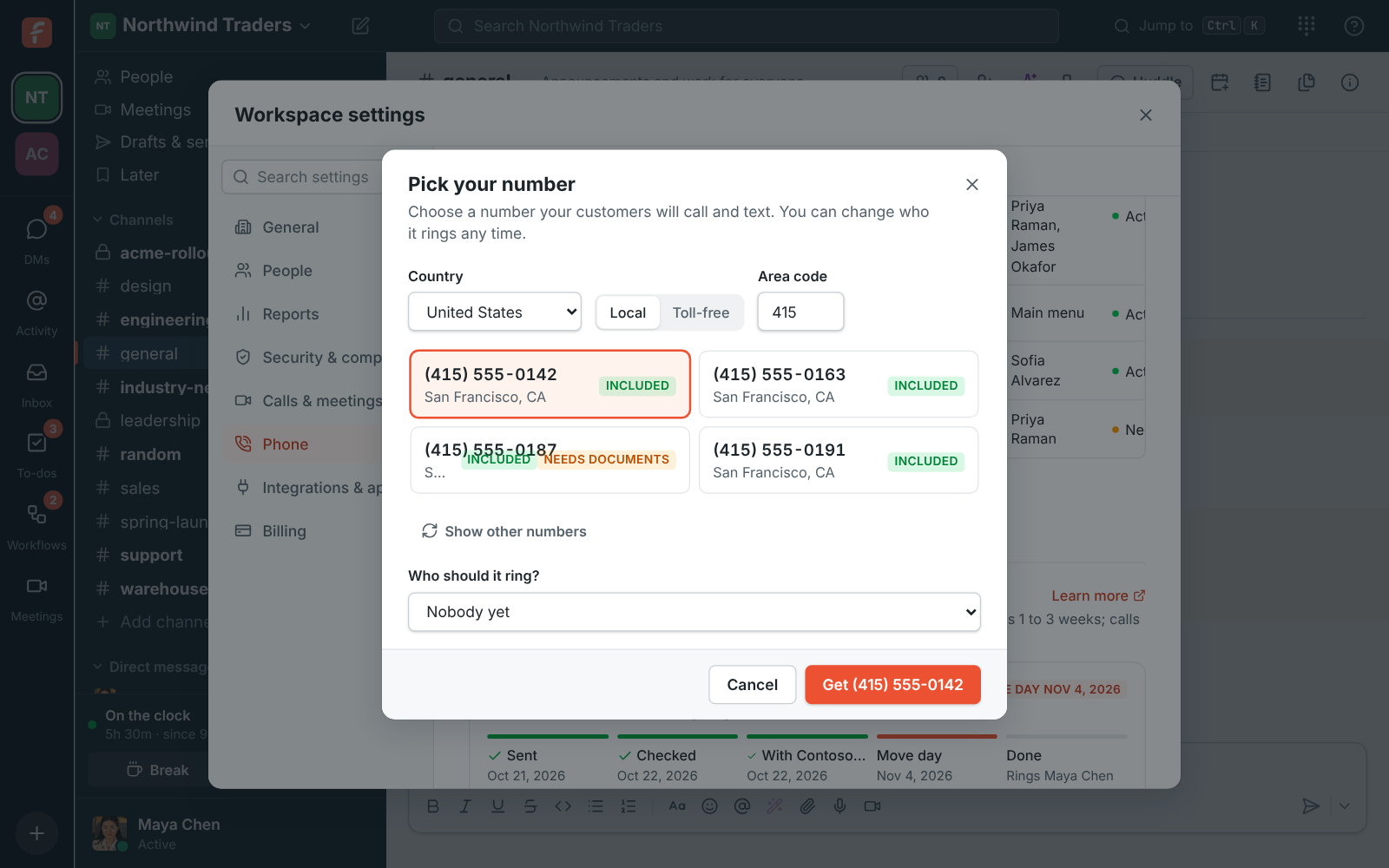
Pick your number: local numbers in the 415 area code marked Included, one picked

One number, up to 20 people

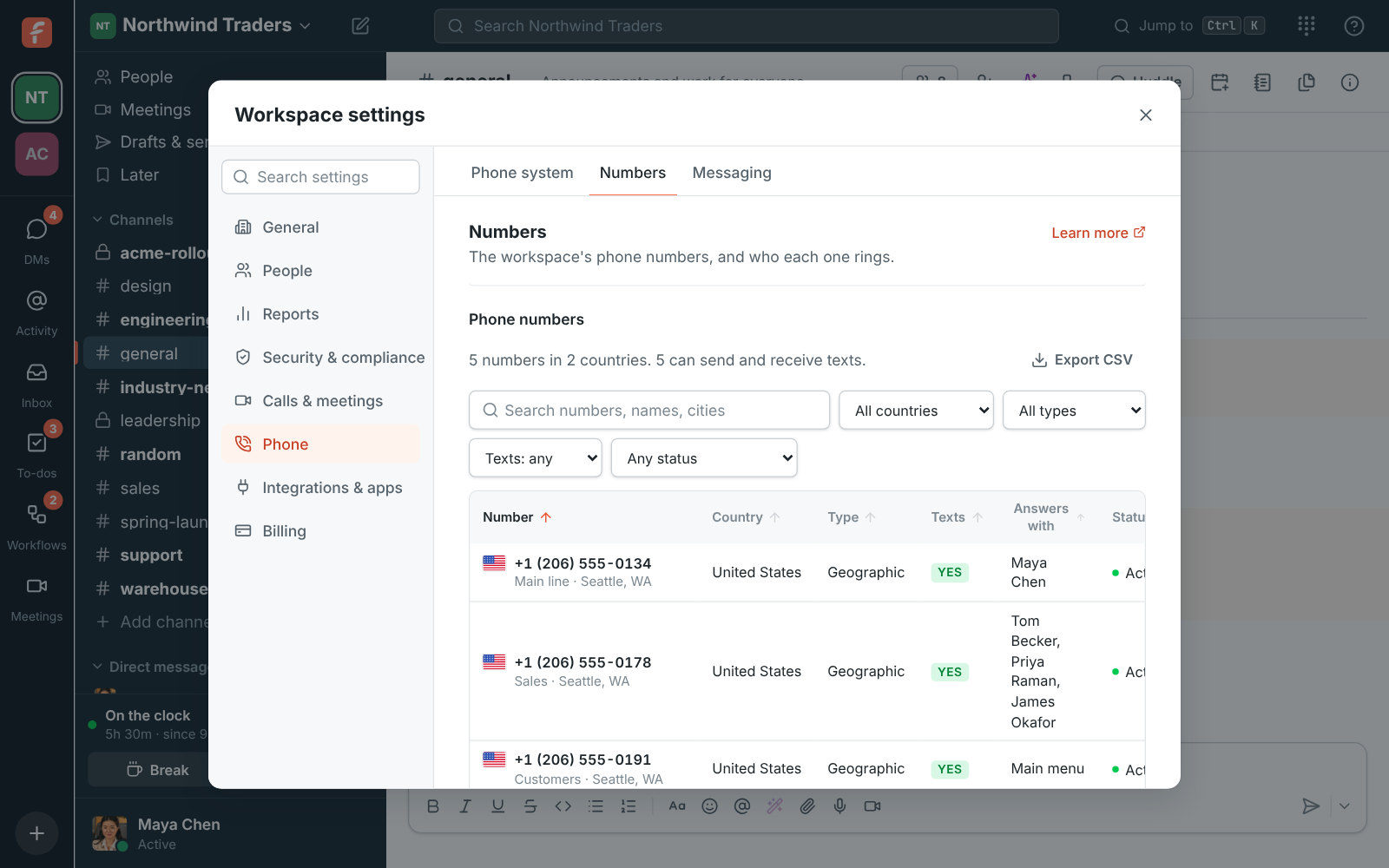
Open a number and choose what it answers with: people, a phone menu or a call queue. A number can ring up to 20 people at once, like a sales or support line: everyone's phone rings together and the first to answer takes the call. Turn on business hours and send after-hours calls to voicemail, a menu or a queue. Decide who can call out with the number as their caller ID, who can text from it, and whether callers who hide their number get through.

The Admin Center on Phone, Numbers: the phone system is on, with its numbers and who each one rings, one of them ringing three people

See it on your own team's data.

Start free with up to 10 people and try it today, or book a 20-minute demo with the people who make Freesbe.

Calls in the app you already have open

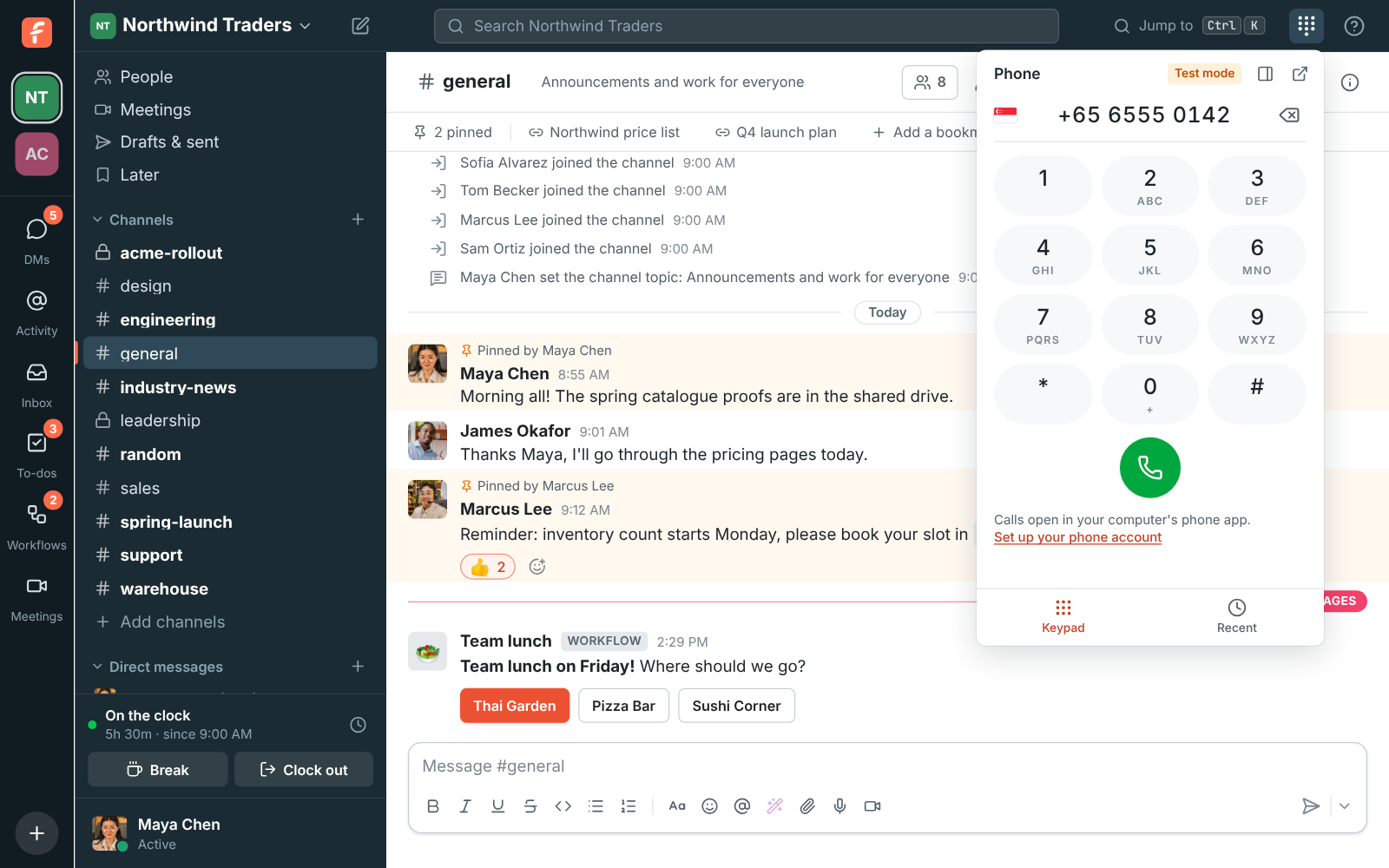
When a number rings, a card shows who's calling with Answer and Decline, and your ringtone plays. Make a call from the keypad, by typing a colleague's extension, or by clicking a number on a profile or in a message. During a call the phone has Mute, Hold, a Keypad for menus that say press 1, Transfer, Add call and Hang up, and the top bar shows who you're talking to from anywhere in Freesbe. Numbers are formatted as you type, with a flag for a number abroad.

The phone open from the top bar, with a number typed in and the green call button

Keep the phone open while you work

Pin the phone to the side of Freesbe and chat keeps working next to it, or pop it out into a small window that stays on top of your other apps. Make that window short during a call and it shrinks to one line with mute, hold and hang up. Recent lists your calls from the last 30 days with missed ones in red, People lists your colleagues with their extensions, and Voicemail plays your messages with what the caller said written out.

The phone pinned beside the conversation during a call with Contoso support

Every number in one table

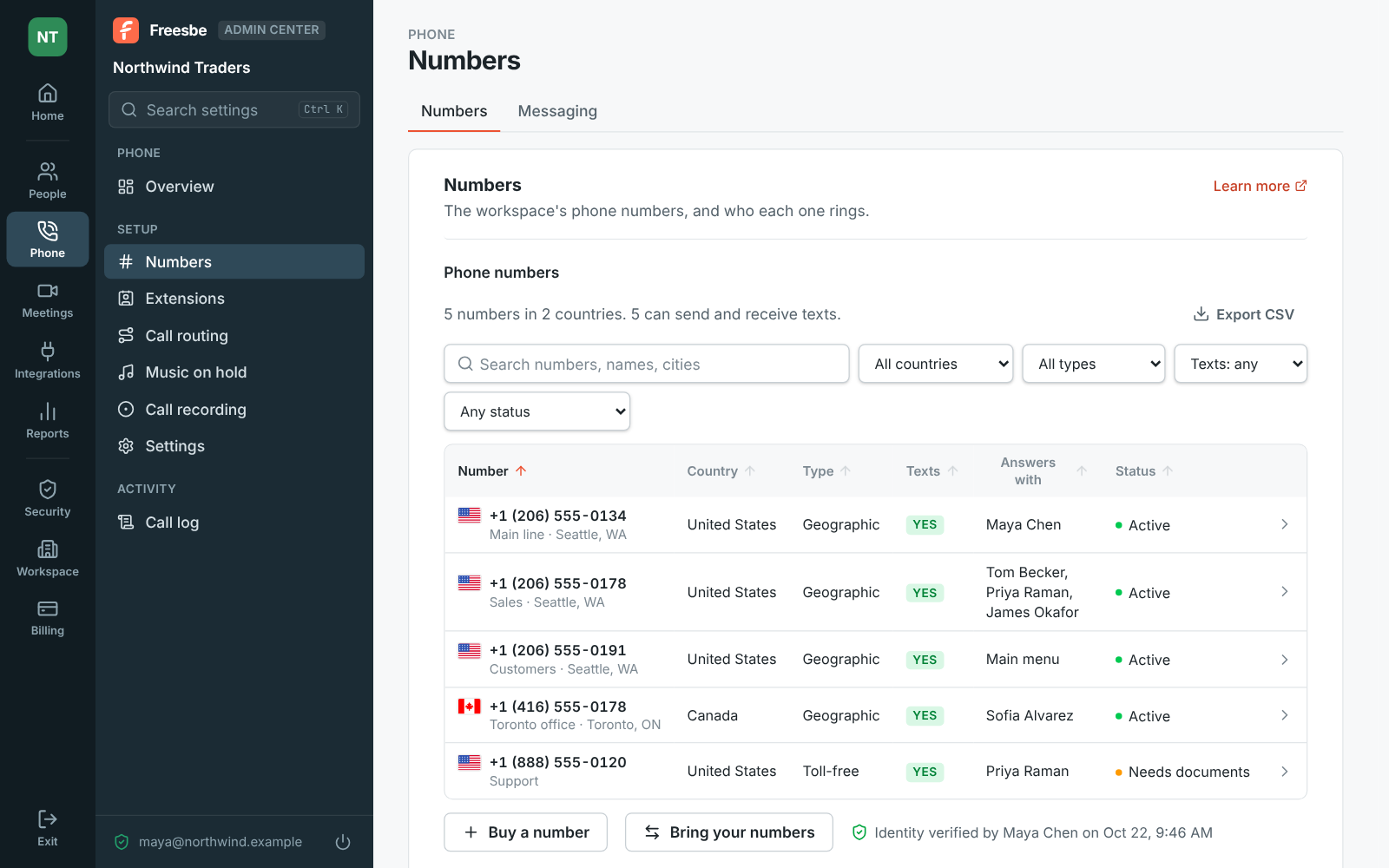
Phone, Numbers lists every number with its flag, name and city, type, whether it can text, what it answers with and its status. Search by number, name or city, filter by country, type, texts or status, sort by any column, and export the list as CSV. Click a number for its settings: each change saves as you make it. A number can take faxes too, each one emailed to you as a PDF.

The Admin Center on Phone, Numbers: a table of five numbers with their flags, country, type, texts, what answers each one and status

Plans and pricing

A business phone system comes with the Phone system add-on, on any paid plan. It costs $8 per person a month, billed yearly ($10 month to month). The add-on isn't on sale yet; talk to us to be first.

  • BusinessUp to 500 people
  • CorporateUp to 2,500 people
  • EnterpriseOver 2,500 people
  • Phone system add-on$8 per person a month, billed yearly ($10 month to month)

Questions

Which plan includes this?
The Phone system add-on, bought on top of any paid plan, with a local number for each person included. Extra local numbers and toll-free numbers are priced per number; the pricing page has the current prices. The Free plan has no phone system.
Do I need another phone provider?
No. The phone system from Freesbe gives you numbers and calling with nothing to sign up for elsewhere. If you already have a sip.io account, connect that instead; a workspace uses one or the other.
Where do calls work?
Numbers and emergency addresses are in the United States and Canada for now. A new phone system can call both right away, and other countries open up once your account has been reviewed. Calls happen in the browser, the desktop app and the phone app.
Can I use a desk phone?
Yes. An admin sets up a desk phone or softphone for anyone in the Admin Center, with SIP credentials, and it rings along with the Freesbe apps.
What happens if we turn it off?
Calls, texts and phone logins stop right away, and your numbers are kept for 30 days. Turn it back on before then and everything comes back as it was. Admins get an email before the numbers are released.

Try all of it free with up to 10 people.

No card, no time limit. Invite your team and see what sticks.