Freesbe

Call and meet

All plans

Look and sound right on every call.

Blur the room behind you or sit in front of a picture, and switch it during the call. Advanced AI noise cancellation removes keyboards, fans, dogs and traffic before your sound leaves your computer, with nothing sent anywhere extra. Test your microphone and speakers in Preferences, and ring on your laptop while calls play in your headset.

  • Take the call from the kitchen without showing the kitchen.
  • Be heard over the keyboard, the fan and the dog, with the filtering done on your own device.
  • Know your microphone works before you join: a level meter lights up as you talk.
  • Hear the ring on your laptop speakers even with your headset off.

For Anyone who joins calls from home, a café or an open office.

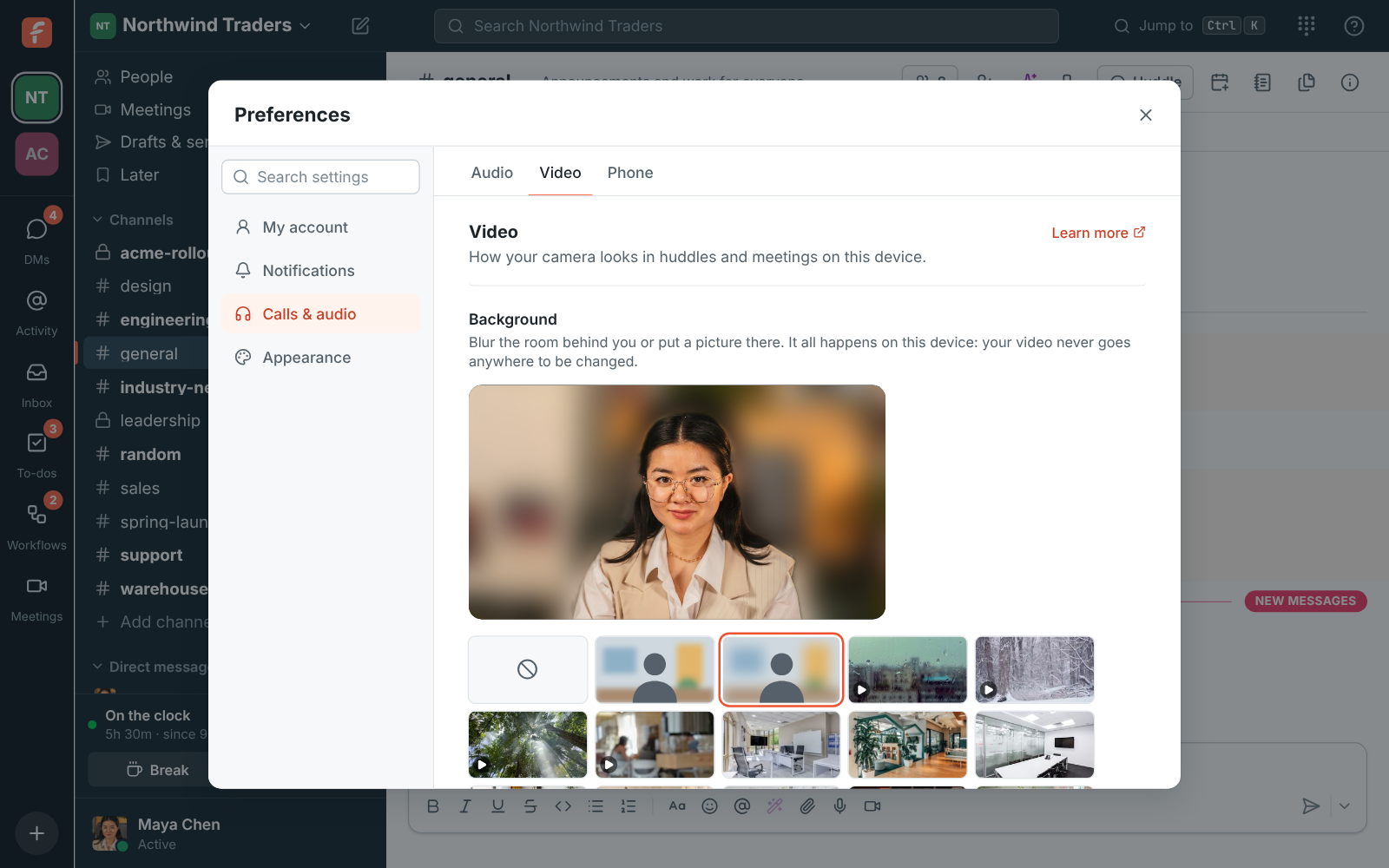
Preferences, Video: Maya's camera preview with Blur, so she stays sharp and the office behind her is soft

A background that stays behind you

Pick No effect, a slight blur, a blur, a moving background like rain on a window, a photo of an office, a café or a bookshelf, or add your own picture. A small AI model finds you in each frame on your own device, so the call sends the finished video and nothing extra goes anywhere. Your hair, ears and shoulders stay sharp, and a bright window beside you stays behind you. Change it during a call from Backgrounds and effects, or on your own tile.
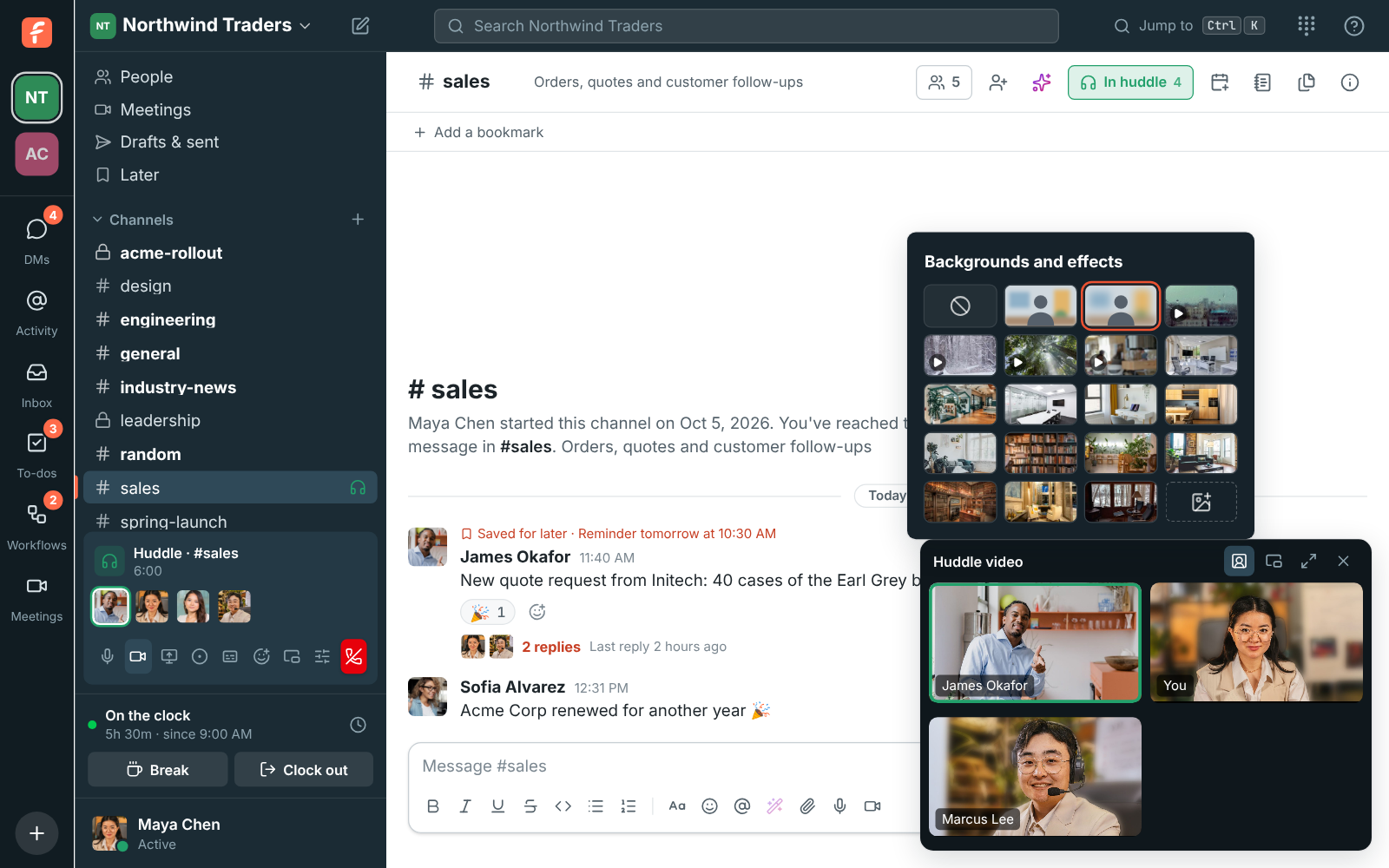
Backgrounds and effects open from the huddle video, with Blur picked, above James, Maya and Marcus's cameras

Noise cancellation that runs on your computer

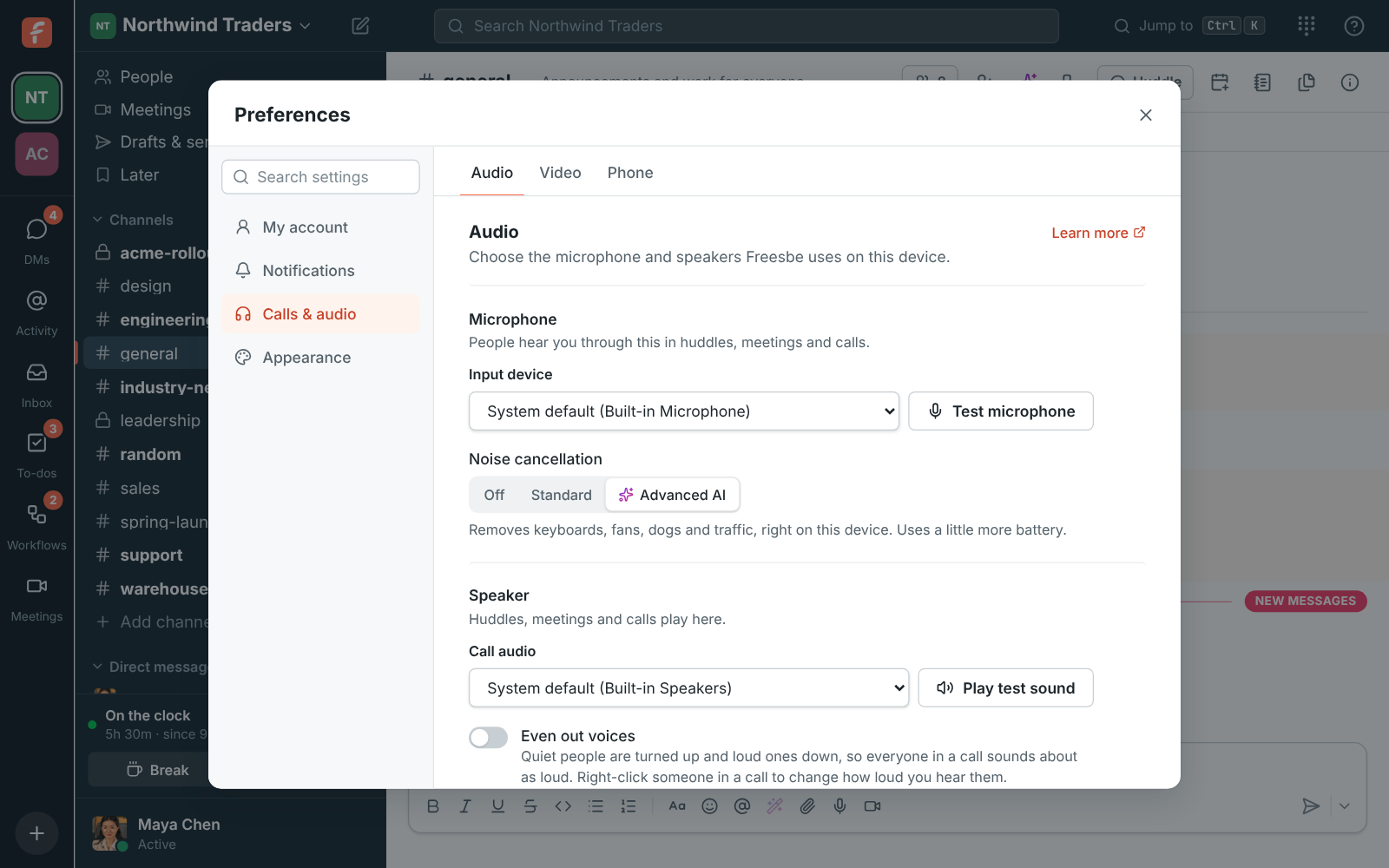
Three levels under the microphone: Off sends your microphone as it is, for music or a studio microphone. Standard is your browser's own filter, good for a steady hum like a fan. Advanced AI is a small neural network trained to tell a voice from noise, removing keyboards, fans, dogs and traffic before your sound leaves your computer. It runs on your device, so nothing extra is sent anywhere. If it ever sends the others silence while you talk, the call switches to Standard by itself and tells you.

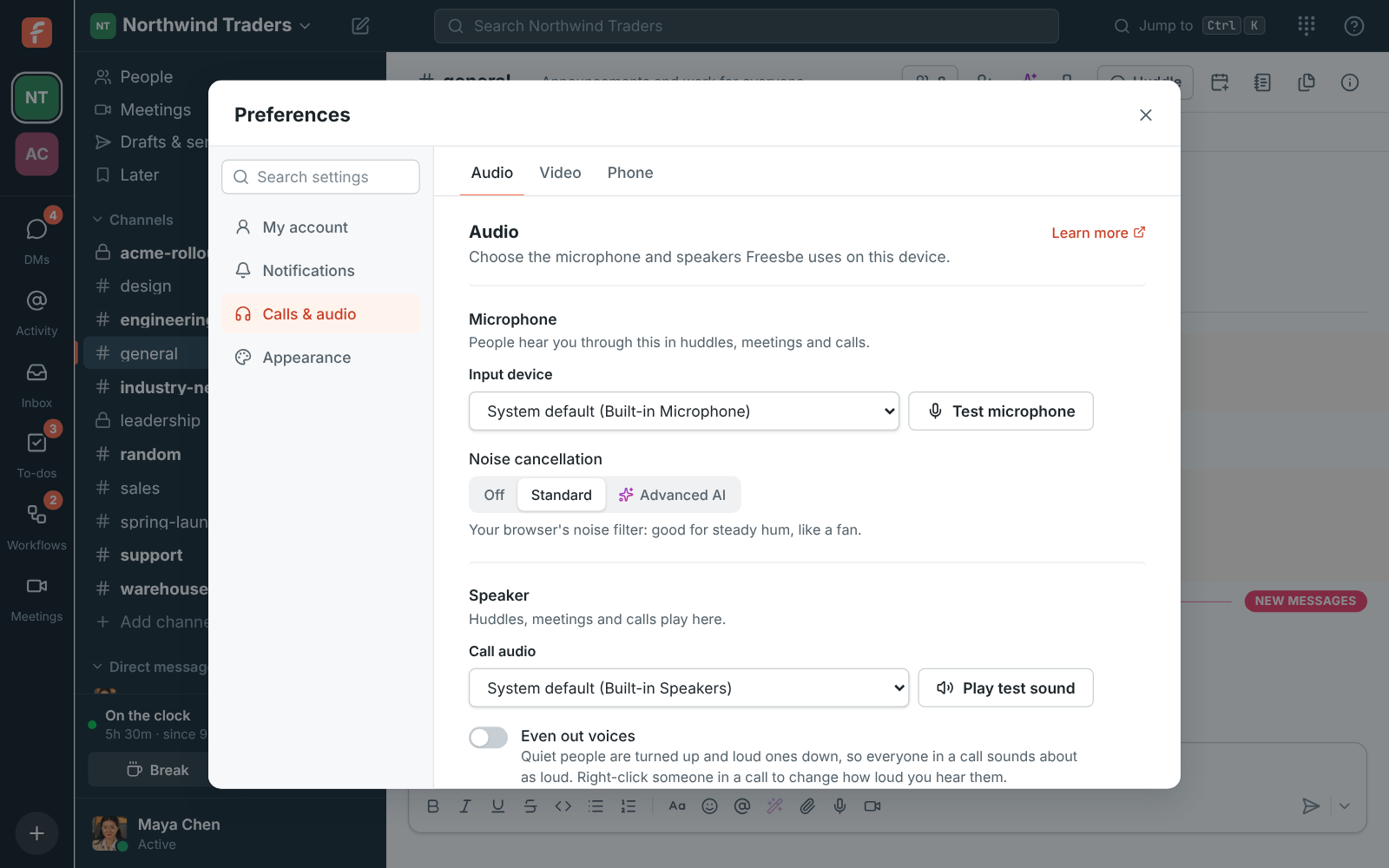
Preferences, Audio, with Advanced AI noise cancellation chosen under the microphone

See it on your own team's data.

Start free with up to 10 people and try it today, or book a 20-minute demo with the people who make Freesbe.

Test it before the call

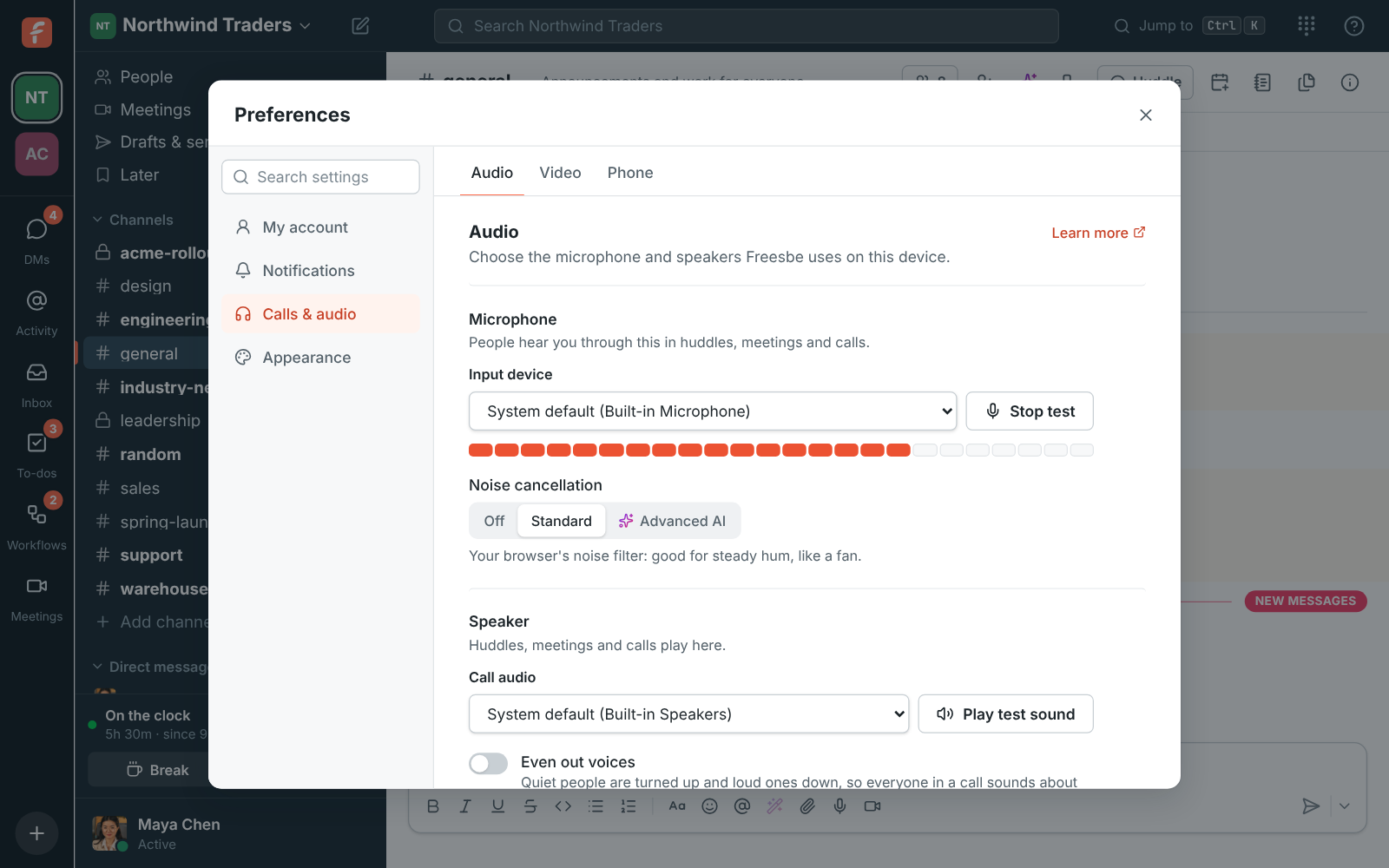
Test microphone shows a level meter that lights up as you talk, the way calls send your sound: with echo cancellation, automatic volume and the noise cancellation you chose. With Advanced AI on, the bar stays down while you type. If no sound comes in, a line under the meter says so, so you check the mute button on the headset before the meeting instead of during it. Play test sound checks your speakers, and Play ringtone checks where calls ring.

The microphone test running: the level meter more than half lit while Maya talks

The right speaker for each sound

Pick a microphone and a speaker for calls, and a separate speaker for the ringtone and chimes: your laptop speakers ring while the call plays in your headset. Turn on Even out voices to hear quiet people louder and loud ones softer, and choose whether a soft chime plays when someone joins, leaves or raises a hand. Choices are saved on each device, and if a device is unplugged Freesbe uses your system's default until it's back.

Preferences, Audio: each picker with its test button beside it, Test microphone, Play test sound and Play ringtone

Check your camera before you join a meeting

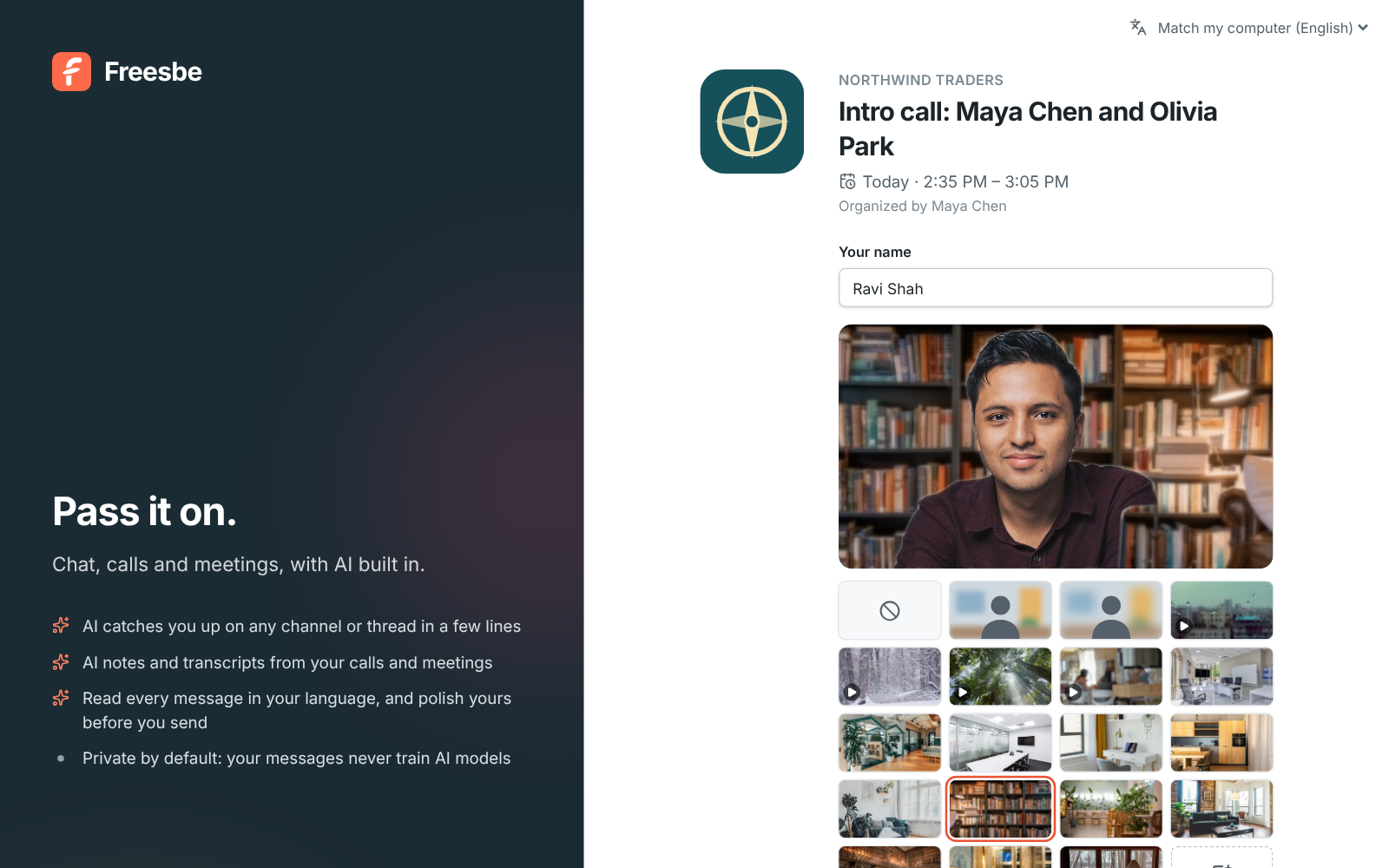
Before joining a meeting, Check your camera and background shows your camera as others will see it, with the backgrounds to pick from, and guests who join from a browser get the same preview before they ask to join. With the preview open, your camera is on when you join; Join with my camera off closes it, so nobody sees you before you're ready.

Checking the camera before joining: a guest's preview with the Bookshelf background, the backgrounds under it, and Join with my camera off

Plans and pricing

Backgrounds, noise cancellation and audio is included in every plan, including Free.

  • FreeUp to 10 people
  • BusinessUp to 500 people
  • CorporateUp to 2,500 people
  • EnterpriseOver 2,500 people

Questions

Which plan includes this?
Every plan, including Free. Backgrounds and noise cancellation are part of calls on every plan.
Is my video sent anywhere to be processed?
No. The background model runs on your computer's graphics card, and the call sends the finished video. The first time you pick an effect, Freesbe downloads the model, a few megabytes, and keeps it for next time.
Does it work on every computer and browser?
Backgrounds work in Chrome, Edge, Firefox, Safari and the desktop app. A computer with two processor cores or fewer, or 2 GB of memory or less, isn't offered them, and if one can't keep up during a call Freesbe puts your camera back to normal and tells you. The phone app doesn't change your background yet.
Does noise cancellation use more battery?
Advanced AI uses a little more battery than Standard, since it runs a small neural network on your device. Standard uses the browser's own filter.

Try all of it free with up to 10 people.

No card, no time limit. Invite your team and see what sticks.