A link, a code and a waiting room
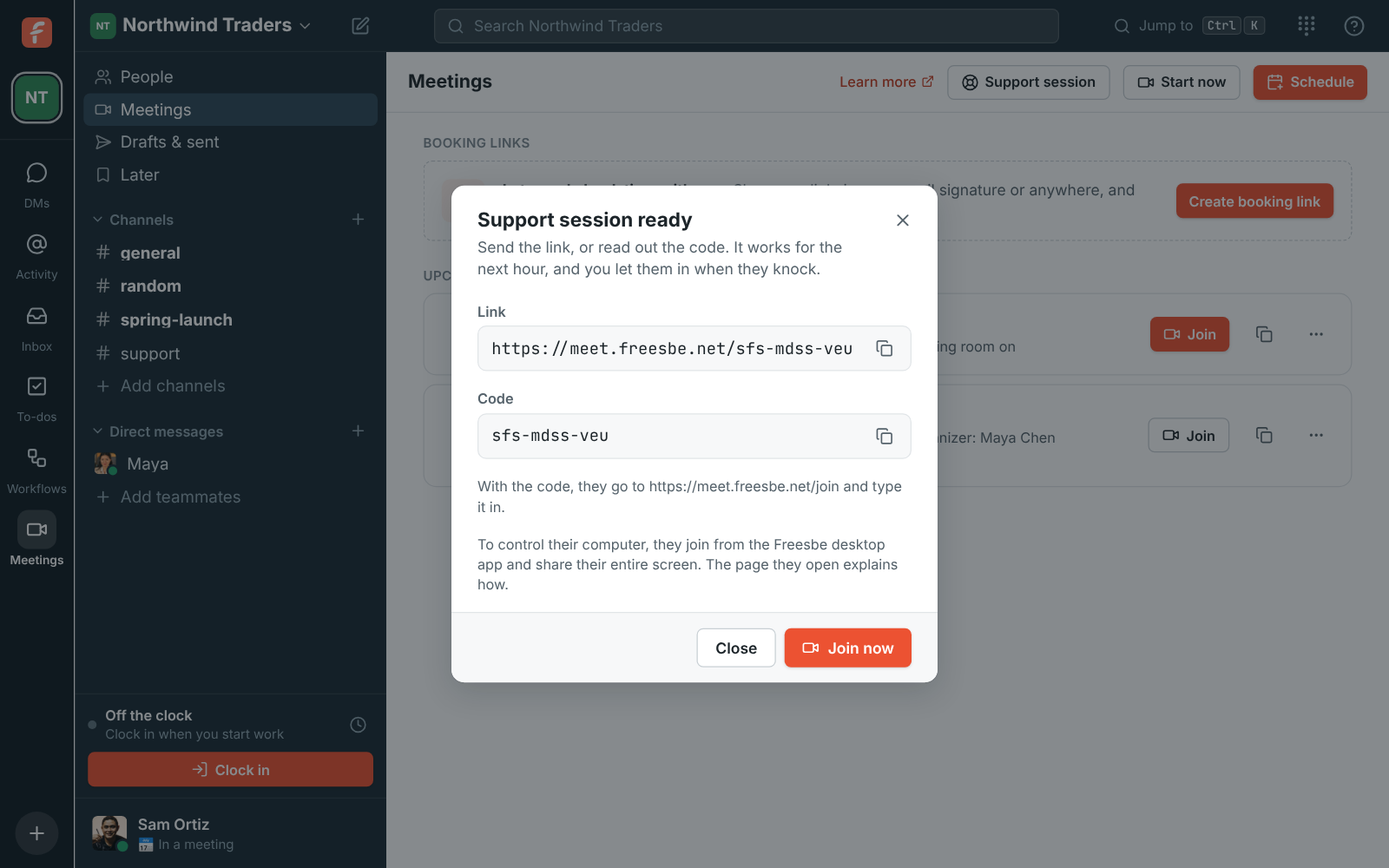
Open Meetings and click Support session. Send the link, or read out the code for app.freesbe.net/join. The customer types their name and asks to join; nobody gets in until you let them.
TeamViewer is remote access and support software from $24.90 a month billed yearly for one licensed user. Freesbe's support sessions give you a one-hour link and a code; the customer joins from a browser, shares their screen and lets you control it from the desktop app. Remote control is on Corporate and Enterprise.
For Support and onboarding teams who help customers and colleagues on their own computers.
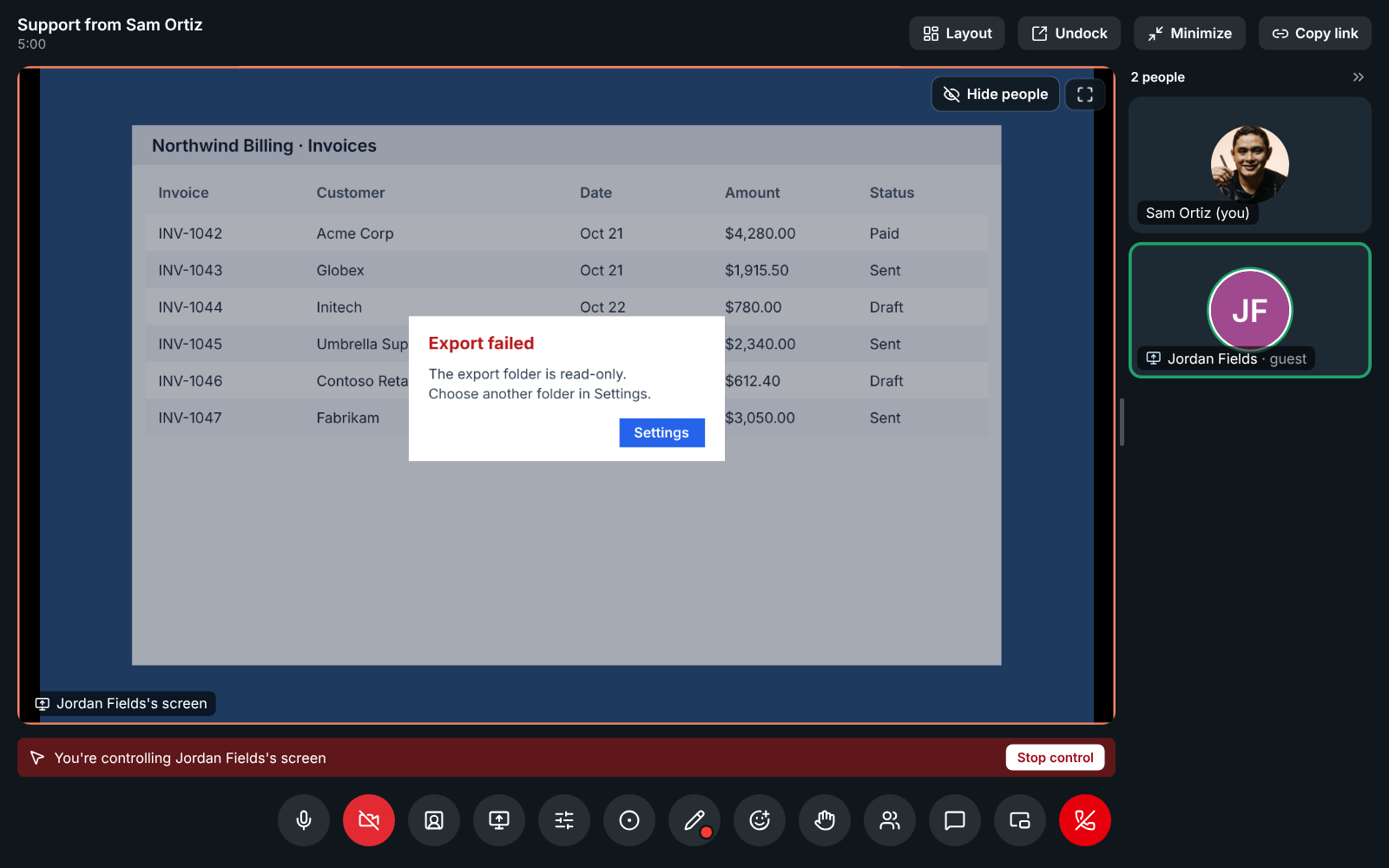
Open Meetings and click Support session. Send the link, or read out the code for app.freesbe.net/join. The customer types their name and asks to join; nobody gets in until you let them.
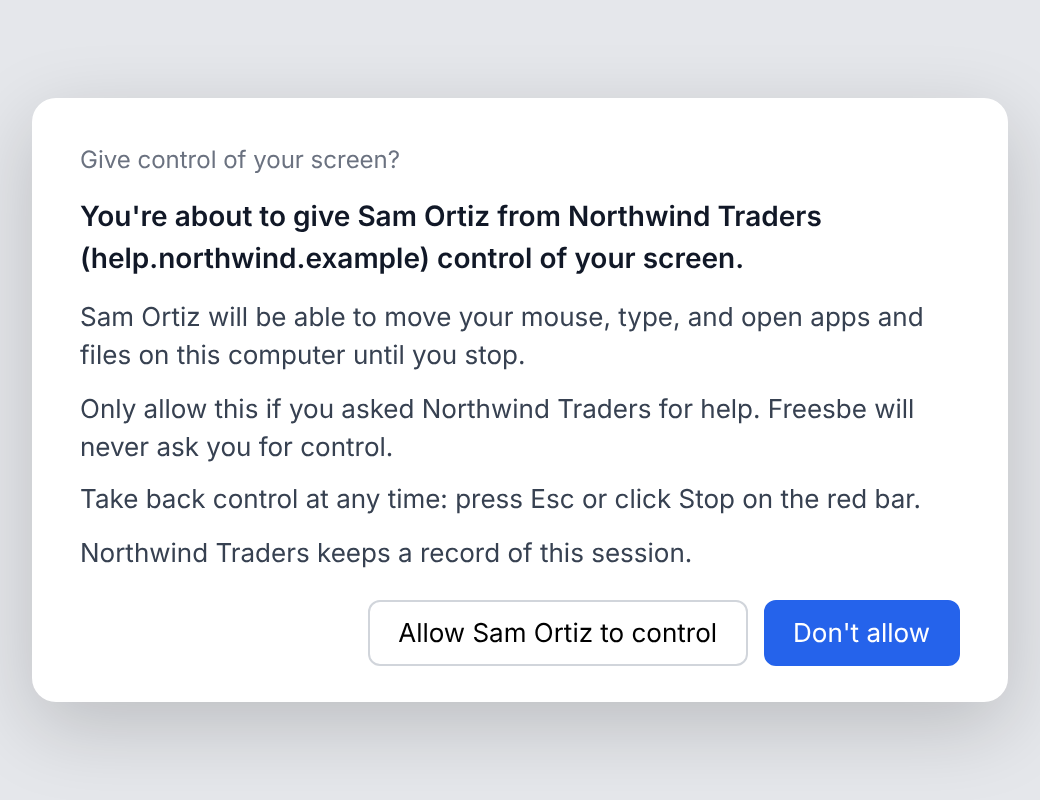
Request control and the customer's desktop app asks in a system window a web page can't draw or click. It names you and your company and tells them to allow it only if they asked for help. Esc takes control back at once.
Start free with up to 10 people and try it today, or book a 20-minute demo with the people who make Freesbe.
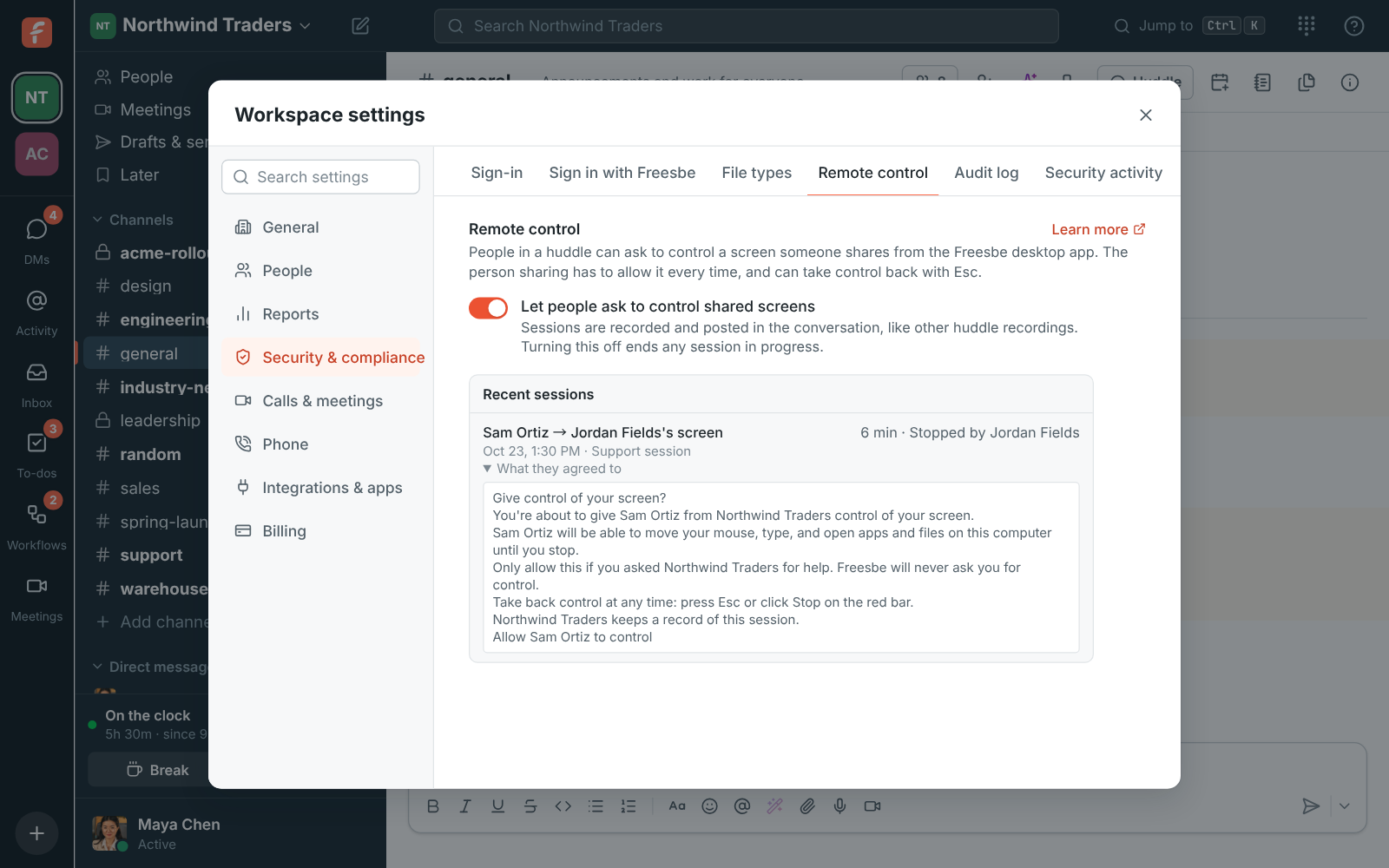
Where the workspace allows recordings, a support session records itself from the moment the customer is let in. Admins see every control request, and the consent text the customer saw.
TeamViewer reaches unattended computers that nobody is sitting at, mobile devices, and servers, with file transfer, remote printing, device management and monitoring add-ons. Freesbe only controls a screen someone is sharing right now from the desktop app. For IT that manages fleets of devices, TeamViewer does the job Freesbe doesn't.
Freesbe's prices come from its pricing catalog; TeamViewer's from its pricing page on the date below, billed yearly before tax.
| Feature | Freesbe | TeamViewer |
|---|---|---|
| Price | $7 per person a month (Corporate), billed yearly, for everyone in the workspace | $24.90 a month (Remote Access), $50.90 (Business), $120.90 (Premium), $245.90 (Corporate) |
| Who can start sessions | Anyone in the workspace | 1 licensed user on Remote Access and Business, 15 on Premium, 30 on Corporate |
| The person being helped | Joins from a browser, no account | Needs no license |
| Unattended computers | Not offered: someone must be sharing their screen | 3 devices on Remote Access, up to 500 on Corporate |
| Consent and recording | Asked every time in a system window; sessions recorded where recordings are allowed | Not listed on the pricing page |
| Team chat, meetings and a phone system | Included: channels, huddles, meetings with guest links; a phone system add-on | Not offered |
| Try it | Free for up to 10 people, with 90 days of message history, no time limit | 30-day free trial of add-ons |
As of November 5, 2026. Sources: TeamViewer prices and licenses. TeamViewer and the other names on this page belong to their owners; Freesbe isn't affiliated with or endorsed by them.
The help guide shows every screen and setting. Support sessions
Try Freesbe free with up to 10 people, no card and no time limit, or book a 20-minute demo with the people who make it.