Freesbe

Talk

All plans

Tell the team where you are before they ask.

A Freesbe status says what you are up to, like Heads down or Lunch break, with an emoji and a time to clear itself. Connect your calendar and it says In a meeting on its own. Pause notifications to go quiet, and teammates see the pause mark, your local time and your working hours before they message you.

  • Set a status in two clicks and let it clear itself after lunch.
  • Show In a meeting from your calendar without lifting a finger.
  • Pause notifications, and still get the one that cannot wait.
  • Let teammates see your local time and working hours before they message.

For Remote and hybrid teams spread across time zones and calendars.

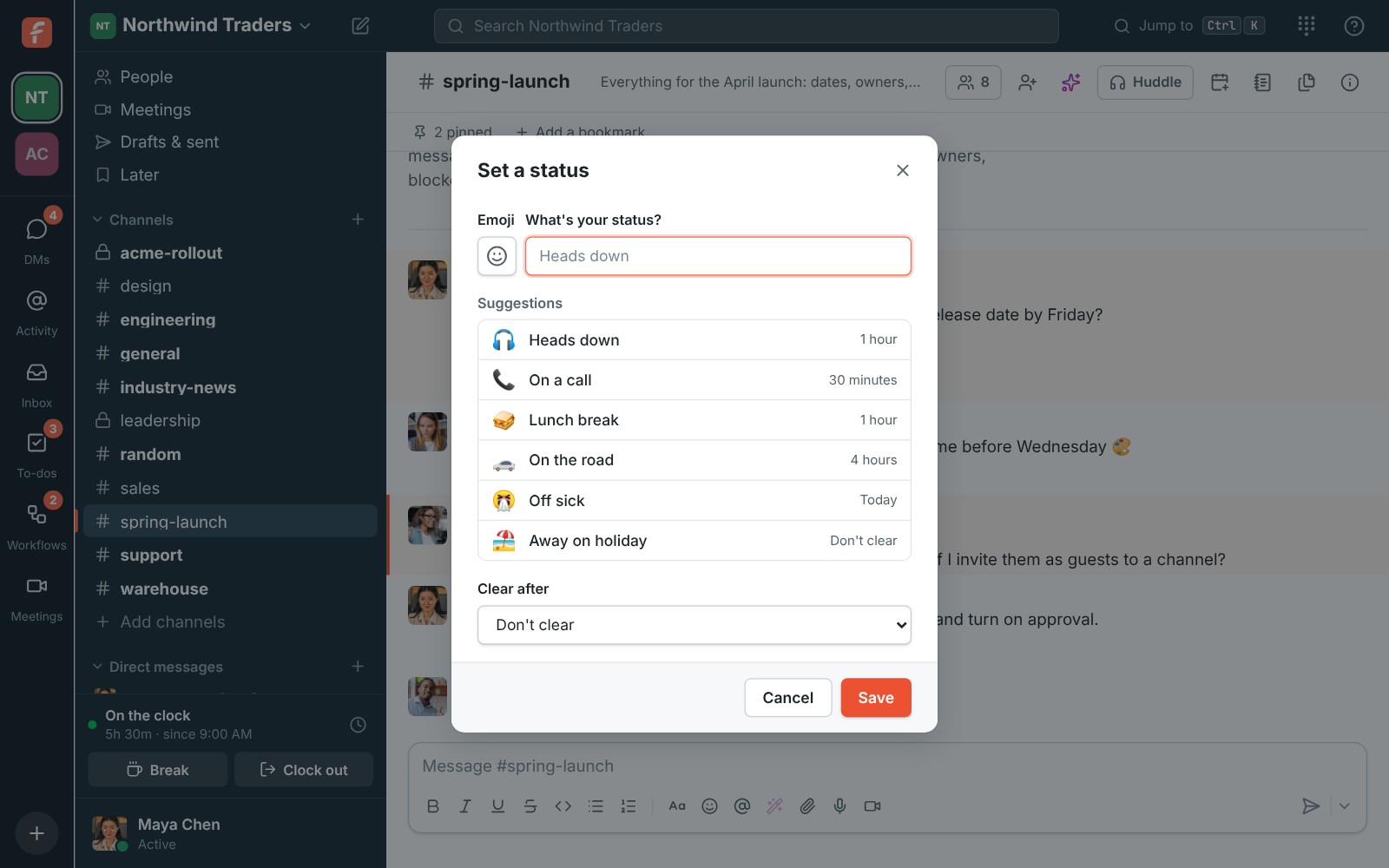
The Set a status dialog with suggestions such as Heads down, On a call and Lunch break

A status that clears itself

Open your account menu and choose Set a status. Pick an emoji and type what you are doing, or take a suggestion: Heads down, On a call, Lunch break, On the road, Off sick or Away on holiday. Under Clear after, choose 30 minutes, 1 hour, 4 hours, Today or This week. Your status shows next to your name in the sidebar, in DMs and on your profile.
The Set a status dialog with suggestions and the Clear after choice

In a meeting, from your calendar

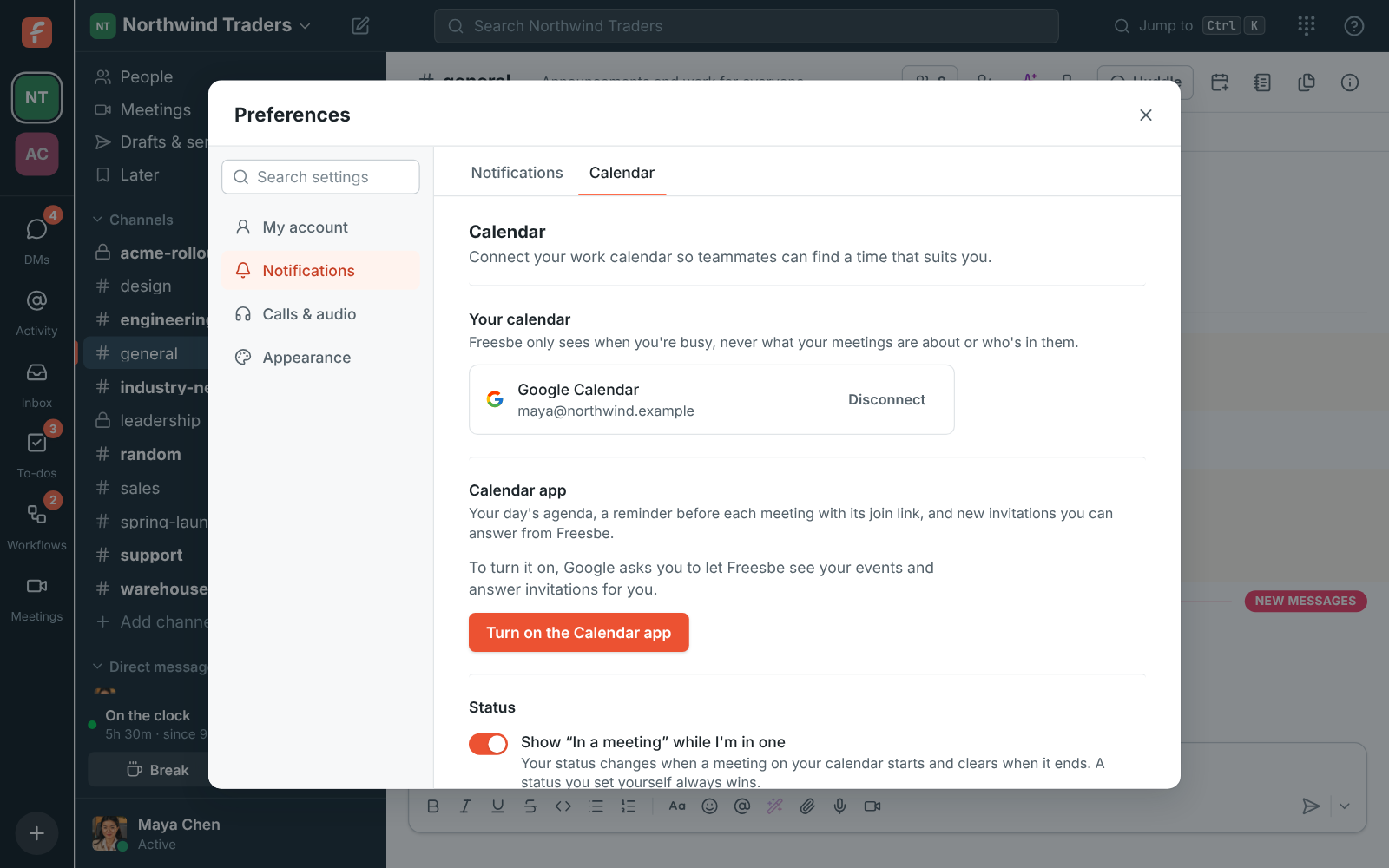
Connect your Google, Microsoft or Zoho calendar in Preferences, Calendar, and Show In a meeting while I'm in one sets your status when a meeting on your calendar starts and clears it when it ends. Back-to-back meetings keep it on until the last one. Freesbe only sees when you are busy, never your meetings' titles, places or who is in them. A status you set yourself always wins.

Preferences, Calendar: a connected Google calendar and the In a meeting setting

See it on your own team's data.

Start free with up to 10 people and try it today, or book a 20-minute demo with the people who make Freesbe.

Pause notifications, with one exception

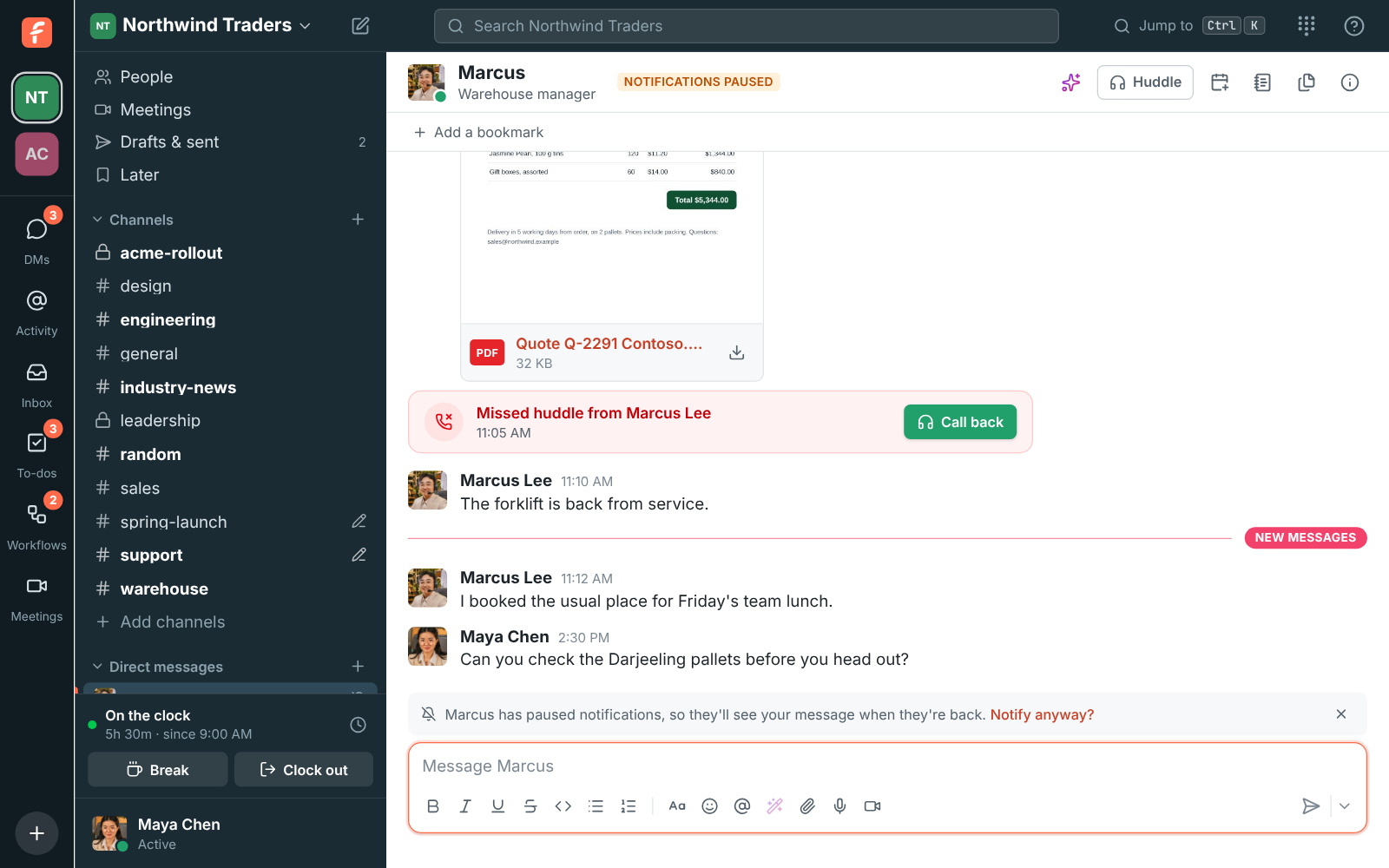
Choose Pause notifications from your account menu and pick 30 minutes, 1 hour, 2 hours or until 9 the next morning. Sounds and desktop notifications stop, and teammates see a pause mark next to your name. Messages still arrive, unread, for when you look. Someone who sends you a DM that cannot wait can choose Notify anyway, once per message, and the pause carries on for everything else.

A DM to Marcus with the line Marcus has paused notifications, so they'll see your message when they're back, and Notify anyway

Your hours and your local time

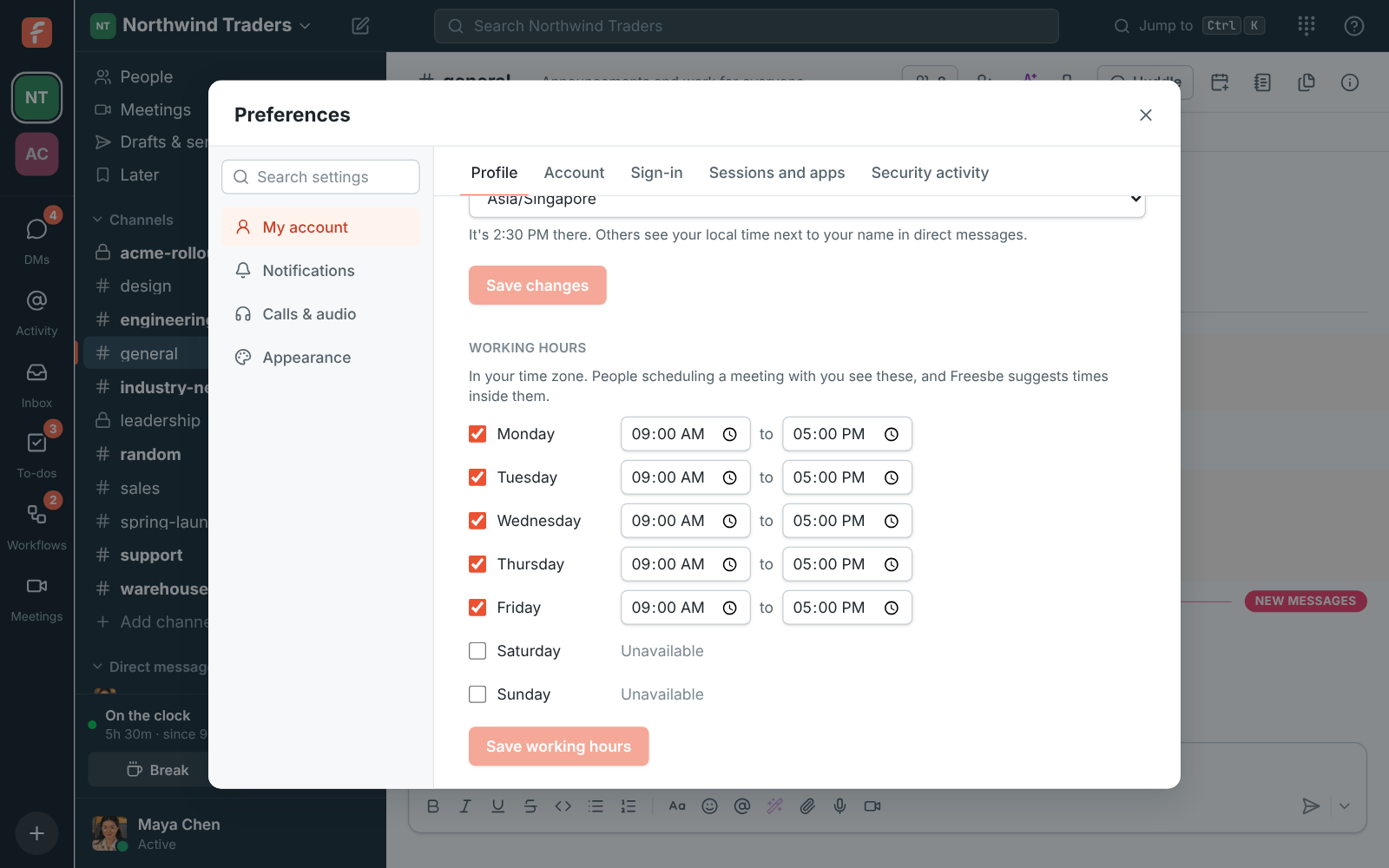
Set your time zone in your profile and other people see your local time next to your name in direct messages, so they know if it is late where you are. Tick the days you work and when you start and finish, and teammates scheduling a meeting with you see those hours; the times Freesbe suggests stay inside them. A green dot means active, and Freesbe sets you to away after ten minutes without using it on any device.

Preferences, Profile: working hours for each day of the week

Plans and pricing

Status and availability is included in every plan, including Free.

  • FreeUp to 10 people
  • BusinessUp to 500 people
  • CorporateUp to 2,500 people
  • EnterpriseOver 2,500 people

Questions

When does Freesbe show me as away?
After ten minutes without using it on any of your devices, and back to active as soon as you do. Choose Set yourself as away in your account menu to stay away regardless.
What does Freesbe see in my calendar?
Only when you are busy, never your meetings' titles, places or who is in them, unless you turn on the Calendar app for a daily agenda. Events marked free or cancelled do not count.
Can someone reach me while notifications are paused?
Yes, once per message. A person who sends you a direct message sees that you are paused and can choose Notify anyway when it cannot wait. Everything else stays quiet until the pause ends.
Which plan includes this?
Every plan, including Free.

Try all of it free with up to 10 people.

No card, no time limit. Invite your team and see what sticks.