Freesbe

Talk

All plans

Hear about what matters, once, on one device.

Freesbe notifies you about direct messages, mentions, replies in your threads and messages with your keywords, like a customer's name or your product. Each channel gets its own setting and its own sound, and so does each person. Only the device you are using alerts you, and your phone takes over when you step away.

  • Hear about a customer's name even when nobody mentions you.
  • Tell the escalations channel from the rest by its sound alone.
  • Never get the same notification twice across your laptop, desktop and phone.
  • Mute a busy channel and still see it go bold when there is something new.

For Anyone in more than five channels who wants to look at their phone less.

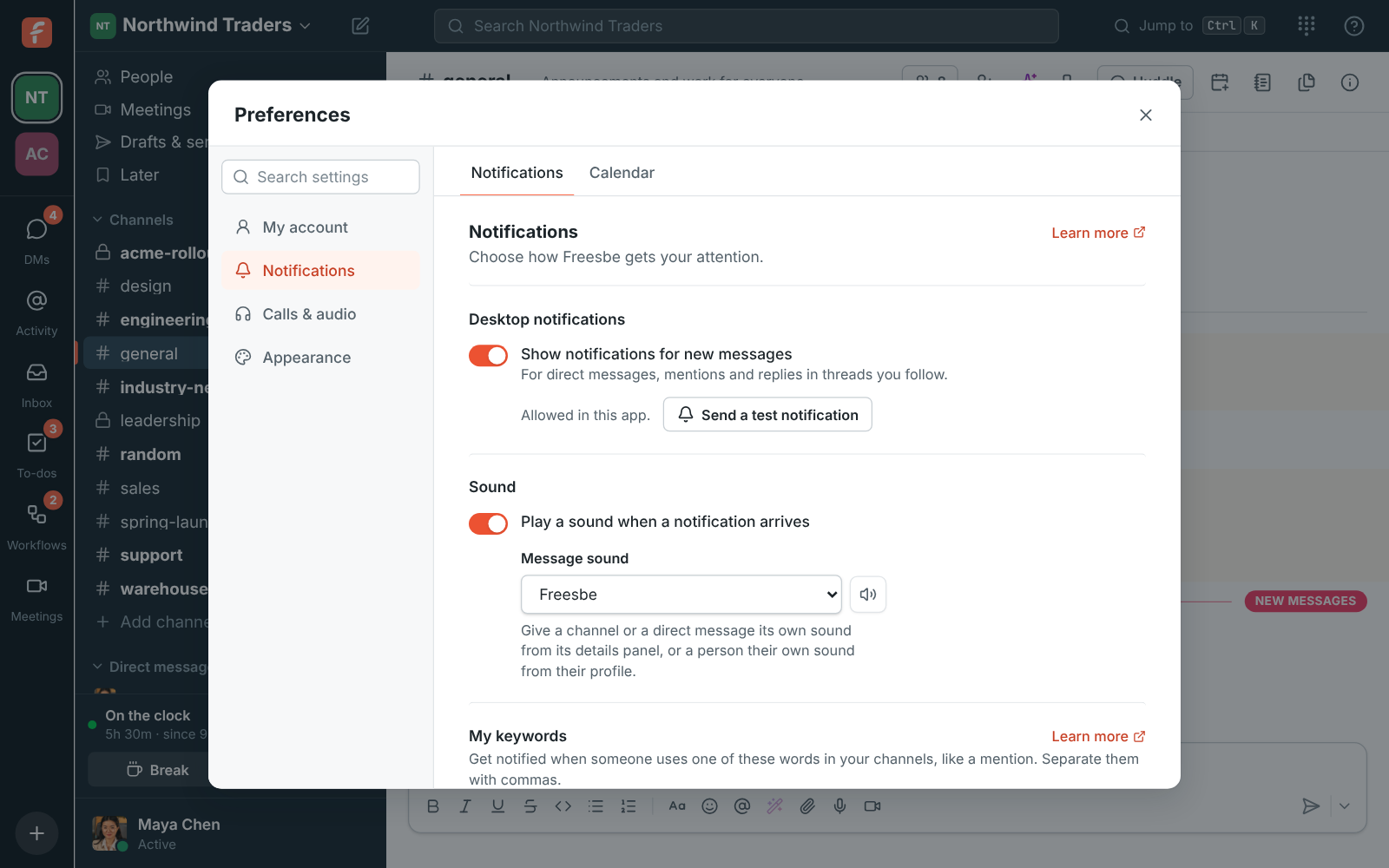
Preferences, Notifications: desktop notifications, the message sound and pausing

What notifies you, out of the box

Every message in a DM or group DM, mentions of you including @here and @channel, replies in threads you started or replied in, huddles you missed in your DMs, and every message in a channel you set to Every message. Other channel messages just make the channel bold in the sidebar. Turn desktop notifications on in Preferences, Notifications, and send yourself a test one to see what it looks like.
Preferences, Notifications: Show notifications for new messages, the message sound and Send a test notification

Keywords: your product, your customer, your name

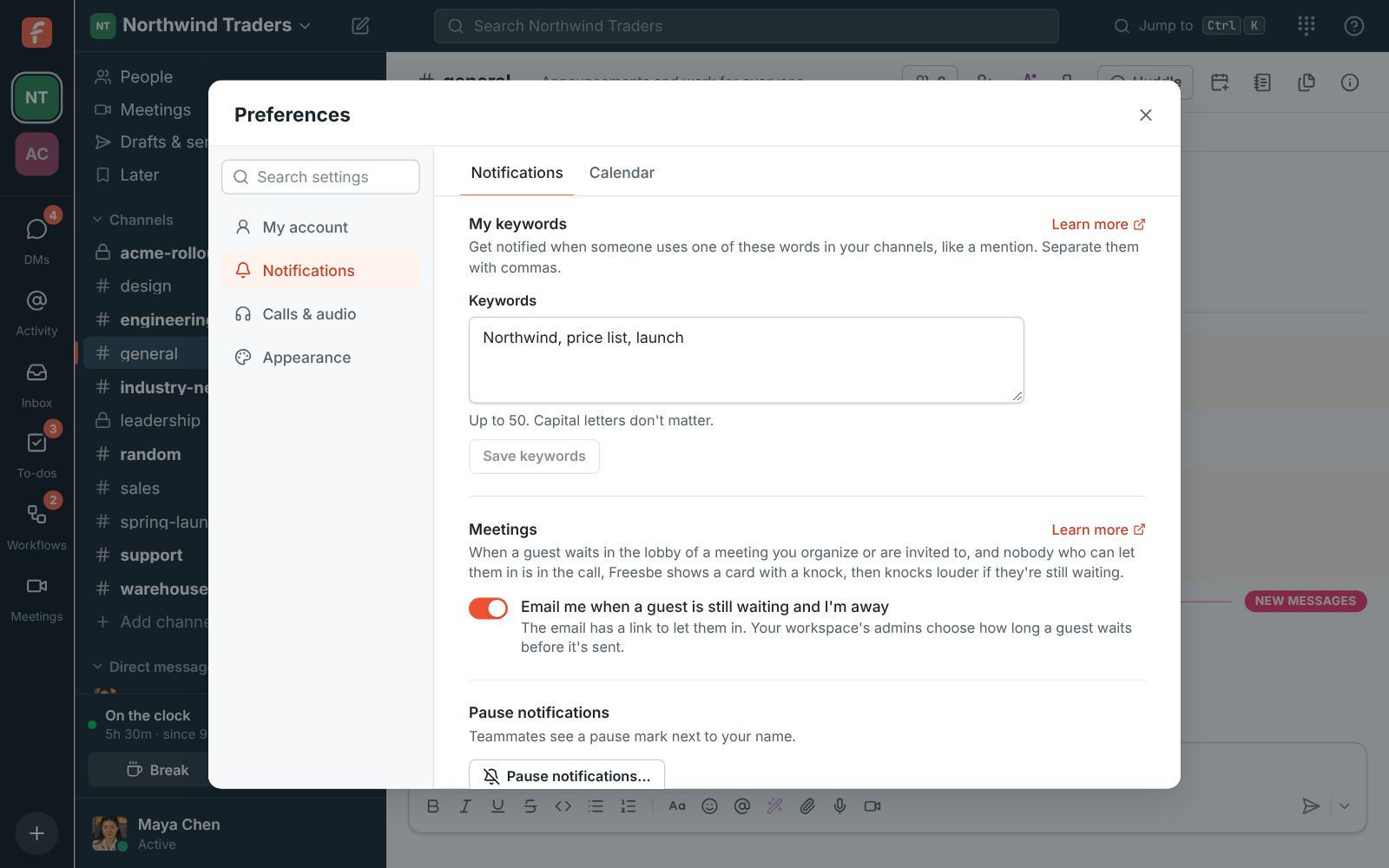
Type the words you care about under My keywords, separated by commas. A message in one of your channels with a keyword counts as a mention: it notifies you, on your phone too, adds to the channel's mention badge, shows in Activity and is tinted like a mention. Keywords match whole words and phrases, capital letters do not matter, only you see your keywords, and you can have up to 50 in each workspace.

Preferences, Notifications: My keywords with Northwind, price list and launch

See it on your own team's data.

Start free with up to 10 people and try it today, or book a 20-minute demo with the people who make Freesbe.

A setting and a sound for every channel

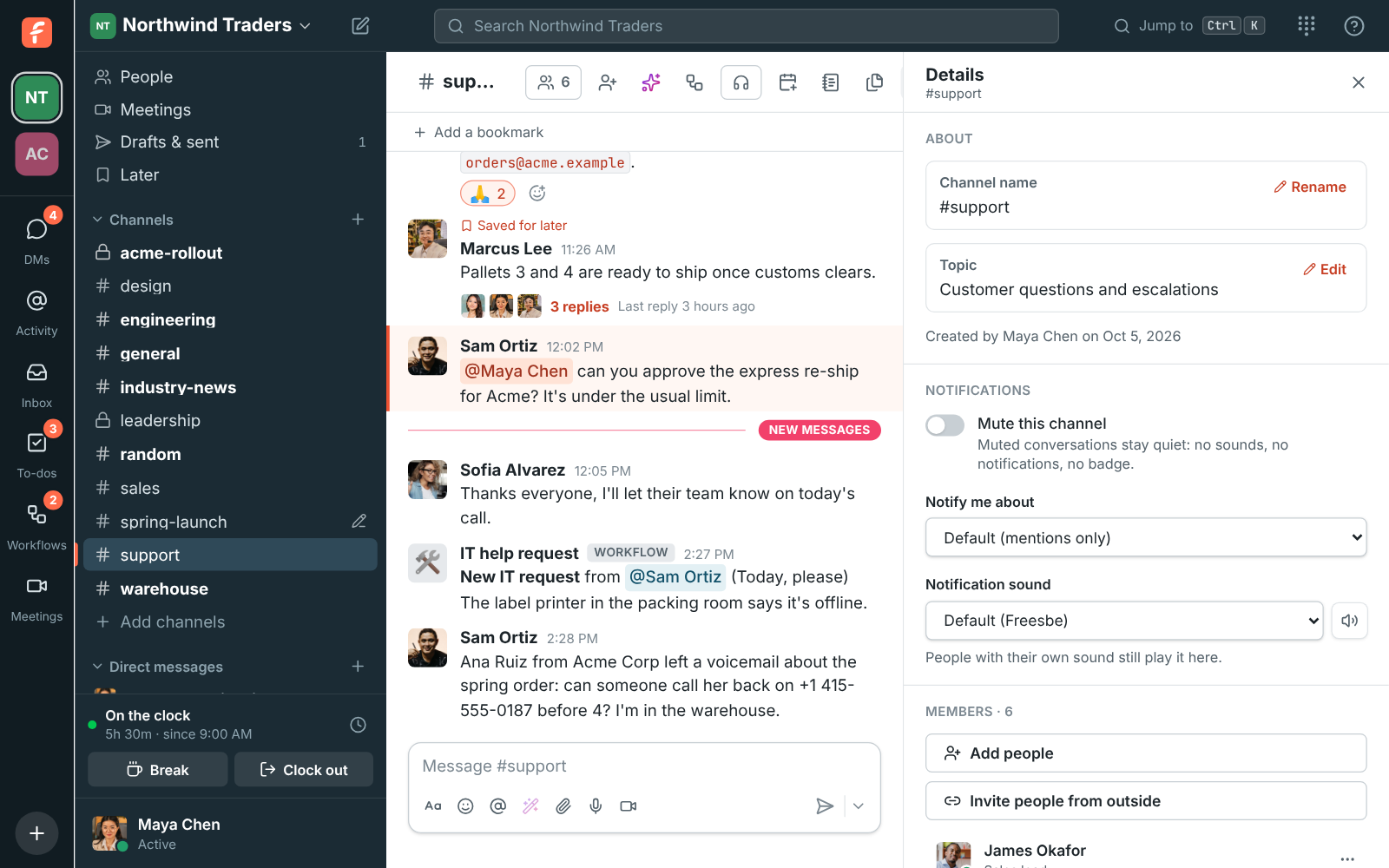
Open a channel's details and choose Notify me about: Default, Every message, Mentions only or Nothing. Give it a sound of its own, so you can tell #support-escalations apart without looking, or Mute this channel for no sounds, no notifications and no badge. DMs have the same settings. There are eight built-in sounds plus No sound, and a speaker button plays each before you pick.

A channel's details with Mute this channel, Notify me about and Notification sound

A sound for the people who matter

Click someone's name or picture and pick a Notification sound on their profile. It plays whenever they message you, mention you or reply in a thread you follow, in any channel. When more than one applies, the person's sound wins, then the conversation's, then your message sound: give your manager Knock knock and #sales Marimba, and a mention from your manager in #sales knocks. Nobody is told which sounds you picked.

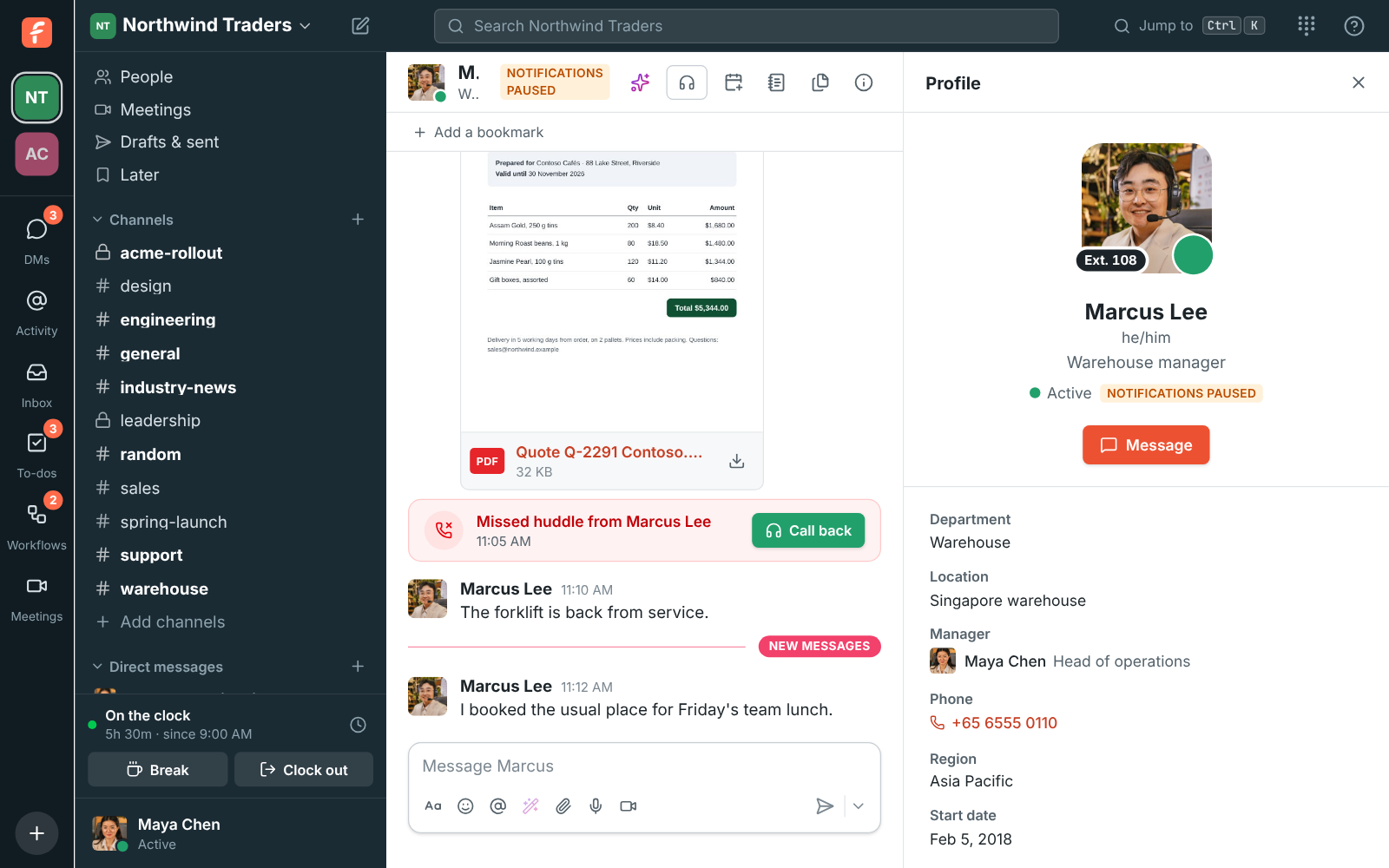
Marcus Lee's profile with the Knock knock sound picked

One device alerts you, never two

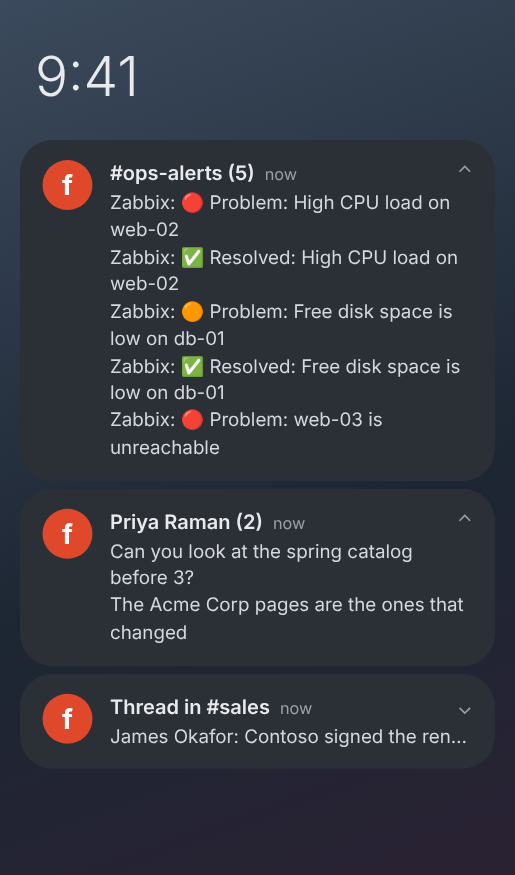
With Freesbe open in more than one place, only one alerts you for new messages: the one you used last, or the desktop app once you have been idle everywhere. Your phone gets a notification only while you are not active in Freesbe anywhere else, so it takes over when you step away from your computer. Incoming huddle calls are different: they ring on every device and stop everywhere when you answer on one.

An Android notification shade with one notification each for #ops-alerts, Priya Raman and a thread in #sales

Plans and pricing

Notifications and keyword alerts is included in every plan, including Free.

  • FreeUp to 10 people
  • BusinessUp to 500 people
  • CorporateUp to 2,500 people
  • EnterpriseOver 2,500 people

Questions

Will I get the same notification on my laptop and my phone?
No. Only the device you used last alerts you, and your phone takes over when you step away from your computer. Huddle calls ring everywhere and stop as soon as you answer on one device.
How many keywords can I have?
Up to 50 in each workspace. They match whole words and phrases, in any case, and only you see them.
Do notifications work with the browser closed?
In a browser, notifications arrive only while a Freesbe tab is open. The desktop app keeps running in the tray after you close its window, and the phone app gets notifications while you are away from your computer.
Which plan includes this?
Every plan, including Free.

Try all of it free with up to 10 people.

No card, no time limit. Invite your team and see what sticks.