Freesbe

Run the team

Business and up

Know who's messaging you, and where they sit.

Click anyone's name and you see who they are at work: their title, pronouns, department, location, manager, phone and the people who report to them. The People directory lists everyone with a department filter. Admins rename or reorder the fields, add their own, fill in the whole company from a spreadsheet and hide details from guests.

  • One click on a name tells you the department, the manager and how to call them.
  • The directory finds anyone by name, title, department, location or email.
  • HR fills in the whole company at once from a spreadsheet export.
  • Fields that come from HR, like cost center, can be set so only admins change them.
  • Guests from other companies see a name and title, not the org chart.

For HR and office managers in a company big enough that people don't all know each other.

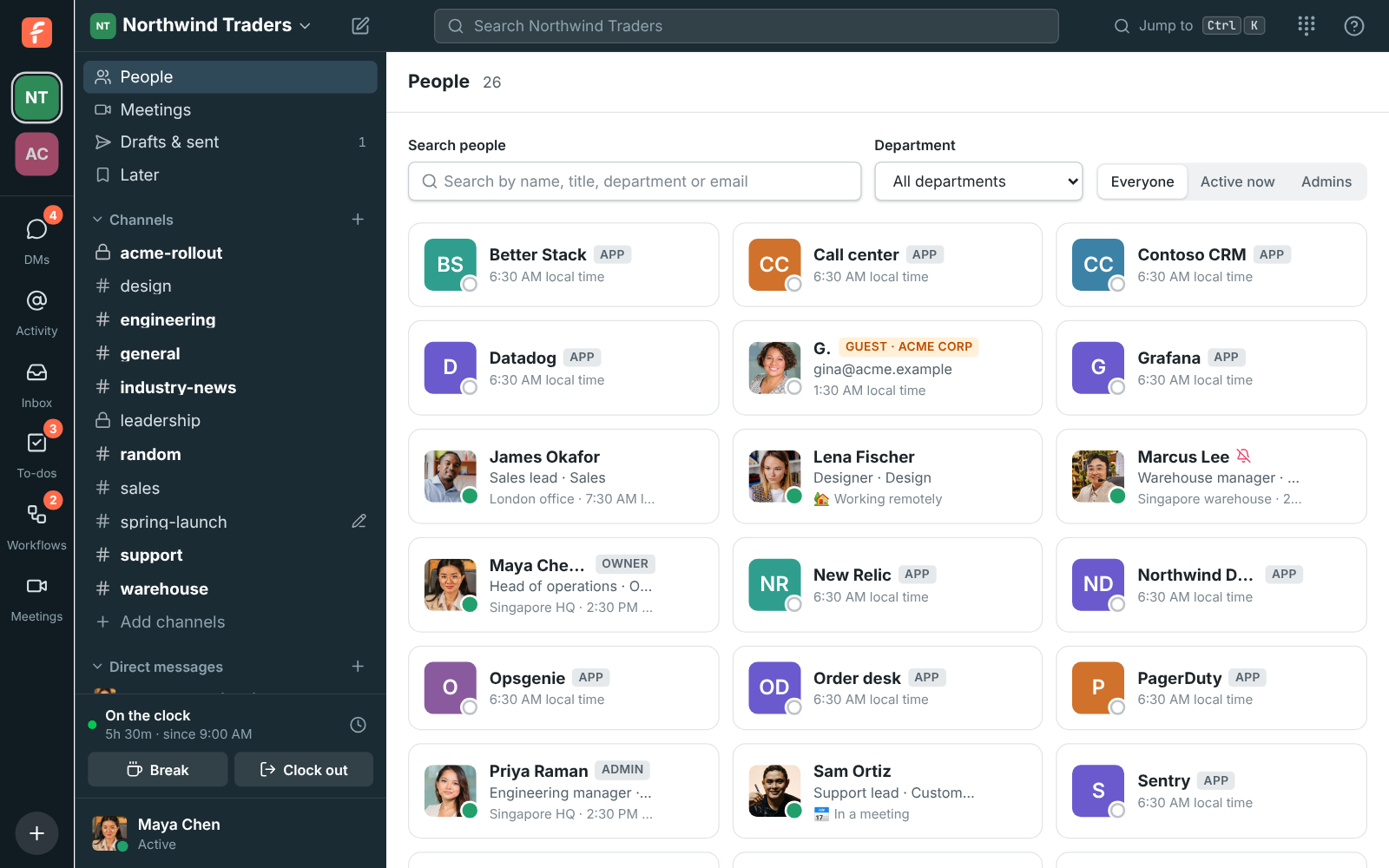
The People directory with each person's title, department, status and local time

A directory that answers who's who

People in the sidebar lists everyone in the workspace with their title, department, location and status. Filter by Everyone, Active now or Admins, pick a department to see only that team, and search by name, title, department, location or email. Click someone to open their profile or send them a message. Each person's local time shows beside them, so you know before you write whether they're awake.
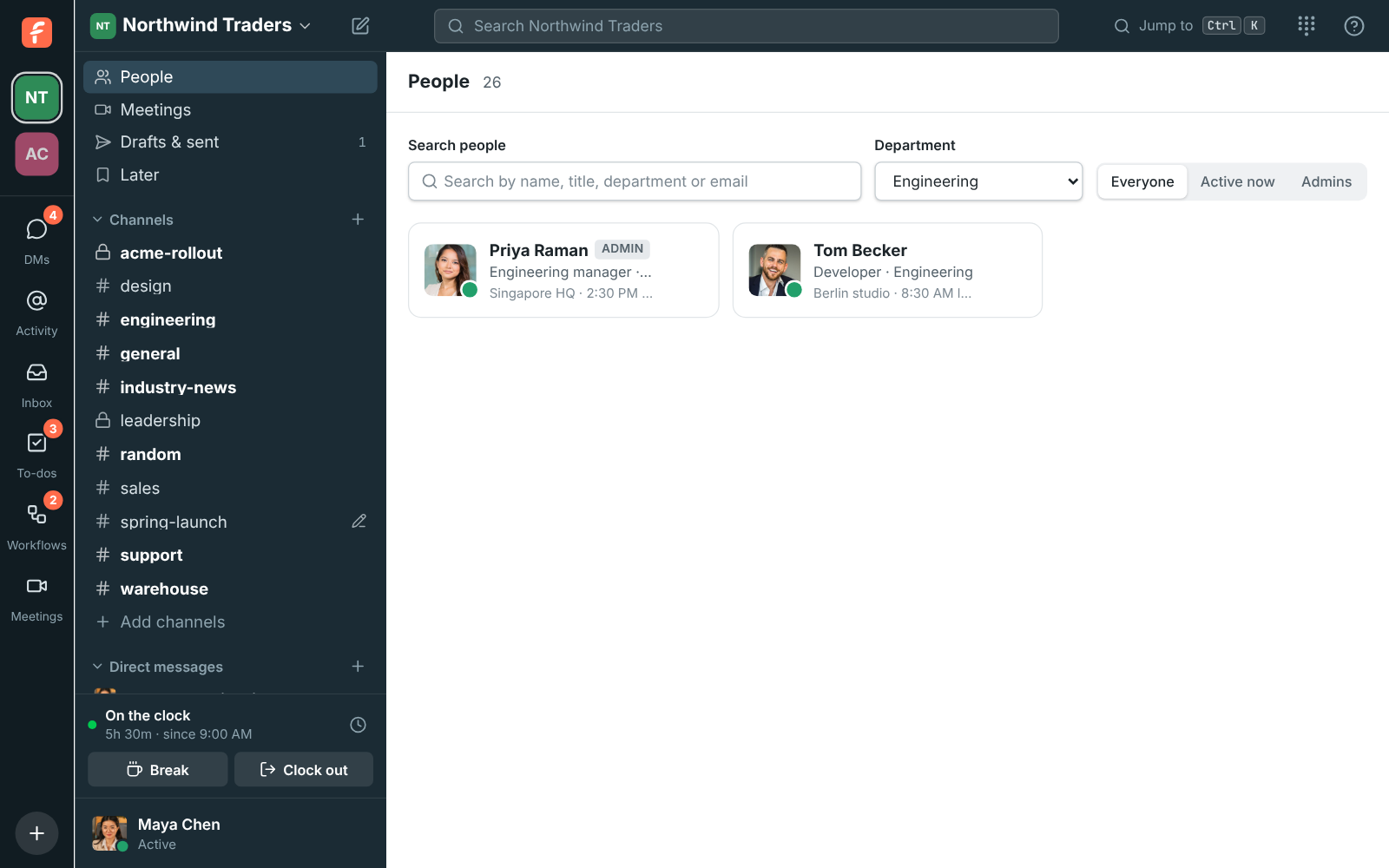
The People directory showing only the Engineering department

Who they are, one click away

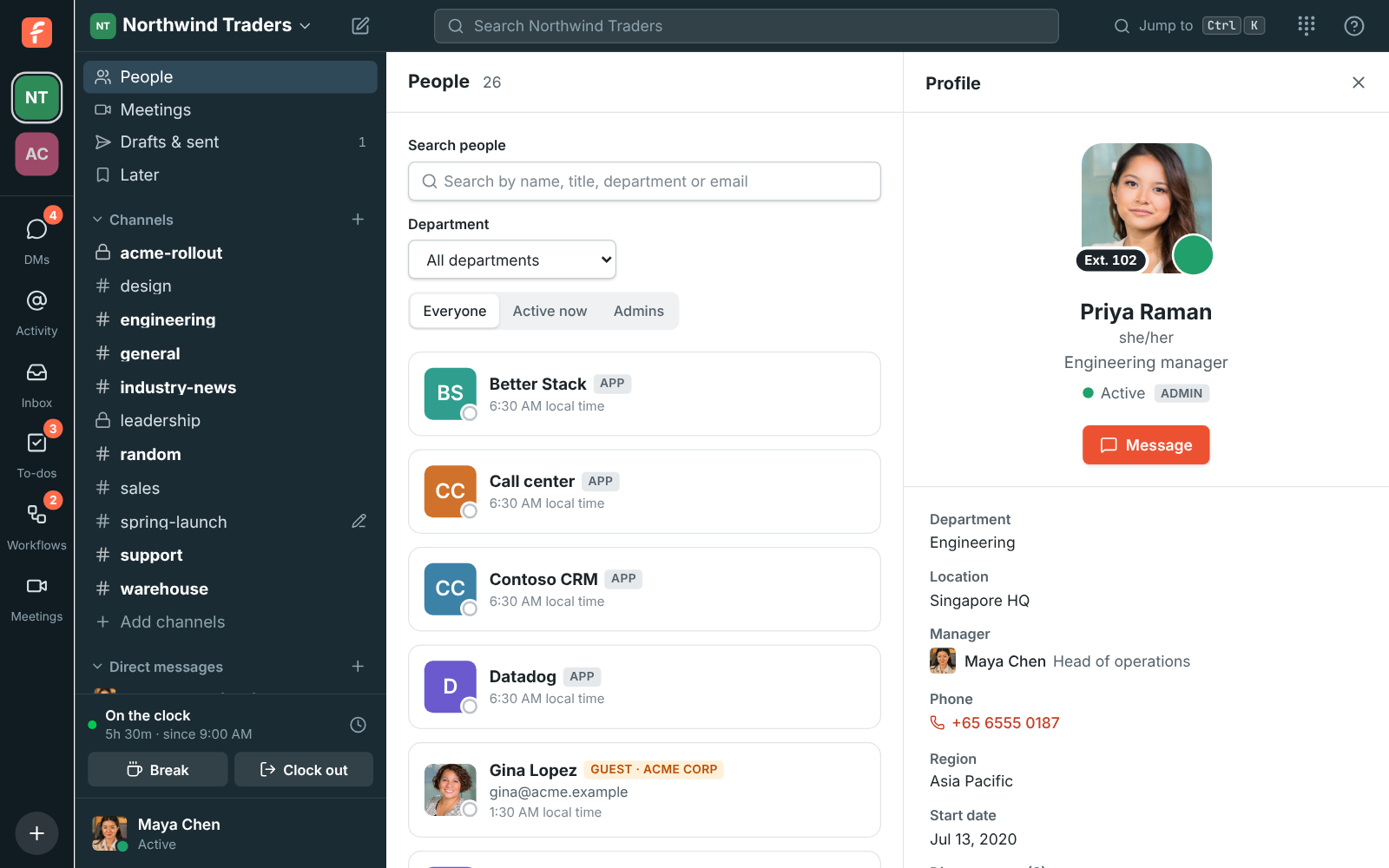
Open any profile and under the name and title you see pronouns, then the work details: department, location, manager, with a click through to the manager's own profile, phone, with a click to call, any fields your workspace added, and the people who report to them. So when someone you don't know messages you, one click tells you who they are and where they sit. People fill in their own details under Preferences, Profile.

Priya Raman's profile: Engineering in Singapore HQ, reporting to Maya Chen, with her phone, region, start date and two direct reports

See it on your own team's data.

Start free with up to 10 people and try it today, or book a 20-minute demo with the people who make Freesbe.

Fields that match your company

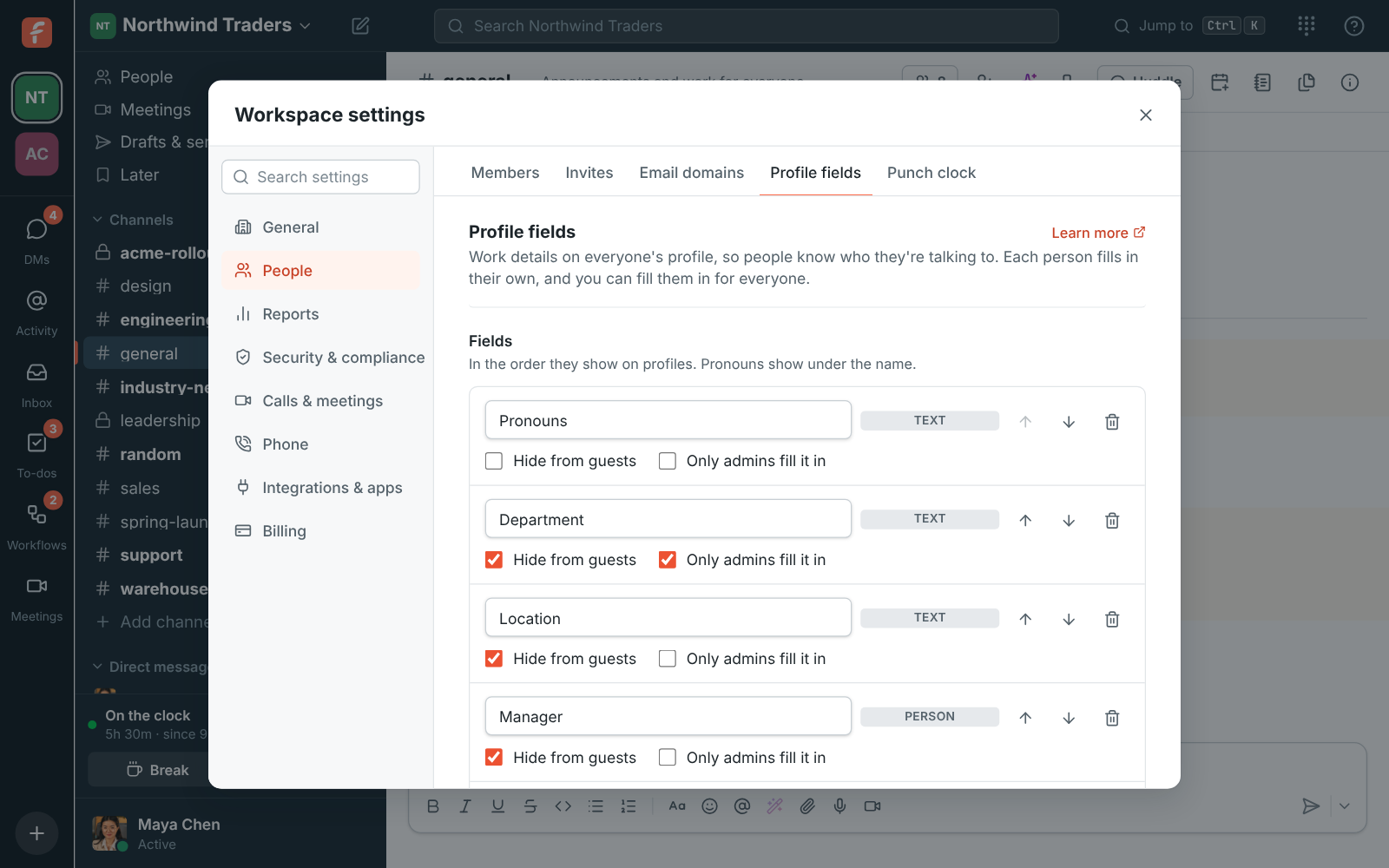
Every workspace starts with Pronouns, Department, Location, Manager and Phone. Rename a field, say Desk phone or Office, reorder them, or delete one. Add your own, holding text, a link, a date, a person, a list of choices or a phone number, with names like Region, Start date, Cost center or Team lead. Mark a field Only admins fill it in for details that come from HR, so people see their department but can't change it themselves.

Workspace settings, Profile fields: pronouns, department (only admins fill it in), location, manager, phone, and Northwind's own Region and Start date

Fill in everyone from a spreadsheet

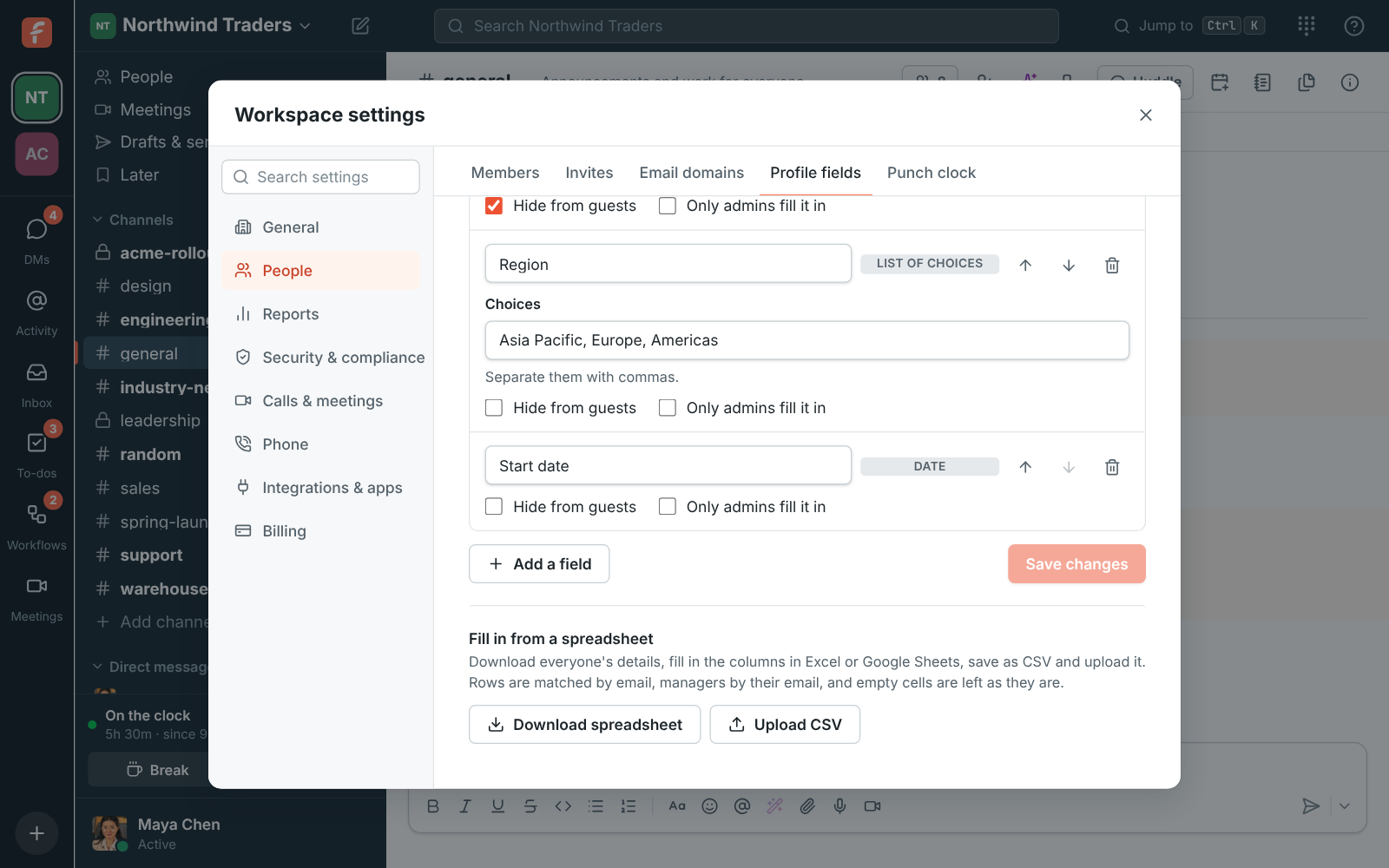
Download the spreadsheet, which has a row for everyone with Email, Name and a column per field, filled in with what's there now. Complete it in Excel or Google Sheets, from your HR system's export for example, with the manager's email in the Manager column. Upload it as CSV and Freesbe says how many people it will update and lists any row it can't use, such as an email that isn't in the workspace or a choice that isn't on the list. Empty cells leave values as they are.

Fill in from a spreadsheet: Download spreadsheet and Upload CSV

What guests see

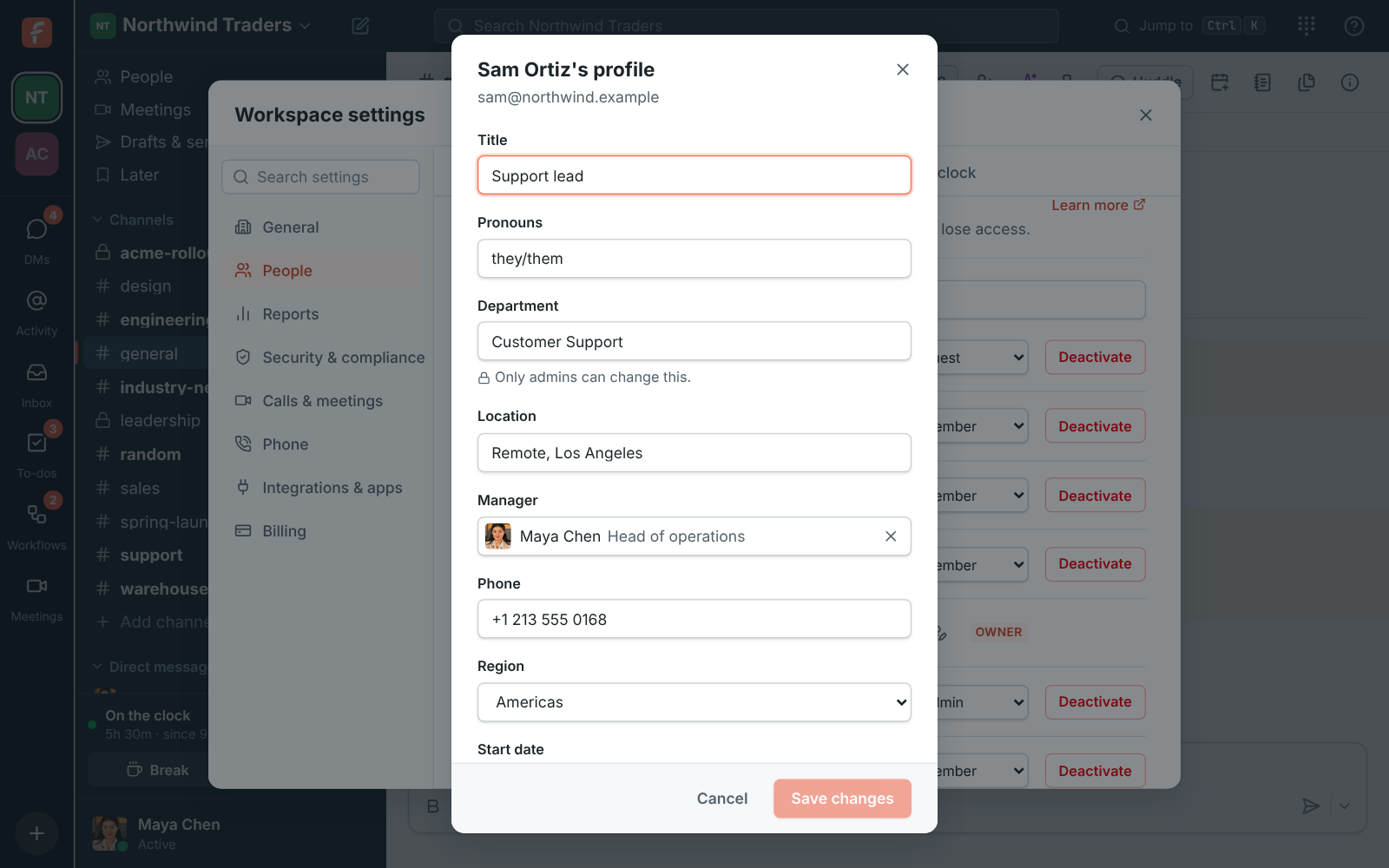
Department, location, manager and phone start hidden from guests, so a client in a shared channel sees a name, a title and pronouns, not your org chart. Admins choose field by field what guests may see. Admins can also edit anyone's title and work details from the members list, including the fields only admins fill in.

Editing Sam Ortiz's profile as an admin: title, pronouns, department, location, manager, phone, region and start date

Plans and pricing

Profiles, directory and work details is included in Business, Corporate and Enterprise. The five built-in fields and the People directory are on every plan; your own fields and admin-only fields need the plans listed here.

  • BusinessUp to 500 people
  • CorporateUp to 2,500 people
  • EnterpriseOver 2,500 people

Questions

Which plan includes this?
The built-in fields, the profile view and the People directory are on every plan, including Free. Adding your own fields and marking a field as admin-only need the plans named in the availability line, which follows the pricing catalog.
Can we fill in profiles for the whole company at once?
Yes. Download the spreadsheet, fill in the columns from your HR export, and upload it as CSV. Rows match by email and columns by field name; a spreadsheet with only Email and Department changes only departments.
Can people change their own department?
By default yes, under Preferences, Profile. Mark a field Only admins fill it in and people see it but can't change it; admins set it from the members list or the spreadsheet.
Does it sync with our identity provider?
Not today. Directory sync over SCIM, keeping these fields in step with your identity provider, is planned for Enterprise.

Try all of it free with up to 10 people.

No card, no time limit. Invite your team and see what sticks.