Freesbe

Trust

Business and up

A second step for everyone, without the friction.

Admins can require everyone in a workspace to prove it's them with a second step, verified only when signing in, each time Freesbe opens, or every 12 hours, day or week. People use a passkey, an authenticator app, an emailed code, or tap a number on their phone. Signing in with a passkey, Google or Microsoft counts by itself.

  • Make a stolen password useless on its own.
  • Let people verify with a tap on the phone and a fingerprint, not a code typed in.
  • Choose how often it asks, from once at sign-in to every 12 hours.
  • Keep admins behind a strong step always: the Admin Center takes no emailed code.
  • Never lock yourself out: Freesbe asks you to verify before it lets you tighten the rule.

For Any company where a password alone shouldn't open the chat.

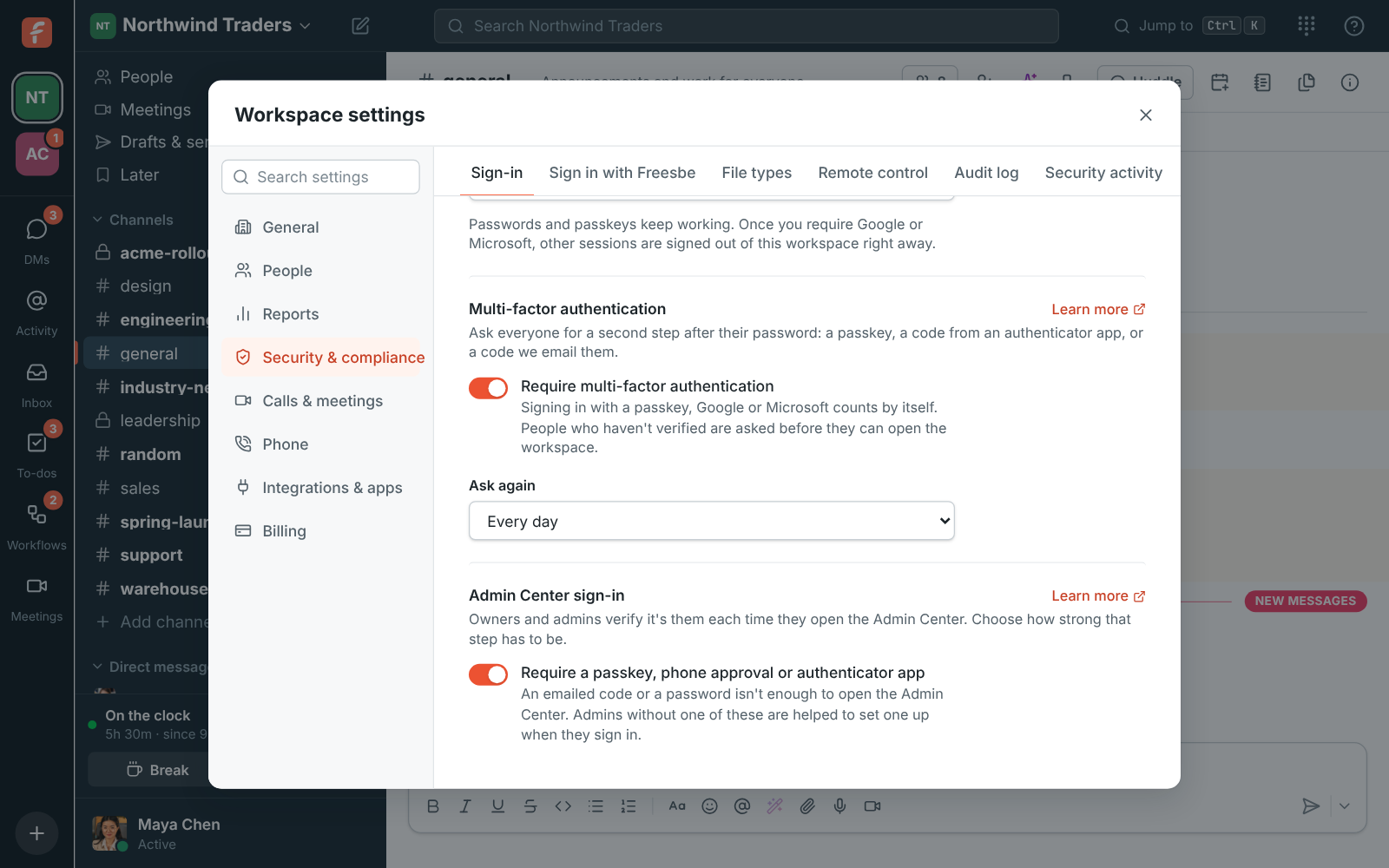
Workspace settings with Require multi-factor authentication on and Ask again set to Every day

Require it, and say how often

Switch on Require multi-factor authentication under Security & compliance, Sign-in. If you haven't verified in this session, Freesbe asks you to first. Under Ask again, choose only when signing in, each time Freesbe opens (a new desktop app start or a new browser tab, not a reload), or every 12 hours, every day or every week. Anyone who hasn't verified is signed out of that workspace at once and sees Verify it's you next time.
Require multi-factor authentication switched on, asking again every day

Approve on your phone with a tap

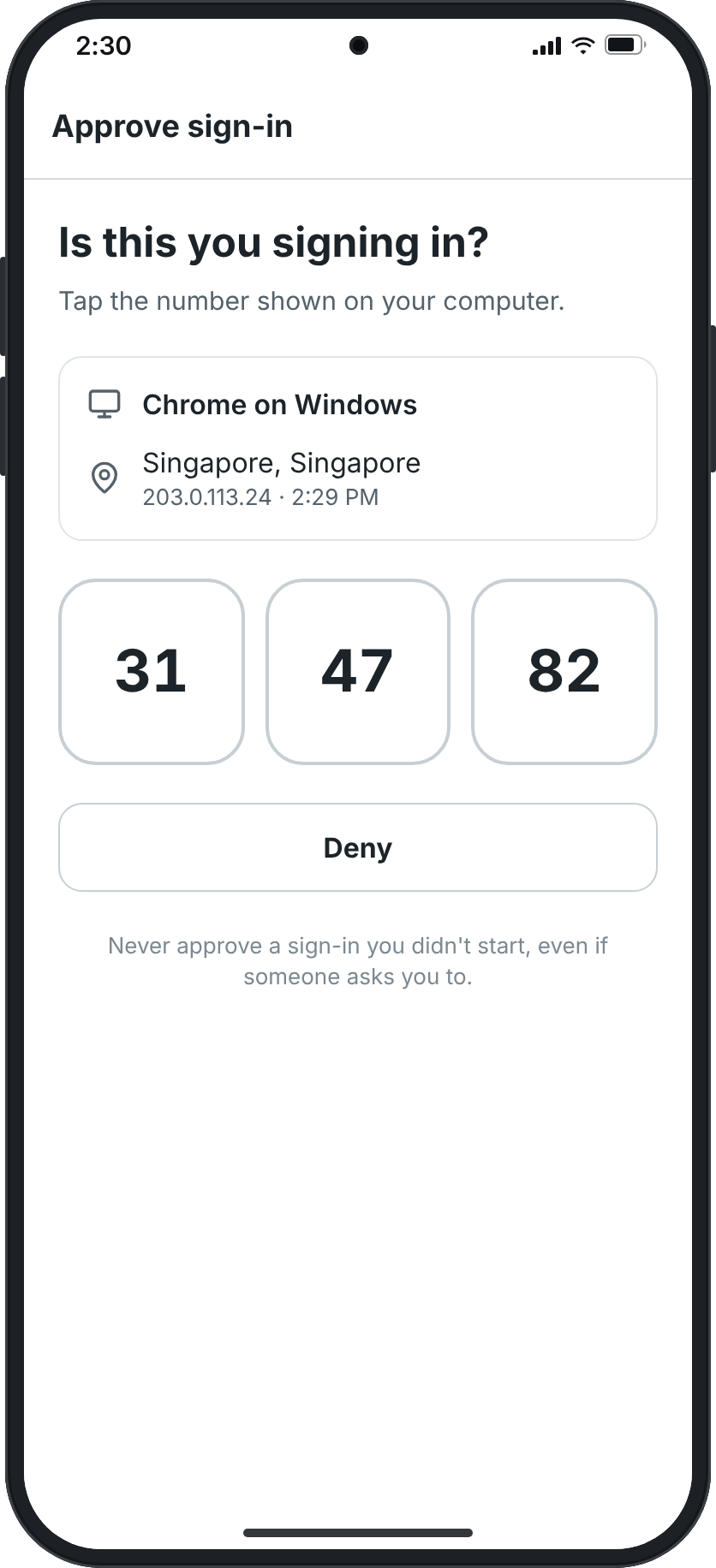
Turn on Approve sign-ins in the Freesbe app on your phone and it becomes your second step. When a computer asks, the phone shows where the sign-in is from and three numbers; tap the one on the computer and confirm with your fingerprint or face. It works for the web app, the desktop app and the mobile app, on every plan. Didn't start it? Tap Deny, and phone approval pauses for 15 minutes. Once set up, you can skip the password altogether.

The phone asking Is this you signing in?, with Chrome on Windows in Singapore and three numbers to pick from

See it on your own team's data.

Start free with up to 10 people and try it today, or book a 20-minute demo with the people who make Freesbe.

Passkeys and authenticator apps

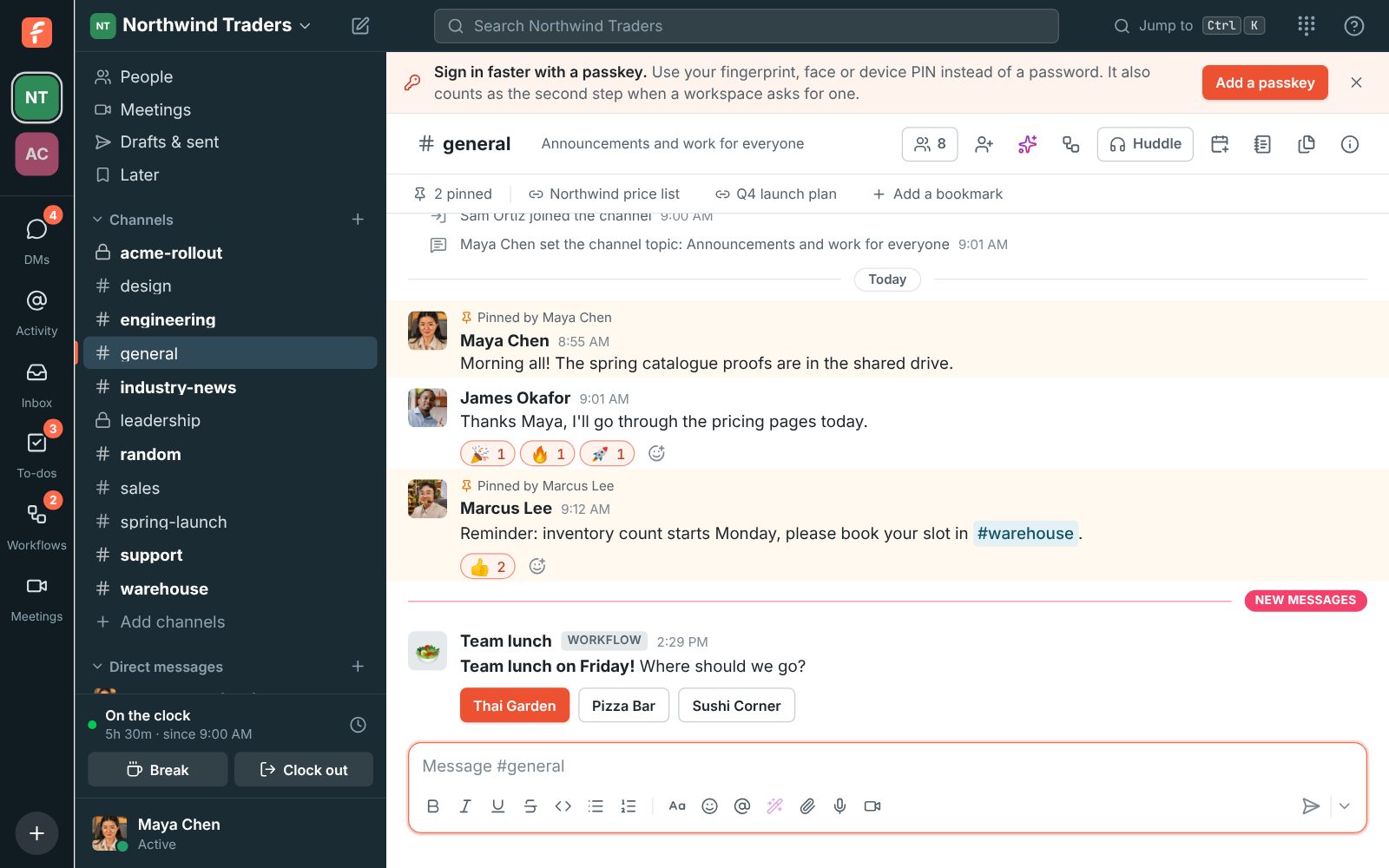
A passkey is your fingerprint, face or device PIN, with nothing to type; a banner in the browser suggests one until you add it, and the phone app adds one from the You tab. An authenticator app like Google Authenticator, Microsoft Authenticator, 1Password or Authy gives a six-digit code that changes every 30 seconds. Emailed codes work for ten minutes. Someone with nothing else sets up a passkey or an app on the spot, and that counts.

  • Passkeys marked Synced work on your other devices too
  • Adding or removing a passkey, an app or a phone asks you to verify again, so someone who only knows the password can't add their own
The Sign in faster with a passkey banner above a channel

The Admin Center always asks for a strong step

Opening the Admin Center takes a second step on every plan, even when the workspace doesn't require MFA, and out of the box it has to be a strong one: a passkey, approval on your phone, or a code from your authenticator app. An emailed code or a password isn't enough, so someone who gets into an admin's email still can't get in. An admin without one is helped to set it up right there. A sign-in lasts 12 hours.

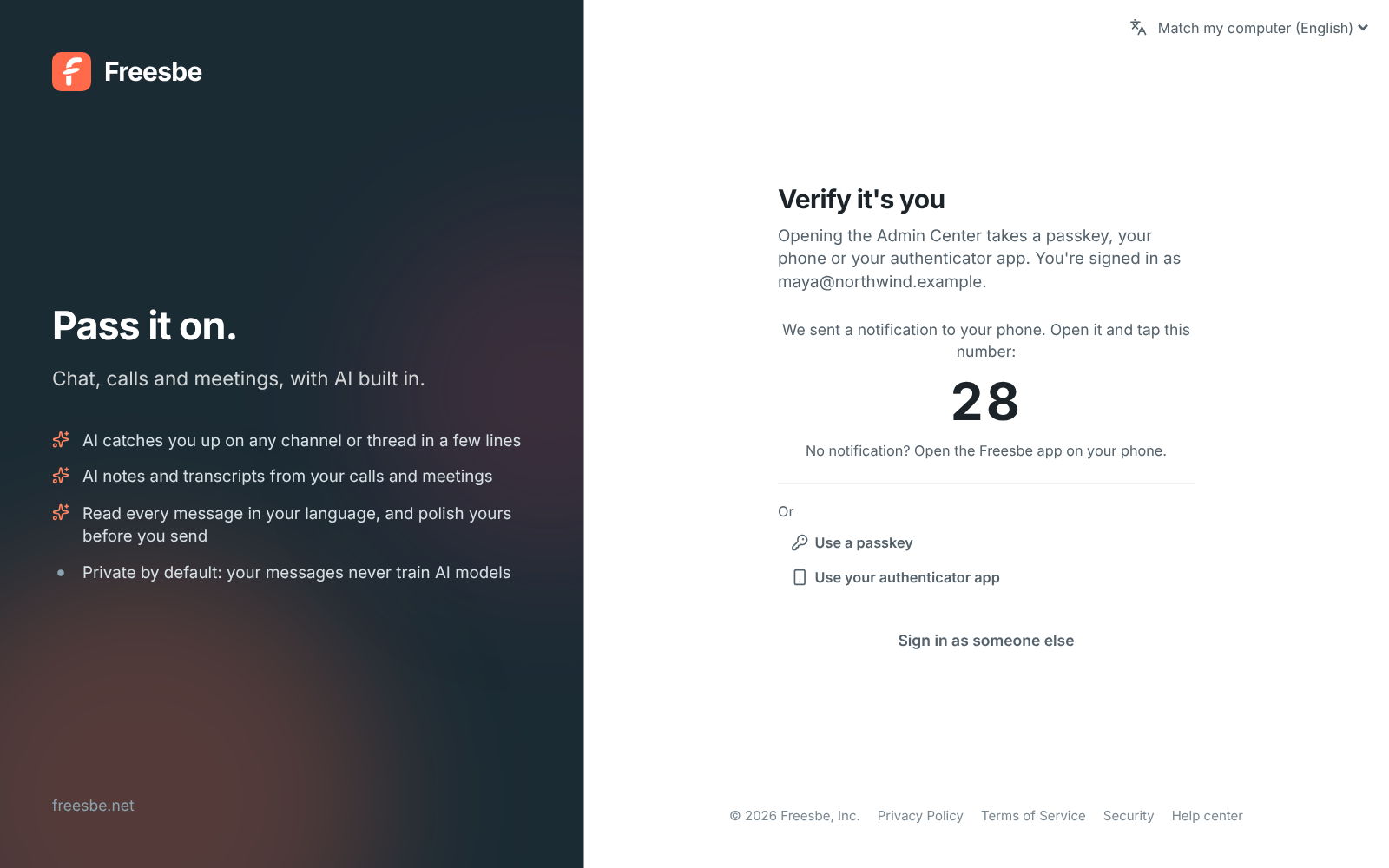
Verify it's you before the Admin Center opens: a number to tap on your phone, with a passkey and the authenticator app as other options

Every verification, on the record

Each sign-in, second step and failed attempt, and every passkey, app or phone added or removed, shows in Security activity with the browser and the address it came from. People see their own in Preferences; admins see the whole team's, filter it by member, event or month, and export it. Changes to the rule itself go in the audit log.

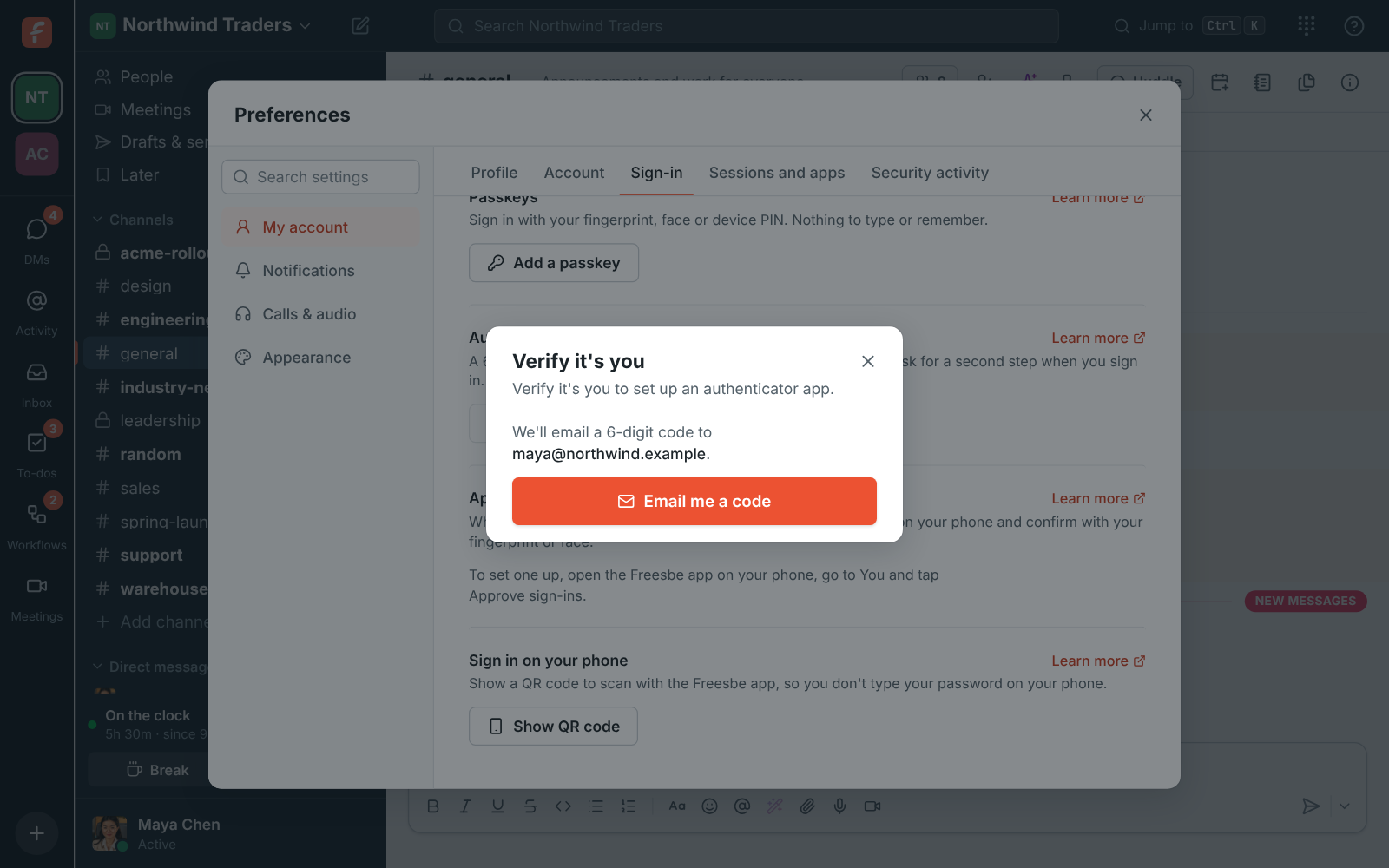
Preferences, Sign-in: a QR code and key for the authenticator app, with a field for the code

Plans and pricing

Multi-factor authentication and passkeys is included in Business, Corporate and Enterprise. Anyone can turn on a second factor on any plan; requiring it for everyone needs Business.

  • BusinessUp to 500 people
  • CorporateUp to 2,500 people
  • EnterpriseOver 2,500 people

Questions

Which plan includes this?
Passkeys, authenticator apps, emailed codes and phone approval work for everyone on every plan, including Free. Requiring a second step for the whole workspace comes with Business, Corporate and Enterprise. See pricing for the plans.
Do Google and Microsoft sign-ins count?
Yes. Signing in with a passkey, Google, Microsoft or Apple counts as the second step by itself; Google and Microsoft apply their own MFA rules to work accounts. When the time comes to verify again, these people verify like everyone else.
What if someone loses their phone?
They verify with an emailed code or a passkey instead, then set the app or the phone up again. If every admin has lost their passkeys and phones, Freesbe support can let them in with an emailed code after checking who's asking.
What about scripts that sign in with a password?
They lose access until they verify: set up an authenticator app for the script's account and send a code from it after signing in. App bot tokens aren't held to the rule.

Try all of it free with up to 10 people.

No card, no time limit. Invite your team and see what sticks.