Freesbe

Trust

Corporate and up

Set the rules for what's said and what's recorded.

Admins decide whether people can edit their messages and for how long, whether members and guests can delete their own, and whether admins can delete anyone's, with a log of what they removed. For calls, they decide whether recording is on, who can start and stop one, whether transcripts and notes are made, and when recordings are deleted.

  • Freeze a message after five minutes, an hour, a day or a week, or never.
  • Keep a log of every message an admin deleted for someone else.
  • Decide who can press Record: everyone, the host, or only hosts.
  • Delete recordings after 30, 90 or 365 days without anyone remembering to.

For Regulated teams, and any admin who's been asked what happened to a message.

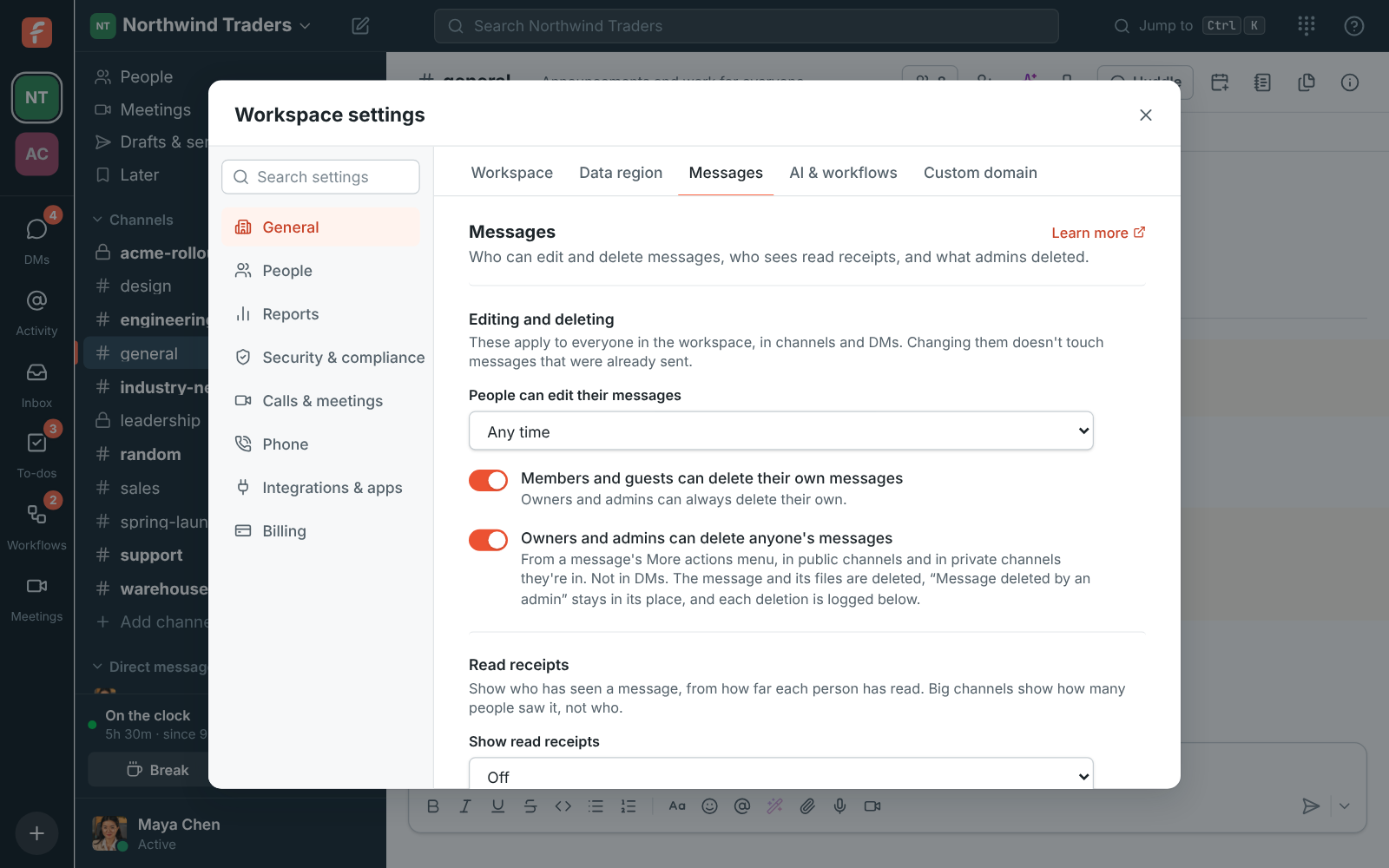
Workspace settings, Messages: the editing and deleting settings and the Deleted by admins log

Who can edit and delete messages

Like the settings in Slack and Teams, these apply everywhere in the workspace, in channels and DMs, and changing them doesn't touch messages already sent. People can edit their messages any time, never, or for up to 5 minutes, 1 hour, 1 day or 1 week after sending. Members and guests can delete their own, or only owners and admins can. Owners and admins can delete anyone's message in public channels and the private channels they're in, never in DMs.
Workspace settings, Messages: who can edit and delete messages

A log of what admins removed

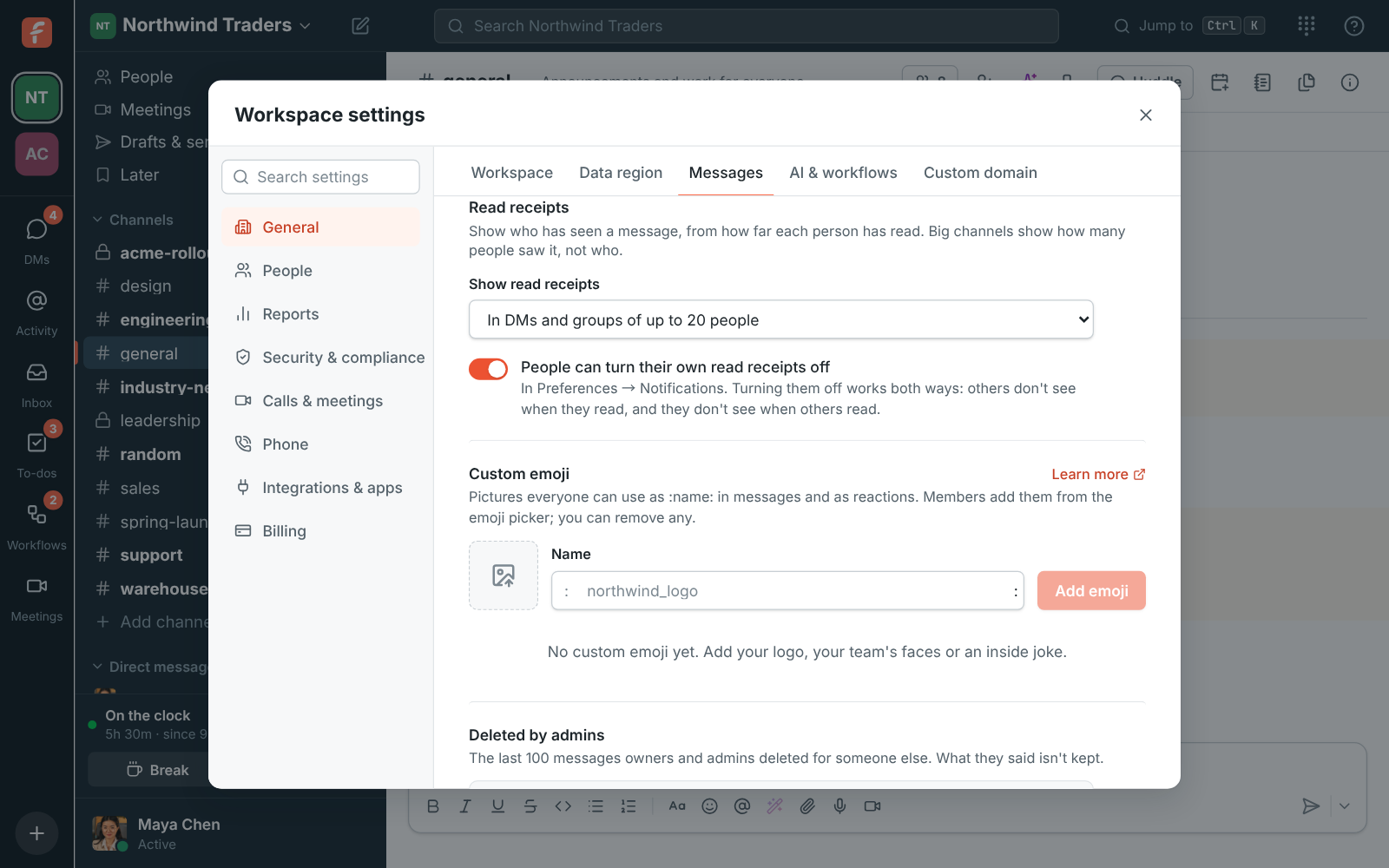
When an admin deletes someone else's message, the message and its files go and Message deleted by an admin stays in its place. Deleted by admins lists the last 100 such messages: who deleted it, whose it was, which channel, when, and whether it was in a thread or had files. What the message said isn't kept. Read receipts have their own switches: off, in DMs and small groups, or everywhere, and whether people can turn their own off.

Workspace settings, Messages: read receipts shown in DMs and groups of up to 20 people

See it on your own team's data.

Start free with up to 10 people and try it today, or book a 20-minute demo with the people who make Freesbe.

Who can record, and whether anyone can

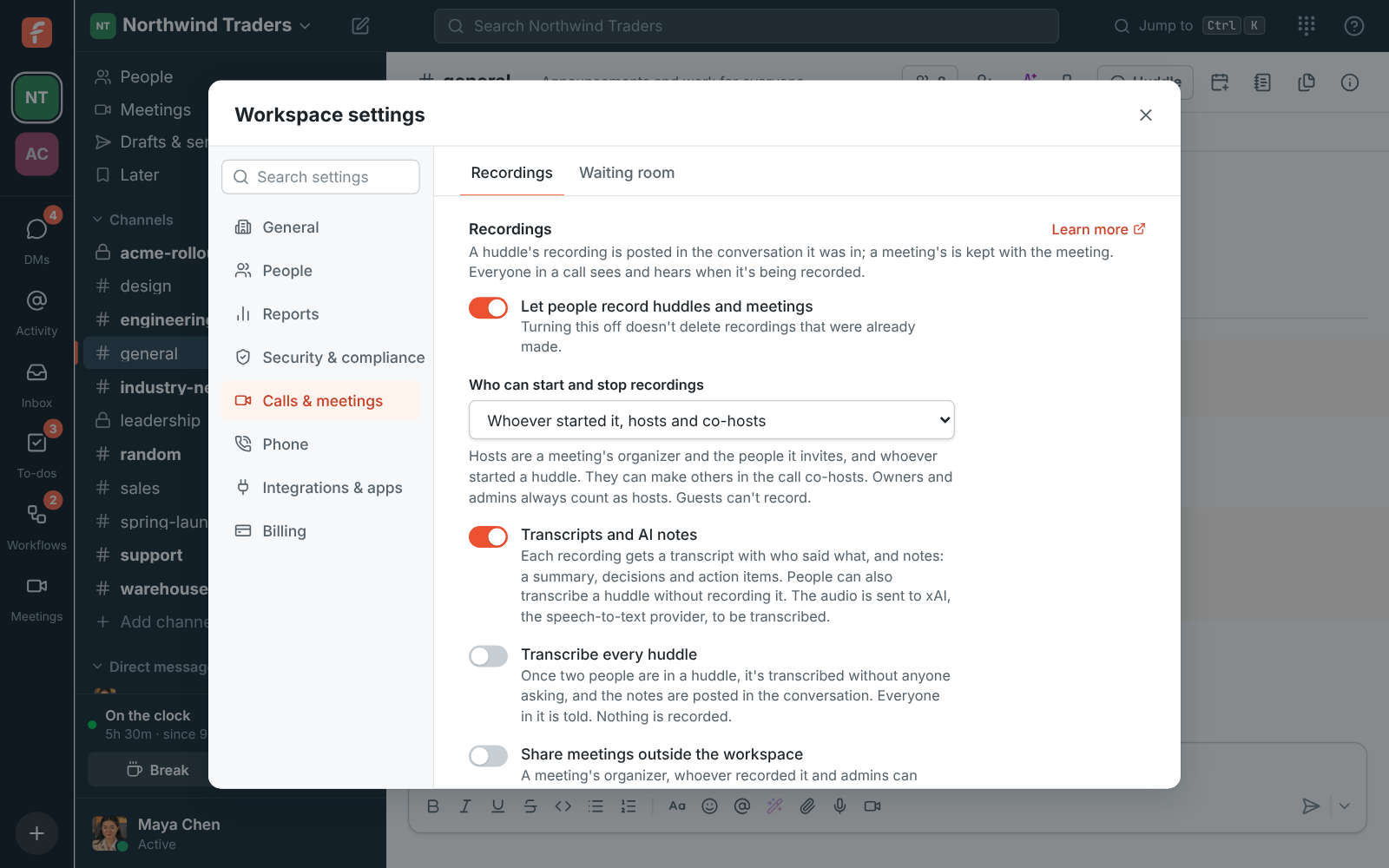
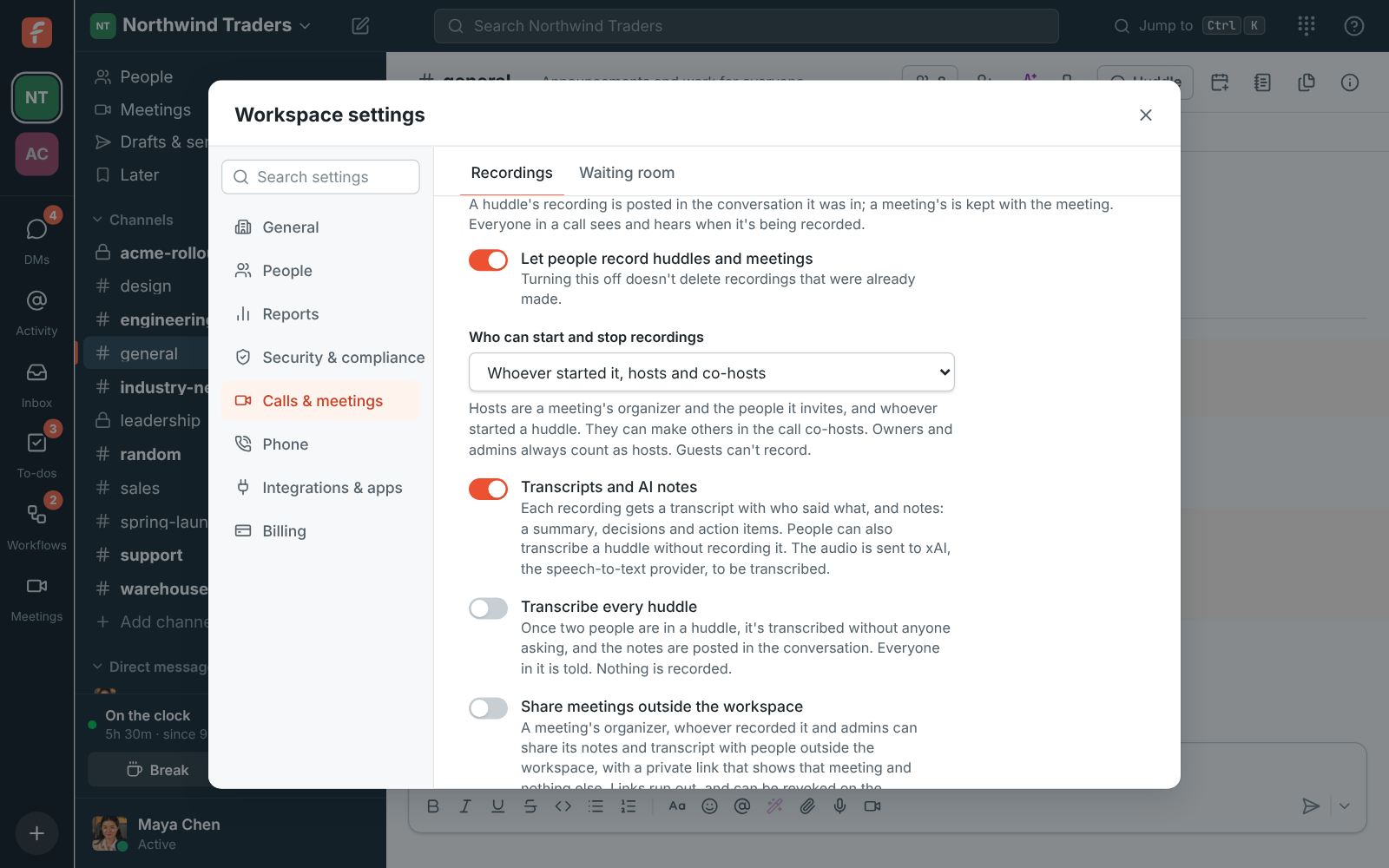
Let people record huddles and meetings is on by default; turning it off stops new recordings without deleting old ones. Who can start and stop recordings: everyone in the call, whoever started it plus hosts and co-hosts, or only hosts and co-hosts. Owners and admins always count as hosts, and guests can't record. Transcripts and AI notes have their own switch, and Transcribe every huddle posts notes from every huddle, with everyone in it told.

Workspace settings, Recordings: who can start and stop recordings

Delete recordings on a schedule

In the Admin Center, Delete recordings keeps them until someone deletes them, or removes them after 30, 90 or 365 days, which also frees storage without anyone tidying up. Sharing a meeting's notes and transcript outside the workspace is off by default; when you turn it on, you choose whether guests are emailed the notes, how many days the links work, and whether a link may play the recording. Turning these on asks for a tap on your phone if it approves sign-ins.

  • A huddle's recording is posted where the huddle was; a meeting's is kept with the meeting
  • Automatic deletion comes with Corporate and Enterprise
Workspace settings, Recordings: switches for recording, transcripts and AI notes, transcribing every huddle, and when to delete recordings

Plans and pricing

Message and recording rules is included in Corporate and Enterprise. Editing, deletion and recording permissions work on every plan; deleting recordings after a set time needs Corporate.

  • CorporateUp to 2,500 people
  • EnterpriseOver 2,500 people

Questions

Which plan includes this?
Editing and deletion rules, the deleted-by-admins log, read receipts and the recording permissions are on every plan, including Free. Deleting recordings after 30, 90 or 365 days comes with Corporate and Enterprise. See pricing for the plans.
Can admins read deleted messages?
No. The Deleted by admins log keeps who deleted it, whose it was, the channel and when, but not what it said.
Can an admin delete a DM?
No. Owners and admins delete other people's messages in public channels and in private channels they're in, never in direct messages.
Does turning recording off delete recordings?
No. It stops new recordings; recordings already made stay until someone deletes them or the deletion rule removes them.

Try all of it free with up to 10 people.

No card, no time limit. Invite your team and see what sticks.