Freesbe

Talk

All plans

Dark at night, light at the office, by itself.

Freesbe comes in a light and a dark theme. Choose System to match your device, and it switches the moment your computer or phone does, including at sunset. The choice is saved on each device, so your laptop can be dark while the office PC stays light. The icon dresses up for Thanksgiving, Hanukkah, Christmas, Ramadan and Eid.

  • Follow your computer's light and dark setting without touching anything.
  • Keep a different theme on each device.
  • Get dark menus and dialogs in the Mac app too, not just a dark window.
  • See a seasonal icon in the tab and the tray, or turn it off.

For Everyone who works past sunset.

Freesbe in the dark theme

System, Light or Dark

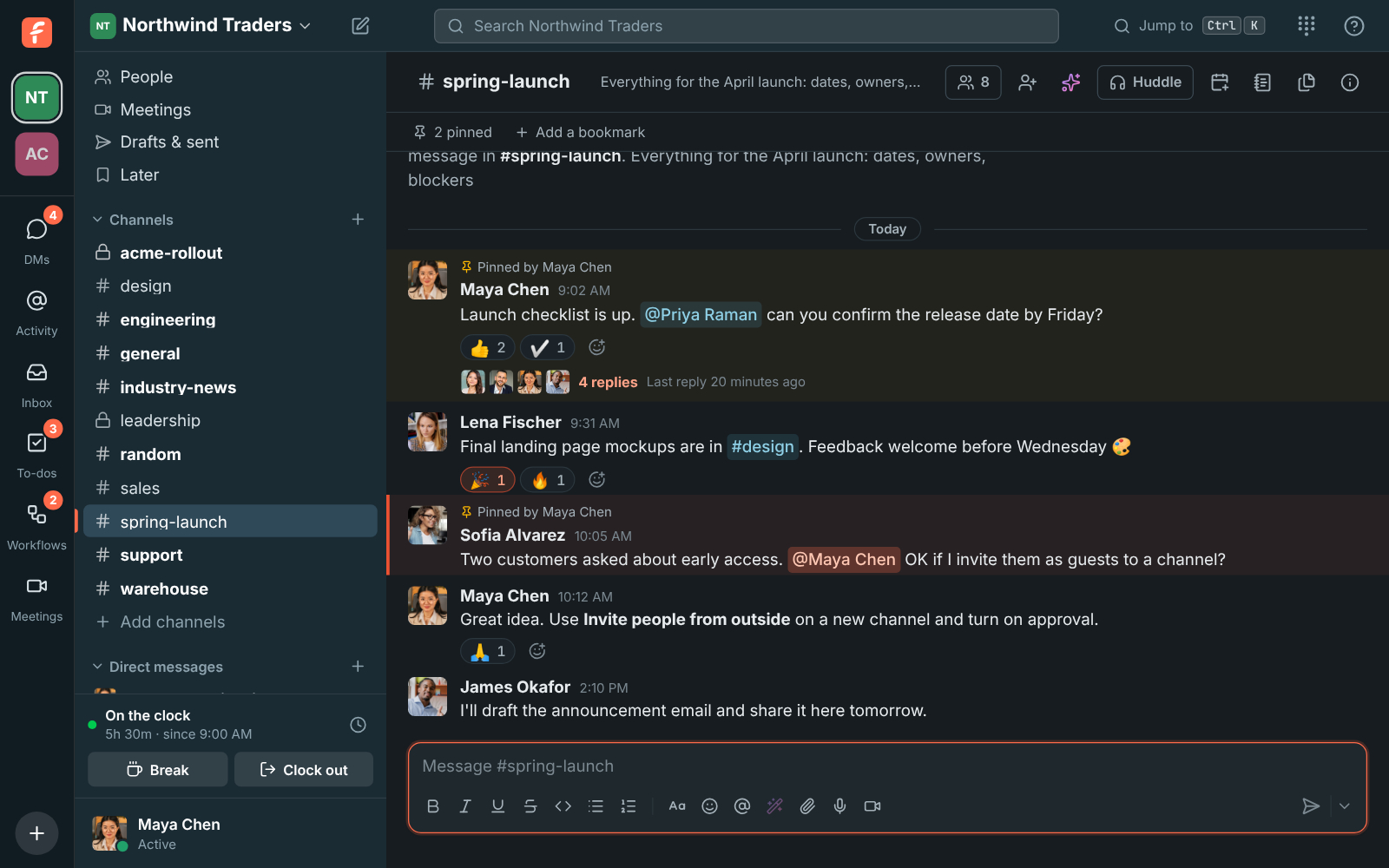
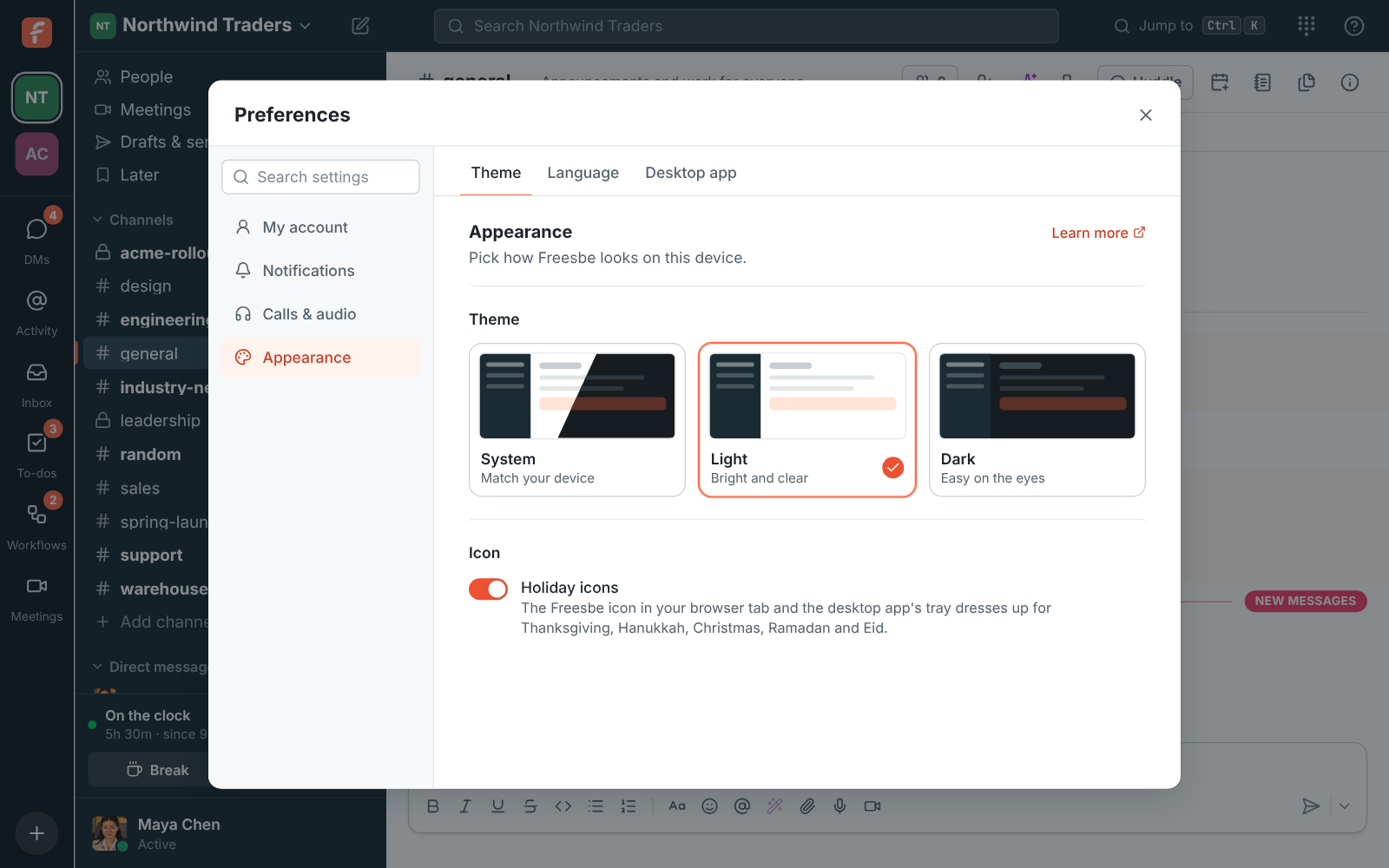
Choose System, Light or Dark under Preferences, Appearance. System is the default: it follows your computer's or phone's setting and switches the moment that changes, including when your computer goes dark on its own at sunset. The sidebar stays dark teal in both themes; the messages, dialogs and menus change. The choice is saved on each device.
Freesbe in the dark theme, with the sidebar, messages and a thread

Light where the room is

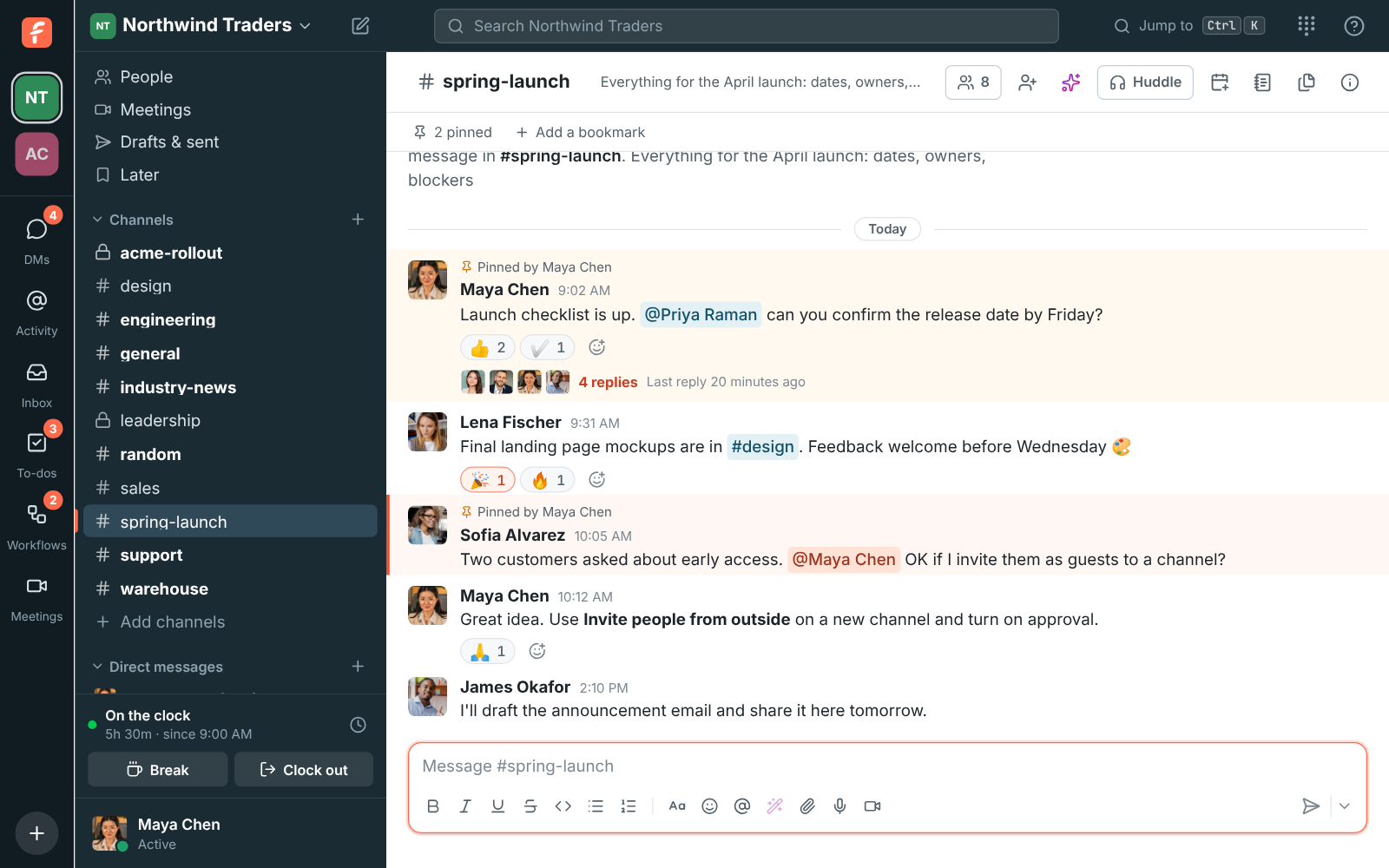
Pick Light on the office PC and it stays light there even while your laptop at home is dark. Nothing syncs across devices on purpose, so each screen matches the room it is in. In the desktop app the window buttons follow the theme too, and on a Mac so do the right-click and spelling menus and the app's dialog boxes, even when your Mac is set to the other look.

Freesbe in the light theme

See it on your own team's data.

Start free with up to 10 people and try it today, or book a 20-minute demo with the people who make Freesbe.

An icon that knows the date

The Freesbe icon dresses up for the holidays: an autumn leaf for Thanksgiving week, a gold menorah for the eight days of Hanukkah, a snowflake through December for Christmas, and a gold crescent moon for Ramadan and the two Eids. You see it in your browser tab, on freesbe.net, and in the desktop app's tray and window icon. The dates come from the Hebrew and Islamic calendars, so they are right every year. Turn off Holiday icons under Appearance if you prefer the everyday one.

The everyday Freesbe icon, then the Thanksgiving, Hanukkah, Christmas, and Ramadan and Eid icons

On the phone too

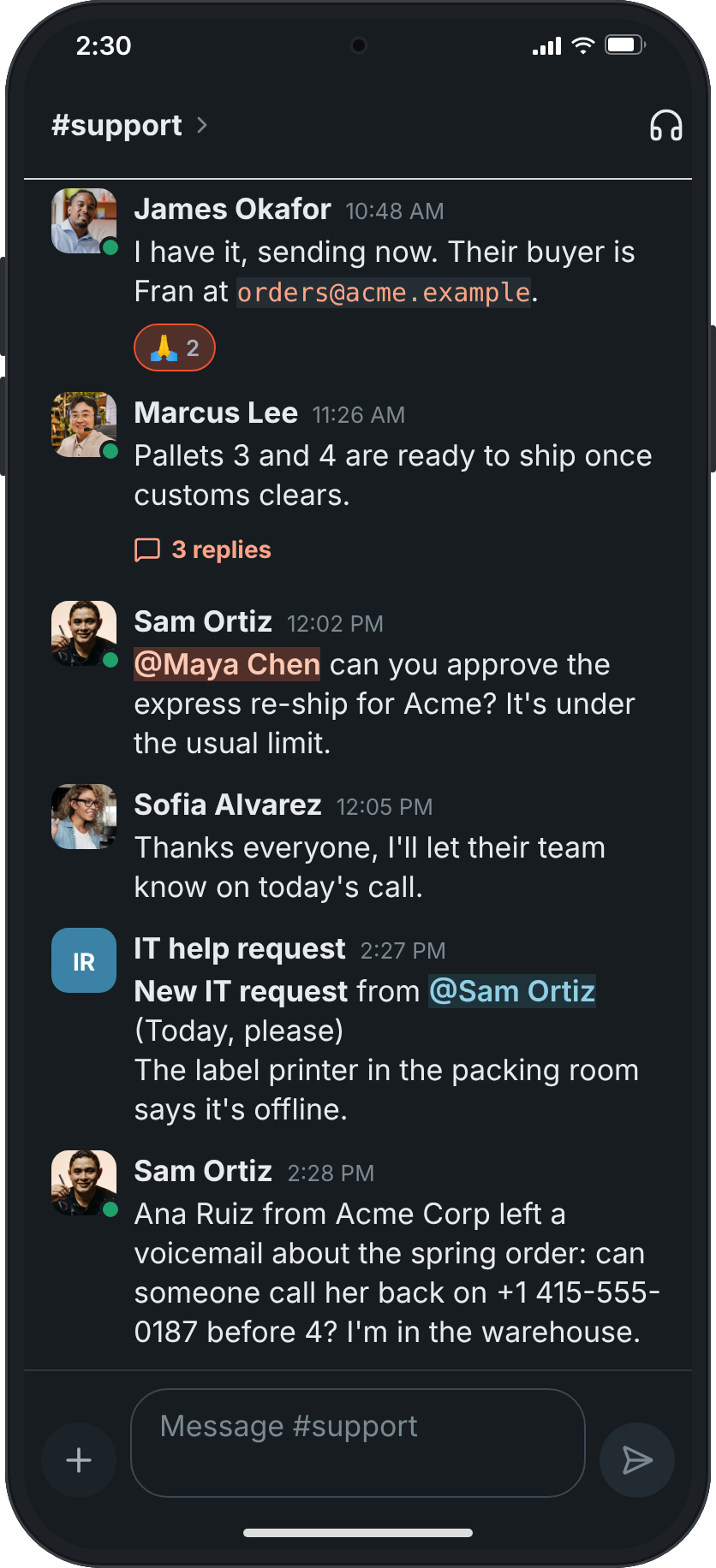
The phone app starts out matching your phone: light when it is light, dark when it is dark, switching with it at sunset. To keep it one way, tap You, then Theme, and pick Light or Dark; Match phone goes back to following the phone. The choice is kept on that phone only, so your computer keeps its own.

A conversation in #support on a phone with Theme set to Dark

Plans and pricing

Light and dark, holiday icons is included in every plan, including Free.

  • FreeUp to 10 people
  • BusinessUp to 500 people
  • CorporateUp to 2,500 people
  • EnterpriseOver 2,500 people

Questions

Does the theme sync between my devices?
No, on purpose. The choice is saved on each device, so your laptop can be dark while your work PC stays light. System follows each device's own setting.
Can I turn the holiday icons off?
Yes. Turn off Holiday icons under Preferences, Appearance. The desktop app follows the setting from version 0.1.5.
Why is the sidebar still dark in the light theme?
The sidebar stays dark teal in both themes; the messages, dialogs and menus change.
Which plan includes this?
Every plan, including Free.

Try all of it free with up to 10 people.

No card, no time limit. Invite your team and see what sticks.