Freesbe

Talk

All plans

The same app, in everyone's language.

Freesbe speaks 25 languages, from Spanish, French, German and Japanese to Hebrew and Arabic, which flip the whole app right to left. It follows your computer's language, or you pick one in Preferences. Dates, times, the desktop app's menus and the emails Freesbe sends follow too, and Translate reads any message in your language.

  • Let each person use Freesbe in their own language, on their own device.
  • Give Hebrew and Arabic speakers an app laid out right to left, not just translated.
  • Read a message written in another language with one click on Translate.
  • Get sign-in codes and other emails in your language.

For Companies with offices, customers or contractors in more than one country.

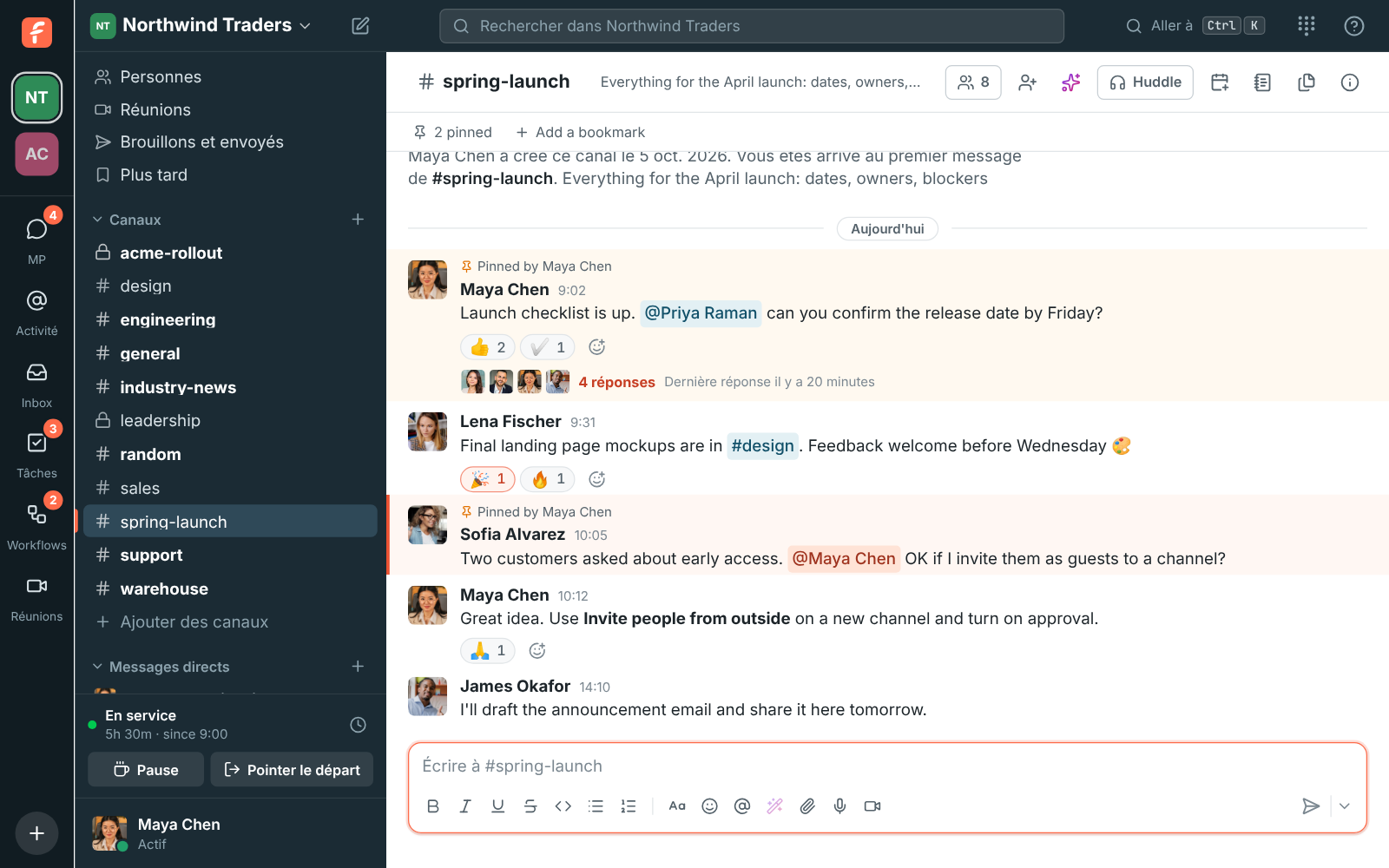
Freesbe in French

25 languages, picked per device

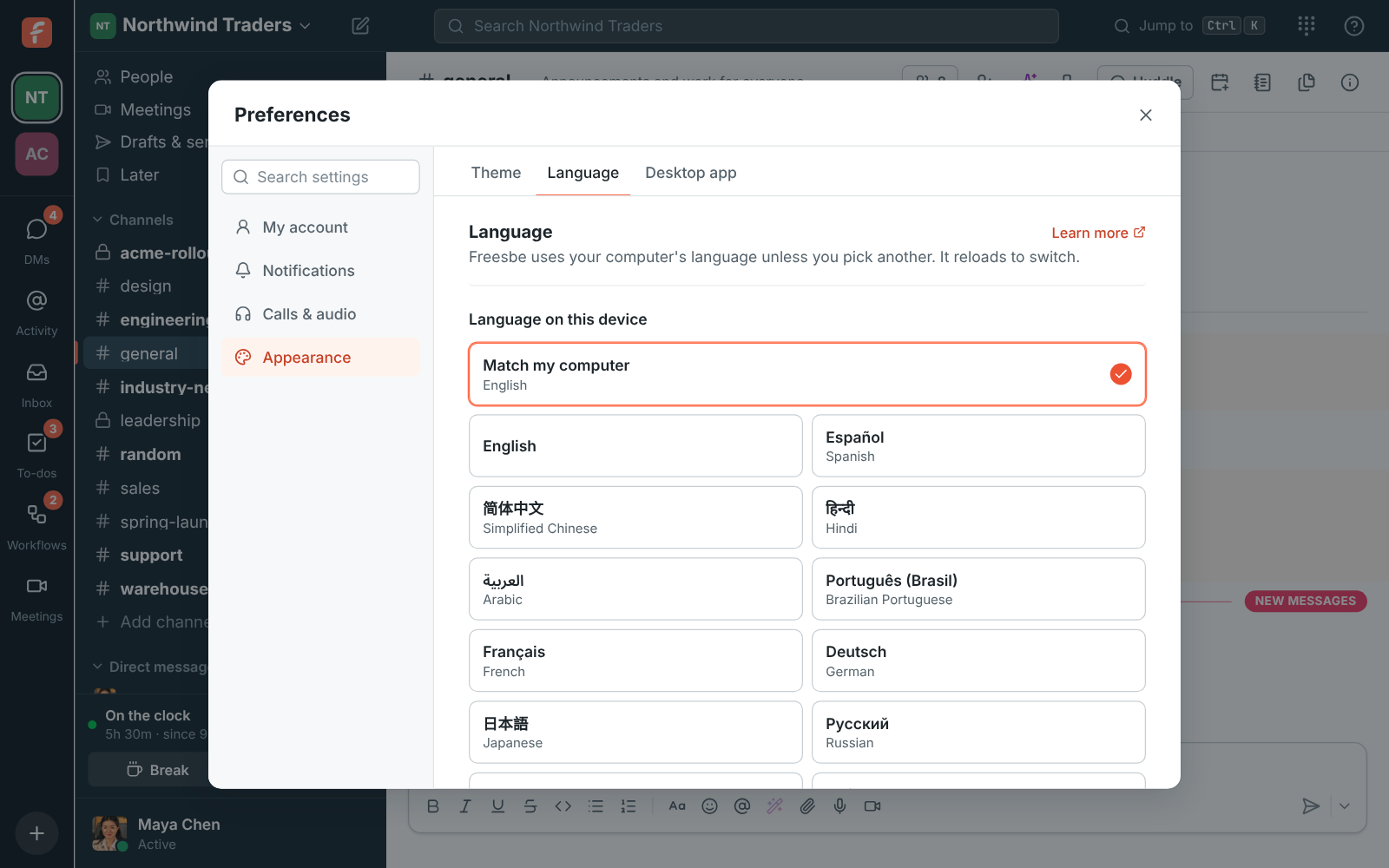
Freesbe follows your computer's language, or your browser's on the web. To use a different one, pick it under Language on this device, or choose Match my computer to go back. The choice is saved on each device, so your phone's browser and your laptop can differ. A close relative counts: Portuguese from Portugal gets Brazilian Portuguese, and Chinese from Hong Kong gets traditional Chinese.

  • English, Spanish, French, German, Italian, Dutch, Polish, Portuguese (Brazil), Swedish, Czech, Romanian, Ukrainian, Russian, Turkish
  • Chinese (simplified and traditional), Japanese, Korean, Hindi, Thai, Vietnamese, Indonesian, Malay
  • Hebrew and Arabic, right to left
Preferences, Language: match my computer or pick one of 25 languages

Right to left, properly

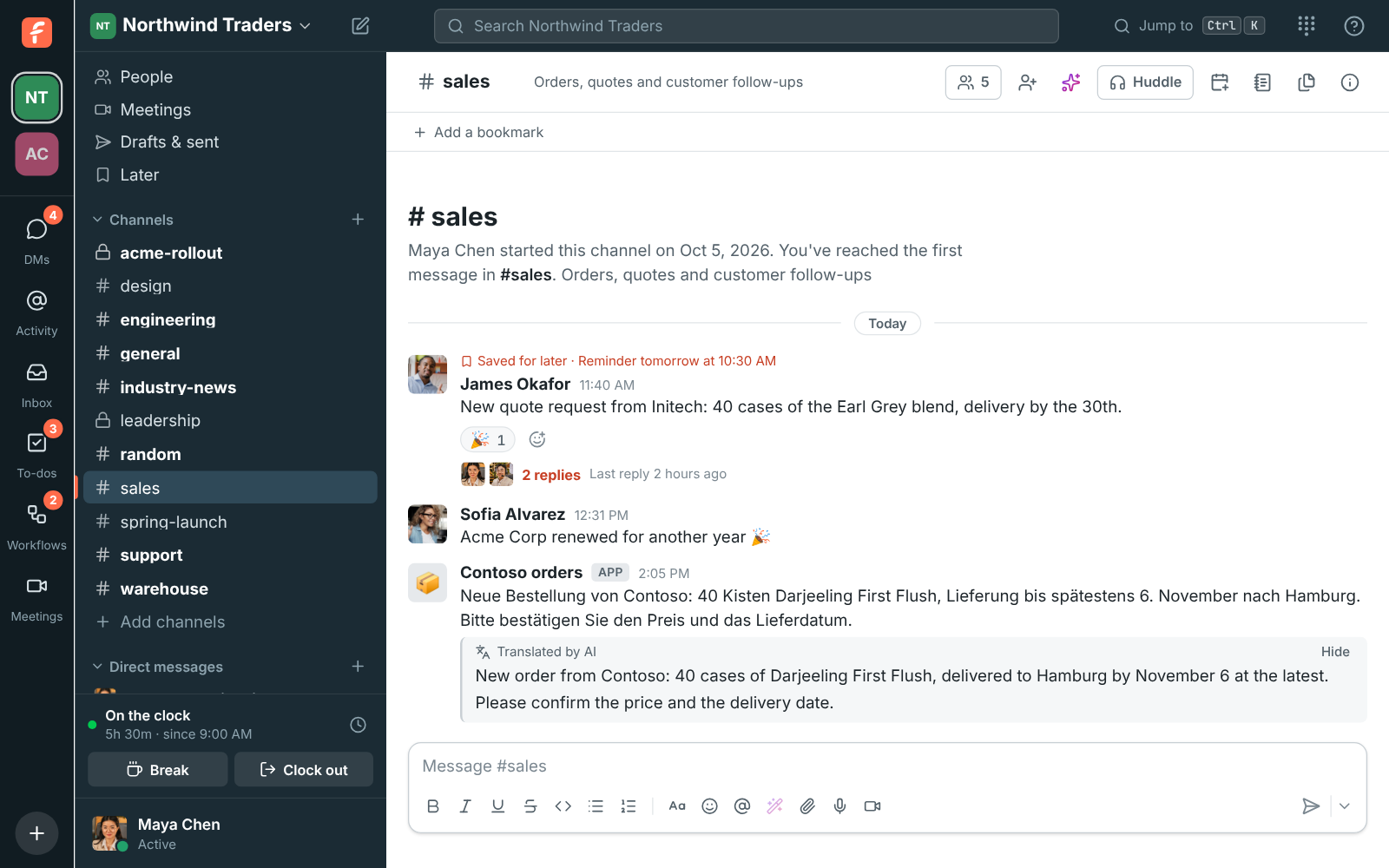
In Hebrew and Arabic the whole app flips, with the sidebar on the right. Each message lines up by its own text, so English and Hebrew messages sit side by side correctly. Dates and times use the format of the language you choose. Messages stay in the language they were written in; to read one in yours, use Translate, which shows the translation under the original when AI is on.

A message translated into the reader's language, shown under the original

See it on your own team's data.

Start free with up to 10 people and try it today, or book a 20-minute demo with the people who make Freesbe.

The desktop app follows along

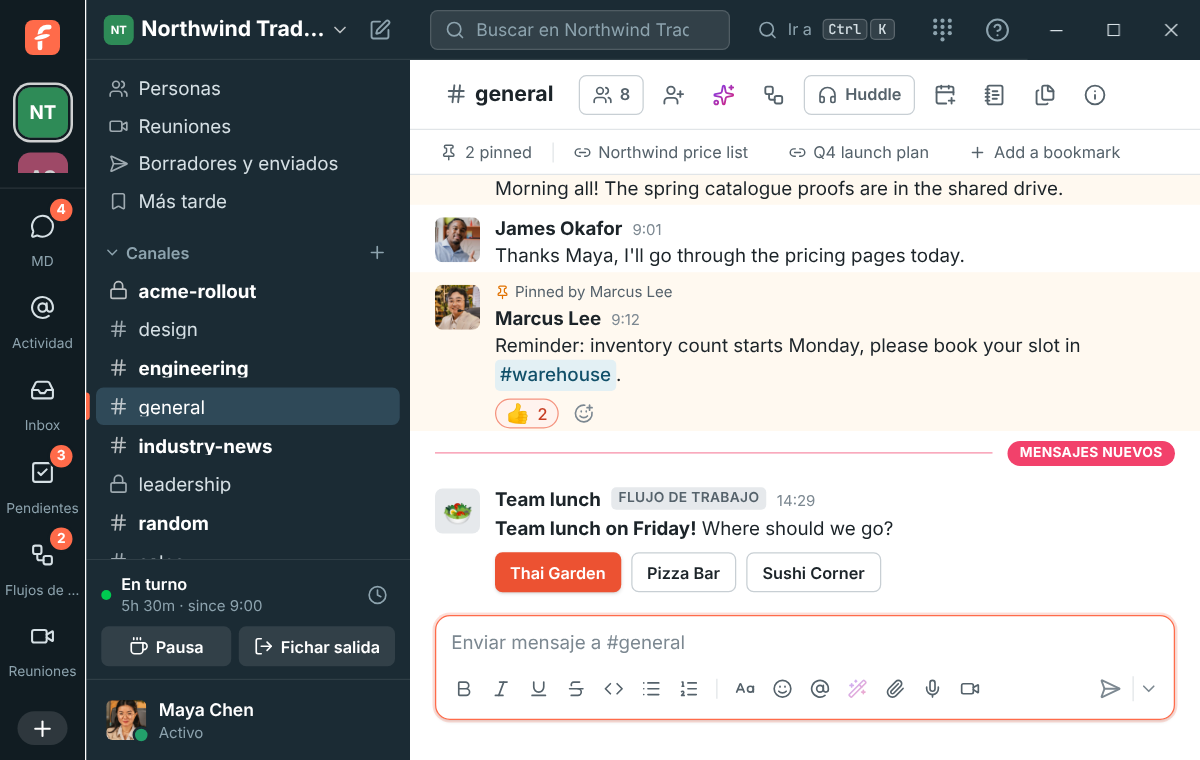
In the desktop app, the menus, the tray or menu bar and the taskbar's jump list follow the same choice. In Hebrew and Arabic the app is laid out right to left, with the window buttons where your computer puts them. Emails you ask for, such as sign-in codes, come in your language; invitations come in the language of the person who sends them.

The desktop app in Spanish on Windows

And the phone app

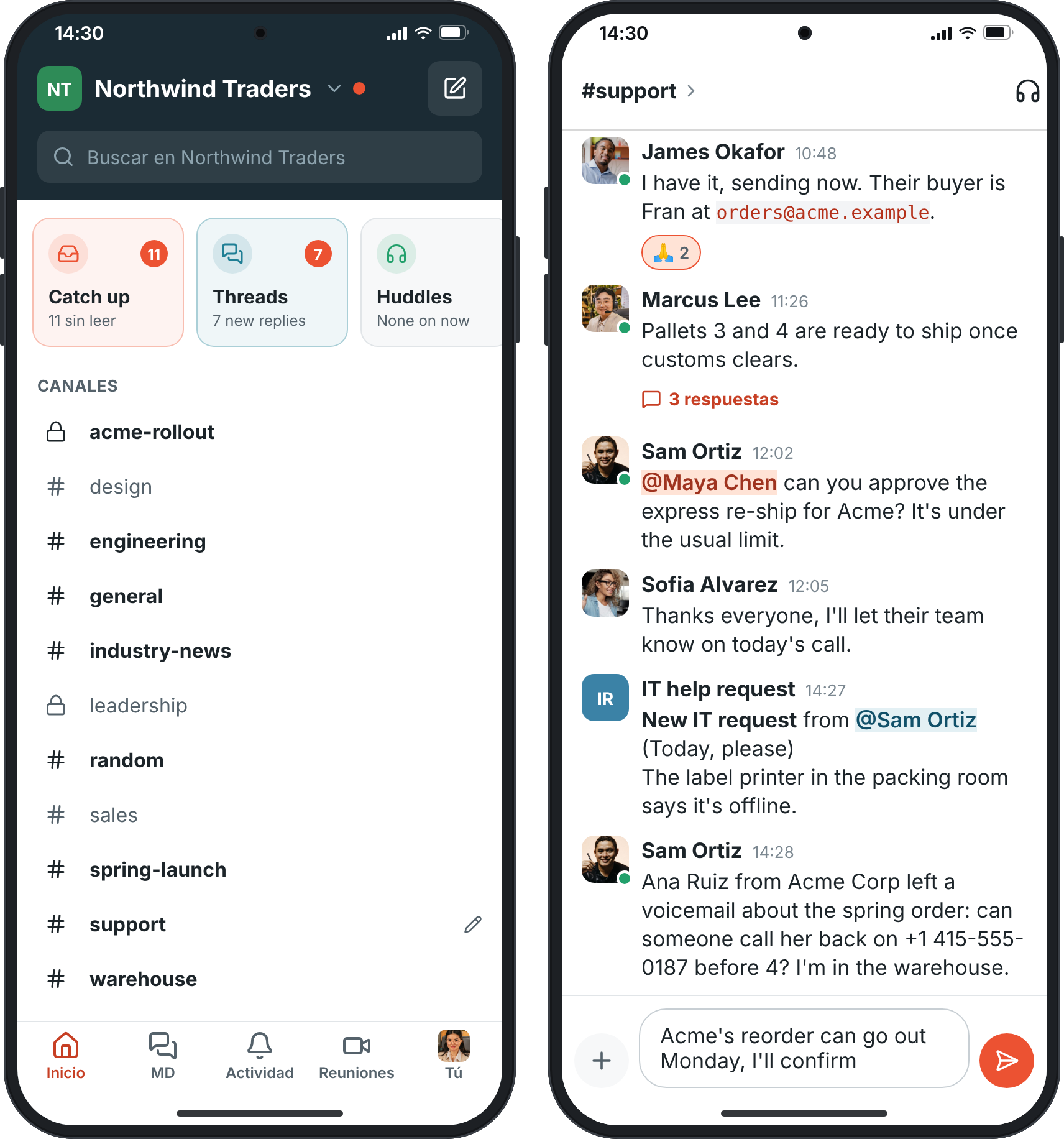
The phone app starts out in your phone's language. To use Freesbe in another one, tap You, then Language: on Android 13 and newer and on iPhone it opens Freesbe's own Language screen in the phone's settings, and on older Android you pick from a list in the app. The language is kept on that phone only, so your computer keeps its own.

Home and a conversation in Spanish on a phone

Plans and pricing

25 languages is included in every plan, including Free.

  • FreeUp to 10 people
  • BusinessUp to 500 people
  • CorporateUp to 2,500 people
  • EnterpriseOver 2,500 people

Questions

Which languages does Freesbe speak?
25: English, Spanish, Chinese (simplified and traditional), Hindi, Arabic, Brazilian Portuguese, French, German, Japanese, Russian, Hebrew, Italian, Dutch, Polish, Turkish, Korean, Indonesian, Malay, Vietnamese, Thai, Ukrainian, Swedish, Czech and Romanian.
Are messages translated?
Messages stay in the language they were written in. When AI is on for your workspace, Translate shows any message in your language under the original.
What if my language is not on the list?
Freesbe uses English. A close relative counts: Portuguese from Portugal gets Brazilian Portuguese.
Which plan includes this?
Every plan, including Free, in the web, desktop and phone apps.

Try all of it free with up to 10 people.

No card, no time limit. Invite your team and see what sticks.