Freesbe

Run the team

All plans

The day's meetings, with Join buttons, in a DM.

The Calendar app sends you three kinds of messages in your DM with yourself: Your day each morning, with the day's meetings and a Join button for each video call; Starting soon, a few minutes before each meeting; and New invitation, with Yes, Maybe and No buttons. It works with Google Calendar, Outlook and Zoho Calendar; only you see them.

  • The day's meetings arrive before the day starts, with the join link on each.
  • A reminder lands a few minutes before every meeting, so you never hunt for the link.
  • Invitations get a Yes, Maybe or No without leaving the chat, and your calendar is updated.
  • Join opens a Freesbe meeting, Google Meet, Teams, Zoom or Webex alike.

For People whose day is run by their calendar and who live in the chat.

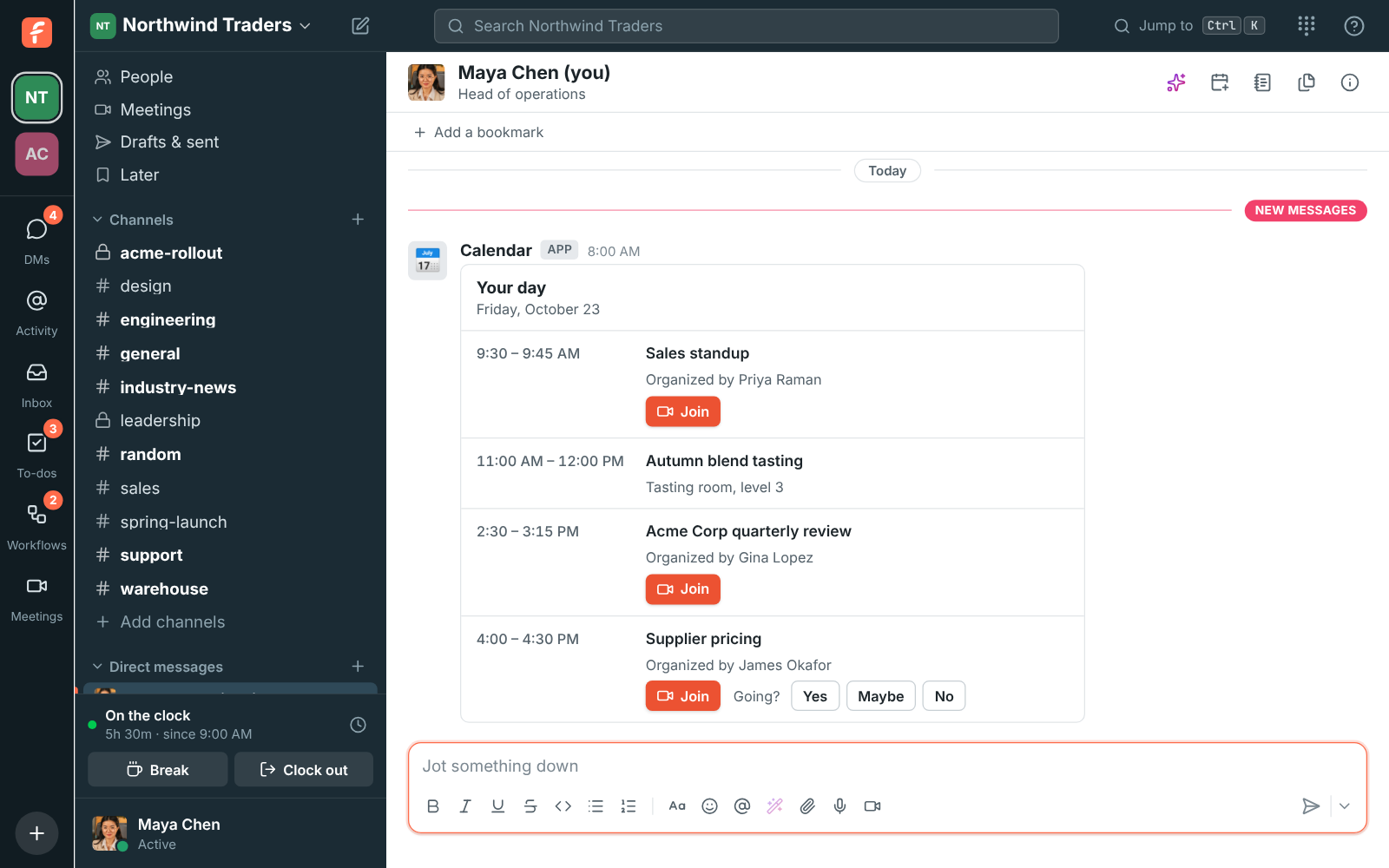
Maya's DM with herself: the morning agenda for Friday with four meetings, Join buttons, and Yes, Maybe and No for an invitation

Your day, every morning

At the time you pick, 8:00 AM to start with, the Calendar app posts the day's meetings in order, each with a Join button when it has a video call link, and Yes, Maybe and No buttons for any invitation you haven't answered. The time is in your own time zone. Days with nothing on the calendar get no message, and you can turn weekends off. Send today's agenda now shows what it looks like straight away.
The morning agenda: four meetings in order with Join buttons and an unanswered invitation

Starting soon, and new invitations

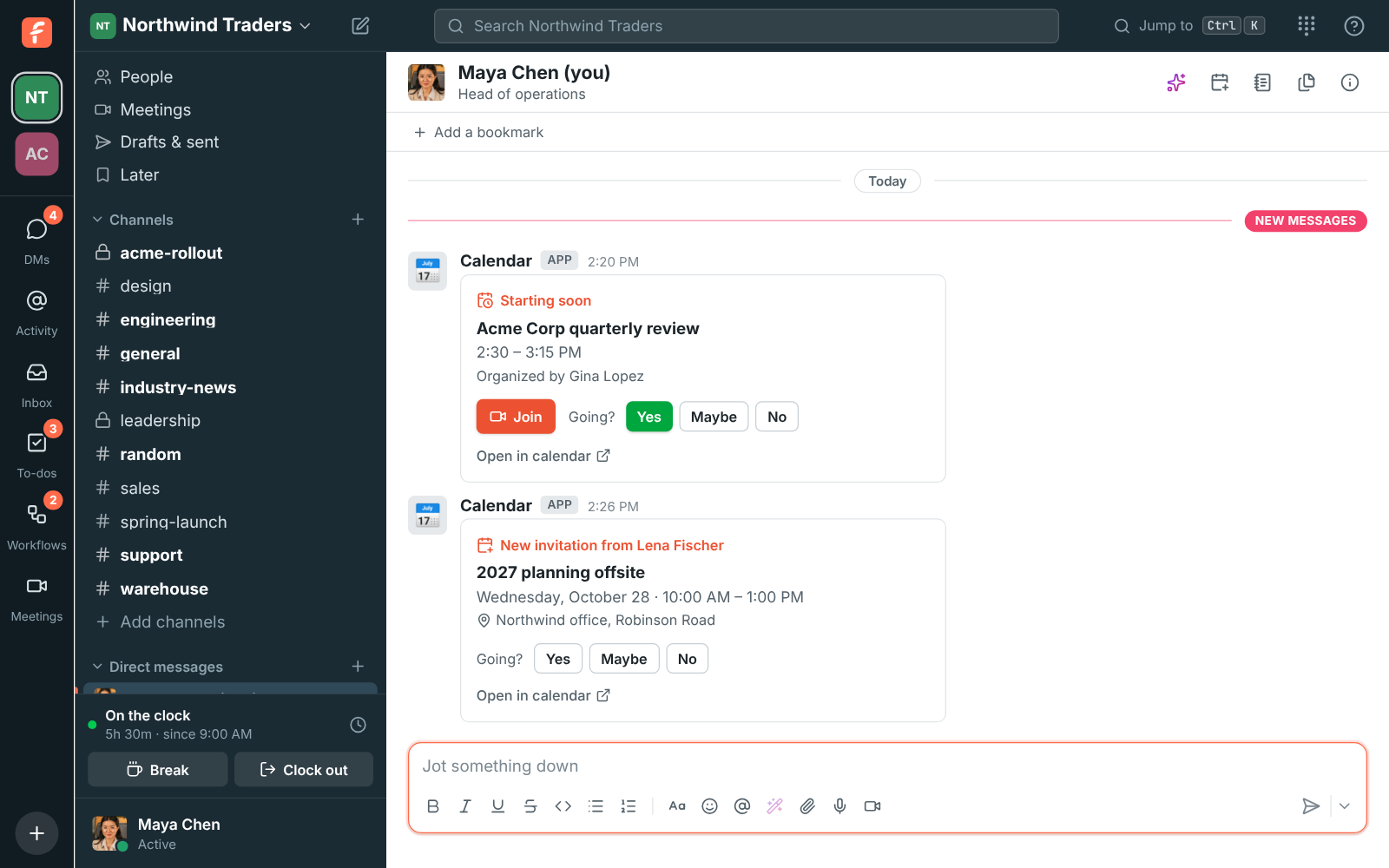
A Starting soon message arrives 1, 5, 10, 15 or 30 minutes before each meeting with its join link; all-day events and meetings you declined are skipped. When someone invites you, a New invitation message comes with Yes, Maybe and No. You also hear when a meeting you're in moves to a new time or is cancelled. Click an answer and Freesbe answers in your own calendar; the organizer gets it as usual, and you can change your mind the same way.

A Starting soon reminder for the Acme Corp quarterly review with a Join button, and a new invitation from Lena Fischer with Yes, Maybe and No

See it on your own team's data.

Start free with up to 10 people and try it today, or book a 20-minute demo with the people who make Freesbe.

Choose what you get

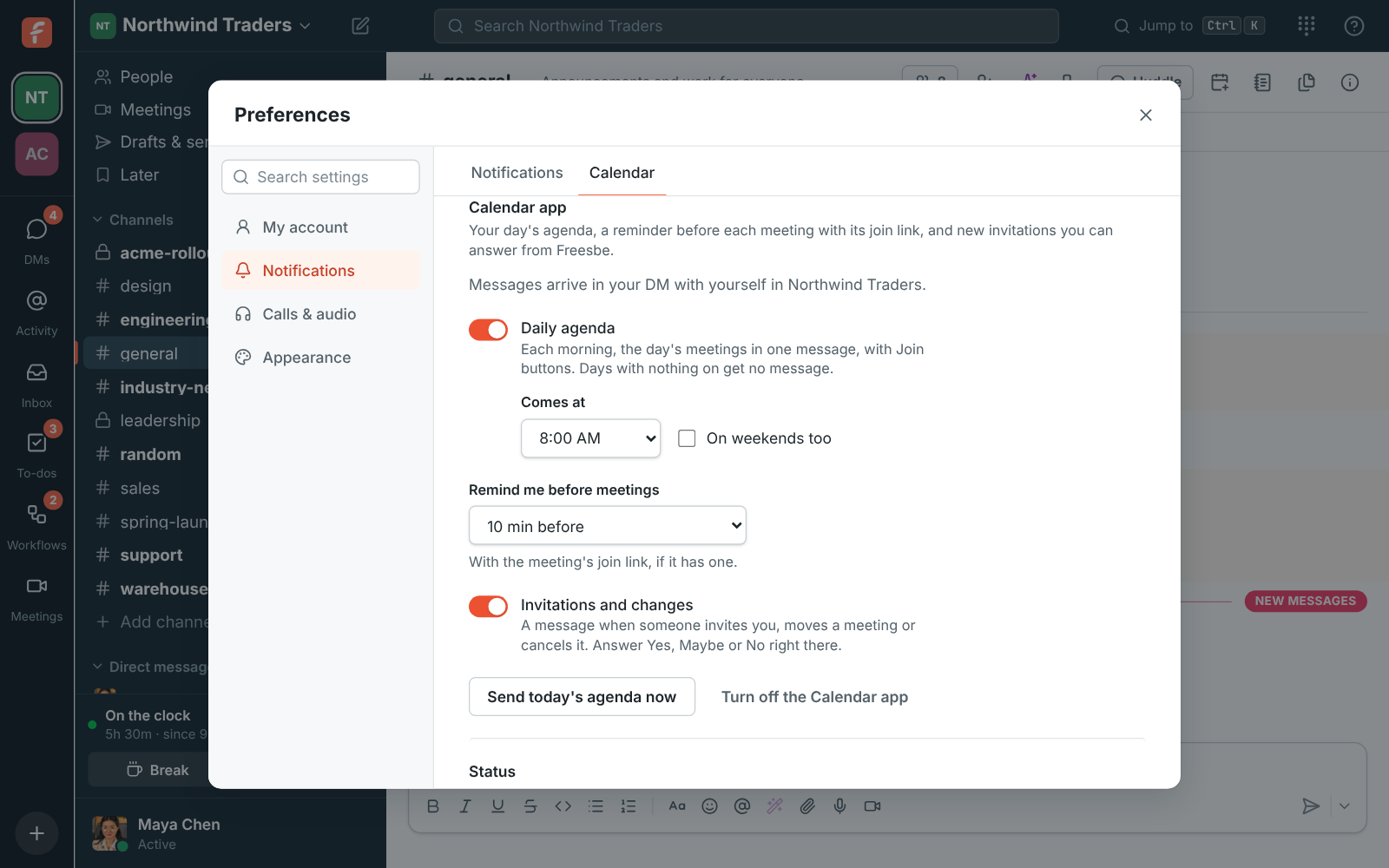
Under Preferences, Calendar, turn the Calendar app on once your Google, Microsoft or Zoho calendar is connected. Then set the daily agenda on or off and its time, how many minutes before meetings to be reminded, and whether to hear about invitations and changes. The messages go to the workspace you were in when you turned it on; move them to another from that workspace's preferences. Turn off the Calendar app stops all three, and your calendar stays connected for free and busy times.

Preferences, Calendar: the Calendar app on, with the daily agenda at 8:00 AM, reminders 10 minutes before, and invitations and changes on

Reads your events, keeps none of them

The Calendar app reads your events when a message is due: titles, times, places, organizers and join links. Freesbe doesn't keep your events; it remembers only each upcoming event's id and times so a reminder goes out once, and forgets them after the event. Disconnect removes Freesbe's access and everything it remembered. Admins can turn the Calendar app off for a workspace and see how many people get its messages.

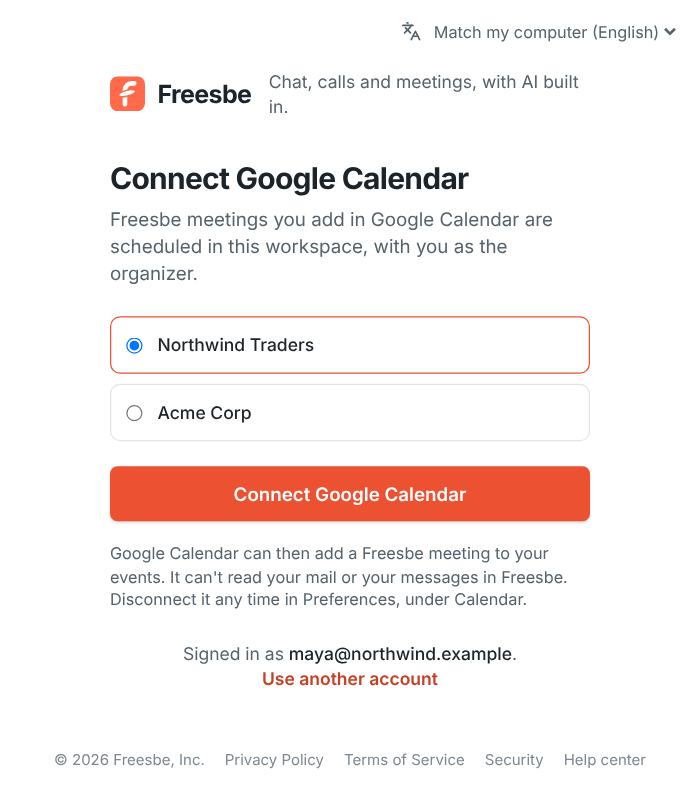
Connecting a Google calendar from Preferences

Plans and pricing

Calendar app is included in every plan, including Free.

  • FreeUp to 10 people
  • BusinessUp to 500 people
  • CorporateUp to 2,500 people
  • EnterpriseOver 2,500 people

Questions

Which plan includes this?
Every plan, including Free. It needs a connected Google, Microsoft or Zoho calendar; guests can't use it.
Who sees the messages?
Only you. They come from Calendar in your DM with yourself, in one workspace you pick, and stay there until you delete them.
Can I answer Zoho Calendar invitations from Freesbe?
Zoho Calendar doesn't let other apps answer invitations, so with a Zoho calendar an invitation has Open in calendar instead of Yes, Maybe and No; answer it in Zoho Calendar.
Does it keep a copy of my calendar?
No. It reads events when a message is due and remembers only each upcoming event's id and times, so a reminder or an invitation goes out once. After the event, that is forgotten too.

Try all of it free with up to 10 people.

No card, no time limit. Invite your team and see what sticks.