Freesbe

AI

All plans

Admins decide what AI does, and see the count.

AI in Freesbe is on by default and reads only what each person can already read. Admins keep the rest in hand: one switch turns summaries, translations and writing help off for everyone; another turns transcripts and notes off; the AI agents page decides who may connect what; and the usage count shows the month's requests.

  • One switch, and every AI button disappears for the whole workspace.
  • Transcripts and notes, recording, and who may start them are each a separate setting.
  • Agents connect only if you allow them, and only with the permissions you leave on.
  • The month's AI requests are counted where you can see them.
  • Your messages aren't used to train models, on any plan.

For Owners, admins and IT teams who need to know what AI can read before they turn it on.

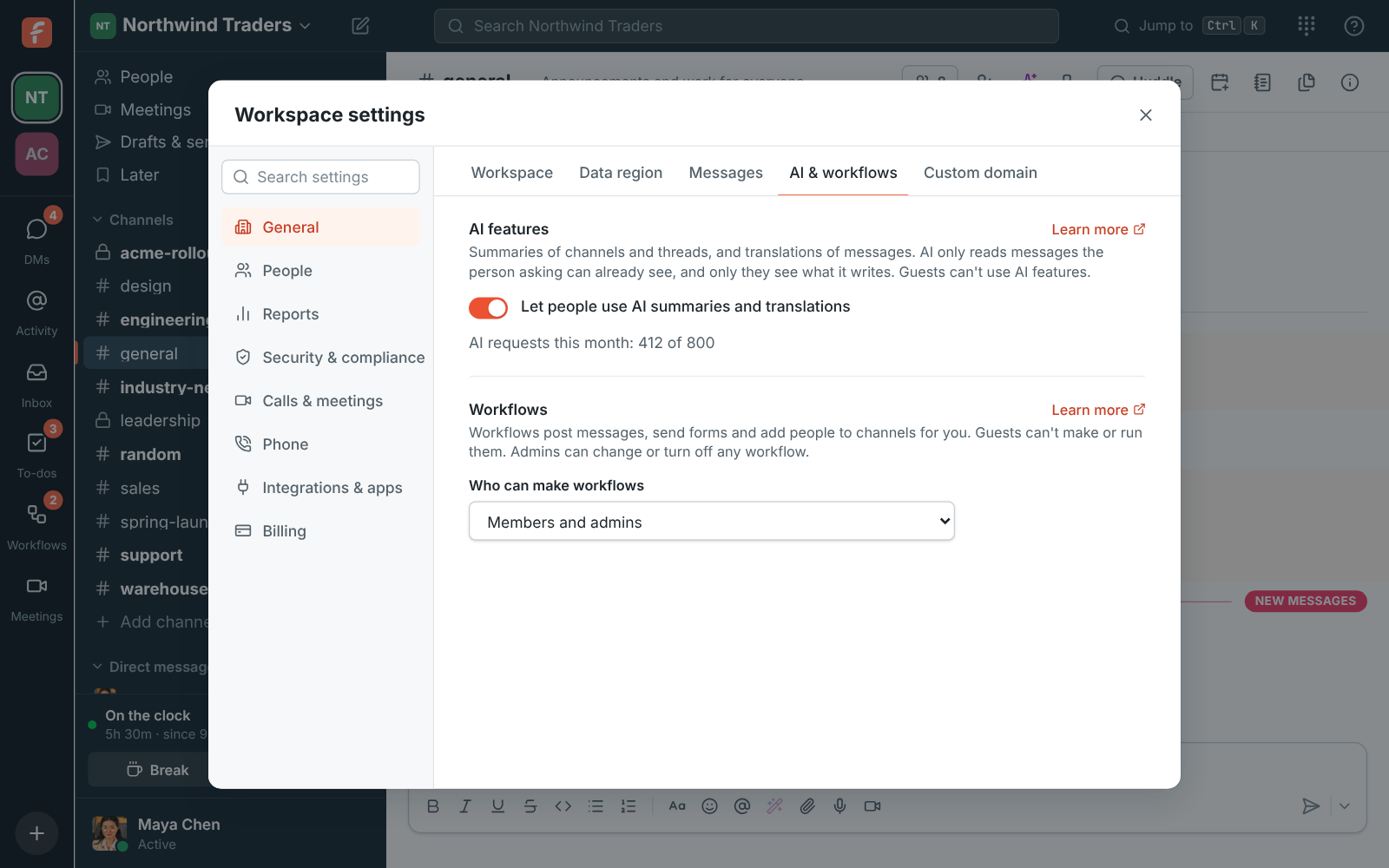
Workspace settings, AI features: the switch for AI summaries and translations, with 412 of 800 AI requests used this month

Summaries, translations and writing help: one switch

Let people use AI summaries and translations is on by default. People can summarize channels and threads, translate messages, get help with what they write, ask Freesbe a question and touch up a profile photo. AI only reads messages the person asking can already see, and only they see what it writes. Turn it off and the buttons go away for everyone, and Ask Freesbe leaves the search box. Below the switch is how many AI requests the workspace has used this month, out of what its plan includes.
Workspace settings, AI features: the switch and the AI requests used this month

Recordings, transcripts and notes

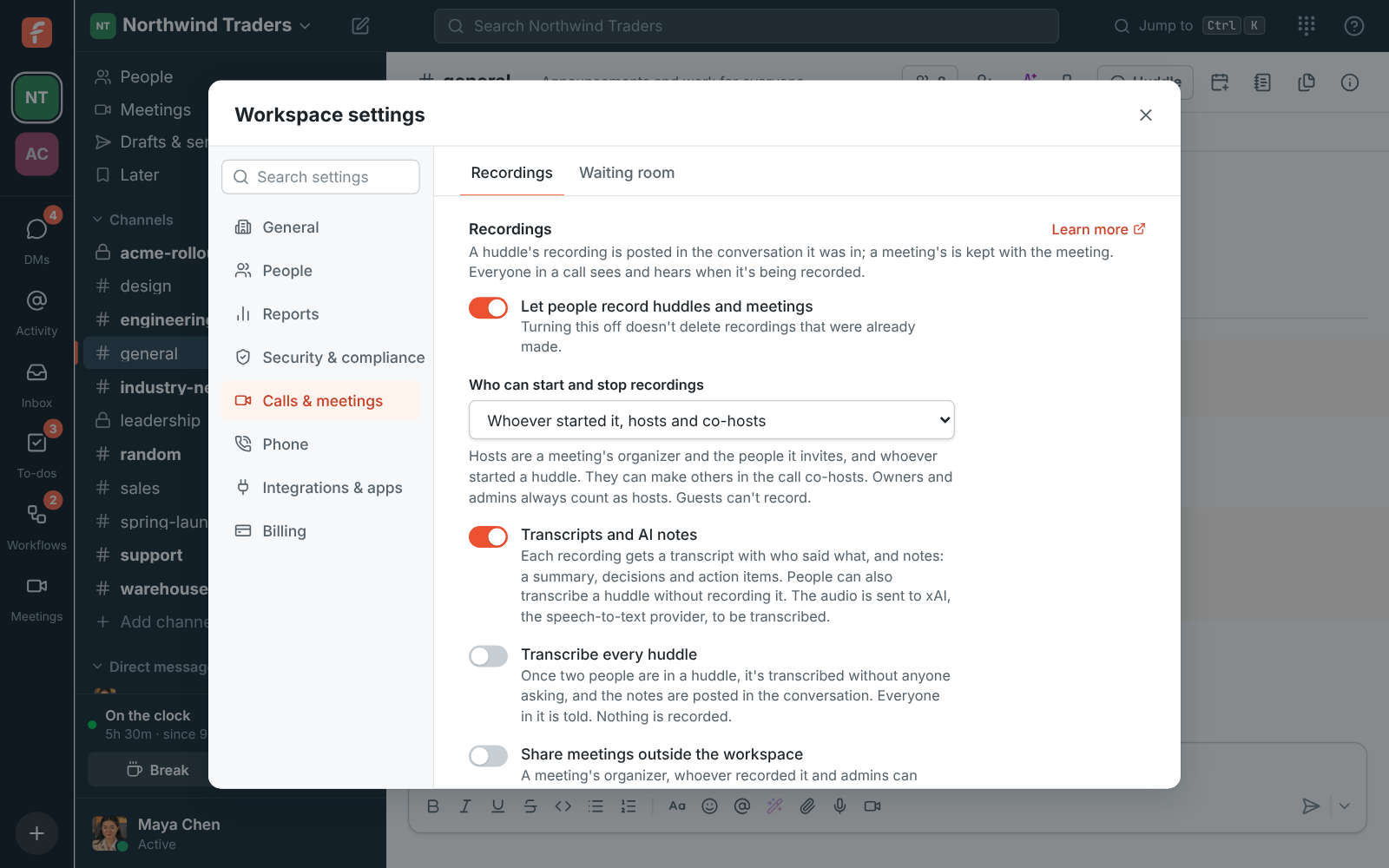
Under Recordings, decide whether people may record huddles and meetings at all, and who can start and stop a recording: everyone in the call, whoever started it plus hosts and co-hosts, or only hosts and co-hosts. Transcripts and AI notes is its own switch; off, new recordings are saved without them and huddles can't be transcribed. Transcribe every huddle, off by default, writes notes for every huddle once two people are in it. Sharing notes outside the workspace is off until an admin turns it on.

Workspace settings, Recordings: switches for recording, for transcripts and AI notes and for transcribing every huddle, and when to delete recordings

See it on your own team's data.

Start free with up to 10 people and try it today, or book a 20-minute demo with the people who make Freesbe.

Agents: who, which, and how much

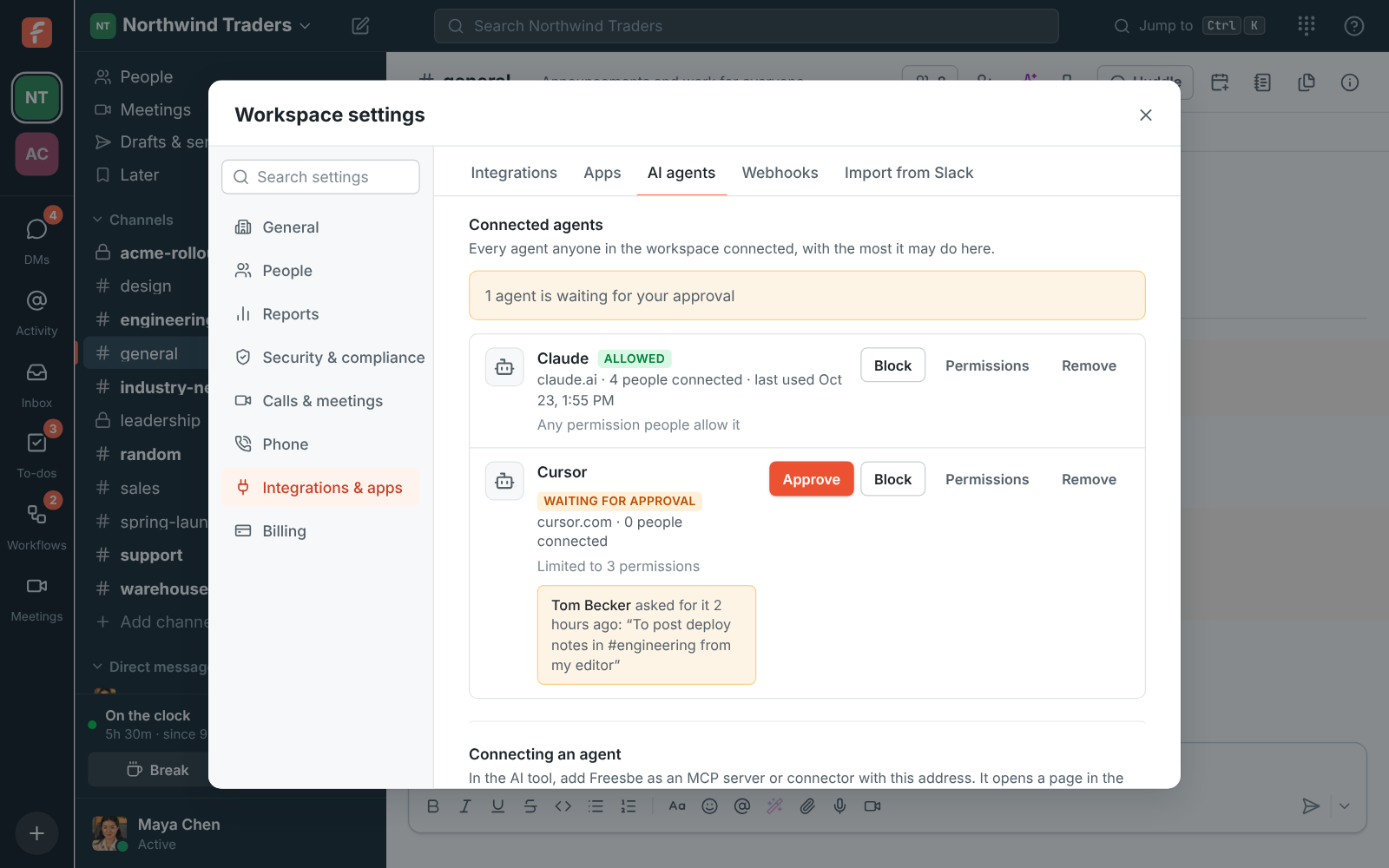
Who can connect AI agents is Anyone, Agents an admin approved, or Nobody. Let agents read private channels and direct messages is off by default; on, an agent still reads only the private conversations of the person who connected it. Each agent anyone connected is listed with Approve, Block, Permissions, which caps what it may do for everyone, and Remove. The activity log at the bottom keeps 90 days of connections, approvals and every tool call.

Workspace settings, AI agents: who can connect, the agents people connected with Approve, Block and Permissions, and the activity log

What stays true on every plan

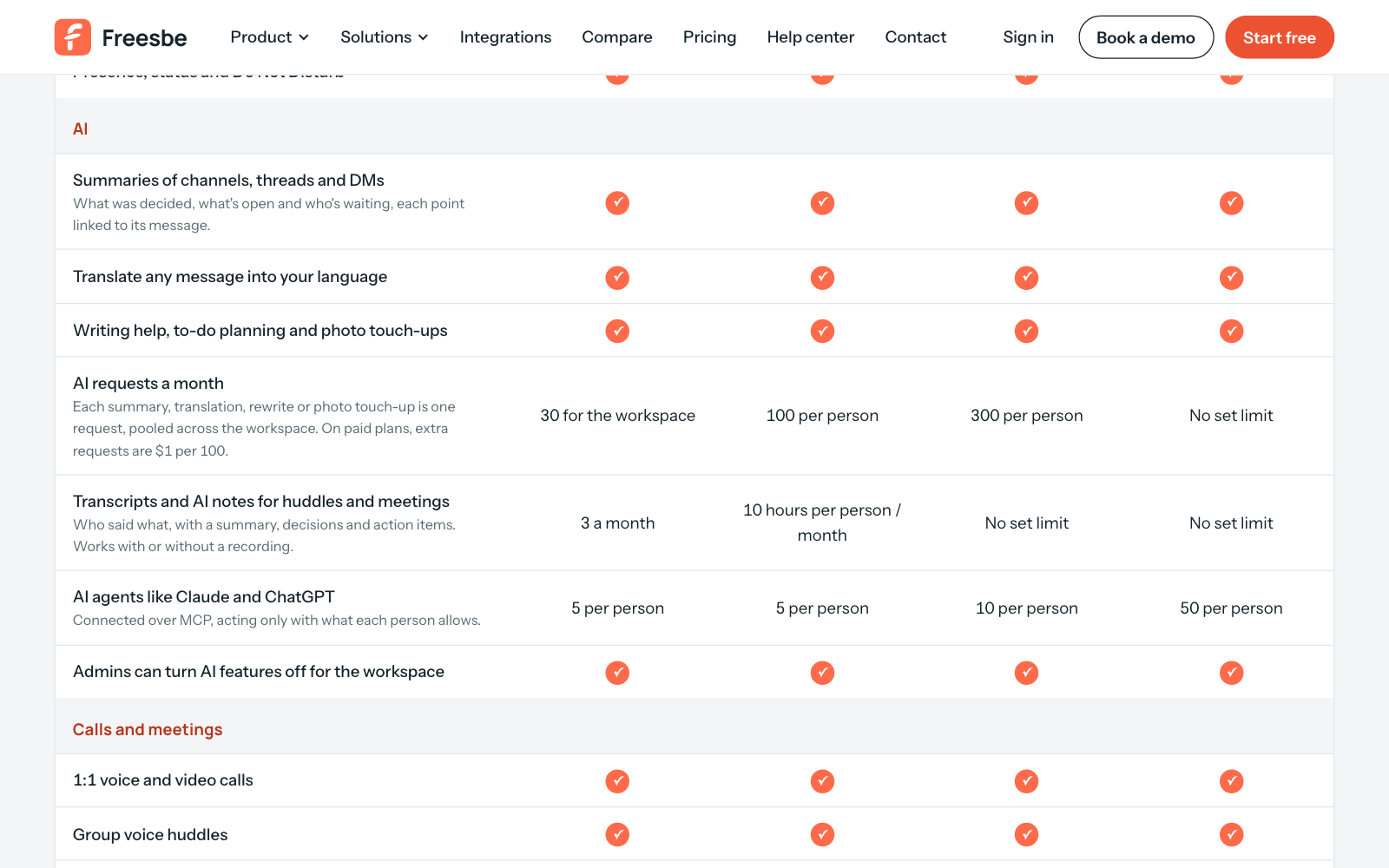
AI reads only what the person asking can already read: never other people's DMs or private channels they're not in. Only they see summaries, translations and suggestions, and nothing is posted. Instructions inside messages are reported, not followed. The AI provider processes messages to answer the request and doesn't use them to train its models. Guests can't use AI features. Every plan has a monthly allowance of requests that grows with the plan, listed with every other limit on the pricing page.

The AI section of the plan comparison on the pricing page: summaries, translations and writing help on every plan, with each plan's allowance

Plans and pricing

Admins decide what AI does is included in every plan, including Free. Every plan has a monthly allowance of AI requests that grows with the plan; admins can turn any AI feature off.

  • FreeUp to 10 people
  • BusinessUp to 500 people
  • CorporateUp to 2,500 people
  • EnterpriseOver 2,500 people

Questions

Which plan includes this?
Every plan, including Free. The switches are in Workspace settings on every plan; what changes with the plan is the monthly allowance of AI requests and transcripts, listed at /pricing/limits/.
What can the AI see?
Only what the person asking can already read: the channel or thread they asked about, the message they're writing, the call they were in. It never reads other channels, private channels they're not in, or other people's DMs, and admins can keep private channels and DMs away from agents entirely.
Are our messages used to train AI models?
No. The AI provider processes the messages to answer the request and doesn't use them to train its models. Call audio is kept for 30 days so a transcript can be retried, then deleted.
Can I turn off one AI feature and keep the others?
Summaries, translations, writing help, Ask Freesbe and photo touch-up share one switch. Transcripts and notes have their own, and so do recording, transcribing every huddle, outside sharing and AI agents, so a workspace can keep meeting notes and turn agents off, or the other way round.
What happens when the allowance runs out?
AI features stop until the 1st of the next month, or until the workspace moves to a plan with a bigger allowance. Admins see how many requests are left under AI features in Workspace settings.

Try all of it free with up to 10 people.

No card, no time limit. Invite your team and see what sticks.