Freesbe

Approvals and requests where the team already talks.

Power Automate is Microsoft's automation platform, $15 per user a month billed yearly for cloud and desktop flows. Freesbe's workflows run inside the team chat: a button, a schedule, a reaction or a webhook starts them, and they send forms, ask for approval, add to-dos and post messages, on every plan.

  • Get approvals answered in a DM, with reminders and a deadline.
  • Collect every request through the same form, from a button in the channel.
  • Start a workflow from Zapier, Make, n8n or your own script with one POST.
  • Pay for the chat you already use, not a separate automation seat.

For Operations, HR and IT teams whose approvals live in email threads today.

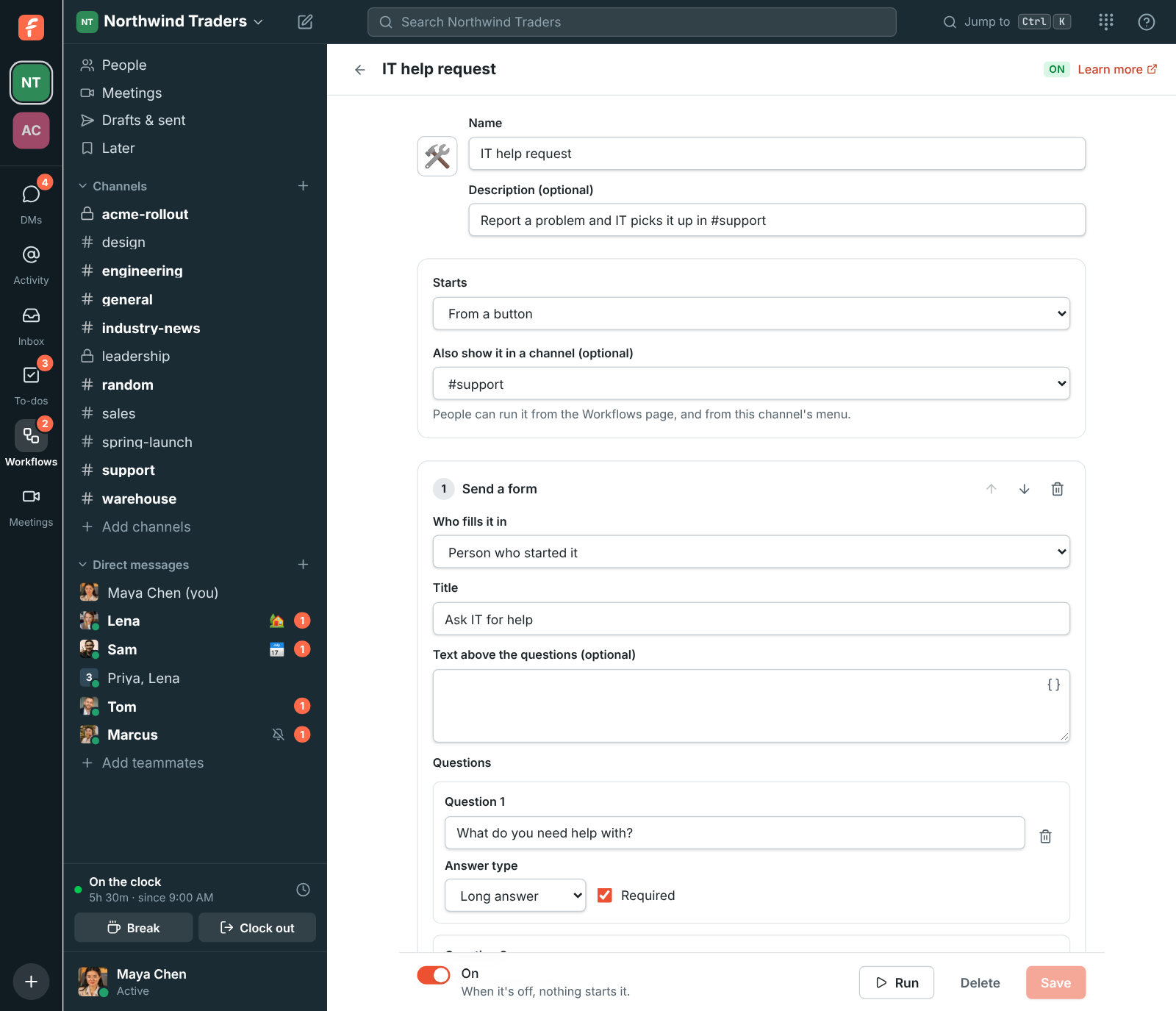
The workflow builder: a form step, then a message to #support, then a to-do for Tom

Start from what happens

A workflow starts from a button on the Workflows page or at the top of a channel, a schedule, an emoji reaction, someone joining a channel, words in a message, a webhook from another app or someone clocking in. Templates cover time off, expenses, IT requests and onboarding.
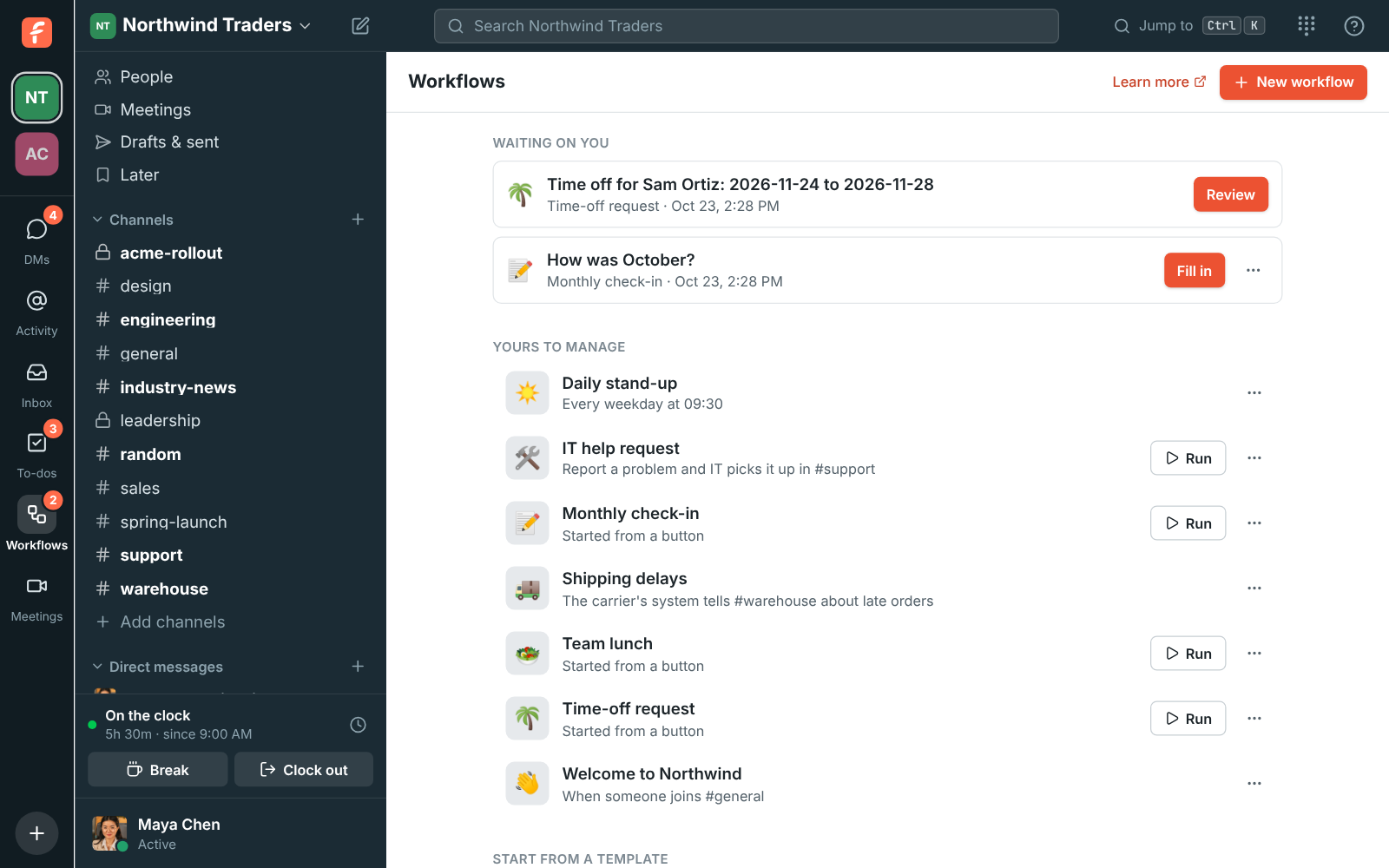
The Workflows page: a form waiting on you, the workspace's workflows and templates

Approvals with a Review button

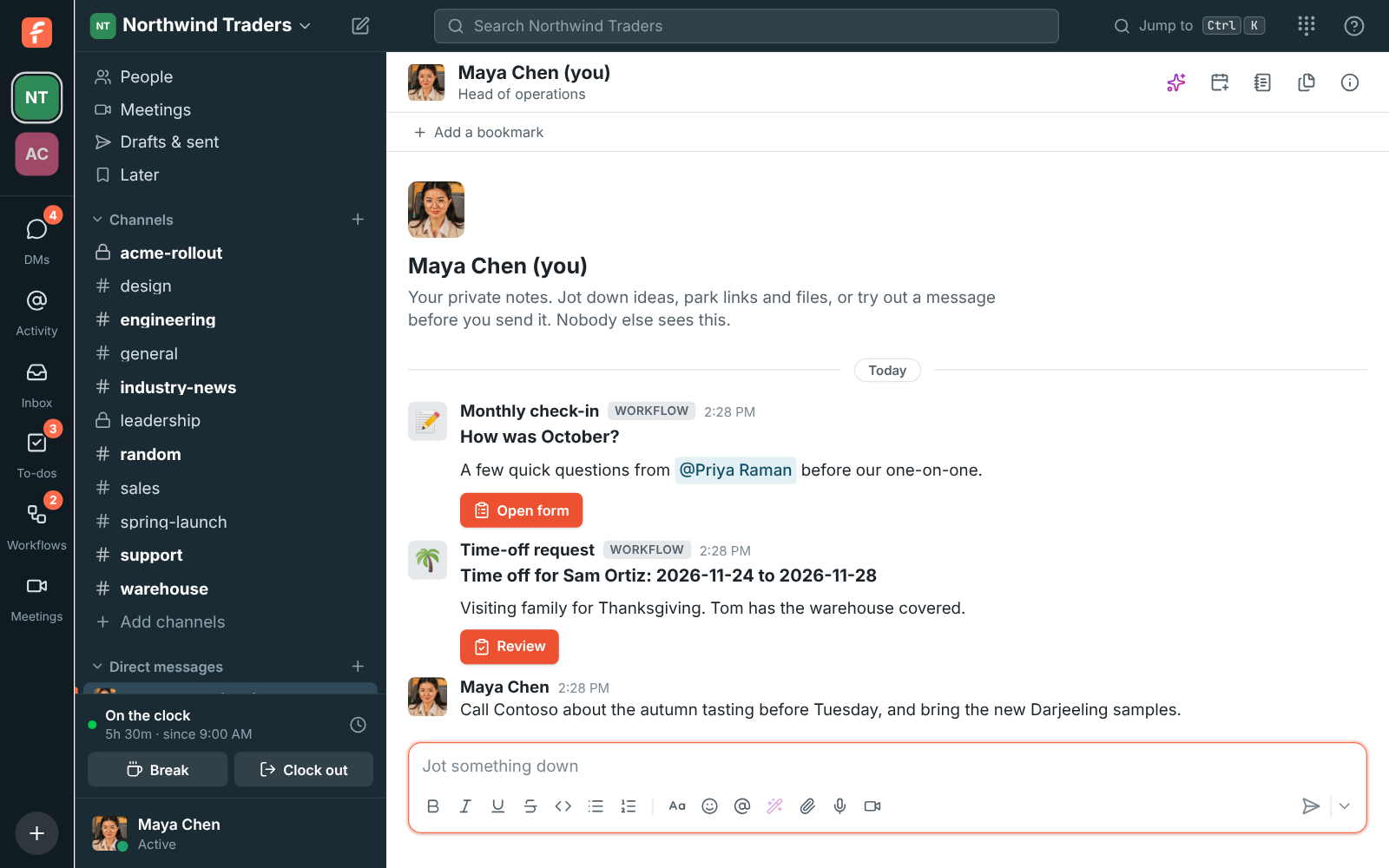
Ask for approval sends up to 10 people a DM with the request and a Review button. Choose whether one of them decides or all must agree, remind anyone who hasn't answered, and branch on the answer with an If step.

The approval card a workflow sends, with its Review button

See it on your own team's data.

Start free with up to 10 people and try it today, or book a 20-minute demo with the people who make Freesbe.

Every run, step by step

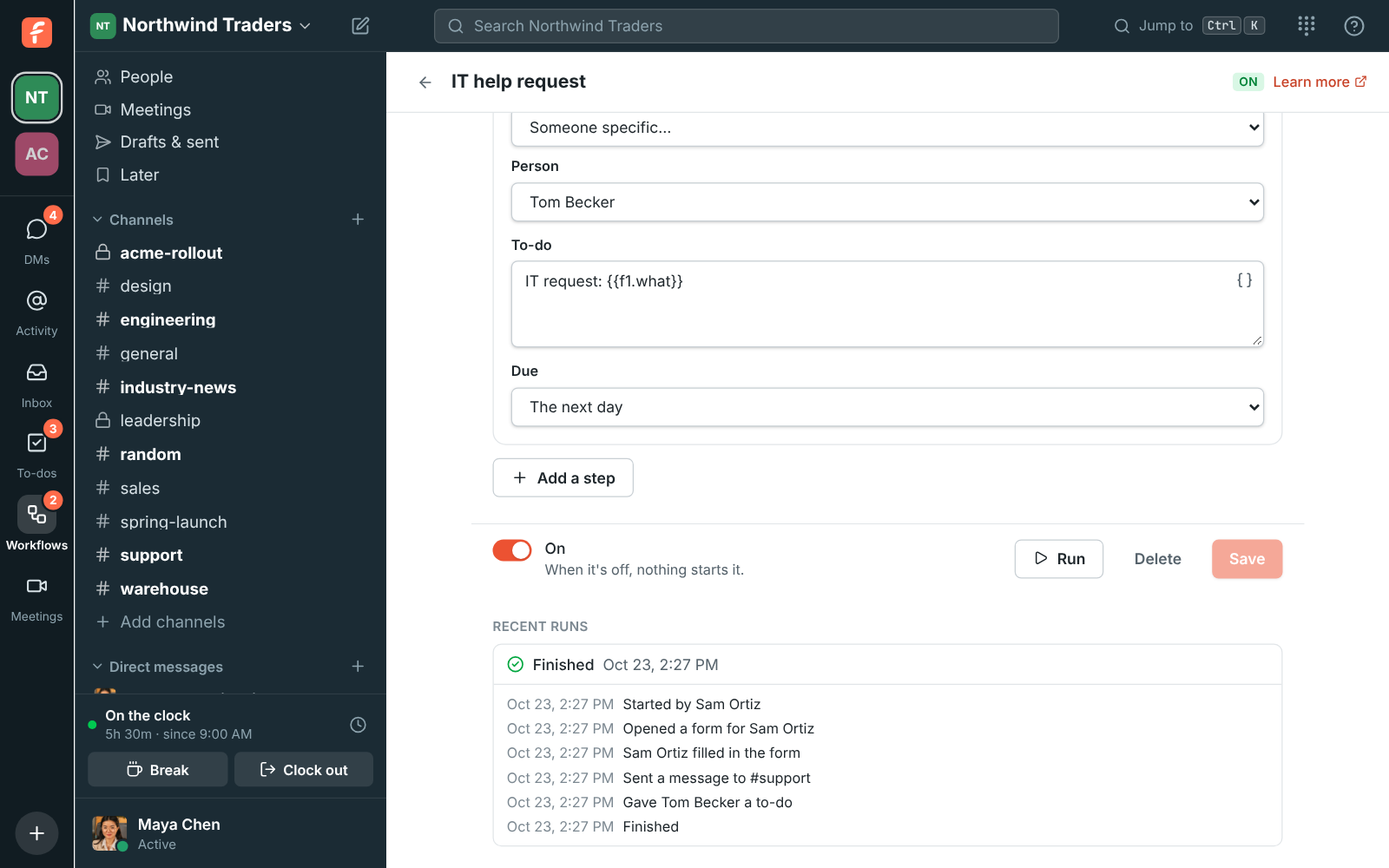
The builder lists the last 50 runs. Open one to see what each step sent, who filled in a form and where it stopped, and stop a run that's still waiting.

Recent runs: a finished run of the IT help request workflow, step by step

Where Power Automate is the better fit

Power Automate connects to hundreds of business systems, runs desktop automation (RPA) that clicks through old Windows apps, and lives inside Microsoft 365, SharePoint and Dataverse. If your flows move data between systems rather than people, it does far more than Freesbe's workflows.

Side by side

Freesbe's prices come from its pricing catalog; Power Automate's from Microsoft's pricing page on the date below, which says its prices are for marketing and may differ from list prices.

FeatureFreesbePower Automate
PriceWorkflows included on every plan; $4 per person a month (Business), billed yearly; $5 month to month$15 per user a month billed yearly (Premium); $150 per bot a month for unattended flows (Process)
Free planFree for up to 10 people, with 90 days of message history, with workflows30-day free trial
Forms and approvalsSend a form and Ask for approval steps, answered in a DMNot listed on the pricing page
TriggersButtons, schedules, reactions, channel joins, words in a message, webhooks, clock-insCloud flows with standard connectors; premium and custom connectors on paid plans
Desktop automation (RPA)Not offeredAttended on Premium, unattended on Process
Automation toolsZapier, Make, n8n and Zoho Flow connect with one key, on every planIts own connectors
Team chat, meetings and a phone systemIncluded: channels, huddles, meetings with guest links; a phone system add-onNot included; Teams is a separate Microsoft product

As of November 5, 2026. Sources: Power Automate pricing. Power Automate and the other names on this page belong to their owners; Freesbe isn't affiliated with or endorsed by them.

Questions

Can Freesbe replace Power Automate?
For approvals, requests, reminders and onboarding that happen between people, yes. For moving data between business systems or desktop automation, no: keep Power Automate, or start a Freesbe workflow from it with a webhook.
What does it cost?
Workflows are on every plan, including Free. Each plan includes a number of workflows that grows with the plan. $4 per person a month (Business), billed yearly; $5 month to month.
Can another tool start a workflow?
Yes. A webhook trigger gives each workflow its own address; Zapier, Make, n8n, Power Automate or a script starts it with one POST and passes its fields.

See the difference on your own team.

Try Freesbe free with up to 10 people, no card and no time limit, or book a 20-minute demo with the people who make it.