Freesbe

Trust

All plans

Leave cleanly, with 30 days to change your mind.

The owner can hand the workspace to someone else, so nothing depends on one person. Closing a workspace stops the plan renewing, keeps it working to the end of the paid period, then holds it read-only for 30 days before anything is deleted, with a Reopen button until then. Deleting your own account gives the same 30 days.

  • Hand the keys over before you leave, including billing and closing.
  • Close a workspace knowing nothing is deleted for at least 30 days.
  • Let everyone read, search and export while it's read-only.
  • Delete your own account without taking your messages out of the team's history.

For Owners and admins planning a departure, a merger or a clean end.

Close workspace in the Admin Center, with the name to type, an optional reason and the Close workspace button

Hand the workspace to a new owner

A workspace has one owner. Before you leave the company or delete your account, open People, Members in the Admin Center, pick Owner for an admin or member and confirm; Freesbe asks you to verify it's you first. The new owner gets full control, including billing and closing the workspace, and you become an admin. Only people who have signed in can become the owner: not guests, apps, deactivated people or people imported from Slack who never signed in. The audit log records it.
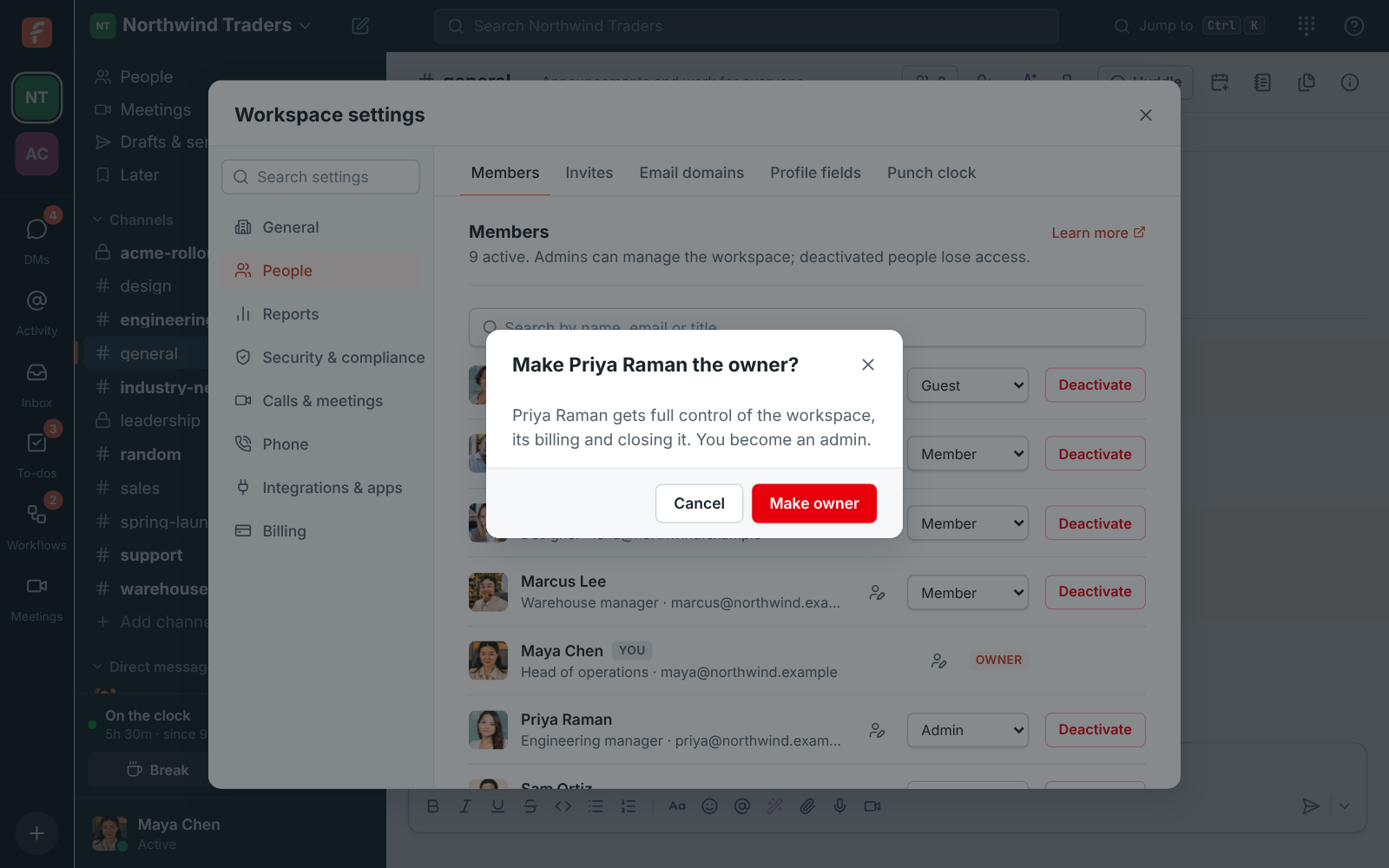
Make Priya Raman the owner? Priya gets full control of the workspace and you become an admin

Close it, with 30 days to change your mind

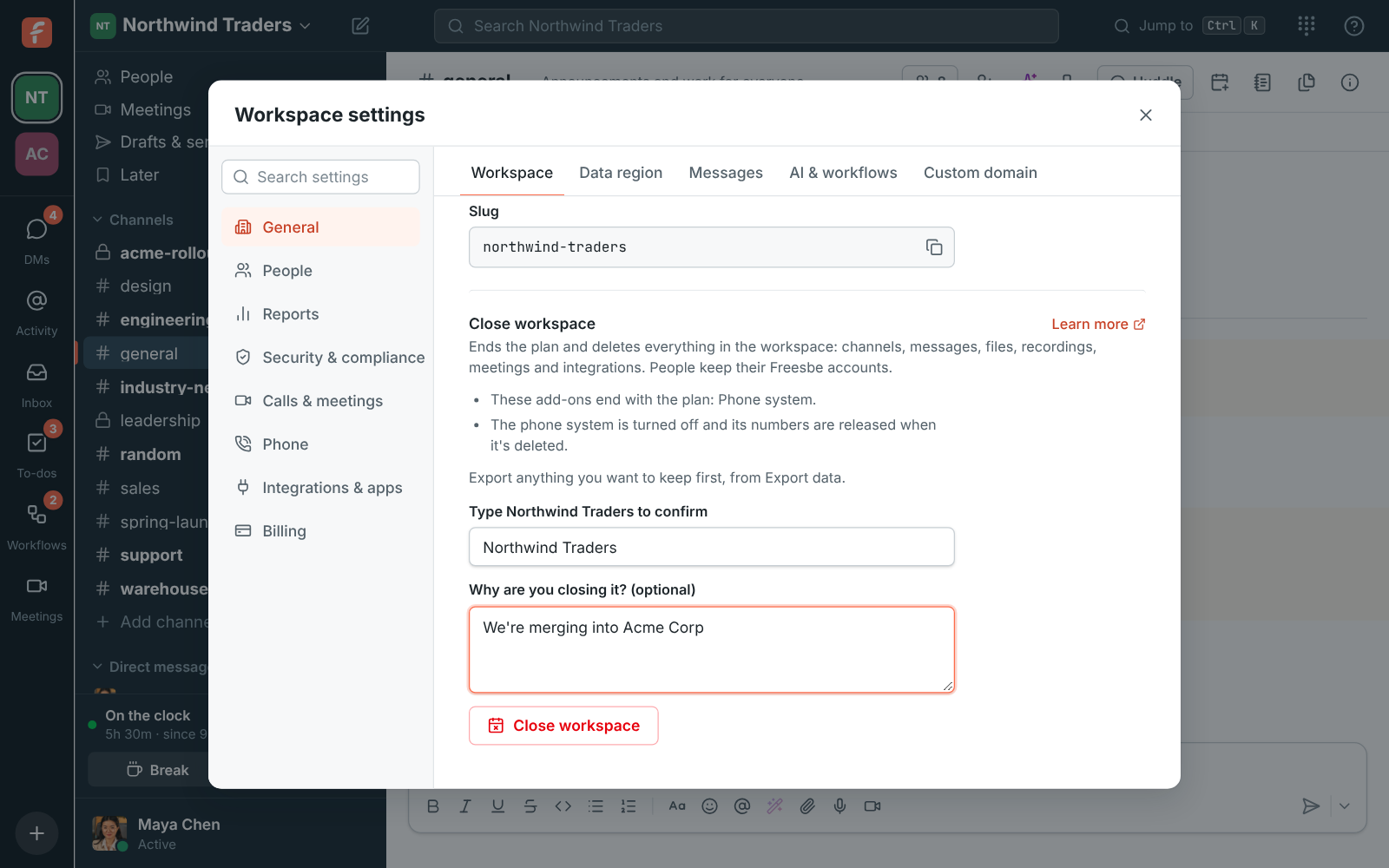
Only the owner can close a workspace, under Workspace, General in the Admin Center, by typing its name and verifying it's them. The plan stops renewing at once and everyone sees a banner with the date. A paid workspace keeps working until the period you paid for ends; a Free one goes read-only now. Read-only means everyone can read, search and download, admins can export, and nobody can post, call, upload or change settings. 30 days later, everything in it is deleted.

Close workspace with the name to type and the Close workspace button

See it on your own team's data.

Start free with up to 10 people and try it today, or book a 20-minute demo with the people who make Freesbe.

Reopen it, or let it go

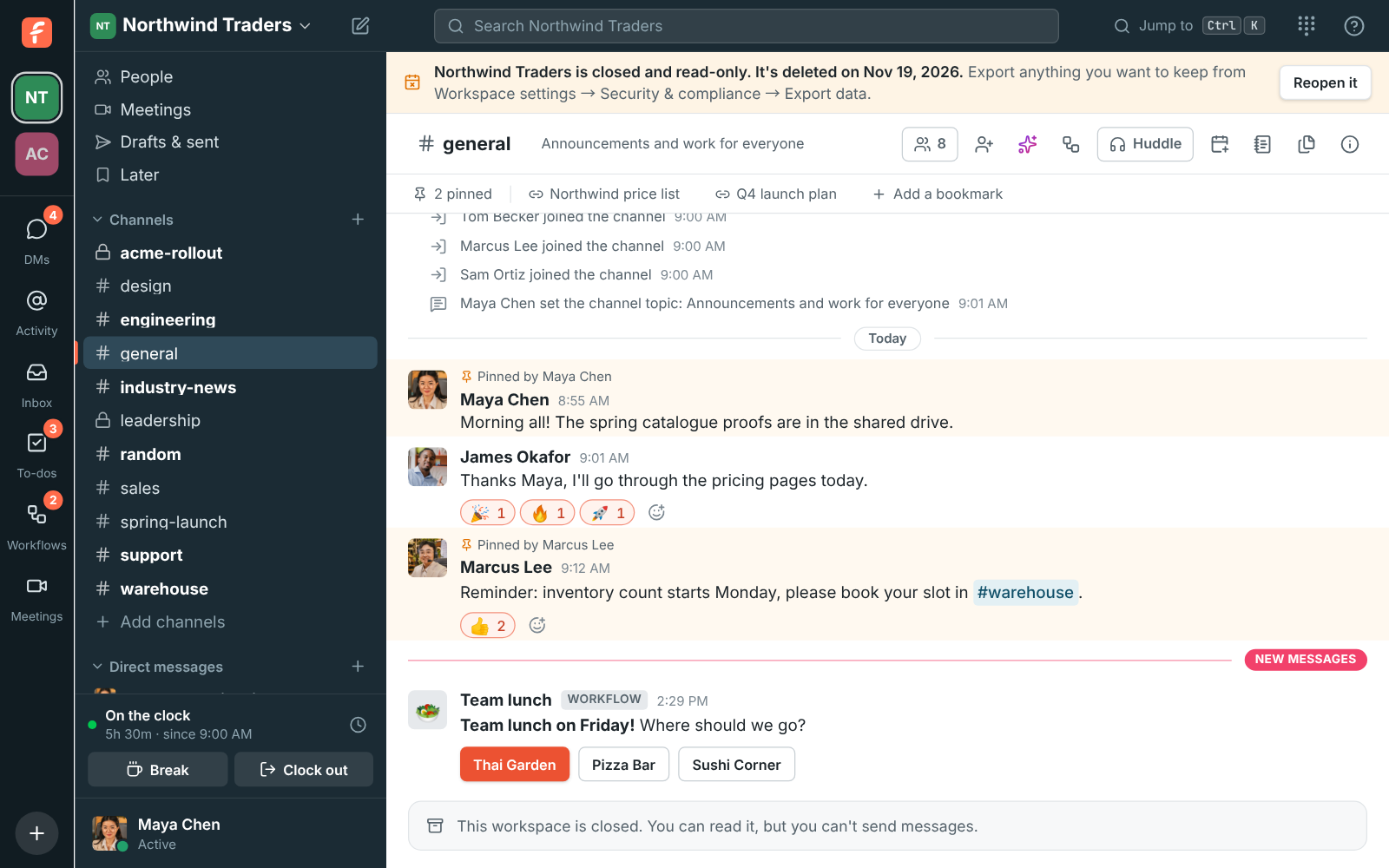
Until the deletion starts, the owner can click Reopen workspace: still in its paid period, the plan renews as before; read-only, it comes back on Free with everything in it. The owner and admins get an email with the dates and the owner one more a week before deletion. After the 30 days, channels, messages, files, recordings, integrations and settings are deleted and phone numbers released; people keep their accounts and other workspaces, and invoices are kept as tax law asks. Backups roll off within 30 more days.

  • Export what you want to keep before closing, or while it's read-only
  • Closing a workspace is about the workspace, not the people in it
A banner at the top of Freesbe: the workspace is closed and read-only, with the date it's deleted and a Reopen it button

Delete your own account

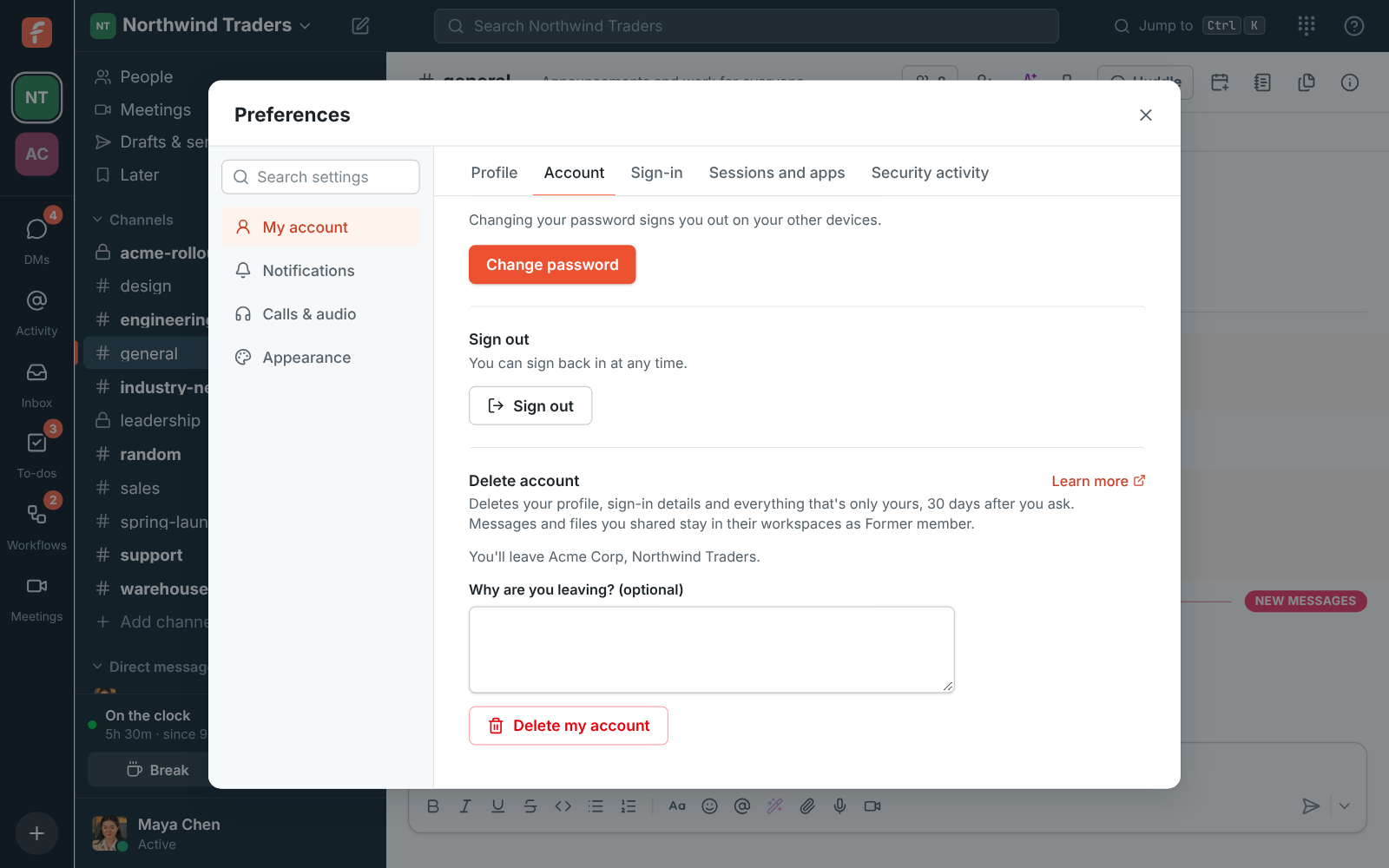
Under Preferences, My account, Account, or on the You tab of the phone app, delete your account: you leave your workspaces and are signed out at once, and the account is deleted 30 days later. Sign in before then and click Keep my account to keep it. The messages and files you shared stay in their workspaces under Former member, the way Slack and Teams work. If you own a workspace with other people in it, hand it over first; if it's only you, close it.

Preferences, Account: Delete account, listing the workspaces you'll leave, an optional reason and the Delete my account button

Plans and pricing

Hand over, close or delete is included in every plan, including Free.

  • FreeUp to 10 people
  • BusinessUp to 500 people
  • CorporateUp to 2,500 people
  • EnterpriseOver 2,500 people

Questions

Which plan includes this?
Every plan, including Free. On Free, a closed workspace goes read-only right away; on a paid plan, when the period you paid for ends.
Is anything refunded when we close?
No. Everything works as usual until the paid period ends, and nothing is refunded for the rest of it. Renewing the plan in the billing portal before then keeps the workspace open.
What stays after deletion?
People's Freesbe accounts and their other workspaces, and the invoices with a record that the workspace was closed, by whom and when, kept 7 years as tax law asks, with no messages or files.
Can an admin close the workspace?
No. Only the owner can, and only the owner can hand the workspace over. An admin who needs to close it asks the owner to hand it to them first.

Try all of it free with up to 10 people.

No card, no time limit. Invite your team and see what sticks.