Freesbe

Run the team

Corporate and up

The whole team on one booking link.

A team booking page is one link for several people, for a demo or onboarding call anyone on the team can take. Admins make it in the Admin Center, add up to 20 members and choose round robin, where the booking goes to someone who is free, or everyone together, where a time shows only when all are free.

  • Demos get booked whenever anyone on the team is free, not only when one person is.
  • Bookings are spread evenly, or go to the first person in your order who is free.
  • Everyone's connected calendar counts as busy, so a booker never lands in a double booking.
  • A colleague pauses themselves while away and the rest keep taking bookings.

For Sales and onboarding teams that share incoming demo and welcome calls.

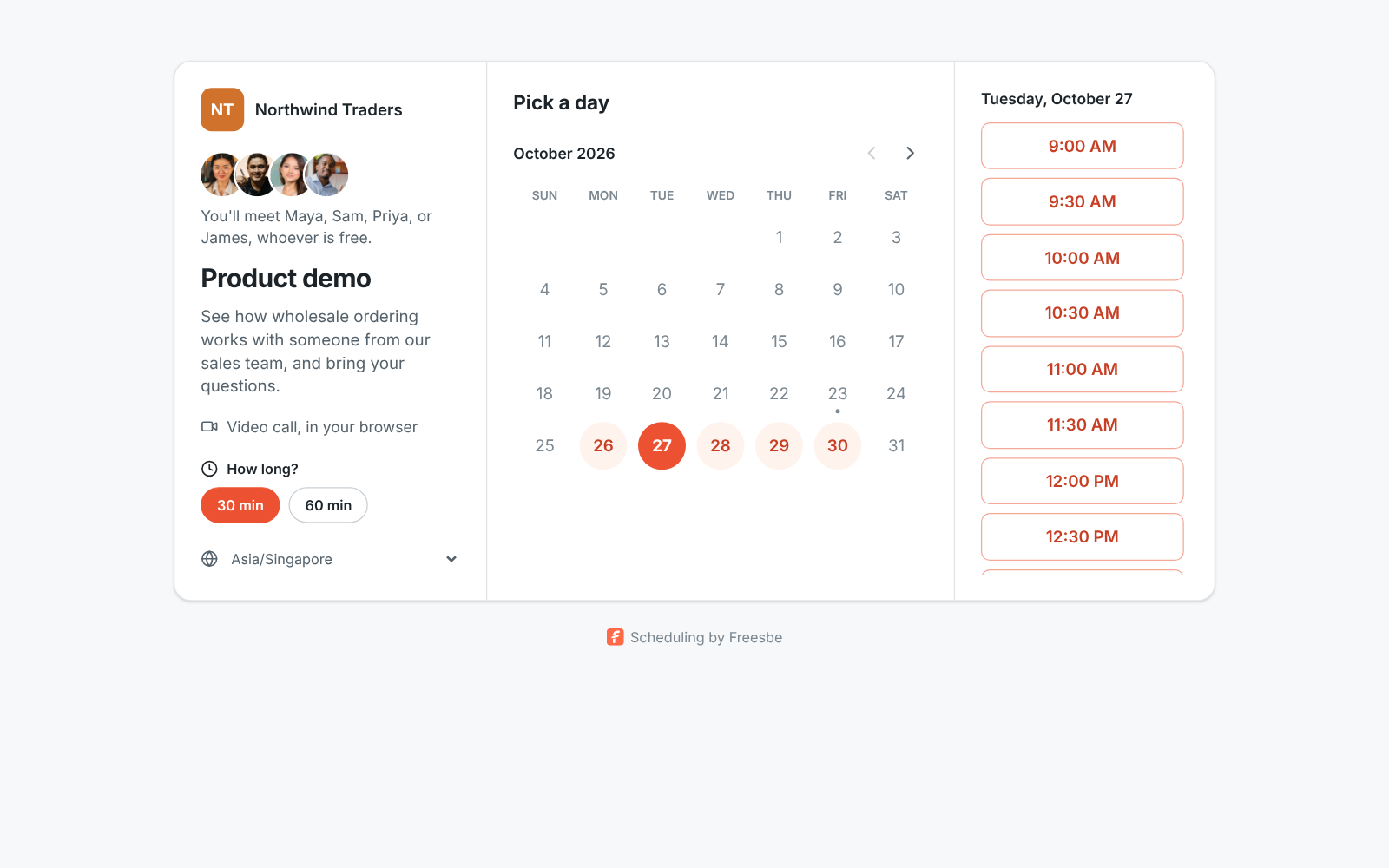
A team booking page: the Northwind name, four photos, You'll meet Maya, Sam, Priya, or James, whoever is free, and a calendar of free days

What the booker sees

The page shows the team's photos and says who the booker will meet: one of them, whoever is free, or all of them together. It always lists everyone on the page, including people who paused themselves or have no calendar connected, so it never gives away who is away or busy. A round robin booking becomes a meeting with the person who got it; a together booking invites everyone, and each of them gets the invite.
A team booking page: four photos, who the booker will meet, the Product demo title and a calendar of free days

Made once, by an admin

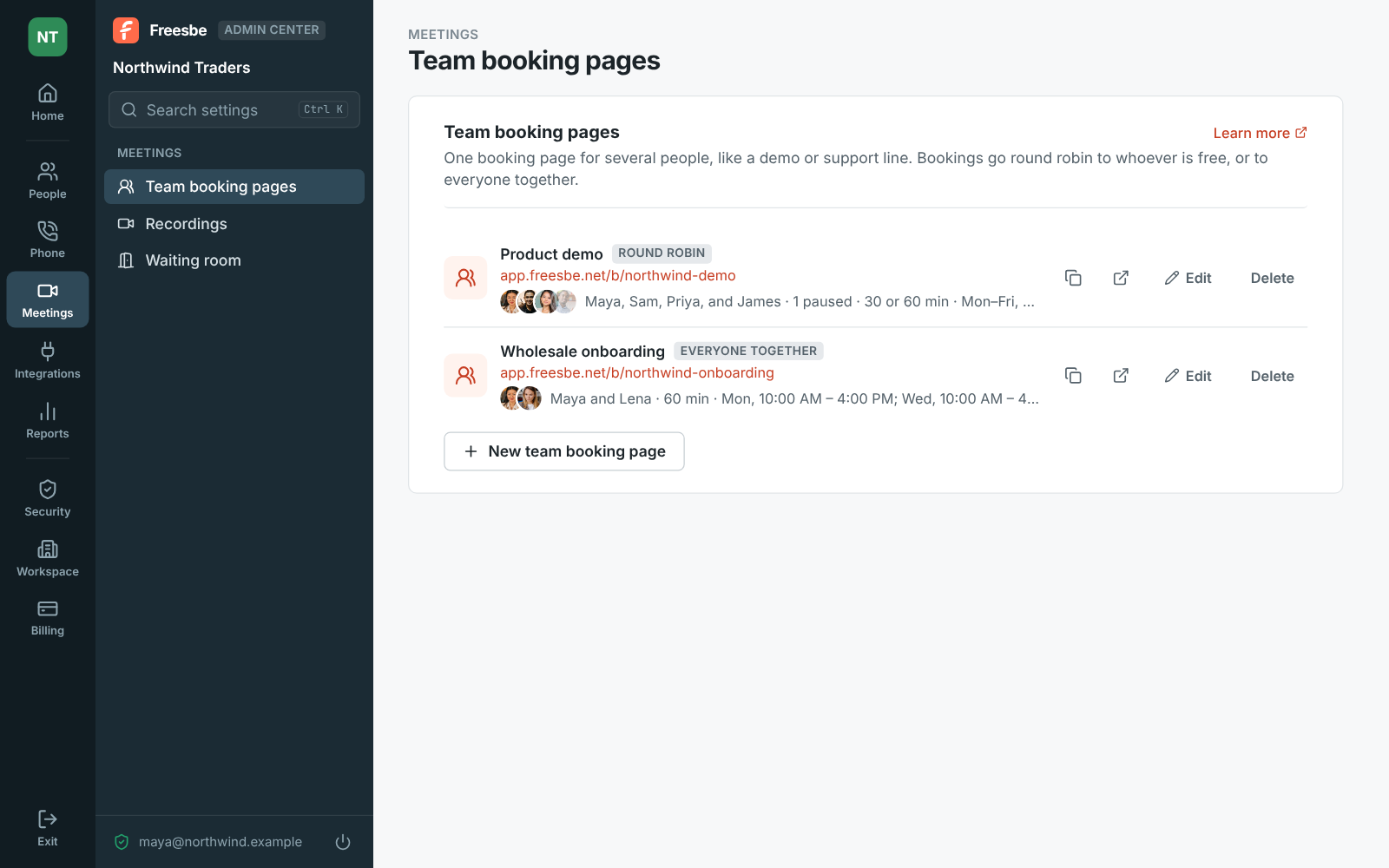
Under Meetings, Team booking pages in the Admin Center, give the page a title and a link such as app.freesbe.net/b/northwind-demo, add up to 20 members, and set the lengths, hours, notice, questions and protection switches as for a personal page. The hours are the team's, the same for everyone. A workspace can have up to 50 team booking pages, and only an admin can change a page or pause it for everyone.

Team booking pages in the Admin Center: the Product demo page shared round robin by four people, and the Wholesale onboarding page for two together

See it on your own team's data.

Start free with up to 10 people and try it today, or book a 20-minute demo with the people who make Freesbe.

Round robin that respects real calendars

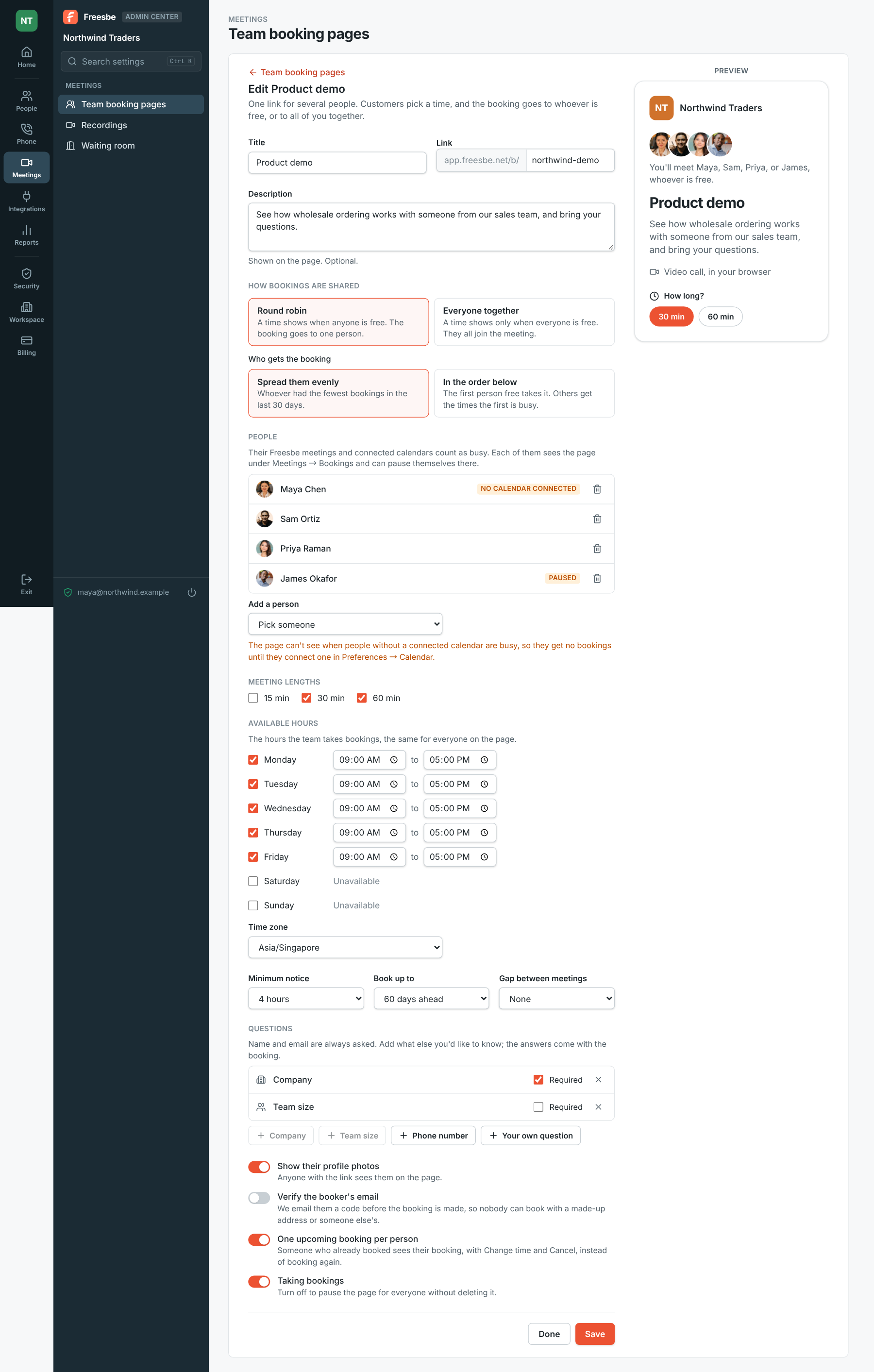
With Spread them evenly, the booking goes to whoever had the fewest bookings through the page in the last 30 days. With In the order below, it goes to the first person in your list who is free, so the others get only the times they're busy. The page sees someone's other appointments only through their connected calendar, so the editor marks anyone without one, and on a round robin page they get no bookings while a colleague has a calendar connected.

Editing the Product demo team page: round robin, spread evenly, four people with Maya marked No calendar connected and James paused, and a preview

Pause yourself, keep the team going

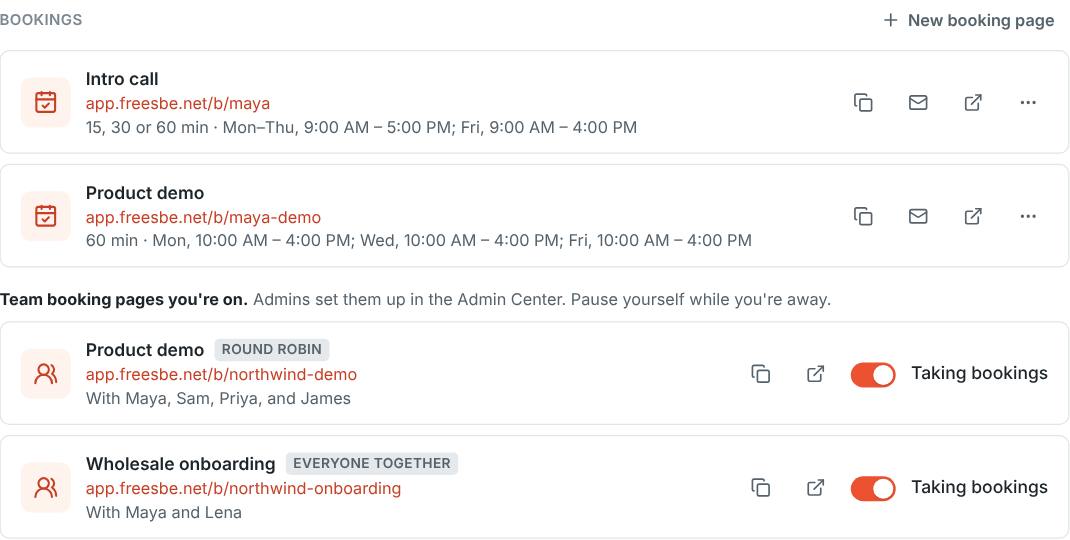
Everyone on a team page sees it in Meetings, under Bookings, below their own pages. Turn off Taking bookings there before a holiday: your times stop showing and no bookings go to you, while your colleagues keep taking them. If a booker moves a round robin booking, it stays with the same person and only their free times show. Each person gets their own When someone books time with you workflows for the bookings they receive.

Maya's Bookings in Meetings: her own pages, then the team booking pages she's on, each with a Taking bookings switch

Plans and pricing

Team booking pages is included in Corporate and Enterprise.

  • CorporateUp to 2,500 people
  • EnterpriseOver 2,500 people

Questions

Which plan includes this?
Team booking pages are a plan feature above personal booking pages; the availability line on this page follows the current pricing catalog. A team page stops working if the workspace moves to a plan without them.
How many people can be on a page?
Up to 20 members. Guests can't take bookings. With In the order below, use the arrows to set who is first.
What if someone hasn't connected a calendar?
On a round robin page they get no bookings while someone else on it has a calendar connected, so the page never books over a meeting it couldn't see. Once they connect their calendar they start taking bookings. If nobody on the page has one, everyone takes bookings during the page's hours, with only their Freesbe meetings counting as busy.
Do bookers know who is paused or busy?
No. The page always shows everyone on it, so bookers can't tell who is away. The person who paused simply gets no bookings.

Try all of it free with up to 10 people.

No card, no time limit. Invite your team and see what sticks.