Freesbe

Trust

All plans

Your messages stay where you said.

When you create a workspace, you choose where its data is stored. Pick the European Union or the United States and messages, files, recordings, canvases and backups stay in data centers in that region only, for GDPR or a customer contract. Pick Asia-Pacific or Oceania to be close to a team far from both. It's free on every plan.

  • Sign a GDPR or customer contract knowing where the data is.
  • Choose once at sign-up, with the nearest region already picked for you.
  • Keep recordings, transcripts and backups in the region, not just messages.
  • Belong to workspaces in different regions with one account.

For Companies in the EU, or with customers who ask where their data sits.

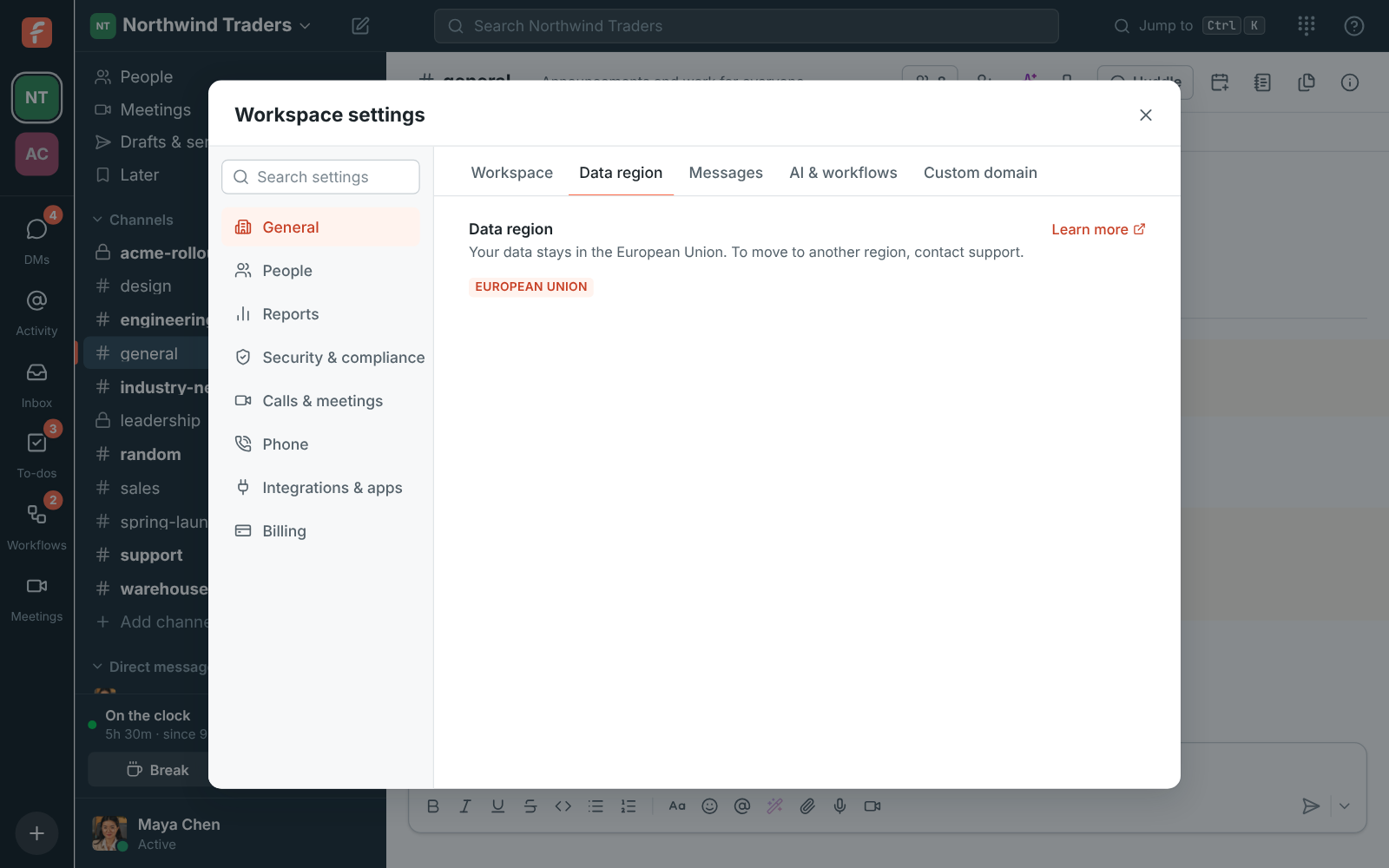
Admin Center, Data region: European Union, with a note that the data stays in the EU

Pick a region when you name the workspace

Under Where should we store your data? on the page where you name a new workspace, pick a region. Freesbe preselects the one closest to you, so most people leave it. The regions come in two groups: those guaranteed to stay in the region, the European Union and the United States, and those stored close to your team, Asia-Pacific and Oceania, where data is placed in that part of the world but can be stored elsewhere when needed.
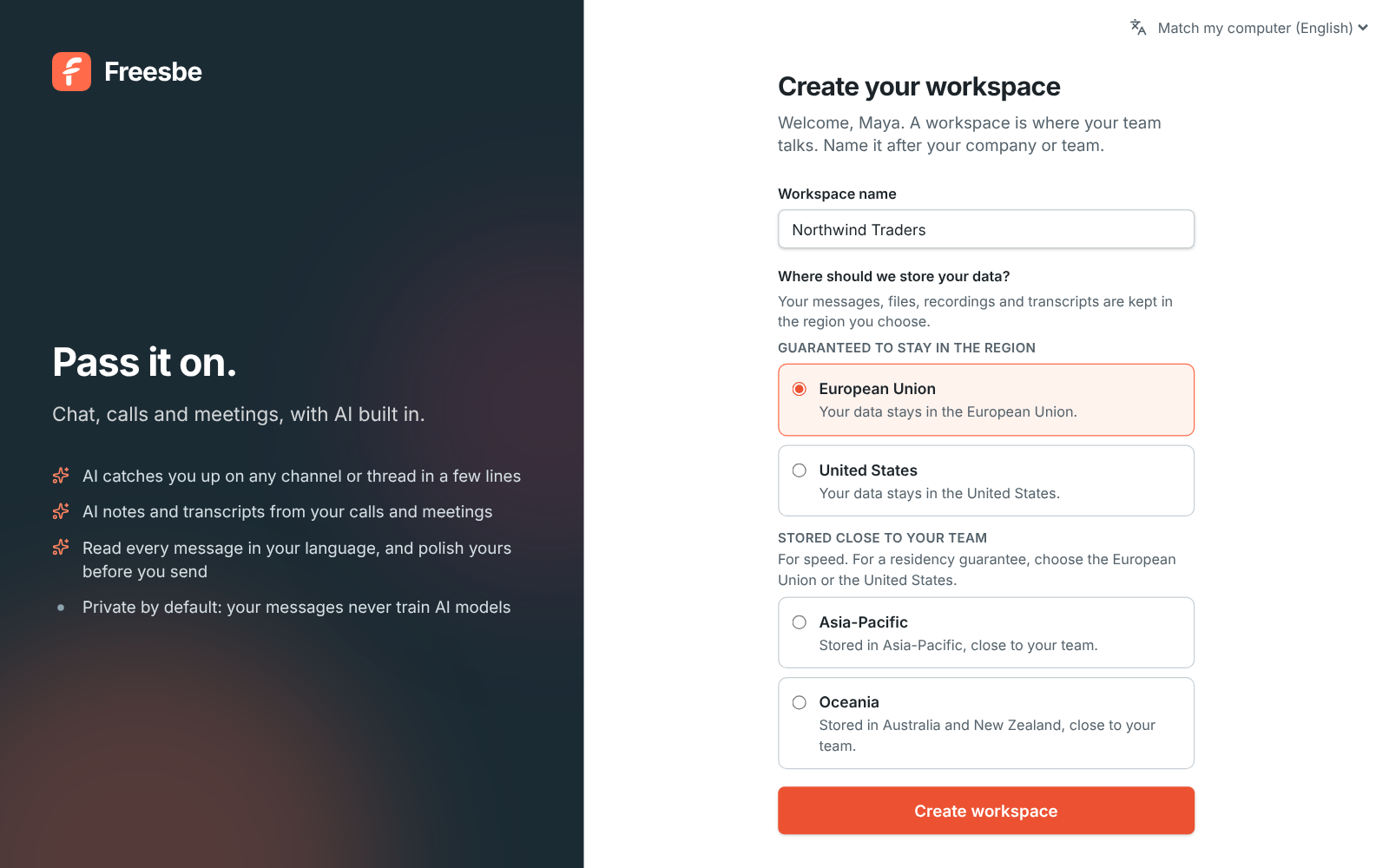
Create your workspace, with the name filled in and European Union chosen under Where should we store your data?

What stays in your region

Messages, threads, reactions, mentions, drafts and scheduled messages. Search across your messages and files. Files and images people share, and the workspace logo. Huddle and meeting recordings, transcripts and AI notes. Meetings, meeting chat, canvases and the live state of huddles. Slack imports. And backups of all of it. Owners and admins see the region in the Admin Center under Workspace, Data region.

The Data region page in the Admin Center showing European Union

See it on your own team's data.

Start free with up to 10 people and try it today, or book a 20-minute demo with the people who make Freesbe.

What works across regions, and why

Your account, with your name, sign-in details and the list of your workspaces, is kept in one place so you can be in workspaces in different regions. Live call audio and video travel through the nearest server and are never stored there; the recording is stored in your region. Text sent for a summary or notes goes to the AI provider, and audio to the speech-to-text provider; neither keeps it, and admins can turn both off. Nothing is stored on the way to your region.

  • Push notifications, emails, payments and phone calls follow those services' own rules
  • The apps and integrations you turn on follow theirs too
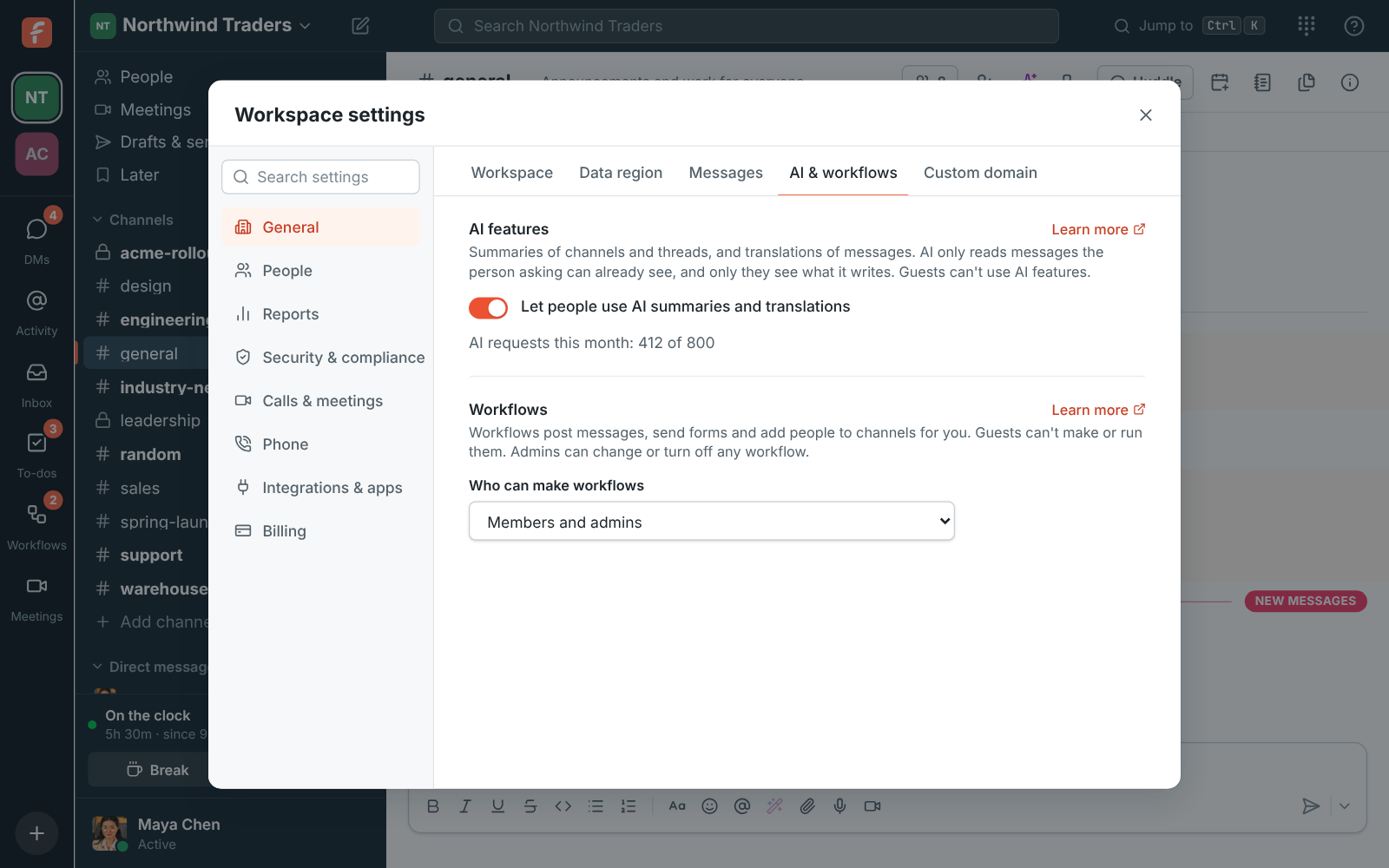
Workspace settings, AI features: the switch for AI summaries and translations

Plans and pricing

Data residency is included in every plan, including Free.

  • FreeUp to 10 people
  • BusinessUp to 500 people
  • CorporateUp to 2,500 people
  • EnterpriseOver 2,500 people

Questions

Which plan includes this?
Every plan, including Free. Moving a workspace to another region is free once a year on Business and Corporate, and whenever you need it on Enterprise.
Can we move later?
Yes. The owner contacts support, you agree a time, and Freesbe copies everything to the new region, checks it and switches the workspace over. While it copies, the workspace is read-only for a few minutes, longer with many hours of recordings.
Does AI leave the region?
The text of a summary, translation or notes is processed by the AI provider and audio by the speech-to-text provider; neither keeps it. Admins can turn AI features and transcripts off in workspace settings.
Our workspace says Not chosen. What now?
Workspaces created before regions existed show Not chosen. Contact support to move it to the region you want.

Try all of it free with up to 10 people.

No card, no time limit. Invite your team and see what sticks.