Freesbe

Talk

All plans

The document that lives next to the conversation.

Every Freesbe channel and direct message has a canvas: one shared document beside the messages for what people keep asking about, like a support playbook, a price list or a customer's account plan. Everyone in the conversation edits it at the same time and sees each other's cursors. Changes save as you type, and templates give you a start.

  • Keep the answer to the question everyone asks one click from the conversation.
  • Write together without taking turns: changes merge as people type, even in the same paragraph.
  • Start from a playbook, FAQ, account plan, meeting notes or project brief template.
  • Nothing to set up or save: the canvas is there the first time someone opens it.

For Support, sales and project teams who keep a playbook, a price list or a plan per customer.

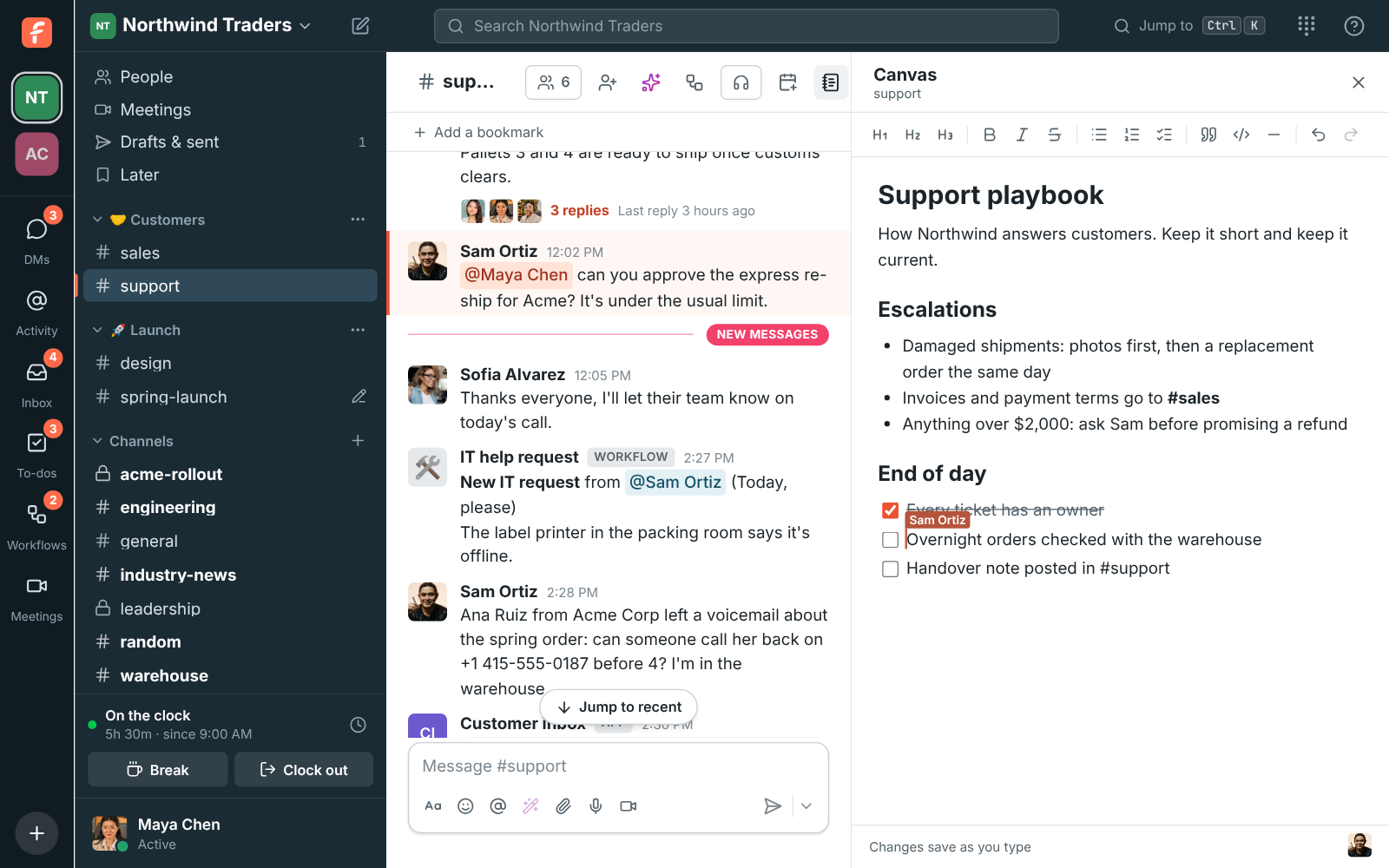
The #support channel with its canvas open on the right: a support playbook with headings, an escalation list and an end-of-day checklist

Open it beside the messages

Click the canvas button at the top of a channel or DM, next to the huddle button, and the canvas opens on the right. Keep reading the conversation while you write. The first time a member opens it, the canvas is empty and ready, and Changes save as you type shows at the bottom. A canvas keeps its own width when you drag the divider, since a document usually wants more room.
The #support channel with its canvas open on the right, with Sam Ortiz's cursor in the checklist

Start from a template

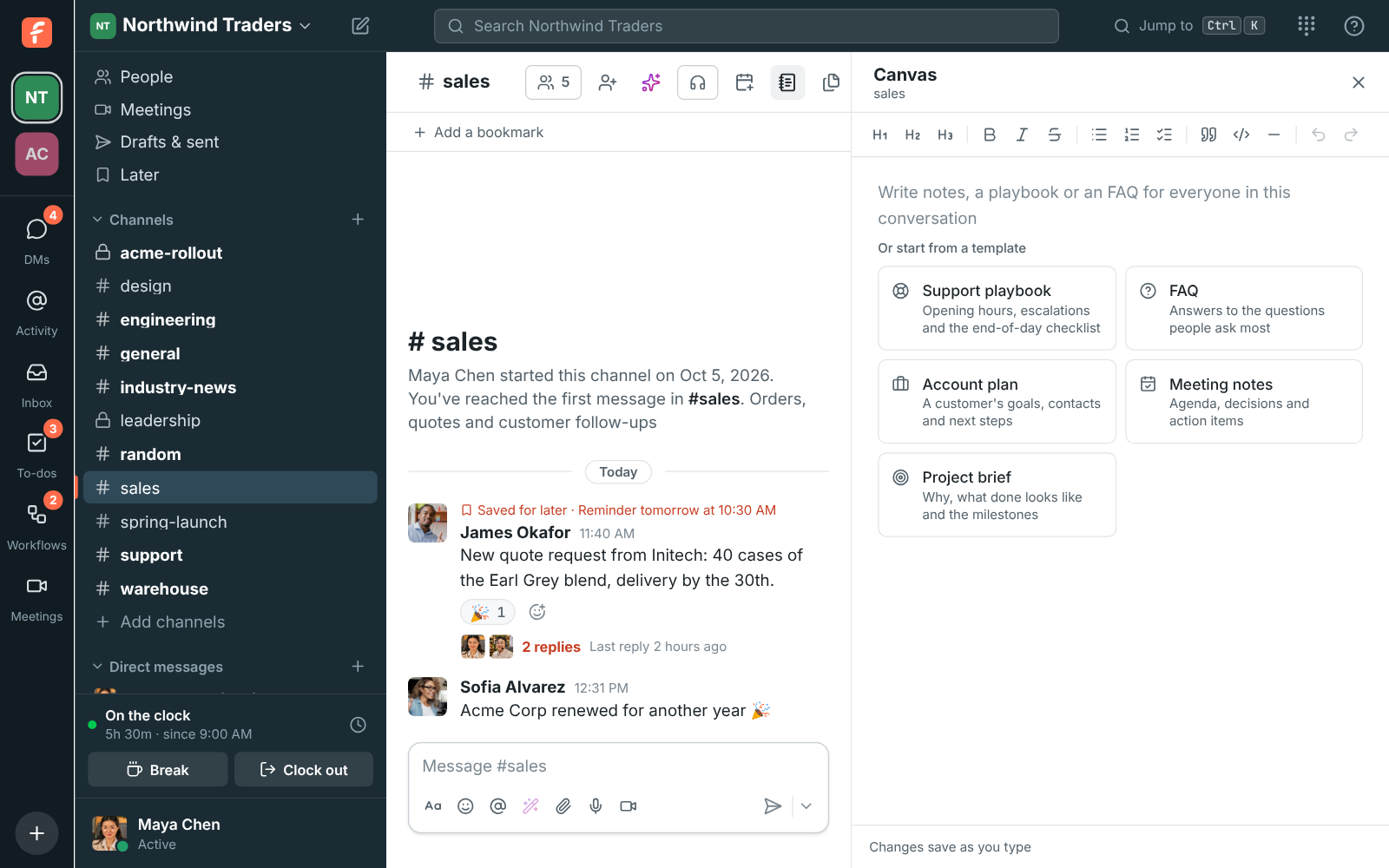
While a canvas is empty, five ready-made starts show under the first line: Support playbook, FAQ, Account plan, Meeting notes and Project brief. Click one to fill the canvas with its headings, lists and checklists, then replace the prompts with your own details. Templates come in the language you use Freesbe in, and they go away once the canvas has anything in it, so they never replace someone's work.

  • Support playbook: opening hours, response times, who to escalate to, an end-of-day checklist
  • Account plan: the customer, owner and renewal date, goals, key contacts and next steps
  • Meeting notes: date and attendees, the agenda, decisions and action items
The empty canvas in #sales with five templates under it: Support playbook, FAQ, Account plan, Meeting notes and Project brief

See it on your own team's data.

Start free with up to 10 people and try it today, or book a 20-minute demo with the people who make Freesbe.

An account plan for every customer

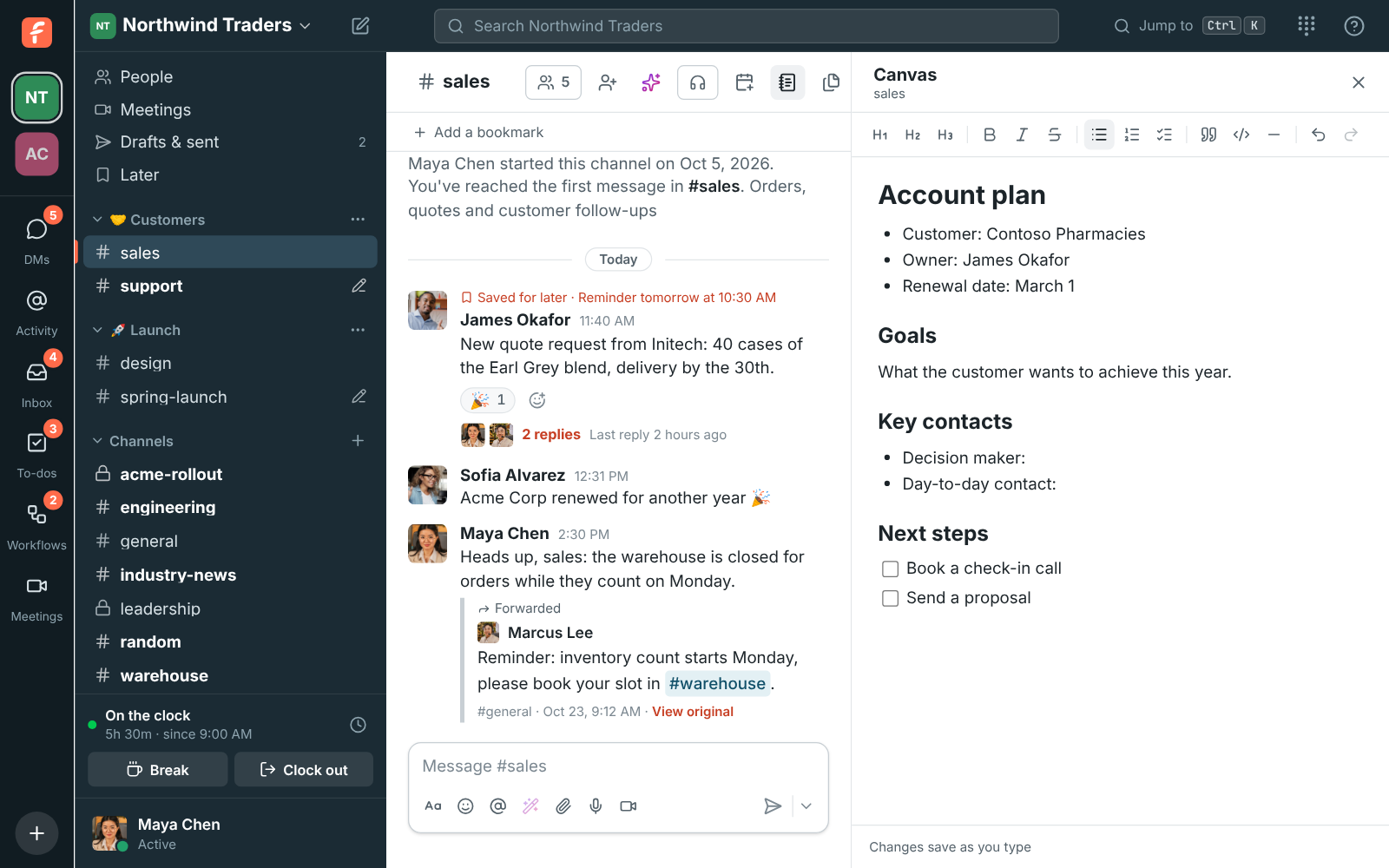
Give each customer a channel and its canvas holds the plan: who owns the account, when it renews, what they want and what happens next. The conversation about the customer and the plan for them sit side by side, so nobody digs through a drive for the latest version. Headings in three sizes, bold, lists, checklists you can tick off, quotes and code blocks format it.

The #sales canvas filled from the Account plan template, with the customer, owner and renewal date filled in

Edit together, even offline

When someone else has the canvas open, their cursor shows with their name and their picture appears at the bottom. Everyone's changes merge as they type, so nobody waits their turn. Undo and Redo undo your own changes, never someone else's. If your connection drops, keep writing: the canvas says you are offline, and your changes are sent as soon as you are back.

A canvas with another person's named cursor in the text

Plans and pricing

Canvases is included in every plan, including Free.

  • FreeUp to 10 people
  • BusinessUp to 500 people
  • CorporateUp to 2,500 people
  • EnterpriseOver 2,500 people

Questions

Who can see and edit a canvas?
A canvas follows its conversation. Members of the channel or DM can edit it. Anyone browsing a public channel can read its canvas but has to join to edit. A private channel's canvas is only visible to the people in it, and an archived channel's canvas is read-only.
Do I need to save?
No. Changes are kept as you type, and the bottom of the canvas says so. Pasted links become clickable, and Hebrew and Arabic lines are written right to left on their own.
How much can a canvas hold?
A long document, about a book's worth of text. If one is ever full, start a new channel or move part of it elsewhere.
Which plan includes this?
Every plan, including Free. Every channel and DM in the workspace gets a canvas.

Try all of it free with up to 10 people.

No card, no time limit. Invite your team and see what sticks.