Freesbe

Compare

A Teams alternative for teams that just want to talk.

Freesbe is chat, huddles, meetings with guest links and a business phone system in one light app, without a Microsoft 365 subscription. Business costs the same per person as Teams Essentials, and the phone system is an add-on where Microsoft sells Teams Phone separately. People keep signing in with their Microsoft account and keep their Outlook calendar.

  • Open the app on your conversations, with a call one click away in any channel.
  • Let guests join meetings from a browser, with a lobby, and no account or app.
  • Add a phone system to Business instead of a Teams Phone license on top of Microsoft 365.
  • Keep Microsoft sign-in, and connect Outlook calendars for free and busy times.

For Small teams who use Teams because it came with Microsoft 365, and want something lighter.

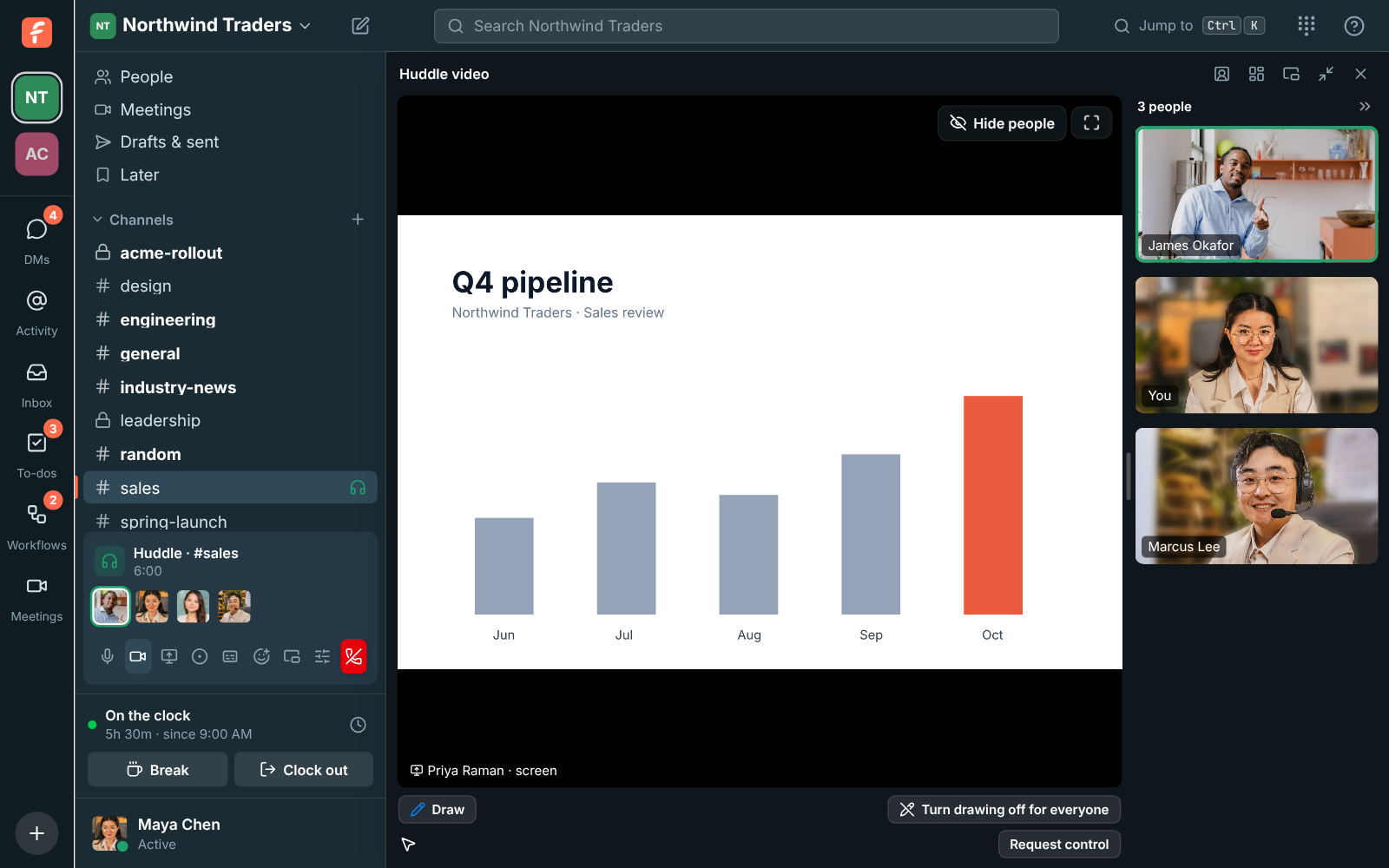
A Freesbe huddle with a shared screen and three cameras, the sidebar still visible

Chat first, calls one click away

Freesbe opens on your channels and DMs. Start a huddle in any of them, share your screen, and keep chatting while the call stays in a corner or a floating window. Up to 20 people join a huddle, and a huddle can move to your phone when you leave your desk.
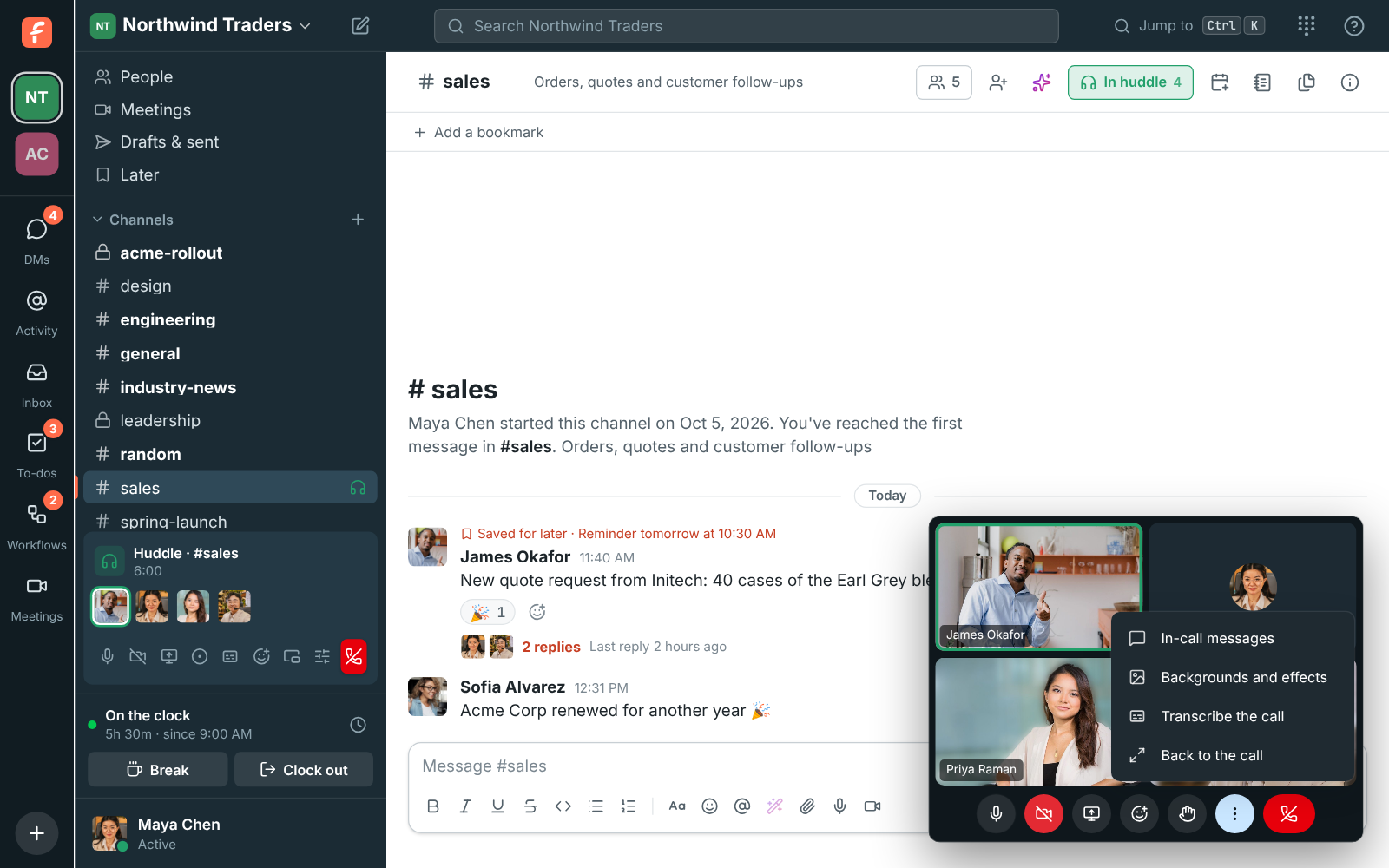
A huddle in a floating window beside the conversation

Meetings that guests open in a browser

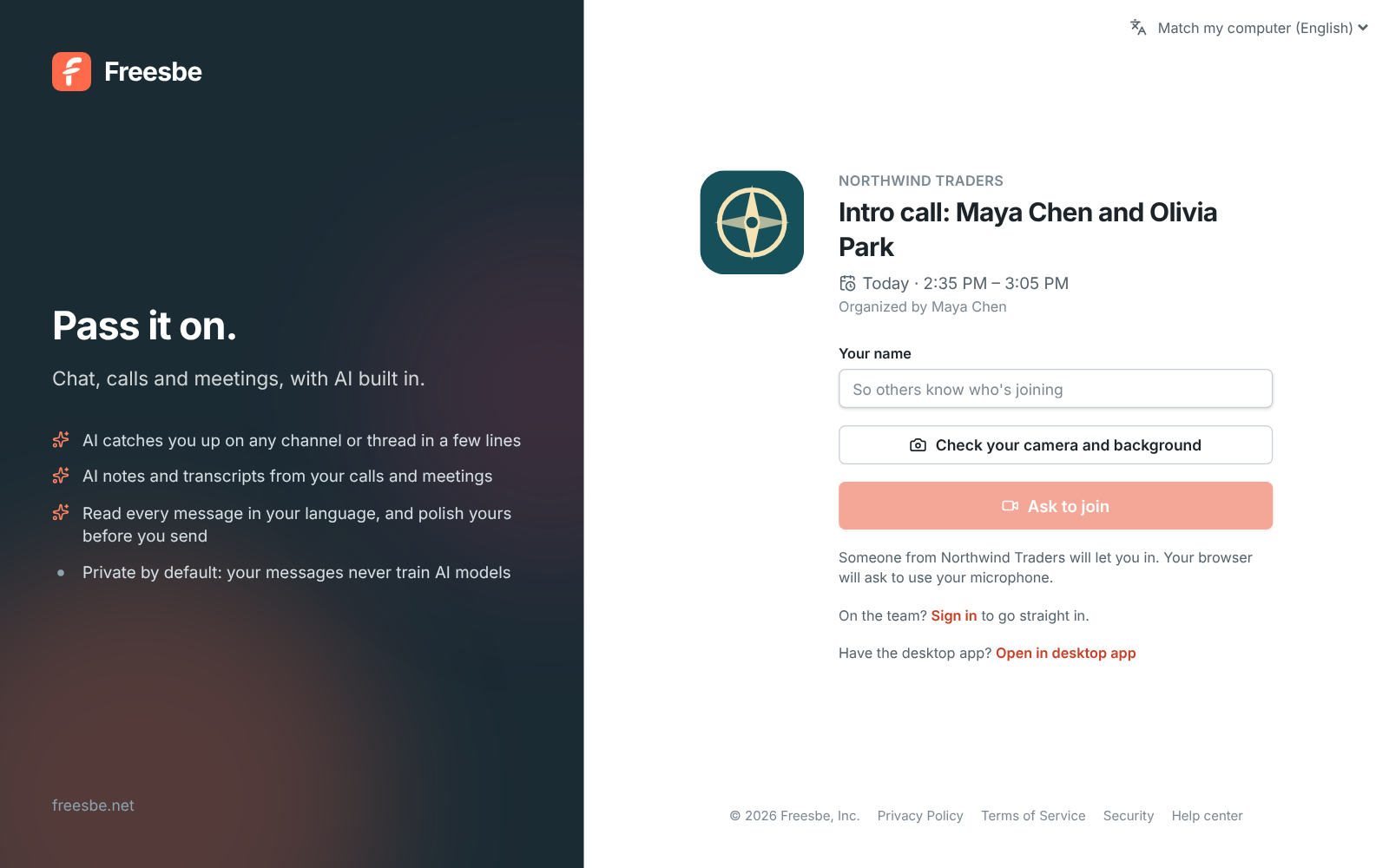
A scheduled meeting has its own short link, your logo and a lobby. Guests click Ask to join and wait until someone lets them in; people in the workspace go straight in. Invites carry a calendar file for Outlook, Google Calendar and Apple Calendar, and a reminder arrives about 10 minutes before the start. Record it, or just transcribe it, and the notes follow.

A meeting link with the Northwind Traders logo and an Ask to join button

See it on your own team's data.

Start free with up to 10 people and try it today, or book a 20-minute demo with the people who make Freesbe.

Keep your Microsoft sign-in and calendar

Everyone can continue with Microsoft, and on Corporate and Enterprise admins can require it for the whole workspace. Connect an Outlook calendar to see busy times while scheduling and to show In a meeting automatically. Meetings scheduled in Freesbe land in Outlook with their link.

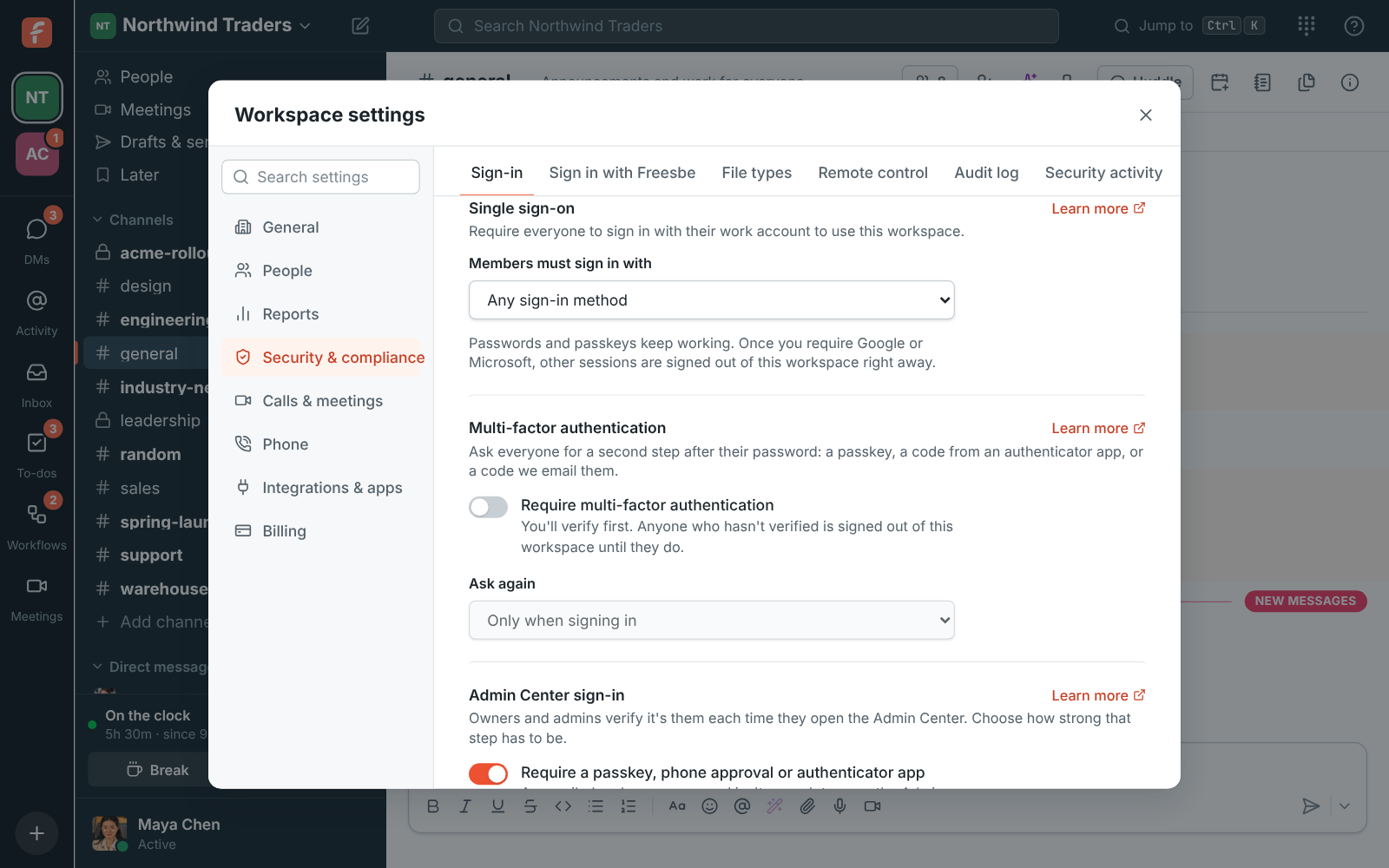
Workspace settings, Single sign-on: members must sign in with Microsoft

Where Teams is the better fit

Teams Essentials holds 300 people in a meeting where a Freesbe meeting holds 20. Microsoft 365 plans bring Word, Excel, Outlook, SharePoint and OneDrive with Teams, and a company that lives in them may prefer one bill. Freesbe doesn't replace the Office apps; it connects to the calendar and leaves the rest alone.

Side by side

Freesbe's prices come from its pricing catalog; Microsoft's from its Teams pricing pages on the date below. Microsoft's business prices are for an annual subscription.

FeatureFreesbeMicrosoft Teams
Lowest paid plan, per person a month$4 per person a month (Business), billed yearly$4 (Teams Essentials, annual subscription)
Free planFree for up to 10 people, with 90 days of message historyFree for personal use: group meetings up to 60 minutes with up to 100 people
People in one meeting20 in a huddle or meeting; invite up to 50 to a meeting300 (Teams Essentials)
Guests join from a browserYes, with a lobby and no accountYes
Business phone systemPhone system add-on, $8 per person a month, billed yearly ($10 month to month), on any paid planTeams Phone Standard add-on, $10 per user a month, annual subscription
File storage5 GB on Free, 10 GB per person on Business10 GB per user (Teams Essentials)
Email and Office appsNot included; connect Google, Microsoft or Zoho calendarsWith Microsoft 365 plans; Teams Essentials is Teams alone
Sign in with MicrosoftEvery plan; required on Corporate and EnterpriseMicrosoft account
Customer inbox: web chat, support email, WhatsAppIncluded on every planNot listed on the pricing page

As of November 2, 2026. Sources: Compare Microsoft Teams business options, Microsoft Teams Essentials, Free Microsoft Teams, Microsoft Teams Phone. Microsoft Teams and the other names on this page belong to their owners; Freesbe isn't affiliated with or endorsed by them.

Questions

Can we sign in with our Microsoft accounts?
Yes. Anyone can continue with Microsoft on any plan, and on Corporate and Enterprise admins can require it for the whole workspace.
Does Freesbe work with Outlook calendars?
Yes. Connect a Microsoft calendar to see busy times when scheduling and to set In a meeting automatically; meeting invites carry a calendar file for Outlook.
Is a phone line extra?
The Phone system add-on is $8 per person a month, billed yearly ($10 month to month), on any paid plan. Microsoft lists Teams Phone Standard at $10 per user a month on top of a Teams or Microsoft 365 license. The add-on isn't on sale yet; talk to us to be first.
Can I move from Microsoft Teams?
Freesbe imports Slack exports, not Teams data. From Teams, let people join with their work email domain, bring files by hand, and point the tools that post to Teams at Freesbe's incoming webhooks.
How big can meetings be?
Up to 20 people in a Freesbe huddle or meeting, with up to 50 invited. Teams Essentials lists 300.

See the difference on your own team.

Try Freesbe free with up to 10 people, no card and no time limit, or book a 20-minute demo with the people who make it.